
Enterprise App Development Services: Your UK Partner Guide
You're probably here because your business has reached an awkward stage. The team is juggling spreadsheets, email chains, WhatsApp messages, a website form, and a couple of software tools that don't quite talk to each other. Work still gets done, but it takes too many clicks, too much chasing, and too much rekeying.
That's usually the point where owners in Dorset and across the UK start asking the same question. Do we need a custom app, or are we about to buy a very expensive solution to the wrong problem?
The honest answer is that enterprise app development services aren't for every business. Sometimes a better CRM setup, a cleaner workflow, or a lightweight portal is enough. But when your operations are being held together by manual workarounds, disconnected systems, and too much admin, a custom app can become less of a luxury and more of a practical operating system for the business.
Table of Contents
- What Are Enterprise App Development Services Really?
- Why Your Business Might Need a Custom Enterprise App
- Common Types of Enterprise Apps for UK Businesses
- The Enterprise App Development Process Demystified
- Essential Technical and Security Considerations
- How to Budget for Enterprise App Development
- Choosing the Right Development Partner for Your Business
What Are Enterprise App Development Services Really?
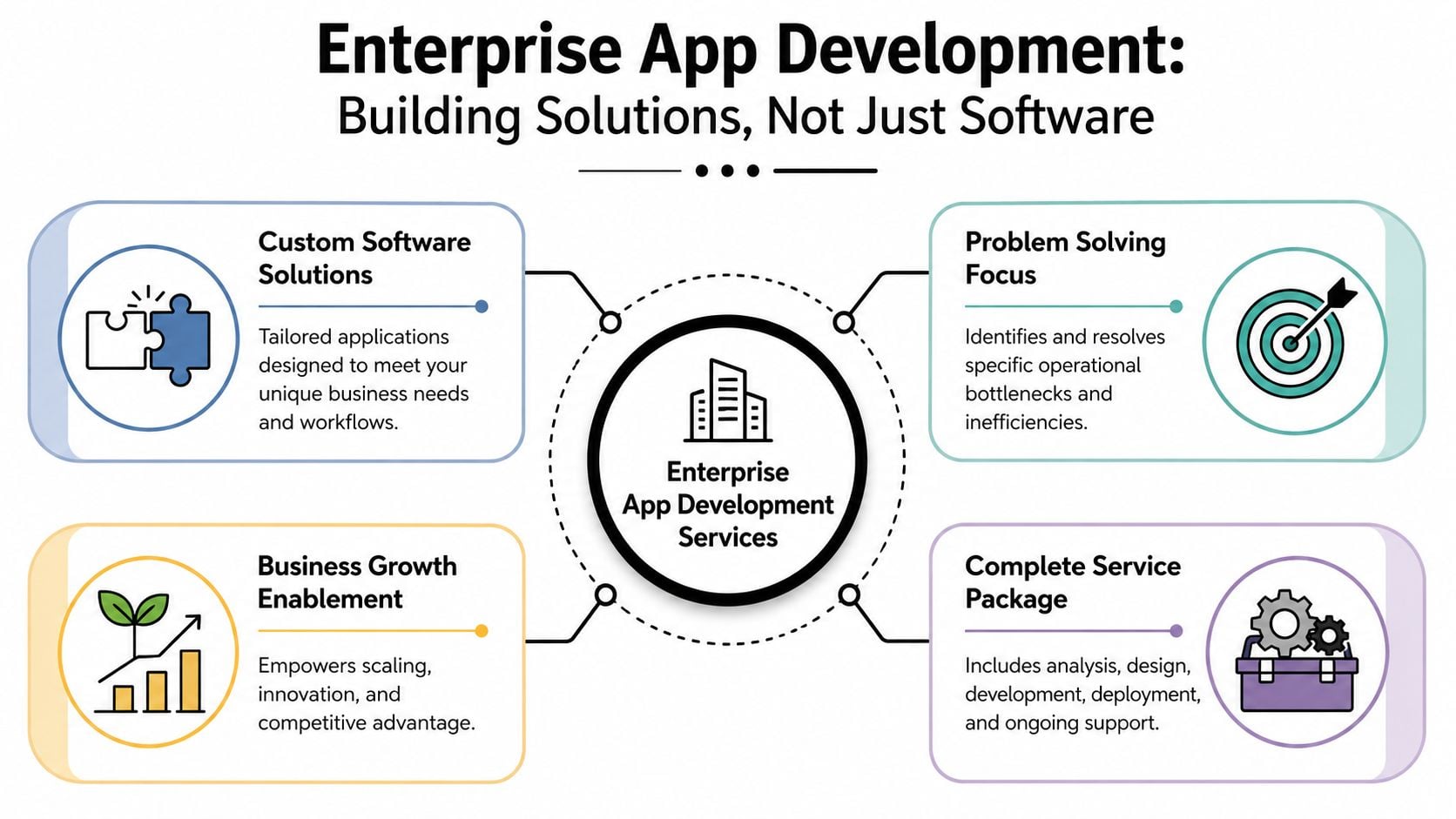
Enterprise app development services are best understood as a business problem-solving service, not a piece of software sold off a shelf.
A simple way to think about it is this. Buying generic software is like buying a standard shed from a garden centre. It can be useful, fast to get, and affordable. Custom enterprise development is more like building a workshop around the way you actually work. The doors go where you need them, the storage fits your tools, and the power supply supports the machines you already use.
For a small or medium-sized business, “enterprise” doesn't mean corporate bloat. It means the app is built to handle serious operational work. That could be job scheduling, internal approvals, order processing, secure client access, stock movement, reporting, or field team coordination. It needs to be stable, secure, and able to grow with the business.
The wider market shift explains why this has become more relevant. The market for enterprise mobile application development services is projected to expand by USD 250.71 billion between 2023 and 2028 at a 25.54% CAGR, according to Technavio's enterprise mobile application development services market analysis. That matters because businesses now expect core processes to work on phones and tablets, not just on office desktops.
What the service usually includes
When people hear “app development”, they often picture programmers writing code. Coding is only one part of the job.
A proper engagement usually includes:
- Business discovery: mapping how work happens now, where delays occur, and what should be automated
- UX and UI design: shaping the screens so staff, customers, or members can use them without training battles
- Frontend development: building what users interact with on web, iPhone, Android, or tablet
- Backend development: handling databases, user permissions, logic, integrations, and admin tools
- Testing and launch support: checking the app works in real conditions, not just in a demo
- Ongoing maintenance: fixing issues, applying updates, improving features, and keeping the system secure
Practical rule: If a provider talks only about features and never about workflows, data, users, and maintenance, they're describing coding, not enterprise app development services.
Why the service part matters
The service matters because most SMB problems aren't caused by a lack of screens. They're caused by broken process flow. A good partner looks at the full chain. Where does data start, who touches it, where does it get stuck, and what needs to happen next?
That's why many firms start by exploring custom app development support rather than asking for a specific app type on day one. The right outcome might be a customer portal, a staff tool, a booking system, or a connected web app. The label matters less than whether it removes friction from the business.
Why Your Business Might Need a Custom Enterprise App
Most SMB owners don't wake up wanting an app. They want fewer mistakes, faster admin, better visibility, and less dependence on one staff member who “knows how the spreadsheet works”.
That's the buying trigger.
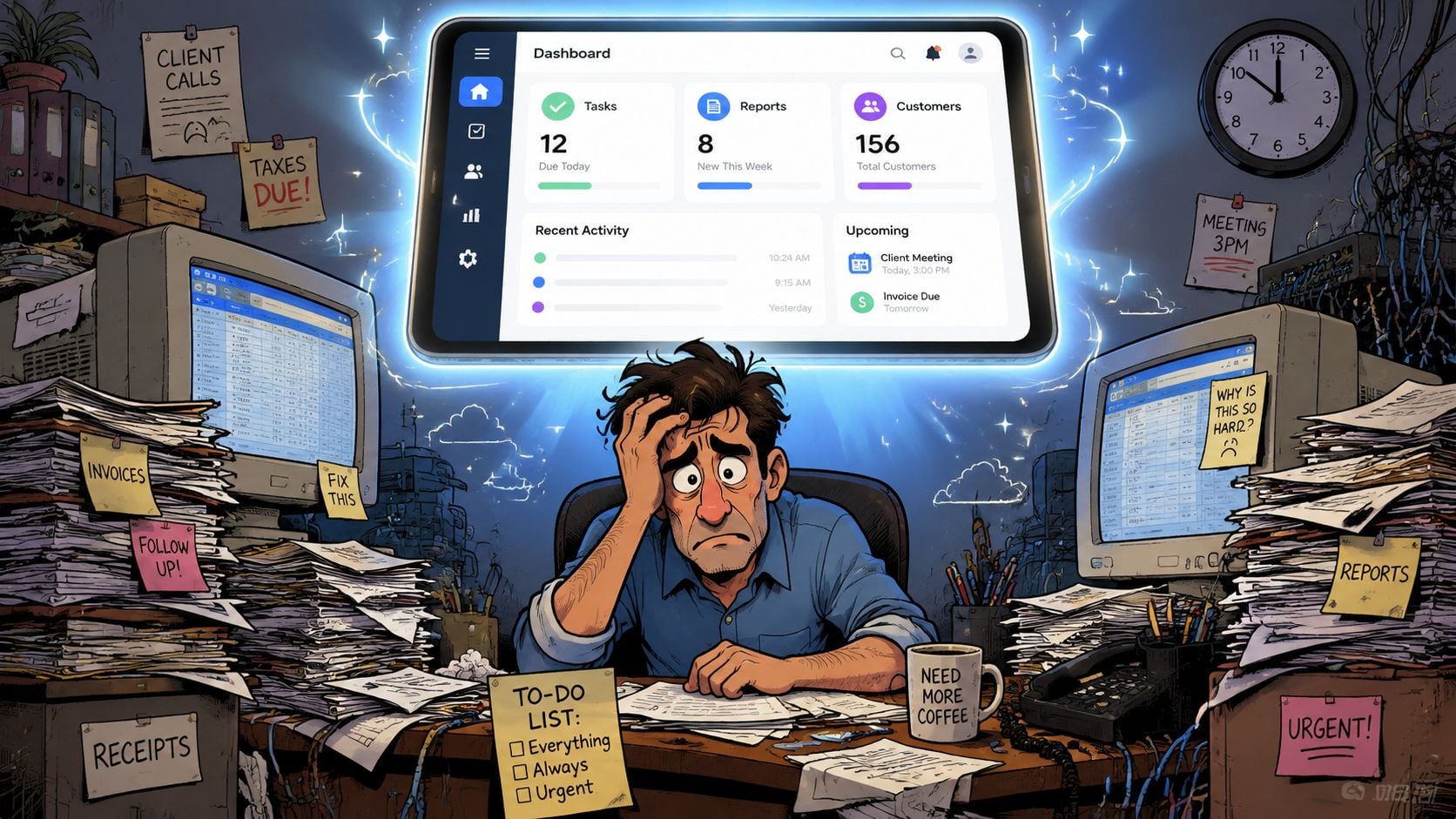
A custom enterprise app starts to make sense when your business has outgrown patchwork systems. This is common in retail, professional services, trade businesses, membership organisations, and growing startups. The pain usually shows up as duplicated work, slow communication, and poor visibility rather than some dramatic technical failure.
Before and after the app
Here's what that often looks like in practice.
Before, a field team finishes a job and sends notes by text or email. Someone in the office updates the CRM later, creates an invoice in another system, and chases missing details by phone. After a well-designed app, the engineer logs the visit once, uploads photos, captures signatures, and triggers the next admin step automatically.
Before, a professional services firm sends files by email, loses track of version history, and answers constant “have you got this yet?” messages. After, clients log into a secure portal, upload documents, check progress, and receive updates in one place.
Before, a retailer tracks special orders in one tool, stock in another, and customer communication somewhere else again. After, the app becomes the operational hub that connects the moving parts.
Signs that custom is justified
A custom build usually deserves serious consideration if several of these apply:
- Manual re-entry is everywhere: Staff are copying the same information between email, accounting software, CRM, and spreadsheets.
- Off-the-shelf tools almost fit: You've trialled platforms that solve part of the problem, but the gaps keep creating extra work.
- Your process is a differentiator: The way you deliver service is part of why customers choose you, and generic software forces awkward compromises.
- Visibility is poor: Managers can't easily see job status, pipeline progress, fulfilment issues, or approval bottlenecks.
- Customer experience is clunky: Portals, bookings, requests, or updates feel fragmented and undermine trust.
A custom app is justified when the cost of doing things manually keeps showing up every week in wages, delays, mistakes, and missed opportunities.
When it probably isn't the right move
Not every problem needs bespoke software.
If your team hasn't yet standardised the workflow, custom development can lock in chaos. If a modern CRM, membership platform, ecommerce system, or workflow tool would handle the need with sensible configuration, that's usually the better first step. The strongest projects start with a clear process, a clear owner, and a clear reason why existing tools don't fit.
That's the key SMB question in the UK market. Is this solving a persistent operational problem, or is it just adding another digital asset to manage? If it's the first, custom can pay for itself in control and efficiency. If it's the second, simpler wins.
Common Types of Enterprise Apps for UK Businesses
The term “enterprise app” can sound bigger than it is. In practice, many UK businesses need something very down-to-earth. A tool that helps staff do the day's work properly, and helps customers or clients deal with the business without friction.
Operational apps that connect the back office
A local retailer might need more than a standard ecommerce site. The actual issue could be how stock, special orders, supplier updates, and customer communications move across the business. A custom app can sit between those functions and stop the team from juggling separate records.
A trade or service business often needs a field operations app. Jobs are assigned, notes are captured on site, materials are recorded, and office staff can see what's completed without waiting for paperwork to return. That's where mobility becomes practical rather than trendy.
Effective enterprise apps are built around modular services and APIs so they can connect tools instead of replacing everything at once. That approach reduces duplication and helps automate workflows across CRM, finance, and operations, as explained in Salesforce's guide to enterprise app development.
Client and member portals
Professional services firms are a good fit for secure portals. Think accountants, consultants, legal practices, mortgage advisers, or planning specialists. Their clients often need a simple way to upload documents, check status, review files, and send messages without long email chains.
Membership organisations have a similar challenge. Members need to manage profiles, renew access, book events, and receive updates. Admin teams need fewer manual tasks and a clear view of who's active, who needs support, and what's pending.
For businesses considering mobile app development in the UK, the key question isn't “do we want an app?” It's “which interactions happen often enough, and matter enough, that they deserve their own efficient interface?”
A simple way to classify your need
| Business situation | Likely app type | Main benefit |
|---|---|---|
| Staff re-enter the same data in several places | Internal operations app | Less admin and fewer errors |
| Clients keep asking for updates and documents | Secure client portal | Better service and less chasing |
| Mobile teams work away from the office | Field service app | Faster reporting and tighter coordination |
| Members or partners need self-service access | Membership platform or portal | Lower admin load |
| Separate systems don't share information | Integration-led business app | Cleaner workflows |
The strongest app ideas usually start with one repeated operational headache, not a grand vision document.
That's especially true for SMBs. The best results often come from solving a narrow but painful problem first, then expanding the system once the team is using it confidently.
The Enterprise App Development Process Demystified
For many owners, the development process feels opaque because agencies often skip straight from proposal to jargon. A good process should feel structured and understandable, even if you never plan to look at a line of code.
The journey usually starts with clarity, not design.
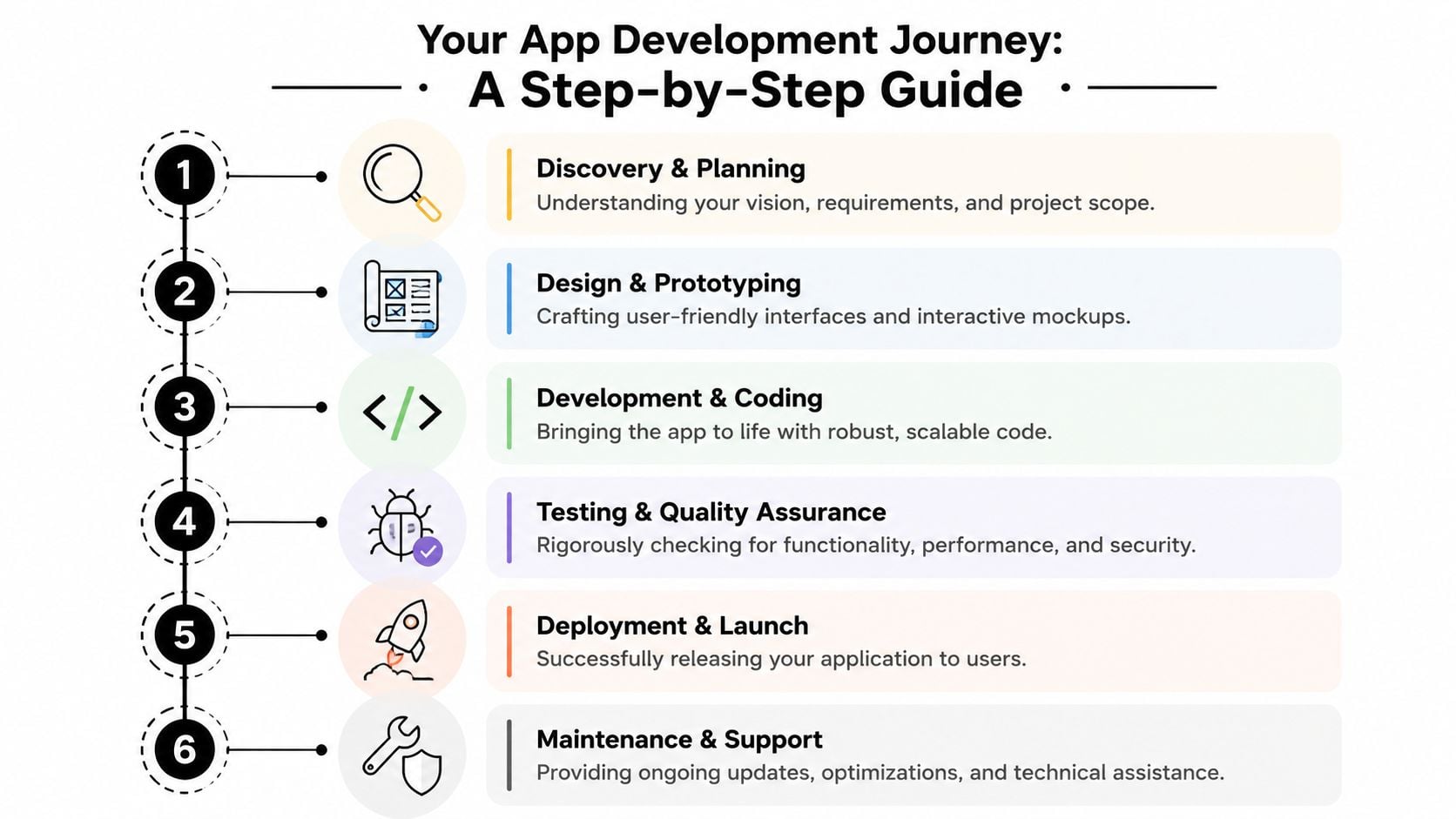
Discovery and planning
This stage decides whether the project will be useful or expensive-but-confusing.
The team should map your current workflow, identify where data comes from, define who uses the app, and agree what success looks like in practical terms. That includes deciding what the first version must do, and what can wait. SMBs often save money here by being ruthless about phase one.
Useful outputs at this stage include:
- Process maps: how jobs, requests, approvals, or orders currently move
- Feature priorities: must-have, should-have, later
- User roles: staff, managers, customers, suppliers, members
- Technical decisions: web app, mobile app, or both
If you've never worked with screens and flows before, wireframes in web design are often the point where the app becomes tangible. They show structure before visuals, which is much cheaper to revise than finished code.
A short explainer can help make the process less abstract:
Design, build, and test
Once the workflow is agreed, designers shape the interface. The best UI work isn't about making the app look impressive. It's about making common tasks quick and obvious. A warehouse picker, a busy director, and a client on a phone all need different kinds of simplicity.
Development usually happens in stages rather than one giant reveal. That gives the client regular checkpoints and reduces the risk of misunderstandings hardening into expensive changes.
A healthy build phase usually includes:
- Prototype review: early screens and journeys get approved
- Core feature development: login, dashboards, forms, records, permissions
- Integration work: linking accounting, CRM, ecommerce, booking, or internal databases
- Testing: functional checks, user testing, device testing, and security reviews
If the team can't explain what they're building in plain English during development, you probably won't enjoy the handover.
Launch and what happens after
Launching the app isn't the finish line. It's the point where real usage starts exposing the next round of improvements.
Post-launch work usually includes bug fixes, performance tuning, user feedback, and small refinements that only become obvious once people are using the system daily. Staff onboarding matters too. Even a well-designed app needs sensible rollout, ownership, and support.
The best projects feel calm because the process is clear. The worst ones feel chaotic because no one agreed scope, priorities, or decision points before the build began.
Essential Technical and Security Considerations
Business owners don't need to become technical architects, but they do need to understand which decisions affect cost, risk, and day-to-day usefulness.
The biggest mistake is treating technical choices as purely technical. They aren't. They shape how easy the app is to maintain, how safely it handles data, and how well it fits the rest of the business.
Platform and architecture choices
The first decision is often whether the app should be web-based, mobile-first, or both. A client portal may work perfectly as a secure web app. A field service team may need a mobile experience because staff are on the move all day. Some businesses need both, but many don't.
The second decision is how the app connects to other systems. If finance, CRM, booking, stock, or reporting tools stay isolated, the app can become another silo. Good architecture keeps the system modular so pieces can evolve without forcing a complete rebuild every time the business changes direction.
A useful non-technical test is this. If one supplier tool changes, does the whole app become fragile, or can that part be swapped with limited disruption? Flexible architecture saves pain later.
Security from day one
Security can't sit at the end of the to-do list. If the app handles personal data, customer records, staff details, payment-related information, or operational notes, security decisions belong at the start.
The UK GDPR and Data Protection Act 2018 require businesses to implement security appropriate to the risk. In enterprise app work, that means designing in measures such as role-based access control, encryption, and data minimisation from the beginning, as noted in this enterprise app development guide discussing UK GDPR requirements.
That has practical implications:
- Role-based access: not everyone should see everything
- Encryption: data should be protected when stored and when moving between systems
- Audit trails: you need to know who changed what
- Retention logic: data shouldn't sit around forever without a reason
- API security: connected systems need controlled, secure access
Security work doesn't just protect data. It protects the business from operational disruption, reputational damage, and painful cleanup later.
Maintenance is part of the security model
Apps age. Devices change, operating systems update, dependencies move on, and business rules evolve. That's why ongoing support matters technically, not just commercially.
Businesses often bundle this thinking with broader website hosting and maintenance support, especially when a web app, portal, or custom backend sits inside the same digital estate. The details differ by project, but the principle is the same. If nobody owns updates, monitoring, and upkeep, risk accumulates unchecked.
For UK SMBs, the practical takeaway is simple. If a provider treats security and maintenance as optional extras, they're underestimating what enterprise-grade software requires.
How to Budget for Enterprise App Development
This is the section most owners care about first, even if they ask it politely halfway through the meeting.
A custom enterprise app is rarely priced like a brochure website because the work is broader. You're paying for process design, interface design, development, integration, testing, deployment, and ongoing support. The app also has to fit real business rules, not just look good in a browser.
According to Business of Apps' overview of enterprise app development costs, the first version of a typical enterprise app often costs $100,000 to $250,000, complex builds commonly take 9 to 12 months, and ongoing monthly maintenance can range from $2,500 to $10,000 when working with an external team.
What drives the price up or down
Not every enterprise app lands at the same level. Budget depends on the shape of the problem.
Here are the biggest cost drivers:
- Number of user types: staff, managers, customers, suppliers, and admins all need different screens and permissions
- Integration complexity: connecting Xero, Sage, HubSpot, Salesforce, Stripe, stock systems, booking tools, or legacy databases adds work
- Platform choice: a browser-based app may be enough, while iOS and Android apps add extra design, testing, and release work
- Workflow complexity: approvals, notifications, exceptions, and reporting logic all increase effort
- Security requirements: access controls, logging, and compliance features take planning and careful implementation
Build cost versus running cost
Many SMBs focus heavily on build cost and underestimate what happens after launch. That's backwards.
The app still needs updates, support, security review, bug fixes, and compatibility work. Post-launch spend is part of ownership, not a sign the project went wrong. If your system supports a key business process, keeping it healthy is a core part of operating the business.
A practical budgeting split looks like this:
| Cost area | What it covers | Mindset to use |
|---|---|---|
| Initial build | Discovery, design, development, testing, launch | Capital project |
| Integrations | CRM, accounting, stock, payment, or other systems | Complexity cost |
| Training and rollout | Internal adoption and handover | Change management |
| Ongoing maintenance | Updates, fixes, optimisation, security work | Operating cost |
Budget for version one, but also budget for ownership. The app has to keep earning its place after launch.
How SMBs keep budgets under control
The safest way to control spend is not to ask for less quality. It's to reduce unnecessary scope.
Start with the smallest version that removes a real bottleneck. Keep your first release focused. Avoid nice-to-have features that don't change operations. Ask whether each integration is essential now or can wait. And insist on clear definitions of what is included, what counts as a change, and what support looks like after launch.
That approach doesn't make the work cheap. It makes the investment more disciplined.
Choosing the Right Development Partner for Your Business
Choosing a partner matters as much as choosing the app itself. SMBs usually don't have time for vendor theatre, drawn-out workshops, or vague “digital transformation” language that never lands on practical outcomes.
You need a team that can speak clearly, challenge weak assumptions, and build something your staff will use.
Green flags that deserve attention
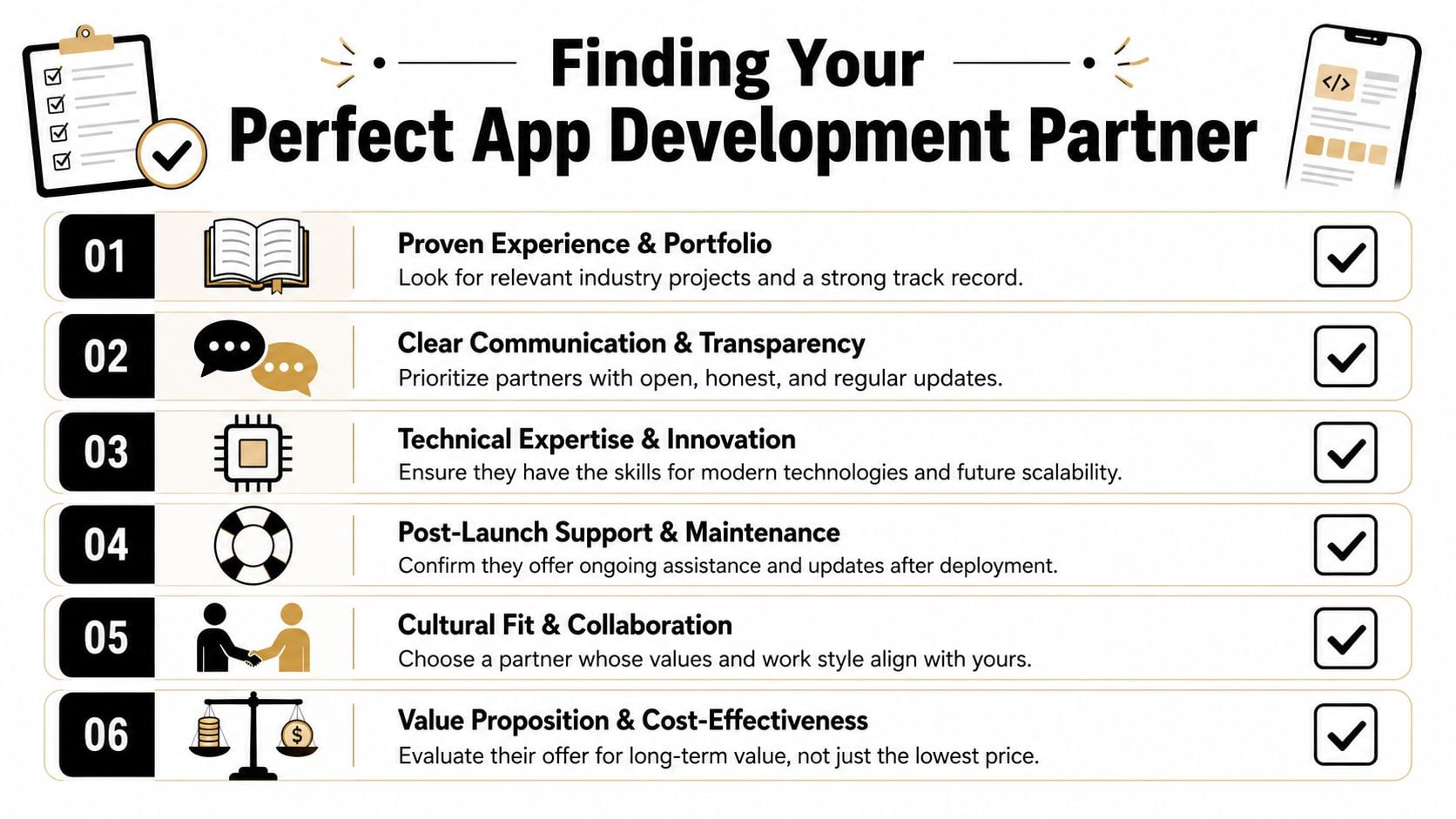
A strong partner tends to show their quality in ordinary conversations, not polished pitch decks.
Look for signs like these:
- They ask whether custom is necessary: a serious partner won't force bespoke development where a simpler route would do
- They talk about workflow before features: they want to understand how the business runs before discussing technology
- They explain trade-offs plainly: web versus mobile, phase one versus later, integration now versus later
- They define scope carefully: you know what's included, what isn't, and how decisions will be handled
- They offer post-launch thinking: support, maintenance, ownership, and future change are part of the discussion
One useful market reality sits behind that first point. Only 63% of UK businesses used any paid cloud computing service in 2023, which suggests many organisations still need staged modernisation before jumping into a full bespoke build, as noted in this analysis of enterprise app development and digital maturity.
That means a good partner should sometimes tell you to slow down.
Red flags that usually lead to pain
The warning signs are often boring, and that's why people miss them.
| Green flag | Red flag |
|---|---|
| Clear process and milestones | Vague “we'll figure it out as we go” language |
| Honest challenge on scope | Agreement with every idea, no pushback |
| Focus on operations and users | Obsession with trendy features |
| Transparent commercial model | Soft numbers and fuzzy pricing |
| Maintenance discussed early | Support treated as an afterthought |
A partner who never questions your brief may be selling compliance, not expertise.
For businesses comparing options, reviewing a firm's best app development company criteria can help sharpen the shortlist. The useful test isn't whether an agency sounds impressive. It's whether they make the project easier to understand and less risky to buy.
The SMB decision question that matters most
For a Dorset or UK business owner, the most valuable question is simple. What should we build now, what should we improve first, and what should we leave alone?
The right development partner helps you answer that without pushing you toward the most expensive option in the room. Sometimes the answer is a full custom app. Sometimes it's a staged portal, an internal workflow tool, or a cleaner connected system built around the software you already have.
That level of honesty is what makes enterprise app development services commercially useful rather than technically interesting.
If you're weighing up whether a custom app is the right next step, DesignStack offers the kind of practical support SMBs usually need most. Clear communication, fixed-cost thinking, local understanding in Dorset, and long-term support matter far more than buzzwords when you're investing in a system your business will rely on every day.