

WordPress vs Squarespace vs Wix A UK Business Guide for 2026
Choosing between WordPress, Squarespace, and Wix for your UK business often feels like a complicated puzzle. In my experience, however, it really just comes down to what you value most. The right answer depends entirely on your immediate priorities and long-term goals.
If you need a website up and running yesterday, Wix is built for speed. If your brand is all about a polished, high-end aesthetic, Squarespace delivers that premium feel out of the box. But for complete control, unlimited growth, and a true digital asset, WordPress is in a league of its own.
Choosing Your Platform: A Quick Guide for UK Businesses
Picking your website platform is more than just a technical choice; it's a strategic one that will shape your brand's future online. Each system is built on a different philosophy, so you’re not just choosing features, you’re choosing a path for your business.
This simple decision guide can help you clarify your thinking. It all starts with one question: what matters most to you right now?
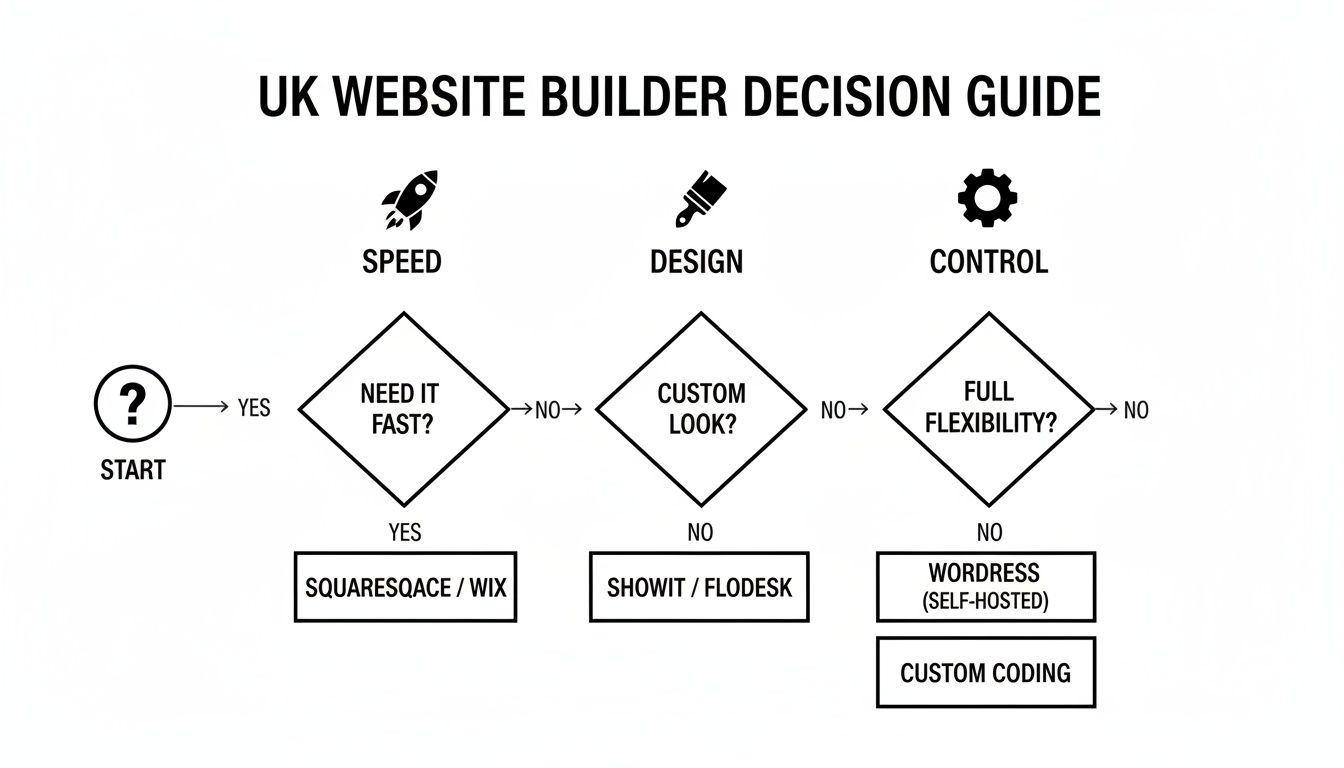
As you can see, whether your priority is immediate launch speed, impeccable design, or long-term control, there’s a clear starting point.
Platform Snapshot: WordPress vs Wix vs Squarespace for UK Needs
To help you see the trade-offs at a glance, here’s a high-level comparison of what each platform offers a typical UK business. Think of this as the top-line summary before you dig into the finer details.
| Attribute | WordPress (Self-Hosted) | Squarespace | Wix |
|---|---|---|---|
| Ideal For | Growth-focused businesses needing full control and scalability. | Creatives and brands prioritising stunning design and simplicity. | Startups and small businesses needing a fast, easy launch. |
| Ease of Use | Steeper learning curve; often managed by a developer or agency. | Very user-friendly with a structured, intuitive editor. | Extremely easy with its famous drag-and-drop builder. |
| Customisation | Unlimited. Anything is possible with thousands of themes and plugins. | High. Beautiful templates with curated, but defined, design options. | Medium. Visually flexible, but you're ultimately limited by the template's framework. |
| SEO Control | Professional. Granular control over every technical detail via powerful plugins. | Good. Solid built-in tools that cover all the essential SEO needs. | Good. SEO has improved a lot, but it lacks deep technical control. |
| Ownership | You own everything. You have full control over your data, code, and hosting. | Platform owns the system. You are effectively leasing your space online. | Platform owns the system. It is notoriously difficult to migrate away from. |
This table shows the fundamental give-and-take. Both Wix and Squarespace offer incredible convenience, but WordPress provides true ownership and freedom.
The core difference is simple: WordPress is an asset you own and build, giving you ultimate freedom. Squarespace and Wix are services you rent, offering convenience and simplicity at the cost of control.
For those ready to go deeper, this comprehensive UK website builder guide comparing WordPress, Wix, and Squarespace offers a much more detailed breakdown of what each platform can do for your business.
Understanding the Core Platform Philosophies
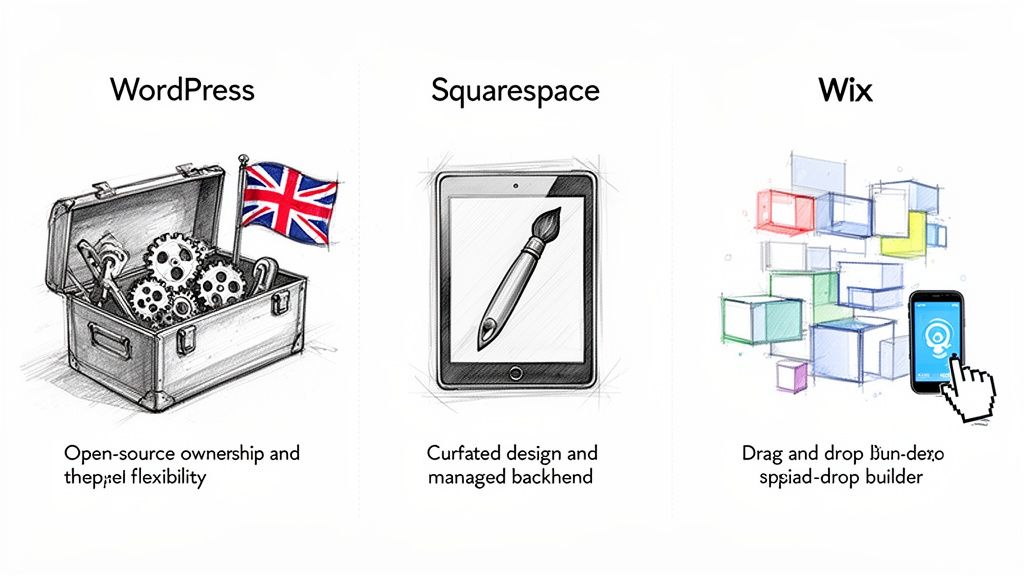
Before we get into a feature-by-feature breakdown, it’s crucial to understand what makes these platforms tick. This isn't just geeky talk; their core design philosophies will shape everything from how you build your site to how it can grow with your business. The entire debate between WordPress, Squarespace, and Wix really boils down to one fundamental choice: do you want an open-source tool or an all-in-one service?
Open-Source vs All-In-One
WordPress is open-source. This means the software itself is free, and its underlying code is open for anyone to see, change, and build upon. The best analogy is buying a plot of land. You own it outright and have total freedom to build whatever you can imagine. But, just like owning land, you're also responsible for its upkeep—the hosting, security, and general maintenance.
On the other hand, Squarespace and Wix are 'closed-source', all-in-one platforms. Think of them as leasing a high-end, fully serviced retail unit in a premium shopping centre. You get a beautiful space that’s ready to go, with all utilities, security, and maintenance handled for you. The trade-off? You're a tenant who has to follow the landlord's rules and can’t knock down walls.
The crucial distinction is ownership versus convenience. WordPress offers you true ownership of your digital asset, while Wix and Squarespace offer the convenience of a managed rental service.
Market Share and Strategic Implications
This philosophical split is clearly reflected in the UK market. Among UK businesses using website builders, Wix has a massive 49% share, with Squarespace holding a respectable 24%. This shows just how much startups and DIY-ers value getting online quickly and easily.
Yet, for ambitious businesses, the story is different. WordPress’s power and flexibility mean it dominates the wider Content Management System (CMS) world. Businesses serious about growth and advanced SEO often choose it from the start to avoid hitting the ceiling that drag-and-drop builders inevitably have. You can find more data on these UK market dynamics on Blue Cactus Digital.
This split presents a clear strategic choice right from day one. To make your decision, work through this actionable list:
- Define Your Goal: Is it a rapid launch or long-term growth? If your main goal is to launch a professional-looking website as quickly as possible with zero technical headaches, an all-in-one builder like Wix or Squarespace is your best bet.
- Assess Future Needs: Think about your five-year plan. If you foresee needing custom features, unique integrations, or granular SEO control to outrank competitors, starting with an open-source platform like WordPress is the smarter move. It's an asset built to scale with you.
- Evaluate Your Resources: Be honest about your time, technical skill, and budget. An all-in-one builder saves you time initially, whereas WordPress offers more cost-effective scalability but may require professional help.
This core difference is the key to understanding which platform is right for your business. You can learn more by exploring our comprehensive review of website content management systems. Ultimately, you're choosing between what you value more: immediate convenience or future freedom.
A Deep Dive on Flexibility and Customisation
When people talk about website builders, the words ‘flexibility’ and ‘customisation’ get thrown around a lot. But what they actually mean for WordPress, Squarespace, and Wix are worlds apart. Getting to grips with these differences is key, because it dictates not just how your site will look, but what it can actually do for your business as it grows.
WordPress: Unmatched Control and True Ownership
With WordPress, the customisation is practically limitless. Because it's open-source software, you genuinely have the freedom to build anything you can imagine. This is where WordPress pulls ahead for ambitious businesses that don't want to be boxed in.
This level of control comes from two things: a massive library of themes (your design starting point) and an even bigger ecosystem of plugins (which add new features). Need to build a private content area for a local community group? Or maybe integrate a custom booking system for your service business that syncs with specific UK accounting software? With WordPress, you can almost always find a way. For a look at what’s possible, check out our guide on the top WordPress plugins of 2023.
The trade-off, of course, is that this freedom comes with a steeper learning curve or the need for professional support. The payoff, however, is a true digital asset that you own outright and can adapt to any future business goal.
Squarespace: Structured Elegance and Curated Design
Squarespace takes a completely different path, focusing on structured, design-led customisation. It offers a curated collection of beautiful, professional templates that look fantastic on mobile right from the start.
You can tweak colours, fonts, and page layouts, but you're always working within the elegant guardrails of the template you've chosen. This is a huge plus for businesses that need a premium, polished look without touching a line of code. Think of it like working with a high-end interior designer—they provide a palette of perfectly matched options, guaranteeing the final result feels cohesive and sophisticated.
This makes it a fantastic fit for photographers, consultants, and boutique brands where aesthetics are non-negotiable and the functional needs are fairly standard.
Wix: Visual Freedom with Practical Limits
Wix is all about its drag-and-drop editor, which gives you an incredible amount of visual freedom. You can grab any element on the page—an image, a block of text, a button—and place it anywhere you like. For a business owner who wants total control over the look and feel, this can seem like the perfect solution.
But this complete freedom can be a double-edged sword. Without a good eye for design, it's surprisingly easy to create a cluttered or inconsistent layout. More importantly, this pixel-perfect approach can cause headaches with mobile responsiveness, often forcing you to manually tweak your design for different screen sizes. While the Wix App Market has plenty of add-ons, they just don't offer the same depth of functionality you find in the WordPress plugin world.
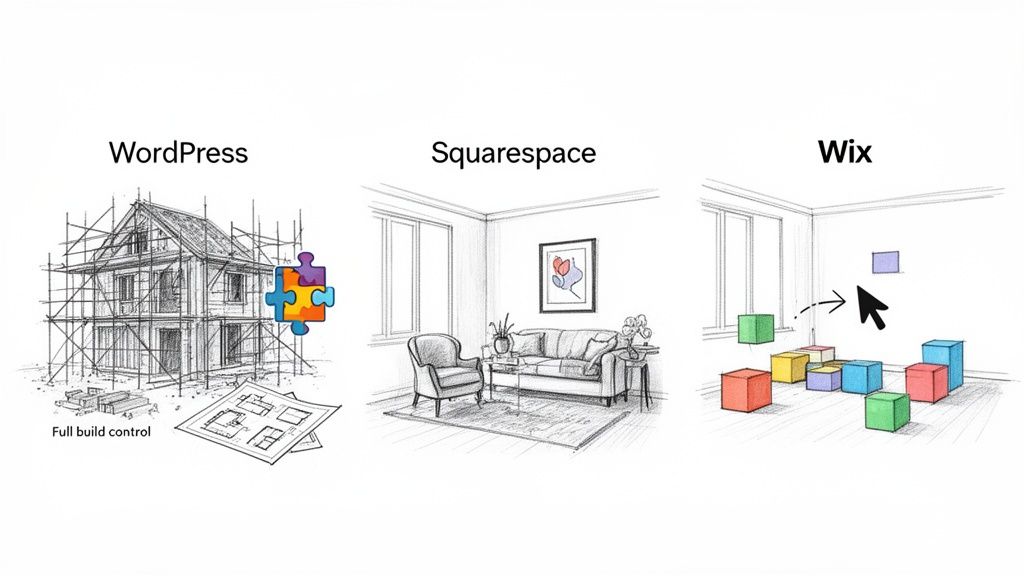
The core difference is this: WordPress lets you design the blueprints and build the entire house. Squarespace and Wix give you beautifully furnished rooms and let you arrange the furniture.
To help you choose, here’s a practical checklist to work through:
- Look Two Years Ahead: Do you foresee needing a truly custom feature down the line, like an online course portal, a complex booking system, or integration with niche industry software? If the answer is yes, WordPress is your most future-proof option.
- Be Honest About Your Design Skills: Are you confident you can build a professional-looking site from a blank slate? If not, Squarespace's structured approach will guide you towards a much better final product.
- List Your Must-Haves: Write down the functions your website absolutely must have. Can these be handled by the built-in tools or app markets of Wix and Squarespace, or do they demand the power of a specific WordPress plugin? Answering that one question often makes the decision for you.
How Each Platform Performs for UK SEO
Getting found on Google in a crowded UK market takes more than just a pretty website. Your site’s technical health, its speed, and its structure are what really move the needle. While all three platforms will tell you they’re "SEO-friendly," the level of control they actually give you is worlds apart.
Think of it this way: one gives you the full mechanic's toolkit, while the others only let you top up the oil and check the tyre pressure. For a serious UK business, that difference is everything.
WordPress: Professional-Grade SEO Control
If you have ambitions to rank highly for competitive terms, WordPress is really in a league of its own. Because it's open-source, you have the final say on every single technical detail, which is exactly what you need to get an edge over established players.
This level of control is unlocked through its incredible library of plugins. Tools like Rank Math and Yoast SEO are far more than just a box to type your keywords into. They let you get your hands dirty with the technical stuff:
- Advanced Schema Markup: You can precisely define your business type, services, and opening hours so Google understands exactly what you do. This is a huge advantage for local search visibility.
- Total URL Control: Create clean, keyword-focused URLs for any page or product, with no platform-imposed restrictions getting in your way.
- Site Speed Optimisation: Use dedicated plugins to minify code, defer scripts, and enable powerful caching. This directly improves your Core Web Vitals scores, a massive factor in Google's rankings.
This is precisely why WordPress is so dominant. Looking at 2025 data, WordPress holds a staggering 61.7% market share in the UK CMS space. For context, Wix sits at 4.9% and Squarespace at 3.2%. This isn't a fluke; it's a reflection of the strategic depth it offers businesses, from a Weymouth startup to a national retailer. You can find more detail on this CMS market share breakdown on web-designlondon.co.uk.
Squarespace and Wix: Built-In but Boxed-In
Both Squarespace and Wix have come a long way with their SEO features, and it's only fair to acknowledge that. They make it straightforward to handle the basics like page titles, meta descriptions, image alt text, and custom URLs. For a small business in a less competitive field, these built-in tools can be perfectly adequate to get started.
The problem is that this simplicity is achieved by locking things down. These are "closed" platforms, and that creates rigid boundaries that can stop a proper SEO strategy in its tracks.
While all platforms 'do SEO,' only WordPress offers the professional-grade control needed to win a competitive fight for rankings. The others give you a good start, but WordPress provides the tools to finish first.
The main headaches are a lack of deep technical access and the risk of "code bloat." The very drag-and-drop editors that make them so appealing can create inefficient, clunky code behind the scenes. This can slow your site down, hurting your Core Web Vitals and, consequently, your Google rankings.
Worse still, if an SEO audit flags a technical issue that needs fixing at a code level, you’re stuck. If the platform doesn't offer a button for it, you can't do it. For any business serious about becoming a dominant voice in their local market, that's a gamble you just can't afford to take.
Selling Online: A UK Retailer’s Guide to WordPress, Squarespace, and Wix
Choosing where to sell your products online is one of the most important decisions you'll make as a UK business. It goes far beyond simply listing items; you need a system that can handle inventory, navigate UK tax laws, and work with the payment and shipping services your customers trust. This is where the real differences between WordPress, Squarespace, and Wix start to show.
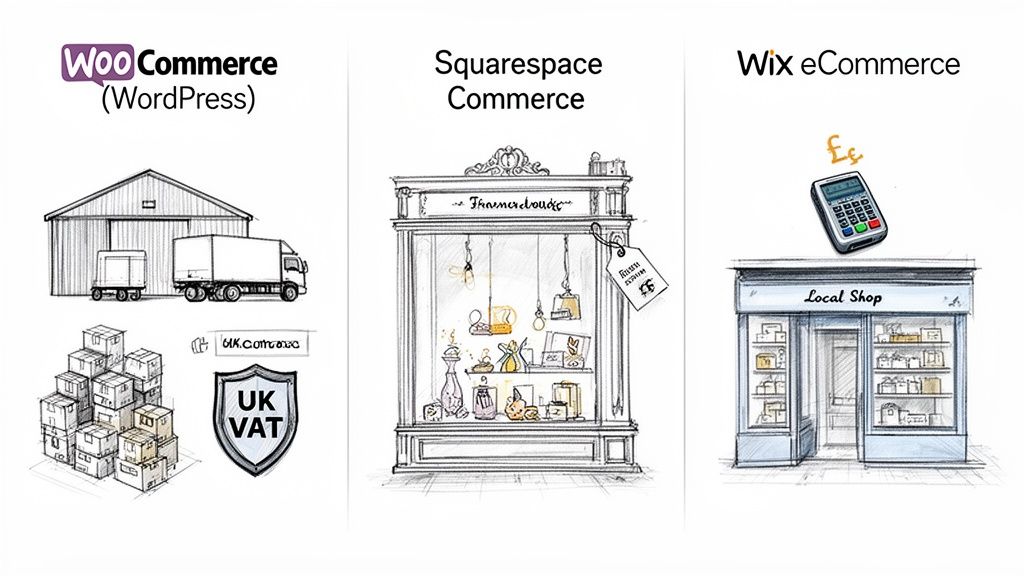
When you look at the e-commerce side of the WordPress vs Squarespace vs Wix debate, you're essentially choosing between three distinct retail models. One is an industrial-strength warehouse built for growth, another is a polished boutique, and the third is a friendly local shop that's easy to set up.
WordPress + WooCommerce: The High-Volume Powerhouse
If you have serious ambitions for your online store, WordPress paired with its e-commerce engine, WooCommerce, is in a league of its own. It's an open-source platform that powers a huge number of online shops, from kitchen-table startups to massive retail operations. Its core advantage is its sheer, unbridled flexibility and potential for scale.
With WooCommerce, you can manage tens of thousands of products and handle incredibly complex variations. More importantly for a UK business, it can connect to almost any service you can think of. Need to integrate with established UK payment gateways like Worldpay or Opayo (formerly Sage Pay)? No problem.
Where WordPress really pulls ahead, though, is in handling the nuts and bolts of UK business. Managing complex VAT rules, including Making Tax Digital (MTD) requirements, is much simpler thanks to a vast library of specialised extensions. You get full control over your data and how your store operates, turning your website into a powerful, adaptable business asset.
Squarespace Commerce: The Curated Boutique
Squarespace Commerce is all about presentation. It’s built for brands that need to create a stunning, visually-led online shop right out of the box. If you’re a boutique fashion label, an artist selling prints, or an artisan food producer, Squarespace provides the perfect, elegant showcase for your products.
The inventory and sales tools are clean, simple, and more than capable for businesses with a carefully selected product range. But it's crucial to understand the trade-offs that come with this simplicity.
Squarespace is perfect for showcasing a beautiful, curated inventory. WordPress with WooCommerce is built to run a complex, high-volume retail operation. Your choice depends on whether you're building a gallery or a warehouse.
On Squarespace’s entry-level Commerce plans, you’ll pay a transaction fee on every sale, on top of what payment processors like Stripe or PayPal already charge. As your sales grow, those fees can start to bite. And while it works with the major payment gateways, connecting to more niche UK payment or shipping providers often isn’t an option.
Wix Ecommerce: The Approachable Starter Shop
Wix eCommerce is designed for absolute ease of use, making it a fantastic starting point for small local businesses or entrepreneurs just dipping their toes into online selling. The drag-and-drop interface makes building a store and adding your first few products a very straightforward process, with no technical experience needed.
The platform gives you all the basics to get going: secure payments, simple stock management, and options for local delivery or in-store collection. However, its limitations can become a real problem once your business starts to gather momentum.
Wix can begin to feel clunky when dealing with large inventories, and its options for custom product variations are quite basic compared to what WooCommerce offers. If you plan to expand your product line significantly or need more sophisticated selling features, you might find yourself outgrowing Wix rather quickly.
Your UK E-commerce Checklist
To land on the right platform, you need a clear picture of what your business truly needs. Run through this quick checklist to see which option best fits your ambitions.
- UK Payment Gateways: Can it connect to my preferred UK gateway, like Worldpay or Opayo, not just Stripe and PayPal?
- Shipping Integrations: Will it work seamlessly with my couriers, like Royal Mail or DPD, for things like automated label printing?
- UK VAT and Tax: Does it have solid tools for managing UK VAT rates and MTD-compliant reporting?
- Inventory Size: Can it comfortably handle my inventory, whether that's 50 handmade items or 5,000 different product lines (SKUs)?
- Product Complexity: Can it support the options I need, such as custom engravings, product bundles, or booking appointments?
- Transaction Fees: Am I being charged extra platform fees on every single sale, or do I only pay the standard processor rate?
Answering these questions honestly will give you a clear direction. You'll quickly discover whether the straightforward simplicity of Wix, the curated elegance of Squarespace, or the raw power of WordPress is the right foundation for your online store.
What Does a Website Really Cost? A Look Beyond the Price Tag
That tempting monthly price you see advertised for a website builder is rarely the full story. When comparing WordPress, Squarespace, and Wix, you have to look past the headline figure and consider the total cost of ownership – from the initial build to all the ongoing, and sometimes hidden, expenses.
For all-in-one platforms like Squarespace and Wix, their business model is built on tiered plans. The basic plans look like a bargain, but crucial features for any serious UK business—like getting rid of their branding, connecting your own domain name, or selling products—are almost always reserved for the pricier subscriptions.
The Slow Burn of All-in-One Builder Costs
With Squarespace and Wix, that initial low fee is just the beginning. You’ll soon find other costs creeping in, creating a 'death by a thousand cuts' effect on your budget.
- Premium Apps: Need a specialised booking system, advanced marketing tools, or a unique gallery? Many of these require third-party apps, and each one often comes with its own monthly subscription.
- Transaction Fees: On their cheaper eCommerce plans, both platforms can take a percentage of every sale you make. This is on top of the standard fees from payment processors like Stripe or PayPal, and it can seriously erode your profit margins.
- Forced Upgrades: As your business grows, you'll hit a ceiling. To unlock essential tools like abandoned cart recovery or better analytics, you'll have no choice but to jump up to a more expensive plan, making your costs unpredictable.
The convenience of an all-in-one builder is undeniable, but it comes at a price. While they seem cheaper to start, the constant need for add-ons and forced upgrades often makes them more expensive in the long run than a professionally built WordPress site.
Budgeting for a Professional WordPress Website
On the flip side, a professionally developed WordPress site usually involves a larger upfront investment but leads to far more predictable and manageable costs over time. Instead of renting your platform, you're investing in a digital asset that you own and control.
A realistic budget for a custom WordPress website from a UK agency would typically cover:
- Professional Development: A one-off fee for the expert design, build, and launch of a site that’s custom-made for your brand and your customers.
- Quality UK-Based Hosting: An annual fee for a reliable hosting service that's properly optimised for WordPress, keeping your site fast, secure, and online.
- Essential Premium Plugins: A small yearly cost for a curated set of professional tools for security, backups, and performance. Unlike the app marketplaces, these are powerful and don't rely on stacking up monthly fees.
- Ongoing Maintenance: A monthly retainer for a care plan that handles all the technical updates, security monitoring, and provides support, ensuring your website runs smoothly without you having to lift a finger.
To give you a clearer picture, here’s how the costs might break down over a year for two common types of business websites.
Estimated Annual Cost Breakdown for UK Businesses in 2026
| Website Type | WordPress (Agency Managed) | Squarespace (Business Plan) | Wix (Business Basic) |
|---|---|---|---|
| Brochure Website | £1,500 – £4,000 (incl. build, hosting & care plan) | £252+ (plus apps and potential designer fees) | £204+ (plus apps and potential designer fees) |
| eCommerce Store | £4,000 – £10,000+ (incl. build, hosting & care plan) | £360+ (plus transaction fees & premium apps) | £276+ (plus premium apps) |
Disclaimer: These are 2026 estimates and can vary based on project complexity, agency rates, and chosen platform tiers.
While the initial number for WordPress looks bigger, it represents a fixed investment in a scalable asset with no surprise charges or feature gates. You can learn more about why cutting corners early costs more later by reading about the hidden costs of cheap website design.
Of course, the platform cost is just one piece of the puzzle. Factoring in the true cost of SEO in the UK is essential for understanding your total online budget and ensuring customers can actually find you.
WordPress vs Squarespace vs Wix: Your Questions Answered
Still weighing your options? It's a big decision, so that’s completely understandable. Here are our straight-talking answers to some of the most common questions we hear from UK business owners trying to choose the right platform.
Which Platform Is Easiest to Move Away From?
There’s a clear winner here: WordPress. Hands down, it’s the most straightforward platform to migrate away from. Because the software is open-source, you own all your data—every page, post, image, and user profile. You can simply export everything and move to a new web host or even a different platform whenever you like, giving you total freedom and long-term security.
Moving away from Wix and Squarespace, on the other hand, can be a real headache. These are closed, proprietary systems, a bit like a walled garden. They don't provide simple tools to pack up your entire site design and content, a problem known as "vendor lock-in." For any business with ambitions for future growth, this lack of portability is a genuine risk you need to consider.
Is WordPress Too Technical for a Non-Tech Founder?
While there's certainly a learning curve to managing a WordPress site from scratch, you absolutely don't have to do it alone. In fact, most small businesses in the UK don't. The most common route is to partner with a digital agency or a freelance developer who handles all the technical heavy lifting—the initial setup, security, updates, and performance tuning.
This approach gives you the best of both worlds. You get the unrestricted power and flexibility of WordPress, but your day-to-day interaction might just be adding a new blog post through a simple, user-friendly editor. It effectively removes the technical stress while leaving all the powerful benefits on the table.
Which Is Best for a Portfolio or Creative Business?
Squarespace has really cornered the market on beautiful, minimalist templates. For photographers, artists, and designers who want a visually stunning portfolio without much fuss, it's a brilliant choice. Its structured system guides you towards a polished and professional-looking result.
However, if you want to build a creative website that goes beyond just a simple gallery, WordPress offers far more scope. With thousands of high-quality creative themes and powerful plugins, you can build advanced features that just aren't possible on Squarespace, such as:
- Client-proof galleries with private logins and tools for feedback.
- Integrated appointment booking for client consultations or studio time.
- A full-featured shop to sell prints or digital products without the platform taking a cut of your sales.
Can I Get Good SEO Results With Wix or Squarespace?
Yes, you can. For targeting basic keywords and local searches, especially in less competitive industries, all three platforms can deliver good results. Both Wix and Squarespace now provide the essential on-page SEO tools you need to get your site visible on Google.
For highly competitive UK markets, however, WordPress offers unparalleled control. Plugins like Rank Math or Yoast provide a critical edge through deep technical SEO, advanced schema markup, and site speed optimisations that are often out of reach on closed platforms.
At DesignStack, we specialise in creating high-performance, professional WordPress websites that give Dorset and UK businesses the control and scalability they need to grow. If you're ready to build a digital asset that works as hard as you do, visit us at https://designstack.co.uk to see how we can help.



Leave a Reply