E Commerce Website Requirements for UK SMBs
A polished storefront, a memorable logo and a long feature list don't make an e-commerce website ready to trade. For a UK business, the requirements that decide whether a visitor buys are less glamorous: visible proof that you're legitimate, a checkout that works for keyboard and mobile users, clear legal information, payment options that match local habits, and engineering that doesn't collapse under real-world conditions.
That changes how you should brief a web agency. Start with the buying journey and the risks around it, then choose the design and technology that support those requirements. The following e commerce website requirements focus on what protects revenue and keeps a UK store usable, credible and maintainable.
Table of Contents
- The Reality of UK Consumer Trust and Conversion
- Navigating Legal Compliance and Accessibility Standards
- Choosing the Right Technology Stack for Growth
- Optimising the Checkout for Modern UK Payment Habits
- Engineering for Speed Security and Core Web Vitals
- Planning Timelines Budgets and SEO Foundations
- Your Prioritised Pre-Launch and Post-Launch Checklist
The Reality of UK Consumer Trust and Conversion
A beautiful website can still lose the sale before the customer reaches the basket. Shoppers buying from an unfamiliar store are making a judgement about legitimacy, security and risk, not just assessing whether the colours look professional.
A 2026 YouGov survey found that 72% of UK adults check for secure payment options and 71% check customer reviews or ratings before buying from an unfamiliar online store. Verified purchaser reviews were the strongest single trust signal at 60%, according to YouGov's research on how UK shoppers assess online stores.
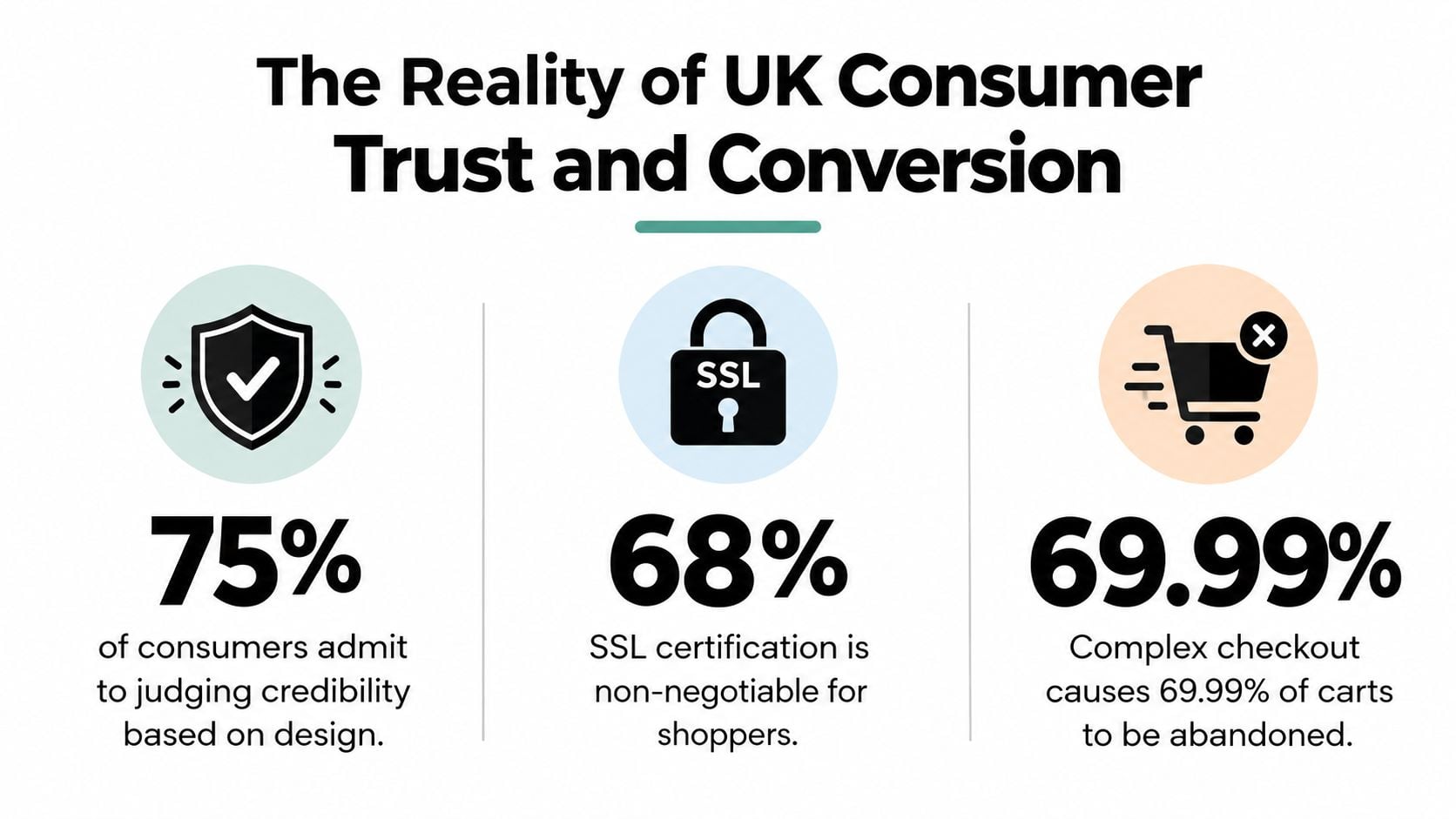
Those figures should directly shape your page layouts. Put review evidence close to the product title and buying controls, show accepted payment methods near the add-to-basket area, and make your returns and delivery information easy to find before a customer commits. Don't hide all reassurance in a footer link. Trust needs to appear at the moment a buyer is deciding whether to continue.
Build credibility into the buying journey
Your business identity should be obvious. Use a real trading name, a geographic address, a contact route that works and consistent branding across the website, email confirmations and social profiles. A polished guide to digital trust from TheBestReputation is useful background when you're reviewing how your business presents legitimacy online.
Product pages need more than attractive photography. Include clear specifications, stock or availability information where relevant, delivery expectations, returns guidance and reviews that identify genuine purchaser feedback. If you sell a considered product, answer practical objections on the page instead of forcing buyers to search through your website.
Practical rule: every important purchase question should be answered before the customer has to enter payment details.
Your visual identity still matters, but it should reinforce recognition rather than distract from evidence. Review how to display logos and credit cards on an e-commerce website so payment marks, brand assets and reassurance elements support the purchase instead of making the page feel cluttered.
Finally, don't treat security as a badge you add at the end. Use HTTPS, a reputable payment provider, clear privacy information and an order confirmation that gives the buyer a reliable record of what they've purchased. UK trust research has also found that only 48% of consumers trusted e-commerce platforms, which makes transparent design and checkout reassurance commercial necessities, not decorative extras. The same YouGov source supports the wider point: an unfamiliar retailer must actively demonstrate that it deserves the sale.
Navigating Legal Compliance and Accessibility Standards
Legal and accessibility requirements belong in the specification, not in a panic-driven review after development. If your checkout structure makes required information hard to understand, correcting it late can mean redesigning templates, forms and payment interactions.
UK e-commerce sites must present the trader's identity, geographic address and company registration details where applicable. They must also provide pre-contract information in a clear, comprehensible and unambiguous manner, including the technical steps for placing an order and the means to identify and correct input errors, as explained in this UK E-Commerce Regulations guide from Pinsent Masons.
Turn legal duties into interface decisions
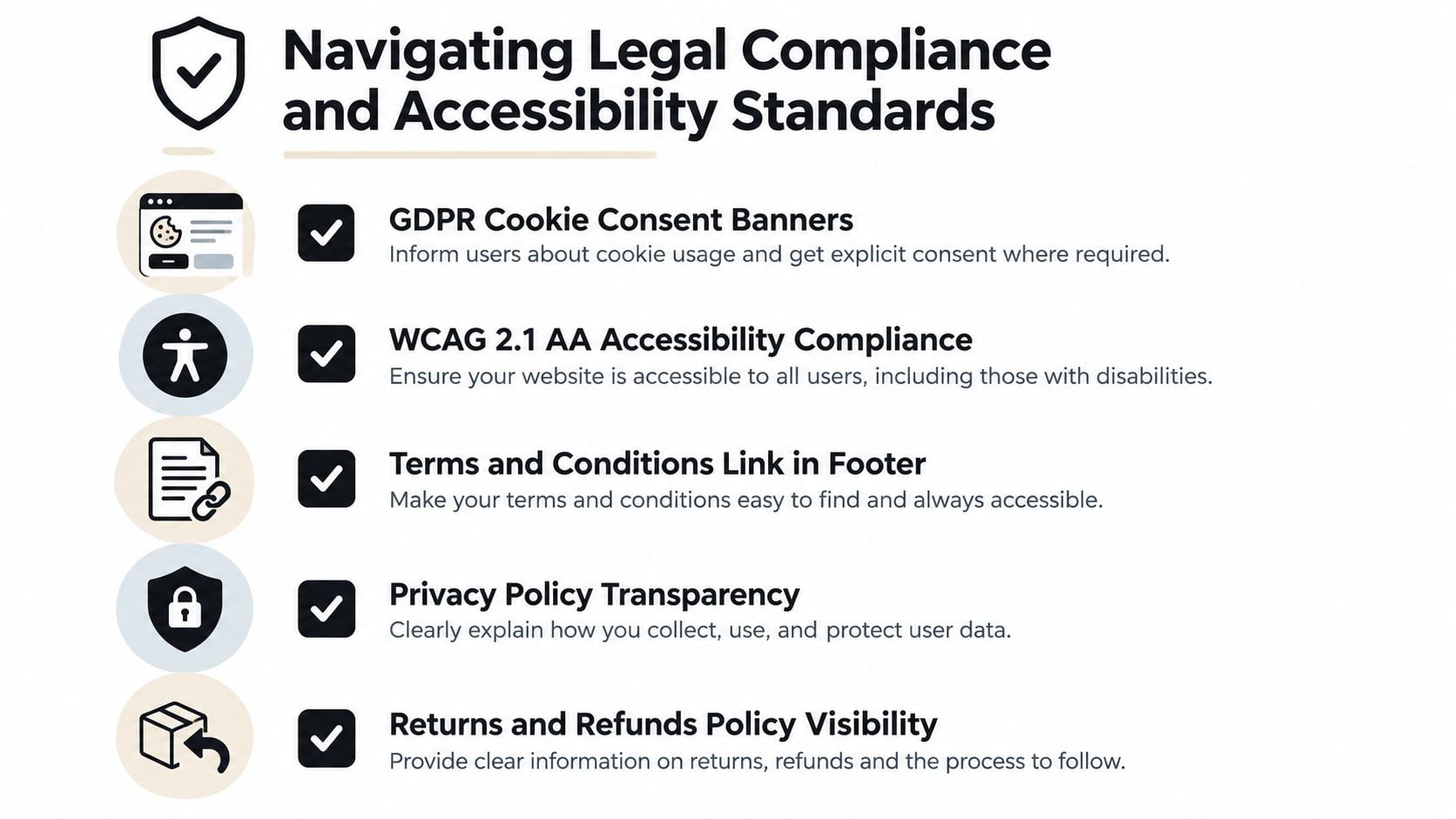
Your agency should translate those obligations into visible components:
- Business identity: show the legal or trading identity, address and relevant registration details where customers can find them.
- Order review: give shoppers a clear opportunity to check quantities, variants, delivery charges and total cost before submission.
- Error correction: keep entered information editable and explain errors beside the affected field, rather than presenting an unhelpful message at the top of the page.
- Order confirmation: display a clear confirmation state and send a record of the transaction.
- Cost transparency: show tax and delivery costs before purchase where applicable, not only after a customer has supplied extensive information.
- Policy access: make delivery, returns, refunds, privacy and terms information easy to reach from product and checkout pages.
Accessibility follows the same principle. The Equality Act 2010 and the Public Sector Bodies (Websites and Mobile Applications) Accessibility Regulations 2018 have made accessibility a foundational UK digital requirement. Public-sector sites are required to meet WCAG 2.1 AA, and that standard is widely used as a practical benchmark for reasonable adjustments across digital services, according to this UK accessibility law overview.
For a retailer, that means keyboard operability, logical focus order, readable contrast, labelled inputs, useful error messages and controls that work on smaller screens. A product filter that can't be reached by keyboard, a discount field with no accessible label or a payment button that disappears after focus can block a purchase entirely.
Read how to make a website accessible and ask your developer to test the full journey, including product selection, basket updates, consent controls, address entry, payment and confirmation. Accessibility isn't a separate compliance layer. It improves the clarity and resilience of the same interactions every customer relies on.
Choosing the Right Technology Stack for Growth
The right platform is the one your business can operate safely, extend sensibly and leave without losing control of its data. For many UK small and medium-sized businesses, WordPress with WooCommerce is the most practical default because it combines ownership, flexibility and a large ecosystem without forcing a retailer into a rigid operating model.
That doesn't mean WooCommerce is automatically right. Shopify can be a sensible choice when speed of setup, managed infrastructure and a tightly controlled administration experience matter more than deep customisation. A hosted platform removes some technical maintenance, but it can also constrain checkout changes, app choices and data workflows. Compare those trade-offs in this e-commerce platform guide for small businesses.
Choose the architecture before the plug-ins
WooCommerce works well when the store needs integrations with accounting, stock management, CRM, email marketing or bespoke fulfilment processes. You control the hosting relationship and can shape the content model around the business rather than adapting every process to a platform's preferred workflow.
The danger is uncontrolled extension. Install only what has a defined job, a supported update path and a clear owner. A sensible build normally separates:
- Commerce essentials, including products, variations, baskets, orders and payment processing.
- Operational connections, such as stock, delivery, accounting and customer communications.
- Marketing functions, such as structured SEO fields, analytics and consent management.
- Experience enhancements, added only after the core buying journey is stable.
Every extension adds maintenance, possible conflicts and another route through which performance can deteriorate. Keep the number of moving parts under control, use a staging environment for updates and document what each integration does.
A custom system makes sense when standard platforms can't represent your pricing, account structure, stock logic or fulfilment rules without heavy workarounds. It also demands a stronger budget for discovery, testing, security and long-term support. Don't commission custom technology because it sounds more advanced. Commission it when a documented business requirement justifies the additional ownership burden.
Optimising the Checkout for Modern UK Payment Habits
A card-only checkout is an outdated choice for a UK store. Digital wallets account for 40% of UK e-commerce transactions, and 60% of UK customers expect instant checkout options, according to UK payment statistics from Money.co.uk.
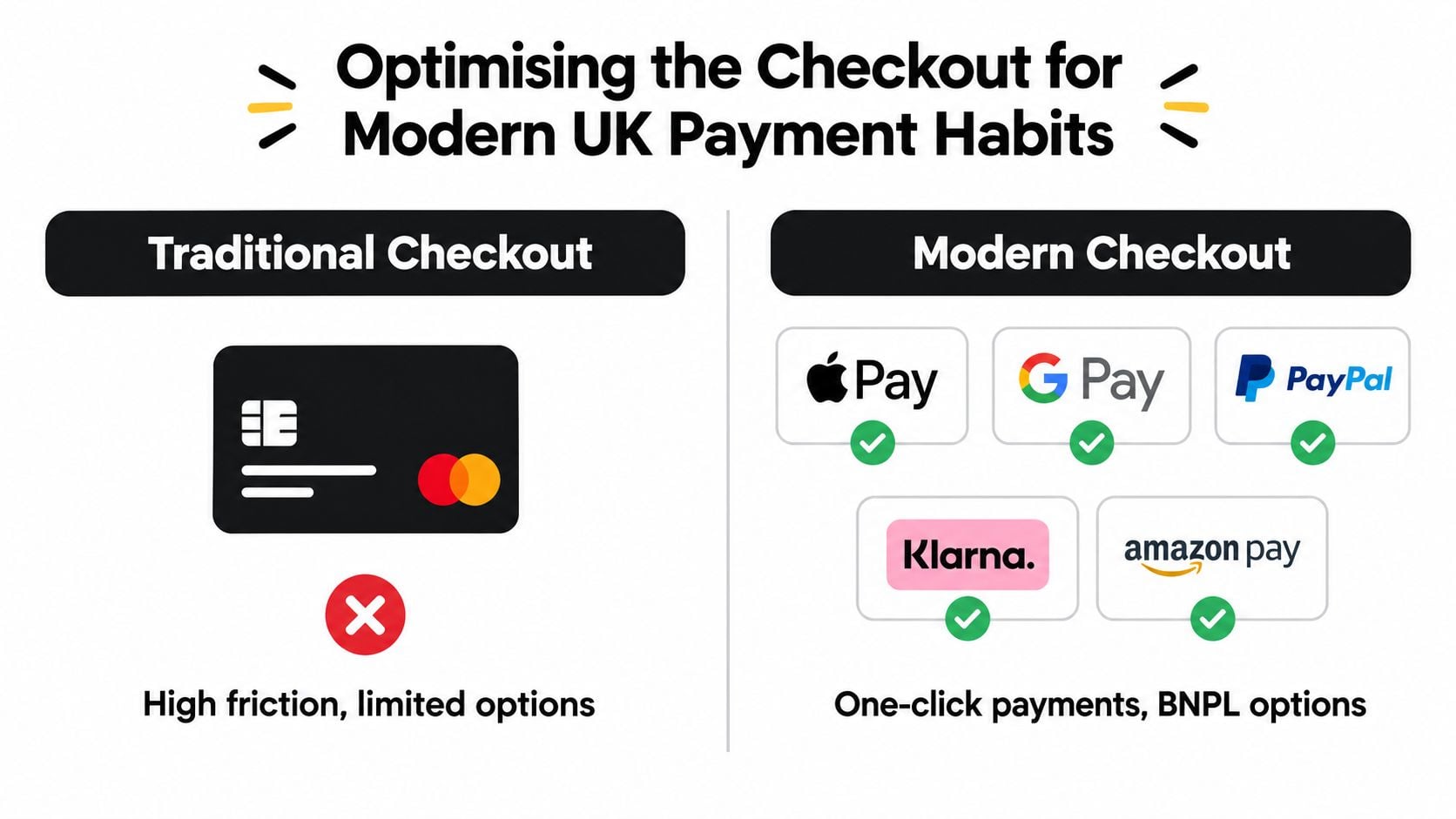
Keep card payments, but present them alongside the wallets and accelerated payment methods UK shoppers already use. Apple Pay, Google Pay and PayPal reduce typing on mobile. A guest route removes the pressure to create an account before a first purchase.
Compare the routes, not just the providers
A conventional checkout requests card details, billing information, delivery information and account credentials in sequence. A stronger flow removes repeated entry, detects wallet availability and displays the full cost before confirmation.
Design the journey around these decisions:
- Guest checkout: let buyers order without creating a password. Offer account creation after payment, when registration has a clear benefit.
- Wallet-first presentation: show available wallets early on supported devices, while keeping card entry visible.
- Delivery clarity: display delivery choices and charges before the final payment step. Customers should not discover an unacceptable shipping cost after completing most of the form.
- Address handling: use suitable input types, sensible autocomplete and clear labels. Mobile shoppers should not have to complete a desktop-shaped form.
- Error recovery: retain valid entries, identify each problem beside its field and explain the fix.
- Order certainty: show products, quantities, delivery choice and the total before the customer confirms.
Missing a preferred payment method remains a leading cause of cart abandonment in UK behaviour patterns, alongside shipping costs, taxes and security concerns. Payment selection is therefore a commercial decision, not merely a developer task.
For a broader view of balancing conversion with commercial outcomes, see this resource on checkout optimisation for merchant margins. The strongest checkout does not offer every possible method. It gives the right shoppers a fast route while preserving clear costs, reliable fulfilment information and accurate transaction records.
Use a payment sandbox before launch. Test successful and declined payments, cancellations, refunds, interrupted mobile sessions and duplicate submissions. Repeat those tests on real devices. A desktop checkout can still fail when wallet buttons, keyboard focus or form validation behave differently on a phone.
Engineering for Speed Security and Core Web Vitals
Performance is part of the product. A slow product page delays the decision to buy, while a layout that shifts under a customer's finger can cause the wrong control to be pressed. Treat speed, stability and security as acceptance criteria for the build, not as clean-up work after launch.
A practical UK benchmark for e-commerce front-end engineering is Largest Contentful Paint under 2.5 seconds, Interaction to Next Paint under 200 milliseconds and Cumulative Layout Shift below 0.1, based on UK e-commerce development guidance from Unity Bridge Solutions.
Set up caching without breaking the basket
Cache public pages such as category pages and product content aggressively, but exclude customer-specific areas including baskets, account pages, checkout and order confirmation. Your developer should understand exactly which cookies, sessions and API requests prevent safe caching.
Reduce JavaScript on checkout routes. Remove scripts that don't support the transaction, delay non-essential marketing tags and audit every third-party service. Compress product imagery, provide appropriately sized responsive variants and reserve space for images so the page doesn't jump as media loads.
Use hosting designed for an application rather than treating the store like a static brochure. Managed WordPress hosting, server-level caching, current PHP and a sensible database setup give your agency a stronger foundation for monitoring and maintenance than bargain hosting with no meaningful support.
Security needs ownership as well as software. Keep WordPress, WooCommerce, themes and extensions updated, restrict administrator access, use strong authentication, maintain tested backups and monitor logs for unusual activity. Use a reputable payment processor so your store doesn't need to handle more payment data than necessary, but confirm the responsibilities that remain with your business.
For practical implementation ideas, review how to improve website loading speed. Test with real mobile devices and realistic network conditions, then measure product pages, search, basket and checkout separately. A fast homepage doesn't prove that the buying journey is fast.
Planning Timelines Budgets and SEO Foundations
An e-commerce project becomes expensive when the owner adds requirements without deciding what the store must achieve first. Write a brief that separates functional requirements, what the site needs to do, from non-functional requirements, how reliably, securely and quickly it must do it.
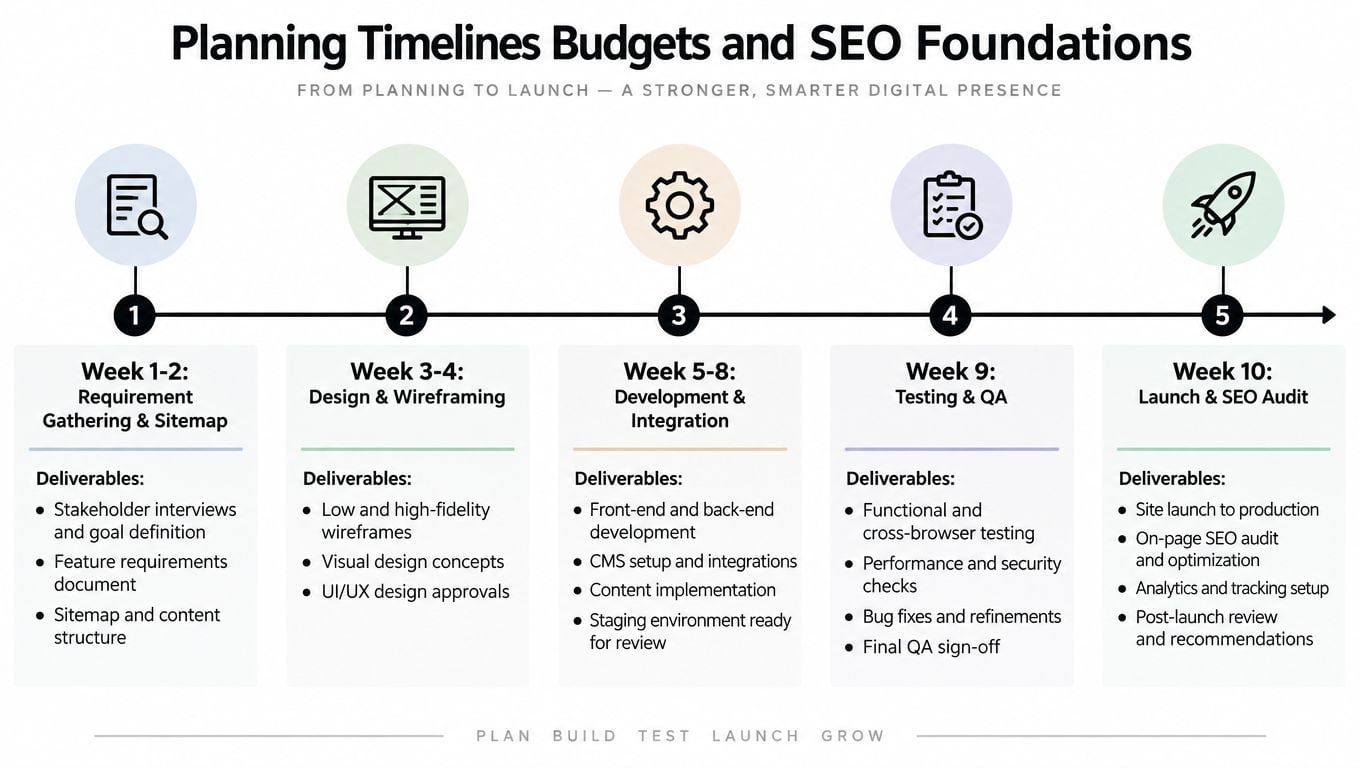
Start with the commercial operation. Document product types, variants, stock rules, delivery zones, returns, discounts, tax treatment, payment methods and order statuses. List every system the store must connect to, including accounting, inventory, fulfilment, CRM and email marketing. If an integration is discovered during development, it can change the design and testing scope.
Budget for decisions, not just pages
Template customisation usually costs less than a bespoke design system, but it can impose limits on product presentation and checkout behaviour. A custom build gives you more control, yet it requires more discovery, design, development and quality assurance. Premium extensions, managed hosting, payment services, photography, copywriting and ongoing support all belong in the operating budget.
SEO must enter during the sitemap stage. Build categories around how customers search and shop, use descriptive product names, write original product copy and define canonical handling for variants and filtered URLs. Prepare title tags, meta descriptions, image alt text, structured product information and useful internal links before launch.
Content also needs an owner. Decide who will update prices, stock, promotions, delivery messages, reviews and buying guides. A store that launches with accurate content but becomes stale soon afterwards won't earn trust or search visibility for long.
Use guidance on how long it takes to build an e-commerce website when setting expectations with your agency. The precise duration depends on scope and approvals. Your timeline should include discovery, sitemap, design, integrations, content loading, device testing, accessibility checks, payment testing and SEO review, not just the moment development starts.
Your Prioritised Pre-Launch and Post-Launch Checklist
Don't launch because the homepage looks finished. Launch when a new customer can find a product, understand the offer, pay securely, receive a reliable confirmation and get help if something goes wrong.
Non-negotiable checks before trading
Run these checks in order of commercial risk:
- Complete the legal review: verify business identity, address, registration details where applicable, terms, privacy information, delivery costs, returns and pre-contract information.
- Test the full purchase path: use real devices to test product selection, variations, basket edits, discount codes, delivery choices, payment outcomes, refunds and order emails.
- Check accessibility: use a keyboard, inspect focus order, test labels and error messages, confirm readable contrast and make sure consent controls and payment interactions work without relying on a mouse.
- Validate mobile layouts: check product galleries, sticky purchase controls, address entry, wallet buttons, review content and confirmation screens at practical phone sizes.
- Measure the important templates: test category pages, product pages, search, basket and checkout. Confirm that cached content never exposes another customer's information.
- Secure administration: remove unused accounts, enforce strong authentication, update software, verify backups and document who handles incidents.
The first weeks are part of the build
Post-launch support isn't optional. Watch payment and order logs, check stock synchronisation, review search queries, record customer questions and inspect analytics for broken steps. Ask early customers where they hesitated, then fix the clearest friction rather than adding another feature.
Keep a prioritised backlog with three labels: blocks purchase, causes confusion and future enhancement. Fix failed orders, incorrect totals, missing confirmations and inaccessible controls first. Leave cosmetic refinements and speculative integrations until the buying journey is dependable.
The strongest e commerce website requirements are measurable and owned by someone. Give your agency a checklist with acceptance criteria, insist on testing evidence and agree who will maintain the store after launch. That approach costs less than discovering that a visually complete website cannot process a normal UK order.
DesignStack provides responsive WordPress and WooCommerce builds, e-commerce discovery, checkout testing, hosting and post-launch website support for Dorset businesses and organisations across the UK. If you're reviewing your e commerce website requirements, visit DesignStack to discuss a practical, conversion-focused brief.