WooCommerce Web Design: Costs, Features and Best Practices
Online sales accounted for 28.3% of total retail sales in Great Britain in December 2025, according to the Office for National Statistics. For retailers, that makes the online shop a core part of the business, not just a digital brochure. WooCommerce web design should help customers find the right product, understand what they're buying and pay without unnecessary obstacles.
A polished homepage is only part of that job. The decisions that matter also include delivery rules, accessible controls, payment authentication and how easily staff can manage orders after launch.
Table of Contents
- What WooCommerce Web Design Covers
- Why a Designed WooCommerce Store Pays Off
- Features and Integrations to Plan For
- What a WooCommerce Build Costs and How Long It Takes
- Which Fits Your Store
- Design Choices That Earn the Sale on Mobile
- Accessibility and Fraud Checks for the Buying Journey
- Confirm Your Brief Before You Request Quotes
What WooCommerce Web Design Covers
Think of WooCommerce as the stockroom and till, and web design as the shop floor. The software manages the goods and transactions. The design determines how shoppers move around, what they notice and whether they can reach the till without getting lost.
WooCommerce is a free WordPress plugin that turns a website into an online shop. It provides the foundation for products, baskets, orders, tax settings and payments. Free software doesn't mean a free finished store, though. Hosting, configuration, design and ongoing care still need attention.
The layers behind the shopfront
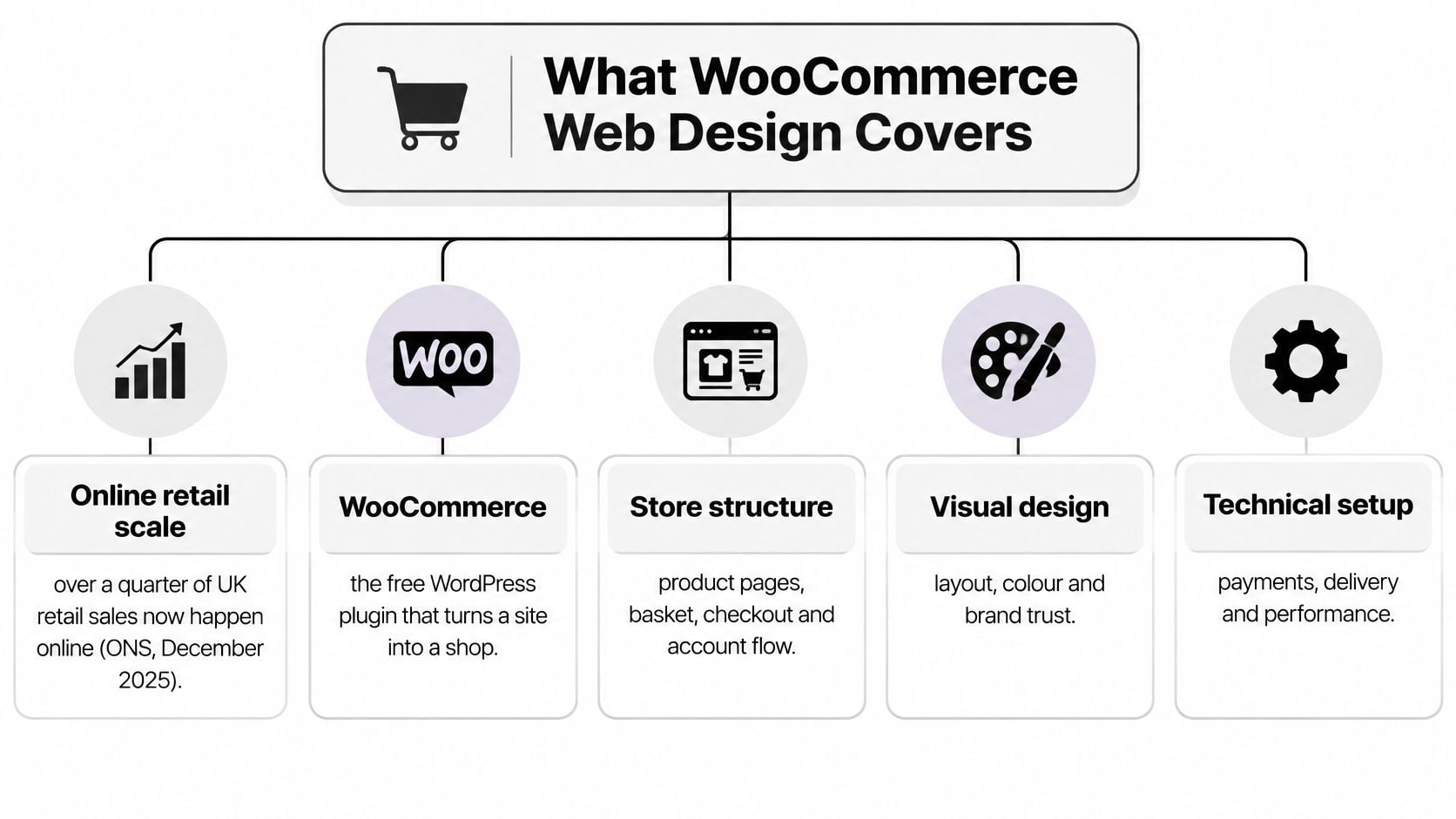
A useful way to understand the work is to separate it into connected layers:
- Visual design covers the theme, layouts, colours, typography and behaviour on different screens. It should make product information easy to understand, not just decorate it.
- Store setup includes product categories, variations, stock settings, tax rules, shipping zones and payment methods.
- Integrations connect the shop to payment processing, delivery labels, accounting, email marketing and analytics.
- Hosting and care cover performance, security, backups and updates, including how changes are checked before reaching customers.
The diagram shows how the customer-facing pages connect to the underlying setup.
What the designer should deliver
A theme provides presentation and layout tools. A plugin adds functionality, such as subscriptions or a delivery-date selector. Some themes include shopping features, but choosing a theme isn't the same as planning a working store.
Start with the buying journey before choosing colours. Figr's UX design process guide is a useful resource for understanding how discovery, early layouts and testing fit together.
A sensible handover should include:
- Planning records such as wireframes and approved page designs.
- A tested build covering representative products, orders and integrations.
- Staff training for routine product, stock and content changes.
- A handover document explaining access, licences, backups and support responsibilities.
A beautiful store can still sell poorly if these layers clash. A delivery plugin that rejects valid addresses can undo all the work put into attractive product photography.
Why a Designed WooCommerce Store Pays Off
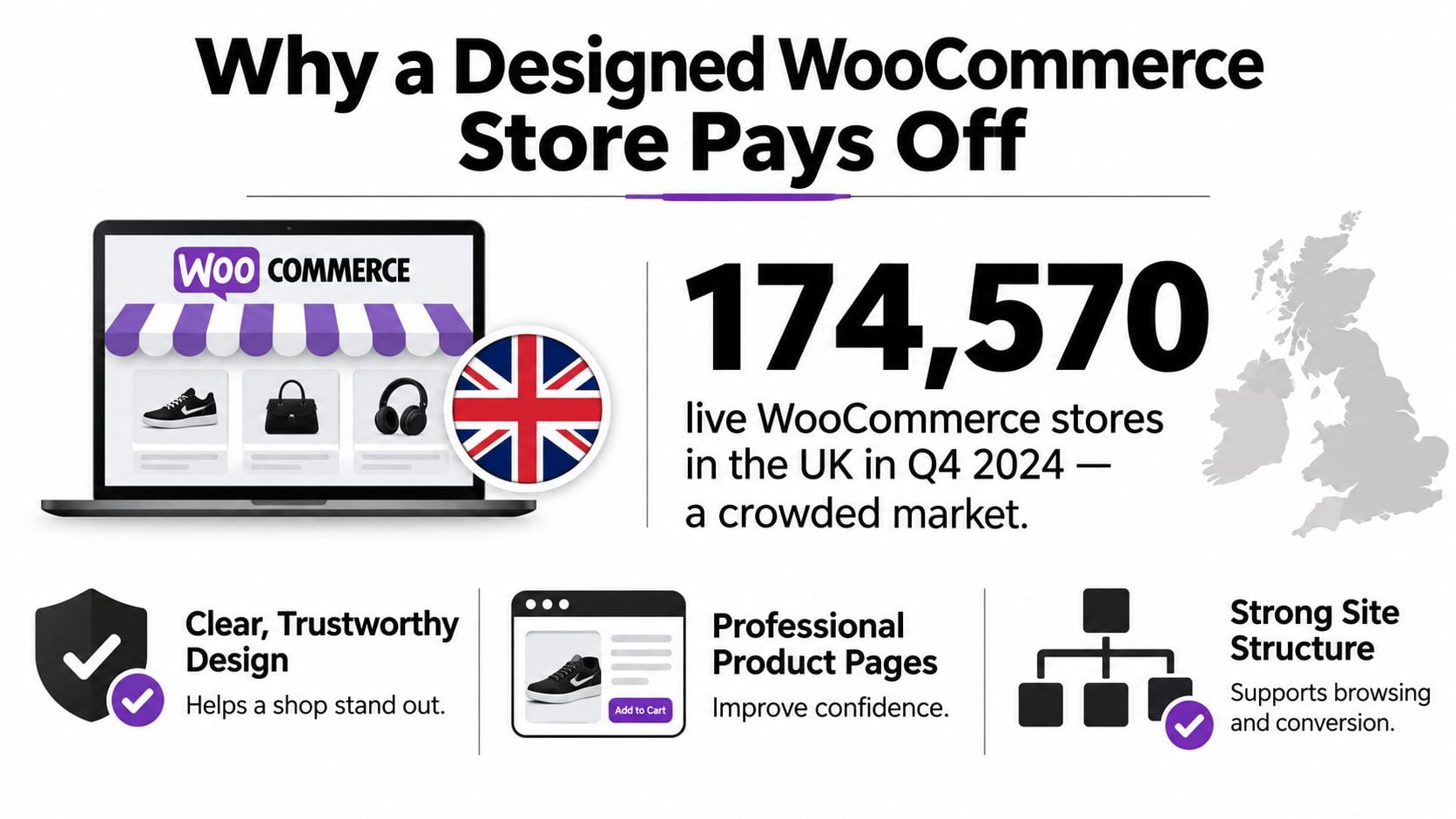
Store Leads counted 174,570 live WooCommerce stores in the UK in Q4 2024. That's a crowded field, although it isn't a measure of how many direct competitors your business has. Clear product presentation and a credible buying journey give customers practical reasons to choose your shop.
This graphic puts the platform's UK presence into context.
Control that serves a business purpose
With your own store, you can organise the customer journey around how people buy your products. That might mean browsing gifts by recipient rather than supplier, or explaining material choices before asking someone to select a variation.
You also control your prices, bundles and delivery arrangements. Customer records and permission-based email lists sit within your own business systems rather than being available only through a marketplace, although you still need to handle personal information responsibly.
WordPress also gives you space for useful buying guides, category explanations and local information. Those pages can support search visibility when they answer genuine customer questions. Installing WooCommerce alone won't produce that visibility.
Commercial test: A design feature earns its place when it helps someone choose, buy or return with confidence.
What that looks like for a small retailer
Say a Weymouth gift shop stocks products from several makers. A gift finder could organise them by occasion, recipient and style, while seasonal emails invite consenting subscribers back to relevant collections.
A local florist has a different problem. Its customers need to know whether an address is covered and which delivery dates are available. Postcode-based eligibility and clear date selection would be more useful than an elaborate homepage animation.
For a visual introduction to the platform, this video offers another way to explore WooCommerce.
The honest limitation is that design doesn't create demand by itself. You still need relevant visitors, accurate stock, competitive products and a marketing plan. A better shop helps you serve demand, but it can't compensate for advertising that attracts the wrong audience or orders you can't fulfil.
Judge the investment against your own operation. Fewer delivery enquiries, easier product selection and less manual order handling can be useful outcomes alongside completed sales.
Features and Integrations to Plan For
Start with what customers need to buy and what staff need to fulfil the order. A long plugin list isn't a specification. Each feature should solve a named problem and have someone responsible for maintaining it.
Product and shopping features
For a clothing shop, variable products might represent size and colour. For a furniture retailer, material and finish could affect price, stock and delivery. Decide which options need their own stock records before importing the catalogue.
Filters should reflect buying decisions. A customer shopping for curtains may need width, drop and fabric filters, while a food shop might prioritise dietary information and pack size.
Other features need equally clear reasons:
- Bundles can group complementary products, but need rules for pricing and component stock.
- Stock alerts let interested shoppers request a notification when an item returns.
- Reviews need a moderation process and a clear relationship to the relevant product.
- Saved baskets need testing across devices and customer sessions.
- Local delivery and collection require eligibility, opening times and fulfilment instructions.
- Subscriptions need an appropriate extension, recurring-payment support and a clear cancellation journey.
Don't assume every option belongs in the first release. Features that staff can't reliably operate can create more confusion than value.
Payments and delivery
A payment gateway connects the checkout to payment processing. Stripe and PayPal are familiar examples, while Apple Pay and Google Pay may be available through a compatible gateway and device.
Compare transaction charges, refund handling, settlement arrangements and supported payment methods before choosing. The payment gateway integration guide can help you frame the technical questions.
Delivery needs its own specification. Include UK VAT settings for professional review, shipping classes for heavy or fragile goods, postcode restrictions and any requirement for live courier rates. Test mixed baskets, not just a straightforward order.
For an overseas operational example, Sendaparcel's guide to courier booking for Australian online retailers illustrates how orders can connect to parcel booking. UK retailers should apply that workflow idea to their own carriers rather than assume the same services or rates apply.
Running the business
Accounting connections such as Xero or QuickBooks need agreed mappings for sales, refunds, delivery charges and tax. Stock synchronisation needs a clear source of truth, especially if goods also sell in a physical shop.
Email marketing should distinguish service messages from promotional subscriptions. Google Analytics 4 can record shopping events, while Search Console helps you inspect search visibility and indexing.
If you plan to sell through eBay or Amazon, establish stock synchronisation before accepting orders across channels. Define what happens when a connector is unavailable, an order is cancelled or a refund is issued.
Sort the specification into practical groups:
- Launch essentials are necessary to take and fulfil valid orders.
- Scheduled improvements have a clear use but can wait until the store is operating.
- Parked ideas need evidence before they justify spending.
Every integration adds configuration, testing and future maintenance. Choose the smallest reliable setup that supports the business, rather than installing several overlapping tools.
What a WooCommerce Build Costs and How Long It Takes
A useful price needs a defined scope. There isn't a supported universal UK cost range for these build types, so treating a headline figure as a quotation would be misleading. The comparison below shows what should determine the price and schedule instead.
WooCommerce build types, costs and timelines in the UK
| Build type | Typical timeline | Best fit |
|---|---|---|
| DIY store on a ready-made theme | Schedule around your available setup, content and testing time | Owner-run store with a straightforward range and a tight budget; budget for tools and your own labour |
| Agency template build | Agree milestones after the catalogue and required plugins are reviewed | Conventional shopping journey; quote for configuration, styling and content loading |
| Agency build with bespoke design | Allow for design approval before development and integration testing | Brand-led layouts and specialist product pages; quote against approved templates and functions |
| Custom platform or complex integrations | Scope discovery and technical dependencies before committing to launch | Trade pricing, configurable bundles or complex synchronisation; price against documented requirements |
What moves the price
Catalogue complexity matters more than a simple product total. Importing consistently organised products is different from repairing incomplete descriptions, inconsistent attributes and missing variation images.
Custom design adds work when it introduces additional page types or interactions. A specialist product configurator needs more development and testing than a conventional size selector, even if both appear on a single page.
Integrations and checkout rules can also change the scope substantially. Ask for separate line items for data migration, accounting, subscription handling, shipping logic and marketplace connections so you can see what you're paying for.
For a broader budgeting framework, use the eCommerce website design cost guide, then compare quotations against the same requirements.
Compare the work included, not just the total at the bottom of the quote.
What moves the launch date
Content readiness is a dependency you can control. Prepare product photography, descriptions, attributes and policy wording before the build reaches content loading. A developer can't finish testing a delivery promise that the business hasn't agreed.
A realistic project schedule should show:
- Brief and discovery, including catalogue review and operational requirements.
- Design approval, with named decision-makers and an agreed feedback process.
- Build and integrations, including access to third-party systems.
- Content loading, with responsibility for imports and manual corrections.
- Testing, including accessibility, payment failures and order handling.
- Launch and handover, including staff access and recovery arrangements.
Third-party account approvals and unanswered feedback can hold up those stages. Ask the quotation to identify dependencies rather than promise a launch date.
Budget beyond the build
Separate the initial project from recurring hosting, plugin licences, backups, security work and updates. Payment-processing charges also belong in your operating budget, not just the website budget.
Keep a separate post-launch allowance for improvements informed by real orders and customer questions. Its size should reflect the uncertainty in your project, rather than an unsupported standard percentage.
We create websites at a fixed cost. That makes a written scope especially important: it gives both sides a clear basis for agreeing what's included and how additional requests will be handled.
Which Fits Your Store
| Criterion | Template build | Custom build |
|---|---|---|
| Catalogue size | Suitable where product structures fit established WooCommerce patterns | Useful where product relationships or variants require specialist interfaces |
| Brand distinctiveness | Existing layouts adapted with photography, typography and styling | Bespoke layouts organised around the brand and buying journey |
| Integrations | Established plugins for conventional payments, shipping and accounting | Specialist connections or logic where standard tools don't meet requirements |
| Future growth | Can develop further if the theme and architecture remain suitable | Can be planned around identified growth requirements |
| Change flexibility | Changes follow the theme's structure and available settings | Changes can be specified within the agreed architecture |
| Upkeep risk | Relies on vendor compatibility, updates and responsible configuration | Relies on code quality, documentation and continuing developer support |
Choose around the hard requirements
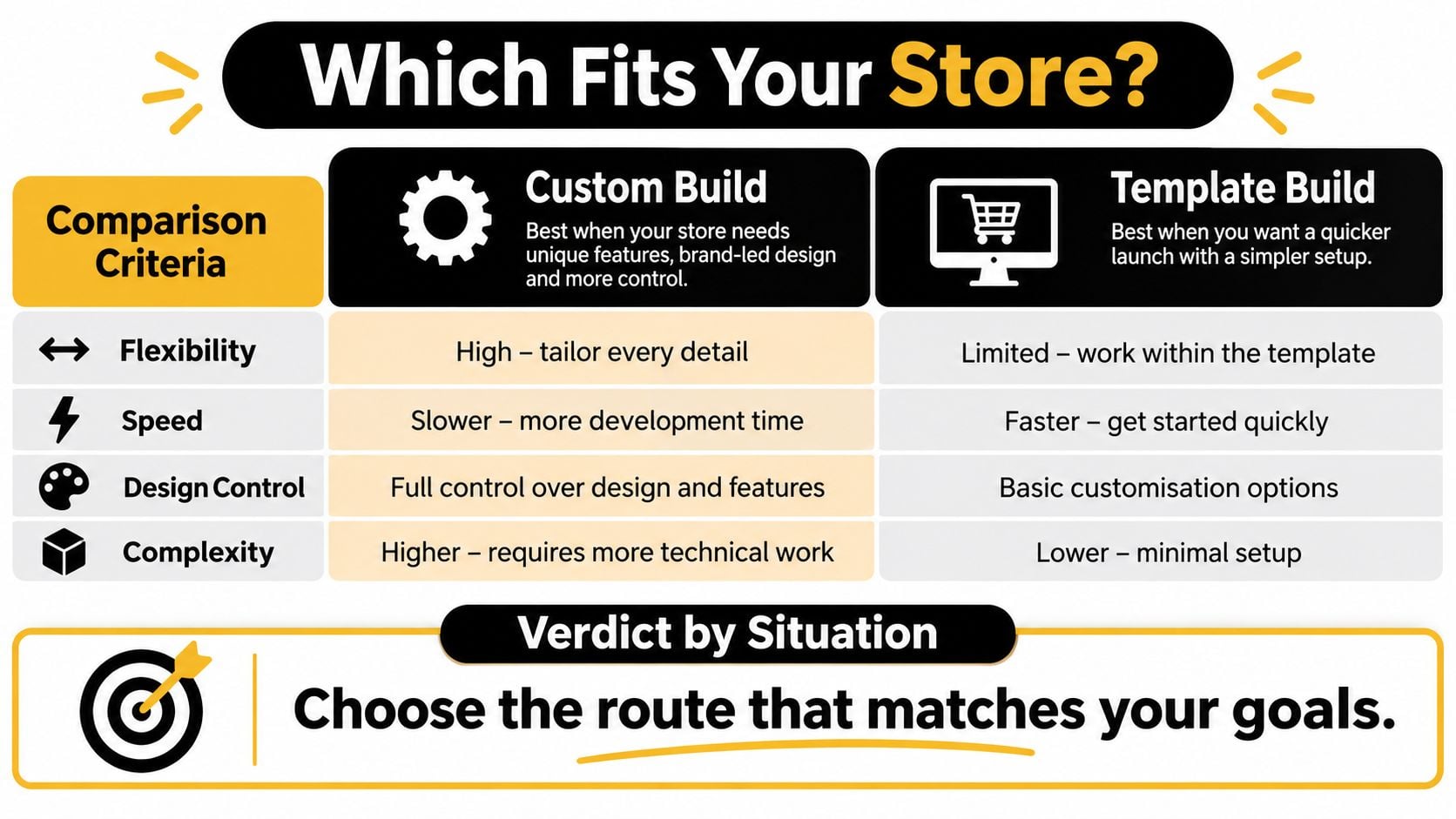
A template build is a sensible starting point when customers select ordinary variations, add products to a basket and use a conventional checkout. Your effort can go into clear content and a dependable setup rather than reinventing familiar interactions.
A custom build becomes easier to justify when the buying process itself is unusual. Trade accounts with tiered pricing, a product configurator or allocation across warehouses may require specialist development.
Catalogue size alone shouldn't settle the decision. A large, consistently structured range may work with a standard theme, while a small range of highly configurable products may need bespoke functionality.
The comparison graphic summarises the decision around flexibility, speed and complexity.
The middle route often deserves consideration
A quality premium theme with a child theme can provide a useful compromise. The parent theme supplies the foundation, while the child theme holds appropriate custom presentation changes separately.
That can suit a retailer who needs a distinctive product page and category layout but doesn't need every component built from scratch. However, a child theme doesn't remove the need for compatibility testing after updates.
Bespoke isn't automatically better. A documented, maintainable template build can be a stronger business asset than custom code nobody can safely change.
Ask to see how staff will edit content, how changes are documented and what happens if the original developer becomes unavailable. A striking front end isn't enough if routine changes require specialist intervention.
If you're still deciding whether WooCommerce itself suits your operation, the small-business eCommerce platform guide provides a wider comparison.
Before committing to custom work, list the selling requirements a suitable theme and established extensions cannot meet. If that list is empty, start with the simpler route and invest in photography, product explanations and accurate catalogue information.
Design Choices That Earn the Sale on Mobile
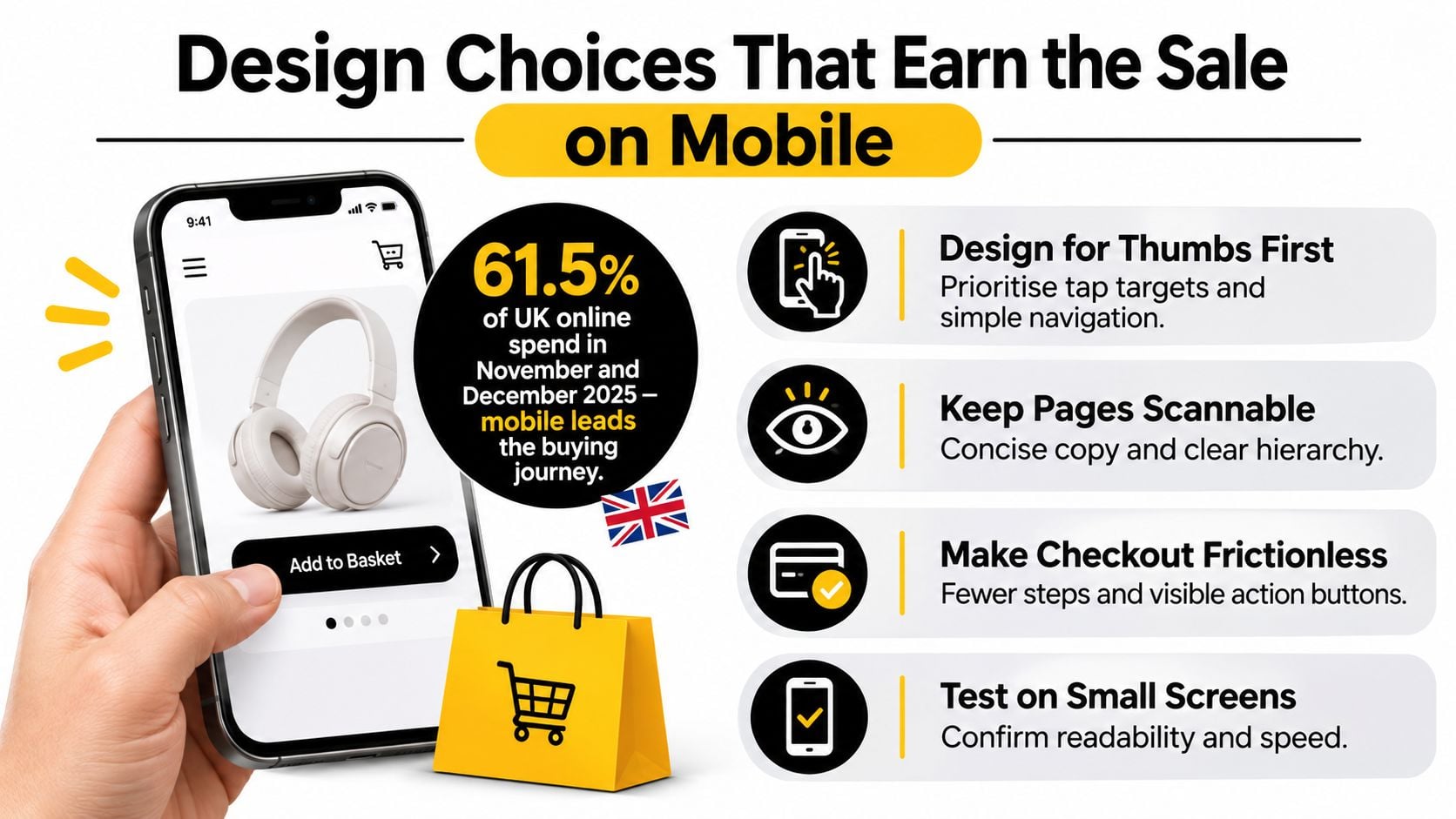
Mobile accounted for 61.5% of UK online spending during November and December 2025, according to Adobe Analytics. That's a strong reason to design around thumbs and narrow screens before polishing a large desktop layout.
Help shoppers choose without losing their place
On a product page, give the name, price and purchase action a clear hierarchy. Avoid a tall promotional banner that pushes the actual product beneath unrelated content.
Make variation selectors easy to tap and explain unavailable combinations. If someone chooses an out-of-stock size, they should understand what happened without having to search for a faint message.
Reserve space for images so that the page doesn't jump as they load. Use appropriately sized files and keep thumbnails useful rather than filling the screen with oversized assets.
A sticky add-to-basket bar can help on longer pages, provided it doesn't cover information or interfere with accessibility controls.
These visual checks are useful during mobile layout review.
Keep the route to payment understandable
Offer guest checkout, browser autofill and compatible express payment options. Ask only for information the business needs to process and fulfil that order.
Show delivery charges and an estimated arrival date before the payment decision. Where the estimate relies on postcode or stock availability, explain that clearly rather than displaying an unconditional promise.
Trust should be practical:
- Real reviews help shoppers assess the product, especially when they include useful detail.
- Visible contact information gives customers a route to resolve questions.
- Accessible returns information explains eligibility and the steps involved before purchase.
- Clear order summaries let shoppers check variations, quantities and delivery details.
For another service-based example, Samba's mobile-friendly tour booking page patterns offer useful ideas about choice, availability and prominent actions. Apply the relevant interface principles rather than copying a booking journey into a retail checkout.
Keep category navigation shallow and test search with misspellings, plural forms and the everyday names customers use. A supplier's technical product name may not be what a shopper types.
Measure a specific problem before changing the page
Use your mobile conversion optimisation plan to connect observed behaviour with a testable change:
- Mobile add-to-basket rate can prompt a test of clearer variation controls or purchase-button placement.
- Checkout-start rate can prompt a review of basket clarity and delivery information.
- Abandonment by device can help identify a payment, browser or layout problem requiring investigation.
Check that analytics events fire correctly before drawing conclusions. Test on real iOS and Android devices, including ordinary mobile connections, rather than relying entirely on desktop browser resizing.
Accessibility and Fraud Checks for the Buying Journey
GOV.UK accessibility guidance identifies WCAG 2.2 Level AA as the standard for covered websites and services. For a retailer, it's a useful technical target for the complete buying journey, but it shouldn't be treated as a blanket statement about identical legal duties for every business.
Run an affordable journey test
Use a staging site and the payment gateway's test environment. Keep a shared issue log with the page, action, expected result, actual result and a screenshot where useful.
- Browse using only the keyboard. Move from the homepage through category browsing, product selection, basket and checkout. Check that focus remains visible and doesn't become trapped.
- Try assistive technology. Use NVDA on Windows or VoiceOver on iPhone to inspect a product and checkout. Check meaningful image descriptions, field labels and announcements when the basket changes.
- Enlarge the text. Check that controls remain readable and usable without overlapping content or hiding essential actions.
- Run an automated scan. WAVE or axe can flag detectable issues on representative pages. A clean scan isn't proof that the whole journey works.
- Trigger errors deliberately. Submit an incomplete address, omit a required variation and simulate a failed payment. Each message should identify the problem and explain how to resolve it.
Filters and selectors must expose their current state, while mini-baskets and cookie interfaces need sensible focus handling and an obvious way to close them. Don't remove focus outlines just because they don't match the branding.
A structured website accessibility audit can help turn those findings into prioritised fixes and repeatable acceptance checks.
Keep fraud controls proportionate
UK Finance reported £1.28 billion in payment-fraud losses during 2025. That figure covers payment fraud more broadly than WooCommerce retail, but it's a useful reminder to treat payment and refund workflows as operational risks.
Divide responsibility clearly:
- In the gateway, configure supported authentication and risk tools, including 3-D Secure where appropriate. Test the additional authentication journey rather than assuming it works.
- In WooCommerce, maintain accurate order statuses, transaction references and delivery records. Confirmations should help customers recognise their purchase without exposing sensitive information.
- In daily operations, control refund permissions, record decisions and review suspicious repeat patterns.
Write a refund process that explains what customers should provide and how staff should respond. Repeated claims should trigger a human review, not an automatic accusation or a blanket refusal.
Less friction isn't always better. The aim is to remove unnecessary obstacles for legitimate shoppers while retaining checks that protect customers and the business. Give staff a clear escalation route so unusual orders don't sit unresolved.
Confirm Your Brief Before You Request Quotes
A useful brief describes the shop you need to operate, not just websites you like. Gather the details in a shared document so providers can quote against the same requirements.
Prepare the information that affects scope
- Catalogue details including product count, variation types, stock structure and an example import file.
- Sales channels covering your own site, physical shop and any marketplaces.
- Required connections including accounting, email, stock systems and fulfilment services.
- Payment and delivery rules including collection, restricted postcodes and unusual goods.
- Customer information including returns wording and responsibility for policy approval.
- Brand and content assets including photographs, logos, descriptions and any style guide.
- Project constraints including target devices, preferred launch date, budget and the person approving decisions.
- Ongoing ownership including who will update content and manage operational changes after launch.
Make the quotation easy to assess
Request a written scope that identifies design revisions, content loading, integration work, testing, accessibility checks, hosting, training and post-launch support. It should distinguish included work from optional items and recurring charges.
Confirm who controls the domain, hosting account, store data and third-party licences. Establish how you'll receive administrator access and documentation, and how additional requests will be approved.
We're based in Weymouth, Dorset, and have experience building eCommerce stores on platforms including WooCommerce and Prestashop. Send your completed checklist with your product count, catalogue example and intended launch date so we can discuss a realistic scope.
Call (01305) 301404 or email hello@designstack.co.uk to start that conversation. If you're replacing an existing shop, include what currently causes difficulty for customers and staff, not just what you'd like to look different.
DesignStack offers WooCommerce website design and technical setup for retailers who need a clear, usable online shop. Visit DesignStack to discuss your catalogue, delivery requirements and buying journey, and bring your completed checklist so we can turn those requirements into a defined project.