
Payment Gateway Integration: A Practical UK Guide for 2026
You've got a checkout nearly ready, the client wants it live next week, and the last open question is the payment layer. Stripe, PayPal, or Braintree all look plausible in the dashboard, but the core decision sits deeper, in SCA, reconciliation, refunds, and how much of the mess you want to own after launch.
Table of Contents
- Why Payment Gateway Integration Matters for UK Businesses
- Choosing the Right Gateway for Your Business Model
- Preparing Your Merchant Account and Credentials
- Understanding the API, Webhooks and Payment Status
- Integrating With WooCommerce, WordPress and Custom Builds
- PCI Compliance, 3-D Secure and SCA the Right Way
- After Launch, Reconciling, Refunds and When to Hire Help
Why Payment Gateway Integration Matters for UK Businesses
A Dorset retailer can launch a clean WooCommerce shop, add products, write the copy, and still lose the first week's sales because checkout feels clumsy. Maybe the card form looks bolted on. Maybe Apple Pay is missing. Maybe the merchant account is still waiting on approval, so the team is trying to test with a live-looking site and no reliable payment path.
A payment gateway sits between the checkout and the financial rails. It handles authorisation, passes the transaction on for settlement, and screens for fraud signals before the payment reaches the point of no return. That matters in the UK because card spending has overtaken cash for years, with debit card payments rising from 20.8 billion in 2014 to 28.0 billion in 2019 and cash falling to 15% of all payments by volume in 2021, down from 59% in 2007 in the UK Finance payment statistics cited in the brief. UK payment statistics and gateway context
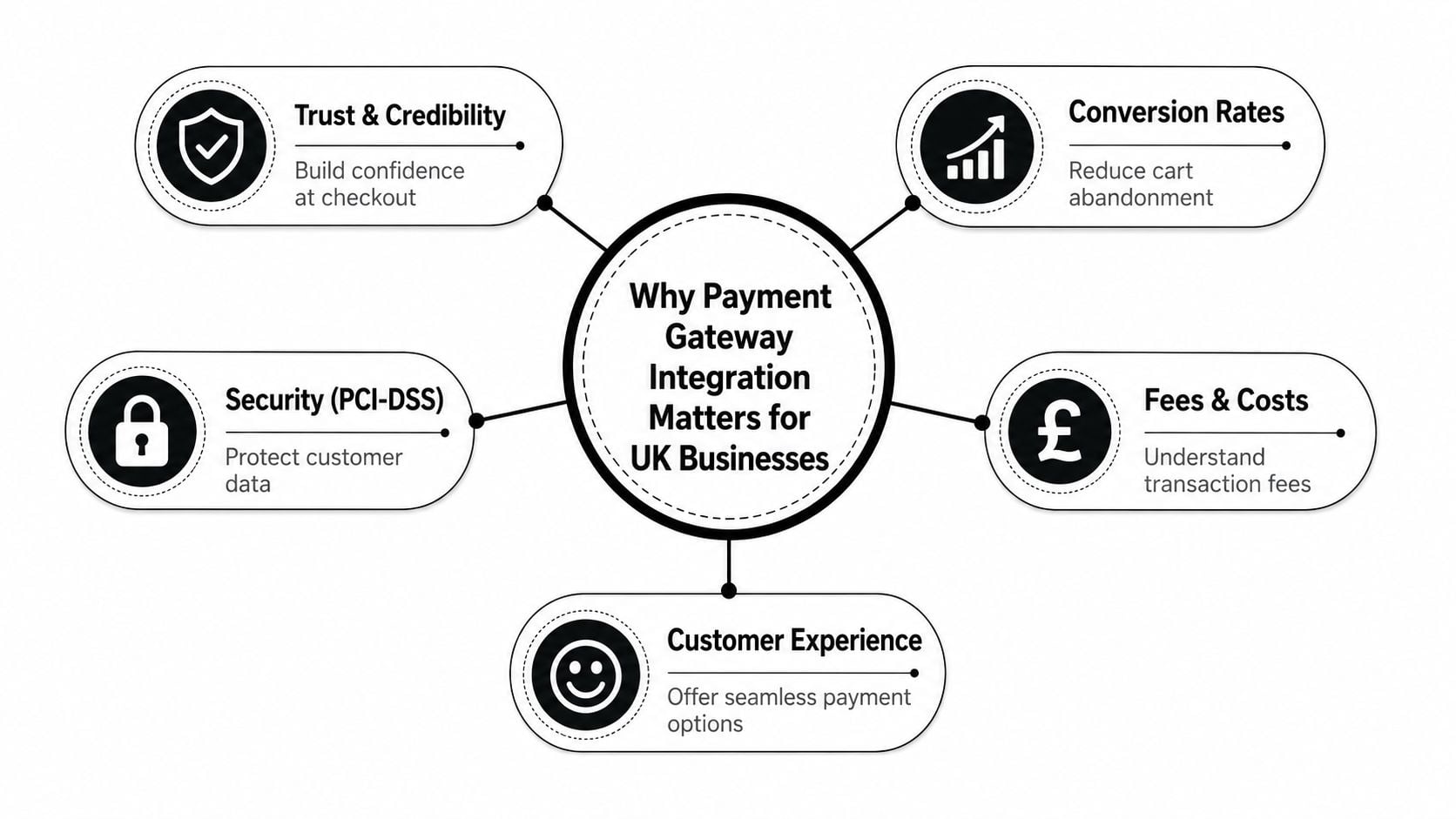
The practical outcome is simple. If your gateway doesn't support the payment methods UK buyers expect, doesn't keep friction down on mobile, or can't produce clean status updates for finance, it shows up as abandoned baskets and messy month-end close. Refact's guide on gateway integration is a useful companion if you want another practitioner-level overview of the setup choices, especially before you lock in a stack like WooCommerce or a custom build, Refact's payment gateway integration guide.
Practical rule: if the checkout problem, the compliance problem, and the operations problem all look the same, start by mapping the payment flow on paper. The integration choice gets clearer once you separate what the gateway must do from what your finance team expects to see later.
The job is broader than “take payment.” A gateway has to take money securely, meet regulation, support the payment methods customers use, and give your team something they can reconcile without digging through browser screenshots. If one of those four pieces is weak, the whole checkout feels fragile.
Choosing the Right Gateway for Your Business Model
Stripe, PayPal, Braintree, Worldpay, and Checkout.com are often compared as if they're interchangeable. They're not. The right choice depends on whether you're running a small shop, a subscription business, or a platform that needs cleaner control over payout flows and authentication.
Match the provider to the shape of your business
For a small WooCommerce store, PayPal can still be the fastest path to trust because many buyers recognise it immediately, but it can also feel like a second checkout inside your checkout if the flow is poorly designed. Stripe usually suits teams that want the cleanest developer experience, strong hosted options, and broad support for wallet payments. Braintree tends to make sense when you want a developer-friendly stack with more explicit support for recurring billing and a PayPal-owned ecosystem.
UK-focused gateways such as Worldpay and Checkout.com are often shortlisted when a business wants stronger local commercial support, different settlement expectations, or a more enterprise-style relationship. That's less about fashion and more about operational fit. If your finance team cares about how payouts land in GBP, or your compliance team wants a more managed merchant relationship, a UK-oriented provider can reduce friction.
Compare the trade-offs, not the marketing
The usual comparison chart ignores the stuff that hurts later, like chargeback handling, currency conversion margin, and whether SCA flows are clean enough to preserve authorisation. It also glosses over whether subscriptions are native or bolted on, and whether wallets like Apple Pay and Google Pay work without extra plumbing.
| Provider | Best fit | UK card fee range | Apple Pay / Google Pay | Subscriptions |
|---|---|---|---|---|
| Stripe | Developer-led shops, SaaS, flexible custom builds | Not stated in verified data | Supported | Yes |
| PayPal | Trust-led checkout, lower-friction consumer buyers | Not stated in verified data | Supported | Yes |
| Braintree | SaaS, platforms, teams that want PayPal plus gateway control | Not stated in verified data | Supported | Yes |
| Worldpay / Checkout.com | UK merchants needing more managed or enterprise-style support | Not stated in verified data | Supported on common setups | Yes |
If you're choosing the platform behind the shop as well as the gateway, the practical constraints change again. This ecommerce platform guide for small business is worth reading before you commit to a provider that fights your site architecture.
Best fit beats best-known brand. A gateway that aligns with your checkout model, your subscription logic, and your finance workflow usually wins over the one with the prettiest comparison page.
The short version is this. Pick Stripe if you want flexibility and a strong developer path, PayPal if buyer trust and recognisability are central, Braintree if you need more structured recurring or platform logic, and UK-focused providers if your operational and settlement needs are better served by a more traditional relationship.
Preparing Your Merchant Account and Credentials
The paperwork comes first, not the code. I've seen launches stall because a merchant account sat in underwriting while the dev team had already built the entire checkout around credentials that never arrived.
Get approval ready before development starts
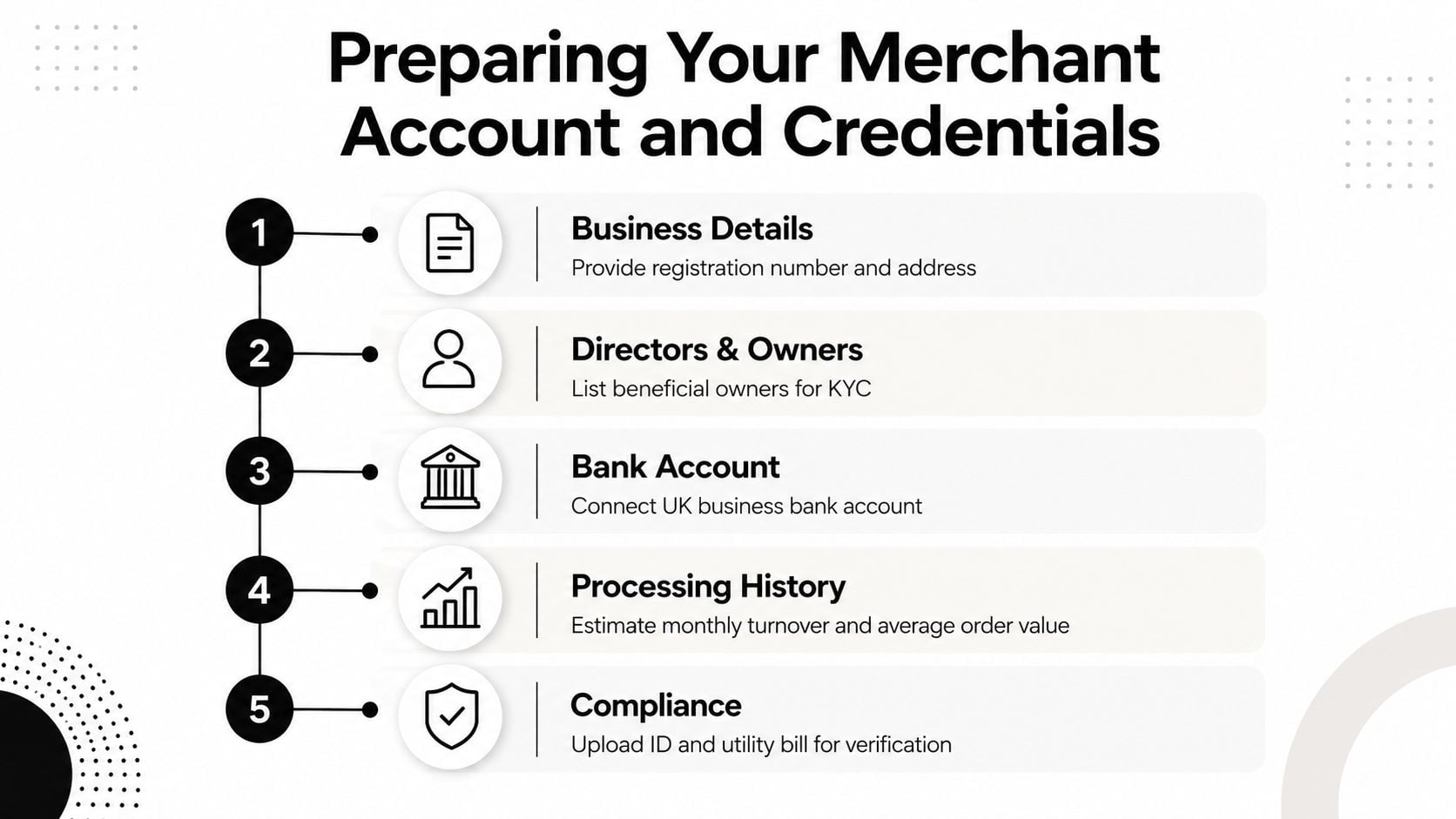
A UK gateway will usually want enough business detail to understand who's processing the money, what's being sold, and where the funds will land. That means the legal entity, trading address, directors, beneficial owners, and a business bank account have to be in order before anyone starts wiring API calls. If the business model changes halfway through approval, the provider may want more information or a different risk review.
A decent pre-build checklist also includes the merchant category, expected processing pattern, and any multi-currency requirement. That's where routing rules matter. Some providers issue separate endpoint IDs by currency, along with control keys for request signing, so you don't want to discover that on launch day.
Keep credentials out of the browser
Publishable keys can be exposed in front-end code if the provider expects it. Secret keys cannot. Control keys, signing keys, and private API credentials should stay server-side, ideally in proper environment variables rather than a plugin settings page or a theme file.
The safest pattern is still the same across providers. Create the payment session on the backend, hand the client only what it needs for the next step, then trust the webhook to confirm what happened. That avoids leaking secrets, reduces the blast radius of a compromised browser session, and makes multi-currency logic much easier to manage.
For a related deployment issue, the SSL certificate installation guide is a sensible reference because payment setup and transport security are not separate jobs.
If you need a practical legal and ownership checklist for the business side, LegesGPT for business owners can help you gather the documents and entity details a gateway review is likely to ask for.
Don't code around weak approval data. If the merchant account details are incomplete, fix that first. A polished checkout can't compensate for a rejected underwriting pack.
The working order is simple. Get the merchant account approved, store credentials securely, set up routing and descriptor logic, then write the integration against the actual production assumptions instead of the optimistic ones.
Understanding the API, Webhooks and Payment Status
The browser lies more often than developers like to admit. A success page only tells you what the front end thinks happened, not what the gateway approved, what the bank settled, or whether the webhook reached your server.
Build around the server, not the browser
A solid payment flow starts on the backend. The server creates the payment intent or order, attaches the right amount and metadata, and sends the client only the data needed to confirm the transaction on the front end. After that, the gateway sends a webhook callback when the status changes, and that callback is what should drive fulfilment, invoicing, refund state, and subscription logic.
That pattern matters because retries happen. Network calls fail. Customers refresh pages. Payment providers resend events. Without idempotency keys, you'll eventually create duplicate orders, duplicate subscriptions, or duplicate receipts. Without signature verification, you'll eventually trust a fake callback or accept a malformed one.
The webhook is the source of truth. The success page is a convenience for the customer, not a reliable payment signal.
A Stripe-style flow is easy to reason about. The backend creates the payment session, the front end confirms it, and the server listens for the final event before releasing the order. The exact SDK changes, but the architecture doesn't.
A useful habit is to document every webhook event you depend on, including retries, signature checks, and failure handling. GitDocAI's webhook documentation guide is a good reference if you want to turn that into a readable internal spec instead of tribal knowledge.
Treat failure states as normal behaviour
A payment system isn't healthy just because happy-path testing passes. It's healthy when declines, timeouts, and delayed callbacks are handled cleanly. That means you need to know what happens if the card is declined, if a webhook arrives twice, if the client closes the tab, or if the gateway says the payment succeeded but your server didn't hear the callback yet.
The quickest way to avoid support noise is to build a clear mapping between event types and order states. Approved payment, pending payment, failed payment, refunded payment, and subscription renewal failure should each land in a distinct state in your app. If those states blur together, finance and support will both lose time later.
The practical rule here is straightforward. Make the browser responsible for user feedback, make the server responsible for payment state, and make webhooks the bridge between the two.
Integrating With WooCommerce, WordPress and Custom Builds
WooCommerce plugins are convenient, but convenience has a price. The cheaper path on day one can become the more awkward path once you need subscriptions, tokenisation, or a more controlled checkout experience.
Plugin, hosted or custom
For WordPress sites, the default move is usually a plugin for Stripe, PayPal, or Braintree. That's fine when the plugin keeps sensitive card data off your server and uses hosted fields, redirects, or other low-scope methods. It's much less fine when the plugin starts collecting too much directly on the site and drags the project deeper into PCI scope than anyone expected.
A hosted checkout makes sense when the team wants speed and fewer security obligations. A server-side integration makes sense when the business needs tighter branding, more complex order logic, or a custom checkout journey. A headless or SPA setup only earns its keep when the product needs that level of control, because every extra moving part increases maintenance.
The WordPress ecommerce examples page is useful if you're comparing how the same platform can support different commercial models without forcing the same checkout pattern on every site.
Pick the path that fits the team
Elementor form payments can work for simple lead-gen-to-payment journeys, but they're rarely the right answer for a proper shop with stock, shipping, and payment status tracking. WooCommerce blocks are improving, yet the key question is still whether the gateway integration is stable, testable, and easy for the client to operate.
If you've got a small team and a standard shop, the plugin route is usually enough. If you're shipping subscriptions, marketplace payouts, or a custom order lifecycle, the plugin route often becomes a workaround layered on top of a business process it wasn't built to handle.
Use the least custom path that still gives you the payment methods and status handling you need. Every extra abstraction becomes support work later.
Stripe is often the cleanest fit for hosted or semi-hosted WooCommerce flows. PayPal is best used where buyer trust and quick wallet checkout matter. Braintree is the one I'd look at when the project needs a more deliberate subscription or gateway-plus-wallet setup without building everything from scratch.
The important part is not the brand name. It's whether the platform can support the payment methods, checkout control, and maintenance burden your business can live with.
PCI Compliance, 3-D Secure and SCA the Right Way
A lot of merchants think tokenisation means compliance is handled. It doesn't. Tokenisation reduces exposure, but your PCI scope still depends on how you collect, transmit, store, and log payment data.
Scope follows the integration pattern
If you use a redirect or fully hosted flow, your PCI burden is much lighter than if you build a direct API checkout that handles more of the payment path yourself. Hosted fields and embedded iframes usually sit somewhere in the middle. The choice matters because it changes what you're responsible for proving, documenting, and testing.
For UK merchants, Strong Customer Authentication under PSD2, implemented through the Payment Services Regulations 2017, made gateway configuration a compliance issue as much as a technical one. The brief also notes that the FCA required UK firms to begin applying SCA for most electronic payments, with the transition phased in and key deadlines in 2021 after earlier regulatory delays. In practice, that means your gateway has to support 3-D Secure 2 and related flows without making checkout unbearable.
The contactless side of the market points in the same direction. UK contactless card payments reached 9.6 billion transactions in 2023, and the contactless limit moved from £45 to £100 in October 2021, reinforcing user expectations for fast, low-friction digital payments. UK SCA and contactless context
Configure friction carefully
3-D Secure 2 can run in a frictionless mode or a challenge mode. Frictionless is ideal when the issuer trusts the transaction context. Challenge flows add an extra authentication step when the issuer wants more certainty. That extra step protects against fraud, but if your checkout or gateway is badly configured, it can also suppress authorisation rates.
Exemptions need deliberate configuration too. Low-value and TRA-style exemptions are not a magic switch. They have to be used with care, monitored closely, and aligned with the business profile, otherwise you can damage conversion while still not fully satisfying the risk controls the bank expects.
This is also where bad logging bites teams. Card data should not end up in debug logs, exception traces, browser analytics, or support screenshots. I've seen live systems where one verbose error handler exposed more than the payment provider ever should have allowed. That kind of mistake turns an otherwise solid integration into an incident.
Test the ugly paths before launch
Sandbox validation isn't just about one success transaction. It's about declined cards, insufficient funds, 3-D Secure challenges, network timeouts, and webhook signatures that don't match because a proxy or redirect changed the payload. You want to know what happens to the order state, what the customer sees, and what finance sees when each one lands.
The managed WordPress hosting guide is relevant here because payment code performs best when the underlying site stack is stable, patched, and easy to monitor.
Common launch mistake: the front end says “paid,” the webhook never arrived, and the order gets shipped anyway. Treat that as a design failure, not an edge case.
Know the first-day errors
On day one, UK merchants often run into generic decline messages, issuer blocks like do_not_honor, and webhook signature mismatches. The fix is usually practical rather than mysterious, align your SCA flow, verify the live webhook URL, confirm keys were switched correctly, and inspect the gateway dashboard before touching the code again. If those basics are right, most launch problems become visible quickly.
After Launch, Reconciling, Refunds and When to Hire Help
Going live is the start of payment operations, not the end. Work begins when payouts start landing, refunds start stacking up, and finance wants a clean match between gateway records and bank deposits.
Run reconciliation as a routine, not a rescue
Reconciliation means matching gateway payouts to orders, refunds, and fees so finance can see what moved. If you sell across cards, wallets, and bank rails, that process gets messy fast unless order IDs, payment references, and payout reports are designed to line up from the start. Subscription renewals need the same discipline, especially when cards expire or issuers decline retries.
Chargebacks are part of the same operational picture. You need evidence, timestamps, order notes, and a place to respond quickly when disputes arrive. Partial refunds matter too, because they often expose whether your order and payment records can handle split values without drifting out of sync.
The brief also points to Faster Payments, wallet flows, and account-based methods as part of the UK mix, which is why the operational question has shifted from “can we accept payments?” to “can we manage them cleanly across channels?” That's the right frame for month-end, not just launch week. UK payment operations and gateway complexity
Watch for the point where the setup outgrows the team
A few warning signs usually show up before the pain becomes obvious. Multiple currencies, marketplace split payouts, rising PCI scope, recurring billing failures, and a support inbox full of payment edge cases all suggest the payment stack needs more formal ownership.
At that point, the question isn't whether the site can take money. It's whether the business can keep it observable and supportable. If you've got a competent in-house developer, a standard store, and one or two payment methods, that might be enough. If you're juggling subscriptions, custom routing, and ongoing support pressure, the system needs more structured help.
The WordPress maintenance and support page is relevant because payment integrations don't stay healthy without ongoing patching, dashboard checks, and periodic regression testing.
Keep one launch-week checklist for the developer and one for finance. If both teams use the same artefacts, refunds, chargebacks, and payout matching get much easier to manage.
For a practical pre-launch routine, test sandbox flows, confirm live keys, verify the production webhook URL, check payout timing in the dashboard, and make sure refunds and disputes are reachable without developer intervention. That's the difference between a checkout that merely works and one the business can run.
If you want a payment setup that holds up after launch, not just in sandbox, DesignStack can help you plan, build, and support the checkout around the way your UK business really operates. We can review your gateway choice, tighten the WooCommerce flow, and sort the post-launch support that keeps refunds, webhooks, and reconciliation under control.