

How to improve website loading speed: Quick, actionable tips
To really speed up your website, you need to zero in on three key areas: image optimisation, your hosting setup, and cleaning up your code. Getting these right delivers the biggest performance boosts, turning a sluggish site into a responsive one that actually helps you make sales.
Why a Faster Website Is Your Best Salesperson
Picture this: a potential customer in Dorset is on your online shop, ready to buy. They click on a product, but the page hangs for just a couple of extra seconds. That's all it takes. They get frustrated, hit the back button, and head straight to a competitor. You've just lost a sale, not because of your product or your pricing, but because of a technical hiccup. This isn't just a story; it's a daily reality for countless UK businesses.
A slow website is far more than a minor inconvenience—it's a direct threat to your bottom line. When every second counts, your site's speed becomes a critical part of your business strategy, shaping everything from a visitor's first impression to your final conversion rates.
The True Cost of a Slow Website
The link between speed and success is undeniable. Study after study shows that as page load time goes up, the chance of a visitor leaving (or "bouncing") goes through the roof. For example, the probability of a bounce increases by a staggering 32% as page load time goes from just one to three seconds. That means a huge chunk of your hard-won traffic might never even see what you're offering.
This isn't just about losing visitors; it's about losing trust and, ultimately, revenue. A slow, clunky experience feels unprofessional and can make potential customers second-guess how reliable your business is. On the flip side, a fast site builds confidence and encourages people to stick around, browse, and buy.
A one-second delay in mobile load times can impact conversion rates by up to 20%. For an e-commerce business, that delay could translate into thousands of pounds in lost revenue over a year.
Speed as a Ranking Factor
Beyond the immediate user experience, website performance is a massive factor in search engine optimisation (SEO). Google has been very clear that site speed is a ranking signal for both desktop and mobile searches. Put simply, a faster website gets rewarded with better visibility in search results, driving more organic traffic your way.
This guide cuts through the technical jargon and gives you a clear, actionable plan. We'll walk through the practical steps you can take to transform your site's performance, turning it from a liability into your most effective salesperson. Here’s what you stand to gain:
- Boost Conversion Rates: A smooth, fast experience removes friction from the buying journey, making it easier for customers to check out.
- Improve SEO Rankings: Search engines like Google favour faster sites, helping you attract more relevant traffic without paying for ads.
- Enhance User Engagement: Visitors are far more likely to explore multiple pages and spend more time on a site that responds instantly.
- Strengthen Brand Perception: A fast, reliable website reflects well on your brand, building credibility and encouraging customer loyalty.
How to Measure Your Website Speed Like a Pro
Before you touch a single line of code or install a new plugin, you need a baseline. You can’t fix what you can’t measure, and when it comes to site speed, guessing just doesn't work. We need to get under the bonnet and see what’s really going on. Think of it as a diagnostic check-up for your website; we're running tests to pinpoint exactly where the performance bottlenecks are.
The good news is, you don’t need to be a developer to get a professional-grade analysis. There are some fantastic free tools out there that can give you a clear picture of your site's health, moving you from a vague feeling of "it seems a bit slow" to identifying the exact scripts or oversized images holding you back.
Choosing Your Speed Testing Tools
I always recommend running your site through at least two different tools to get a well-rounded view. My go-to choices are Google PageSpeed Insights and GTmetrix. They both provide a goldmine of information, but they each have their own strengths.
- Google PageSpeed Insights: Since it’s a Google tool, its recommendations are gold dust for SEO. It focuses heavily on user experience, scoring your site for both mobile and desktop based on its crucial Core Web Vitals metrics.
- GTmetrix: This is where you get really granular. GTmetrix provides a detailed ‘waterfall’ chart that shows you every single file on your page loading in sequence. It's a game-changer for spotting that one enormous image or a slow third-party script that’s causing a major delay.
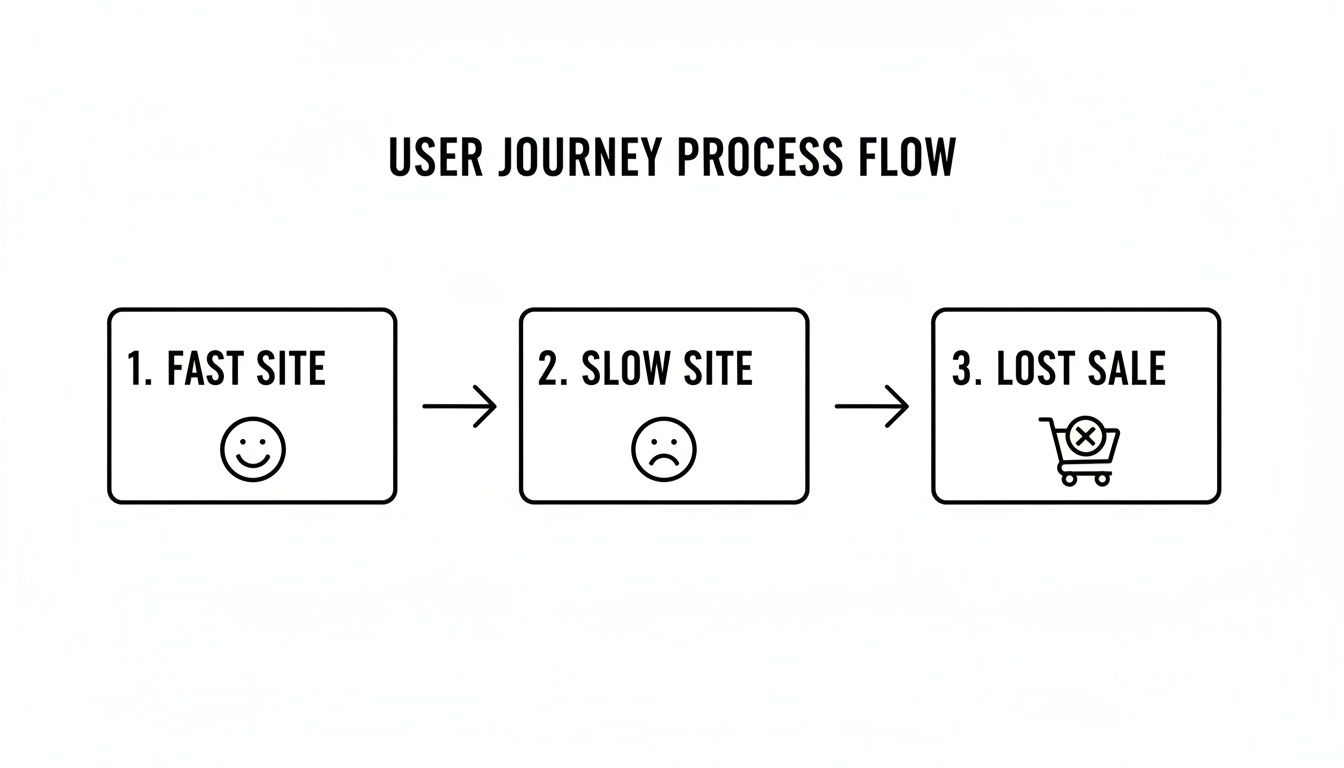
This visual perfectly illustrates why we're doing this. A fast, smooth experience keeps users happy and moving towards a sale. A slow, clunky site just sends them away.
Understanding the Key Metrics
When you get your results back, you’ll see a lot of scores, colours, and technical jargon. It can feel a bit overwhelming, but you really only need to focus on three core metrics to start. These are Google's Core Web Vitals.
These aren't just abstract numbers; they're designed to quantify the actual experience a person has when they land on your page. Nailing these three is the secret to both happier visitors and better search rankings.
Let’s break down what they mean in practical terms:
Largest Contentful Paint (LCP): Put simply, this is the time it takes for the main piece of content to appear. It’s usually a big banner image or a headline text block. If your LCP is over 2.5 seconds, your visitors are just staring at a partially loaded screen. This often points to slow server response times or hefty, unoptimised images.
Cumulative Layout Shift (CLS): You know that infuriating moment when you go to tap a button, and an ad loads, pushing the whole page down so you tap the wrong thing? That’s layout shift. CLS measures how much your page elements jump around as they load. A low score here means your site feels stable and professional.
First Input Delay (FID): This measures how quickly your site reacts the first time a user tries to do something, like click a link or tap a button. A slow FID makes a site feel laggy and unresponsive, often caused by heavy JavaScript chugging away in the background. If you want to dive deeper into how users behave on your site, you can learn more about mastering https://designstack.co.uk/from-beginner-to-pro-essential-tips-and-tricks-for-google-analytics-4-mastery/.
Once you have these initial numbers, you have your benchmark. Every change you make from this point on can be measured against this starting line. For those who want to get really technical and diagnose complex network issues, a resource like A Developer's Guide to the Chrome HAR File is an excellent next step.
Quick Wins for an Immediate Speed Boost
Once you've got a baseline from your speed tests, it's time to get your hands dirty with some high-impact changes that deliver results almost instantly. You don't need to be a seasoned developer to make a real difference here. We're going for the low-hanging fruit—those simple, powerful tweaks that can dramatically improve your website's loading speed without needing a complete overhaul.
Think of it as tidying a room before you do a deep clean. These first steps clear away the most obvious clutter, making your site feel snappier and more responsive straight away. They also build a solid foundation for the more advanced optimisations we’ll tackle later.
Tackle Oversized Images First
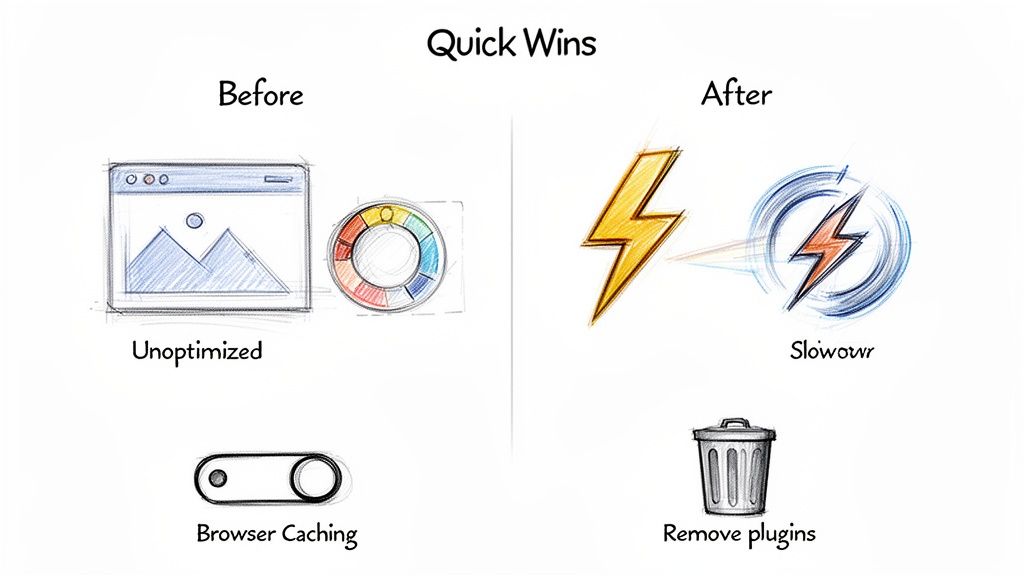
More often than not, images are the single heaviest element on a webpage. I see it all the time with clients, like a local retailer in Dorset uploading beautiful new product photos. The problem is, each of those stunning, high-resolution shots can add precious seconds to your load time if they aren't handled correctly.
The trick is finding that sweet spot between visual quality and file size. You need crisp, clear images, but they can't be allowed to weigh down the page. Thankfully, modern tools make this surprisingly easy, often shrinking file sizes by 50-70% with no noticeable drop in quality. Honestly, this is where you can make your biggest initial impact.
Your Image Optimisation Checklist
To make this dead simple, here’s a straightforward checklist to run through every single time you upload an image. This process ensures every visual you add is lean, mean, and web-ready.
- Choose the Right File Format: Don't just save everything as a JPG out of habit. A good rule of thumb is:
- JPEGs for photographs with lots of colours and gradients.
- PNGs for graphics that need a transparent background, like logos.
- WebP for almost everything if you can. It offers the best combination of quality and small file size.
- Resize Before Uploading: Your website almost never needs a massive 4000-pixel-wide image if it's only ever going to be displayed at 800 pixels. Use a simple image editor to resize your images to their maximum display dimensions before you upload them. Making the browser shrink a huge image is a massive waste of a visitor's bandwidth.
- Compress, Compress, Compress: This is the magic step. Use a free online tool like TinyPNG (which also handles JPEGs) or an image optimisation plugin to strip out unnecessary data. This can slash the file size without affecting how the image actually looks.
- Implement Lazy Loading: This clever trick means images further down the page only load when the user scrolls near them. It dramatically speeds up the initial page view because the browser doesn't have to download everything at once. Many WordPress caching plugins offer this with a simple tickbox.
By following these four steps, a retailer could take a 2 MB product photo and easily get it under 200 KB. Multiply that by dozens of products, and the cumulative effect on your page speed is absolutely enormous.
Conduct a Ruthless Plugin Audit
If you're using WordPress, you'll know plugins are both a blessing and a curse. They add amazing functionality, but every single one adds code that needs to be loaded, which can slow things down. It's incredibly easy to accumulate plugins over time for features you tried once and then forgot about.
Set aside an hour and perform a plugin audit. Go through your list and, for each one, ask yourself: "Is this absolutely essential for my website to function or achieve its goals?" If the answer is no, or if you genuinely don't know what it does, it's a candidate for deactivation. Be ruthless.
This isn't just about speed, either. A study by Wordfence found that plugins are the source of over 98% of reported WordPress vulnerabilities. A leaner website is not only faster, but far more secure.
For small businesses, every second counts, especially on mobile. Data shows that a staggering 53% of mobile visits are abandoned if a page takes more than three seconds to load. With UK mobile load times sometimes being 70.9% longer than on desktop, businesses can't afford to be held back by bloated code. You can see more on this in Hobo SEO's detailed analysis.
Enable Browser Caching
Finally, let's talk about browser caching. When someone visits your site, their browser has to download all the assets—your logo, scripts, and stylesheets. Caching simply tells their browser to hang on to these files locally for a while.
What this means is that on their next visit, the browser can load most of the site straight from their own computer instead of having to re-download everything from your server. The result? A much faster experience for anyone who comes back to your site.
The easiest way to get this running is with a caching plugin like W3 Total Cache or WP Rocket. These tools handle all the technical bits for you, usually with a simple setup wizard. You can take a look at our guide on top WordPress plugins to find a good fit. This single change can make your site feel significantly quicker for your loyal customers.
To wrap these quick wins up, here’s a simple checklist you can work through right now.
Your High-Impact Speed Checklist
| Action Item | Tools You Can Use | Potential Impact |
|---|---|---|
| Compress All Your Images | TinyPNG, ShortPixel, Imagify (WordPress plugins) | High – Can reduce image file sizes by 50-70% or more. |
| Perform a Plugin Audit | Your WordPress Dashboard (/wp-admin/plugins.php) |
High – Removes unnecessary code, reduces security risks, and simplifies maintenance. |
| Enable Browser Caching | WP Rocket, W3 Total Cache, LiteSpeed Cache | High – Dramatically speeds up loading for repeat visitors. |
| Implement Lazy Loading | Often included in caching plugins (like WP Rocket) or natively in WordPress. | Medium-High – Speeds up initial page load, especially on image-heavy pages. |
Working through this table is one of the most productive things you can do for your website's performance this week. These aren't complicated, developer-level tasks—they are practical steps any business owner can take to make a real, measurable difference.
Digging Deeper: Advanced Strategies for a Lightning-Fast Website
Once you’ve sorted the quick wins, it's time to get under the bonnet and really fine-tune your website's performance. The following strategies are a bit more technical, but they're what separate a fast website from a truly professional one. These are the details that deliver powerful, long-term gains and ensure your site stays quick and responsive as your business grows.
Shrink Your Code with Minification
Every theme and plugin on your WordPress site is built with code—mostly CSS for styling and JavaScript for interactive bits. To make it easier for humans to read and edit, developers add comments, line breaks, and spacing. That's great for them, but browsers don't need any of it to understand the instructions.
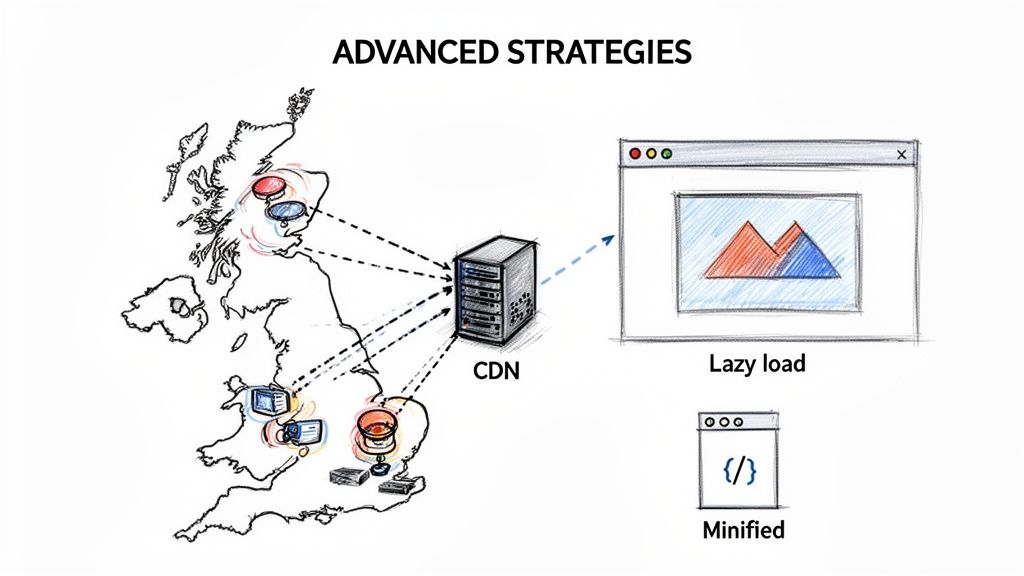
This is where minification comes in. It’s an automated process that strips out all that unnecessary clutter. It removes comments, shortens variable names, and gets rid of extra spaces, shrinking the file size without changing what the code actually does. Smaller files mean quicker downloads for your visitors. Thankfully, you don't need to be a developer to do this; most quality caching plugins, like WP Rocket, can handle it with the click of a button.
Implement Smarter Loading with Lazy Load
We touched on lazy loading for images, but its power extends to videos and iframes, too. Imagine a blog post with a YouTube video embedded halfway down. Without lazy loading, a visitor's browser has to download that heavy video player the moment the page starts to load, even if they never scroll that far.
It’s a huge waste of initial loading resources. By enabling lazy loading, you tell the browser to only fetch these heavier elements right before they’re about to scroll into view. This has a massive positive impact on the initial loading time, making the content at the top of the page appear almost instantly.
Lazy loading is one of the most effective ways to improve your Largest Contentful Paint (LCP) score. By deferring non-critical assets, you allow the main content to render much faster, creating a much better first impression for users.
Leverage a Content Delivery Network
A Content Delivery Network (CDN) is one of the single most impactful upgrades you can make to your website's infrastructure. It solves a simple problem: the physical distance between your web server and your visitors. If your hosting server is in London, a user visiting from Manchester will have a much zippier experience than someone in Aberdeen or Cornwall.
A CDN tackles this by creating a global network of servers that store copies (a ‘cache’) of your site’s static files, like images, CSS, and JavaScript. When someone visits your site, the CDN automatically serves those files from the server that’s geographically closest to them.
Here is an actionable list to get started with a CDN:
- Choose a CDN Provider: Popular choices include Cloudflare (offers a great free plan), StackPath, and BunnyCDN.
- Sign Up and Add Your Website: You'll typically just need to enter your domain name to begin the process.
- Update Your DNS Settings: Your CDN provider will give you new 'nameserver' addresses. You'll need to log in to your domain registrar (where you bought your domain) and replace your existing nameservers with the ones from the CDN.
- Configure and Verify: Most CDNs have a dashboard where you can check the connection is active. Many also offer performance and security settings you can enable with a simple click.
For truly lightning-fast performance, especially if you have a global audience, integrating your Web Hosting With CDN is a non-negotiable step.
Re-evaluate Your Hosting Solution
Finally, let’s talk about your website’s very foundation—its hosting. Many small businesses start with cheap, shared hosting because it's so affordable. The catch? On a shared plan, your website lives on a server with hundreds, sometimes thousands, of other websites, all competing for the same limited memory and processing power.
If another site on your server gets a sudden traffic spike, your site’s performance can grind to a halt. As your business grows, this becomes a serious bottleneck. Upgrading to a performance-focused solution, like a Virtual Private Server (VPS) or managed WordPress hosting, gives your site its own dedicated resources.
This means you get consistent, reliable performance that isn't affected by "noisy neighbours." While it costs a bit more, the investment pays for itself through a better user experience, improved SEO, and higher conversion rates. It’s a crucial conversation to have with your developer or agency when you’re ready to scale up.
Imagine you're running a small retail shop in Weymouth, Dorset, where every second counts for turning browsers into buyers. It's a competitive world. A Website Statistics Report from Reboot Online, which analysed the UK's top 100 most visited websites, found that google.com clocked in at an astonishing average load speed of 0.77 seconds. That made it the fastest in the nation—nearly twice as quick as apple.com's 1.32 seconds in tenth place. These advanced strategies are how you start closing that gap. You can explore more data from this UK website performance analysis.
The Tangible Impact of Speed on Your SEO and Sales
We’ve spent a lot of time on the nuts and bolts of improving your site’s loading speed, but let's talk about what really matters: money. Shaving a second or two off your load time isn’t just about getting a better score on a speed test; it's one of the most powerful levers you can pull to improve engagement, climb the search rankings, and genuinely grow your business.
Think of your website's performance as a digital handshake. A fast, responsive site immediately tells visitors you're professional, reliable, and that you value their time. On the flip side, a slow, clunky site creates frustration and doubt before they’ve even had a chance to see what you offer. That first impression is everything.
How Speed Directly Influences Your Bottom Line
The link between a fast website and healthy sales figures isn't just theory—it’s been proven time and again by some of the world's biggest brands. Take Vodafone, for example. They saw an 8% increase in sales after improving their load times by just 31%. For any business, an 8% lift is a monumental win, and they achieved it simply by making their site faster.
It works because a faster site dramatically cuts your bounce rate. When people don't have to wait, they're far more likely to stick around, explore a few pages, and actually make a purchase. Every second of delay is another potential customer walking out the virtual door.
Imagine a bustling eCommerce site for a Dorset startup during the Christmas rush—slow loading could cost them thousands in abandoned carts. The numbers back this up. In the UK, a staggering 53% of mobile users will abandon a site if it takes longer than 3 seconds to load. According to a detailed in-depth analysis of UK website speed, conversion rates drop from 40% at 1 second to just 29% by the third second. This is especially damaging for UK small businesses, with 79% of shoppers admitting they're unlikely to return after a sluggish experience.
The SEO Connection: Why Google Rewards Fast Websites
Beyond the immediate impact on sales, website speed is a cornerstone of modern SEO. Google has been crystal clear for years: page experience, with speed at its heart, is a critical ranking factor. A faster site gets a direct thumbs-up from their algorithm, which translates to better visibility in search results.
It’s easy to see why. Google’s main job is to give its users the best possible results for their queries. A slow website is, by definition, a poor user experience. It only makes sense that they would favour competitors who have invested in performance over sites that leave users waiting.
This creates a powerful, positive feedback loop for your SEO:
- Lower Bounce Rates: When users click from a search result and don't immediately leave, it signals to Google that your page is relevant and high-quality.
- Increased Dwell Time: A snappy site encourages people to click through to other pages, increasing the average time they spend on your site—another strong positive signal.
- Higher Engagement: Fast loading times mean users are more willing to interact, whether that's filling out a form, watching a video, or adding a product to their basket.
This really brings home how crucial it is for your online shop to be optimised from the ground up. If you're looking for more ideas to boost sales, check out our guide on maximising your eCommerce potential.
Investing in professional website optimisation isn't just a technical expense; it's a high-return investment in your entire marketing strategy. It makes your paid ads more effective, your SEO efforts more fruitful, and your brand appear more credible.
At the end of the day, a faster website doesn't just feel better—it performs better across every single business metric that counts. It keeps your visitors happy, Google satisfied, and most importantly, it puts more money in your bank account.
Your Website Speed Questions Answered
Even after you've made a few tweaks, it’s completely normal to have more questions about website performance. Let's run through some of the most common ones we hear from business owners, reinforcing the key ideas for getting your site up to speed.
How Often Should I Check My Website Speed?
It's easy to treat speed optimisation as a one-and-done task, but it’s really something you need to keep an eye on. As a general rule, running a full speed test quarterly is a good habit. This helps you monitor your baseline performance and spot any new problems before they get out of hand.
That said, you should always run a test immediately after making any big changes to your site. This includes things like:
- Installing a new plugin or changing your theme.
- Rolling out a major new page or feature.
- Moving to a new website hosting provider.
- Adding a third-party script, like a live chat box or a new analytics tool.
If you run an e-commerce site, you’ll want to check more often, especially during busy seasons like the run-up to Christmas. You need absolute confidence your site can handle a surge in traffic without slowing to a crawl and costing you sales.
Can My Website Theme Really Slow My Site Down?
Absolutely. A bloated theme is one of the most frequent reasons we see a WordPress website underperforming. Many themes are marketed as "all-in-one" solutions, packed with countless features, slick animations, and integrated page builders. While that sounds impressive, every single feature adds code that has to be loaded, even if you never use it.
All this extra code, known in the industry as "bloat", can seriously hamper your site's performance. When you're picking a theme, look for terms like "lightweight," "performance-optimised," or "built for speed." It's always better to start with a clean, fast foundation and add the functionality you actually need with a few well-chosen plugins.
Here’s a pro tip: before you commit to a theme, run a speed test on its live demo site. If the developer's own showcase is sluggish, you can be sure your site will be too.
Is Paying for a CDN Really Worth It?
For most businesses, the answer is a firm yes. While there are free services out there, a premium Content Delivery Network (CDN) is one of the best investments you can make for your website's infrastructure. It becomes essential if your audience is spread out geographically, even just across different parts of the UK.
A CDN drastically cuts down loading times by delivering your site's assets (like images, CSS, and scripts) from a server physically closer to your visitor. This simple bit of networking magic means someone in Scotland gets the same snappy experience as a user in Dorset. The modest monthly cost usually pays for itself in better reliability, enhanced security, and the kind of performance boost that directly improves conversion rates.
Ready to transform your website's performance and turn speed into your best salesperson? At DesignStack, we specialise in creating fast, responsive, and beautifully designed WordPress websites for businesses across Dorset and the UK. Let's build a site that stands out for all the right reasons. https://designstack.co.uk


Leave a Reply