

A Practical Guide on How to Improve Website SEO
Before you can even think about climbing the search rankings, you need to make sure your website's foundation is solid. That starts with a thorough technical SEO audit. It’s the essential first step to ensure search engines can actually crawl, understand, and index your pages correctly. Without this, even the best content and backlink strategies will fall flat.
Build a Strong Foundation with a Technical SEO Audit
Think of your website like a house. If the foundations are cracked and unstable, it doesn't matter how beautifully you decorate the rooms—it's all at risk of crumbling. The same goes for your website. Before diving into keywords and content creation, you have to get the technical side of things right. If search engines can't efficiently find and make sense of your site, your best work might never see the light of day.
This whole process is what we call a technical SEO audit. It’s basically a health check for your website. The goal is to clear the path for search engine crawlers, like Googlebot, so they can navigate your site without hitting dead ends or roadblocks. The easier you make it for them, the better your chances of ranking well.
A tool like Google Search Console gives you a Crawl Stats report, which is a goldmine of information. It shows you how often Google is visiting your site. Consistent activity is a great sign. But if you see sudden drops or a spike in errors, that's a red flag telling you there are underlying technical issues that need your immediate attention.
Your Actionable Technical SEO Checklist
Getting started with a technical audit doesn't have to feel like a massive undertaking. The key is to focus on the core issues that will give you the biggest bang for your buck. Here’s a practical checklist to get you on the right track.
Is Your Site Mobile-Friendly? With over 60% of searches now happening on mobile, this is non-negotiable. If your site is a pain to use on a phone, you’re not just frustrating visitors; you’re also getting penalised by Google’s mobile-first indexing. Pop your URL into Google's Mobile-Friendly Test to see where you stand.
How Fast is Your Site? Page speed is a confirmed ranking factor, and for good reason. A slow website creates a poor user experience and sends bounce rates soaring. You should be aiming for your pages to load in under three seconds. Tools like Google PageSpeed Insights will analyse your site and give you specific, actionable recommendations.
Find and Fix Broken Links: Nothing says "neglected website" like a broken link. These 404 errors are frustrating for users and a waste of your "crawl budget"—the number of pages a search engine will crawl on your site at any given time. Make it a habit to check for these errors in Google Search Console.
Review Your Site Structure: A logical site structure helps both users and search engines figure out what your website is all about. Your most important pages should never be more than a few clicks away from the homepage. Think clear hierarchy and easy navigation.
Is Your Site Secure (HTTPS)? Security is a must-have. An SSL certificate encrypts the data flowing between your site and its users, and Google has confirmed that HTTPS is a ranking signal. If your URL still starts with HTTP, it's well past time to make the switch to HTTPS.
Making Technical Audits Easier on WordPress
If your website is built on WordPress, you've got a head start. There are some fantastic plugins that can take a lot of the pain out of the technical audit process.
Rank Math and Yoast SEO are the two big players here. They come with built-in tools that let you manage sitemaps, edit your robots.txt file, and spot common on-page issues right from your WordPress dashboard.
For more specific checks, a plugin like Broken Link Checker can automatically scan your site for dead links. Caching plugins are also a lifesaver for speed; something like W3 Total Cache or WP Rocket can dramatically improve your loading times with very little fuss.
To keep your technical foundation strong, regular audits are key. It’s worth exploring different website audit tools to find one that suits your workflow and budget.
I've seen it time and time again: focusing on the technical side of SEO isn't just a box-ticking exercise. It's one of the most direct ways to get tangible results. In my experience, many businesses start seeing real improvements within just 90 days of fixing their core technical problems.
Sorting out fundamental issues like slow page speeds and crawl errors can give you a noticeable boost in as little as three months. To dig deeper, check out our detailed guide on https://designstack.co.uk/seo-audit/, which walks you through the entire process from start to finish.
Develop Content That Actually Answers What People Are Searching For
Now that your website's technical bits are sorted, we can get to the good stuff: your content. For a long time, SEO was just a game of stuffing keywords into pages. Those days are long gone. Today, it’s all about providing the best, most helpful answer to whatever question someone has typed into Google. Improving your website's SEO means getting inside your customer's head and figuring out what they really want.
This all comes down to searcher intent. When someone searches, they have a goal. Are they just gathering information ("what is a flat white coffee")? Are they weighing up their options ("best coffee shops in Weymouth")? Or are they ready to pull out their wallet ("buy coffee beans online")? Your content needs to be a perfect match for that goal.

This is the difference between a page that sinks without a trace and one that climbs the rankings. Google's algorithms are incredibly sophisticated at spotting which pages give searchers what they want and which ones send them scrambling for the back button.
Structure Your Pages for Both People and Search Engines
A well-structured page isn't just tidy; it's a massive signal to Google about what's important. It makes your content easy for both real people and search engine crawlers to digest. This is where a logical hierarchy of headings comes into play.
Think of it like the chapters in a book. Your headings break down the information, guiding the reader through the key points.
- H1 (The Page Title): You only get one of these per page, so make it count. It should state exactly what the page is about and feature your main keyword.
- H2s (The Main Sections): Use H2s to break up your content into the big ideas. For an article on improving SEO, your H2s might be things like "On-Page SEO Basics," "Creating Quality Content," and "Building Backlinks."
- H3s (The Finer Details): Under each H2, you can use H3s to dig into more specific points. So, under "Creating Quality Content," you might have H3s for "Understanding Search Intent" and "Writing for Your Audience."
This simple structure creates a clear roadmap. It helps Google understand how all the information on your page fits together, which is a big tick in the box for ranking well. A good content management system makes this easy to handle. If you're curious, you can read our review of the power of website content management systems.
Write Meta Descriptions That Beg to Be Clicked
Your meta description is that little snippet of text under your page title in the search results. While it doesn't directly influence your rank, it has a huge effect on your click-through rate (CTR). A great meta description is like a mini-advert, convincing someone that your page has the answer they're looking for.
Here’s an actionable list for writing descriptions that work:
- Keep it Brief: Aim for around 155 characters. Any more, and Google will chop it off, weakening your pitch.
- Include Your Keyword: When people see their search term in your description, it instantly confirms your page is relevant.
- Use an Active Voice: Start with a verb. Don’t say, "Information about Dorset web design is found here." Instead, try, "Get a professional website for your Dorset business." It’s punchy and direct.
- Add a Call to Action: Give them a gentle nudge. Simple phrases like "Learn more," "See how," or "Find out now" can make a surprising difference.
A killer meta description makes a promise. Your on-page content just has to deliver on it.
A well-crafted page structure and a compelling meta description are two of the most powerful—and often overlooked—levers you can pull to improve your on-page SEO. They directly address user experience, which is at the core of what Google wants to reward.
Optimise Images with Descriptive Alt Text
Finally, let's talk about images. Every single image on your website needs alt text (alternative text). This is just a short, written description of what the image shows.
For SEO, alt text does two crucial things. First, it helps visually impaired users who use screen readers to understand the image's context. Second, it gives search engines another clue about your page's topic, which can help you show up in Google Images search—a seriously underrated source of traffic.
So, instead of a generic file name like "image1.jpg," get descriptive. For a picture of a coffee shop, you could write: "Barista pouring latte art into a ceramic cup in a bright, modern Weymouth coffee shop." This is miles better for both accessibility and SEO.
Optimise Your Site for AI Overviews and Modern Search
The old days of just aiming for the top of the ten blue links are fading. Fast. Search is evolving, with Google’s AI Overviews, conversational search, and other answer engines now giving people direct summaries right at the top of the results page. This isn't a minor tweak; it's a fundamental shift in how people find what they're looking for, and it demands a fresh look at your SEO strategy.
Welcome to the world of Answer Engine Optimisation (AEO). This isn't about throwing out your existing SEO playbook. Instead, it’s about refining your approach to create content so clear, helpful, and authoritative that Google's AI has no choice but to use your site as the source for its answers. For a small business, getting featured in an AI Overview can be a game-changer, driving highly qualified traffic from people who are ready to make a decision.
There’s no denying it: AI-powered search is shaking things up for UK businesses. We're already seeing Google's AI Overviews change the old patterns of organic traffic. But here's the silver lining: we’ve found that visitors who click through from an AI summary often convert at a much higher rate. It’s a stark reminder that quality and clarity now matter more than ever. To really get to grips with this, it’s worth understanding how SEO really works in this new environment.
How to Get Your Content Featured
Getting your content into an AI Overview is all about making it incredibly easy for algorithms to digest and trust. You need to send strong signals that you're the definitive source. The key is structuring your content to directly tackle the questions your potential customers are asking.
Here are a few techniques you can start putting into practice straight away:
- Answer First, Explain Later: Get straight to the point. Start your articles or key sections with a clear, direct answer to the user's main question. It’s the old journalistic trick of putting the most important information right at the top.
- Write Like a Human: AI models learn from human conversation, so your writing should reflect that. Use clear, natural language and steer clear of dense jargon. Shorter sentences and paragraphs make your content much easier for both people and algorithms to parse.
- Think in FAQs: Structure parts of your content as a list of frequently asked questions. A simple H3 for the question, followed by a concise answer, is a powerful signal to search engines.
- Bring the Receipts: Back up what you’re saying with real data and statistics. When you cite credible sources, you build trust and add authority to your content, which is exactly what Google’s AI is looking for.
When you organise your content this way, you're not just creating a better experience for your readers. You're essentially gift-wrapping the perfect summary for the AI to use.
Use Schema Markup to Speak Google's Language
Beyond the words on the page, you can add a hidden layer of code to your site that gives search engines extra context about your content. It’s called schema markup, and it’s like a special vocabulary that tells Google precisely what your page is about.
And don't worry, you don't need to be a coding whizz to use it. Fantastic WordPress plugins like Rank Math or Yoast SEO have user-friendly features that make adding schema markup a breeze.
Schema markup is your secret weapon in the age of AI search. It’s like giving Google a backstage pass to your content, helping it understand the who, what, and why behind your pages. This clarity can be the deciding factor in whether you get featured or overlooked.
Here are a few types of schema that are particularly powerful for AEO:
| Schema Type | What It Does | Why It's Useful for AI Search |
|---|---|---|
| FAQPage | Identifies a list of questions and answers on a page. | Directly tells AI your content is structured to answer specific user queries. It’s a slam dunk. |
| HowTo | Outlines a step-by-step process for a task. | Perfect for getting featured in "how-to" searches, as it provides a clear, sequential guide. |
| LocalBusiness | Provides details like address, hours, and phone number. | Absolutely critical for local businesses aiming to show up in AI-powered local packs and map results. |
Putting these structured data types to work can make a huge difference. For a local Dorset business, for example, properly using the LocalBusiness schema could be the one thing that gets them featured in an AI Overview for a search like "best web design agency in Weymouth." It’s a simple, technical tweak that can deliver massive results.
Dominate Your Local Market with a Targeted SEO Plan
If you have a physical shop or serve a specific area, winning at local search isn't just a nice-to-have—it's everything. When someone nearby searches for "best coffee near me" or "plumber in Weymouth," you absolutely have to be the first name they see. This is the magic of local SEO, and it’s one of the most powerful ways to improve your website's performance and get real customers through your door.
This isn't about trying to outmuscle national chains on a global stage. It’s about becoming the obvious, go-to choice for the people right on your doorstep. The brilliant thing is, you have a huge advantage: you’re actually part of the community. By focusing your efforts locally, you can connect with customers in a way those bigger, faceless brands never could.

Your Google Business Profile Is Your Digital Shopfront
Think of your Google Business Profile (GBP) as the single most important tool in your local SEO toolkit. It’s that info box that pops up in Google Maps or on the right of the search results, and for many people, it's their very first interaction with your business. An incomplete or neglected profile is a massive, costly mistake.
Honestly, you should treat it like your digital shop window. You wouldn't leave your physical store looking a mess, would you? The same principle applies here. A well-maintained, fully optimised profile builds instant trust and makes it dead simple for customers to choose you.
Here’s a practical checklist to get your GBP looking its best:
- Fill Out Absolutely Everything. Complete every single section, from your business category and service areas to accessibility info and opening hours. The more detail you give Google, the better it can match you with the right local searches.
- Upload High-Quality Photos and Videos. Show off your space, your products, and your team. Regularly adding new, high-resolution images keeps your profile looking fresh and gives people a real feel for your business.
- Actively Chase and Respond to Reviews. Reviews are pure gold for local SEO. Don’t be shy about asking happy customers to leave you some feedback. The crucial part? You must respond to all reviews—good and bad—to show you're engaged and value what people have to say.
- Use the Questions & Answers Feature. Get ahead of the game by adding common questions and answering them yourself. This lets you control the narrative and provide helpful info before potential customers even have to ask.
Consistency Is King with NAP and Local Citations
Beyond just Google, your business details need to be perfectly consistent everywhere they appear online. We call this NAP consistency, which means making sure your Name, Address, and Phone number are identical across the web.
Search engines use this information to verify that you’re a legitimate, real-world business. Even tiny inconsistencies, like using "St." on one directory and "Street" on another, can create confusion and erode that digital trust.
This information shows up in what are known as local citations—online mentions of your business. You’ll find them in places like:
- Online business directories (like Yell or Thomson Local)
- Social media profiles
- Industry-specific websites
Think of each consistent citation as a little vote of confidence for your business. The more consistent, high-quality citations you build, the more certain Google is about your location and legitimacy, which directly boosts your chances of appearing in that coveted local map pack.
A great first step is to audit your existing citations and fix any errors. From there, you can focus on building new ones in reputable local and industry-specific directories.
Create Content That Speaks to Your Community
Finally, your website itself needs to scream "local." A brilliant way to do this is by creating location-specific pages and content that show both users and search engines that you’re deeply embedded in the community you serve.
For instance, as a Dorset-based web design agency, we could create a page specifically targeting "Web Design in Dorchester." That page would speak directly to businesses in that town, showcase relevant work we’ve done nearby, and maybe even mention local business parks or community events.
This targeted approach does two things at once. It helps you rank for those valuable local search terms, and it connects with potential customers by showing them you understand their unique market. It makes you the obvious local expert, not just another generic provider.
Earn Authority with a Quality-First Link Building Strategy
Backlinks, which are simply links from other websites pointing to yours, are still a massive signal for search engines. I like to think of them as votes of confidence. When a reputable site links to you, it’s basically telling Google, "Hey, this site is trustworthy," which is a huge piece of the ranking puzzle.
But let’s be clear: the game has changed entirely. It's no longer a race to see who can hoard the most links. These days, it’s all about quality over quantity. Honestly, a single, relevant link from an authoritative website in your industry is worth more than a hundred low-quality links from spammy directories.
The goal isn't just to get links; it's to earn them by becoming a genuinely valuable resource. This shift in mindset is fundamental if you want to improve your website's SEO for the long haul.
Create Content That Naturally Attracts Links
The best, most sustainable way to build high-quality backlinks is to create content that people actually want to share and reference. We often call this link-worthy content. Instead of spending all your time begging for links, you create an asset that naturally pulls them in.
This doesn't just happen by chance. It’s the result of a deliberate strategy focused on providing immense value.
Here are a few types of content that consistently work for my clients:
- Original Research or Data Studies: Run a survey, analyse some industry data, or compile unique statistics. When you become the primary source for new information, other blogs and journalists have to link back to you when they cite your findings. It's a classic for a reason.
- In-Depth Guides and Tutorials: Aim to create the most thorough, practical guide on a specific topic in your niche. Think "The Ultimate Guide to WordPress Security for Small Businesses." This becomes the go-to resource that other sites are happy to point their readers toward.
- Free Tools or Calculators: Can you develop a simple, useful tool that solves a common problem? It could be anything from a mortgage calculator for an estate agent's website to a project ROI calculator for a marketing agency. Tools are absolute link magnets.
- Visually Engaging Infographics: Take complex information and turn it into a beautifully designed, easy-to-digest infographic. These are incredibly shareable and often get picked up by other blogs looking for a visual to break up their text-heavy articles.
The core idea is simple: stop asking "how can I get a link?" and start asking "why would someone want to link to this?" When you create something genuinely useful, unique, or insightful, the links start to take care of themselves.
Master the Art of Ethical Outreach
Okay, so you’ve created a fantastic piece of link-worthy content. Now what? You can give it a little nudge with some smart, strategic outreach. This isn’t about spamming hundreds of websites with a generic email template. It’s about building real relationships.
The key is to find websites that have already linked to similar content or that cater to the same audience you do. Then, you can reach out with a personalised email explaining why your resource would be a genuinely valuable addition for their readers. For those serious about establishing their site's authority through ethical means, looking into professional White Hat Link Building services can be a great move.
Your outreach process needs to be targeted and respectful. Here’s a simple breakdown:
- Identify Relevant Prospects: First, find blogs, news sites, or resource pages in your industry that are a good fit for your content.
- Find the Right Person: Don't just use the generic "info@" address. Do a little digging to find the specific editor, author, or site owner. It makes a world of difference.
- Personalise Your Message: Reference a specific article they've written and explain exactly how your content complements it. This shows you’ve actually done your homework.
- Make It Easy for Them: Provide the link clearly and maybe even suggest a specific sentence where it might fit naturally into their existing content. You're saving them time and effort.
This quality-first approach not only builds powerful backlinks that boost your SEO authority but also drives valuable referral traffic from an audience that’s actually interested in what you have to say.
Measure What Matters with an SEO Tracking Checklist
If you're not tracking your performance, you're just guessing.
Pouring time and effort into improving your website's SEO without measuring the results is like sailing without a compass. You might be moving, but you have no idea if you're actually heading in the right direction. This final step is all about closing the loop—using real data to see what’s working, what isn’t, and where your next big opportunity is hiding.
Let's cut through the noise and focus on a straightforward checklist for tracking your SEO success. The best part? You can do all of this with a couple of powerful, free tools every website owner should be using: Google Analytics 4 (GA4) and Google Search Console. By connecting these metrics to actual business outcomes, you can finally prove your return on investment and make smarter decisions to keep growing.
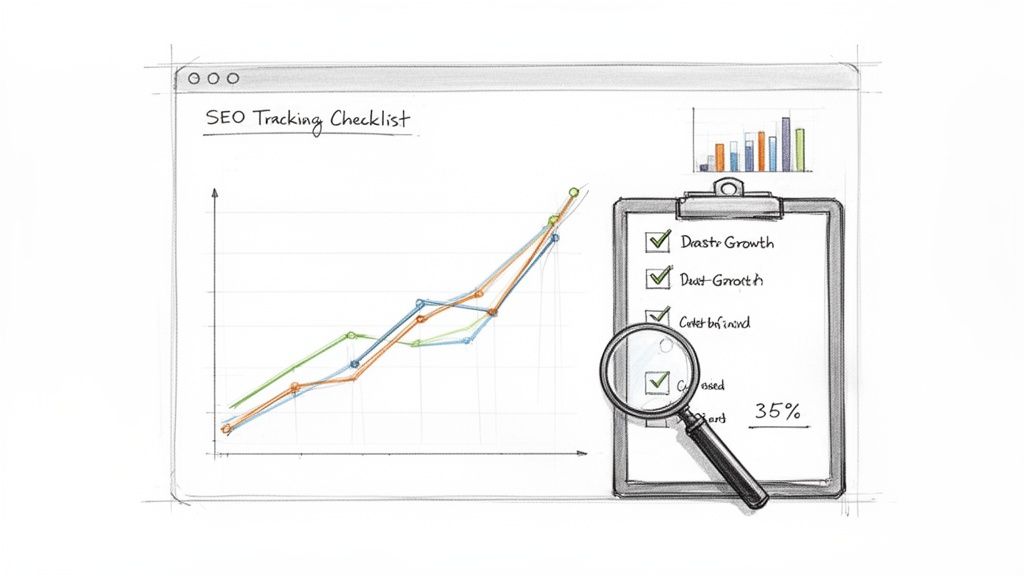
Your Essential SEO Tracking Checklist
Getting a handle on your data doesn't require a degree in statistics. It’s simply about regularly checking a handful of key performance indicators (KPIs) that tell a clear story about your site's health and visibility. Here’s a practical, actionable list to get you started.
Keep an eye on organic traffic growth. Your first port of call is Google Analytics 4. You need to know how many people are finding you through search engines (and not paid ads). Check the Organic Search traffic channel. Is it trending upwards over the last month? The last quarter? This is the most direct indicator that your SEO work is paying off. For a deeper dive, check out our guide on essential tips and tricks for Google Analytics 4 mastery.
Track your target keyword rankings. While obsessing over daily dips and spikes isn't productive, you absolutely need to know if you're gaining ground for the keywords that matter most. Google Search Console is perfect for this. In the 'Performance' report, you can filter by specific queries to see your average position. Are your crucial commercial keywords—like "Weymouth web design"—climbing from page two to page one? That’s a clear sign of progress.
Analyse your click-through rate (CTR). Ranking is only half the battle; you also need people to actually click on your result. Your CTR, found in Google Search Console, tells you what percentage of people who saw your page in the search results chose to click it. A low CTR on a high-ranking page often means your page title or meta description isn’t compelling enough. It's a fantastic metric for finding quick wins.
Tracking isn't just about collecting data; it's about understanding the story that data tells. A rising keyword ranking is good, but a rising ranking that also drives more contact form submissions is a business victory. Always connect your SEO metrics back to tangible business goals.
Beyond Traffic and Rankings
Truly effective SEO tracking goes deeper than just vanity metrics. The real magic happens when you connect your search performance to the actions that actually grow your business.
While organic search traffic represents a massive slice of all website traffic in the UK, the biggest opportunity lies in optimising for high-intent queries that lead to conversions. The data is compelling: the number one position in search results typically gets a 39.8% click-through rate, which drops sharply to 18.7% for position two. This shows just how much value is concentrated at the very top and why a laser focus on conversion is so critical.
To help with this, I've put together a quick table summarising the most important metrics and the tools you can use to track them.
Essential SEO Metrics and Tools for Tracking
This table outlines the key performance indicators (KPIs) you should monitor to understand your website's SEO health, along with the best free tools for the job.
| Metric to Track | Why It Matters | Recommended Tool |
|---|---|---|
| Organic Traffic | Shows how many people are finding your site through unpaid search. It's the primary measure of overall SEO visibility. | Google Analytics 4 |
| Keyword Rankings | Tracks your position for specific search terms. Crucial for understanding if you're visible for your most valuable queries. | Google Search Console |
| Click-Through Rate (CTR) | Measures how compelling your search listing is. A low CTR on a high-ranking page indicates a title/meta issue. | Google Search Console |
| Organic Conversion Rate | Tells you what percentage of organic visitors complete a goal (e.g., contact form, purchase). This is the ultimate SEO success metric. | Google Analytics 4 |
| Goal Completions | Identifies which pages are driving the most leads or sales from organic search, helping you refine your content strategy. | Google Analytics 4 |
By regularly reviewing this checklist and these metrics, you shift from guesswork to a data-driven strategy. You’ll be able to confidently report on your progress, spot new opportunities, and continuously refine your approach to keep climbing the rankings.

Leave a Reply