Top Guide to affordable wordpress website design for UK businesses
Getting a high-quality website doesn't have to break the bank. For most UK businesses, an affordable WordPress website design is entirely achievable, typically landing somewhere between £500 and £8,000. Where you fall in that range really depends on the project's complexity, the number of pages, and how much content you have ready to go.
What Does “Affordable” Really Mean?
Let’s be clear: affordable isn't the same as cheap. In the world of web design, "affordable" is all about smart investment. It means focusing your budget on the essential features that will actually grow your business, not on flashy, complex customisations you simply don’t need right now.
An affordable site can be anything from a simple, elegant brochure site to a small online shop. The trick is to understand exactly what you're paying for and what factors influence the final price. By making a few strategic choices, you can get a powerful website that delivers a real return.
The Factors That Shape Your Quote
When you start getting quotes from designers or agencies, you'll see a few key things that directly impact the cost. Knowing what these are ahead of time puts you in control of the budget and helps you explain your needs much more clearly.
The biggest cost drivers almost always boil down to these four things:
- Design Complexity: A site built with a high-quality, premium theme will always be more budget-friendly than one designed and coded from scratch.
- Number of Pages: It’s simple maths. A standard five-page site (Home, About, Services, Blog, Contact) costs less to build than a 20-page site with detailed service pages and case studies.
- Custom Features: Need a booking system, a private members' area, or advanced forms? Every unique function adds development time, and that means extra cost.
- Content Readiness: If you can hand over all your text and images organised and ready to go, you'll save a lot of time and money. If the designer needs to write copy or source images for you, the budget will need to grow.
This chart breaks down the typical cost brackets for WordPress sites in the UK. It’s a good starting point for matching your business goals to a realistic budget.
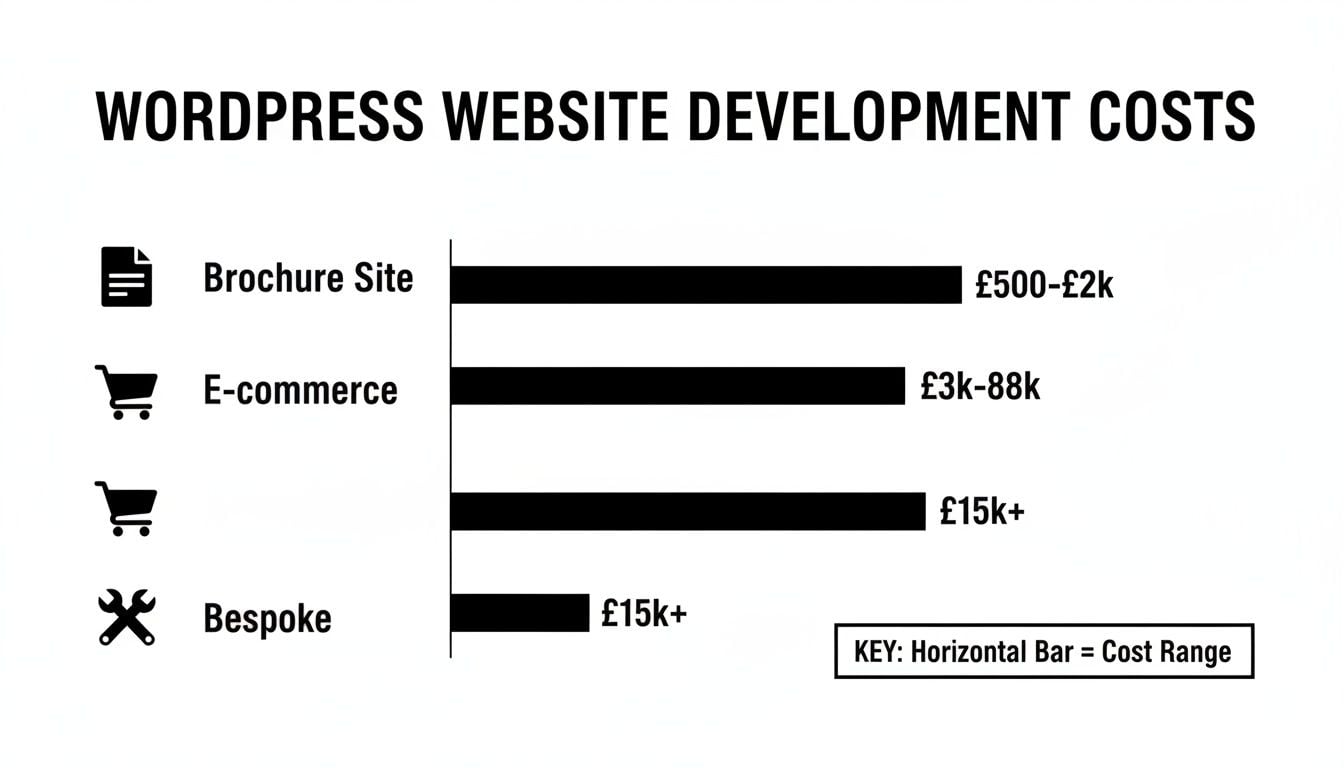
As you can see, "affordable" covers a wide spectrum, from a basic starter site to a fully functional online shop, well before you get into truly bespoke territory.
Setting a Realistic Budget
To help you plan, here’s a quick overview of what you can expect to pay for different types of WordPress sites in the UK. These figures reflect a balance of quality and affordability, giving you a solid foundation without unnecessary expense.
Typical WordPress Website Cost Breakdown (UK 2026)
| Website Type | Estimated Cost (GBP) | Typical Timeline | Best For |
|---|---|---|---|
| Brochure Site | £500 – £2,000 | 2–4 Weeks | Startups, local trades, and service professionals |
| Small E-commerce | £2,000 – £5,000 | 4–8 Weeks | Retailers launching an online store |
| Advanced Site | £5,000 – £8,000 | 6–12 Weeks | Businesses needing custom features or integrations |
This table provides a solid guideline, but remember that the final cost will always depend on your specific project requirements.
For most small businesses, a professionally built brochure site is the perfect entry point. Using a pre-designed theme with some thoughtful customisation, a budget of £500 to £2,000 is a realistic expectation.
A word of caution: while a rock-bottom price can be tempting, it often signals trouble ahead. To understand the risks, check out our guide on the hidden costs of cheap website design and why you get what you pay for. A good design partner is focused on delivering long-term value, not just the lowest up-front cost.
Planning Your Website Before You Spend a Penny
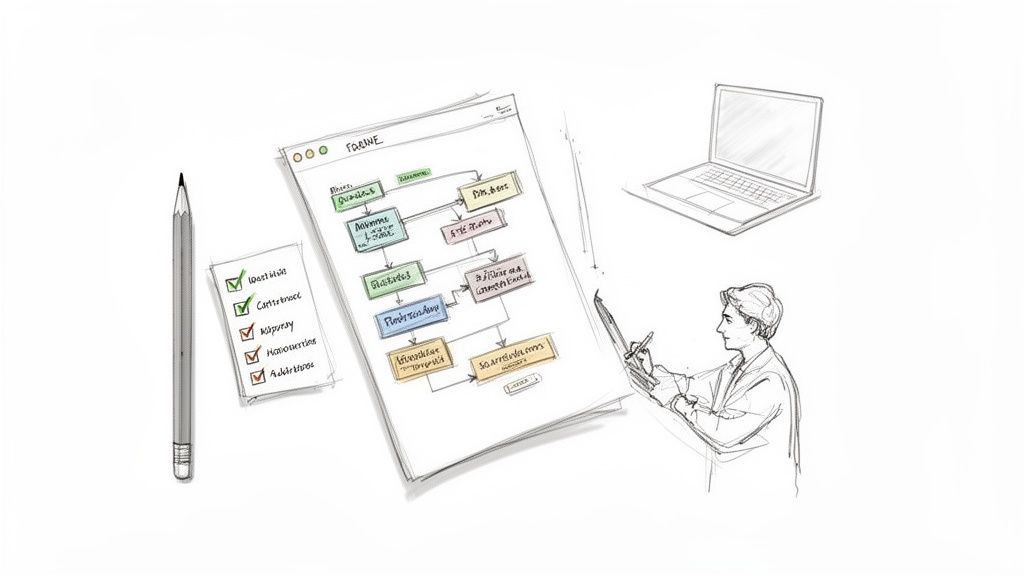
If you want an affordable WordPress website, the worst thing you can do is rush out and hire a designer straight away. I’ve seen it happen time and again: a project kicks off with vague ideas, and the costs just spiral. A successful, budget-friendly website starts with you, long before a single penny is spent on design.
Without a clear plan, you’re practically asking for "scope creep"—that dreaded project-killer where small requests slowly balloon into major, expensive changes. Taking the time to get your thoughts in order upfront is the single most effective way to get an accurate quote, minimise back-and-forth, and help your designer get the job done efficiently.
Define Your Website’s Core Purpose
First things first, you have to answer one crucial question: What is the main job of this website? Seriously, what is its number one goal? Is it to get the phone ringing with local enquiries? Sell products directly? Or maybe it's to position you as the go-to expert in your industry.
Knowing this helps you and your designer focus on what truly matters. A local electrician’s site, for instance, needs its phone number front and centre, not a fancy, complex blog. An e-commerce shop lives and dies by its product photos and a dead-simple checkout.
As you think about this, you might even explore different business models. For example, learning how to build a WordPress subscription-based website could open up new revenue streams and would heavily influence your site’s entire structure and budget from day one.
Your Actionable Pre-Design Checklist
Before you contact a designer, work through this checklist. Having these assets ready will streamline the process, keep your costs down, and show a potential partner you're serious. Think of it as homework that saves you money.
- Define Your Primary Goal. Write one simple sentence that defines success. Example: "The website’s purpose is to generate 10 new quote requests each month via the contact form."
- Sketch a Basic Sitemap. List the pages you need. Most businesses start well with Home, About, Services (with a sub-page for each key service), Blog, and Contact.
- Gather Your Core Content. This is a big one. Start pulling together all the text and images for your site. Organise the text into separate documents for each page (e.g.,
about-us.docx,service-one.docx). If you’re unsure how content fits into a site, understanding website content management systems can give you great foundational knowledge. - Collect Your Brand Assets. Create a single folder containing your company logo (in a high-resolution version!), brand colours (hex codes if you have them), and any specific fonts you use.
- Find Inspiration (and what to avoid). List three websites you admire and three you dislike. For each one, jot down notes on why. Is it the clean layout? The colours? The ease of use? This gives a designer incredible insight into your taste.
Handing a designer a folder with all of this prepared is the secret to an affordable WordPress website design project that stays on time and on budget. It shows you respect their time and have a clear vision, which they can then execute without guesswork.
Making Smart Choices to Keep Your Budget in Check
Getting a great WordPress website on a tight budget isn't about cutting corners; it's about being clever with your choices. The good news is that the WordPress ecosystem is built for this. It’s a powerhouse in the UK for a reason.
Looking ahead to 2026, projections show WordPress maintaining its dominant 59.9% share of the CMS market. With over 30,000 themes and 61,000 plugins available, it's entirely possible to build a quality, professional site for under £2,000. If you’re curious, you can dig into more WordPress statistics on WPZoom.com. This is a world away from bespoke builds that can easily start at £15,000 and climb from there.
The trick is knowing where to spend and where to save. Let’s look at the three areas that will have the biggest impact on your final cost: your theme, your page builder, and your plugins.
Themes: The Foundation of Your Budget
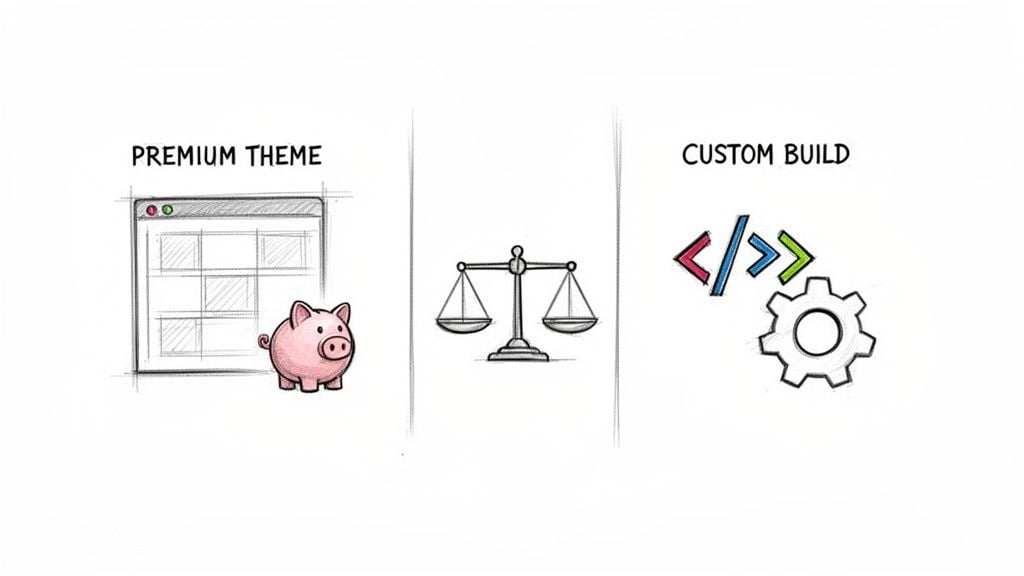
Your first big decision is whether to use a premium theme or commission a completely custom-coded one. Honestly, for 99% of small businesses, a premium theme is the only sensible option for an affordable WordPress website.
A top-tier theme from a trusted developer like Kadence, GeneratePress, or Astra gives you a fantastic, well-coded starting point. You're getting 90% of the functionality of a custom build for a tiny fraction of the cost—often less than £100 for a yearly licence, compared to thousands for custom work.
A well-chosen premium theme is your single biggest cost-saving measure. It gives you a professional design framework, responsiveness, and clean code right out of the box, letting your designer focus on customisation instead of building from scratch.
Page Builders: Empowering You to Save Later
Next up is the page builder. This is a game-changer for keeping your long-term costs down. Tools like Elementor or the native WordPress Block Editor (often called Gutenberg) give you a visual, drag-and-drop interface to edit your site.
Think about it: without a page builder, a simple task like changing some text or adding a new photo might mean calling your developer and getting an invoice. When you can manage your own content, you slash those ongoing maintenance fees. A good designer will set up your site with this in mind, creating reusable templates and blocks that make future updates a breeze for you.
Plugins: Adding Features, Not Fluff
Finally, let's talk plugins. Plugins are what add all the cool features to your site, from contact forms to SEO tools. But it's easy to get carried away. Piling on plugins you don't need is a classic mistake that can slow your site to a crawl and open up security holes.
A lean, curated approach is always best. When you're assessing a plugin, run through this quick checklist to make sure it's a solid choice:
- Check for recent updates: Only use plugins that have been updated in the last few months. It's a clear sign the developer is actively maintaining it and fixing security issues.
- Look at active installations: A high number (think 100,000+) is a great indicator of reliability and community trust.
- Read the reviews: Don't just look at the star rating; read recent reviews. Are people reporting problems with the latest version of WordPress?
- Prioritise lightweight options: For any function, there are usually several plugin options. Do a little research to see which one has the smallest performance impact. For example, a simple contact form might only need a light plugin like WPForms Lite rather than a heavy, all-in-one solution.
By being deliberate with your theme, embracing a user-friendly page builder, and carefully selecting your plugins, you create a site that’s not just affordable today, but cheap to run and easy to manage tomorrow.
How to Find and Vet the Right WordPress Partner
Picking the right freelancer or agency is, without a doubt, the single most important decision you’ll make. This isn't just about the final website; it's about the entire journey. The right partner makes the process smooth, keeps it on budget, and delivers something that actually works for your business. Your goal is to find a genuine collaborator, not just a supplier who reskins a generic template.
So, where do you find these experts? Finding skilled UK-based WordPress developers for an affordable WordPress website design is more straightforward than you might think. You can certainly explore curated platforms like Upwork or PeoplePerHour, but don't underestimate the power of local connections. Check out local B2B networking groups—you’d be surprised how often the best people are found through a simple word-of-mouth referral.
Look Beyond the Price Tag
Once you have a shortlist of potential partners, the real evaluation begins. The quote is just one piece of the puzzle. Honestly, a suspiciously low price can be a red flag, often hiding inexperience or a "production line" approach that ignores your business goals entirely.
To really get a feel for a potential partner, you need to dig deeper. Start with their portfolio. Do the websites they've built look professional and modern? More importantly, try using them. Are they easy to navigate? But your investigation shouldn't stop there.
The most telling sign of a true professional is their process and how they communicate. Remember, you're not just buying a product; you're starting a relationship. You need someone who listens, asks smart questions, and is completely transparent about how they work.
Essential Questions to Ask a WordPress Design Agency
Before you even think about signing a contract, you need to have a proper conversation. Asking the right questions will quickly separate the seasoned professionals from the amateurs.
To help you with this, we've put together a checklist of key questions. Think of this as your vetting toolkit to make sure you're hiring a partner who is genuinely invested in your success.
| Category | Question to Ask | Why It Matters |
|---|---|---|
| Process & Collaboration | Can you walk me through your typical design and development process from start to finish? | A clear process shows they are organised and experienced. A vague answer is a major red flag. |
| Process & Collaboration | How many rounds of revisions are included? What's the cost if we need more? | This avoids surprise bills and sets clear expectations for the feedback stage. |
| Process & Collaboration | How will we communicate, and how often can I expect updates? | Good communication is vital. This tells you if their style (e.g., weekly calls, daily emails) matches your own. |
| Technical & SEO Skills | How do you approach mobile responsiveness and on what devices do you test? | "Mobile-friendly" is a given. You want to know they test on real devices, not just simulators. |
| Technical & SEO Skills | What steps do you take to ensure the site is optimised for search engines? | This separates designers from true web professionals. Basic on-page SEO should be standard, not an extra. |
| Technical & SEO Skills | Will I be able to update the website myself, and what tools will you provide? | You need control over your own content. They should be setting you up for success with a user-friendly page builder. |
| Post-Launch Support | What support do you offer in the first month after the site goes live? | The first 30 days are critical. You need to know they'll be there to fix any unexpected glitches. |
| Post-Launch Support | Do you offer ongoing maintenance plans, and what do they include? | A website needs regular care. Knowing their maintenance options upfront helps you plan for long-term costs. |
| Ownership & Handover | Who ultimately owns the website, domain, and all files once the project is paid for? | The answer must be "you". Ensure you have full ownership and access to everything you've paid for. |
These questions do more than just get you information. They reveal how a potential partner thinks and whether they're focused on building a long-term asset for your business or just completing a one-off job.
Their answers will tell you everything you need to know. You'll quickly sense if they are a strategic partner who wants to help you grow or simply a hired hand looking to tick off a task and move on.
If you’re looking for a deeper dive into this topic, The Ultimate Guide to Finding a Website Designer Who Understands Your Vision offers even more fantastic advice. Vetting a partner properly is the best way to ensure your investment pays off.
Your Pre-Launch Checklist for a Flawless Go-Live
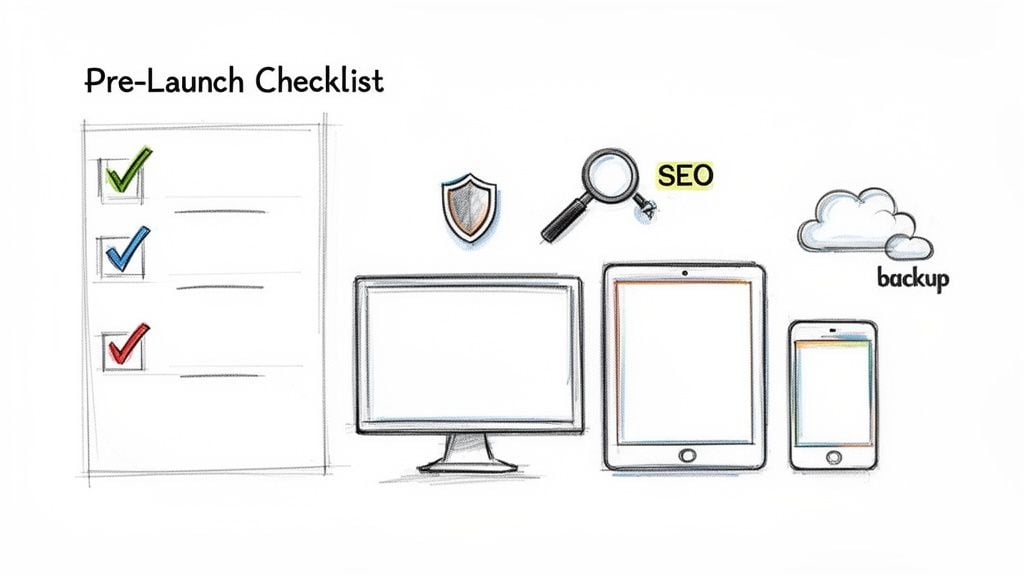
You're on the home stretch. The design looks great, the content is locked in, and your new site is ready for its debut. But hold on. This final check is what separates a smooth launch from a stressful one.
It’s tempting to rush this part, but that's a classic mistake. A few hours spent running through a solid checklist can save you from the headache of broken links, lost leads, and embarrassing first impressions. Think of it as the final polish that ensures your affordable WordPress website works perfectly from day one.
The Final Checks Before You Hit ‘Go’
We can break down these last-minute checks into four crucial areas. This isn’t just about ticking boxes; it’s about having the confidence that everything is truly ready.
- The Technical Stuff: Are all the nuts and bolts working correctly? A single broken form could mean losing a dozen potential customers without you ever knowing.
- The User's View: What is it actually like to use the site? This is where you catch clunky navigation or text that looks weird on a phone.
- Google Readiness: Is your site set up to be found? Launching without basic SEO is like opening a fantastic new shop but forgetting to put a sign out front.
- The Handover: You need the keys to your new digital property. This ensures you’re fully in control and know how to manage your site after the launch.
Following an actionable checklist isn't just about ticking boxes; it's about building confidence. It guarantees that on launch day, you're focused on celebrating your new site, not frantically dealing with preventable problems.
Your Actionable Go-Live Checklist
Don't be shy about running through this list with your designer. A good partner will be happy to show you that everything is in order.
Check Under the Hood: Core Technical Tests
- Hunt for broken links. Every single link, both on your site and pointing to other sites, needs to work. Ask your designer to run a check with a tool like Screaming Frog to catch any dead ends.
- Test every form. Fill out every contact form, quote request, and newsletter sign-up. Then, check that the submission actually arrived in your inbox. This is non-negotiable.
- Look for the padlock. Your site's address must start with
https://, nothttp://. That little padlock icon in the browser tells visitors and Google that your site is secure.
Walk in Your Customer’s Shoes: UX Checks
- View it on every device. Grab your phone, a tablet, and look at the site on your desktop computer. Does it look and feel right everywhere? Is the text easy to read? Does anything look broken or squashed?
- Click through the journey. Pretend you're a new visitor. Can you easily find the contact page? Your services? The main call-to-action button? The navigation should feel completely natural.
Get Found: SEO and Analytics Setup
- Check your page titles. Every page needs a unique, descriptive title tag and meta description. These are the first things people see in Google search results, so they need to be spot on.
- Make sure analytics is on. Your Google Analytics tracking code must be installed and firing correctly. You want to see visitor data from the very first minute your site is live.
- Get your sitemap ready. An XML sitemap is a map for Google that helps it find all your pages. Make sure one is generated and ready to be submitted to Google Search Console right after launch.
Take the Keys: Final Handover and Security
- Get all your logins. You need administrator access to your WordPress site, your hosting account, and your domain registrar. Get all the usernames and passwords and store them somewhere safe.
- Ask for one last backup. Before the final switch is flicked, ask your designer for a complete backup file of the finished website. It’s your ultimate safety net.
- Request a quick "how-to". A great agency will be happy to spend 15-30 minutes showing you how to update text, change images, and write a blog post. This empowers you to manage your own content without needing to call for help for every small change.
Your Questions About Affordable WordPress Design, Answered
When you're looking to invest in a new website, it’s completely normal to have a few questions. In fact, it’s smart. Getting clear on the details upfront helps you budget properly and find the right partner for the job. We get asked a lot of the same things by UK business owners, so we've put the most common ones together right here.
Let's cut through the noise and give you some straight answers.
Can an Affordable Website Still Rank Well on Google?
Yes, absolutely. A website’s price tag has zero bearing on its ability to rank in search results. What Google really cares about is technical quality, great content, and whether visitors have a good experience on your site.
I’ve seen plenty of expensive, custom-built sites get outranked by smartly built, affordable WordPress sites. The difference-maker is always a developer who builds a solid foundation for SEO from the very start. This isn't an "add-on"; it should be standard practice.
This includes things like:
- A well-coded, mobile-friendly design that looks and works great on any screen.
- Fast-loading pages, because nobody likes to wait.
- A logical site structure that’s easy for both users and Google to navigate.
- Correctly set up title tags and meta descriptions.
A good partner will handle all of this as part of the core build, giving your new site the best possible start in search rankings.
What Ongoing Costs Should I Expect?
The initial build is the main investment, but there are a few small, recurring costs to keep your website live, secure, and running smoothly. Think of these as the digital equivalent of rent and utilities for a physical shop.
Here’s a realistic breakdown of what to budget for annually:
- Domain Name: This is your address on the web (e.g.,
yourbusiness.co.uk). Expect to pay around £10–£20 per year to renew it. - Website Hosting: This is the server space where your website's files live. Reliable, fast hosting for a small business typically costs between £100–£300 per year.
- Premium Plugin Licences: If your site relies on any paid plugins for special features (like an advanced booking system), they often have an annual fee to keep them updated and secure.
- Maintenance (Optional but Recommended): Many agencies offer care plans, often around £50–£150 per month, to handle all the technical upkeep for you. This covers software updates, security monitoring, and backups. It's a small price for complete peace of mind.
Is It Better to Use a UK-Based Designer?
While you can technically work with anyone in the world, there are some real, practical advantages to partnering with a UK-based designer or agency for your WordPress project.
For starters, there's no substitute for local knowledge. A UK team will understand the nuances of your market and what your customers expect. Communication is also much easier when you're not juggling time zones—a quick phone call is always an option.
Perhaps most importantly, a UK-based partner will be up to speed on regulations like GDPR, ensuring your site is compliant from day one. It just makes for a smoother, more collaborative process from start to finish.
Ready to bring your vision to life with a professional, affordable WordPress website? At DesignStack, we specialise in creating beautiful, effective sites for UK businesses that deliver real results.
Get your free, no-obligation quote today on designstack.co.uk