


What Does Website Maintenance Cost UK Businesses in 2026
In the UK, you can expect the average website maintenance cost for a small business to be somewhere between £50 and £150 per month. This isn't just an expense; it’s an investment that keeps your website secure, running smoothly, and actually working for your business.
So, What Are You Actually Paying For?
It’s helpful to think of your website as your digital shopfront or your most valuable salesperson. Just like a physical shop needs clean windows, a working till, and sturdy locks, your website needs regular, professional attention to perform at its best and keep your business safe. Leaving it to fend for itself is like leaving the front door unlocked overnight—you’re just inviting trouble.
This ongoing care is what we call website maintenance. It’s a bundle of essential, proactive jobs designed to keep your site healthy, secure, and fast. Think of it as an MOT for your website; it’s all about spotting small issues before they snowball into expensive, business-stopping disasters.
The Core Pillars of Website Maintenance
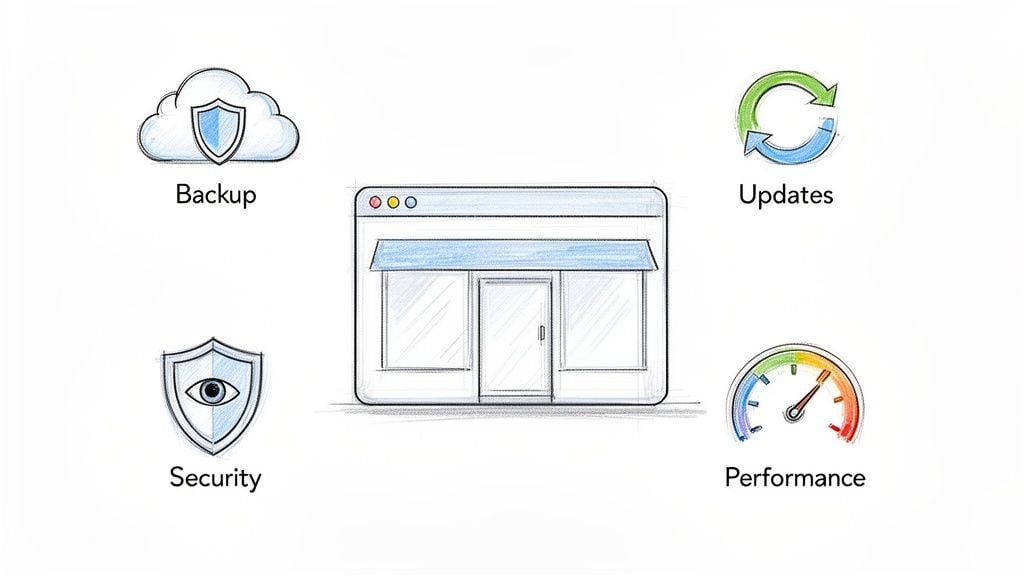
At its heart, good website maintenance rests on four critical pillars. Once you understand what they are, it becomes clear why this is a fundamental part of running a business online, not just an optional extra.
A massive part of this is managing the software your site is built on. For most businesses, this means working with a Content Management System (CMS) like WordPress. If you want to get your head around how these platforms work, you can read our comprehensive review of website content management systems.
Here is an actionable list of tasks that form the foundation of any solid maintenance plan. Whether you hire an agency or a freelancer, ensure they are covering these bases.
- Schedule Regular Backups (Daily or Weekly): This is your safety net. Consistent, off-site backups mean that if your site ever gets hacked, corrupted, or simply breaks, you can restore it quickly with minimal fuss or data loss. Without them, you risk losing everything.
- Apply Software and Plugin Updates Promptly: The software that powers your website is constantly being updated to patch security holes and fix bugs. Applying these updates promptly is like locking the door against cyber-attacks, as outdated plugins are the number one way hackers get in.
- Implement 24/7 Security Monitoring: Think of this as the CCTV for your website. Automated scans and monitoring tools actively hunt for malware, suspicious files, and hacking attempts, often stopping an attack before it can do any real damage.
- Conduct Performance and Uptime Checks: A slow website is a conversion killer. It frustrates visitors and can even harm your search engine rankings. Regular performance checks make sure your pages load quickly and that your site is always online and available for customers.
Putting these tasks on the back burner is a false economy. Emergency repair bills after a hack or crash are often 30% higher than what you'd pay for proactive care. When you consider that hackers exploit outdated plugins in 43% of reported breaches, you can see why staying on top of maintenance is so important.
UK Website Maintenance Cost Benchmarks For 2026
Trying to nail down the cost of website maintenance in the UK can feel like guesswork. But it all starts to make sense when you look at the type of website you actually have. Think of it this way: servicing a small family car is always going to be cheaper than looking after a high-performance commercial vehicle. The same logic applies here.
Let's break down some realistic cost benchmarks for 2026. The price you'll pay is directly tied to your site's complexity and how much work is needed to keep it secure, updated, and running without a hitch. A site with more features and more customer data simply needs more attention.
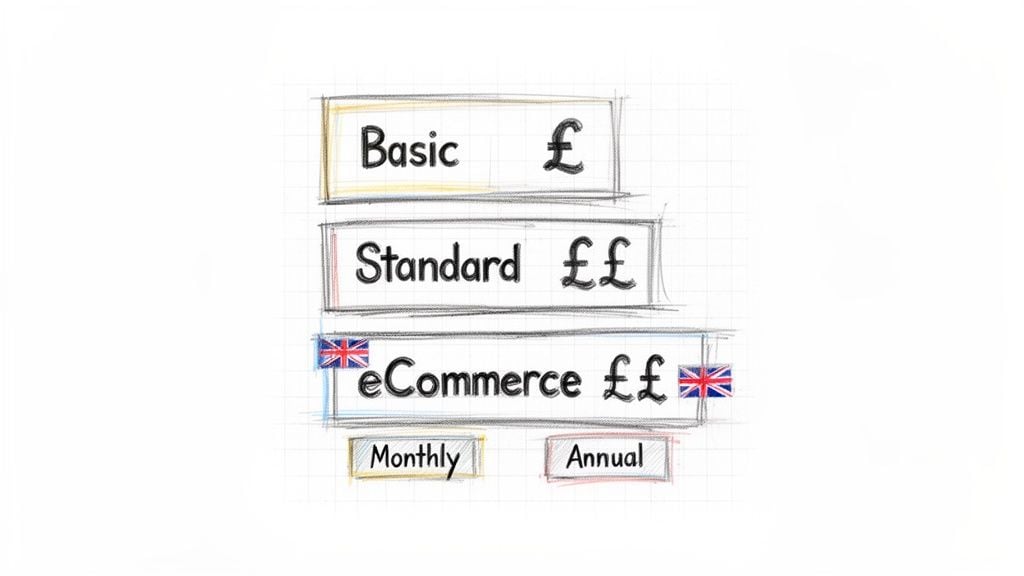
To give you a clearer picture, here’s a look at what you can expect to pay for different types of websites in the UK.
Typical UK Website Maintenance Costs in 2026
This table outlines the average monthly and annual costs you might encounter, based on how simple or complex your website is. Keep in mind these are indicative prices for 2026.
| Website Type | Typical Monthly Cost (GBP) | Typical Annual Cost (GBP) | Services Included |
|---|---|---|---|
| Brochure Site | £40 – £75 | £480 – £900 | Core updates, backups, security scans, uptime monitoring. |
| WordPress Business | £75 – £250 | £900 – £3,000 | Everything in Basic, plus plugin management & performance checks. |
| eCommerce Store | £150 – £500+ | £1,800 – £6,000+ | All Standard services, plus payment gateway security & priority support. |
These figures provide a solid baseline for budgeting. Now, let’s dig a bit deeper into what you’re actually paying for with each type of plan.
Brochure Website Maintenance Costs
This is your classic "online business card." It's perfect for tradespeople, consultants, or local businesses that need a professional presence but don't sell online. We’re talking a handful of pages: Home, About, Services, and a Contact form.
Maintenance for these sites sticks to the absolute essentials. Because there are fewer moving parts, the work involved is minimal.
- Typical Monthly Cost: £40 – £75
- Typical Annual Cost: £480 – £900
- What This Usually Includes: Core software and plugin updates, regular backups (often weekly), basic security monitoring, and uptime checks to ensure it's online.
Standard WordPress Business Website Costs
This is the workhorse for most small and medium-sized UK businesses. Built on a platform like WordPress, it does more than just sit there—it has a blog, lead generation forms, and connects to other tools like your email marketing service.
These sites are more dynamic, which means more plugins and more potential weak spots. Consequently, the website maintenance cost for a standard WordPress site is higher, reflecting the extra hands-on management needed to keep it safe and sound.
A well-maintained WordPress site is a huge asset. The flip side is its popularity makes it a massive target for hackers, who are always looking for outdated plugins to exploit. This is why consistent, professional maintenance isn't a 'nice-to-have'—it's an absolute necessity.
eCommerce Website Maintenance Costs
If you run an online shop, maintenance is absolutely mission-critical. Downtime isn't just an inconvenience; it means lost sales, unhappy customers, and a serious blow to your reputation. These sites juggle payment gateways, customer data, and complex stock systems.
As you'd expect, maintenance for an eCommerce site is the most intensive. It covers all the standard tasks plus specialised support for your platform (like WooCommerce or Shopify), securing payment gateways, and optimising performance to handle customer traffic.
- Typical Monthly Cost: £150 – £500+
- Typical Annual Cost: £1,800 – £6,000+
- What This Usually Includes: All standard services, plus specialist eCommerce support, beefed-up security for transactions, performance tuning for speed, and usually much faster support response times.
While these benchmarks are UK-focused, it helps to know this is a common approach worldwide. This article on the average website maintenance cost for a small business shows that tiered pricing is standard practice, even if the exact numbers change by region. Understanding these brackets helps you judge if a quote is reasonable and what you should get for your money.
Key Factors That Influence Your Maintenance Bill
Ever wondered why one UK business pays £50 a month for their website maintenance while another is quoted £500? It’s not just random pricing. A few key factors determine where your business will fall on that spectrum. Getting to grips with these is the first step to having a sensible conversation with a web agency and truly understanding what you're paying for.
A great way to think about it is like servicing a car. The cost to look after a standard family hatchback is worlds away from what it takes to maintain a high-performance racing car. Both need the basics like oil changes, but the complexity, specialist parts, and expertise needed for the race car send the price soaring. Your website is exactly the same.
Let’s pop the bonnet and look at the main things that drive your final quote.
The Complexity and Age of Your Website
This is, without a doubt, the single biggest driver of cost. A simple, modern website built on a standard WordPress theme is like that family car—pretty straightforward to keep running smoothly. A large, custom-coded ecommerce platform with dozens of unique integrations? That’s your racing car, and it needs a specialist mechanic.
Platform: A site built on a popular Content Management System (CMS) like WordPress is almost always cheaper to maintain than one on a niche platform like Drupal or a completely bespoke system. Why? Because there are thousands of WordPress experts out there, which keeps the market competitive and prices reasonable.
Custom Code: If your site has custom-built features or heavily modified plugins, your developer can’t just hit the "update" button and hope for the best. Every update needs to be tested on a separate "staging" site first to make sure nothing breaks. That careful testing takes time, which adds to the cost.
Site Age: An older website, just like an older car, often comes with its own baggage. It might be running on outdated technology (like an old version of PHP), rely on plugins that are no longer supported, or have messy code from years of different developers chipping in. This makes every update riskier and more time-consuming to handle.
eCommerce Functionality
The moment your website starts taking payments, the stakes get much, much higher. eCommerce adds several layers of complexity that have a direct impact on your maintenance bill. Securing a simple contact form is one thing; protecting a database packed with customer addresses and payment details is another entirely.
eCommerce maintenance isn't just about keeping the lights on; it's about protecting your revenue and reputation. A security breach or a checkout bug can lead directly to lost sales and a catastrophic loss of customer trust.
This means a specialist needs to pay close attention to:
- Payment Gateway Security: Making sure the connection between your site and payment providers like Stripe or PayPal is secure and compliant.
- Customer Data Protection: Protecting sensitive customer information in line with GDPR and other critical regulations.
- Transactional Integrity: Ensuring the checkout process is flawless. A buggy "buy now" button is a guaranteed way to lose a sale.
For larger online stores, platform-specific costs become a major consideration. For instance, knowing the true costs of Shopify Plus can provide essential benchmarks when planning for enterprise-level platform and maintenance expenses.
Level of Support and Response Time
Finally, the level of support you need plays a huge part in the price. Not every business needs someone on call 24/7, but those that do will understandably pay a premium for that peace of mind.
Ask yourself what you really need. Are you happy with email support during standard business hours, or do you need a dedicated phone number you can ring at 3 AM if your site suddenly goes offline? The faster the response time and the more available the support, the higher the monthly fee. It's a classic trade-off between your budget and your tolerance for risk.
Choosing Your Maintenance Partner: Agency vs. Freelancer vs. In-House
So, you've realised that keeping your website ticking over isn't a one-off job. The next big question is, who’s going to handle it? This isn't a decision to take lightly. The partner you choose will directly affect your budget, your stress levels, and the overall health of your online presence.
You've got three main paths you can go down: hiring a digital agency, working with a freelancer, or bringing someone in-house. Each has its own set of benefits and drawbacks, and what works for a small local shop might be a disaster for a growing national company. Let's break down what each option really means for your business.
Working with a Digital Agency
Think of a digital agency as your on-demand, full-service pit crew. You're not just hiring one person; you're gaining access to a whole team of specialists – developers, designers, security experts, and project managers who have seen it all before.
The main selling point here is reliability. Agencies provide a structured service, usually with a formal Service Level Agreement (SLA) that guarantees how quickly they'll respond to issues. If your main contact is off sick or on holiday, someone else simply picks up the ticket. This built-in backup is a lifesaver for business-critical websites where any downtime costs you money.
Of course, this comprehensive cover comes at a price. An agency has significant overheads to cover, making them the most expensive option. The website maintenance cost UK agencies quote reflects the fact you're paying for peace of mind and a deep well of expertise.
Partnering with a Freelancer
Going the freelancer route is a more personal, and often more budget-friendly, choice. You'll be working directly with one individual, which can foster a strong, flexible relationship and a deep understanding of your business goals.
Because freelancers have much lower overheads, their rates are nearly always more competitive than an agency's. This makes them a fantastic option for small businesses, startups, or those with less complex websites.
The biggest risk? A freelancer is a single point of failure. If they're taken ill, go on a much-needed holiday, or simply get swamped with other work, you could find yourself unsupported when you need it most. It's also worth remembering that one person can't be an expert in everything. They might be a whizz at coding but less familiar with the finer points of SEO or cybersecurity. To understand the different skills involved, it's useful to know what separates web design from web development.
Bringing the Role In-House
Your third option is to hire someone directly, either full-time or part-time. This gives you a dedicated person who is 100% focused on your business, ready to react instantly to problems and proactively look for ways to improve your site.
The downside is the significant cost and commitment. Beyond their salary, you’ll be responsible for National Insurance, pension contributions, holiday pay, sick leave, and ongoing training to keep their skills sharp. Finding and recruiting someone with the right technical know-how can also be a real headache.
Honestly, this path usually only makes financial sense for larger organisations with highly complex, business-critical websites that need constant, dedicated attention. For most small to medium-sized businesses, the cost is simply too high compared to outsourcing.
Comparing Your Options at a Glance
Choosing the right maintenance provider is about balancing your specific needs for expertise, availability, and budget. To make it clearer, here’s a breakdown of how the three models stack up against each other.
Comparing Maintenance Providers: Agency vs. Freelancer vs. In-House
| Factor | Digital Agency | Freelancer | In-House Staff |
|---|---|---|---|
| Cost | Highest | Moderate | High (including overheads) |
| Expertise | Broad (team of specialists) | Niche (individual's skills) | Limited to the employee's skill set |
| Availability | High (team cover, SLAs) | Varies (single point of failure) | High (dedicated employee) |
| Flexibility | Moderate (structured processes) | High (direct relationship) | High (part of the team) |
| Best For | Business-critical sites, complex needs, and those prioritising reliability. | Small businesses, simpler sites, and those on a tighter budget. | Large companies with constant, complex digital requirements. |
Ultimately, there's no single "best" choice—only the best choice for you. An agency provides a robust safety net, a freelancer offers great value and a personal touch, and an in-house employee brings total dedication.
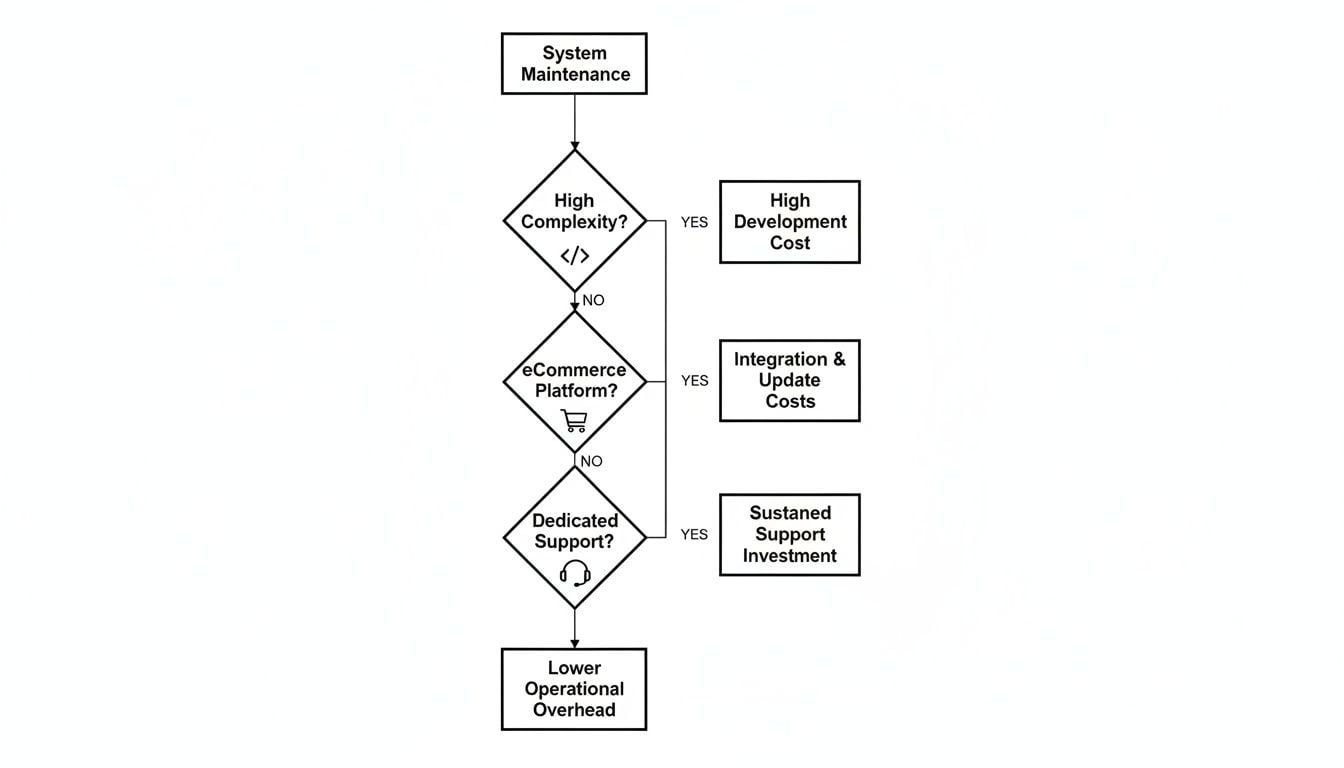
This decision-making process is often guided by the complexity and support needs of your website. As the demands on your site grow, so does the case for a more structured, comprehensive solution.
How to Take Control of Your Website Maintenance Costs
Seeing a quote for website maintenance can be a bit of a shock, but you don't have to just accept the first figure that lands in your inbox. Getting smart about how you buy these services can make a huge difference to your budget without cutting corners on quality.
This isn't about finding the cheapest possible option; it's about spending wisely. With a few strategic moves, you can trim your annual costs while making sure your site stays fast, secure, and reliable for your customers. Let's look at how you can take control.
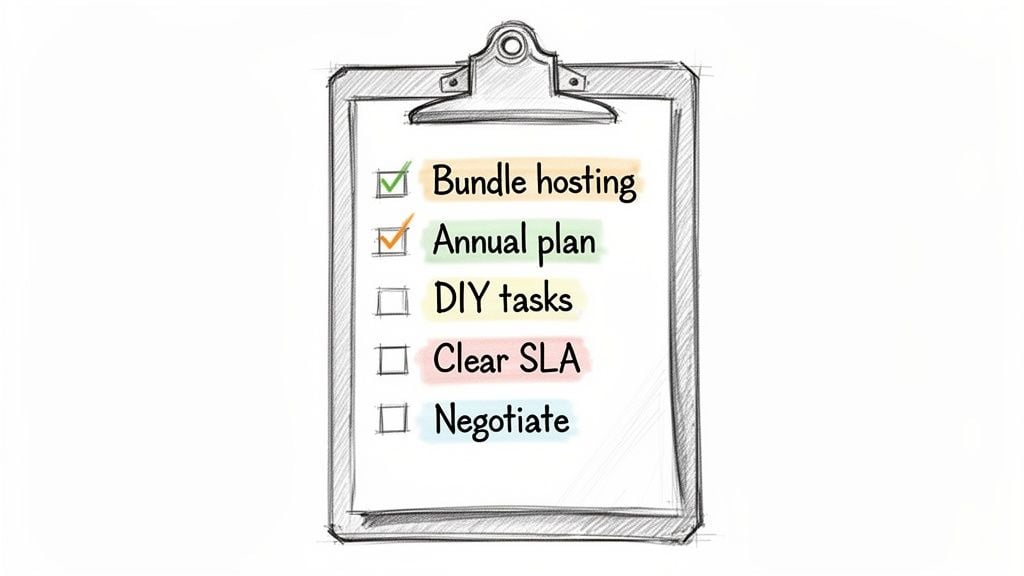
Here's a practical checklist you can use to get a handle on what your website maintenance cost UK providers are quoting.
1. Combine Your Hosting and Maintenance
Many agencies that handle maintenance also offer hosting. Instead of paying two separate bills to two different companies, it's always worth asking if they can bundle them into a single package.
This often leads to a tidy discount. More importantly, it simplifies everything. If something goes wrong, you have one point of contact responsible for your entire technical setup, which saves a lot of time and finger-pointing.
2. Pay Annually for a Discount
Just like with your car insurance or a software subscription, paying for the year upfront can often unlock a better price. Providers value the security of a long-term commitment and are usually happy to knock 10-20% off the total price for it.
If your cash flow can handle the one-off payment, it’s one of the simplest ways to make an immediate saving.
3. Handle the Small Content Updates Yourself
Your maintenance plan should be for the technical stuff: security scans, plugin updates, backups, and performance tweaks. You really don't want to be paying a developer’s hourly rate just to change a sentence or upload a new photo.
Make sure you have access to your site’s Content Management System (CMS) and ask for a quick tutorial on how to do the basics:
- Updating text on pages and in blog posts.
- Uploading new images to a gallery.
- Adding new products (on an eCommerce site).
Let the experts handle the heavy lifting, and you can manage the day-to-day content edits. It not only saves you money but also gives you the freedom to make quick changes without needing to raise a support ticket.
Before you sign anything, insisting on a clear Service Level Agreement (SLA) is non-negotiable. This document protects you from vague promises and hidden fees. It should spell out exactly what's included, what's not, and the guaranteed response times you can expect.
4. Know What Isn't Covered
Get absolute clarity on what counts as an "extra" before committing to a plan. It's crucial to understand where the standard service ends and where extra charges begin.
Things that almost always fall outside a standard maintenance agreement include:
- Building completely new features or page sections.
- Major design overhauls or a rebrand.
- Copywriting for new blog posts or pages.
- In-depth SEO campaigns beyond basic technical checks.
Knowing these boundaries from day one helps you avoid nasty surprises on your invoices. A good partner will be upfront about this. It’s a classic case where a cheap initial quote can end up costing you more in the long run. To see why this happens, check out our guide on the hidden costs of cheap website design and why you really do get what you pay for.
5. Review Your Plan Every Year
Your business isn't static, and your maintenance plan shouldn't be either. The package that was perfect for your launch might not fit a year or two later after you’ve added a busy blog or an online shop.
Pop a reminder in your calendar to review your plan annually. Ask yourself: Are you paying for things you don't use? Or has your site grown to a point where you need more support? A yearly check-in ensures your plan still makes sense for your goals and your budget.
Retainer vs Pay-As-You-Go: Which Maintenance Plan is Right for You?
When you start getting quotes for looking after your website, you'll see two main flavours of pricing pop up again and again: a monthly retainer or a pay-as-you-go (PAYG) plan.
This isn't just a financial choice; it’s about deciding what kind of support you want for your site. One model is all about preventing fires, while the other is about putting them out. Let's break down how each works so you can figure out what makes the most sense for your business.
The Retainer Model: A Proactive Partnership
Think of a retainer as having a technical expert on your team. You pay a fixed, predictable fee each month, and in return, an agency or freelancer dedicates time to keeping your website healthy and secure. They aren't just sitting around waiting for your call; they're actively working to stop problems before they start.
This whole model is built on preventative care. That monthly fee covers all the crucial jobs that keep a site running smoothly, like software updates, security scans, backups, and performance tweaks. It’s a proactive approach designed to maintain peak condition and prevent a small glitch from turning into a costly disaster.
A retainer shifts website maintenance from a reactive, unpredictable cost into a smart, strategic investment. You get peace of mind knowing someone is always watching over your most valuable digital asset, with a budget you can actually plan for.
This is the go-to option for any business that depends on its website for leads, sales, or its professional reputation. If your site going down would mean lost money or angry customers, the stability of a retainer is a no-brainer. The predictable website maintenance cost UK businesses pay on a retainer makes budgeting simple and gets rid of the fear of a surprise four-figure repair bill.
The Pay-As-You-Go (PAYG) Model: Reactive, On-Demand Support
The alternative is what’s known as pay-as-you-go. With PAYG, there are no monthly commitments. You simply get in touch with a developer or agency when you need something—a quick content change, a bug fix, or a full-blown emergency.
On the surface, this can feel like the cheaper route, especially for a very basic brochure site that doesn't do much. If your website is essentially an online business card, you might go for months without needing any help at all.
However, this model comes with some serious trade-offs:
- Higher Hourly Rates: You will almost certainly pay a premium hourly rate for ad-hoc work compared to the effective rate you get within a retainer package.
- Slower Response Times: You aren't a priority. When your site breaks, you go into a queue behind the provider's retainer clients. That could mean hours or even days of downtime.
- Unpredictable Costs: A single major issue, like a hack or a site crash after a bad update, can lead to a shockingly high invoice. It makes budgeting a guessing game.
Here’s a quick guide to help you decide which camp you fall into:
A Retainer is probably for you if…
- Your website is a critical tool for generating sales or leads.
- You run an eCommerce store or handle any sensitive customer data.
- You need predictable costs for your monthly budget.
- Peace of mind and fast support are important to you.
PAYG might work if…
- Your site is a very simple, static "brochure" that rarely changes.
- Your budget is incredibly tight, and you have a high tolerance for risk.
- Website downtime would be an annoyance, not a business crisis.
Ultimately, the choice between a retainer and PAYG boils down to how you view risk. A retainer is an investment in stability, security, and prevention. PAYG is a gamble that nothing major will ever go wrong.
Frequently Asked Questions
When business owners start looking into website maintenance, a few questions always pop up. Let's run through some of the most common queries we see from UK businesses to clear things up.
Is Website Hosting Included in Maintenance Costs?
That's a great question, and the short answer is: sometimes. Many UK agencies, us included, like to bundle hosting and maintenance together. It just makes life simpler and often works out as better value for you.
However, they can absolutely be treated as separate services. The golden rule is to always ask. Make sure you get it in writing whether your plan includes high-quality hosting or if that's a separate line on the bill. A little clarity upfront saves a lot of headaches later.
How Often Should My Website Be Maintained?
For the vast majority of business websites, especially anything built on WordPress, a monthly schedule is the sweet spot. This gives your support team a regular window to apply crucial software updates, patch plugins, run a full security scan, and take a fresh backup of your entire site.
If you’re running a busy eCommerce store or a high-traffic site where every minute of downtime costs you money, you’ll want to ramp that up. Weekly checks are the standard here to keep everything running smoothly and securely.
Attempting complex updates without expertise can lead to site errors or downtime, often costing more to fix in the long run. For a business-critical website, investing in a professional service is the safest and most cost-effective strategy.
Can I Do Website Maintenance Myself to Save Money?
You can, but it comes with a big 'but'. While handling basic content updates like swapping out text or adding a new blog post is perfectly fine, proper maintenance is a different beast. It involves a technical skill set covering security, performance optimisation, and troubleshooting.
Think of it like servicing your car. You can top up the oil and screenwash yourself, but you probably wouldn't try to service the engine. A cheap DIY fix on a website can quickly turn into an expensive emergency call-out. The low website maintenance cost uk businesses think they're getting with a DIY approach can be wiped out by one major problem.
What Is a Service Level Agreement And Why Do I Need One?
A Service Level Agreement (SLA) is your peace of mind, written down. It's the part of your contract that sets clear, measurable expectations for the support you're paying for. It’s not just jargon; it’s your safety net.
A solid SLA should clearly define things like:
- Response times for different problems (e.g., how fast they'll jump on a critical site-down emergency versus a minor typo).
- Guaranteed uptime for your website (like 99.9%).
- A definitive list of all the tasks included in your plan.
Without an SLA, you’re flying blind. It’s what prevents misunderstandings and ensures you know exactly what you're getting for your money.
Managing your website shouldn't be a source of stress. At DesignStack, we provide clear, reliable WordPress maintenance plans that keep your site secure and performing at its best. Get in touch to find the right support package for your business.


Leave a Reply