A UK Startup’s Guide to App Development for Startups
So, you have a brilliant app idea. That's fantastic, but an idea alone doesn't build a business. The real work in app development for startups starts long before a single line of code is written. It all begins with a solid plan, deep validation, and getting to know the people who will actually use your app.
Your Strategic Blueprint for a Successful App
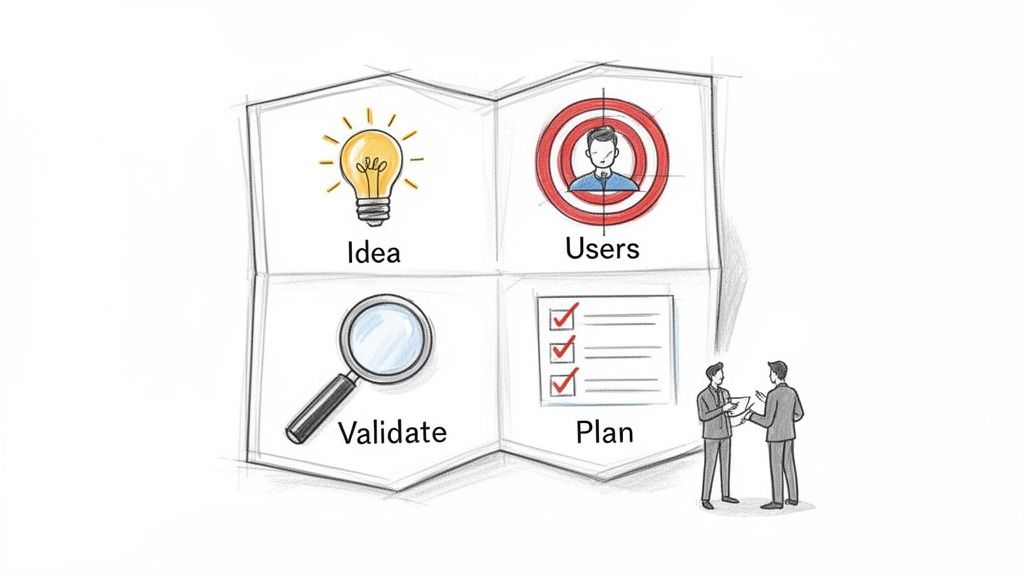
This initial discovery and validation phase is where you lay the groundwork for everything else. It’s all about asking the tough questions now, before you've invested serious time and money into a concept.
Get this part right, and you build something people genuinely want. Get it wrong, and you risk launching to crickets. This is also where an experienced partner can be invaluable, guiding you through these early, critical decisions. The process isn't so different from other digital projects; the same principles apply when you're looking for a website designer who understands your vision.
https://designstack.co.uk/the-ultimate-guide-to-finding-a-website-designer-who-understands-your-vision/
The appetite for mobile solutions is growing fast. A recent study shows a staggering 67% of UK SMEs intend to invest in mobile apps by 2026. For startups, especially those in regions like Dorset, this isn't just a trend; it's a clear signal that a well-executed app is a powerful way to stand out.
Defining Your Core Concept
Before you get lost in features and design, you need to nail down the absolute fundamentals of your idea. This isn't just about brainstorming; it's a focused effort to make sure your concept is viable, targeted, and actually solves a real-world problem. A little clarity here will save you a fortune down the line.
Building an app for a new venture has its own set of challenges, and it's smart to follow a proven framework. For a fantastic deep dive into this, check out this guide on Product Management for Startups.
The single biggest mistake startups make is building a solution for a problem that doesn’t exist. Your first job is not to build an app, but to validate that the pain point you're addressing is real and that people are willing to pay for a solution.
An Actionable Discovery Checklist
To get the ball rolling on your validation, here are some concrete steps to take. Think of this less as a to-do list and more as an evidence-gathering mission for your app concept.
Identify Your Target User: Who, exactly, are you building this for? Go beyond vague demographics. Create a detailed user persona like, "Sarah, a 28-year-old marketing manager in London who struggles with meal planning," not just "millennials."
Pinpoint the Core Problem: What is the one, most important problem your app solves for Sarah? Be specific. Does it save her time, reduce stress, or help her budget better?
Conduct Lean Competitor Analysis: Take a hard look at 3-5 direct and indirect competitors. What do they do well? More importantly, where do they fall short? Dive into their user reviews and find the common complaints—those are your opportunities.
Map Out the User Journey: Grab a whiteboard and sketch out the simplest, most ideal path a user would take to solve their problem with your app. Focus on the main goal and avoid getting sidetracked by secondary features.
Develop a 'Value Proposition' Statement: You need a single, powerful sentence that explains what your app does, who it's for, and why it's better than the alternatives. For example: "Our app helps busy professionals plan their weekly meals in under 15 minutes, unlike other apps that require hours of recipe searching."
Defining Your Minimum Viable Product
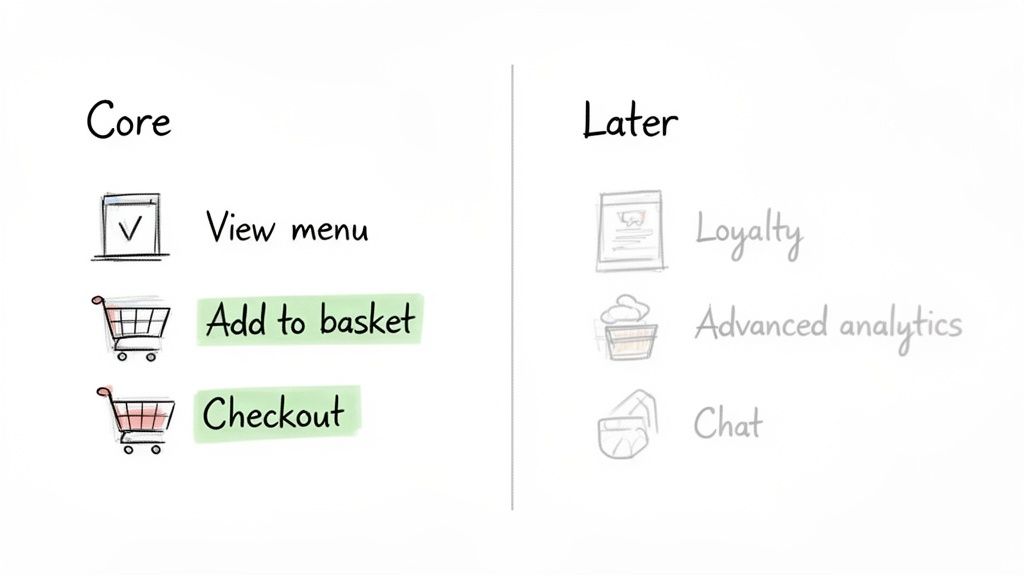
In the startup world, you’ll hear the term ‘MVP’—Minimum Viable Product—all the time. It’s not just buzzword bingo; it’s a genuine survival strategy. Think of an MVP as the most stripped-back, functional version of your app that solves one critical problem for your first users. It’s all about launching lean to see if your big idea has real-world appeal before you pour your entire budget into it.
This approach forces a ruthless focus that is essential for app development for startups. The objective isn't to build a perfect, all-singing, all-dancing app from day one. Instead, the real goal is to get to market fast, listen to what real users have to say, and prove your concept is worth pursuing. Getting this right is a huge part of learning how to build an MVP that actually works.
Let’s say a local Dorset takeaway wants to create an ordering app. An MVP mindset means they’d build only the absolute essentials for launch. Features like ‘view menu’, ‘add to basket’, and ‘secure checkout’ are non-negotiable. Everything else, from a loyalty scheme to personalised recommendations, can—and should—wait for a later version.
Identifying Your Core Features
So, how do you decide what makes the cut? It comes down to separating the 'must-haves' from the 'nice-to-haves'. Your must-haves are the features that directly solve the main problem you found during your discovery phase. At this stage, anything else is a distraction.
A brilliant way to get this clarity is to map out the simplest user journey. For our takeaway app, that journey is straightforward: a hungry customer finds the menu, chooses their food, and pays. Any feature that isn't vital to completing that path gets put on the 'Version 2.0' list.
The purpose of an MVP is to learn, not to earn. Your initial return on investment is validated learning—hard data that tells you whether to pivot or persevere with your idea. It’s the fastest way to find out if your business model works.
This kind of prioritisation can be tough. It means saying "no" to some genuinely good ideas to make space for the few great ones that will get you off the ground. A successful MVP delivers just enough value to hook those crucial early adopters and generate the feedback you need to evolve.
An Actionable Framework for Feature Prioritisation
To give this process some structure, you can use a simple framework to sort through your feature wishlist. This helps turn a sprawling list of ideas into a focused build plan. Grab a whiteboard and drop every potential feature into one of four buckets:
- Must-Have: These are the non-negotiable core functions. The app is broken or useless without them.
- Example: For a fitness app, this is the ability to log a workout.
- Should-Have: Important features that add significant value but aren't critical for the initial launch. Target these for version 1.1.
- Example: Adding a social sharing function to the fitness app.
- Could-Have: Desirable "nice-to-have" features with less impact. These are great for later updates when resources allow.
- Example: Customisable app colour themes.
- Won't-Have (For Now): Features explicitly out of scope for the MVP. Writing these down is vital to prevent "feature creep" and protect your budget and timeline.
- Example: Integrating with an Apple Watch.
Native vs Cross-Platform vs Web: Picking Your Tech Stack
With your Minimum Viable Product (MVP) blueprint in hand, you’ve reached a critical crossroad: the technology you’ll use to build your app. This isn't just a choice for your developers to hash out. It's a fundamental business decision that will shape your budget, your timeline, and how easily you can scale down the road.
Getting this wrong can lead to costly rewrites and dead ends. Think of it less like choosing a car and more like laying the foundations for a building. You need to pick the right materials for the structure you plan to build, both for today and for the future.
Let's break down the three main paths you can take.
Native: The High-Performance Route
Going native means you’re building two distinct, separate apps: one specifically for Apple's iOS (using Swift or Objective-C) and another for Google's Android (with Kotlin or Java). This is the gold standard for performance.
Native apps are incredibly fast, responsive, and can tap into every feature a phone has to offer, from advanced camera controls to background processing. If your app relies on slick animations, heavy-duty graphics (like a game or a photo editor), or needs to squeeze every last drop of performance from the device, this is your best bet. The trade-off is significant, though. You're paying for two separate development projects, which means more time and a much bigger budget.
Cross-Platform: The Best of Both Worlds
For most startups, this is the sweet spot. Frameworks like React Native and Flutter let you write your code once and deploy it on both iOS and Android from a single codebase. It’s a game-changer for efficiency.
You get to launch on both app stores at the same time, instantly doubling your potential audience. More importantly, this approach can slash development costs and time by 30-40%. While you might sacrifice a tiny fraction of the peak performance a native app offers, for the vast majority of apps—think eCommerce, social media, or business utilities—users will never notice the difference. It's the pragmatic choice for getting to market quickly without emptying your bank account.
Progressive Web Apps (PWAs): The Quickest Launch
A Progressive Web App is a clever bit of web technology. It’s a website that looks and feels just like a regular mobile app. Users find it through their browser, but they can save it to their home screen, and it can even work offline.
Because PWAs are built with standard web languages (HTML, CSS, JavaScript), they are by far the fastest and most affordable way to create a mobile presence. They're perfect for content-focused apps or simple tools where you don't need deep access to the phone's hardware. The main drawback? Limited access to device features and, crucially, you can't list them on the Apple App Store or Google Play Store, which can make discovery a real challenge.
Choosing your tech stack isn't about finding the "best" technology, but the right technology for your specific situation. A fintech startup prioritising security and performance will have different needs than a content platform focused on rapid, low-cost deployment.
To help you choose the right foundation for your startup, we've put together a quick comparison. There's no single "best" option—the right choice depends entirely on what you're trying to achieve, how fast you need to move, and the resources you have available.
Technology Stack Comparison for Startups
| Approach | Best For | Pros | Cons |
|---|---|---|---|
| Native | Apps requiring top-tier performance, complex animations, or full access to device hardware (e.g., high-end games, photo editing apps). | – Unmatched performance and speed – Full access to all device features – The best, most fluid user experience |
– Highest cost and longest development time – Requires two separate codebases and teams – Slower to update and maintain |
| Cross-Platform | Most startups needing a presence on both iOS and Android quickly and affordably (e.g., social, eCommerce, business apps). | – Faster time-to-market – Lower development costs (by 30-40%) – Single codebase for easier maintenance |
– Performance may not match native for intensive tasks – Some limitations on accessing niche device features |
| PWA | Startups on a tight budget, MVPs, or businesses extending their website to mobile for simple tasks (e.g., content delivery, basic forms). | – The fastest and most affordable option – No app store approval needed – Instantly accessible via a web browser |
– Cannot be listed on app stores – Very limited access to device hardware – User experience can feel less integrated |
Ultimately, your answers to a few key questions about your priorities will point you in the right direction. Is raw performance non-negotiable? Or is speed-to-market what really matters? Thinking through these trade-offs now will save you a world of trouble later on.
The UK's app development industry is thriving, with a projected market size of £32.3 billion by 2026. This growth is powered by incredible smartphone penetration—88% of the population in 2023—which means a massive, ready-made audience for your idea. For a Dorset startup looking to build an iOS or Android app, having a local partner who gets both the tech and the market realities is a huge advantage. You can find more data on the UK app industry's potential from market research by IBISWorld.
Right, you’ve got your strategy, a clear MVP scope, and you’ve landed on a tech stack. Now for the exciting part: actually building the thing. This is where the lines of code and design files start to transform your idea into a real, functioning product. For a startup, this phase is a high-stakes sprint, and a disciplined process is the only way to get to the finish line without burning through your budget.
It all begins with UX/UI design and prototyping—and trust me, this is not a step you want to skip. I’ve seen too many founders jump straight into coding only to build a product that no one can figure out how to use. From there, we’ll get into the rhythm of agile development, constant testing, and finally, a launch that makes an impact. Let's get into it.
From Wireframes to High-Fidelity Prototypes
Before a single developer starts their work, we need to visualise the app. The first step is creating wireframes. Think of these as simple, black-and-white architectural blueprints for each screen. They aren’t pretty. Their only job is to map out the structure and flow—where buttons go, how navigation works, and what content appears on each page.
Once everyone agrees on the blueprint, the UI (User Interface) designers step in. This is where your brand’s personality gets injected through colour palettes, typography, and polished visuals. The goal is to produce a high-fidelity, clickable prototype that looks and feels almost exactly like the finished app. You can tap through screens, test user journeys, and get a genuine feel for the experience.
A solid prototype is the most powerful feedback tool you have. It lets you put your concept into the hands of real users and see what works (and what doesn't) long before you’ve invested a penny in actual development.
Agile Development and Iterative Testing
For startups, there’s really only one way to build software: the agile development methodology. Forget building the entire app in one long, drawn-out phase. Agile breaks the work down into small, two-week cycles called "sprints." At the end of each sprint, the team delivers a working, testable piece of the product.
This approach is a lifesaver for startups for a few key reasons:
- Flexibility: Got new user feedback or a brilliant idea mid-project? Agile lets you pivot without having to tear everything down and start over.
- Total Transparency: You see tangible progress every couple of weeks. This keeps everyone on the same page and helps manage stakeholder expectations.
- Lower Risk: Quality Assurance (QA) testing isn’t an afterthought; it’s baked into every sprint. Bugs are found and squashed early, preventing them from becoming huge, expensive problems down the line.
This constant cycle of building, testing, and refining is the engine that drives modern app development for startups, ensuring the end product is robust and ready for launch day.
The visual below shows how the development process differs based on the technology you choose.
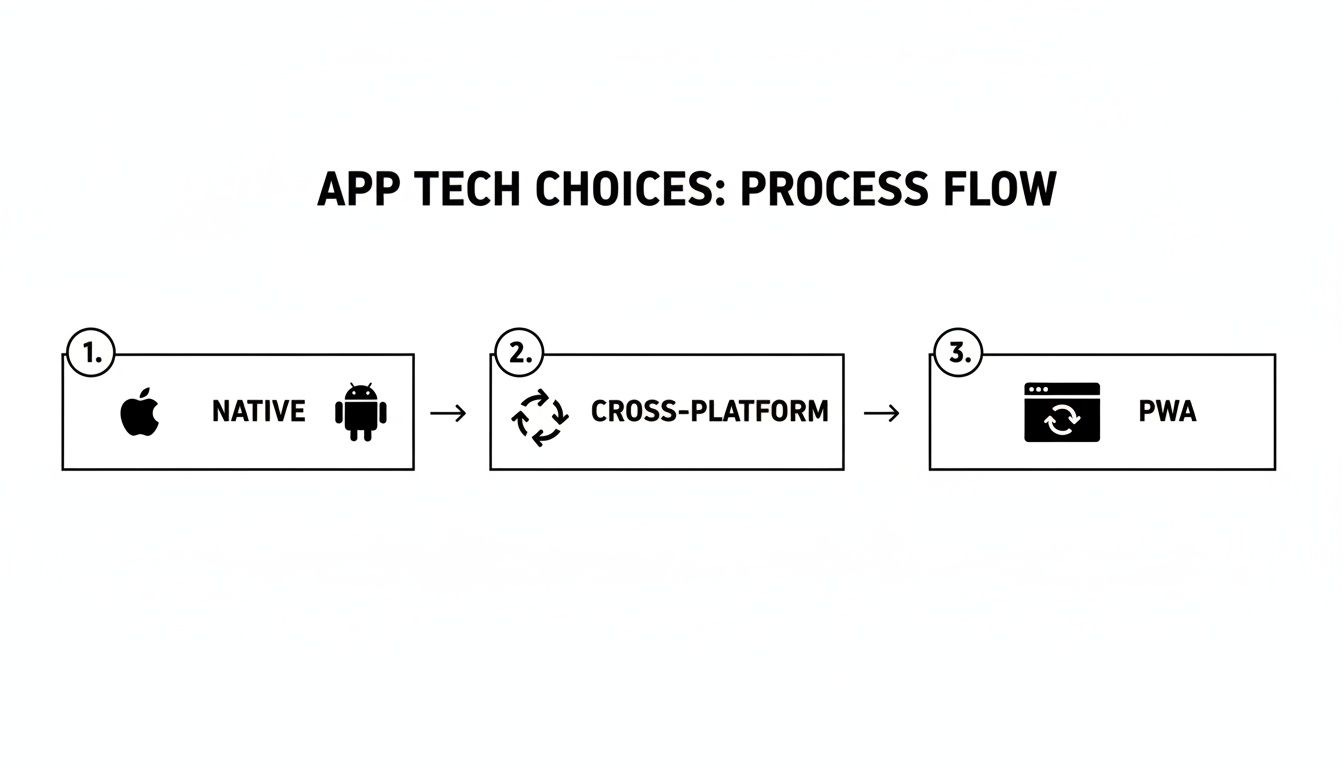
Whether you go Native, Cross-Platform, or with a PWA, the agile mindset of building and testing in short cycles remains the best practice.
Demystifying App Store Deployment
Getting your app approved for the Apple App Store and Google Play Store is the final gatekeeper to your launch. It can feel a bit like navigating a maze, as both platforms have very strict and specific guidelines. If you’re not prepared, it can be a frustrating experience.
Here’s an actionable list to make your submission process smoother:
- Register Your Developer Accounts Early: Enrol in the Apple Developer Program (£79/year) and Google Play Developer account ($25 one-time fee). Do this weeks before launch, as verification can take time.
- Craft Compelling Store Listings: Write a clear app description, choose relevant keywords for ASO, and create high-quality screenshots and an eye-catching icon. This is your first impression.
- Finalise Your Privacy Policy: This is non-negotiable. Have a clear, accessible privacy policy that explains what data you collect and how you use it. Link to it from your app and your store listing.
- Conduct a Final QA Blitz: Run one last, exhaustive test on multiple devices to catch any show-stopping bugs. A crash on first open is a guaranteed way to get one-star reviews.
- Prepare for Rejection (Just in Case): The review process takes a few hours to several days. Sometimes, apps get rejected for small reasons. Have your team on standby to make quick fixes and resubmit.
The UK app market is a huge opportunity, projected to be worth £32.3 billion by 2026. Given the average adult uses 41 apps a month, your launch needs to be flawless to stand out. Learn more about the UK mobile app landscape from our partners at Luminary Brands.
Backend Infrastructure and Hosting
Finally, let's touch on the part of your app that users never see: the backend. This is the engine room—the servers, databases, and application logic that makes everything work. It handles user accounts, processes transactions, and sends out push notifications.
For a startup, going with a scalable cloud provider like Amazon Web Services (AWS), Google Cloud, or Microsoft Azure is the only sensible choice. These platforms let you start small, paying only for the resources you consume, and then scale up seamlessly as your user base explodes. Nailing your backend and hosting from the start ensures your app stays fast, secure, and reliable, no matter how successful you become.
Your Post-Launch Plan for Growth and Success
Getting your app onto the App Store is a massive achievement. Pop the champagne, you've earned it. But once the launch-day buzz fades, the real work begins. The truth is, launch isn't the finish line; it’s the starting pistol.
What happens next is what separates a flash-in-the-pan app from a genuine business. You need a plan to move from building what you think users want to knowing exactly what they need. It’s all about getting into a rhythm of measuring, learning, and improving your product based on real-world use. Without this, even the most beautifully designed app will struggle to keep users coming back.
Defining and Tracking Your Key Metrics
You can't fix what you can't see. Before you do anything else, you need to get your analytics set up properly. Guessing how people are using your app is a recipe for disaster; you need cold, hard data to guide your decisions.
Don’t get lost in a sea of vanity metrics. Instead, focus on a handful of vital signs that tell the real story of your app's health.
- User Engagement: Are people actually using the features you spent months building? Track specific actions, like ‘project created’ or ‘filter applied’, to see if the core value of your app is hitting the mark.
- Session Duration & Frequency: How long are people sticking around, and how often are they opening the app? For a utility app, short, frequent visits might be a sign of success. For a media app, you're looking for much longer, more immersive sessions.
- Retention Rate: This is the big one for any startup. What percentage of users return the day after they install? A week after? A month? High churn (low retention) is a blaring alarm that your app isn't sticky enough.
- Crash Reports & Performance: Nothing kills an app faster than technical glitches. A high crash rate will tank your reviews and drive users away in droves. Tools like Crashlytics are non-negotiable for catching and squashing bugs fast.
Getting these numbers is the first step, but understanding them is what matters. You can learn more about how to get the most from Google Analytics 4 mastery to really dig into your app's performance.
Building a Feedback-Driven Roadmap
Analytics tell you what users are doing. Direct feedback tells you why. You absolutely must create easy ways for your early users to talk to you. This qualitative insight is gold when it comes to deciding what to build next.
Don't just hide a "Contact Us" button in a menu. Be proactive. Use simple in-app prompts to ask targeted questions. A quick pop-up asking, "What’s the one thing we could add to make this app indispensable for you?" can give you more direction than a week of internal meetings.
The most valuable resource a startup has is its first 1,000 users. They are your co-creators. Listen to them, engage with them, and build the product they are asking for. Their feedback is more valuable than any boardroom strategy session.
Once you combine hard data with real user feedback, the fog begins to clear. If you see that 70% of your support tickets mention a missing feature and your analytics show users dropping off right before that feature would be useful, your next development priority is staring you right in the face. This is what effective app development for startups looks like after launch.
Your Actionable Post-Launch Growth Checklist
To put all this into practice, here’s a straightforward checklist to focus your efforts in the first few months. Think of this as your guide to building momentum and setting yourself up for long-term growth.
- Wire Up Your Analytics: From day one, make sure you’re tracking key user journeys, conversion funnels, and retention cohorts in your analytics tool.
- Create a Feedback Loop: Install an in-app survey tool or a simple feedback widget. Actively ask your most engaged users what they think.
- Obsess Over Your Store Listing: Your app icon, screenshots, and description are your storefront. Constantly A/B test different versions to see what drives more downloads.
- Reply to Every Single Review: Good or bad, engage with everyone. Thank people for their praise and offer immediate help for their problems. It shows you’re listening and you care.
- Become a Performance Hawk: Check your crash reports and performance dashboards daily. A stable, fast app is the bedrock of a good user experience.
- Ship Your First Update, Fast: Use that initial data and feedback to quickly plan and release a version 1.1 that solves a key pain point or adds a highly requested feature.
- Start Building Your Tribe: Launch a simple email newsletter or get active on social media where your early adopters hang out. Make them feel like insiders, and they’ll become your biggest advocates.
Your Top App Development Questions, Answered
When you're starting out, the world of app development can feel like a maze of technical jargon, confusing timelines, and intimidating costs. Founders we work with in the UK often ask the same handful of crucial questions. So, let's cut through the noise and give you some straight, practical answers based on our experience.
How Much Does It Really Cost to Develop an App for a Startup in the UK?
Let's get straight to the big question everyone has: the budget. There’s no one-size-fits-all answer, of course. We've seen simple proof-of-concept apps come in around £5,000, while incredibly complex platforms can soar past £100,000. It all boils down to your features, the tech you choose (Native vs. Cross-Platform), and the team you hire.
For most UK startups, a realistic budget for a solid Minimum Viable Product (MVP) lands somewhere in the £15,000 to £40,000 range. This is the sweet spot for getting your core idea built, launched, and into the hands of real users to start gathering that all-important feedback.
A bit of hard-won advice: try to find a development partner who offers a fixed-cost price for your project. This gives you budget certainty, which is gold for a startup. It means no scary surprises, and you can confidently plan your spending on other essentials like your first marketing push.
Should I Hire an Agency, Freelancers, or an In-House Team?
This is one of the most important strategic decisions you'll make. It directly affects your budget, how much time you'll spend managing people, and the final quality of your app. For a startup's first product, an agency usually hits the right balance.
Let's break down why.
An Agency: Think of an agency as an entire, ready-made product team. You get experienced designers, developers, project managers, and strategists who already know how to work together, all under one roof. It provides the structure of an in-house team without the eye-watering recruitment costs and long-term salary commitments.
Freelancers: Going the freelancer route can look cheaper on paper, but it often comes with a hidden cost: your own time. Suddenly, you're not just the founder—you're the project manager, trying to coordinate different people who've never worked together. It can get messy, and the risk of a disjointed product is high.
An In-House Team: This is the most expensive and slowest path. The process of recruiting, hiring, and managing your own full-time team is a huge undertaking. This route makes sense once you're more established and have found product-market fit, but it's rarely the right move for launching version one.
How Long Does It Take to Build the First Version of a Startup App?
Building a quality app doesn't happen overnight. Based on our experience, a realistic timeline to get from an idea to a launched MVP is typically between 3 and 6 months. This window covers everything: the initial discovery and strategy sessions, UX/UI design, the actual development, thorough testing, and getting it live on the app stores.
If your app has a very tight, focused feature set, you might be looking at the shorter end of that scale. But for more complex builds involving custom backends or multiple third-party integrations, it's wise to plan for 6 months or even a bit more. This is where an agile approach really shines, as it keeps the project moving in focused sprints and ensures you're always building the most important thing next.
What Are the Biggest Mistakes Startups Make With App Development?
We see a lot of promising ideas stumble because of a few common, avoidable mistakes. Knowing what these pitfalls are is the best way to steer clear of them.
Here are the top blunders we see time and time again:
Skipping Real Validation: This is the cardinal sin of app development—building something nobody actually wants. You have to get out there and talk to your target users to validate your idea before a single line of code is written.
Getting Lost in 'Feature Creep': The temptation to add "just one more little feature" is powerful, but it's a trap. It blows up your budget, delays your launch, and makes your core product confusing. Be ruthless about sticking to your MVP.
Ignoring the User Experience (UX/UI): People have zero patience for apps that are ugly, clunky, or hard to figure out. A poor user experience is a fast track to getting deleted. Investing in professional design isn’t a luxury; it’s essential for keeping users around.
Forgetting About Life After Launch: Your work isn't done when the app goes live—it's just beginning. A huge mistake is having no plan or budget for marketing, gathering user feedback, and making ongoing improvements. A successful app needs a growth strategy from day one.
Ready to turn your app idea into a reality without the guesswork? The team at DesignStack specialises in guiding UK startups through the entire app development process, from strategy and design to launch and beyond. Let's build something great together.