


How To Increase Online Sales Small Business Guide 2026
A lot of small business owners reach the same point. The website is live, the branding looks respectable, a few enquiries come in, and then everything plateaus. Sales don't collapse, but they don't climb either. You tweak a banner, post on Instagram, maybe run a small ad campaign, and still the numbers feel flat.
That stall usually isn't caused by one dramatic problem. It's a stack of smaller issues. The site leaks intent. Product pages don't answer buying questions. Local search visibility is weak. Reviews sit scattered across platforms instead of doing sales work. Traffic arrives, hesitates, and leaves.
If you're searching for how to increase online sales small business owners can apply without hiring a full in-house team, the answer is rarely a single tactic. It’s a sequence. Fix the site first. Tighten product and checkout experience next. Build steady local and organic visibility. Add paid channels only when the foundations can carry them.
A useful outside perspective on how to increase online sales makes the same broader point. Growth usually comes from focused expertise and cleaner execution, not from trying every marketing idea at once.
Your Online Sales Have Stalled Now What
A common pattern looks like this. A retailer in a town like Weymouth launches a decent-looking shop. A service business in Dorset invests in a clean brochure site. Friends say it looks professional. Existing customers approve. Then months pass and online sales barely move.
The owner often assumes the problem is traffic. Sometimes it is. But just as often, the problem starts earlier. The homepage is vague. The mobile experience feels cramped. Product pages talk about the business instead of the buyer. The checkout asks for too much. Google Business Profile is incomplete. Reviews exist, but they aren't placed where buying decisions happen.
That creates a frustrating cycle. The business spends money to attract clicks, but the website isn't converting enough of them. Then paid campaigns look disappointing, so activity slows. Momentum disappears.
Most stalled sales problems are boring. That's good news, because boring problems are usually fixable.
Across UK small businesses, the businesses that recover fastest are the ones that stop looking for a magic channel and start auditing the whole buying journey. They ask better questions.
- Where are visitors dropping off: On the homepage, product page, basket, or enquiry form?
- What does a first-time buyer still need to know: Delivery, trust, returns, proof, timing, or price?
- Are you visible for local intent: Not just broad keywords, but town, county, and service combinations?
- Does the site help a ready buyer act quickly: Or does it force them to think too hard?
The businesses that improve sales usually get practical before they get ambitious. They remove friction. They sharpen trust. They match the site to real buyer intent instead of internal assumptions. That's the work that turns a flat website into a reliable sales channel.
Foundations First Your Website Must Convert
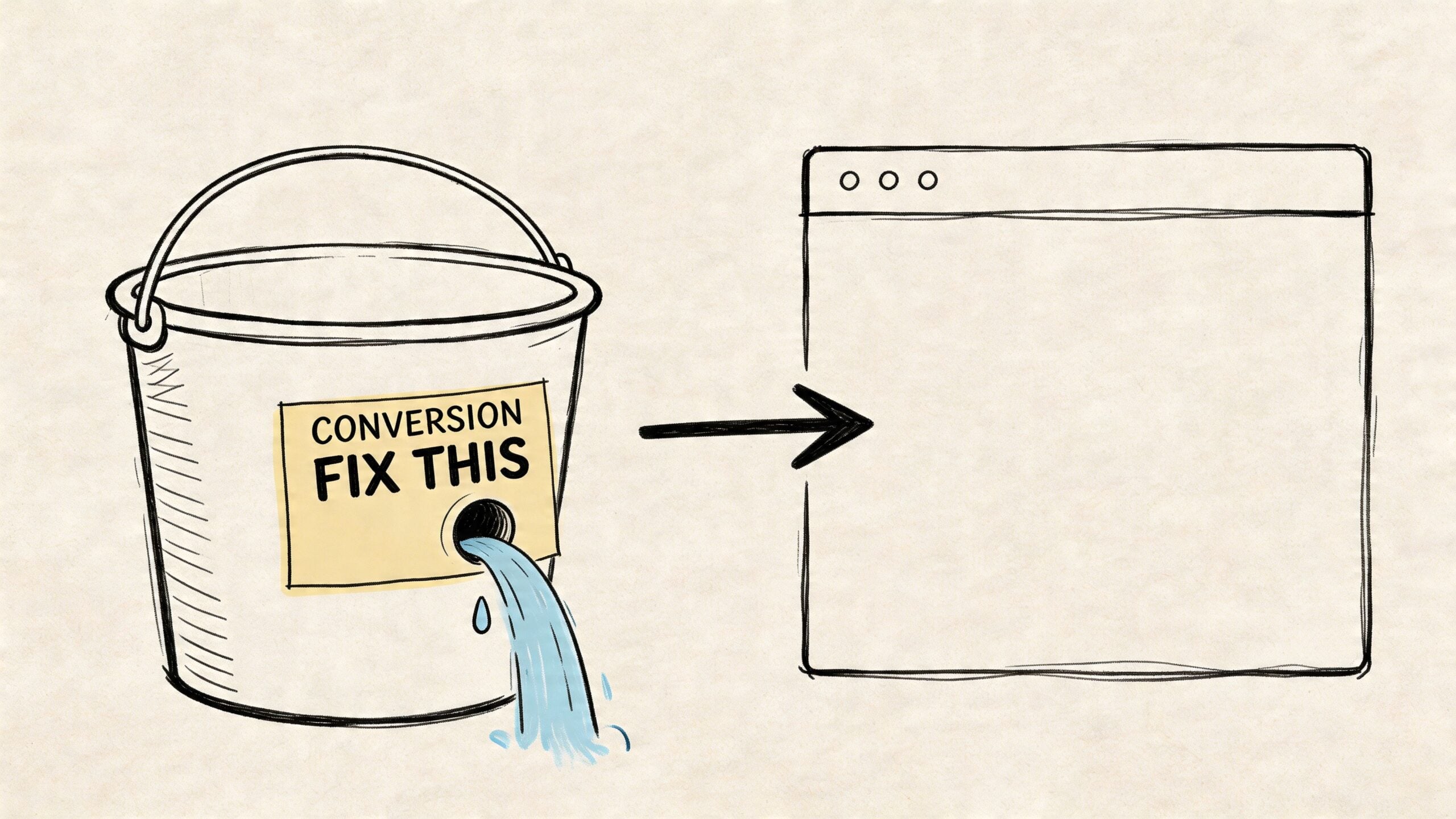
Before you spend more on ads, fix the website. If the site can't turn intent into action, extra traffic just exposes the weakness faster.
For UK small businesses, sales funnel optimisation can boost conversion rates by 15-30%, and UK eCommerce sees an average cart abandonment rate of 68%. That tells you where to start. Audit the leaks before you pour more visitors into the funnel.
Start with a blunt conversion audit
Don't begin with design opinions. Begin with behaviour.
Open your site on an iPhone, an Android handset, and a laptop. Try to buy something or submit an enquiry as if you've never seen the business before. Time how long it takes to find the main offer, the price, the next step, and reassurance about trust.
If any of those moments feel clumsy, the visitor feels it too.
Use this quick audit list:
- Mobile first: Check whether buttons are thumb-friendly, text is readable, and forms don't feel fiddly.
- Page purpose: Each key page should answer one primary question. Homepages orient. Product pages persuade. Checkout completes.
- Call to action clarity: One page shouldn't ask visitors to buy, join a newsletter, read five case studies, and book a call all at once.
- Navigation discipline: If people can't find products, categories, prices, delivery details, or contact information quickly, they'll leave.
- Trust visibility: Payment icons, review snippets, return information, and contact details shouldn't be buried.
If your current site feels tired or structurally confused, this guide on website makeover red flags is a useful sense-check.
Fix the obvious friction first
Small businesses lose sales by tolerating friction that feels minor internally but feels risky to a buyer. Slow image loads, vague menu labels, hidden delivery policies, and weak calls to action all chip away at intent.
A few fixes usually produce the fastest gains:
- Rewrite the hero section: Your headline should say what you sell and who it's for. “Handmade gifts inspired by the Dorset coast” beats “Crafting memorable experiences.”
- Shorten the path: If a visitor lands on a category page, they should be able to narrow, compare, and move to basket without guessing.
- Tighten forms: Ask only for what you need. Every extra field gives someone another reason to quit.
- Use plain button copy: “Buy now”, “Add to basket”, “Book your consultation”, and “Get a fixed quote” outperform vague buttons like “Learn more” when the visitor is already considering action.
Practical rule: If a first-time visitor has to interpret your interface, you've already made the sale harder.
Build for confidence, not just appearance
Many small business sites look polished but don't feel safe enough to buy from. Buyers notice tiny signals. Is there a real phone number? Are delivery and returns easy to find? Does the site show actual people, local context, or proof that the business exists beyond a logo?
Confidence comes from consistency. Product photography quality, page spacing, checkout wording, and review placement should all feel part of the same trustworthy experience.
A simple comparison helps:
| Website element | What hurts sales | What helps sales |
|---|---|---|
| Homepage message | Clever but vague copy | Clear offer and audience fit |
| Navigation | Too many options | Short, obvious paths |
| Forms | Excessive fields | Minimum necessary details |
| Mobile layout | Tiny text and crowded buttons | Easy taps and readable content |
| Trust signals | Hidden or absent | Visible reviews, policies, contact info |
Stop treating the homepage like a brochure
A homepage has work to do. It should direct different buyer types quickly. New visitors need orientation. Ready buyers need a direct route to purchase. Returning customers need speed.
That usually means including:
- A clear opening value proposition
- Direct links to best-selling or highest-intent categories
- A visible trust layer such as reviews, guarantees, or delivery information
- A single dominant next step
What doesn't work is trying to say everything at once. Long welcome paragraphs, rotating sliders, and dense blocks about company history rarely help conversion.
Make every key page answer the buying question
The strongest small business websites tend to answer the same practical buyer questions clearly:
- What is it?
- Is it right for me?
- Why trust you?
- What happens next?
- How easy is it to buy?
If your site can't answer those without friction, fix that before chasing more traffic. Foundational conversion work isn't glamorous, but it's where online sales growth becomes possible.
Optimise Your Product Pages and Checkout Flow
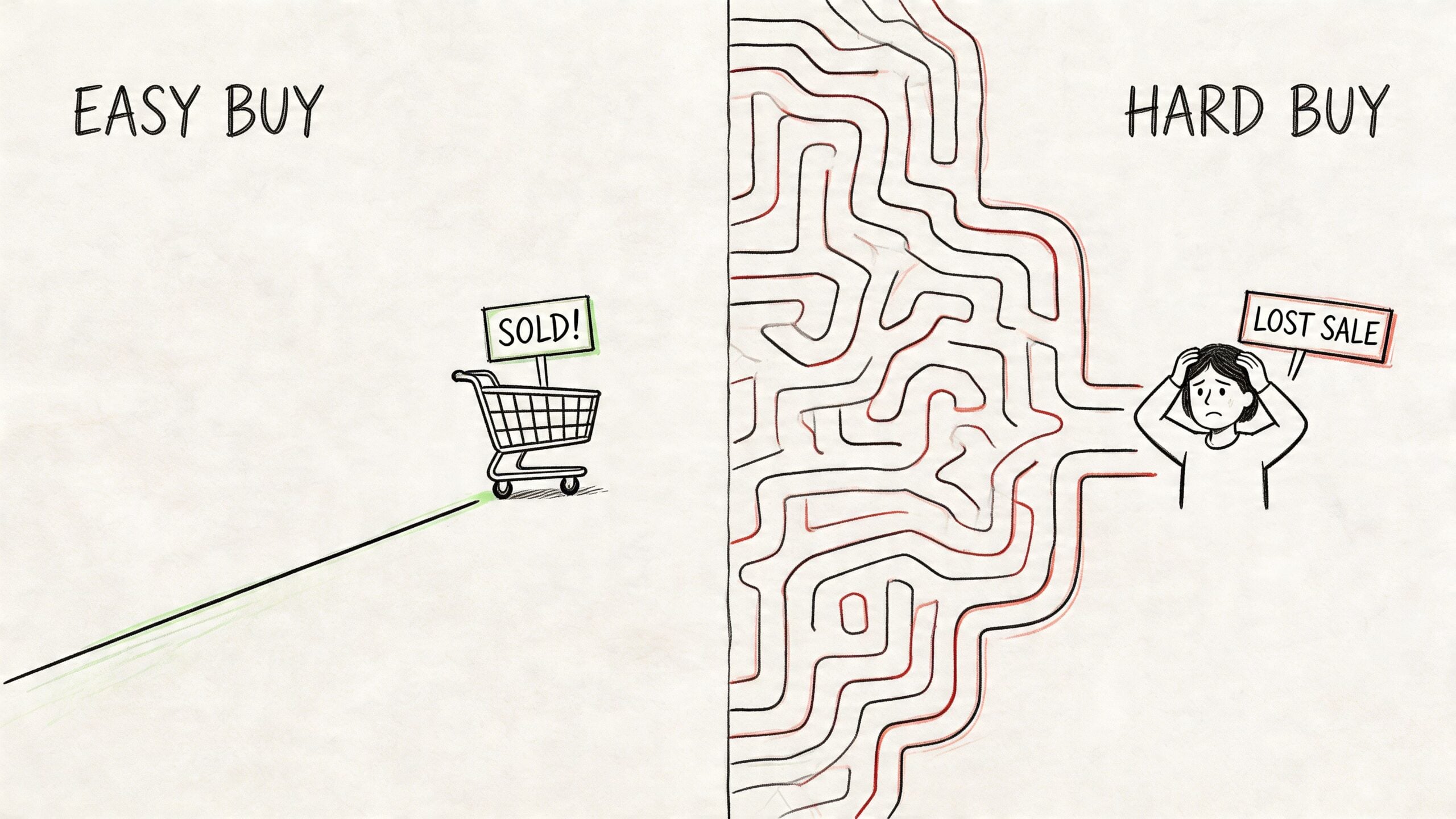
The product page is where interest turns into hesitation or action. You can have strong traffic, decent branding, and solid search visibility, then still lose the sale because the page doesn't reduce doubt fast enough.
That matters because trust carries real buying weight. 88% of consumers trust online reviews as much as personal recommendations, and businesses with excellent ratings can see customers spend up to 31% more. Social proof isn't decoration. It changes buying behaviour.
Your product page has one job
A product page shouldn't just describe an item. It should remove the final objections.
That means the page needs to do four things well:
- Show the product clearly: Multiple images, useful angles, close-ups, and context shots matter.
- Explain the benefit: Features are supporting detail. Buyers want the outcome.
- Reduce uncertainty: Delivery, returns, stock clarity, sizing, materials, compatibility, and payment reassurance belong near the decision point.
- Provide proof: Reviews, testimonials, or user-generated evidence help buyers trust their decision.
If you're selling services, the same principle applies. Replace “product page” with “service page”. Show the deliverable, explain the process, and remove risk with specific answers.
Sell the result, not the specification
Many small businesses write product copy like an inventory sheet. That wastes the most persuasive space on the page.
A better structure is simple:
| Copy layer | Weak version | Stronger version |
|---|---|---|
| Opening line | Lists item name and feature | States who it's for and why it helps |
| Supporting details | Generic brand language | Specific usage, fit, feel, or result |
| Objection handling | Missing | Delivery, returns, setup, care, or time |
| CTA area | Button only | Button plus reassurance nearby |
For example, “Ceramic mug, hand glazed, blue finish” is descriptive but thin. “A hand-glazed ceramic mug made for slow mornings and gift buyers who want something that feels personal” gives the buyer a reason to care.
Put reviews where decision friction happens
Don't hide testimonials on a separate page and expect them to help. Put them close to the add-to-basket button, near pricing, and around any high-friction detail such as sizing or delivery concerns.
A short review that answers a buyer's actual worry does more sales work than a generic five-star statement. The best review placement tends to be:
- Near price and CTA
- Further down the page beside FAQs
- Inside basket or checkout summaries where available
Later in the journey, a simple explainer can help buyers complete the purchase without second-guessing:
If you run an online shop, this article on running a successful online store is worth reviewing alongside your own product and basket pages.
A buyer at checkout is not looking for inspiration. They're looking for reassurance.
Strip the checkout down
Checkout is where many small businesses unwittingly lose revenue. The buyer already wants the product. Your job is to help them finish.
Common checkout problems include forced account creation, too many fields, unclear delivery costs, distracting cross-sells, and a design jump that makes the payment stage feel less trustworthy than the rest of the site.
Focus on these improvements:
- Offer guest checkout if your platform allows it.
- Ask for fewer details and remove non-essential fields.
- Show delivery information early so cost surprises don't appear too late.
- Keep the design consistent with the rest of the site.
- Support familiar payment methods so mobile users can complete the purchase with less effort.
- Display security and contact reassurance close to payment.
Friction compounds fast
A single small issue might not kill conversion. Three or four stacked together usually will. That's why detailed product pages and cleaner checkout often outperform broad homepage redesigns when the goal is immediate sales growth.
If your online sales are flat, inspect the final buying steps with a more critical eye. Buyers often tell you where the problem is through their behaviour. Abandoned baskets, repeated product page visits, and partial checkouts usually mean the intent is there. The page just isn't closing the gap.
Drive Targeted Traffic with SEO and Content Marketing
It is a familiar pattern. A Dorset business invests in a better website, improves product pages, tidies checkout, then waits for sales to rise. Nothing much changes because the wrong people are still landing on the site, or the right people cannot find it in the first place.
Traffic quality matters more than raw traffic volume.
For small businesses, search is still one of the most dependable ways to attract people already looking to buy. 53% of all small business website traffic comes from organic search. For UK firms, local intent makes that even more commercially useful. Google reports that searches including “near me” have grown significantly over time, which lines up with what many local businesses see in practice. Buyers search by town, county, postcode area, and service need. If you serve places like Dorchester, Bournemouth, Poole, Bridport, or Weymouth, that local layer should shape your SEO plan.
Start with buying intent
A lot of SEO work underperforms because the target terms are too broad. High-volume keywords can look attractive in a report, but they often bring in researchers, students, competitors, and casual browsers rather than buyers.
A local service example shows the difference:
- Too broad: “web design”
- Better: “WordPress web design Dorset”
- Stronger commercial intent: “eCommerce website designer Weymouth”
The second and third phrases have less volume. They often have far more value. A smaller pool of people with clear intent usually beats a larger pool of vague interest.
Match pages to the job the searcher needs done
Search traffic converts when the landing page fits the reason for the search. Someone looking for pricing needs a different page from someone comparing providers. Someone searching “accountant in Poole” should not land on a generic homepage that tries to speak to the whole South West.
A simple page map keeps this focused:
| Search task | Best page type |
|---|---|
| Looking for a service | Dedicated service page |
| Comparing options | Category or comparison page |
| Seeking proof | Case study or testimonials page |
| Asking a question | Helpful blog post or FAQ page |
| Looking locally | Location page or optimised Google Business Profile |
This is also where content marketing earns its keep. Good content answers a real pre-sales question. Weak content fills a blog with posts nobody was searching for and nobody remembers.
Local SEO drives both online sales and footfall
For many UK SMEs, local SEO is still underused. The business has a site, maybe some social profiles, and perhaps a few reviews. But the local signals are inconsistent, thin, or out of date. That costs visibility in Google Maps, local pack results, and place-based searches.
If your trading area is defined by town, county, or region, focus on work that supports that reality:
Complete your Google Business Profile properly
Add the right primary category, secondary categories, services, opening hours, phone number, website link, service areas, and recent photos.Use real place names on key pages
Mention the towns and counties you serve in headings, body copy, FAQs, and testimonials where it makes sense.Create location pages only where you have something specific to say
A page for “accountants in Bournemouth” or “kitchen showroom Dorset” works if the content reflects that area. Thin copy with swapped town names usually performs badly.Ask for reviews that mention the service and location
A review saying “great service” helps a little. A review saying “great boiler repair in Dorchester” helps more.Keep your business details consistent across the web
Your name, address, phone number, and trading hours should match on your website, Google Business Profile, and key directories.Use Google Business Profile posts and updates sensibly
New offers, seasonal opening hours, events, and fresh photos can support local visibility and improve click-through.
Your website, Google Business Profile, and reviews should reinforce the same local message.
That matters in counties like Dorset because you are rarely trying to rank for the whole UK. You are trying to win the searches most likely to turn into an enquiry, a booking, a call, or a visit to the shop.
Publish content that helps a buyer decide
Content works best when it sits close to revenue. I would rather see a small business publish one strong buying guide each month than four generic blog posts written to fill space.
Useful topics usually include:
- Buying guides
- Cost and pricing explainers
- Product or service comparisons
- Delivery and returns answers
- Setup, care, or aftercare advice
- Local service questions
- Seasonal pages tied to real demand
For example, a Dorset gift retailer might publish guides around local events, seasonal gifting, and product care. A trades business might create pages on pricing, response times, service areas, and common repair questions. A professional service firm might answer the questions prospects ask before they are ready to pick up the phone.
That kind of content supports rankings, but it also shortens the sales process. Prospects arrive better informed and closer to a decision.
Accept the trade-off between scale and relevance
There is a practical trade-off here. You can chase broad national traffic, which usually takes more time, more authority, and more budget, or you can build local and commercial relevance first. For most SMBs, especially those serving a defined area, the second route produces sales faster.
That means improving the pages tied to money first, then adding useful local coverage around them.
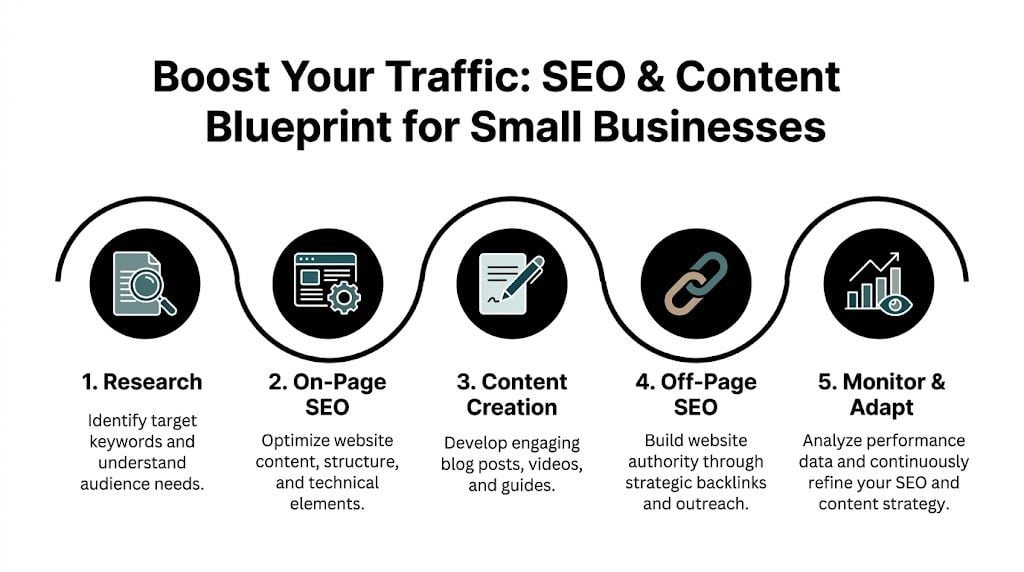
A steady SEO pattern usually looks like this:
- Fix technical and indexing issues
- Strengthen service, category, and product pages
- Improve local signals across site and profile
- Publish content based on recurring sales questions
- Review search queries, rankings, and conversions
- Update pages that attract traffic but do not yet convert
Keep email connected to search demand
Search does not always convert on the first visit. Email helps you stay in touch with people who were interested but not ready.
For product businesses, that may mean basket recovery, product education, back-in-stock alerts, or post-purchase follow-up. For service firms, it may mean lead nurturing, quote follow-up, or a short sequence that answers common objections.
Used properly, email extends the value of the traffic you already worked to earn.
What tends to work in practice
Usually worth doing
- Building focused service and product pages around commercial searches
- Strengthening Google Business Profile with accurate local details
- Publishing content based on real sales conversations
- Creating specific location pages for genuine service areas
- Generating reviews that mention place and service
Usually a poor use of time
- Chasing broad vanity keywords with weak buying intent
- Publishing generic blog posts with no commercial purpose
- Copying the same location page across ten towns
- Leaving Google Business Profile half-finished
- Treating SEO as a one-off setup task
For many small businesses in the UK, especially in county-based markets, local SEO is one of the clearest routes to more qualified traffic. It brings in people who are already looking, already nearby, and often closer to buying than your analytics first suggest.
Accelerate Growth with Paid Ads and Social Commerce
Paid ads work best when they amplify something that already converts. If your site is weak, paid traffic just makes the waste more obvious. If your key pages are solid, paid channels can accelerate what’s already proving itself.
That’s the right sequence. Organic and local visibility build the base. Paid search and paid social add speed.
Use Google Ads for high-intent demand
Google Ads is strongest when someone already knows what they want. They search with intent, compare options, and click because they are considering action now.
That makes Google Ads a practical fit for:
- Product-led searches where the buyer knows the item or category
- Service searches with clear local or commercial intent
- Brand protection when you want to control how your business appears for name-based searches
- Landing pages tied to one clear action
The mistake small businesses make is spreading a small budget across too many keywords, locations, or campaigns. Start tighter. Pick one service, one product category, or one proven offer. Send traffic to the strongest matching page, not the homepage.
Use social ads to create demand and recover interest
Social ads play a different role. They interrupt rather than capture. That means the creative, the offer, and the audience matter more.
Social works well when you want to:
- Introduce a product to a new audience
- Promote a local event, launch, or offer
- Retarget site visitors who didn’t buy
- Stay visible to people who engaged with your brand recently
For many small businesses, the most useful paid social campaign isn’t broad prospecting. It’s remarketing. Someone viewed a product, read a service page, or added to basket but left. A well-matched reminder can bring them back while the intent is still warm.
Paid social is rarely strongest as a cold first touch for a weak offer. It's far stronger as reinforcement.
Social commerce can shorten the path
If you sell physical products, social commerce can remove steps from the buying journey. Instagram and Facebook shop features can help people browse and discover without first committing to a full site visit.
That doesn't replace your website. It complements it.
Use social commerce when:
| Good fit | Poor fit |
|---|---|
| Visual products | Complex bespoke services |
| Repeatable bestsellers | Offers needing heavy explanation |
| Impulse-friendly purchases | Long sales cycles |
| Seasonal promotions | Buyers who need detailed comparison |
The main advantage is convenience. A customer sees the product where they're already spending time. The main risk is relying too heavily on rented platforms and neglecting your core site.
Keep paid testing disciplined
Small businesses don't need complicated media plans to start. They need clean tests.
A sensible early structure looks like this:
- Choose one channel first
- Promote one proven offer
- Use one clear landing page
- Track enquiries, sales, or basket completions
- Pause weak campaigns quickly and expand winners carefully
What doesn't work is changing the ad, audience, budget, and landing page all at once. Then you can't tell what caused the result.
Paid channels should feel like controlled experiments, not guesswork. When the foundations are right, they help you reach more buyers faster. When the foundations are wrong, they become expensive diagnostics.
Measure What Matters and Create Your Action Plan
If you don't measure properly, you end up reacting to noise. A small rise in traffic feels encouraging, but if those visitors don't buy, the business hasn't improved. A dip in impressions can feel alarming, but if conversion quality is better, you're still moving forward.
Useful measurement is simpler than most businesses think. You don't need a dashboard full of vanity charts. You need a short list of signals tied to revenue and buyer movement.
Track the numbers that change decisions
For most small businesses, the most useful metrics are:
Conversion rate
Are visits turning into sales, enquiries, or bookings?Traffic source quality
Which channels bring buyers, not just clicks?Drop-off points
Where do people abandon the journey?Repeat purchase or return behaviour
Are customers coming back?Page-level performance
Which service, category, or product pages contribute to revenue?
If you're still getting comfortable with reporting, this guide to Google Analytics 4 mastery is a useful practical reference.
Add buyer personas to your reporting
Measurement gets stronger when you know which kinds of buyers you are attracting. That’s where personas become useful, not as a branding exercise but as a decision tool.
UK small businesses that build and use buyer personas achieve a 25-40% sales uplift, and creating 3-5 data-validated personas can increase marketing ROI by over 30%. The reason is straightforward. Better targeting produces better-fit traffic, better messaging, and fewer wasted clicks.
That means your analytics review shouldn't just ask, “How much traffic did we get?” It should ask, “Which audience segment came in, what did they care about, and where did they stall?”
Use simple tests, not endless redesigns
A/B testing sounds technical, but the core idea is plain. Change one meaningful element, compare outcomes, and keep the better version.
Test things like:
- Button wording
- Product page layout
- Review placement
- Form length
- Headline clarity
- Delivery messaging near checkout
Don't test ten tiny cosmetic details at once. Small businesses get better results from testing a few high-impact decisions tied to obvious friction.
A helpful strategic lens comes from broader Business Intelligence strategies. Good reporting should help you decide where to act next, not just describe what happened last month.
The best analytics setup is the one you actually use every month to make decisions.
Build a 90-day plan you can execute
Most sales growth efforts fail because the to-do list is too long and the priorities are wrong. A better approach is to sequence the work across the next three months and focus on the items closest to revenue first.
Here is a practical template.
90-Day Online Sales Growth Checklist
| Area | Action Item | Priority (High/Med/Low) | Status (Not Started/In Progress/Done) |
|---|---|---|---|
| Website | Test homepage clarity on mobile and desktop | High | Not Started |
| Website | Reduce navigation clutter on key commercial pages | High | Not Started |
| Website | Tighten primary calls to action | High | Not Started |
| Product pages | Rewrite top pages around buyer outcomes and objections | High | Not Started |
| Product pages | Add better images, proof, and FAQs to bestsellers | High | Not Started |
| Checkout | Remove unnecessary fields and review guest checkout options | High | Not Started |
| Checkout | Surface delivery, returns, and trust reassurance earlier | High | Not Started |
| Reviews | Collect recent customer reviews and place them near decision points | High | Not Started |
| Local SEO | Complete and update Google Business Profile | High | Not Started |
| Local SEO | Review town and county relevance across service pages | High | Not Started |
| SEO | Improve titles, headings, and on-page copy on key money pages | High | Not Started |
| Content | Publish content answering repeated pre-sales questions | Med | Not Started |
| Create follow-up sequence for new leads or buyers | Med | Not Started | |
| Paid ads | Test one tightly focused Google Ads campaign | Med | Not Started |
| Paid social | Run a remarketing campaign to recent site visitors | Med | Not Started |
| Analytics | Set up reporting for conversions, traffic source quality, and drop-offs | High | Not Started |
| Personas | Define 3 to 5 buyer personas from real customer patterns | Med | Not Started |
| Testing | Run one A/B test on a key page each month | Med | Not Started |
Prioritise based on revenue proximity
If time is short, use this order:
- Fix checkout and core conversion pages
- Improve local SEO and high-intent page visibility
- Strengthen trust with reviews and proof
- Add content and email follow-up
- Layer in paid growth
That order prevents a common mistake. Too many businesses buy traffic before they’ve earned the right to scale it.
Frequently Asked Questions About Increasing Online Sales
Where should a small business start first
A common small business scenario looks like this. The website is live, a few enquiries come in, footfall is inconsistent, and online sales flatten out. In that position, start with the parts closest to revenue. Check whether your website makes it easy to buy or enquire, then sort your local visibility so nearby customers can find you.
For a Dorset business, that usually means reviewing your key service or product pages, tightening calls to action, making contact and delivery information obvious, and bringing your Google Business Profile up to date. If your reviews are thin, outdated, or buried, fix that early as well.
Should I focus on SEO or paid ads
For many small businesses, SEO is the better first move because it keeps working after the initial effort and supports local intent. That matters if you rely on customers searching for terms tied to towns, counties, or urgent needs, such as "florist in Bournemouth" or "emergency plumber Dorset".
Paid ads still have a place. I use them when a business needs demand quickly, has a clear offer, and already has landing pages that convert. If those foundations are weak, paid traffic tends to expose the problem faster and cost more while doing it.
How long does it take to see results
Some changes can improve performance within weeks. Better product page copy, clearer delivery information, stronger trust signals, and a shorter checkout often lift conversion rates without waiting months.
Local SEO takes longer, especially if you are trying to improve visibility across several towns or compete with established firms. Google Business Profile work, review generation, location relevance, and steady content usually build momentum over time rather than all at once.
What tools do I actually need
Keep the stack practical. A manageable website platform, Google Analytics 4, Google Search Console, Google Business Profile, an email platform, and a simple review collection process will cover a lot of ground.
Small businesses often buy too many tools before anyone has time to set them up properly. A lean setup used well beats an expensive one half-used.
Do I need lots of blog content
No. You need content that helps someone decide to buy.
For a local UK business, that could mean a strong service page for each main offering, clear location signals for the areas you serve, a few pages answering repeated buying questions, and case studies or reviews from nearby customers. Ten useful pages with real local intent usually outperform fifty generic posts written for the sake of publishing.
What usually hurts sales most
The same issues come up repeatedly. Weak product or service pages. Friction in checkout or enquiry flow. Poor match between the traffic source and the page people land on.
There is also a local problem that gets missed. Businesses want more online sales but fail to show enough evidence that they serve the area well. If your site barely mentions the towns you cover, your Google Business Profile is neglected, and your reviews do not reflect local trust, you make buying harder than it needs to be.
If your website is live but sales still feel stuck, DesignStack can help you tighten the parts that matter most. From conversion-focused WordPress builds and eCommerce improvements to local SEO foundations and ongoing support, the team helps Dorset and UK businesses turn good-looking websites into sites that pull their weight commercially.


Leave a Reply