
Best Web App Hosting in 2026: Which Option Fits You
69% of UK SME employers used technologies or web-based software to sell to customers or manage their business in 2024, up from 61% in 2023, according to the Longitudinal Small Business Survey. Hosting decisions affect more than a website's appearance. They affect whether customers can order, staff can work and your business can recover when something breaks.
The best web app hosting isn't necessarily the plan with the most storage. It's the arrangement your team can operate, restore and leave without turning a routine technical problem into a business emergency.
Table of Contents
- Best Web App Hosting by Situation at a Glance
- What Each Option Really Gives You
- Why Server Location and Response Time Matter
- Security, Backups and Avoiding Lock-in
- What Each Option Really Costs Once Time Is Counted
- Recommended Configurations for WordPress, eCommerce and Custom Apps
- Confirm the Shortlist Before You Buy
Best Web App Hosting by Situation at a Glance
Start with the application you're running and the people responsible for it. These are starting points, not endorsements of every provider selling that hosting type.
Quick-pick hosting type by situation
| Your situation | Best-fit hosting type | First thing to check |
|---|---|---|
| Brochure or blog site on WordPress | Managed WordPress hosting | Automatic updates, daily backups and a UK or EU data centre |
| WooCommerce or other eCommerce store | Managed WordPress or managed VPS | PHP worker limits, object caching and checkout speed under load |
| Custom web app with steady traffic and an in-house developer | VPS | Root access, a patching routine and a tested backup restore |
| Growing app with several environments and frequent deploys | PaaS | Autoscaling limits, per-instance billing and the exit path |
| Membership or client portal holding personal data | Managed VPS or PaaS with UK hosting | Encryption, access logs and a data processing agreement |
A brochure site mostly serves content. A shop must also handle sessions, stock changes, payment callbacks and requests that can't safely come from a shared page cache. A client portal adds permissions and private records, so a cheap plan that serves public pages quickly might still be unsuitable.
The common mistake is comparing storage allowances and headline fees before checking the workload. Extra disk space won't fix a checkout waiting for an available PHP worker. Root access won't help if nobody knows how to investigate a full disk or restart a failed service safely.
Match responsibility to available skills
Ask who'll respond when the application fails outside normal working hours. If the answer is the business owner, a managed service with a clearly defined support scope deserves serious consideration. If a developer owns production operations, a VPS may be sensible, provided that responsibility includes maintenance rather than just writing code.
Choose by responsibility: Buy the level of operational support your team needs, not the level of server access that sounds most impressive.
Find the row closest to your project, then use the trade-offs below to challenge that initial choice. A good provider should explain where its service fits and where you'll need to supply your own expertise.
What Each Option Really Gives You
Managed hosting, a VPS and a platform as a service solve different operational problems. They aren't just budget, mid-range and premium versions of the same product.
The UK Business Data Survey 2024 found that, among businesses storing or processing digitised data, 19% used a public cloud provider, 13% used a private cloud provider and 35% used servers on their own premises. Those categories describe infrastructure use, not a league table: your website, accounting system and internal tools don't all need the same hosting model.
Managed hosting transfers infrastructure work
Under a properly scoped managed service, the provider handles operating system patching, server hardening, backups and much of the monitoring. Your team still owns the application's behaviour, content and integrations unless the contract explicitly includes them.
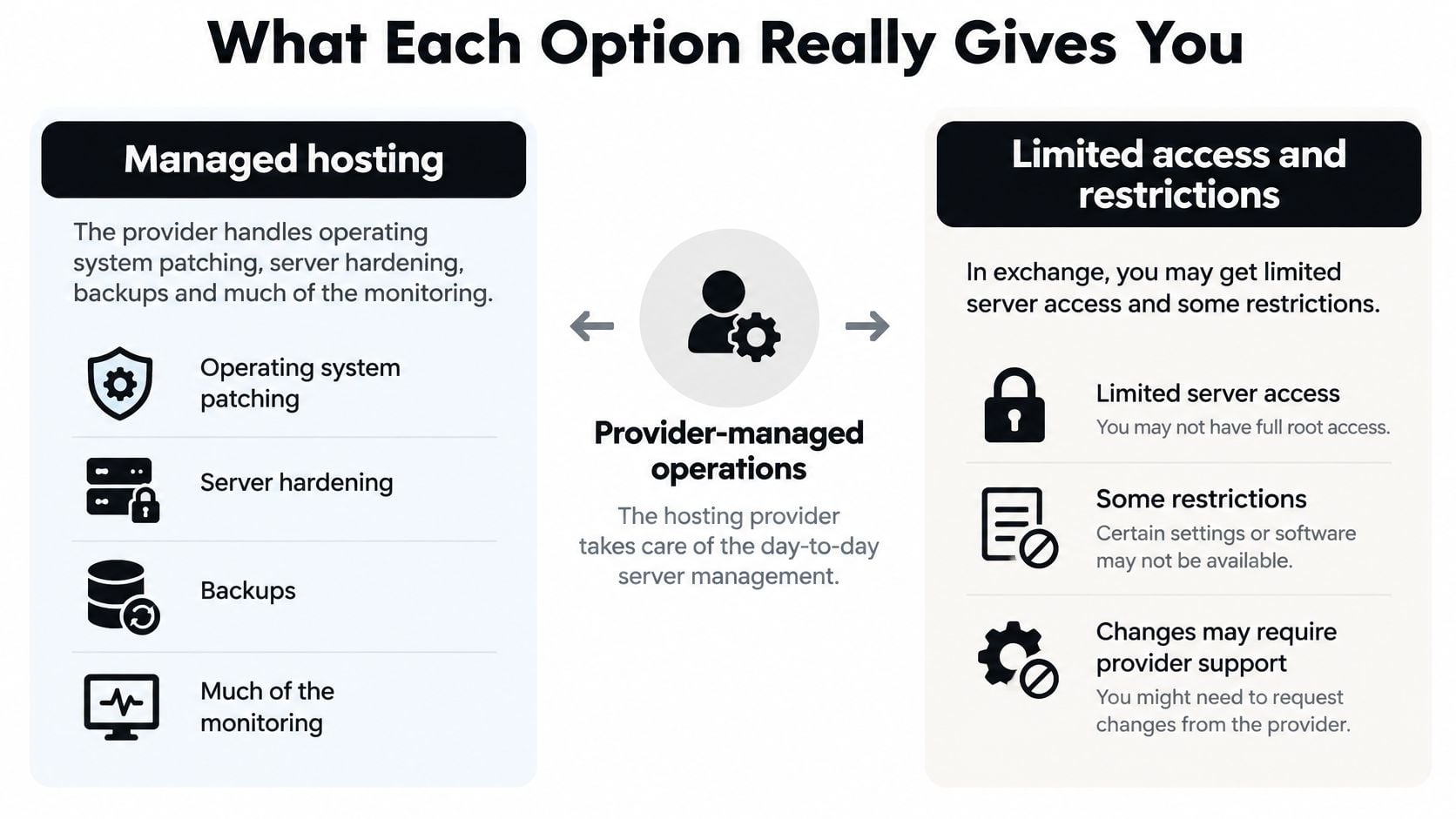
The compromise is less server access. A host may restrict plugins, background processes or custom system packages to protect the environment. That's acceptable for a conventional WordPress site, but awkward for an application requiring a specialist runtime or long-running worker.
Check the boundary between server support and application support. A provider may confirm that PHP is running while leaving you to diagnose the plugin that's exhausting its memory.
A VPS gives you control and ownership
A virtual private server, or VPS, gives you control over the operating system and software stack. You can tune PHP-FPM, configure a firewall, add Redis and choose your own backup tooling.
That flexibility also makes you responsible for patching, monitoring and recovery on an unmanaged plan. A deployment dashboard doesn't remove those duties. If the underlying server stops receiving security updates, a convenient interface won't make it maintained infrastructure.
A VPS commonly scales up, by moving to a larger server configuration. That can require a restart, and it doesn't remove application bottlenecks automatically.
PaaS simplifies application delivery
A platform as a service, or PaaS, typically builds from Git or a container image and runs application instances alongside supporting services. It suits teams that need repeatable staging environments, frequent releases and deployment rollback without administering every host.
Platforms can scale out, adding instances behind a load balancer. But the application must support that arrangement: local uploads, in-memory sessions and duplicate scheduled jobs can all cause trouble. Databases and workers also need their own capacity planning.
For a small app maintained by a lone developer, managed hosting can protect scarce development time. For a team coordinating frequent releases, PaaS may justify its additional configuration and usage charges.
The cheapest option is the one your team can maintain without weekly firefighting.
Why Server Location and Response Time Matter
| Test location | Response time (ms) | What it means for UK visitors |
|---|---|---|
| London test node | 10 | A nearby reference point for a London origin |
| US East Coast | 95 | A longer request path than the London test |
| US West Coast | 130 | More network delay before application work is considered |
| São Paulo | 203 | A remote test, not a prediction of UK visitor experience |
| Japan | 221 | Distance adds delay even before full page loading |
| Bangalore | 487 | A substantially slower path to this London origin |
These single-request measurements come from Bitcatcha's independent hosting tests against a London-hosted origin. They describe where the test visitor was located, not different hosting regions serving a UK visitor.
For a Dorset business serving mainly UK customers, a UK region is a sensible default. Keep the application and its database close together too. Hosting the web process locally while placing its database overseas can introduce repeated network waits inside a single page request.
Separate network delay from page loading
Time to first byte, or TTFB, measures the wait until the response begins. It doesn't tell you when the main page content becomes visible or when a customer can use the interface.
A nearby server can still deliver a slow experience. Heavy images, blocking JavaScript, expensive database queries and plugin-generated work may dominate the result. A CDN helps distribute static assets, but it won't automatically repair slow personalised account pages.
Your caching strategy should distinguish public content from customer-specific responses. Cache a public service page aggressively; don't serve one customer's account information to another because a cache rule ignores authentication.
Compare equivalent requests
Test a warm cache and a cache miss separately. Then exercise the application with concurrent visitors performing meaningful actions, rather than repeatedly requesting the homepage.
For a shop, that means browsing products, updating a basket and reaching checkout. For a portal, include signing in and opening an authorised record. These journeys reveal work that a cached public page hides.
A useful comparison records:
- Test location and protocol: Keep the network conditions comparable.
- Cache state: Identify whether the response came from the origin or a cache.
- Page type: Separate public pages from authenticated and transactional requests.
- Measurement window: Include repeated measurements rather than a favourable isolated result.
Don't buy on a speed-test badge alone. Ask whether the provider can explain the behaviour of your application when the cache isn't helping.
Security, Backups and Avoiding Lock-in
A backup feature isn't a recovery plan. Before trusting it, establish what the host saves, where it keeps the copies and whether you can restore them without access to the original account.
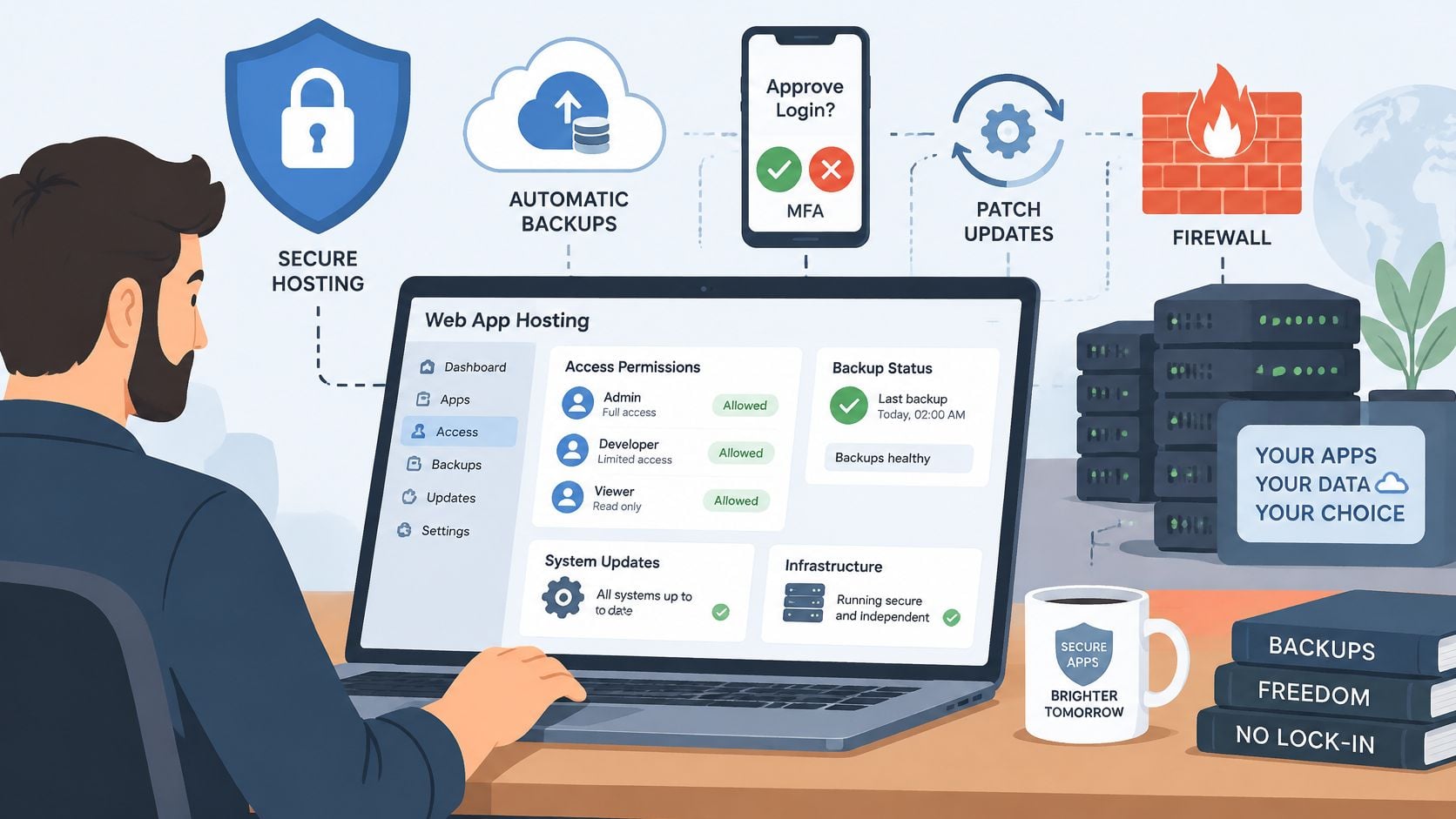
Start with the security baseline: timely patching, a web application firewall, enforced HTTPS and multi-factor authentication for administrative access. Give developers only the permissions they need, remove former staff promptly and store credentials in a secrets manager rather than committing them to Git.
Define what recovery means
A usable recovery set includes the database, uploaded files, application code, configuration, DNS records and required secrets. Protect secrets separately, with controlled access, rather than placing them in an unencrypted archive.
Your recovery point objective describes how much recent data the business can afford to lose. Your recovery time objective describes how long it can operate without the service.
Say a shop restores its most recent overnight backup after an afternoon failure. Orders placed since that backup may be missing from the restored database, even though the payment processor recorded them. Restoring the website is only part of recovery; reconciling those orders is business work.
I'd schedule a restore into an isolated environment every quarter, and repeat it after major infrastructure changes. A practical WordPress backup routine should include checking files, logging in and verifying application behaviour, not merely receiving a successful-backup notification.
Recovery test: Treat a backup as unproven until someone has restored it and checked the application.
Make leaving possible
Portability depends on standard database exports, accessible files and documented configuration. Proprietary services can be useful, but identify what you'd have to rewrite before adopting them.
Ask where production data, backups and support access are located. Don't assume a UK server badge answers every data-protection question, or that an EU location alone settles your obligations.
Put these questions to each provider:
- Recovery access: Can we retrieve an independent copy if our hosting account is unavailable?
- Export format: Can another provider use the database and file exports?
- Migration support: What help is included, and what attracts additional charges?
- Contract terms: What happens after a price change or cancellation?
- Data handling: Where are copies stored, and what does the data processing agreement cover?
What Each Option Really Costs Once Time Is Counted
| Cost item | Managed WordPress | VPS | PaaS |
|---|---|---|---|
| Monthly fee basis | Site plan and included resources | Server, storage, transfer and optional management | Application instances, databases, workers and usage |
| Admin and patching time | Provider handles the agreed infrastructure scope | Your team owns it unless management is purchased | Platform handles infrastructure; your team configures services |
| Backups and restore testing | Check inclusion, retention and restore assistance | Configure, secure and test your own arrangements | Check database recovery and export options separately |
| Cost of scaling | Plan upgrades and resource allowances | Resize or redesign the deployment | Additional instances and supporting services |
| Cost of leaving | Export tools and application portability matter | Documentation determines rebuilding effort | Standard runtimes help; proprietary dependencies add work |
There isn't a defensible universal price range without comparing current plans for the same workload. Obtain written quotes that include the database, backups, staging, monitoring and support you need.
A raw-server price isn't a managed-service price. Comparing them directly leaves out work that somebody must perform.
Put staff time on the estimate
Build an annual operating estimate with separate lines for hosting, maintenance, recovery exercises and expected development work. Use your own staff or contractor rates, not an assumed industry rate.
Consider a hypothetical retailer choosing between an unmanaged VPS and a managed WordPress plan. If the VPS saving disappears whenever a developer patches the server, investigates monitoring alerts and checks backups, the lower invoice hasn't reduced the operating cost. It has moved that cost into staff time.
Use a simple calculation:
Total operating cost = provider charges + maintenance labour + recovery preparation + migration effort.
Don't treat all developer time as interchangeable. Work that requires your only backend developer can delay customer-facing improvements even when nobody raises an additional invoice.
Check how the bill grows
PaaS can remove routine server administration while introducing more billing components. Include background workers, managed databases, retained logs, temporary environments and outbound transfer. Autoscaling needs a spending boundary as well as a performance target.
Managed plans have limits too. Ask what triggers an upgrade and whether the host throttles requests, charges overages or contacts you first. An unlimited storage label says little about available CPU or concurrent application work.
The website hosting cost guide provides a useful starting point for identifying budget categories. For procurement, request a normal-operation estimate and a busy-period estimate using the same application assumptions.
Finally, price the exit. A documented VPS can be straightforward to rebuild, while a poorly documented one can be expensive to untangle. Git-based deployment helps portability, but it doesn't migrate database extensions, uploaded files or platform-specific services by itself.
Recommended Configurations for WordPress, eCommerce and Custom Apps
| Site type | CPU and RAM | Processes and caching | Backups and staging |
|---|---|---|---|
| Brochure WordPress site | Entry application tier, validated with the actual theme and plugins | PHP workers sized to available memory; page cache and CDN | Scheduled backups; staging for plugin updates |
| WooCommerce store | Size from uncached checkout tests and database demand | Sufficient PHP workers; Redis object cache; exclude cart and checkout from shared page caching | Order-aware recovery plan; pre-sale snapshot; staging for changes |
| Custom web app with database and queue | Budget separately for web processes, database and workers | Tune application workers; shared sessions; selective application caching | Database recovery capability; independent restore test |
| High-traffic app with seasonal peaks | Load-balanced application capacity with database headroom | Multiple stateless instances; shared Redis; replicas where justified | Frequent recovery points; release rollback tested before deployment |
These are configuration requirements, not guaranteed server sizes. Order volume alone doesn't tell you how much compute a store needs: catalogue structure, plugin behaviour and concurrent activity matter too.
WordPress and stores need different cache rules
For a brochure site, page caching lets the server reuse generated HTML rather than execute WordPress for every visitor. A CDN can serve images, stylesheets and scripts near the visitor. That makes a well-configured managed WordPress hosting service a practical choice when the owner doesn't want server duties.
A store has more uncached work. PHP workers process dynamic requests; when they're all busy, additional requests wait. Raising the limit without checking memory can cause instability, so ask the host to relate worker capacity to the application's measured resource use.
Redis object caching can reduce repeated database work, but it doesn't make every query efficient. Say a stock plugin performs expensive lookups whenever a basket changes. Adding CPU may soften the symptoms while query profiling identifies the actual problem.
Custom apps need explicit process design
Separate web requests from background jobs such as imports, document generation and email processing. Set worker concurrency against database capacity and external API limits, not the number of available cores.
Use SSD-backed database storage and inspect query latency, locks and connection usage. Add query-result caching only where you can invalidate it correctly; stale stock or permissions are worse than a slower response.
Staging should resemble production closely enough to expose deployment problems. Test database migrations alongside code changes, because rolling back application files doesn't reverse a destructive schema change.
Move to additional application instances when measurements show the web layer is the constraint and the app can share sessions and files safely. If checkout slows because of database locking, adding web instances can increase contention instead of solving it.
Confirm the Shortlist Before You Buy
A provider's specification sheet is a proposal. Testing your application shows how well the service fits your real workload, recovery needs and team.
The UK-focused hosting comparison published by WHSPE reported a 30-run median TTFB of 110 ms and LCP of 472 ms for one provider, compared with 737 ms TTFB and 1,496 ms LCP for another under its benchmark conditions. The difference is a useful example of why providers should be tested under comparable conditions. Set your own acceptance targets, such as UK cached-HTML TTFB below roughly 200 ms and LCP comfortably below 2.5 seconds, then check them against your application rather than treating the benchmark as a guarantee.
Run a practical buying test
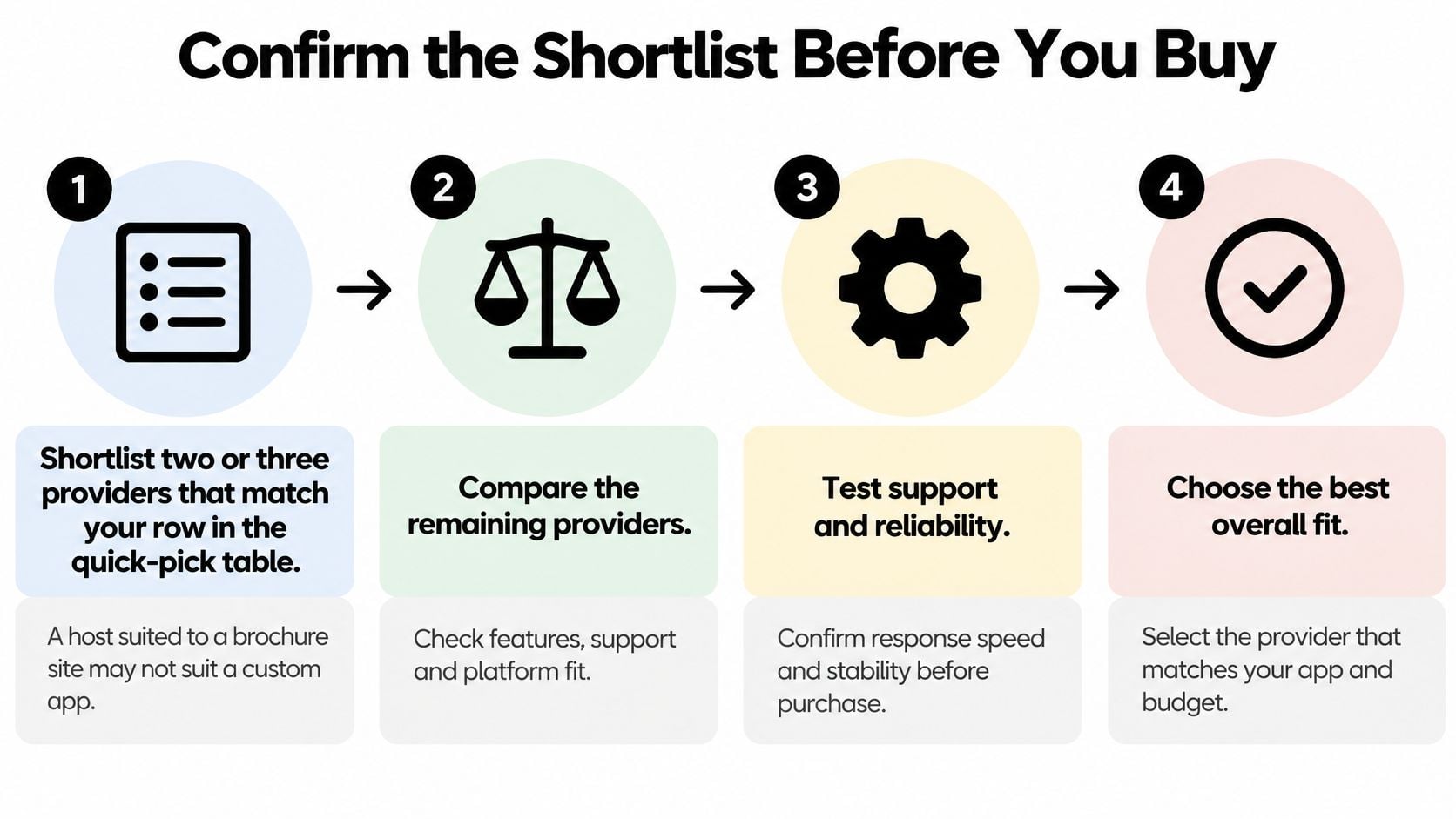
Shortlist by application fit. Confirm that each provider supports your runtime, operational requirements and team skills. Remove unsuitable options before comparing smaller plan differences.
Measure representative journeys. Use UK monitoring locations and repeat cached and uncached requests alongside concurrent activity. Combine browser measurements with website stress testing to check that a fast homepage does not hide a slow checkout.
Record resource controls. Ask for written details about CPU allocation, worker limits, Redis, database storage, staging and deployment rollback. If a limit is unclear, ask support to explain how it affects your application.
Restore away from production. Recover the application in an isolated environment and compare the process with your recovery objective. Check login, uploads and database consistency without sending live emails or triggering payments.
Check the exit before signing. Read the cancellation, export and price-change terms. Confirm that you can access the code, data and configuration needed to run elsewhere.
Pilot before moving the domain. Test integrations and representative traffic on the destination, then prepare the cutover and rollback. Control data changes so a return to the old environment does not lose legitimate customer activity.
If you want help matching a configuration to your site type, bring your application requirements and reliability concerns to DesignStack. It provides web application hosting and managed WordPress support alongside website and custom-system development.