

How to Increase Ecommerce Sales: A UK SMB Playbook 2026
You're probably in a familiar spot. Orders come in, but not consistently enough. Traffic rises one week, then sales stay flat. You've tweaked product titles, posted on social media, maybe run a few ads, and it still feels like growth depends more on luck than a system.
That's where most UK ecommerce owners get stuck. They don't need more vague advice. They need a practical plan that fits the way a WordPress and WooCommerce shop works day to day, with limited time, finite budget, and a long list of jobs that already need doing.
The good news is that learning how to increase ecommerce sales usually isn't about one dramatic fix. It's about removing the right friction in the right order, then measuring what changes. For a useful outside comparison of broader tactics to boost online sales, it helps to look at how other marketers frame the problem. On the website side, the foundation is still having a good business website that loads quickly, feels trustworthy, and makes buying simple.
Table of Contents
- Your Starting Point on the Path to More Sales
- Before You Spend A Penny Set Your Baseline
- How to Attract Ready-to-Buy UK Customers
- Convert Visitors with a Flawless On-Site Experience
- Build Unshakeable Trust and Slash Cart Abandonment
- Turn One-Time Buyers into Loyal Customers
- Your WordPress and WooCommerce Sales Engine Tune-Up
Your Starting Point on the Path to More Sales
Most small business owners aren't short on effort. They're short on clarity. That's why sales work can feel frustrating. You try email, SEO, discounts, paid ads, social posts, maybe a plugin or two, but there isn't a clear line between what you changed and what moved revenue.
The fix is structure. If you treat your WooCommerce shop like a sales engine, the work becomes manageable. You stop asking, “What should I try next?” and start asking, “Where is money leaking right now?”
We usually break this down into a simple order of operations:
- Measure first: Know what's happening before you change anything.
- Bring in better traffic: Not all visitors are ready to buy.
- Improve the site experience: Especially on mobile and product pages.
- Reduce hesitation: Trust and checkout friction decide a lot of sales.
- Increase repeat purchase: Your last customer is often your next sale.
- Tune the platform: WordPress and WooCommerce need proper setup to perform.
Practical rule: Don't start by spending more on acquisition if your site still makes buying harder than it needs to be.
That's the mindset throughout this guide. Keep what works. Cut what doesn't. Improve one part of the buying journey at a time.
Before You Spend A Penny Set Your Baseline
Throwing money into ads before your tracking is in order usually creates noise, not growth. You might get more visits, but you still won't know why people aren't buying, where they drop off, or which changes were effective.
For a lot of WooCommerce shops, the first win isn't “more traffic”. It's seeing the business clearly. If you haven't already, make sure your store is set up to measure website success properly, with ecommerce tracking tied to actual orders and customer actions.
Start with the numbers that affect decisions
You don't need a huge dashboard. You need a few commercial signals you'll review every week.
Conversion Rate (CVR) tells you whether the site turns visits into orders. If traffic goes up but CVR drops, your marketing may be bringing the wrong people, or the site experience may be creating friction.
Average Order Value (AOV) tells you how much each order is worth. Sometimes, the easiest revenue lift comes from bundling, shipping thresholds, or better merchandising rather than chasing more visitors.
Customer Lifetime Value (CLV) tells you whether buyers come back. A store with modest traffic and strong repeat purchase behaviour is often healthier than one with flashy traffic and one-off orders.
In Google Analytics 4, look at purchase data, landing pages, device behaviour, and checkout steps together. Don't look at totals in isolation. A channel can look strong on traffic and weak on sales. A product can attract visits but still fail to convert.
If you can't answer which device, traffic source, and product category produce your most profitable sales, you're not ready to scale spend.
Build a weekly review rhythm
Most owners leave analytics alone until something goes wrong. That's too late. A short review every week is enough if it's disciplined.
Use a simple sheet like this:
| Metric | Last Week | This Week | % Change | Note |
|---|---|---|---|---|
| Conversion Rate | ||||
| Average Order Value | ||||
| Customer Lifetime Value | ||||
| Revenue by Device | ||||
| Checkout Drop-Off | ||||
| Top Landing Pages |
The point isn't to admire reports. It's to create actions. If mobile traffic is high but mobile sales are weak, that points to usability problems. If one landing page gets strong traffic and no orders, the copy or offer may be off. If repeat purchase is poor, the retention side needs attention.
A good baseline also stops bad decisions. We've seen shops pause a channel that looked expensive, only to realise later it brought their highest-intent visitors. We've also seen owners keep spending on campaigns that looked busy in reports but contributed little to actual sales.
Keep your first review process tight:
- Check revenue trends: Not just sessions.
- Compare devices: Mobile, desktop, tablet behaviour often differs.
- Look at product categories: Some ranges carry the business more than others.
- Review checkout steps: Any sudden fall-off needs investigating.
- Note one action only: Don't create ten priorities. Pick one fix for the week.
Sensible growth begins with this. Once the baseline is clear, every later change has context.
How to Attract Ready-to-Buy UK Customers
A lot of traffic looks good in a report and does very little for the till. That's why traffic strategy has to start with intent. Someone searching for a specific product has a different commercial value from someone casually scrolling through a social feed.
For most WooCommerce stores, the best route is a mix of search visibility, targeted paid campaigns, and social content that supports demand rather than replacing it. If search visibility is weak, improving website SEO is usually the first platform-level fix.
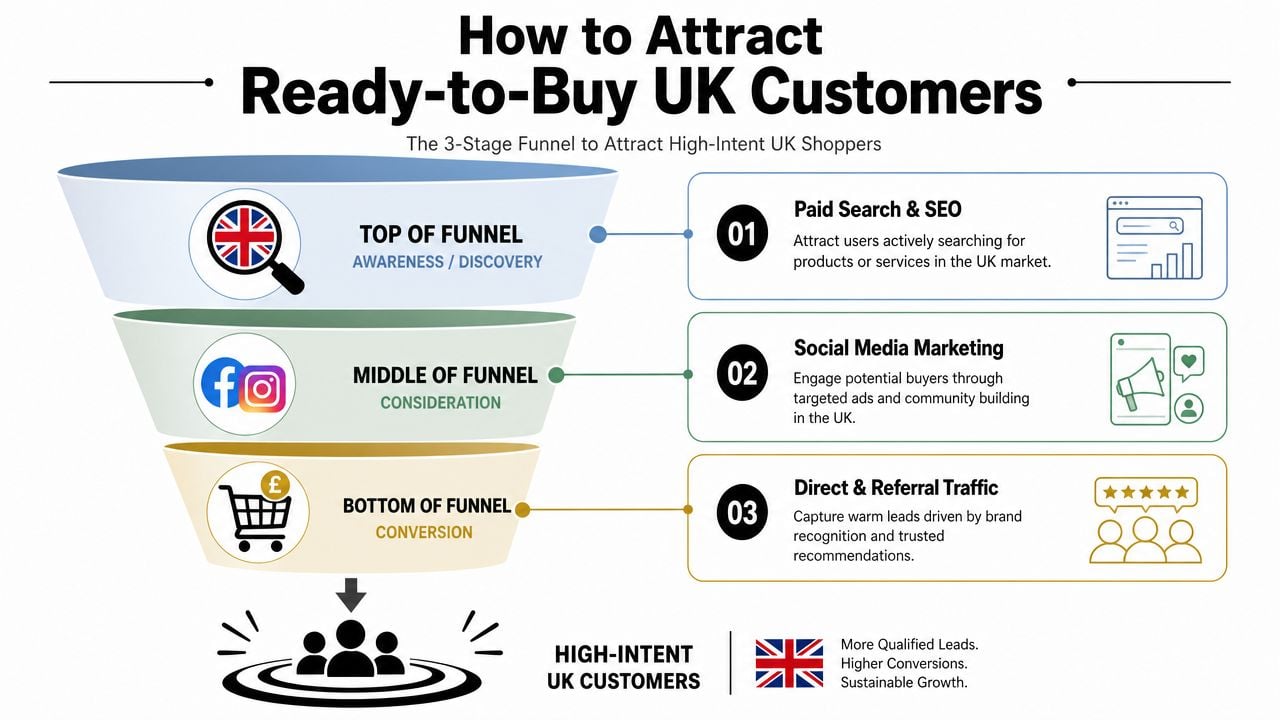
SEO, paid, and social do different jobs
Think about these channels as separate tools, not interchangeable ones.
SEO is your long-game channel. It works best when your category pages, product pages, and supporting content match what buyers are already searching for. For UK SMBs, that often means tightening up collection page titles, writing clearer product copy, improving internal linking, and covering local intent where relevant.
Paid search is the fast route to demand capture. It's useful when people already know what they want and you need visibility now. The trade-off is obvious. You pay for every click, so weak landing pages get expensive quickly.
Social media is rarely the strongest source of immediate buying intent on its own, but it helps with familiarity, remarketing audiences, launches, and repeat exposure. It's often stronger at warming buyers than closing cold ones.
Here's the blunt version:
- Use SEO when you want durable visibility and lower dependence on ad spend.
- Use paid search when the offer is proven and the landing page converts.
- Use social when you need attention, proof, and repeat touchpoints.
Choose your channel mix by buying intent
If you sell products people actively search for, such as replacement parts, specialist accessories, gifts by occasion, or branded items, search should carry more weight. Buyers in those categories often arrive with a purpose.
If your products need visual discovery, such as homewares, fashion, lifestyle products, or handmade items, social can play a larger supporting role. But it still needs a clear route to product pages, not just engagement.
For local or regional businesses in Dorset and beyond, there's often a hidden win in combining both. Rank for the product and service intent people type into Google, then use social proof and paid support to stay visible while those buyers decide.
A practical traffic plan looks like this:
- Start with commercial keywords: Product type, use case, and buyer problem.
- Send paid traffic to tight pages: Don't dump ad clicks onto a generic homepage.
- Match social posts to landing pages: Feature products people can buy now.
- Separate discovery from conversion: Don't judge a social reel by direct sales alone if its real role is warming demand.
- Review search terms and landing pages together: If clicks are cheap but conversion is poor, the page isn't carrying its weight.
The right visitor on a decent page is worth more than a crowd of the wrong visitors on a weak one.
That's why “more traffic” isn't a strategy. Better-fit traffic is.
Convert Visitors with a Flawless On-Site Experience
Getting a click is only the start. Once somebody lands on your shop, the site has to make the next step obvious. Not clever. Not over-designed. Just obvious.
A foundational way to increase ecommerce sales in the UK is to design for mobile-first shopping, because smartphones accounted for nearly 80% of all retail website visits worldwide in 2024 and generated the majority of online orders versus desktops and tablets, according to Statista's online shopping data.
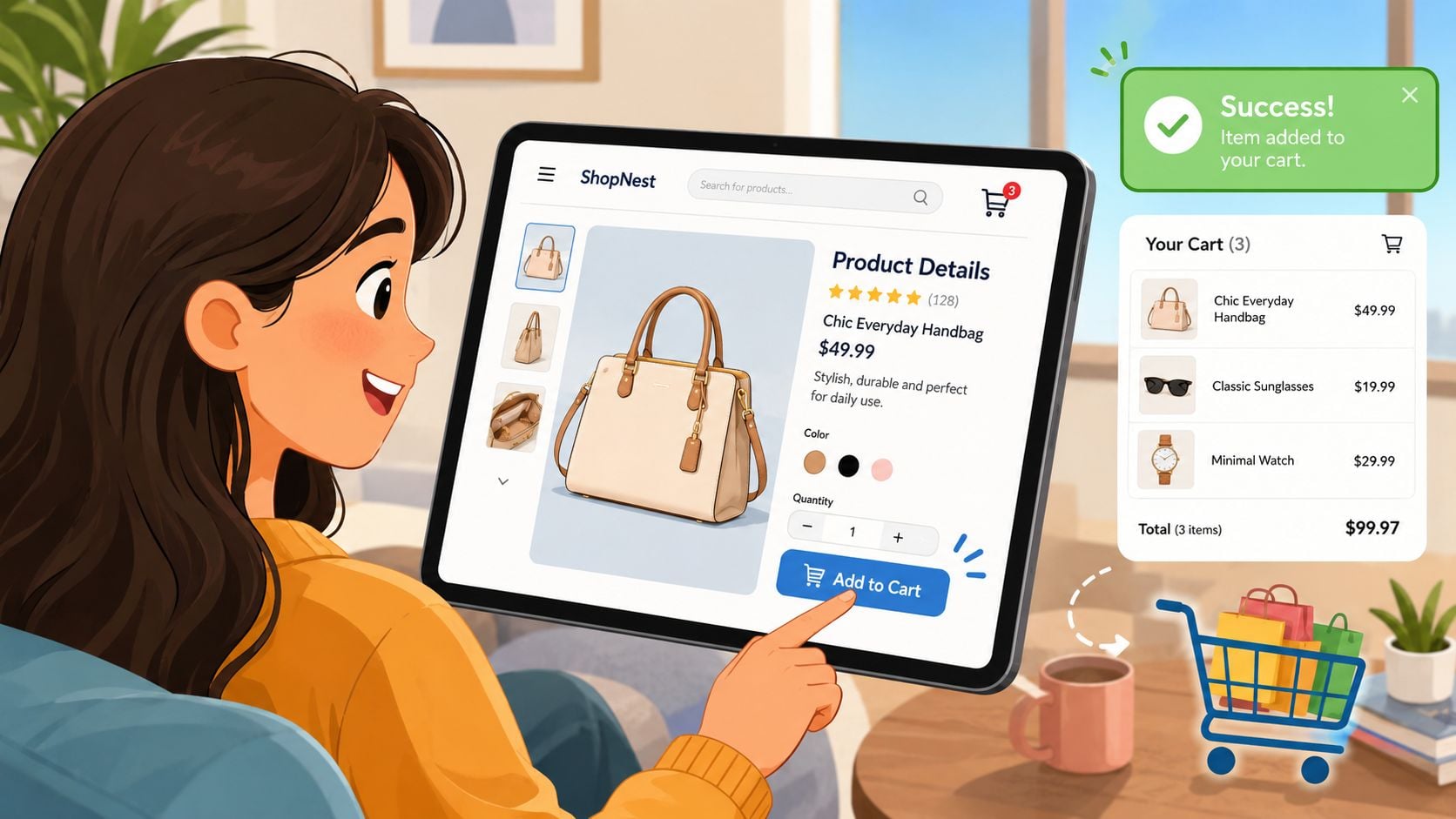
Fix mobile experience first
On a WooCommerce site, mobile friction shows up in predictable places. Menus are too busy. Filters are hard to use. Product images crop badly. Buttons sit too close together. Checkout fields feel endless.
Start by walking through your own site on a phone and checking the basics:
- Navigation: Can a new visitor reach the right category in a few taps?
- Filtering: Size, colour, material, price, and availability should be easy to apply.
- Reading: Product names, prices, variants, and delivery info must be clear without zooming.
- Speed: Heavy themes, oversized images, and too many scripts slow the whole journey.
- Checkout: Forms need to feel short, stable, and easy to complete with thumbs.
If mobile users browse but don't buy, don't assume the issue is price. Often the issue is effort.
Make product and category pages easier to buy from
A product page should answer the buyer's main questions quickly. If it doesn't, they leave to compare elsewhere.
That usually means better layout, not more words. Strong product page design best practices matter because buyers scan first and read second.
What we typically tighten up for clients:
- Main image quality: Show the product clearly and from useful angles.
- First-screen clarity: Product name, price, variant selection, and add-to-basket button must be visible quickly.
- Delivery and returns: Put them near the point of decision, not buried in a footer page.
- Product copy: Focus on what the buyer needs to know to choose confidently.
- Category page merchandising: Lead with best-fit products, not just newest or random defaults.
Here's a simple test. Land on a category page as a new shopper. Can you tell what's in stock, what it costs, what's popular, and how to narrow the list within seconds? If not, the category page is acting like a catalogue, not a sales page.
Good product pages reduce doubt. Great ones remove the next reason not to buy.
The same principle applies to category pages. They aren't just for organising stock. They help buyers make decisions.
A quick walkthrough can help highlight weak points in page structure and buying flow:
Treat onsite search like a sales tool
Search users often tell you exactly what they want. If your WooCommerce search returns poor matches, irrelevant products, or out-of-stock results, you're turning high intent into a dead end.
Research summarised in AmpiFire's ecommerce strategy article highlights that 51% of users abandon if they cannot quickly find relevant items, and 33% use onsite search, with search users tending to convert at a much higher rate than non-search visitors.
That's why search deserves active tuning:
- Review search terms regularly: Look for zero-result and low-result queries.
- Add synonym handling: Buyers don't always use your product naming conventions.
- Support typo tolerance: Especially for mobile users.
- Promote in-stock relevance: Search should favour available products.
- Improve category ranking: Commercial relevance matters more than arbitrary sorting.
For WooCommerce, native search often needs help. Depending on the catalogue size, merchants commonly improve results with specialist search plugins, better product tagging, and cleaner attribute data. The exact tool matters less than the result. Buyers must find the right product fast.
Build Unshakeable Trust and Slash Cart Abandonment
A UK shopper adds two items to basket, gets to checkout, then pauses. Delivery cost appears later than expected. The returns policy is hard to find. The site asks them to create an account before they can pay. That order is still recoverable, but confidence has dropped.
For WooCommerce stores, trust problems and checkout friction usually show up together. Buyers are not separating them in their heads. They are asking one practical question: is this shop safe, clear, and easy to buy from?
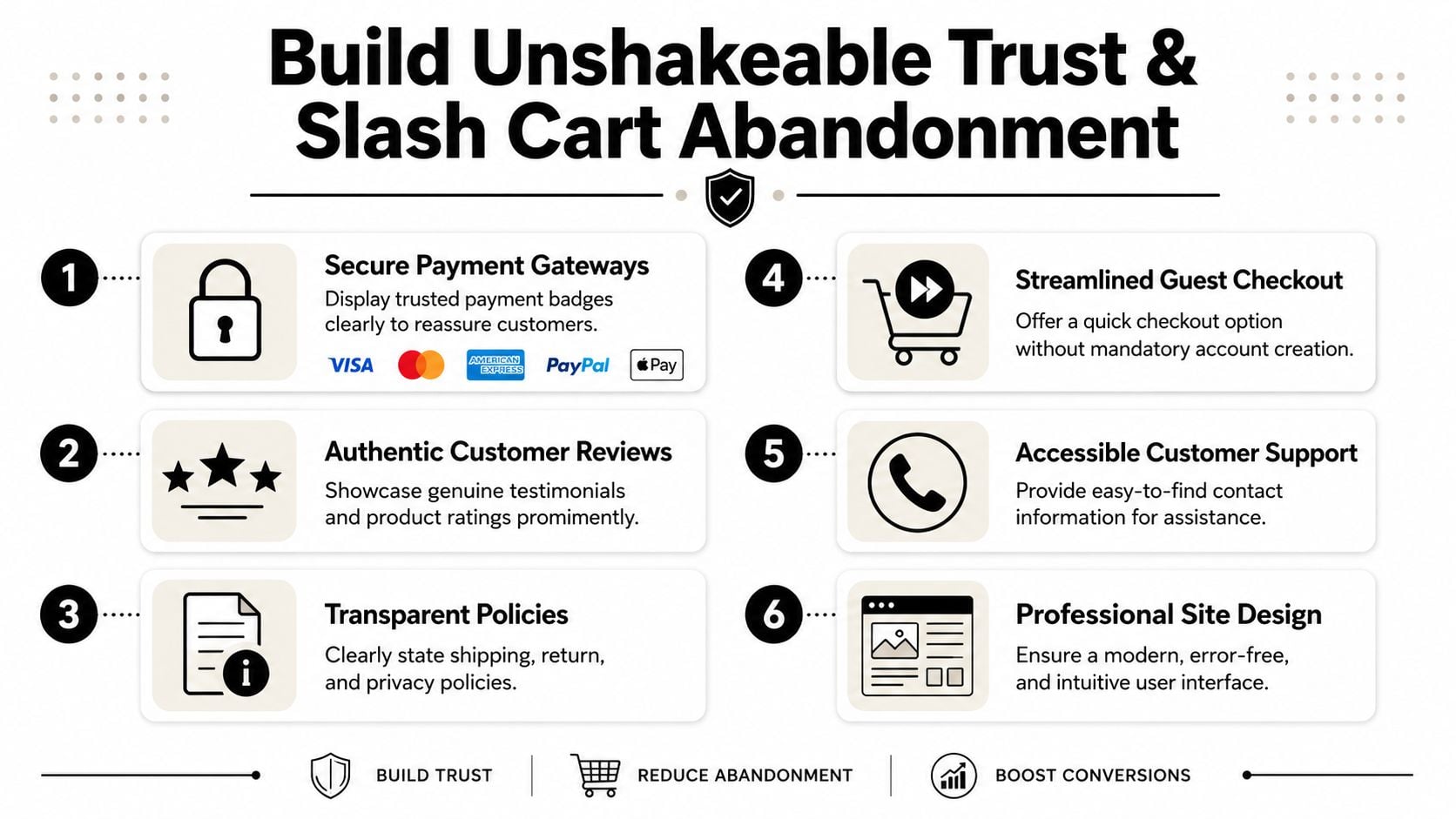
Trust starts before checkout
People decide whether they trust your shop long before they enter card details. On a small business WooCommerce site, that judgment often comes down to basic signals done well: credible reviews, clear delivery and returns information, visible contact details, and a site that feels maintained.
Research cited in Seller's Commerce guidance on ecommerce sales strategies says 95% of customers read online reviews before buying a product. The lesson is simple. Buyers want evidence that other people ordered successfully and got what they expected.
The trust signals that usually matter most are:
- Authentic reviews on product pages: Put reassurance where the buying decision happens.
- Clear delivery information: State cost and timing in plain English.
- Visible returns policy: Reduce the fear of getting stuck with the wrong item.
- Real company details: A registered address, support email, and phone option help a small shop look established.
- A site that feels current: Broken layouts, expired trust badges, and plugin glitches create doubt fast.
I tell clients this often. A smaller retailer does not need to look flashy. It needs to look reliable.
Remove the checkout friction that kills orders
Cart abandonment is rarely caused by one dramatic mistake. It is usually a series of small doubts and annoyances that pile up at the worst moment.
Baymard benchmark data, cited by Shopware's summary of ecommerce conversion research, puts the average cart abandonment rate at 70.19%, with 19% of abandonments linked to extra costs and 18% linked to forced account creation. The same research notes that better checkout UX can raise conversion by about 35% on average.
For a UK WooCommerce store, the fixes are usually practical rather than complicated:
- Show full costs earlier: If shipping, VAT, or fees appear late, buyers feel caught out.
- Allow guest checkout: Account creation can come after the order, not before it.
- Cut unnecessary fields: If you do not need the information to fulfil the order, remove it.
- Show delivery timing before payment: This matters even more for gifts, replenishment products, and urgent buys.
- Make mobile checkout easy to complete: Larger tap targets, cleaner field layouts, postcode lookup, and useful error messages all help.
Platform detail matters. WooCommerce gives you flexibility, but it also gives you plenty of ways to create friction by accident. A theme override, checkout plugin, payment gateway, or field editor can add extra steps without anyone noticing until conversion drops.
Here's what we do for clients. We test the full journey on mobile and desktop, check each payment method, review the order of checkout fields, and look at where delivery cost and returns information first appear. Then we remove anything that slows the buyer down or creates uncertainty. After any major plugin, theme, or checkout update, we test again. That discipline saves orders.
A complicated checkout gives buyers time to hesitate, compare alternatives, or abandon the purchase altogether.
For UK SMBs, this work is rarely glamorous, but it pays. A clearer checkout and stronger trust signals do not just improve conversion rate. They make the whole store feel safer to buy from.
Turn One-Time Buyers into Loyal Customers
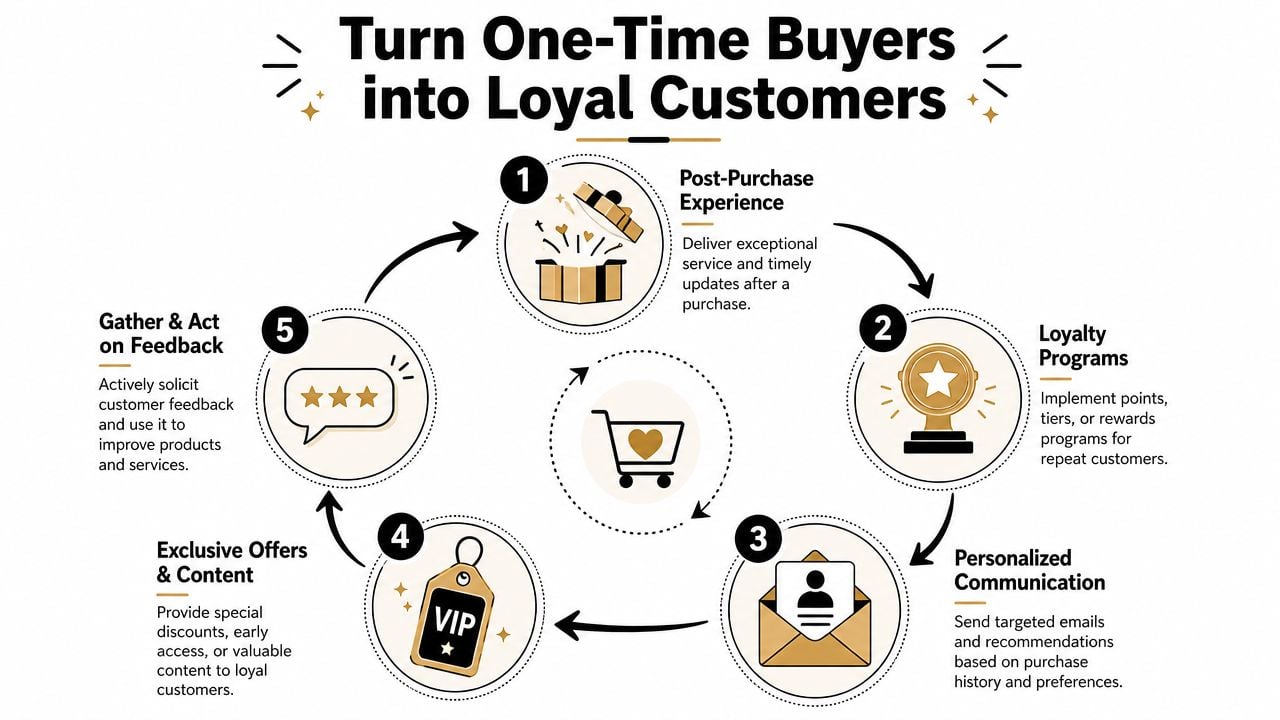
A customer places their first order on your WooCommerce shop, gets the item on time, and is happy with it. Then nothing happens. No useful follow-up, no sensible reminder to reorder, no reason to come back. For a lot of UK small businesses, that is where repeat revenue slips away.
Retention is critical to long-term ecommerce growth. First-time acquisition is expensive, especially if you rely on paid traffic, marketplaces, or seasonal promotions. A second or third order usually comes with less friction and better margin.
Why retention usually beats chasing more clicks
A returning customer already made the hardest decision once. They trusted your store, your checkout, and your fulfilment. The job now is to stay useful after the sale.
For WooCommerce shops, that usually means putting a few basic systems in place and making sure they run:
- Welcome flow: Confirm what the customer can expect from your brand and point them to relevant categories or products.
- Post-purchase emails: Send order updates, care instructions, setup help, or usage tips that reduce regret and support requests.
- Reorder reminders: Time these around likely usage cycles, especially for consumables, skincare, pet products, supplements, and similar lines.
- Win-back campaigns: Reach out to lapsed customers with a relevant reason to return, not just another generic discount.
- Loyalty offers: Reward repeat purchasing without teaching people to hold off until the next sale.
The trade-off is simple. More email is not always better. Poor timing, weak segmentation, and constant discounting can train customers to ignore you or wait for lower prices. We see this a lot with smaller WooCommerce stores that install a marketing plugin, switch on every automation, and assume more messages will mean more sales.
It usually works better to send fewer messages with a clear purpose.
Use first-party data properly
For UK SMBs, retention work also has a compliance side. Consent, data handling, and clear expectations matter, especially if you are collecting email or SMS details through popups, checkout boxes, or post-purchase forms. As noted in Wisepops' article on increasing ecommerce sales, ecommerce brands are putting more weight on first-party data and permission-based follow-up.
That data is only useful if you organise it in a way WooCommerce can act on:
- Email capture: Make it clear what people are signing up for and how often they will hear from you.
- Purchase history: Group customers by what they bought, how often they buy, and what they are likely to need next.
- Loyalty behaviour: Track repeat orders, average order value, and category preferences.
- Post-purchase segmentation: A one-off gift buyer should not get the same follow-up as a regular replenishment customer.
- SMS capture: Use it carefully. For some products it works well. For others it feels intrusive fast.
Here is what we do for clients. We map the repeat purchase journey around the product itself. If the shop sells consumables, we set reorder reminders around realistic usage windows. If it sells higher-consideration items, we focus more on education, accessories, referrals, and review requests. If it is a seasonal business, we build campaigns around the buying calendar rather than forcing monthly sends that do not fit how customers shop.
The platform setup matters here as much as the marketing idea. WordPress and WooCommerce give you flexibility, but the quality of the build affects how easily you can segment customers, trigger follow-ups, and keep the store fast while extra tools are running. If the current site feels bloated or awkward to manage, it is worth reviewing ecommerce-ready WordPress themes for WooCommerce stores before piling on more retention plugins.
One platform option some WooCommerce merchants use for the site and ecommerce setup itself is DesignStack's ecommerce-focused WordPress work, alongside email tools, CRM systems, and WooCommerce extensions that handle consent-aware capture and segmentation. The important part is the workflow between those tools and your store data.
Customers respond better when the follow-up matches what they bought, what they agreed to receive, and what they are likely to need next.
That is what turns a one-off order into a repeat customer relationship.
Your WordPress and WooCommerce Sales Engine Tune-Up
A surprising number of sales problems on WordPress shops are technical before they're marketing. Slow templates, plugin overload, poor hosting, oversized images, and messy checkout customisations steadily drag conversion down.
If you're running WooCommerce, treat performance as part of sales. Theme choice matters here. A clean, ecommerce-ready build usually gives you a better starting point than a bloated multipurpose theme, so it's worth reviewing WordPress themes for ecommerce before adding more fixes on top.
The technical checklist we use most often
Run through these in order:
- Review your theme: If it's heavy, outdated, or over-customised, it may be costing you speed and stability.
- Audit plugins: Remove duplicate functionality and anything non-essential.
- Optimise images: Product galleries should look sharp without being oversized.
- Use caching properly: This helps reduce load time across category and product pages.
- Check hosting quality: Cheap hosting often creates slow admin, slow pages, and update headaches.
- Test mobile checkout after updates: WooCommerce shops can break in small ways after plugin changes.
- Clean up product data: Consistent attributes, stock status, and categories help both search and merchandising.
- Watch scripts and apps: Chat widgets, popups, tracking tools, and marketing add-ons can pile up quickly.
A healthy WooCommerce setup should feel fast, predictable, and easy to maintain. If every new campaign depends on another plugin, the store gets harder to manage and more fragile over time.
The businesses that grow well usually do the boring work properly. They measure what matters, improve the site before increasing spend, make checkout easier, and keep customers engaged after the first order. That's how to increase ecommerce sales in a way that holds up.
If your shop is getting traffic but not enough sales, DesignStack can help you tighten the parts that usually matter most on WordPress and WooCommerce, from conversion-focused page design to site performance and ecommerce build improvements. See what DesignStack offers and decide if the approach fits your business.


Leave a Reply