Best WordPress Themes for eCommerce in 2026: A UK Guide
You’re probably looking at a few polished demos right now, each one promising a fast, beautiful WooCommerce shop. They all look convincing. That’s the problem.
For a small business owner, choosing among the best wordpress themes for ecommerce isn’t really a design decision first. It’s a business decision. The wrong theme can leave you with a slow shop, awkward product pages, plugin conflicts, and extra development costs six months later. The right one gives you a store that feels easy to run, easy to expand, and easy for customers to trust.
A lot of “best theme” lists focus on global popularity. That helps a bit, but UK businesses usually need more practical guidance than that. You need to think about GDPR, VAT display, payment gateways your customers already use, and whether your theme will still behave properly once real products, delivery rules, and day-to-day admin are added.
Choosing Your eCommerce Foundation Beyond Just Looks
A shop owner in Leeds picks a theme because the demo looks polished. Three months later, the category pages drag on mobile, the cart styling breaks after a plugin update, and the cookie banner feels bolted on as an afterthought. That is usually how theme mistakes show up in real projects. Not on day one, but once the shop starts doing normal business.
A WordPress theme sits underneath the visual design choices. It affects page speed, product discovery, checkout flow, mobile usability, and how expensive the site is to change later.
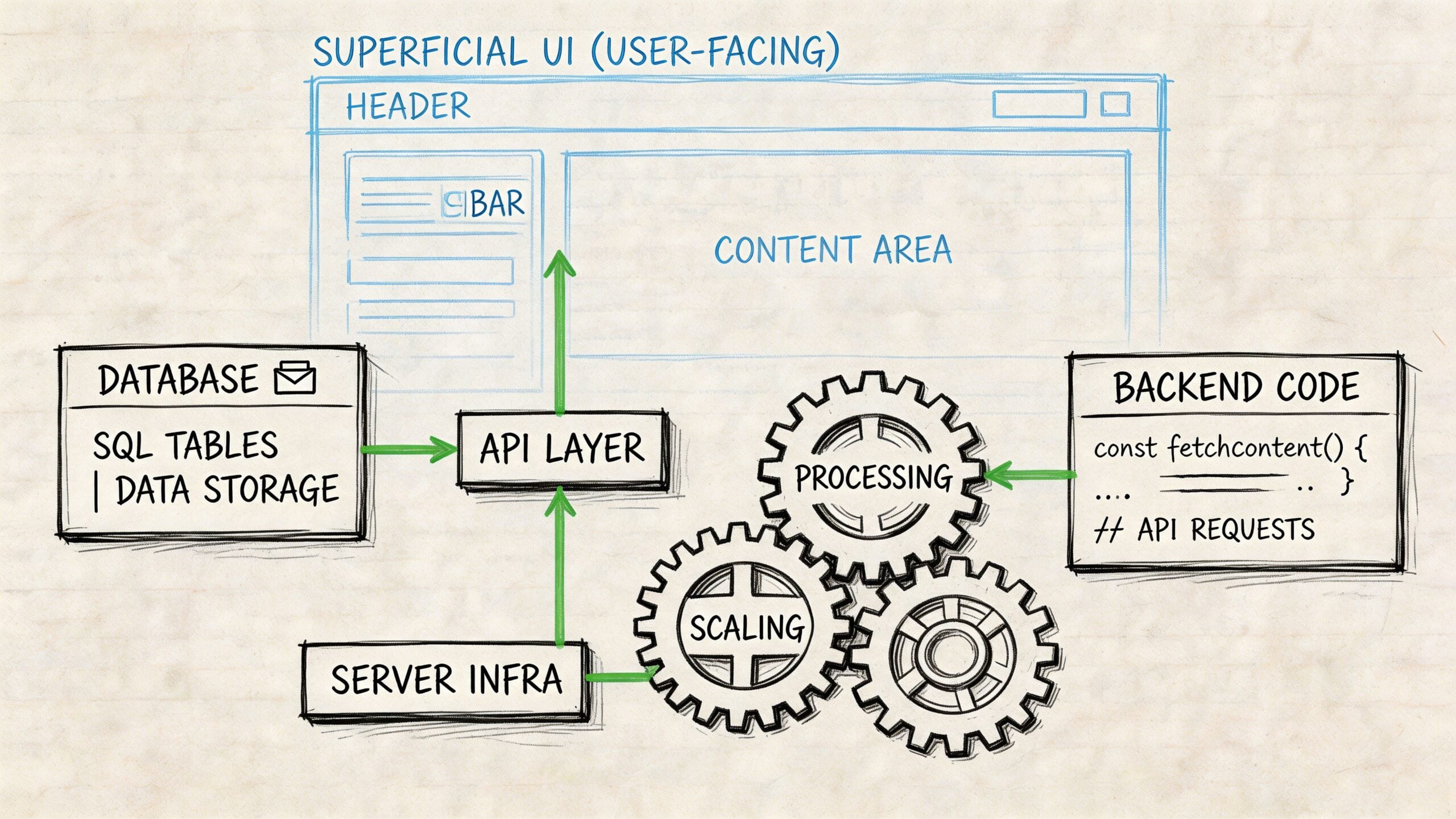
If you are still deciding whether WordPress is the right platform at all, compare the platform first and the theme second. This Shopify, BigCommerce, and WooCommerce comparison is useful because it looks at the commercial fit, not just the front-end presentation.
What matters more than the homepage demo
A demo only proves that a theme can sell itself well.
What matters is how it behaves once you add real products, delivery settings, returns information, payment gateways, reviews, upsells, and the plugins a UK business usually needs to run properly. I have seen attractive themes become expensive very quickly because simple store functions needed extra add-ons or custom development.
Check these points before you commit:
- Performance with real content: Test category pages, not just the homepage. Product grids, filters, and image-heavy pages often expose slow themes.
- WooCommerce coverage: Good support means the theme handles shop, product, basket, checkout, and account pages properly. Some only style the catalogue and leave the rest looking patched together.
- Builder lock-in: If a theme relies heavily on its own builder, redesign work later can become slower and more costly.
- Update record: A theme with regular maintenance is less likely to cause problems after WooCommerce or WordPress core updates.
- Search visibility: Clean heading structure, sensible archive templates, and readable product page layouts help both users and search engines.
- UK trading requirements: Check how easily you can add cookie consent, privacy notices, returns information, VAT-related messaging, and trust signals without cluttering the layout.
Practical rule: If a theme needs a pile of extra plugins just to create a normal shop layout, choose a different starting point.
Performance affects conversion, not just Lighthouse scores
A heavy theme costs money in ways small businesses feel quickly. Slower category pages reduce product views. Cluttered mobile layouts make it harder to compare options. Friction near checkout gives customers one more reason to leave.
The trade-off is usually straightforward. Themes with lots of visual effects and bundled widgets can help a new site look finished faster, but they often need more optimisation work. Lighter themes can look plainer at the start, yet they tend to be easier to scale, easier to maintain, and cheaper to adapt once the business grows.
That is usually the better long-term decision.
UK compliance changes which themes make sense
Many generic theme roundups often fall short for UK firms. They focus on styling options and ignore the day-to-day legal and operational requirements that come with selling online here.
Themes do not usually provide built-in GDPR compliance tools on their own. In practice, store owners still need separate solutions for cookie consent, privacy controls, and consent logging, even with popular WooCommerce themes such as Astra, Kadence, Flatsome, and Storefront. The theme still matters, though, because some make it much easier to place notices clearly, keep forms tidy, and avoid design choices that interfere with compliance messaging.
For a UK retailer or service business, that affects the practical shortlist. A theme should work cleanly with your payment setup, support trust-building content around delivery and returns, and leave space for the legal content customers expect to see. It also needs to handle local practicalities without becoming bloated.
That is one reason I treat theme choice as part of the wider website system, not a standalone design purchase. If you are still weighing up the broader platform and content structure, this guide to content management systems for business websites gives useful context before you commit to a build.
Top WordPress eCommerce Themes Compared for 2026
A Dorset retailer wants to start selling online before the Christmas rush. The theme that looks best in a demo is not always the one that will cope best with product filters, mobile checkout, local delivery messaging, and the legal pages a UK customer expects to find. For most small and medium-sized businesses, the right choice comes down to how much flexibility you need, how much complexity you can realistically manage, and how much custom work you want to avoid later.
This shortlist stays tight for a reason. Four strong options are more useful than twenty vague recommendations.
| Theme | Pricing (From) | Best For | Performance Rating |
|---|---|---|---|
| Astra | $39/year | Flexible stores, startups, general SMB use | Strong |
| Flatsome | Premium | Design-led retail brands | Moderate to Strong with optimisation |
| Kadence | Premium available | Growing brands needing clean flexibility | Strong |
| Storefront | Free | Lean WooCommerce builds and custom foundations | Strong if kept simple |
Astra
Astra is usually the safest all-round recommendation for a UK business that wants to launch now and keep options open later. It does not force a particular visual style, which matters if your shop may grow into new categories, new landing pages, or a broader marketing setup.
Interserver’s overview of eCommerce themes highlights Astra’s strong WordPress.org rating, large starter template library, and entry pricing from $39 per year. Those global figures are useful as a starting point, but they do not answer the practical UK questions on their own, such as how cleanly the theme handles VAT messaging, trust content, and the checkout journey once you add your actual plugins and payment tools.
In day-to-day use, Astra tends to suit owners who want a site they can work on without calling a developer for every small change. The trade-off is that it is easy to inherit too much from a starter template and end up with extra sections, scripts, or styling choices you never needed.
Pros
- Good balance of flexibility and speed
- Strong fit for WooCommerce stores that may expand later
- Usually manageable for non-technical owners
Cons
- Starter templates can leave behind unnecessary layout elements
- Too many options can slow decision-making during setup
Astra is a sensible choice if you want a store that can change with the business rather than lock you into one design direction.
Flatsome
Flatsome suits businesses where presentation does a lot of the selling. I see it work well for fashion, homewares, gifting, and other retail brands where customers respond to strong imagery and a more polished catalogue layout.
That polish comes with a cost. Flatsome can feel heavier behind the scenes than the leaner options, and it rewards careful setup. If your hosting is average, your image sizes are inconsistent, or your shop has been built by stacking on too many extras, performance problems show up quickly on mobile.
Pros
- Strong for product-led visual merchandising
- Built with online retail use in mind
- Helps smaller brands look more considered at launch
Cons
- Heavier than simpler themes
- Less pleasant to manage if you prefer a minimal backend
- Easy to over-style a small catalogue
Kadence
Kadence sits in a useful middle position. It gives you a cleaner framework than many older multipurpose themes, but still leaves enough room to build a site that feels specific to your business.
It is often a good fit for UK shops that are not purely retail. If you sell products alongside advice, bookings, guides, or service pages, Kadence usually handles that mix better than a theme focused only on catalogue presentation. The downside is that some of the features businesses end up wanting arrive sooner on the paid tier, and you may still need custom tweaks for UK-specific wording around VAT, delivery, or compliance notices.
Pros
- Clean layout controls
- Good fit for mixed business models
- Easier to keep organised than more design-heavy themes
Cons
- Premium features can become necessary fairly quickly
- UK-specific presentation details may still need custom work
Storefront
Storefront remains one of the most practical choices on this list. It rarely wins on first impressions because the demo looks plain, but it gives WooCommerce a stable, predictable base, which is often worth more than a flashy homepage.
For a small business owner, that usually means fewer surprises when adding standard WooCommerce extensions or making functional changes later. It is especially useful if you would rather start lean, keep the front end fast, and add design direction with purposeful custom work instead of relying on a prebuilt aesthetic.
Pros
- Close fit with WooCommerce
- Good base for straightforward physical product shops
- Cleaner starting point with less visual clutter
Cons
- Plain out of the box
- Often needs design input to feel brand-specific
- Less suited to businesses that want a high-impact launch look with little effort
Storefront often suits businesses that value reliability, speed, and plugin compatibility over visual theatre.
Which one usually works best
For most UK SMBs, the decision is fairly straightforward.
- Choose Astra if you want the safest all-round option with room to adapt.
- Choose Flatsome if product presentation is a major part of how you sell.
- Choose Kadence if your website needs to support content, services, and eCommerce together.
- Choose Storefront if you want a dependable WooCommerce base and are happy to add styling more deliberately.
That is a better way to judge the best wordpress themes for ecommerce for a UK business. The ultimate test is not the demo homepage. It is how well the theme supports sales, trust, compliance, and day-to-day management once the shop is live.
The Right Theme For Your Specific Business Model
A theme choice usually goes wrong at the same point. A business picks a demo that looks polished, then discovers the layout fights the way it sells.
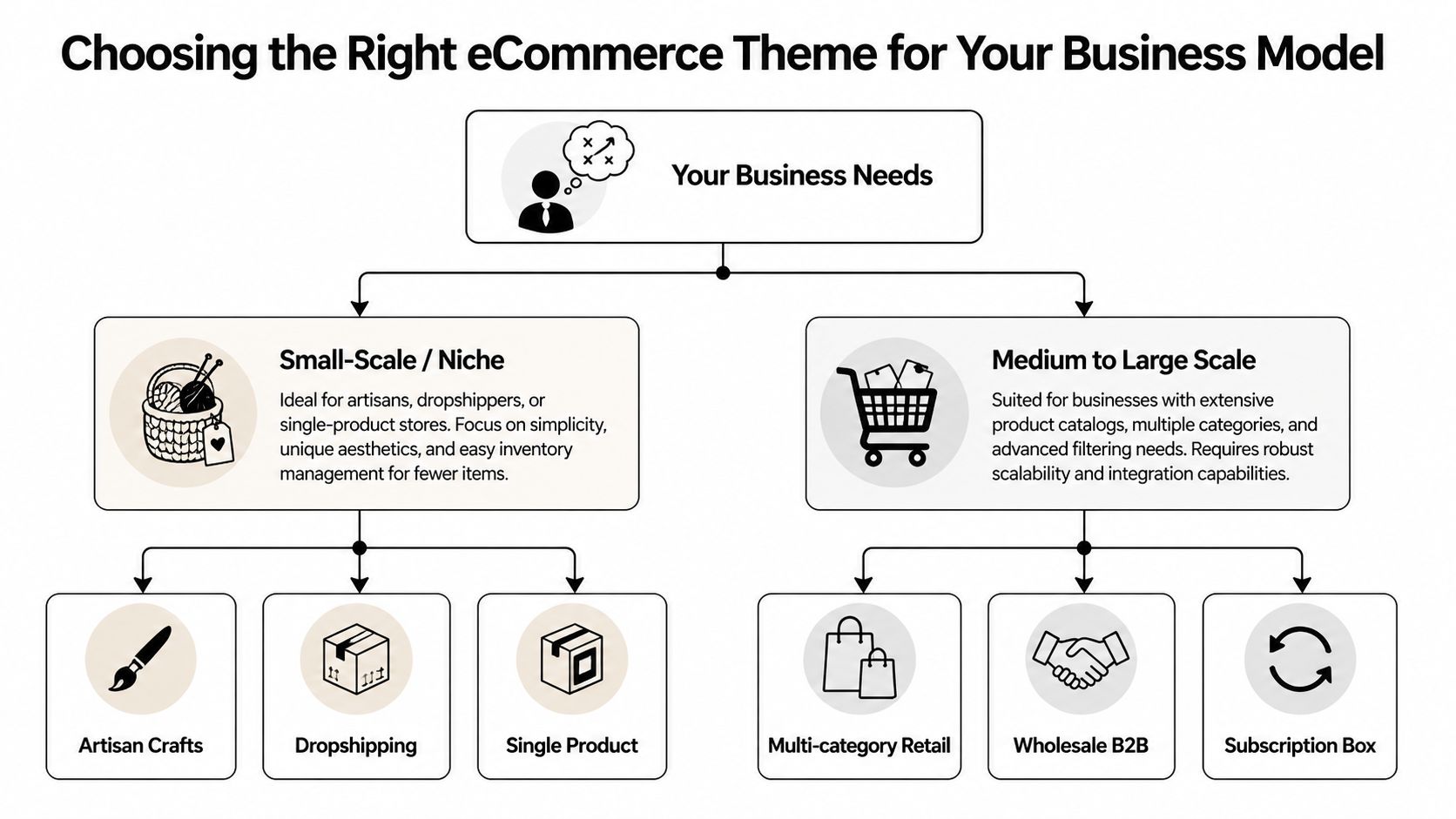
For a UK business, the better question is simpler. Does the theme support your sales process, your customer expectations, and the practical requirements around GDPR, delivery, and payment options? A local retailer, a trade supplier, and a coaching business might all use WooCommerce, but the right theme structure is different in each case.
Local retailer with click and collect needs
A local shop needs the website to support footfall as well as online orders. Customers want to check whether something is in stock, where to collect it, what the opening hours are, and how easy returns will be before they commit.
Best fit: Storefront or Astra.
Storefront suits a simpler setup where reliability matters more than presentation flourishes. Astra is the stronger option if you also need location pages, seasonal campaigns, local SEO landing pages, or more control over promotional sections.
A local retailer should prioritise:
- Collection clarity: Collection details should be visible on product pages, cart pages, and checkout.
- Trust signals: Returns, privacy, contact details, company information, and delivery terms should be easy to find. That matters for conversions and for GDPR transparency.
- Mobile practicality: A lot of local customers are checking on a phone while they are out, not browsing leisurely on a desktop.
Growing SMB with a broader catalogue
Catalogues expose weak theme decisions quickly. A theme that looks tidy with ten products can become frustrating once you add variants, subcategories, filters, and trade-focused information.
Best fit: Kadence or Astra.
Kadence is often the better choice if the site needs buying guides, category intros, specification content, or support pages alongside products. Astra works well if you want a flexible framework that can keep changing as the catalogue grows.
The key trade-off is this. Themes built around flashy homepage demos do not always handle category depth well. For a growing SMB, clearer templates, better spacing, and easier filtering usually matter more than animation or visual effects.
Service business selling bookings, downloads, or courses
Many UK firms sell through WooCommerce without behaving like a traditional shop. They take bookings, sell digital resources, offer training, or mix paid services with lead generation. In those cases, the website still needs to feel like a service business first.
Best fit: Kadence.
Kadence usually gives you more control over content-led layouts, which helps when service pages, testimonials, FAQs, and proof points do most of the selling. Astra can still work, especially if speed of setup matters more than layout nuance, but Kadence often feels better organised for hybrid websites.
Look for these qualities:
- Landing page flexibility: Booking pages, course pages, and lead capture pages should not be forced into a standard shop layout.
- Content-first structure: Service businesses often need explanation, reassurance, and case studies before checkout.
- Checkout restraint: The path to purchase should feel clear and calm, not overloaded with retail-style elements that distract from the offer.
Lean startup that needs to launch quickly
A smaller budget changes the decision. If you need to get live without wasting weeks adjusting templates, choose a theme that keeps decisions under control.
Best fit: Astra or Storefront.
Astra gives you a faster route to a polished front end, which helps if you need credibility quickly. Storefront is the leaner base if you would rather spend on copy, product data, photography, and paid traffic than on design embellishments.
That trade-off is worth being honest about. A more styled theme can save design time at the start, but it can also create more cleanup work later if the business model changes. For many UK startups, especially those testing demand, a cleaner setup is the safer commercial choice.
Your Actionable eCommerce Theme Setup Checklist
A theme isn’t finished when it’s installed. That’s when the actual work starts.
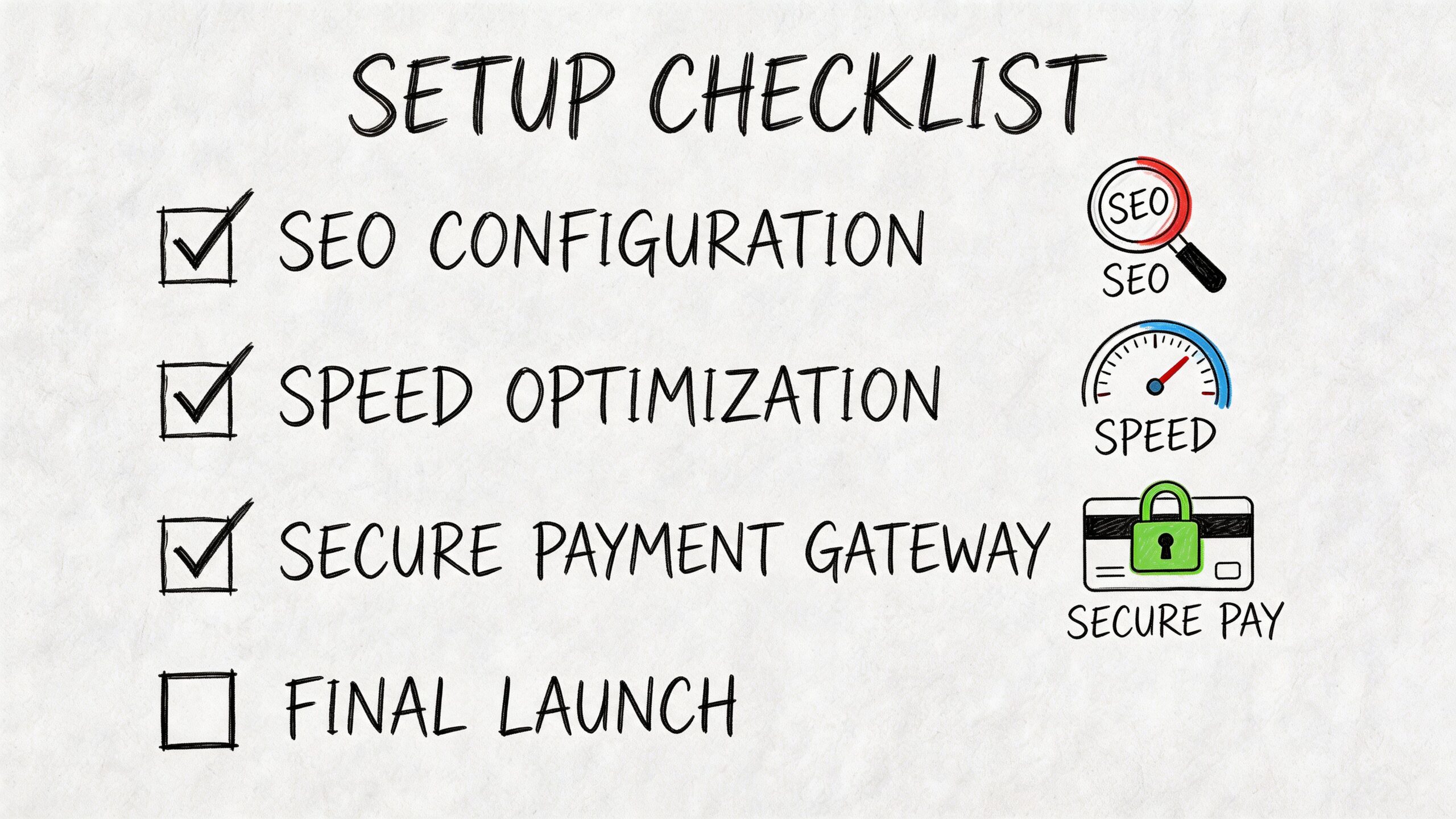
Launch checklist that prevents common mistakes
Install the theme on a staging site first
Don’t test major theme changes on the live shop. Even a well-supported theme can behave differently once your active plugins are present.Set WooCommerce basics before design polishing
Configure currency, tax, delivery zones, checkout pages, emails, and customer account settings before you spend time tweaking banners and fonts.Build the legal pages early
Privacy policy, returns, terms, cookie notice, and contact details should be live before you drive traffic. This matters even more for UK businesses collecting personal data.Check mobile layouts page by page
Don’t just test the homepage. Check product pages, category pages, cart, checkout, account screens, and form pages on a phone.Compress product imagery before upload
Large images make even good themes feel slow. Keep product visuals sharp, but don’t upload oversized files straight from a camera or design export.Add caching and performance controls
A fast host helps, but most WooCommerce sites still need caching and front-end optimisation. Keep the setup lean.Test payment gateways properly
Run test orders through the actual payment flow. Make sure confirmation emails, order statuses, and thank-you pages work as expected.
Use one full purchase test on desktop and one on mobile. That catches more issues than hours spent looking at theme settings.
What to check before you go live
A short pre-launch review saves headaches later:
- Navigation: Can someone reach top categories in one or two taps?
- Search: Does site search return relevant products?
- Filters: Do category and attribute filters make sense?
- Trust signals: Are delivery, returns, and contact details visible?
- Forms: Do newsletter, contact, and account forms submit cleanly?
If you want to see a practical walkthrough of WooCommerce theme setup in action, this short video is worth a look before launch:
Keep the first version simple
Most small business shops don’t fail because the theme was too basic. They struggle because the first build tried to do too much.
Launch with a clean homepage, clear category structure, working checkout, and sensible legal pages. Add advanced merchandising later, once customers are using the store.
Essential Plugins For Your eCommerce Ecosystem
No theme can carry an online shop on its own. The theme handles presentation. The plugins handle the moving parts that make the business work.
That’s why the best wordpress themes for ecommerce should be judged partly by how well they cooperate with the plugin stack you’ll need.
Core plugin categories that matter
SEO and search presentation
Most stores need an SEO plugin to manage titles, metadata, indexing choices, and schema-related basics. Yoast SEO and Rank Math are both common choices.
Yoast is often the easier fit for owners who want a familiar workflow and conservative defaults. Rank Math tends to appeal to users who want more controls in one dashboard. Either can work well if the theme doesn’t fight your page structure.
Performance and caching
A decent eCommerce build usually needs a caching layer and front-end optimisation. WP Rocket is a common paid option because it’s straightforward to configure. If budget is tight, there are free alternatives, but they usually require more care.
Keep this simple. Performance problems are often caused by too many overlapping optimisation plugins, not too few.
Payments
For UK stores, Stripe and PayPal remain practical choices because customers recognise them and WooCommerce supports them well through established integrations.
A good theme won’t process payments itself, but it should style checkout pages cleanly and avoid awkward conflicts with payment elements. If the checkout looks broken, trust drops immediately.
Don’t judge a theme by the homepage. Judge it by the checkout, account pages, and order confirmation flow.
Plugins that support sales and operations
You may also need tools for email capture, product filtering, backups, and cart recovery. The key is choosing only what the business uses.
A few practical examples:
- Backups: Use a reliable backup plugin before theme updates or layout changes.
- Filtering: Product filter plugins matter for larger catalogues.
- Security: Basic hardening and login protection are sensible for any shop.
- Email recovery: If basket abandonment is a concern, this guide to abandoned cart recovery is a useful reference for shaping follow-up emails and recovery flows.
Plugin selection also needs restraint. The more visual add-ons, popups, sliders, and duplicate marketing tools you install, the more likely you are to create conflicts and drag down performance.
For a broader look at useful tools around WordPress sites, this roundup of practical WordPress plugins for business websites is a good companion read.
Let DesignStack Build Your Perfect eCommerce Website
Most business owners can choose a theme. The harder part is making that theme behave properly once products, shipping, compliance, branding, and plugins all come together.
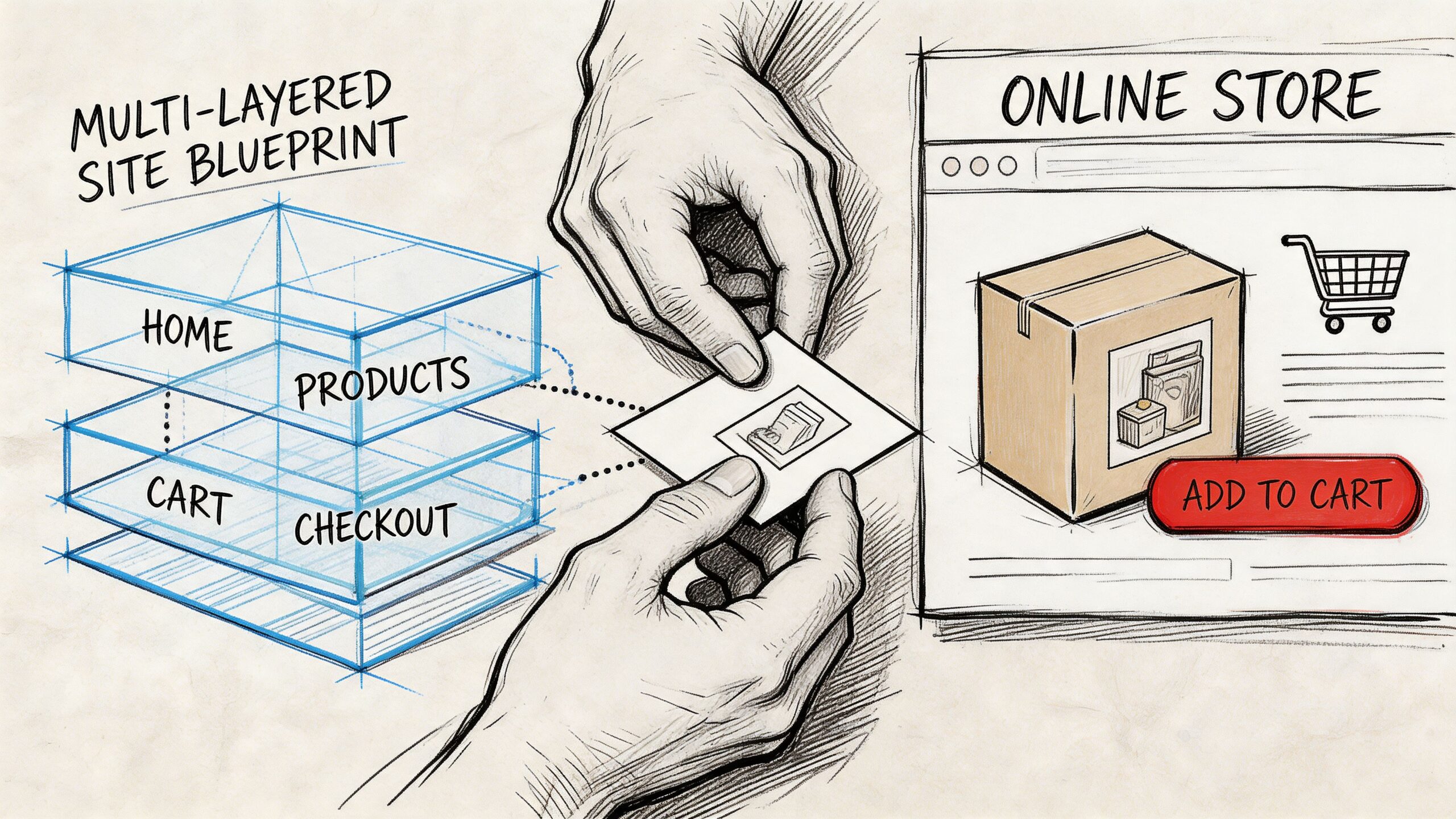
This is where professional build quality matters. A shop can look tidy on launch day and still carry hidden issues: awkward mobile spacing, duplicated scripts, patchy legal messaging, bloated page templates, or plugin combinations that become unstable during updates.
For businesses that don’t want to manage that alone, DesignStack builds WordPress and WooCommerce websites for UK businesses, covering theme selection, customisation, branding, hosting support, and launch preparation. That’s useful when the site needs to reflect a clear commercial goal rather than just match a demo.
Where expert implementation saves time
A good build process usually prevents these common mistakes:
- Theme-first thinking: Choosing a theme before deciding catalogue structure, customer journey, or page priorities.
- Over-customisation: Bending a theme too far instead of starting with one that suits the business model.
- Poor plugin fit: Adding tools that overlap, conflict, or slow down the store.
- Weak launch discipline: Going live without real checkout testing, mobile review, or legal page checks.
A proper eCommerce build also means designing around what your customers need to do quickly. Find products, understand delivery, trust the business, and pay without friction.
Why local context helps
UK businesses often need more than a generic “web designer”. They need someone who understands local customer expectations, practical compliance needs, and how to make WooCommerce fit a real trading model.
If you’re weighing up whether to hire help, this guide to finding a website designer who understands your vision is a sensible place to start. It helps frame what to ask before you commit to a build.
Frequently Asked Questions About eCommerce Themes
Are free eCommerce themes good enough for a serious business
Sometimes, yes. Storefront is the clearest example. A free theme can be a sensible choice if the foundation is stable and the design requirements are modest. The important question isn’t whether it’s free. It’s whether it supports your store properly without pushing core functions into a messy stack of add-ons.
How difficult is it to change my WordPress theme later
It’s possible, but it’s rarely painless. Products, orders, and WooCommerce data usually remain intact, but layouts, shortcodes, widget areas, theme settings, and builder-specific elements can break or need rebuilding. If your current theme is closely tied to custom templates, changing later can become a larger project than expected.
Will my chosen theme work well on mobile devices
Most modern themes are responsive, but that doesn’t automatically mean the mobile shopping experience is good. You still need to check category pages, filters, image galleries, cart behaviour, and checkout forms on actual devices. A theme can be technically mobile-friendly and still feel frustrating to use.
Do I need to know how to code to use these themes
Usually not for the basics. You can launch a working store with Astra, Kadence, Flatsome, or Storefront without writing code. But if you want deep layout changes, custom WooCommerce page behaviour, or customized UK-specific store details, development support often becomes worthwhile.
Which theme is safest for a first WooCommerce shop
If you want the lowest-risk starting point, Astra or Storefront are usually the simplest shortlist. Astra gives you more design flexibility. Storefront gives you a more stripped-back WooCommerce-native base.
Should I choose a theme based on popularity
Not on popularity alone. Global sales and ratings can point you towards established products, but they won’t tell you whether the theme suits your catalogue, your marketing style, or your UK compliance needs.
If you want help turning these decisions into a working shop, DesignStack can support the whole process, from choosing the right WordPress theme to building, refining, and launching a WooCommerce website that fits how your business sells.