
Website Migration Guide for UK Businesses Without Losing SEO
Your new WordPress site is polished, fast and ready to show the world. The branding is sharper, the navigation makes more sense, and the team is eager to switch off the old hosting account. Then organic enquiries soften, useful pages return 404 errors, and a redesign that looked successful loses search visibility over the following weeks.
That pattern is rarely caused by the visual design itself. It usually comes from treating a website migration as a launch rather than a controlled transfer of URLs, signals, content, functionality and audience demand. A careful move protects the pages that already earn attention while giving the new site room to improve.
For UK SMEs, timing matters just as much as technical preparation. A Dorset tourism business, local retailer, membership organisation or professional services firm may serve an audience whose location and search behaviour change with the season. The right migration window is therefore not just the date when the developer says the build is ready.
Table of Contents
- What a Website Migration Really Involves
- Timing the Move Around UK Audience Demand
- Building Your Pre-Migration Audit Checklist
- Setting Up a Staging Site and Bulletproof Backups
- Mapping URLs and Writing 301 Redirects That Hold SEO
- DNS Cutover, Hosting Changes, and the Launch-Day Sequence
- Post-Launch Monitoring and Knowing When to Roll Back
What a Website Migration Really Involves
A website migration is any planned change that can alter how your site is hosted, accessed, structured or understood by search engines. The work looks different depending on what you're changing.
A hosting migration moves the existing site to a new server or provider. The domain and URLs may stay the same, but DNS, caching, SSL, email, server rules and database connections can fail if the cutover is rushed. A domain migration changes the web address, such as moving from an old brand domain to a rebranded one. That requires careful redirect mapping and, where appropriate, a Change of Address submission in Google Search Console.
A redesign on a new CMS is more involved again. WordPress to another WordPress build may alter templates, slugs, categories, canonicals and internal links. A move from WooCommerce to another commerce platform can also affect product variants, checkout logic, feeds, customer data and payment integrations. A domain change combined with a platform change is the highest-risk version because several sources of change arrive together.
The useful mindset: A migration is a sequence of small, reversible decisions, not one dramatic switch.
In practice, success means more than seeing the new homepage load. Priority pages should remain discoverable, important redirects should resolve directly, conversions should remain stable or improve, and users shouldn't encounter a sudden wave of broken links. Search visibility can fluctuate while Google processes the changes, but a persistent decline needs investigation rather than optimism.
A careful WordPress or WooCommerce migration often needs several weeks for discovery, build checks, testing, launch preparation and monitoring. A weekend move may be possible for a small, unchanged brochure site, but it leaves little time to identify legacy URLs, test checkout journeys or prepare a rollback.
A few terms will appear throughout this guide:
- Redirect: A server instruction that sends visitors and crawlers from one URL to another.
- Canonical: The page-level signal that identifies the preferred version of similar or duplicate URLs.
- XML sitemap: A machine-readable list of URLs you want search engines to discover and crawl.
- Change of Address: A Search Console notification used for a qualifying domain move.
Timing the Move Around UK Audience Demand
“Don't launch during your busiest sales period” is sound advice, but it's incomplete. The better question is when your particular audience is least vulnerable to a temporary disruption, and when the new site will be ready for the demand you expect next.
UK audience patterns can shift for reasons that have nothing to do with your redesign. The Office for National Statistics recorded long-term international net migration of 171,000 for the year ending December 2025, compared with 331,000 for the year ending December 2024, as reported through its international migration statistics. The Home Office reported 136.8 million arrivals to the UK in the year ending March 2026, with 57% British nationals, in its migration statistics collection. Those figures don't tell you when your customers will search, but they do underline why businesses serving mobile, local or international audiences shouldn't treat geography as fixed.
A Dorset accommodation provider may have strong seasonal tourism demand. A relocation firm may receive enquiries from people moving between regions. A membership organisation can see attention rise around renewals, events or policy announcements. A local professional services firm may depend on a small number of high-intent enquiries, making even a short disruption noticeable.
A practical timing exercise
Start with your own evidence rather than a generic calendar.
- Mark demand peaks. Use analytics, CRM records, booking data and sales conversations to identify your busiest enquiry and transaction periods. Include offline demand, because a phone call or email may be the conversion that matters most.
- Find a credible pause window. Look for a period with fewer launches, campaigns and operational deadlines. Don't choose a quiet week if your team will be unavailable to check errors.
- Map external pressure. Note planned advertising, press coverage, local events, seasonal content and industry news. A migration immediately before a major campaign creates unnecessary risk.
A mid-quarter cutover can be more sensible than a quarter-end launch when the latter collides with reporting, invoicing, campaign deadlines or staff holidays. Technical readiness is only one condition. Your support team, payment provider, marketing calendar and customer service process must also be ready.
Teams often use a documented content strategy framework to identify which local and regional pages need to remain aligned with audience demand before the new structure goes live. That's particularly useful when a migration includes new service areas or rewritten landing pages.
Building Your Pre-Migration Audit Checklist
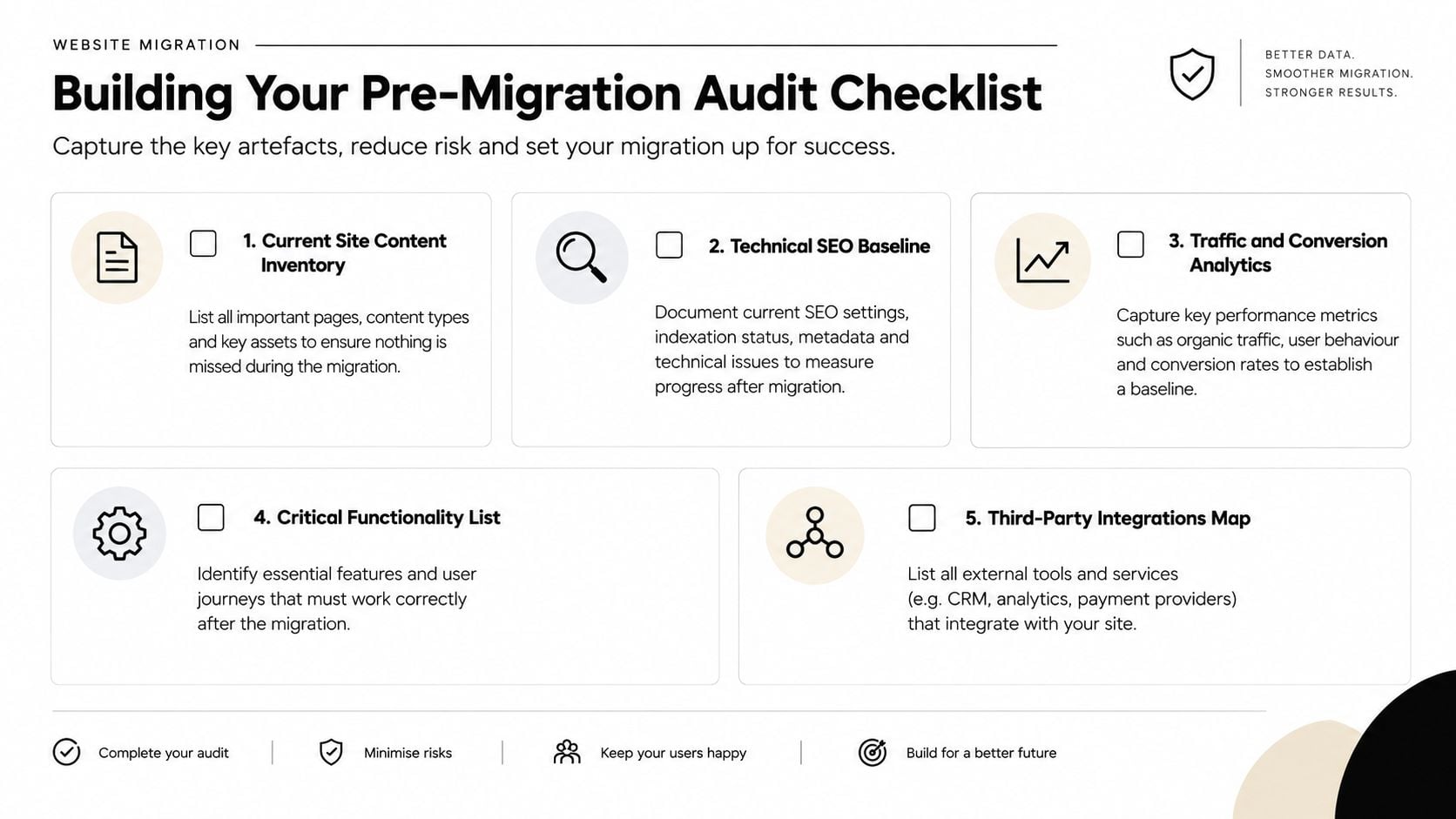
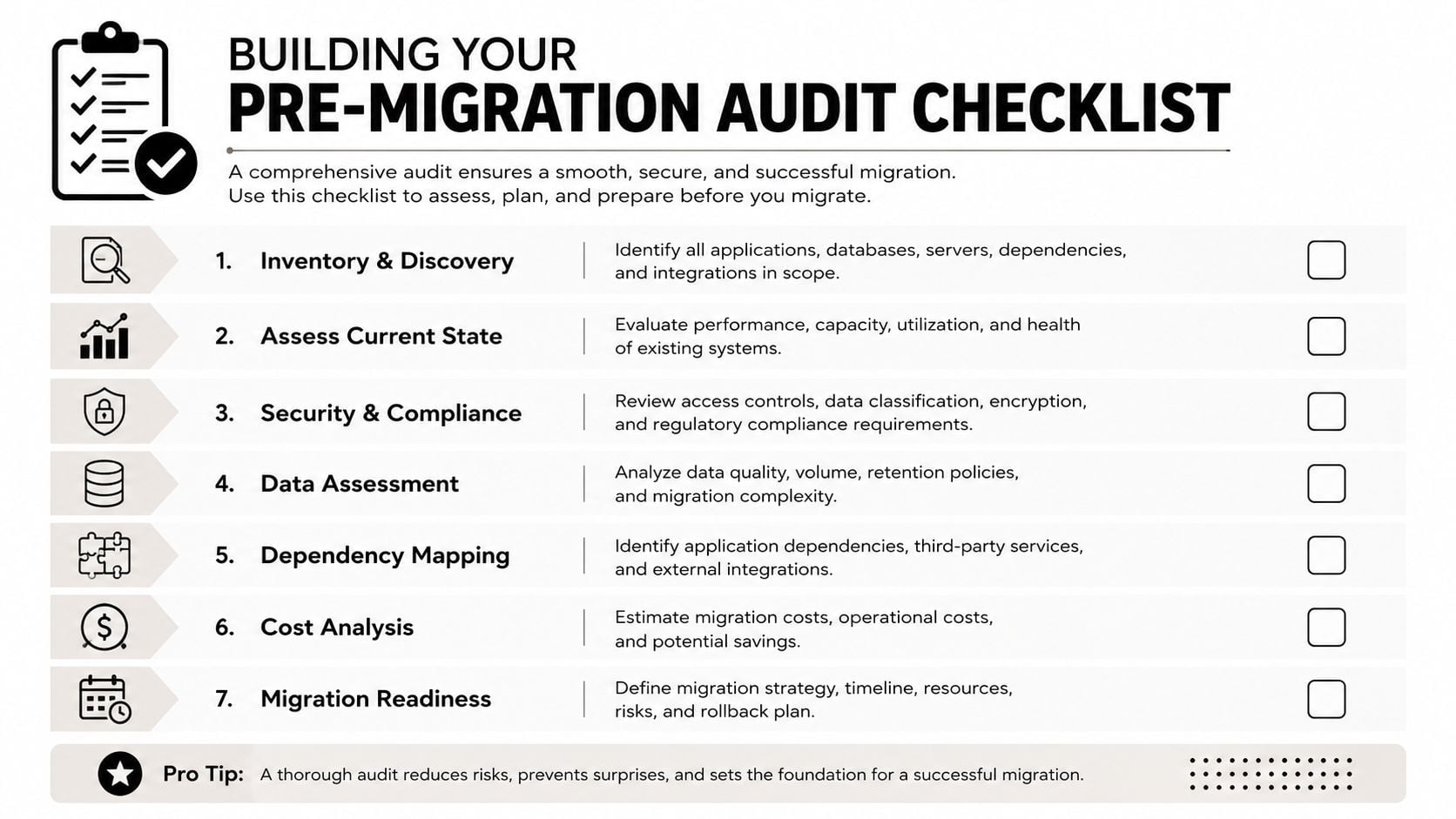
Before changing a server, theme or CMS, capture an honest record of the site you're about to replace. The practical UK site migration guidance recommends exporting indexed URLs from Google Search Console, crawling the live site and recording page-level organic traffic, Core Web Vitals, backlinks and rankings before changes begin.
Record the pages Google and customers already value
Begin with a Search Console export of indexed URLs. Don't assume the sitemap contains everything that matters. Google may have discovered old campaign pages, resource URLs or product variants that aren't obvious in the main navigation.
Run a full crawl with Screaming Frog or a comparable crawler. Save status codes, titles, meta descriptions, canonicals, directives, headings, internal links and image references. The crawl gives your developer a technical inventory, while Search Console shows how Google sees the property.
Pull a list of your strongest organic landing pages from analytics. The exact number of pages isn't the point. Prioritise pages that generate enquiries, transactions, assisted conversions or valuable first visits, then add pages with meaningful backlinks even if their recent traffic is modest.
Benchmark templates, not just individual URLs
Core Web Vitals should be recorded across representative templates, such as the homepage, service page, blog article, category page, product page, basket and checkout. Template-level benchmarking helps you spot whether the new theme introduces a problem across an entire page type.
Backlinks need the same prioritisation. You don't need to manually inspect every referring URL before launch, but you do need to identify links pointing to important pages, key commercial resources and legacy URLs that may disappear. Those destinations deserve a direct redirect or a carefully chosen replacement.
Your one-page audit should answer five questions:
- What is indexed? Export the known URL set from Search Console.
- What receives organic visits? Record landing-page performance and conversions.
- What has authority? Identify linked pages and important referring domains.
- What performs technically? Capture Core Web Vitals and crawl behaviour by template.
- What must still work? List forms, search, accounts, payments, feeds, downloads and integrations.
The aim isn't to preserve every old page forever. It's to know which signals you're defending, which content you're consolidating and which removals have a legitimate replacement.
Setting Up a Staging Site and Bulletproof Backups
A staging site is a working copy of your website where the new build can be tested without exposing unfinished pages to customers. It might sit on a subdomain, a protected subfolder or a separate temporary environment. The location matters less than access control and crawl protection.
Clone the live site, then make the staging URLs consistent before testing. Check forms, media, internal links, scripts, product data and third-party connections. Use password protection where possible, and apply crawl controls during development. The migration guidance referenced above specifically recommends blocking the staging site from crawling, then removing those blocks at launch.
Keep unfinished pages out of search
Use more than one safeguard where practical. Password protection prevents ordinary visitors from browsing the site, while robots.txt controls and noindex directives communicate with crawlers that the environment isn't intended for indexing. These controls are not substitutes for one another, and a staging site should never be treated as a public preview.
Before launch, search the staging configuration for temporary domains, localhost references, development API endpoints and test email addresses. Those details often survive a rushed build. On WordPress, review the site URL settings, canonical output, sitemap location and any SEO plugin settings before deployment.
If your host doesn't offer staging, build locally with LocalWP or use a separate development server. The goal is to create a safe place to test, not to buy a particular hosting package.
Use layered backups
A single backup is a recovery hope, not a recovery plan. Keep a host-level snapshot, an application backup such as UpdraftPlus, and an offsite copy in storage your hosting account can't overwrite. The familiar 3-2-1 approach means maintaining multiple copies, using different storage locations or media, with at least one copy kept away from the live environment.
Restore-test at least one backup before launch. A file existing in a dashboard doesn't prove that WordPress can be restored with its database, uploads, configuration and custom code intact. For WooCommerce, confirm that orders, customer records and product data can be recovered without creating duplicate transactions.
For ongoing stability, WordPress maintenance and support should include update discipline, backup checks and monitoring rather than a vague promise to fix things later.
Mapping URLs and Writing 301 Redirects That Hold SEO
The redirect spreadsheet is where a migration becomes manageable. Create columns for the old URL, new URL, page type, redirect status, reason, test result and owner. Export old URLs from Search Console, add the crawl inventory, include analytics landing pages and review linked legacy pages.
A 301 redirect tells browsers and search engines that a page has moved permanently. A 302 redirect is intended for a temporary change. Using a 302 for a permanent migration can weaken the clarity of the move, while using 301s without a relevant destination can send users somewhere unhelpful.
The core rule is simple. Every old URL with ranking value, link equity or meaningful traffic should point directly to the most semantically equivalent new destination. Don't send every retired page to the homepage. That fallback may technically resolve, but it doesn't answer the visitor's intent and can waste the value associated with the original page.
Five common mapping decisions
| Old URL situation | Suitable destination | Practical decision |
|---|---|---|
| Product slug changes | The same product's new URL | Preserve the product intent with a direct 301 |
| Categories merge | The strongest relevant surviving category | Redirect only when the replacement covers the old topic |
| Blog post is rewritten | The revised article URL | Keep the subject and intent aligned |
| HTTP becomes HTTPS | The matching HTTPS URL | Enforce one secure version consistently |
| Trailing-slash format changes | The same path in the chosen format | Avoid alternating URL rules |
Redirect chains are a common failure. If an old URL points to an intermediate URL that then redirects again, replace the chain with one direct rule. Chains add latency, complicate debugging and can dilute relevance. A homepage fallback creates a different problem, because the destination may be live but semantically wrong.
Test the mapping in staging or a controlled test environment with a crawler and a header checker. Confirm the old URL returns the intended status, the destination returns a successful response, and no rule loops back to itself. The wider technical SEO process is useful here because redirect logic sits alongside crawlability, canonicals, internal links and status-code control.
The day-before health check
Filter the spreadsheet for blank destinations, duplicate old URLs, chains and rules pointing to the homepage. Test a sample from every template, including products, categories, posts, downloads and location pages. Keep the final redirect map separate from the new site files so it remains available if you need to restore the application or DNS.
Deploy rules through the server configuration or a well-tested redirect plugin. Don't make hundreds of manual edits in production while customers are using the site.
DNS Cutover, Hosting Changes, and the Launch-Day Sequence
Launch day needs a script, not a group chat full of guesses. Agree who can change DNS, who owns the hosting account, who checks the application, who tests payments and who has authority to pause the launch. Lower DNS TTL in advance where your provider supports it, then confirm the new environment is ready before changing the domain's routing.
The exact DNS interface varies by provider. Your developer or host should confirm which records need changing, while your team focuses on verification. Ask the hosting provider about propagation expectations, SSL activation, caching, server logs, redirects, email dependencies and any restrictions on deployment.
A controlled sequence
The order matters. Pointing the domain at a new server before the application, redirects and security settings are ready can expose an incomplete site. Removing staging protection too early can expose development URLs to crawlers.
| Time | Action | Owner | Verification |
|---|---|---|---|
| Before cutover | Freeze agreed content and take verified backups | Project lead and developer | Restore points recorded |
| Cutover start | Route the domain to the prepared hosting environment | Hosting owner | Domain resolves to the intended site |
| Immediately after | Confirm HTTPS, applications and 301 redirects | Developer | Browser, crawler and status checks pass |
| Next | Publish XML sitemap and canonical configuration | SEO or developer | Sitemap loads and canonicals match live URLs |
| Then | Remove staging crawl blocks | Developer | Robots directives and noindex settings are correct |
| After domain move | Submit Change of Address in Search Console | Site owner | Correct old and new properties selected |
| Final checks | Test forms, checkout, email and integrations | Assigned testers | Test submissions and transactions complete |
For a domain move, submit a Change of Address in Search Console after the new domain is live and verified. Update internal links so they point directly to the new URLs rather than relying on redirects. Regenerate the XML sitemap, check hreflang where the site serves regional or language variants, validate structured data with Google's Rich Results Test, and spot-check templates in PageSpeed Insights.
Payment gateways, CRMs, email platforms and stock systems need their own cutover checks. Confirm callback URLs, API credentials, webhooks, transactional email and abandoned-cart workflows. A useful resource such as MailGenius can help verify that transactional messages aren't being undermined by configuration or deliverability problems after the move.
For hosting decisions, compare support, backups, performance controls, staging facilities and application requirements rather than choosing on headline price alone. This guide to choosing a web hosting provider gives UK businesses a practical set of criteria to review.
Post-Launch Monitoring and Knowing When to Roll Back
DNS resolution doesn't finish a migration. It starts the observation period.
During the first 72 hours, check Search Console coverage and crawl errors, sample redirects, watch for 404s, confirm new URLs are indexable, review Core Web Vitals and test every important user journey. Don't rely on the homepage as proof that the site works. A WooCommerce customer can reach the homepage while the basket, payment callback or confirmation email is broken.
Separate settling behaviour from failure
Search visibility may move while search engines process redirects and new signals. A sharp, sustained traffic drop, widespread 404s, structured data errors affecting rich-result eligibility, or a failed checkout is not a normal settling period. Compare organic conversions as well as sessions, because a small traffic change can still hide a serious commercial problem.
During the first two weeks, review priority rankings, organic enquiries, product transactions, indexing and structured data again. Over the following weeks, check backlink destinations, revenue parity and template performance. Keep a simple monitoring sheet with the date, owner, observation, action and resolution. Website analytics support can help turn that record into a repeatable review rather than a series of ad hoc checks.
Decide rollback triggers before launch
Rollback should be a documented decision, not an emotional reaction to one unusual report. If the old site is still available and the new deployment causes a serious application or revenue regression, restore the previous environment or revert DNS according to the tested recovery plan. Keep the redirect map ready, because returning the old application doesn't remove the need to handle any URL changes already exposed.
Use this phase checklist:
- Audit: Export indexed URLs, crawl the live site, record traffic, rankings, Core Web Vitals and backlinks.
- Staging: Protect the environment, test templates and restore backups.
- Redirects: Map relevant old URLs directly to equivalent destinations and remove chains.
- Launch: Verify HTTPS, sitemaps, canonicals, hreflang, structured data, forms and checkout.
- Monitoring: Review errors, indexing, rankings, conversions and backlinks on a planned schedule.
A self-serve move is reasonable for a small brochure site staying on the same host with a minor redesign and stable URLs. An agency earns its fee when the project involves multiple sites, multilingual WordPress, WooCommerce data, a platform change or a business that depends heavily on organic leads. DesignStack is one Dorset option for fixed-cost WordPress, eCommerce and brand migration work, with hosting and post-launch support available as part of its web services.
DesignStack can plan and deliver WordPress, eCommerce and brand migrations with URL mapping, hosting coordination, launch testing and post-launch checks built into the project. If you're preparing a move in Weymouth, Dorset or elsewhere in the UK, visit DesignStack to discuss the current site, the proposed change and the safest route between them.