SEO Website Migration Services That Protect Rankings
The new site is live, the design looks sharper, and the team is pleased with the launch. Then the owner notices fewer calls coming through, contact forms go quiet, and organic enquiries start slipping. The redesign may be doing its job visually, but a migration can still disrupt how search engines find pages and how customers complete important tasks.
Effective SEO website migration services treat the move as three connected projects: technical SEO, accessibility and conversion performance. Redirects matter, but they're only one part of keeping a site discoverable, usable and commercially effective.
Table of Contents
- Why an SEO Migration Is Its Own Project
- Building the URL Map Before You Touch the CMS
- Redirect Mistakes That Quietly Destroy Visibility
- Accessibility and Conversion as Migration Risks
- Monitoring After Launch Without Losing Your Nerve
- What Professional SEO Website Migration Services Should Cover
- Common Migration Questions Answered Briefly
Why an SEO Migration Is Its Own Project
A redesign brief lands on the developer's desk. Pages get rebuilt, the new theme goes up, and two days before launch someone asks where the old service pages are pointing. By then the URL structure is baked in and the staging site has been crawled with half its metadata missing. I've watched this sequence play out on enough UK site moves, including a Dorset trades firm that lost its busiest landing page entirely, to know the scramble that follows.
A migration changes more than appearance. A platform switch can alter templates, metadata handling and the way key pages render. A URL restructure disrupts the signals search engines have already attached to your pages. Even a same-platform redesign can rewrite navigation and internal links in ways that change which pages get crawled.
Common UK triggers include moving to WordPress or Shopify, switching from HTTP to HTTPS, folding two domains together after an acquisition, and launching a redesign with new URL patterns. Each carries a different risk profile. A domain consolidation affects how search engines and visitors reach existing pages. A redesign can introduce accessibility barriers or stretch a one-step enquiry form into a multi-page chore.
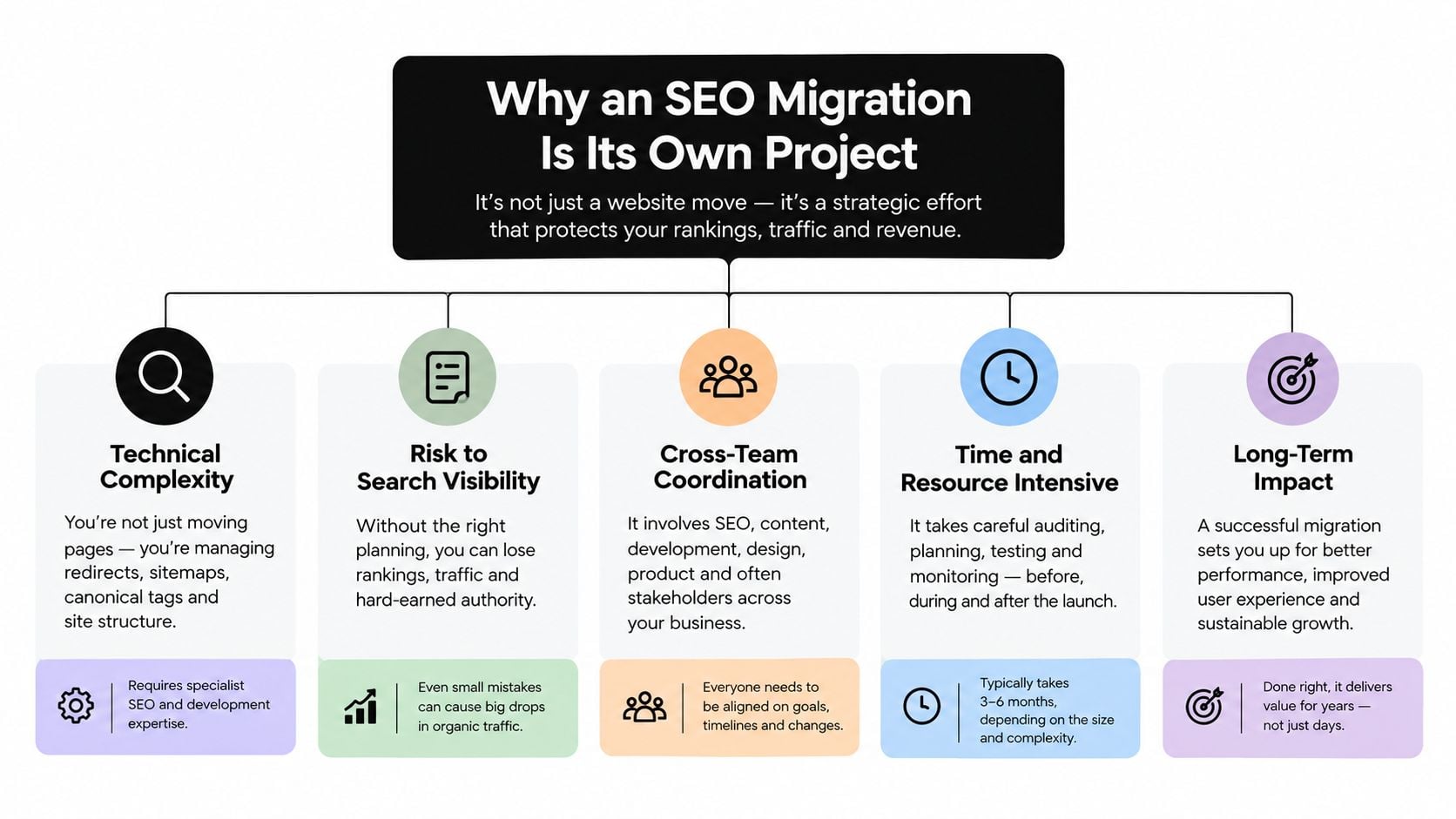
Treat the move as three layers
Technical SEO covers crawling, indexing, URL relevance, redirects, canonicals and structured data. Accessibility determines whether people can use the site, including with a keyboard or assistive technology. Conversion signal is the practical evidence that visitors still complete valuable tasks: submitting a form, calling the business, buying a product.
These layers interact in ways a redirects-only plan misses. A new template might drop a heading that explained the page, bury a call-to-action behind a mobile menu, or render a form unusable for some visitors. Rankings can hold steady for weeks while enquiries fall, because the problem sits in the journey rather than the index. Someone has to own that overlap, which means coordinating SEO, design, development, content and whoever handles sales or inbound enquiries. Before anything changes, capture baseline figures for rankings, enquiry volume and task completion so each layer can be measured separately after launch.
Practical rule: Run the rebuild and the migration plan in parallel. Don't wait until launch week to ask where each old page is going.
For public-sector websites, accessibility also carries specific regulatory obligations, including publishing an accessibility statement. For any organisation, knowing what technical SEO covers explains why search checks belong in the project plan rather than the final launch checklist.
Building the URL Map Before You Touch the CMS
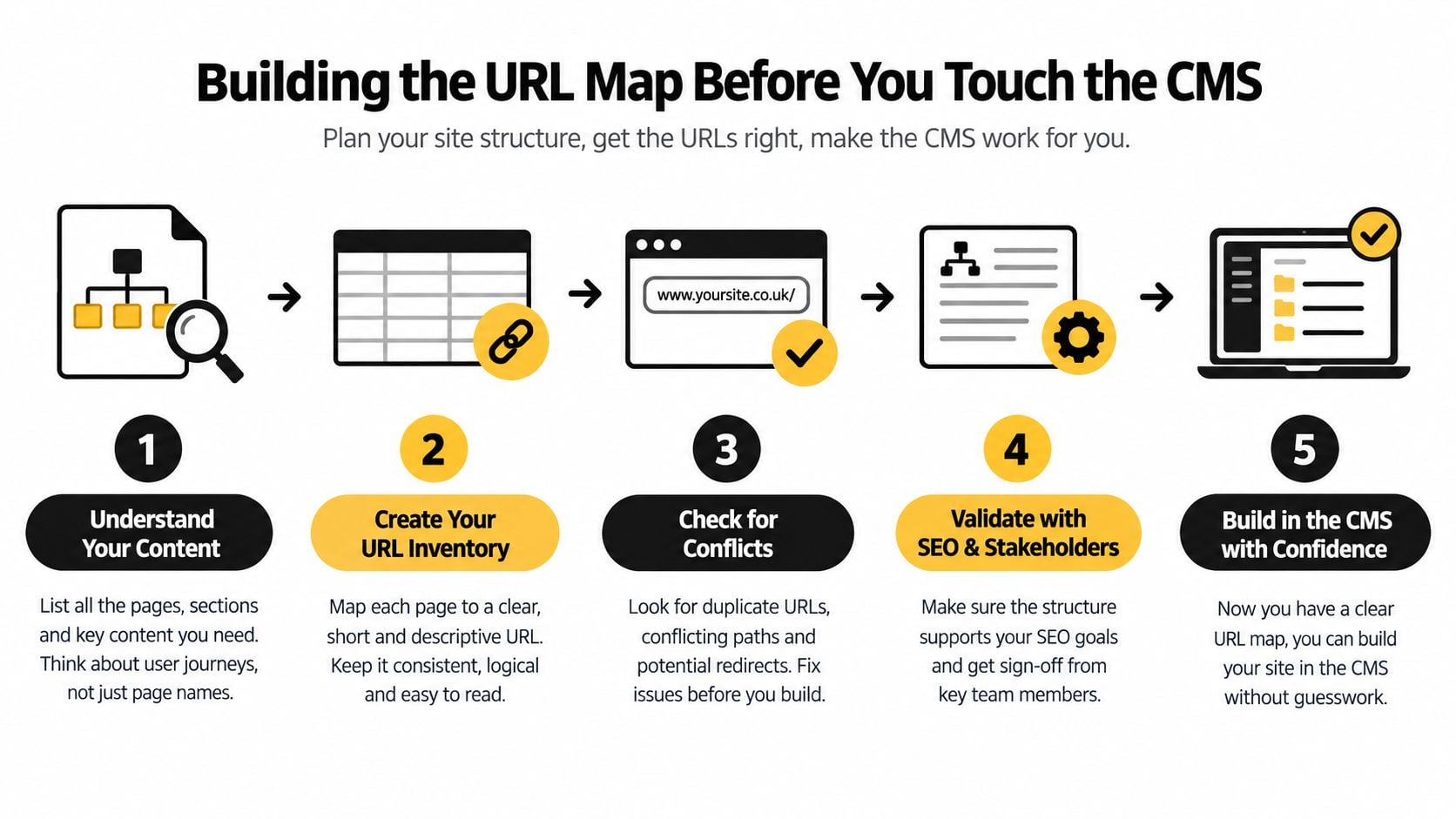
A reliable migration starts with an inventory, not a new CMS. Before anyone changes the site, gather the old URLs from the XML sitemap, server logs, Google Search Console, analytics and backlink data. Each source reveals a different part of the picture. A sitemap lists URLs the site declares as important; logs show what crawlers and visitors request; analytics and Search Console show user and search activity; backlink data identifies pages that other sites point to.
Reconcile those exports into one working list, removing duplicates and noting which pages are indexable. Then classify each URL by organic clicks, backlinks, conversions and topical intent. A page with valuable links or enquiries deserves careful handling even if it isn't prominent in the current navigation.
Map intent, not just addresses
For every URL that will change, select the closest equivalent on the new site. A product page should redirect to the same product where it remains available; a category page should map to its corresponding category. If a page is retired and there's no relevant replacement, use a deliberate 410 or 404 rather than sending visitors to an unrelated page.
A blanket redirect to the homepage may appear convenient, but it breaks the connection between the old page's purpose and the new destination. That makes the experience confusing for users and gives search engines a poor substitute for the original content. Teams planning a clearer hierarchy can also review this practical guide to Growth 4 Trades' local SEO structure.
Keep the staging site out of search results while it's being built, then remove the blocking rule at launch. Before release, crawl staging and check:
- Page signals: Canonical tags, robots directives, status codes and rendered content.
- Site structure: Internal links, pagination and, where relevant, hreflang.
- Rich results: Structured data and any schema carried over from the old site.
- Redirects: Direct server-side 301s for changed URLs, with no unintended chains or loops.
This work isn't just theoretical. A UK ecommerce migration case review describes one retailer losing almost 30% of organic traffic and more than 50% of revenue for three consecutive months after a poor migration, while another example recovered from an initial dip to 20% traffic growth after one month and 40% after three months. These are case examples, not a forecast for every business. They show why a careful migration plan and a realistic recovery window matter. For a deeper look at how pages, navigation and categories fit together, review information architecture fundamentals.
For a closer look at the planning process, this video offers another migration perspective:
Redirect Mistakes That Quietly Destroy Visibility
A CMS rarely causes the whole problem on its own. More often, a migration loses relevance because the redirect plan fails to preserve what each URL was about.
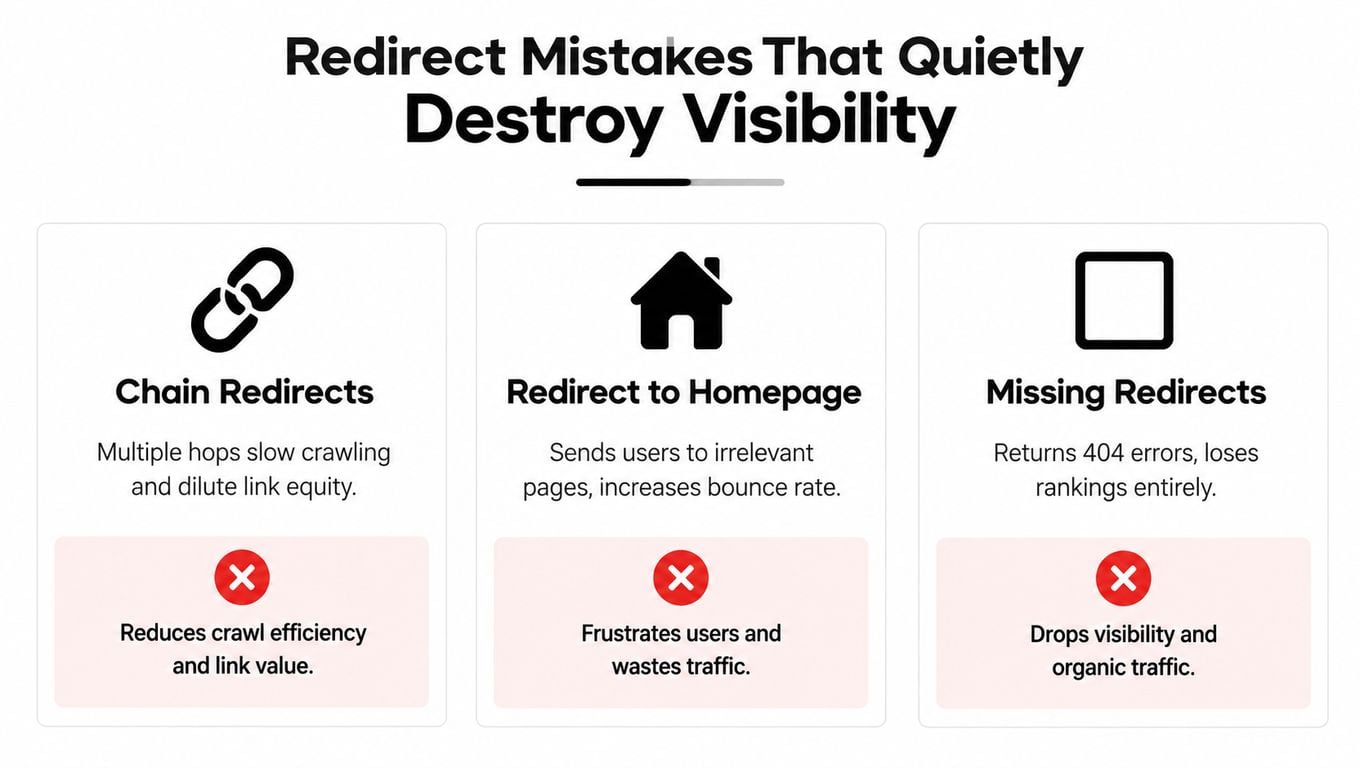
Three patterns deserve particular scrutiny:
- Wildcard redirects: A broad rule sends many old pages to a generic destination, even when their topics differ.
- Homepage catch-alls: Disappearing product, category and advice pages all land on the homepage, leaving users to search again.
- Unmapped priority URLs: Important pages return errors because nobody included them in the redirect list.
A UK analysis of major ecommerce migrations found that preserving addresses or using page-level equivalents aligned with retained or recovered visibility, while a wildcard strategy in the Topshop-to-ASOS consolidation was associated with roughly 80% search-visibility loss. That's directional case evidence, not a guaranteed outcome. The practical lesson is to preserve the relationship between a page and its replacement, rather than relying on a rule that treats every URL alike.
Audit what the redirect actually does
A redirect can look fine in a browser and still be a poor match for search or users. Check each valuable old URL through to its final destination, not only whether it eventually loads. A chain, where an old URL redirects to an intermediate URL before reaching the final page, adds unnecessary hops and makes defects harder to diagnose. A loop can prevent the page from loading at all.
Look for redirect-to-redirect situations, soft 404s, conflicting canonical tags and pages that should remain live but have been redirected. Don't automatically redirect every retired page: when no meaningful replacement exists, an intentional 410 or 404 is more honest than a misleading destination.
Every redirect makes a promise about where the old page's value and intent now belong. Check that the destination keeps that promise.
When errors do surface, use a repeatable process to find and fix 404 errors. Before cutover, aim for no unexplained redirect chains and complete redirect coverage for valuable legacy URLs. Those are useful operational checks, not promises that rankings won't fluctuate.
Accessibility and Conversion as Migration Risks
A migration can keep its rankings and still lose the business money. I have seen relaunches where organic traffic held steady while enquiry volume collapsed, because nobody checked what the new templates did to the people using them. Accessibility and conversion deserve the same launch-acceptance weight as the redirect QA, since a site that ranks but cannot be used fails just as surely as one that disappears from search.
The UK public-sector accessibility requirements mentioned earlier set out the rules for covered services, including the move to WCAG 2.2 monitoring from October 2024, and WCAG 2.2 itself added six new success criteria. Private businesses carry different obligations. The standard still works as a practical checklist for finding barriers before customers hit them, and treating it that way during a redesign costs far less than retrofitting fixes after launch.
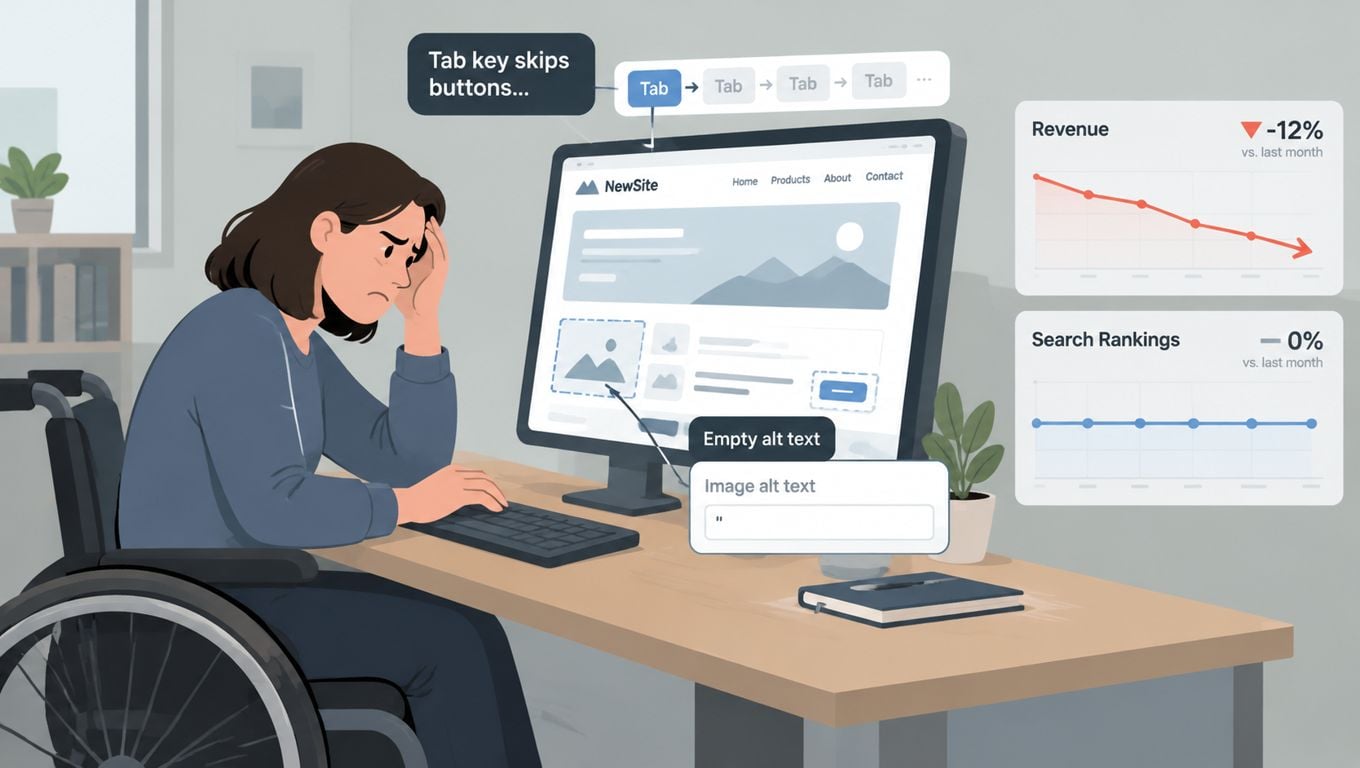
Published audits put numbers behind the risk. Retail Times' coverage of accessibility barriers in retail reported UK testing in which 84% of the 100 most popular retail-brand homepages had issues capable of creating critical barriers for disabled users, and every homepage tested carried at least one WCAG 2.1 AA violation. The same coverage cited a 2025 European assessment that found inaccessible checkout flows across 94% of leading ecommerce sites, with the UK scoring 4.6 out of 10.
Compare key journeys before and after
Pick a small set of representative templates: a service page, a product or category page, and a contact or checkout page. Run identical journeys on the live site and the staging build, on a phone and by keyboard alone. Check whether a keyboard user can move through the navigation without a focus trap, whether form labels announce properly, whether text keeps adequate contrast and whether images carry useful alternatives.
Then test the task that pays the bills. Can a customer send an enquiry, find the phone number, finish checkout? A page can pass a visual review while keyboard focus disappears inside a menu, or a form flags errors only in colour. For a small business where a handful of weekly enquiries keeps the diary full, one broken form is a real loss rather than a rounding error.
Log every finding with an owner and a fix deadline before cutover, and treat anything unresolved as a launch blocker. A structured website accessibility audit run alongside the SEO QA turns a vague worry into release checks your design and development team can action.
Monitoring After Launch Without Losing Your Nerve
The first days after launch call for calm, not complacency. Search engines need to process changed URLs, but a genuine fault can also leave pages inaccessible or stop enquiries. Compare live results with a pre-migration baseline and check technical SEO, accessibility and conversions together.
Mobile deserves its own view. Ofcom reported that UK adults spent an average of 4 hours 19 minutes online per day in March 2024, while total monthly UK mobile traffic reached 1,069 petabytes, up 18% year on year, in its Connected Nations UK 2024 report. Those figures describe broad usage, not your specific customers, but they make all-device reporting alone a weak way to spot mobile problems.
Use a phased check, not a single traffic chart
| Phase | Signal to check | Question it answers | Action threshold |
|---|---|---|---|
| Day 1 | Priority redirects, sitemap submission, crawl errors and mobile page access | Can users and crawlers reach the important new pages? | Fix broken priority redirects, blocked pages and critical mobile faults promptly. |
| Week 1 | Device-segmented organic visits, branded and non-branded queries, form and call tracking | Are search changes concentrated in a device group, query type or conversion path? | Investigate a sustained change against the baseline, rather than reacting to one day of movement. |
| Day 30 | Local landing-page visibility, mobile conversion rate, enquiry quality and accessibility retests | Are Dorset and UK visitors finding relevant pages and completing tasks? | Escalate persistent losses in priority pages or qualified enquiries with evidence from the journey. |
On day one, confirm that priority URLs resolve, the new sitemap is submitted, the site is crawlable and key journeys work on mobile. In week one, compare traffic and conversions by device and separate branded from non-branded queries. A brand-query decline can point to a reach or recognition issue; a non-brand decline may suggest weaker discovery for service or product searches. Neither pattern proves the cause on its own, so inspect the affected pages and query groups.
By day 30, review local landing pages, calls, forms, mobile conversions and lead quality against the baseline. Check that keyboard navigation and forms still work after deployment. If a chart moves but enquiries remain healthy, investigate before undoing the release. If important pages are blocked, redirects fail or forms stop working, fix the defect immediately and consider a targeted rollback when the new implementation can't be repaired safely.
Keep the same reporting definitions through the migration. An analytics setup for websites can help teams connect traffic patterns with the actions that matter to a small business, instead of treating sessions as the whole story.
What Professional SEO Website Migration Services Should Cover
A credible migration service hands you a plan you can inspect. Reassurance about rankings is cheap; a documented method is not. Ask the agency to walk you through its URL inventory, its redirect mapping logic, its staging tests and how it verifies the live site. Find out who owns each task and what happens when a defect shows up after launch. If the answer is "we'll keep an eye on it", push for specifics: who watches, what they watch, and how fast they can act.
Check that the proposal treats the move as three layers rather than a redirects exercise. Technical SEO is the obvious layer: redirects, canonicals, indexation. Accessibility is the second, and for public-sector clients the requirements covered earlier make it a concrete compliance item in the proposal; for other businesses, include accessibility checks in the release criteria anyway. Conversion is the third: forms, phone links, checkout and enquiry paths all need retesting on the new build.
Questions worth asking when you compare proposals:
- URL and content preservation: Will you document old-to-new mappings and retain page-level metadata, internal links and relevant structured data?
- Launch readiness: Will you crawl staging, check robots directives, canonicals and redirects, and confirm staging is no longer blocked at launch?
- Accessibility and conversion: Will you test keyboard use, forms and key mobile journeys before and after release?
- Aftercare: Who monitors crawl errors, indexation, rankings, enquiries and revenue, and how does the team respond to a problem?
- Commercial scope: Does the fee cover the work and support you need, or are important checks billed separately?
Fixed-cost work makes scope clearer; time-and-materials suits projects where complexity is still uncertain. Either way, insist on written deliverables, change control and a clear escalation route. If your business has specialist requirements, such as financial advice content, an SEO roadmap for financial advisors shows why migration decisions belong inside a wider search strategy.
DesignStack provides web design and development for WordPress and ecommerce projects, with migration planning that includes URL mapping, launch testing and post-launch checks. For Dorset SMEs, the practical test is simple: ask any prospective partner to explain how its technical, accessibility and conversion checks fit your specific site and team.
Common Migration Questions Answered Briefly
Can a small business migrate without losing rankings? A migration can be carefully planned, but no one can guarantee zero fluctuation. Choose a quieter period only if your team can still monitor the launch and respond to issues.
How do I know whether I need a full replatform? If the current CMS can support the changes you need, a focused redesign or technical fix may be enough. Replatform only when the business case justifies the additional migration work.
What does a real rollback involve? Agree in advance which changes can be reversed, who makes that call and how the previous site can be restored without losing new enquiries or orders. Don't rely on an improvised decision during a live incident.
Why track branded and non-branded searches separately? They help distinguish changes in demand for your business from changes in discovery for your services. GOV.UK's mobile share of visits reached 61% by December 2025, compared with 13% in 2012, a useful reminder that device-level reporting can reveal patterns hidden in all-device totals (Qualibooth's accessibility report resource).
If you're planning a redesign, platform move or domain change, DesignStack can help with migration planning, web development, launch testing and post-launch checks. Talk through your current site, your goals and the risks you want managed before the new build goes live.