
What Is a Website Sitemap and Why Your Business Needs One
A website sitemap is a structured file that lists the important pages on your site, and it helps search engines discover and index your content more efficiently. Think of it as a tour guide for Google, showing where the main rooms are, how they connect, and which doors matter most.
If you've ever launched a new page and then wondered why it still isn't appearing in search, you're not alone. Many small business owners assume Google will find everything on its own, but websites with messy navigation, few external links, or a lot of content can leave important pages sitting in the dark.
Table of Contents
- Understanding What a Website Sitemap Does
- XML Sitemaps Versus HTML Sitemaps Explained
- Why Sitemaps Matter for SEO and Search Engine Crawling
- How to Create and Submit Your Sitemap
- Common Sitemap Mistakes and How to Avoid Them
- Best Practices and When to Ask a Web Agency for Help
Understanding What a Website Sitemap Does
A sitemap gives search engines a clearer route through your site. Without one, a crawler has to rely more heavily on links it finds along the way, and pages that sit a little deeper in the structure can be easier to miss. With a sitemap, you provide a direct list of important URLs, plus a clearer view of how those pages relate to the rest of the site.
Google's sitemap overview explains that a sitemap can list pages, videos, and other files on a site, while also showing relationships between them. It can include useful metadata too, such as the last-updated date and alternate language versions. For businesses with regional or multilingual pages, that extra detail helps crawlers read the site more accurately, especially where local search competition is tight.
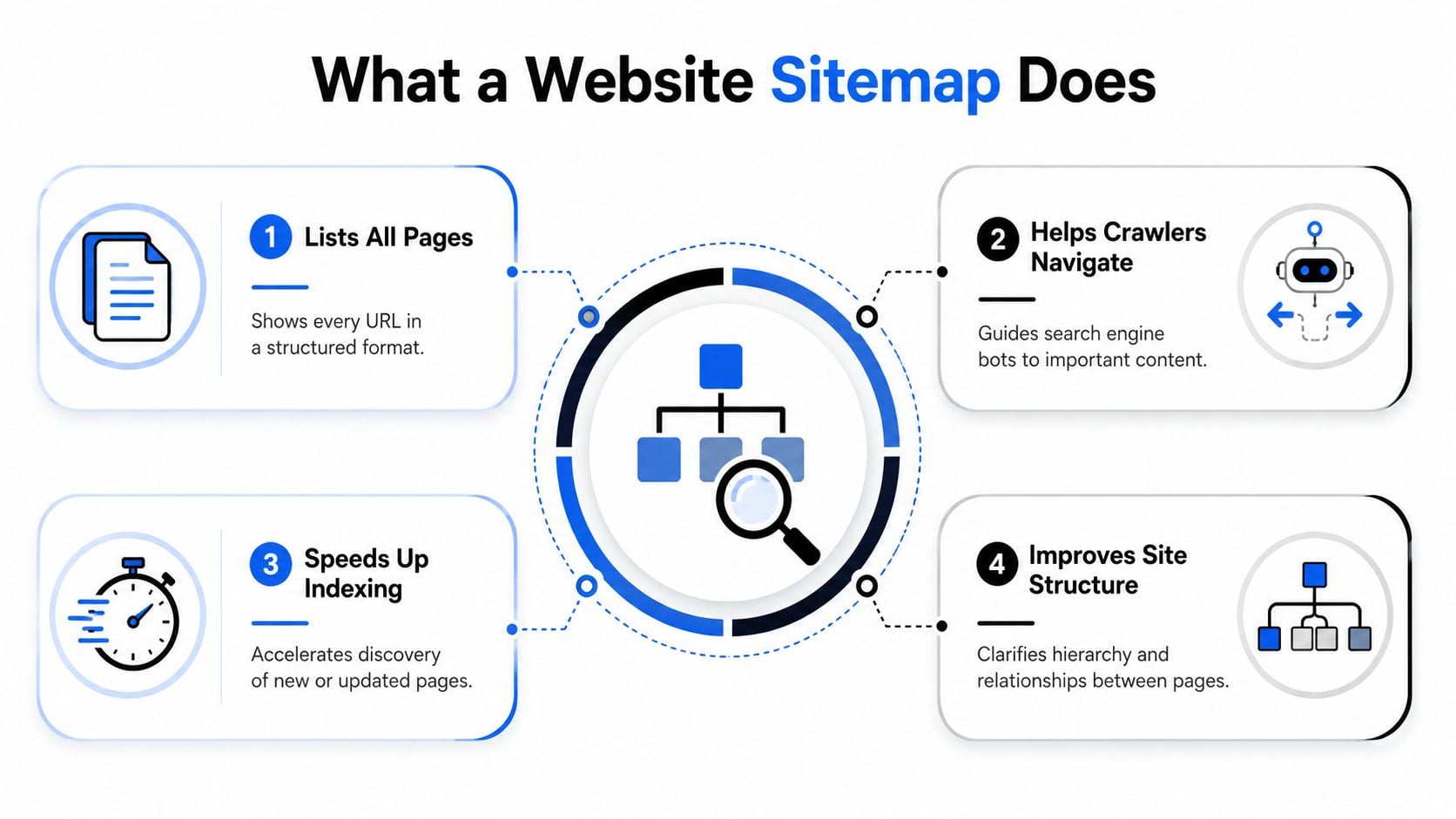
Practical rule: if a page matters to your business, it should be easy for both people and crawlers to find.
A sitemap does not replace internal links. It works alongside them, much like a hotel concierge who points guests to the right lift, floor, and room while the building itself still has its own signs and corridors. The sitemap gives search engines a clean route through your content, while your internal links help show how one page connects to another. If you are planning a site or reviewing an old one, the relationship between sitemap structure and layout becomes clearer when you look at information architecture.
Google also sets a practical limit of 50,000 URLs per sitemap file and a maximum uncompressed file size of 50 MB. Larger UK sites need to keep those limits in mind, especially if they manage product catalogues, location pages, or a large library of articles. The file can still be small and useful for a new business site, while a bigger company may use it as a simple directory that keeps search engines from wandering aimlessly.
XML Sitemaps Versus HTML Sitemaps Explained
These two get mixed up all the time, mostly because they sound similar and both help people find content. The difference is who they're built for. XML sitemaps are written for search engines, while HTML sitemaps are written for human visitors.
The clearest way to compare them is side by side.
| XML Sitemap | HTML Sitemap |
|---|---|
| Machine-readable file for bots | Clickable page for people |
| Lists URLs and metadata | Shows links in a visible page layout |
| Helps crawlers discover content | Helps visitors navigate content |
| Usually hidden from normal browsing | Often linked in the footer or site menu |
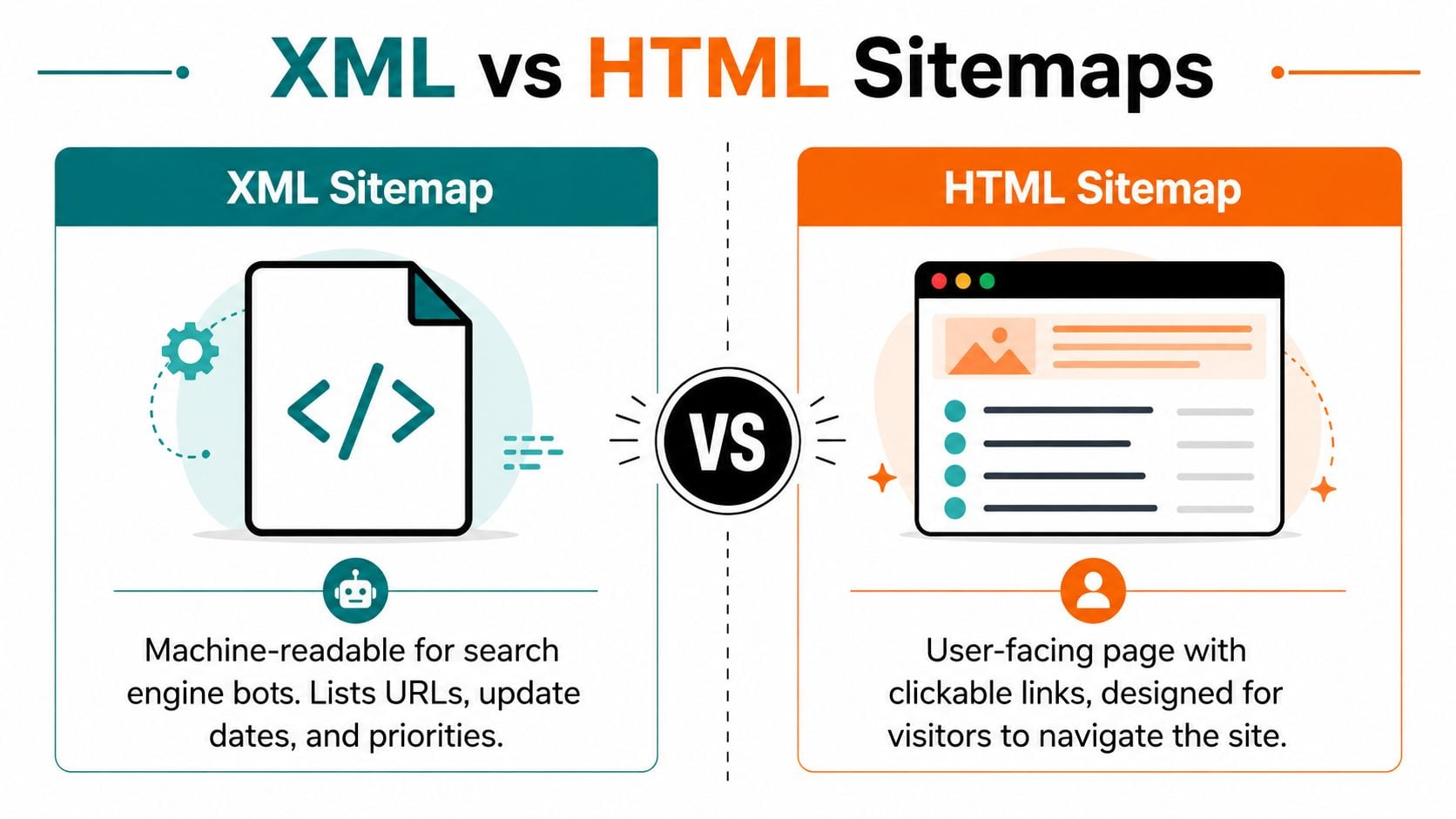
An XML sitemap is the one that matters most for SEO. It gives Google and Bing a clean, structured list of URLs they should know about. If you run a WordPress site, an online shop, or a content-heavy service site, that machine-readable file is the one doing the heavy lifting behind the scenes.
An HTML sitemap plays a different role. It's useful for visitors who want a broader view of the site without digging through menus, and it can support usability on bigger websites. If your navigation is already simple and obvious, you may not need a visible HTML sitemap, but it can still help users who prefer a direct list of pages. That overlaps with broader user experience work, which is why many owners pair it with website UX planning.
A practical way to think about it is this. XML is the backstage briefing for search engines, HTML is the public directory for visitors. Some sites need both, some only need the XML file, but the XML version is the one you should treat as essential.
Search engines don't need a prettier page, they need a reliable map.
Why Sitemaps Matter for SEO and Search Engine Crawling
A sitemap helps search engines understand your site without guessing their way around it. They can still find pages through links, but a sitemap gives them a clear route, which is especially useful for a new site, a large site, or a site where some pages sit several clicks away from the homepage. That is why XML sitemaps are a regular part of technical SEO planning, alongside crawlability and indexability work.
Where the sitemap helps most
A new website often has very few other sites linking to it, so discovery can be slow or uneven. A sitemap gives the crawler a direct list of the pages you want noticed, instead of leaving everything to the internal menu and scattered links. That helps businesses that have just launched, and it also helps pages buried deeper in the site structure than the homepage or main navigation.
Large eCommerce stores benefit in a different way because they may contain many product and category pages. A sitemap helps search engines understand the size and shape of the site without relying only on organic discovery. When products change often, the file can keep attention on current URLs instead of older paths or pages that are no longer relevant.
Blogs, news sections, and other frequently updated sites get another advantage. If the sitemap includes useful metadata such as the last-updated date, it gives crawlers a clearer signal about which pages may deserve another visit. That turns the file into part of the crawl conversation, not just a housekeeping task.
What it does not do
A sitemap does not force indexing. It does not fix weak content, poor internal linking, or pages that search engines choose to ignore. It is a communication bridge, not a magic switch, which is why it works best as part of the wider technical SEO process.
Useful mindset: if a sitemap is the map, indexing is the destination stamp. You still need the page to be useful, the links to be sensible, and the technical setup to support discovery.
Google Search Console helps make that difference visible by showing submitted URLs alongside indexed URLs, plus any warnings or errors in the sitemap report. That makes it easier to spot pages that should be visible, such as core service pages, location pages, and product pages, but are slipping out of view.
How to Create and Submit Your Sitemap
A sitemap is a lot like giving search engines a tour guide for your website. Without it, crawlers can still explore, but they may miss pages that matter most to your business, especially if your site has been built through a content management system. For many WordPress sites, the easiest route is to let a plugin create the file automatically. Tools such as Yoast SEO and Rank Math usually generate an XML sitemap without you having to build it by hand, so most small businesses never need to edit XML directly.
A simple way to get it live
Start by checking whether your sitemap already exists. On many WordPress sites, the file sits at a standard sitemap URL, often linked from the site itself or listed in the robots file. If you use a plugin, its settings usually show the exact address, which saves you from guessing.
Once you have the URL, open Google Search Console and add the sitemap in the Sitemaps area. Search Console then records the file and begins showing what it can process. Bing Webmaster Tools has a similar submission area, so if Bing matters for your audience, add the same sitemap there too.
After you submit it, keep an eye on the report. The first check tells you whether the sitemap was accepted, and later checks show whether the URLs are being picked up properly. That report matters because it shows the gap between submitted URLs and indexed URLs, which can reveal a discovery problem before it turns into a visibility problem.
For sites that are not on WordPress, the process is still straightforward. Many modern site builders create XML sitemaps automatically, and manual creation is possible if you are working with a smaller site and a developer. The point is the result, a clean file that matches the pages you want search engines to find.
What good submission looks like
- The URL resolves cleanly: the sitemap opens without errors and points to live pages.
- The right pages are included: core services, products, and important content are present.
- Search Console shows it as submitted: you can see the file in reporting.
- The numbers make sense: submitted pages and indexed pages are being tracked rather than guessed.
If that feels more technical than you want to handle in-house, that is normal. The setup is straightforward once it has been done once, but the first pass is often where owners want a second pair of eyes.
Common Sitemap Mistakes and How to Avoid Them
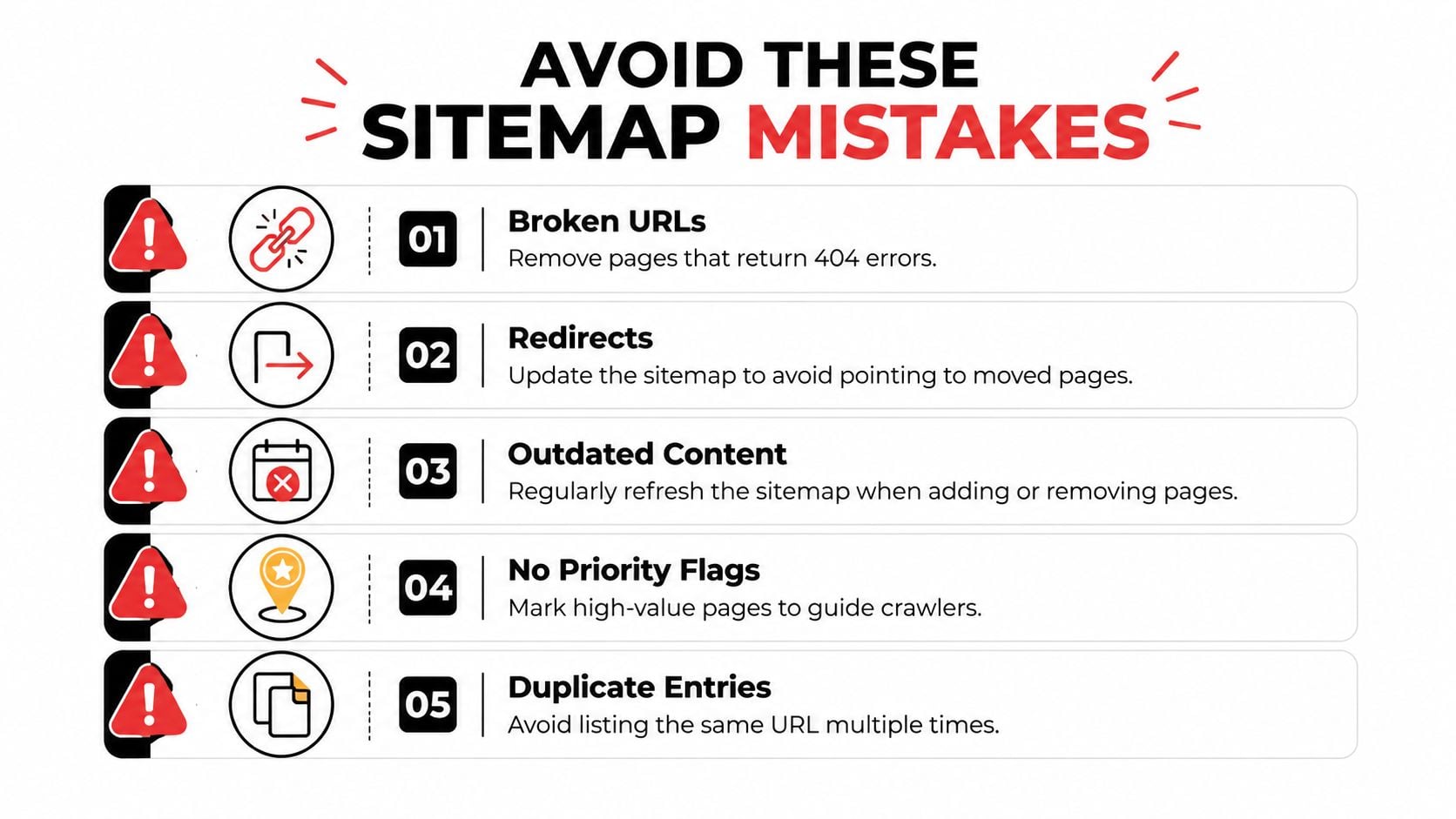
A sitemap helps search engines find the right pages, but only if it matches what is on the site. If it still lists broken URLs, redirect chains, or pages you no longer want indexed, it becomes a noisy handout instead of a clear guide. Search engines need a clean list, not clutter.
The mistakes that cause the most trouble
Broken URLs are easy to overlook. A page may have been deleted or renamed, but if the sitemap still points to it, crawlers hit a dead end instead of the page you intended.
Redirects cause a similar problem. If a page has moved, the sitemap should point to the current address, not the older version that sends search engines somewhere else first.
Outdated content usually points to weak maintenance. New pages get added, old pages get removed, and the sitemap slowly drifts away from the live site unless someone updates it alongside the rest of the content.
No priority flags confuse owners more than crawlers. Search engines rely on the sitemap as a discovery file, so the main job is to keep the URL list accurate and to support it with clear internal links.
Duplicate entries add noise without helping the site. Listing the same page more than once makes the file harder to trust and offers no extra value.
Practical rule: the sitemap should only contain URLs you would be comfortable sending a visitor to.
A sitemap report still helps here, because it shows warnings and errors tied to the file itself, which makes it easier to spot whether the issue sits in the sitemap, the page, or the wider site structure. Google Search Console sitemap report
A second mistake is assuming submission means indexing. Search engines still decide what gets indexed, and they still look at page quality, duplication, crawl access, and whether a page fits the rest of the site. If you have recently moved your website, check the sitemap against your website migration SEO checklist so old URLs do not linger after the structure changes.
Best Practices and When to Ask a Web Agency for Help
The easiest sitemap routine is also the least glamorous one, checking it regularly and keeping it aligned with the live site. For a small business, that usually means looking at it whenever pages are added, removed, or renamed, then reviewing the Search Console report on a monthly basis. That habit catches most problems before they snowball into missing pages or wasted crawl effort.
A maintenance rhythm that actually works
Start with the sitemap itself. If the file still points to pages that no longer exist, the clean-up should happen at the same time as the site change, not weeks later. Then open Search Console and compare submitted URLs with indexed URLs, because that's where you'll spot coverage gaps on your core service pages, product pages, or local landing pages.
If your site is changing shape during a redesign or migration, treat the sitemap as part of the move, not an afterthought. When pages are reorganised, the sitemap should reflect the new structure quickly so crawlers aren't left following stale paths. That matters even more when old and new content overlap, because a messy handover can leave search engines uncertain about which version to trust.
When professional help makes sense
Some sites stay simple, and some don't. If you've got a large eCommerce catalogue, multiple sitemap files, or a multilingual setup that needs careful handling, the risk of missing something rises fast. In those situations, it's often easier to bring in an experienced web agency than to patch things together after traffic dips.
That's also true when the site itself is being rebuilt. A redesign can change page paths, menus, categories, and internal links all at once, which means the sitemap has to stay in sync with every moving part. If you're comparing agencies, how to choose a web design agency is a sensible starting point.
DesignStack can handle sitemap setup as part of a wider web design and SEO process, which is useful when the file needs to sit inside a broader site structure rather than as a one-off task. That approach is especially practical for businesses that want the technical setup to stay aligned with the design, content, and launch plan instead of being left to chance.
If you want a sitemap that supports real search visibility, DesignStack can help you plan, build, and maintain the structure behind it. Visit DesignStack to talk through your site, your search goals, and the pages you want Google to find first.