The 2026 Website Migration SEO Checklist: 10 Steps
A migration usually feels safe right up until launch week. Design is signed off, the build looks cleaner than the old site, and the deadline is already in the calendar. Then the critical question lands. What happens to rankings, indexed URLs, backlinks, and attribution once the switch is made?
That question should come up at the start, not the end.
Website migrations rarely go wrong because of one dramatic technical failure. They go wrong because small decisions stack up under pressure. Redirects are incomplete. Canonicals still point to staging. Internal links keep hitting retired URLs. Analytics and Search Console are not checked until after traffic drops. I have seen otherwise strong rebuilds turn into recovery projects for exactly those reasons.
Good migration work is mostly sequencing. The job is not just knowing what to check. It is knowing when to do it, why it matters, and which issues can wait versus which ones can damage performance within days. That is the point of this checklist. It is organised into pre-launch, launch, and post-launch phases so teams can work in the right order instead of treating SEO as a final QA task.
If your team needs a refresher on the foundations, this sits alongside our guide to technical SEO requirements that affect site migrations.
Use this checklist as a working document. For agency teams like DesignStack, the fastest way to keep a migration under control is to build two spreadsheets before anyone touches the live site: a URL mapping sheet and a backlink tracking sheet. Those templates turn abstract SEO advice into a launch process you can assign, review, and validate.
Table of Contents
- 1. Conduct a Complete SEO Audit of the Current Website
- 2. Plan and Document URL Structure Changes
- 3. Set Up 301 Redirects for All Changed URLs
- 4. Update Internal Links Throughout the Site
- 5. Create and Submit XML Sitemaps to Search Engines
- 6. Update Google Search Console and Analytics Properties
- 7. Update Backlink Profile and Monitor Referring Domains
- 8. Verify Mobile-Friendliness and Page Speed Across New Site
- 9. Test and Validate All 301 Redirects and Verify No Broken Links
- 10. Monitor Traffic and Rankings Post-Migration with Daily Reporting
- 10-Point Website Migration SEO Checklist Comparison
- Your Migration Is Complete. Now What?
1. Conduct a Complete SEO Audit of the Current Website
The expensive migration mistakes usually happen before development starts. A page looks outdated in the CMS, someone removes it, and only after launch does the team realise it was still bringing in qualified leads, links, or long-tail rankings. The audit prevents that.
Treat this as the first working document in the migration, not a box-ticking exercise. In a phased checklist like this one, the audit belongs firmly in pre-launch because it decides what must be protected later in the URL map, redirect file, and post-launch monitoring. If you are handling the project for a client or an internal team, build the baseline before anyone changes templates, navigation, or content hierarchy.
Start with a full crawl of the current site and export the results. Pull query and indexing data from Google Search Console, landing page and conversion data from GA4, and technical page-level data from Screaming Frog or a comparable crawler. Capture titles, meta descriptions, canonicals, status codes, indexability, internal link counts, duplicate content, image issues, and structured data errors. If the migration also changes site hierarchy, review the existing information architecture at the same time. It often explains why certain sections perform well or struggle.
Capture the baseline before anything moves
Prioritise pages by business value first, then by traffic. A local trades business may depend on a handful of service and location pages. An ecommerce site usually depends on category pages, top product URLs, and evergreen guides that attract links. A publisher may care more about archive structure, news templates, and pages that continue to earn search demand over time.
Use a simple audit sheet and keep it in the same project folder as the URL mapping template and redirect rules. That keeps the migration chronological and controlled. The audit informs the map. The map informs the redirects. The redirects shape what you test at launch.
The audit sheet should include:
- Current URLs: Every live URL, status code, canonical target, indexability state, and sitemap inclusion.
- Top landing pages: URLs that currently drive organic traffic, leads, calls, or sales.
- Backlink priority pages: URLs with strong referring domain support that need precise redirect handling.
- Template issues: Thin content, duplicate metadata, weak internal linking, slow templates, and broken schema.
- Risk notes: Pages marked for consolidation, retirement, or rewrite, with approval recorded before launch.
Practical rule: If a page has rankings, backlinks, or conversions, document it before anyone changes the URL or removes the page.
I also recommend saving evidence outside the spreadsheet. Keep a Search Console export, a crawl export, and screenshots of core rankings or SERP appearances for the pages that matter most. That record helps when stakeholders question why a page needs a like-for-like replacement or why a redirect cannot just point everything to the homepage.
This step sounds administrative. It is not. It is the control point that makes the rest of the migration predictable.
2. Plan and Document URL Structure Changes
A migration gets expensive fast when the URL decisions are made in Slack, then half-remembered at launch. The teams that keep rankings usually do one thing early. They lock the URL plan into a working document, assign ownership, and update it as decisions change.
Don't treat URL changes as a design tidy-up. Change them when there is a clear reason, such as a cleaner site hierarchy, a content consolidation plan, or a simpler structure the next team can maintain. I often advise clients to leave strong, established URLs alone unless the new structure solves a real problem. Every unnecessary change creates more mapping work, more QA, and more risk.
Build the mapping sheet properly
This is the pre-launch control document for the rest of the migration. It should sit alongside your redirect rules and backlink tracking sheet so the process stays chronological. Pre-launch, you decide what changes. At launch, you implement those decisions. Post-launch, you check whether the mapped URLs behaved as expected.
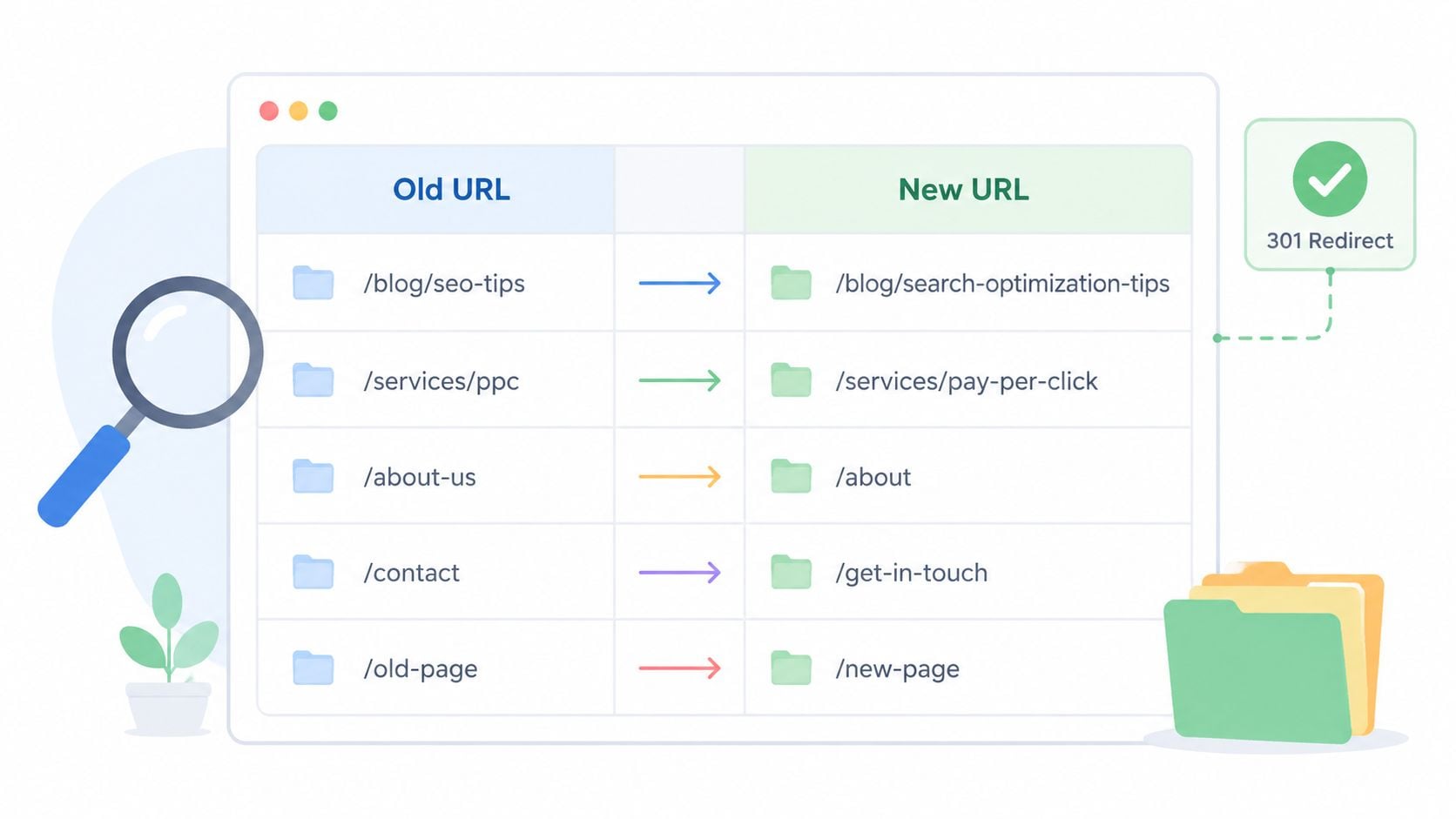
A good URL map does more than pair old and new addresses. It records what kind of page is moving, whether the destination is a like-for-like replacement or a consolidation, what canonical should exist on the new page, and whether the old URL has rankings, links, or conversions that raise the stakes. That context matters because not every redirect is equal. Sending five narrowly targeted service pages into one broad destination can work, but only if the replacement page fully satisfies the original intent.
For architecture decisions, start with user paths and content relationships, not folder names. DesignStack's guide to information architecture is a useful reference here. If the structure is hard for a user to predict, it usually becomes harder to crawl, harder to link internally, and harder to preserve during migration.
Include these columns in your mapping template:
- Old URL: The exact live URL, including trailing slash format, parameters if relevant, and any legacy versions still receiving traffic.
- New URL: The final destination on the new site.
- Page type: Service, category, product, blog post, location page, resource, or utility page.
- Reason for change: Replatform, rebrand, consolidation, taxonomy cleanup, or content merge.
- Redirect status: Planned, approved, implemented, tested.
- Canonical target: The canonical URL expected on the destination page after launch.
- Like-for-like or consolidated: A simple flag that makes QA much easier later.
- Backlink priority: High, medium, or low based on referring domains and link quality.
- Organic priority: Pages that currently drive traffic, leads, or revenue.
- Owner and approval status: Who signed off the change and when.
If you manage migrations for clients, make the sheet downloadable and reusable. Agencies like DesignStack benefit from standard templates because they reduce missed fields and make handoff between SEO, development, and content teams much cleaner.
For larger sites, work in tiers. Map and approve the homepage, top-level service or category pages, revenue pages, and linked content first. Then move to the long tail. That order helps the team protect the URLs that matter most before launch pressure starts cutting corners.
3. Set Up 301 Redirects for All Changed URLs
Launch day problems often start here. The new site looks right, pages load, forms work, and then organic traffic drops because changed URLs were never redirected cleanly. If an old URL has links, rankings, or bookmarked visits behind it, a missing 301 cuts off that path.
Treat redirects as a pre-launch build task, not a launch-night patch. Build them from the URL mapping sheet in the previous phase, approve them before deployment, and give each row a status such as drafted, implemented, tested, and passed. That chronological workflow matters. It stops the usual last-minute scramble where developers add broad rules under pressure and send half the retired site to the homepage.
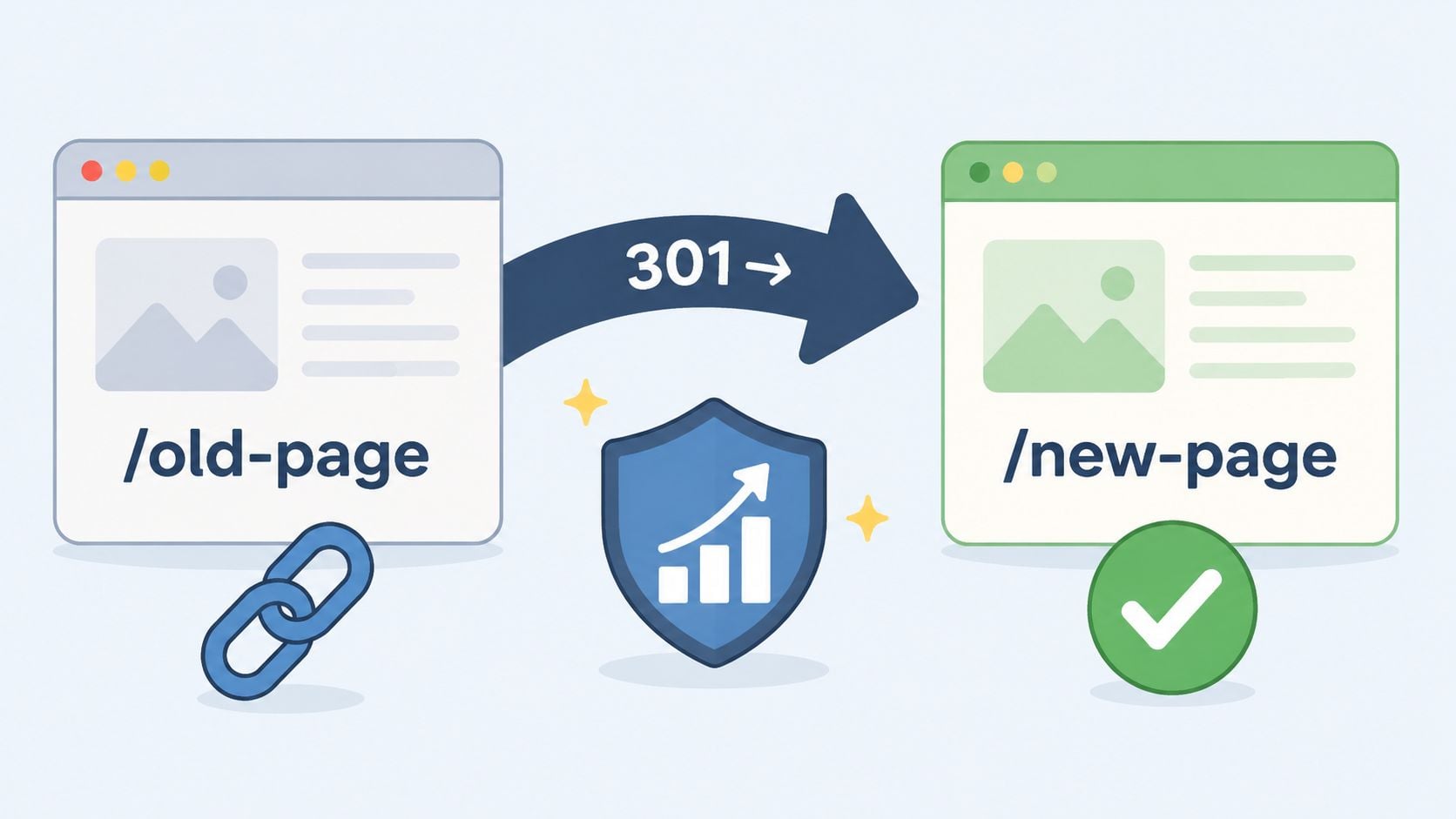
A simple visual check helps before you test the full ruleset.
Redirect rules that actually hold up
Use 301s for permanent URL changes. That tells search engines the old page has been replaced and that ranking signals should be consolidated against the new destination over time. A 302 has its place for short-term testing or temporary redirects, but it is the wrong default for a site migration.
For WordPress projects, small redirect sets can be managed in Redirection or similar plugins. Large migrations usually belong at server level in Apache or Nginx. The trade-off is straightforward. Plugin-based rules are easier for content teams to review, while server rules are faster, easier to version-control, and less likely to break under scale. On agency migrations, I prefer server-level handling once the list gets large enough that manual plugin management becomes error-prone.
Good redirect work is exact. Each old URL should resolve in one hop to the closest matching new URL. The best destination is usually the direct replacement page, or the nearest equivalent if content has been merged.
Common redirect traps include:
- Homepage dumping: Redirecting removed pages to the homepage creates a relevance mismatch and wastes link equity.
- Redirect chains: Old URL to intermediate URL to final URL adds latency and makes crawling less efficient.
- Mixed response codes: CMS rules, CDN rules, and server rules can conflict. Check the actual headers.
- Parameter loss: Poorly written rules can strip campaign parameters or break filtered URLs that still matter.
- Pattern rules that overreach: A broad regex can send dozens of unrelated legacy pages to the wrong section.
A redirect should answer one question clearly: where should a user and a crawler go now?
Use the URL mapping template as the source of truth here. If you are managing a migration for a client such as DesignStack, the spreadsheet then moves beyond administration, directly preventing revenue loss. The template should let SEO, development, and account teams confirm the destination, priority, implementation status, and QA result without chasing updates across email threads.
Later in the process, use a tool walkthrough if junior team members need to see what proper implementation looks like.
Keep the old domain and hosting environment live long enough to serve those redirects reliably after launch. Shutting down the old setup too early is one of the quickest ways to turn a well-planned migration into a cleanup project.
4. Update Internal Links Throughout the Site
Launch day often exposes a migration that looked finished in staging. The redirects work, the pages load, and rankings still slip because the new site keeps pointing users and crawlers at old URLs across menus, breadcrumbs, blog modules, and footer blocks. That adds extra hops, wastes crawl budget, and makes the site feel less polished than it should.
Internal links need their own QA pass. Redirects protect external access and bookmarked URLs. They should not carry your site architecture after launch.
This problem shows up on WordPress builds more than teams expect. Links can live in page builders, reusable blocks, widgets, theme files, schema modules, related post plugins, and custom fields. Updating the main navigation is only part of the job.
Clean internal linking removes hidden migration drag
A site can have perfect 301 coverage and still underperform because internal linking was left behind. I have seen migrations where every old URL resolved correctly, but half the content library still linked to retired paths. Search engines could reach the right destination, yet every unnecessary redirect added friction to crawling and diluted the quality of the internal link graph.
Check link placement by site type. On a service site, review navigation menus, service hubs, location page cross-links, footer links, trust signal blocks, and blog calls to action. On ecommerce sites, add breadcrumbs, product carousels, faceted navigation, account journeys, internal search pages, and category filters.
A reliable clean-up process usually includes:
- Database-level find and replace: Useful for large pattern changes, but only after testing on staging and backing up the database.
- Manual review of priority pages: Homepage, top landing pages, core commercial pages, and high-traffic blog posts need a human check.
- Theme and template checks: Hardcoded links in headers, footers, buttons, and reusable components often survive bulk updates.
- Plugin output reviews: Breadcrumbs, related posts, archive widgets, and custom modules can keep pulling outdated URLs.
- Crawl-based validation: Run a fresh crawl after implementation to catch old internal targets, redirecting links, and broken paths at scale.
Use the same migration spreadsheet you built for URL mapping to track internal link updates by template, section, and owner. For agency teams, that is what keeps SEO, development, and content work aligned during the pre-launch QA phase and again right after launch. If your team needs a refresher on sitemap structure while reviewing crawl paths, this guide on how to create a website sitemap is a useful reference point.
The standard to aim for is simple. Internal links on the new site should point directly to the final destination URL, not rely on redirects to finish the journey.
5. Create and Submit XML Sitemaps to Search Engines
Launch day is when sitemap mistakes become expensive. A site can be live, redirects can be in place, and templates can look fine, but if the XML sitemap still points search engines to old, redirected, or non-indexable URLs, you slow down discovery of the pages that now matter.
That is why sitemap work belongs in the launch phase of the migration checklist, not as an afterthought. Pre-launch, confirm how the sitemap will be generated on the new site and who owns QA. At launch, check the live output. Post-launch, monitor which sitemap URLs are being indexed and whether any excluded pages slipped in. Agencies need this sequence documented, especially when SEO, development, and content teams are sharing responsibility.
For WordPress builds, Yoast SEO, Rank Math, and All in One SEO can generate XML sitemaps automatically. Automatic does not mean correct. Review the live sitemap after launch and confirm it reflects the final site structure, the intended canonical URLs, and only pages you want crawled and indexed.
For larger migrations, split sitemaps by content type or directory. That makes post-launch diagnosis faster. If blog URLs are being indexed but category pages are lagging, separate sitemap files help you isolate the issue without guessing.
If your team needs a practical reference while QAing output, this guide on how to create a website sitemap is useful.
Use the same migration spreadsheet you created earlier to track sitemap status by phase. I usually add columns for generator source, expected sitemap URLs, launch validation, Search Console submission, and post-launch indexing checks. It saves time when a developer says the sitemap is live but the SEO team is seeing stale URLs in the file.
Use this launch-phase sitemap QA list:
- Indexable URLs only: Exclude redirected URLs, noindex pages, duplicate variants, and URLs canonically pointing elsewhere.
- Final destination URLs: Remove staging domains, parameter versions, mixed HTTP/HTTPS paths, and any old-folder remnants.
- Logical sitemap segmentation: Split by posts, pages, products, categories, or key sections on larger sites.
- Accurate metadata: Keep
lastmoddates current if content changed during the rebuild or content import. - Submission after launch: Submit the live sitemap in Google Search Console and Bing Webmaster Tools once the production site is confirmed.
- Robots.txt reference: Add the sitemap location to robots.txt so crawlers have a second discovery path.
A clean sitemap does not fix a poor migration on its own. It gives search engines a clear, current list of the URLs you want crawled first, which is exactly what you need in the first days after launch.
6. Update Google Search Console and Analytics Properties
Launch morning often looks fine on the surface. The new site is live, redirects are in place, and pages load. Then leads stop appearing in GA4, branded clicks drop in Search Console, and nobody can tell whether the issue is tracking, indexing, or a real performance loss. That confusion wastes the first 48 hours, which are usually the most important hours in the migration.
Search Console and GA4 need to be prepared before launch, checked during launch, and reviewed daily after launch. That timing matters. In the pre-launch phase, confirm ownership and property access so nobody is chasing admin permissions while traffic is already hitting the new site. At launch, verify the live version, submit what Google needs for the new setup, and test your measurement. Post-launch, compare real data against your pre-migration baseline and investigate anything that breaks pattern.
For domain-level moves, set up a Domain property in Google Search Console where possible rather than relying only on a URL-prefix property. If the migration includes a domain change, submit a Change of Address in the old property once redirects are live and the new site is verified. Google documents both steps in its guidance on managing a site move with URL changes. That does not replace redirect work or technical QA. It gives Google a clearer signal about what changed.
GA4 deserves the same level of attention. Keep the old property and historical views accessible. Check events, conversions, referral exclusions, cross-domain settings, channel groupings, and any audiences feeding paid campaigns or reporting dashboards. If forms moved, checkout steps changed, or thank-you pages were replaced, standard pageview tracking can still look healthy while lead tracking is invisibly broken.
I usually add an analytics tab to the same migration spreadsheet used for URL mapping. For agencies like DesignStack, that keeps the work chronological and accountable. One tab for pre-launch checks, one for launch-day validation, one for post-launch monitoring. Include columns for property ID, verification status, event owner, test method, expected conversion path, launch result, and date rechecked. It sounds administrative. It prevents expensive guesswork.
A solid setup includes:
- Search Console verification: Confirm ownership of the live site, any new domain, and the correct protocol and host version.
- Change of Address submission: Use it for domain migrations after verification and redirect deployment are complete.
- GA4 event checks: Test enquiries, phone clicks, purchases, downloads, bookings, and any action the client reports on monthly.
- Search Console and GA4 linking: Connect the properties so landing page, query, and conversion analysis is easier during the first weeks.
- Launch annotation: Mark the migration date in reporting so stakeholders can separate migration effects from normal channel volatility.
One more operational point. Paid media teams need to review landing pages, UTM handling, and conversion destinations at the same time. A migration can leave SEO technically sound while paid traffic starts sending visitors to outdated URLs or untracked forms. In practice, the cleanest launches happen when SEO, development, analytics, and PPC all sign off from the same checklist on the same day.
7. Update Backlink Profile and Monitor Referring Domains
Launch day is when backlink mistakes become expensive. The redirects may be live and the new site may look right, but external sites still point at the old URLs until someone changes them. If those links hit redirect chains, soft 404s, or a weaker replacement page, authority and referral traffic start leaking immediately.
Keep this work in the post-launch phase of the migration checklist, but prepare the tracking sheet before launch. For agency teams, that usually means one tab in the migration workbook for high-value referring URLs, target destinations, outreach owner, contact status, and date checked again. It turns backlink cleanup from vague SEO maintenance into a timed operational task.
Start with data from Ahrefs, Semrush, and Google Search Console. Combine the exports, deduplicate them, and sort by business value, not just by third-party authority scores. A local chamber profile that sends leads can matter more than a generic link on a higher-metric site.
Prioritise the links that matter
The fastest wins are usually links you control. Update business directories, partner profiles, supplier listings, social bios, old campaign landing pages, and downloadable PDFs hosted on third-party platforms. Then move to relationship-based outreach, such as trade associations, local press, sponsors, and industry partners. Those requests tend to get answered if the email is specific and the replacement URL is correct the first time.
A practical outreach order looks like this:
- Links you own: Directory profiles, social accounts, marketplace listings, and citation sites.
- Relationship links: Partners, suppliers, memberships, sponsorships, and trade bodies.
- Editorial links: Press coverage, blog mentions, resource pages, and guest content.
- Legacy assets: Old brochures, PDFs, event pages, and campaign microsites that still attract visits.
If a page has earned strong links over time, do not fold it into a loosely related replacement just because the new sitemap is cleaner. Preserve the closest equivalent page you can. That decision often protects rankings better than a tidy content consolidation.
This work overlaps with citation accuracy as well. If the migration includes a domain change, subfolder move, or rebrand, review business details anywhere your company is listed. In local SEO, inconsistent NAP data and outdated URLs often show up together, and both can slow recovery after launch.
Referral traffic helps you spot problems early. In GA4 and Search Console, watch which referring domains still send users to redirected URLs, which ones drop away, and which destination pages underperform after the move. If traffic from a strong referrer falls sharply, check the redirect path, the relevance of the new page, and the page speed on the destination. If the replacement page is heavier than the old one, fix that quickly. This guide to improving website loading speed after a redesign is a useful reference for that part of the review.
One rule saves a lot of rework. Treat backlink monitoring as a 30-day post-launch task, not a one-off check in the first week. The agencies that handle migrations well do this chronologically. Pre-launch, they identify linked URLs that cannot be mishandled. At launch, they confirm those redirects work. Post-launch, they update the backlinks they can control and track the referrers that still need outreach. That is the difference between a migration that holds authority and one that slowly gives it away.
8. Verify Mobile-Friendliness and Page Speed Across New Site
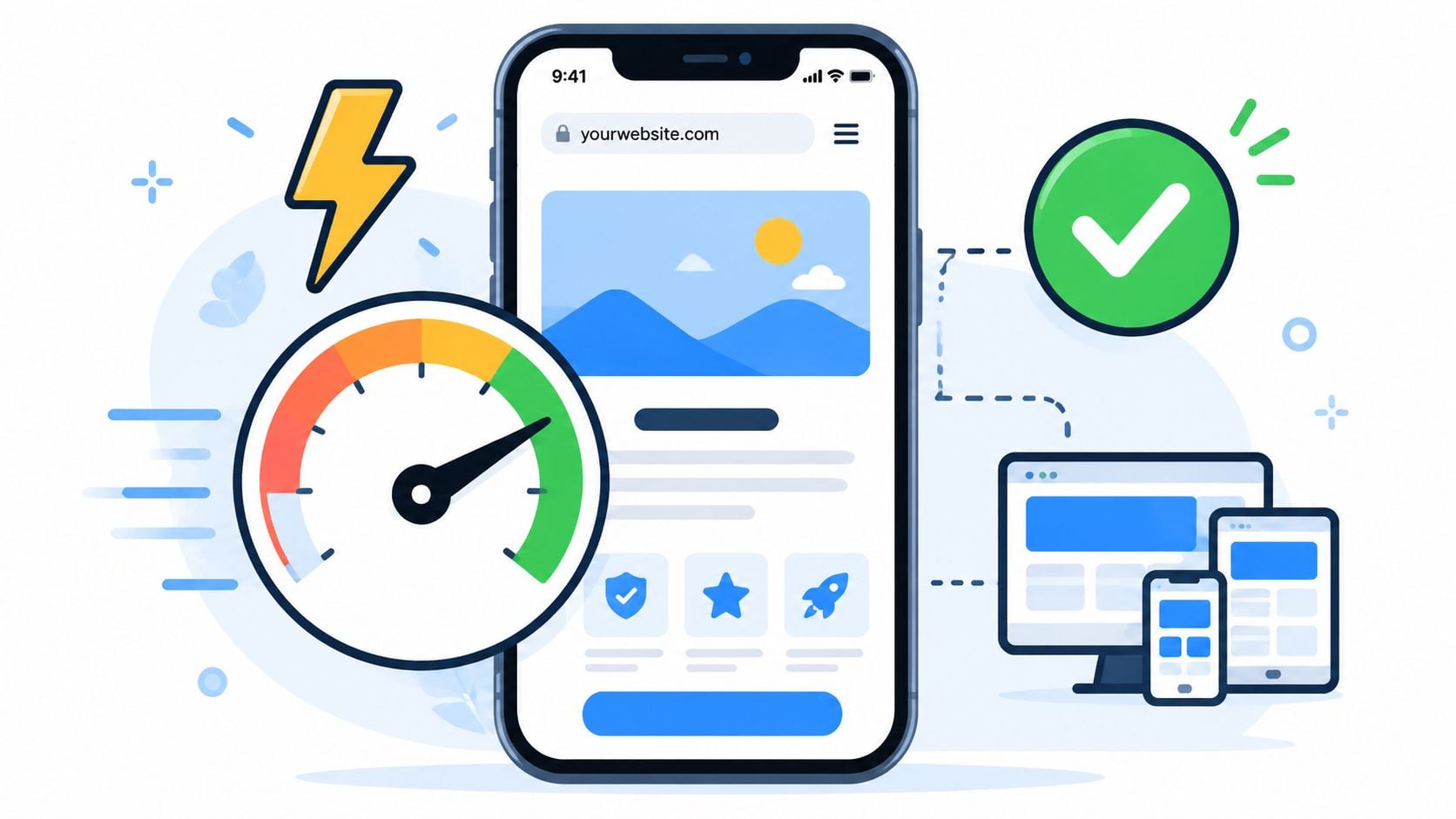
A migration often looks fine in desktop review and then loses users on a phone the moment traffic hits the new templates. Menus break, forms become awkward, images load late, and layout shifts push key calls to action out of view. Rankings can hold initially and still underperform because the new site is harder to use.
That is why this check belongs in the launch workflow, not as a nice-to-have after design sign-off. In a chronological migration process, review mobile usability and speed in staging before launch, recheck on the live site at launch, and watch key templates again in the first few days after release. The timing matters because issues can be introduced at each stage. Compression settings change, scripts fire differently in production, and third-party tools often behave worse on the live domain.
Check page types that drive leads or revenue. Service pages, location pages, blog posts, category pages, product pages, contact forms, and checkout steps usually perform very differently from the homepage.
A common mistake is approving a redesign on visual QA alone. The homepage gets attention, but the heavy template is often the one that matters most commercially. I have seen migrations where enquiry pages loaded extra scripts, custom fonts, map embeds, and form tracking all at once. The site looked polished. Conversion rate dropped anyway.
For WordPress builds, image handling, script loading, font delivery, caching, and plugin overlap usually create the biggest slowdowns. If a new build needs multiple plugins for a minor animation effect, expect slower pages and slower troubleshooting after launch. On Shopify, JavaScript-heavy apps can create the same problem. On custom builds, the issue is often unoptimised assets and weak caching rules.
Use a repeatable QA checklist for this phase. For agency teams, this is one of the places where a simple template saves time because everyone checks the same templates, devices, and metrics in the same order. The same applies if you are running migrations for clients like DesignStack across several CMS platforms.
Prioritise these checks:
- Responsive layout QA: Test navigation, forms, accordions, filters, sticky headers, and pop-ups on real phones, not only in browser emulation.
- Image control: Export correct dimensions, use modern formats where appropriate, and stop oversized uploads from appearing in small template slots.
- Script review: Remove duplicate tracking tags, unused app code, and visual libraries that add weight without helping users convert.
- Template benchmarking: Compare old and new versions of key page types in Lighthouse and browser dev tools to spot regressions before they affect performance.
- Core conversion paths: Test the pages that lead directly to contact, checkout, or enquiry. A slow blog archive matters less than a slow lead form.
For a practical reference, DesignStack's guide to improving website loading speed after a redesign is a useful companion to this step.
Page speed will not rescue poor redirect handling or weak URL mapping. It does affect whether users stay long enough to reach the destination pages you worked to preserve. In migration terms, that makes it a launch protection task, not just a development tidy-up.
9. Test and Validate All 301 Redirects and Verify No Broken Links
Launch a migration without redirect testing and the first signs usually show up fast. A paid campaign lands on a 404. A high-value backlink points to an outdated URL. A sales page loads, but the PDF, form script, or image it depends on does not. That is why this phase sits between setup and monitoring in the checklist. It confirms that the plan survived real-world deployment.
Run this in two passes. First, crawl the old URL list against the live site as soon as redirects are active. Then manually test the journeys that bring in revenue or leads. For DesignStack or any agency managing migrations across multiple platforms, the spreadsheet work proves its worth. The URL mapping template tells you what should happen. Validation tells you what happens.
Focus the manual checks on paths with commercial value:
- Homepage to service page to enquiry form
- Category to product or service detail page
- Blog post to related article or downloadable asset
- Local landing page to contact page
- Legacy campaign URL to its replacement page
A proper redirect QA run should cover more than page URLs.
- Status codes: Confirm each changed URL returns a true 301, not a temporary 302 or meta refresh.
- Single-hop redirects: Old URLs should resolve straight to the final destination without chains.
- Loop checks: Test for redirect conflicts caused by CMS rules, server rules, CDN settings, or plugins.
- Asset validation: Check PDFs, images, CSS, JavaScript files, and downloadable resources.
- Internal broken links: Crawl the new site for links still pointing to removed or staging URLs.
- 404 review: Separate intentional removals from missed migrations, then decide whether to redirect, restore, or leave them gone.
The custom 404 page also needs testing. It should give users a clear route back into the site with search, key navigation links, and a sensible next step.
One rule matters here. Redirects are not complete when they exist in a sheet or a plugin. They are complete when they send users and crawlers to the right destination under live conditions.
For larger migrations, keep a short issues log for the launch window. Record the source URL, expected destination, actual behaviour, fix owner, priority, and retest date. That keeps triage clear when the team is juggling redirect bugs, content fixes, and analytics checks at the same time. If you need cleaner post-launch validation, pair this with a GA4 migration reporting setup and QA process so broken journeys show up in data as well as in crawls.
10. Monitor Traffic and Rankings Post-Migration with Daily Reporting
At 9 a.m. on the first working day after launch, the usual message lands in Slack or Teams. Traffic is down, one priority term has slipped, and someone wants to know whether the migration has failed. That moment is exactly why this part of the checklist exists.
Post-launch monitoring needs a schedule, not a quick glance. In the pre-launch phase, the goal was to capture a clean baseline. At launch, the goal was to get redirects, tracking, and indexing signals live. Post-launch, the job changes again. You need daily reporting that shows what changed, when it changed, and what needs action now.
Some movement is normal while Google recrawls old URLs, processes redirects, and reassesses the new site structure. The mistake is reacting to one bad day without context. The other mistake is waiting two weeks and discovering that a small indexing issue has affected your highest-value pages the whole time.
For the first 2 to 4 weeks, review performance every day. On larger migrations, or on sites where organic leads drive revenue, I keep a daily launch dashboard and a separate triage sheet. That lets the team see trends while still assigning fixes quickly.
Track a focused set of signals:
- Top organic landing pages: Compare sessions, conversions, and engagement against your pre-launch baseline.
- Priority keyword groups: Follow commercially important terms by page template, category, or service line.
- Indexation: Check submitted versus indexed pages, excluded URLs, and any sudden spikes in pages marked as duplicates or crawled but not indexed.
- Organic conversions: If traffic is stable but leads or sales drop, review forms, calls, checkout steps, and attribution settings.
- Technical alerts: Watch for crawl anomalies, server response issues, canonical conflicts, and accidental noindex directives.
Daily reporting is not about producing a prettier spreadsheet. It is about shortening the time between detection and fix. If category pages drop together, check template-level issues. If only one section falls, review that folder, its internal links, and its content changes. If branded traffic holds but non-branded visibility weakens, relevance and crawl coverage are usually better places to look than redirects.
Keep the reporting format simple enough that people will use it under pressure. For agency teams, the chronological checklist is particularly relevant. The URL mapping sheet from pre-launch becomes your reference point when a landing page loses traffic. The backlink tracking sheet helps you see whether authority is still flowing to redirected pages or whether key referring domains need updating. Those handoff points save time because the team is not rebuilding context after launch.
Analytics quality matters here as much as SEO data. If GA4 events, conversions, or channel groupings are shaky, the migration can look worse or better than it really is. Use a verified reporting setup and QA routine. If that still needs work, follow this GA4 migration reporting setup and QA process before you trust the numbers.
Local businesses need one extra check. If a migration included a domain change, rebrand, updated phone number, or office move, monitor Google Business Profile performance and local landing pages alongside organic traffic. A technically sound migration can still lose local visibility if business details are inconsistent across profiles and citations.
Keep this daily until the pattern is clear. Then reduce reporting to weekly, with alerts for major exceptions. The goal is not zero fluctuation. The goal is catching the expensive problems early, fixing them in the right order, and proving that the migration is settling in the way you planned.
10-Point Website Migration SEO Checklist Comparison
| Task | 🔄 Implementation Complexity | ⚡ Resource Requirements | ⭐📊 Expected Outcomes | Ideal Use Cases | 💡 Key Tips |
|---|---|---|---|---|---|
| Conduct a Complete SEO Audit of the Current Website | High, detailed technical and content review for large sites | SEO tools (GSC, Ahrefs/SEMrush, Screaming Frog), analyst time | Strong baseline metrics, prioritized issues, preserved high-value content | Pre-migration baseline for agency clients and large/legacy sites | Export GSC data, record Core Web Vitals, export sitemap, document penalties |
| Plan and Document URL Structure Changes | High, mapping and decision-making across thousands of URLs | Spreadsheet tooling, cross-team coordination, content inventory time | Reduced orphaning, strategic URL improvements, accurate redirects | WordPress migrations, eCommerce restructures, consolidation projects | Use sheets with formulas, prioritise high-traffic pages, include parameters |
| Set Up 301 Redirects for All Changed URLs | Moderate, technical but straightforward if planned | Server/Plugin access (.htaccess/nginx or Redirection), testing tools | Preserves ~90–99% link equity, maintains rankings and UX | Any migration involving URL or domain changes | Implement server-level redirects, avoid chains, test 301 response codes |
| Update Internal Links Throughout the Site | Moderate–High, many edits required for large sites | DB find-and-replace tools, dev time, staging environment | Better crawlability, efficient PageRank flow, improved UX | Content-heavy sites, blogs, multisite networks | Use safe DB tools/plugins, update menus/themes, test in staging |
| Create and Submit XML Sitemaps to Search Engines | Low–Moderate, quick with plugins but important to configure | SEO plugin (Yoast/Rank Math) or generator, GSC/Bing accounts | Faster discovery and re-indexing, clearer site structure signals | Large sites, sites with hard-to-find pages, news/eCommerce feeds | Include lastmod, split large sitemaps, add sitemap to robots.txt |
| Update Google Search Console and Analytics Properties | Moderate, verification and configuration required | Access to accounts, GA4 setup, tagging and verification time | Continuous tracking, migration visibility, ability to compare properties | Domain changes, new platform launches, client reporting needs | Verify domain-level, use Change of Address for domains, link GSC ⇄ GA4 |
| Update Backlink Profile and Monitor Referring Domains | High, outreach and monitoring are labour-intensive | Ahrefs/SEMrush, outreach resources, tracking sheets | Preserves external authority, reduces broken-link reputation issues | Sites with many high-value or editorial backlinks | Prioritise DA30+ links, use templated personalised outreach, track success |
| Verify Mobile-Friendliness and Page Speed Across New Site | Moderate–High, may require engineering optimisations | Lighthouse/PageSpeed, device testing, dev and hosting resources | Improved UX, Core Web Vitals compliance, potential ranking lift | Mobile-first sites, eCommerce, local businesses with mobile traffic | Optimize images (WebP), enable lazy loading/CDN, aim for CWV targets |
| Test and Validate All 301 Redirects and Verify No Broken Links | Moderate, systematic automated + manual testing | Screaming Frog/Semrush, HTTP tools, QA time | Prevents ranking loss, catches chains/loops, ensures smooth UX | Final QA before go-live on any migration | Run automated crawls, test critical user journeys, monitor GSC 404s |
| Monitor Traffic and Rankings Post-Migration with Daily Reporting | Moderate ongoing, requires daily attention for 30–90 days | Analytics, rank trackers, dashboards, analyst time | Early detection of issues, transparent client reporting, quick remediation | Post-launch period for agency-managed migrations | Set dashboards, track top keywords, keep old properties active for comparison |
Your Migration Is Complete. Now What?
A successful migration doesn't end when the redirects are live and the new site looks good. It ends when the new site is stable, crawlable, measurable, and performing in a way that justifies the move. That usually takes time. Search engines need to process the changes, users need to adapt to the new experience, and your team needs to keep checking the details that were easiest to miss during launch.
The good news is that most migration damage is preventable. The bad news is that prevention takes discipline. Teams lose visibility when they treat SEO as a final QA task instead of a thread that runs through planning, build, launch, and post-launch review. The checklist above works because it follows the sequence that real migrations demand. First protect what already works. Then control the move. Then monitor hard enough to catch problems before they spread.
If you're handling a migration internally, keep the process simple and visible. One URL mapping spreadsheet. One backlink tracking spreadsheet. One issue log. One reporting dashboard. Too many disconnected documents create confusion at the exact moment you need clean decision-making. Everyone involved should know which URLs are changing, which redirects are in place, which pages matter most commercially, and who owns the fixes after launch.
It also helps to be realistic about trade-offs. Not every old page deserves preservation. Some content should be merged, retired, or rebuilt. Some URL structures need simplifying. Some templates should be redesigned because the old site was holding the business back. A good website migration SEO checklist doesn't freeze a weak site in place. It protects the value worth keeping while making deliberate improvements where they matter.
For UK businesses, two areas deserve extra attention after the launch settles. The first is local SEO. If your migration involved a domain change, rebrand, or updates to company details, check Google Business Profile, directories, map citations, and local landing pages carefully. The second is paid traffic. If landing pages moved or parameter handling changed, review active campaigns before you let ad spend continue unchecked. Organic and paid channels share the same destination pages, so a migration issue rarely stays isolated.
This is also the right point to document lessons from the project. Which pages recovered quickly. Which redirects needed fixes. Which plugins created technical friction. Which templates performed better than expected. That record makes the next redesign, replatforming, or domain move much safer. Agencies that get good at migrations usually do one thing consistently. They turn every launch into a process asset for the next one.
For Dorset businesses and UK SMEs, a website often sits at the centre of enquiries, bookings, and sales, rendering its migration a critical undertaking. A migration can absolutely become a growth move, but only if the technical groundwork is handled with care. If your team wants support from planning to launch and beyond, DesignStack can help manage the details that protect rankings while delivering a stronger site overall.
If you're planning a redesign, CMS move, rebrand, or domain change, DesignStack can help you manage the migration without gambling on your existing SEO. From WordPress builds and URL mapping to redirect implementation, tracking setup, and post-launch support, the team gives Dorset and UK businesses a practical, hands-on migration process that keeps risk under control.