

How to Write Meta Descriptions: Your 2026 Guide
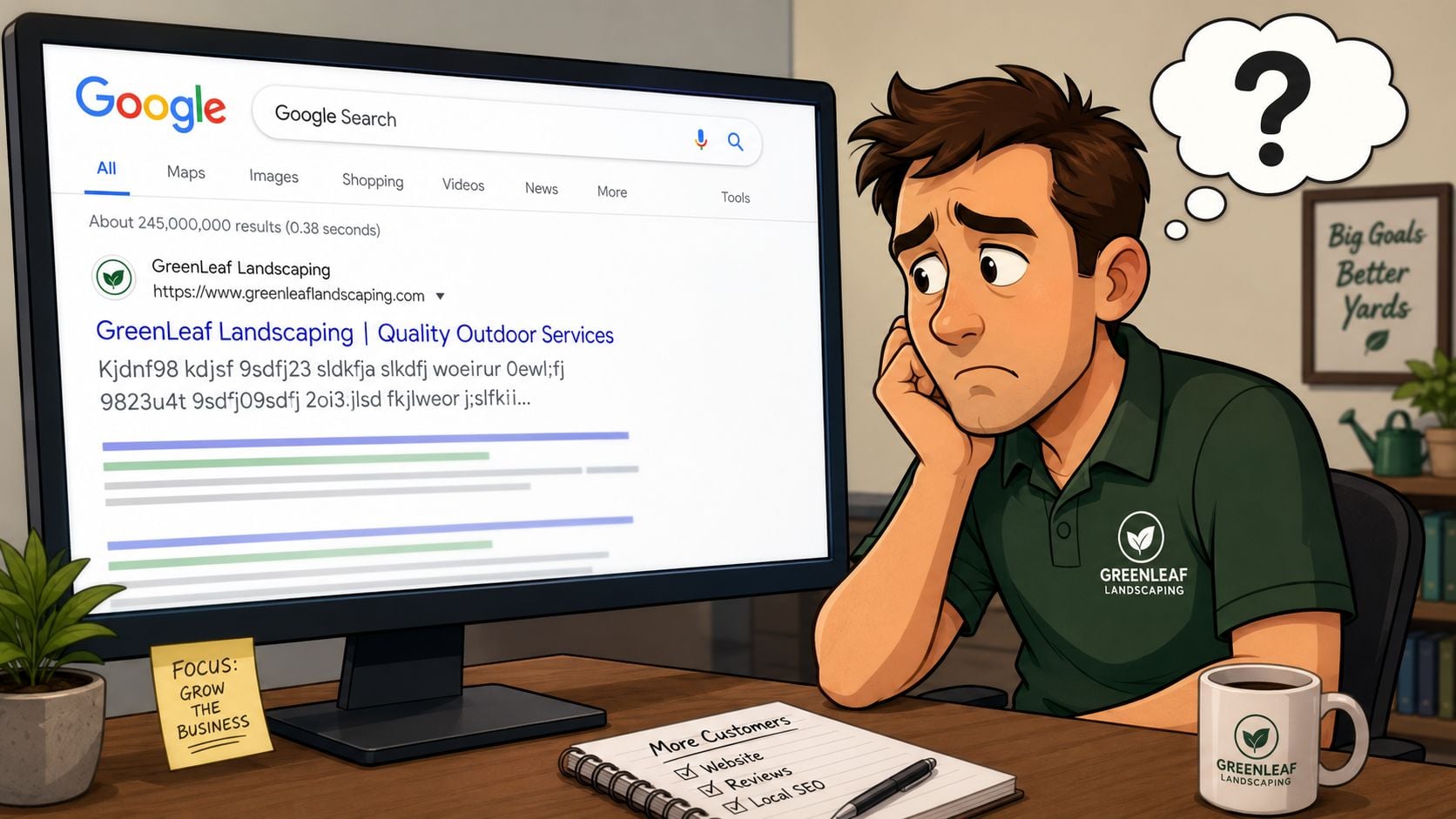
You've probably searched for your own business on Google, seen your page appear, and then winced at the text underneath it. Sometimes it's cut off. Sometimes it reads like a jumble pulled from the page. Sometimes it says almost nothing useful at all.
That small line of text is your meta description, and for a lot of UK small businesses, it's one of the easiest SEO wins being left on the table. If you run a WordPress site and use something like Yoast or SEOPress, fixing it usually takes minutes. The hard part isn't the button clicking. It's knowing what to write so people want to visit your site.
Table of Contents
- What Are Meta Descriptions and Why Do They Matter
- The Anatomy of a Perfect Meta Description
- Writing Templates and Examples for UK Businesses
- How to Add Meta Descriptions in WordPress
- Testing Your Descriptions and Avoiding Common Mistakes
- Making Great Descriptions Part of Your Process
What Are Meta Descriptions and Why Do They Matter
A meta description is the short summary that often appears under your page title in Google search results. Think of it as your shop window on the results page. Before someone visits your website, they're deciding whether your listing looks more useful, clearer, or more trustworthy than the one above or below it.
A lot of business owners assume this is a technical SEO detail that can wait. It isn't. It's sales copy. If your title gets the searcher's attention, the description helps close the click.
What Google actually wants
Google's own guidance focuses on snippet quality, not stuffing in as many keywords as possible. It advises writing unique descriptions for each page, prioritising important URLs, and using clear summaries instead of long keyword lists, as explained in Google's snippet guidance.
That matters because duplicate descriptions make different pages look the same in search results. If you've got a homepage, a service page, and three location pages all using nearly identical text, users won't know which one is most relevant.
Practical rule: Write for the person comparing options on Google, not for an imaginary search engine checklist.
Why small businesses feel the difference
For local firms, the search result is often the first impression. Someone looking for a solicitor in Poole, a plumber in Weymouth, or a florist delivering in Dorset may never see your homepage if your snippet doesn't earn the click.
A good description usually does three things quickly:
- States the service: Tell people what the page is about in plain English.
- Adds relevance: Mention the location, audience, or page purpose where it helps.
- Gives a reason to click: Highlight a benefit, outcome, or next step.
If your wording sounds generic, it helps to think about it like a one-line positioning statement. The same clarity principles used in lnk.boo personal brand statement tips apply here too. You're saying who this is for, what you offer, and why it matters.
If you're improving snippets as part of a wider SEO tidy-up, it also helps to review the basics in this guide on how to improve website SEO.
The Anatomy of a Perfect Meta Description
Strong meta descriptions aren't written by luck. They usually follow a simple structure. The best ones feel natural to read, but underneath that they're doing a few specific jobs well.
Keep it short enough to survive the search results
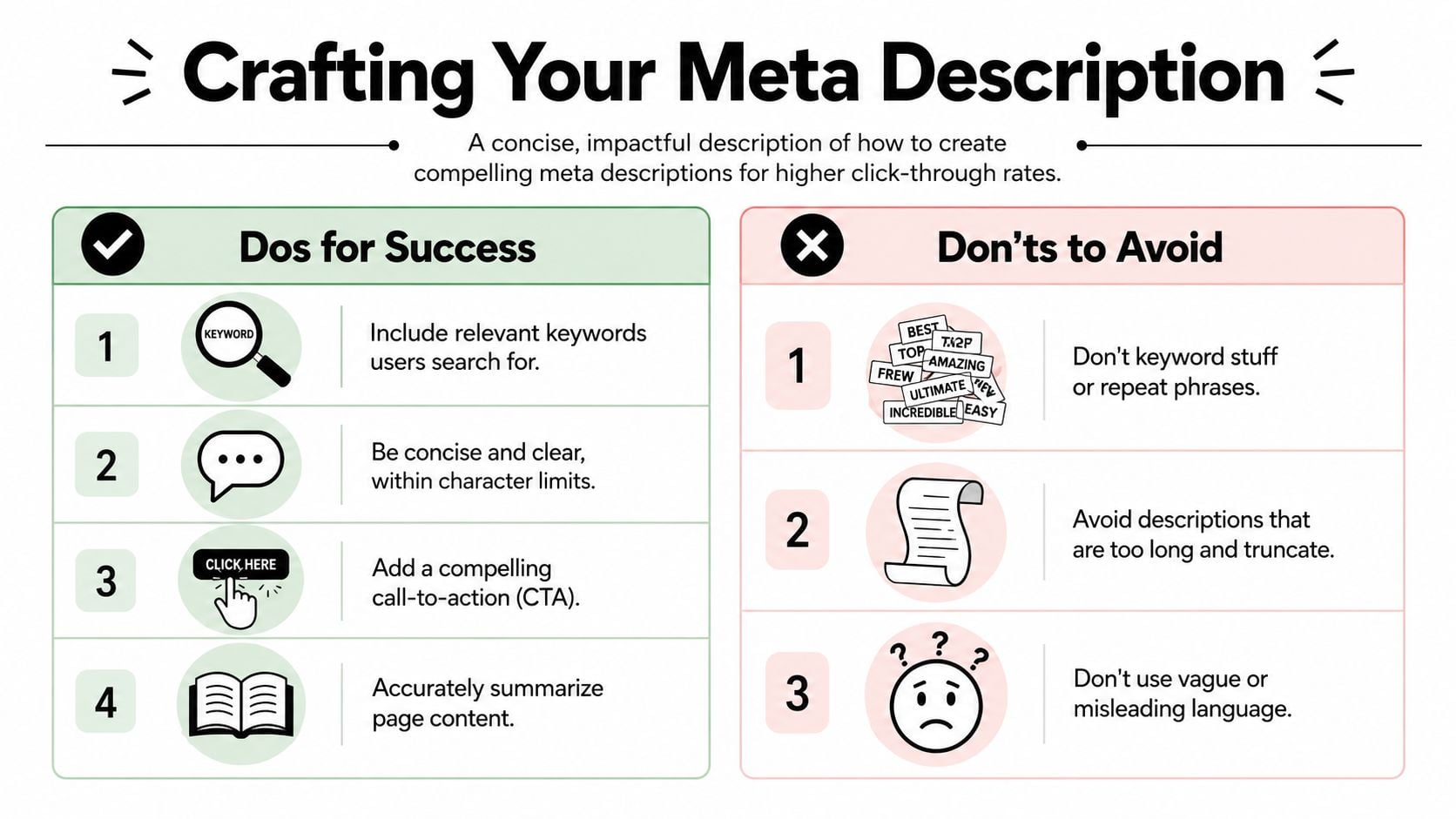
A useful benchmark is 120 to 160 characters, because descriptions beyond roughly 155 characters are often truncated. One published example reported a 3.4% higher click-through rate for descriptions in the 119 to 135 character range, according to Moz's meta description guidance.
That doesn't mean every page must hit the same number. It means brevity has a job to do. If the most important part of your message sits at the end, there's a good chance users won't see it.
A practical approach is to front-load the value:
- service first
- place or audience second
- reason to click third
Use active, plain language
The fastest way to weaken a description is to make it sound vague or corporate. People don't click because a page is described as “thorough” or “novel”. They click because they know what they'll get.
Compare these:
| Weaker | Stronger |
|---|---|
| High-quality legal solutions for a range of needs | Family law advice in Poole. Clear support for divorce, child arrangements, and financial matters |
| We provide expert web services for businesses | WordPress web design for UK small businesses. Fast, clear websites built to win more enquiries |
The stronger version sounds more direct because it names the thing, the audience, and the outcome.
If concise writing doesn't come naturally, these ideas on effective communication skills are useful because the same habits improve website snippets too.
Include the main keyword naturally
If the page is about emergency boiler repair in Bournemouth, that phrase or a close variation should usually appear in the description. Not because you need to force it in, but because users scan for relevance.
Don't repeat the same phrase again and again. One natural mention is usually enough. If the wording becomes awkward, rewrite the sentence rather than pushing harder.
A meta description should sound like a helpful sentence, not a list of search terms stitched together.
End with a reason to click
Not every description needs “Call now” or “Shop today”. But most pages benefit from a light call to action or value hook.
Good prompts include:
- Get a quote
- Book online
- Browse the range
- Learn how it works
- See prices
- Read the guide
For service pages, the call to action often works best when paired with a benefit. For product pages, clarity usually beats cleverness.
If your site copy is doing too much talking about your business and not enough about the visitor, this guide on how to write website copy will help tighten the message.
Writing Templates and Examples for UK Businesses
Writers often get stuck at this point. They understand the theory, open the field, and then stare at a blank box. Templates help, but only if they sound like real businesses and not SEO homework.
Local trades business
A Dorset electrician's service page often starts out like this:
Bad example
Electrician services for all domestic and commercial electrical works. Professional, reliable and affordable service for all clients and projects.
It's generic. It could describe almost anyone. There's no location signal and no specific reason to choose that page.
Better example
Need an electrician in Weymouth? Domestic and commercial electrical work with clear quotes and fast local callouts.
Why it works:
- opens with the service and place
- sounds like a real search result
- gives two reasons to click, clear quotes and local response
Professional services firm
A law firm homepage or service page often ends up sounding formal but empty.
Bad example
Our experienced solicitors provide a wide range of legal services to clients across the local area.
Better example
Solicitors in Poole for family law, property, and wills. Straightforward legal advice for individuals and businesses.
The stronger version narrows the offer. It also speaks like a person, not a brochure.
eCommerce product or category page
Online shops often waste this space with manufacturer wording or bland category labels.
Bad example
Browse our great range of handmade candles in different scents and styles available to order online.
Better example
Shop handmade candles in fresh, floral, and cosy scents. UK delivery available and gift-friendly options for every room.
This version is more specific and closer to what a buyer wants to know. It also feels easier to scan.
Blog post or advice page
Informational pages need a different tone. The click usually comes from usefulness, not urgency.
Bad example
Read our latest blog post about preparing your holiday let for the summer season.
Better example
Get your holiday let ready for summer with practical tips on cleaning, photos, pricing, and guest bookings.
That works because it previews the actual content. Users know what they'll learn before they click.
When you're writing meta descriptions, don't try to sound impressive. Try to sound useful.
A simple template you can adapt is:
- Service page: [Service] in [location]. [Benefit or proof point] with [clear next step].
- Homepage: [What you do] for [audience]. [Core value or speciality].
- Product page: Buy [product type] with [key feature or use case]. [Delivery, pricing, or product benefit].
- Blog post: Learn [topic] with tips on [key points covered].
Use the template as a starting point, then rewrite it so it sounds like your business.
How to Add Meta Descriptions in WordPress
Writing the description is only half the job. You also need to put it in the right place so WordPress can serve it properly. If your site uses an SEO plugin, this is usually straightforward.
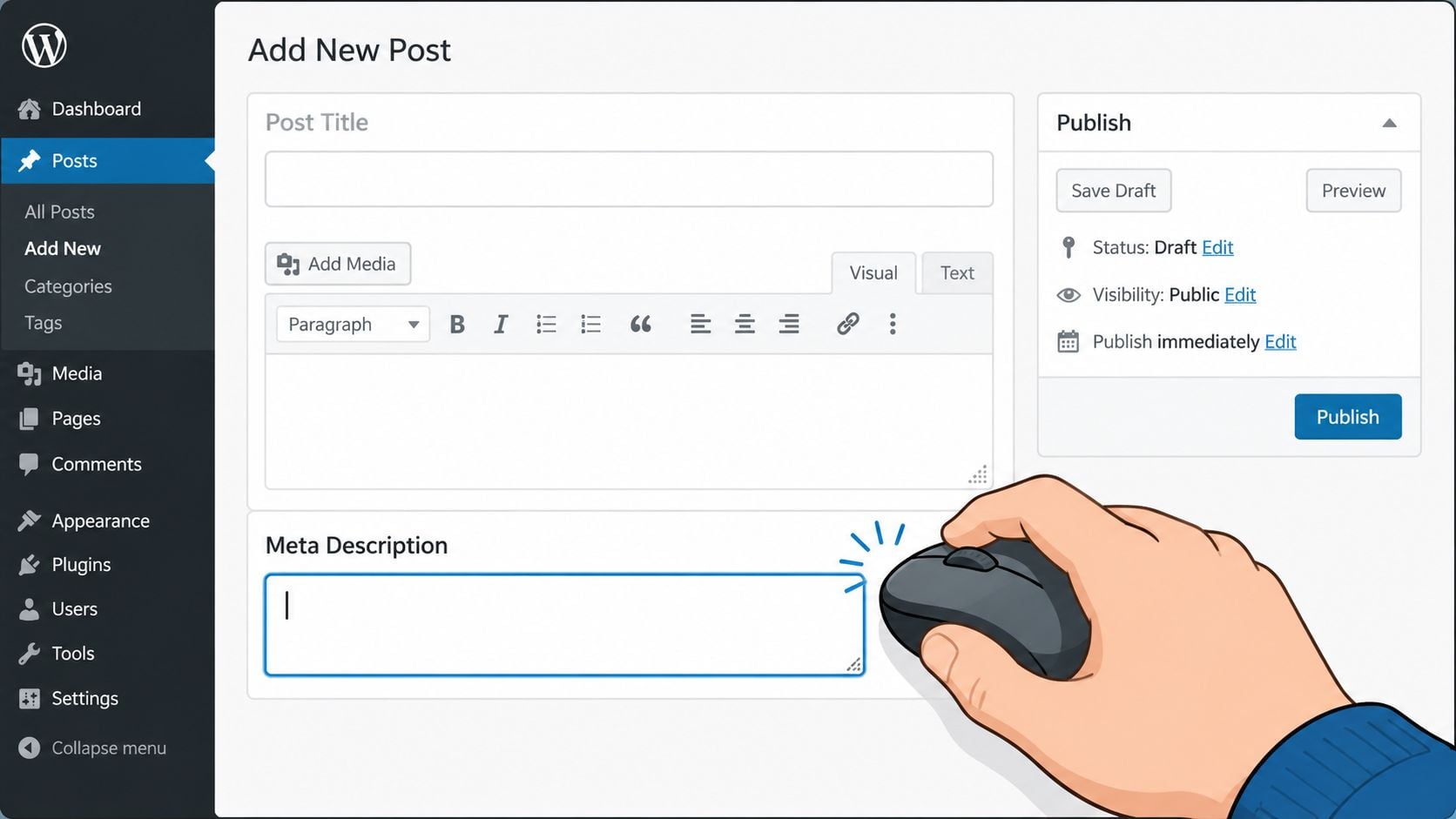
The exact screen varies a bit depending on your setup, but the process is similar. Open the page or post you want to edit, scroll below the main content area, and look for your SEO plugin panel.
If you're not sure which plugin your site uses, this overview of top WordPress plugins is a good place to check what's installed and what each tool does.
Using Yoast SEO
Yoast is the one many small business sites already have. On a page or post edit screen, look for the Yoast SEO panel. Inside that panel, open the Google preview or SEO section and find the Meta description field.
Paste in your draft and watch the preview update. Yoast usually gives you a visual cue about length, which is helpful, but don't chase the coloured bar as if it's the goal. Read the sentence out loud. If it sounds awkward, fix the wording first.
A simple workflow in Yoast looks like this:
- Open the right page: Edit the actual service, product, or post page, not just the category or menu item.
- Find the snippet field: Scroll to the Yoast section and click into the meta description box.
- Review the preview: Check that the first words do the heavy lifting in case the rest gets cut off.
- Update the page: Save or update once you're happy with the text.
Using SEOPress
SEOPress handles it in a similar way. Edit the page, scroll to the SEOPress meta box, and look for the fields for SEO title and meta description.
SEOPress is often a bit cleaner in layout, which some users prefer. The main thing is still the same. Don't just fill the field because it's there. Match the wording to the page's real purpose.
For example:
- a homepage description should summarise the business clearly
- a service page should focus on the specific service
- a blog post should preview the advice or answer on that page
If you'd like to see the idea in action before editing your own site, this short video gives a useful visual walkthrough:
A quick check before you press update
Before saving, ask yourself:
| Question | What you want |
|---|---|
| Does it match the page exactly? | Yes, no bait-and-switch wording |
| Is it clear in plain English? | Yes, even to someone outside your industry |
| Is the key message near the front? | Yes, so truncation hurts less |
| Is it unique to this page? | Yes, not copied from another service |
That final check catches most of the problems people publish by accident.
Testing Your Descriptions and Avoiding Common Mistakes
Once your descriptions are live, don't treat them as finished forever. Some pages will perform well straight away. Others will need a rewrite after you see how they appear and how people respond.
What to watch after publishing
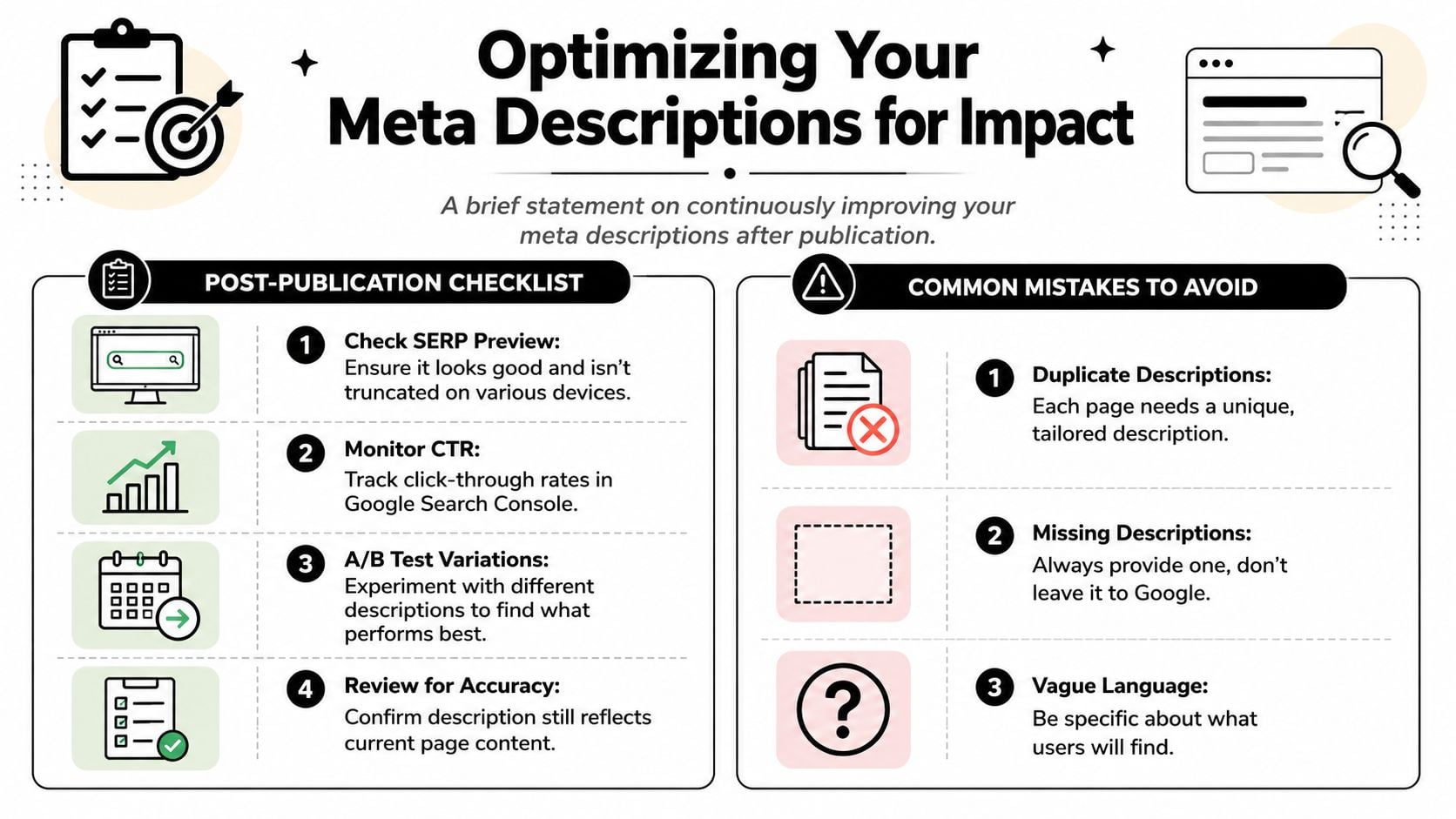
Google Search Console is the most practical place to review page performance. If a page gets impressions but isn't attracting many clicks, the snippet may need attention. That doesn't always mean the meta description is the only issue, but it's often one of the first things worth improving.
For broader reporting, tools that surface performance insights for local businesses can also help you spot pages that deserve a second look. The key is to review search performance regularly rather than assuming every description is fine once added.
The self-audit checklist
Use this when reviewing important pages:
- Check for duplicates: Each page should have its own wording. Service pages copied from each other are easy to spot in search results.
- Check the promise: The description should accurately reflect what the page delivers.
- Check the opening words: Put the useful part first, not the filler.
- Check the preview: Look at how the snippet appears on mobile and desktop search results where possible.
If you want a wider measurement framework around leads, enquiries, and page performance, this guide on how to measure website success is worth keeping handy.
Mistakes that weaken otherwise good pages
Some issues come up repeatedly on small business websites:
- Keyword stuffing: Repeating the same town, service, and phrase over and over makes the snippet harder to read.
- Being too vague: “Professional solutions for all your needs” says almost nothing.
- Copying the homepage format everywhere: A homepage and a plumbing repair page need different messages.
- Forgetting old pages: Legacy blog posts and service pages often still have missing or poor descriptions.
If a page matters to your business, it deserves its own line in the search results.
A few careful rewrites usually make the whole site look sharper.
Making Great Descriptions Part of Your Process
The simplest way to improve meta descriptions is to stop treating them as an afterthought. Add them to your normal publishing checklist, alongside proofreading, image checks, and internal links.
That habit matters more than chasing perfection. A clear, page-specific description written at the time you publish is usually far better than leaving Google to assemble a snippet from whatever text it finds. Over time, those small improvements make your site look more consistent, more relevant, and easier to trust in search results.
If you're planning content properly, this should sit inside your wider workflow. A good starting point is understanding what content strategy is and making metadata part of it, not a separate cleanup job.
If you'd rather have a team handle the writing, WordPress setup, and on-page SEO details for you, DesignStack can help build or refine a website that looks better in search and works harder for your business.
Leave a Reply