


Handover Documentation: A Guide for Lasting Project Success
The project has gone live, the client is happy, and the inbox has finally gone quiet. Then critical questions arise. Who updates the site next month, where are the final files, and what happens if the original designer is on leave when a plugin breaks?
That moment is where handover documentation earns its keep. It turns a finished project into something a business can own, maintain, and grow, without relying on memory, favours, or a single person's inbox. When a handover is done properly, it protects the client's investment and gives the new owner confidence that the work won't unravel once the launch buzz fades.
Table of Contents
- The End of the Project Is Just the Beginning
- What Is Handover Documentation Really
- The Four Pillars of a Great Handover Pack
- Handover Examples for Web and Branding Projects
- Beyond the Document The Handover Process
- Ensuring Your Project Has a Lasting Legacy
The End of the Project Is Just the Beginning
A project can feel complete at launch, but the owner's experience often starts with uncertainty. The website looks polished, the branding is in place, and the deliverables are in the shared folder, yet the client still doesn't know what's needed to keep everything running smoothly. That gap is exactly where poor handover causes stress, delays, and avoidable support calls.
A strong brief at the start helps, but a strong close matters just as much. If the project scope was defined clearly, the handover can mirror that same clarity and carry it into day-to-day ownership. That's one reason a well-structured brief matters so much in the first place, and it's worth revisiting a practical guide like how to write a design brief when teams want a cleaner project finish.
Practical rule: If the client can't explain what they own after launch, the handover isn't finished.
NHS handover guidance treats this kind of clarity as a safety control, not an admin task. It requires staff to document changes in condition, risks, concerns, the fact that handover happened, and the actions required, while also encouraging audit of handover times and incident review samples NHS handover guidance. That same principle applies to digital work. A launch isn't the end of responsibility, it's the point where documentation becomes the bridge between delivery and ownership.
For business owners, that bridge matters because it reduces dependence on the original agency and preserves momentum. A well-prepared handover means a future update, content change, or technical fix doesn't start with guesswork. It starts with a clear record of what was built, why it was built that way, and how it should be looked after.
What Is Handover Documentation Really
Handover documentation is the owner's pack for a project. A practical way to understand it is as the folder that comes with a new car, except it holds more than paperwork. It includes the manual, the service history, the spare keys, and the confidence that you can take ownership without calling the dealer every time a warning light appears.
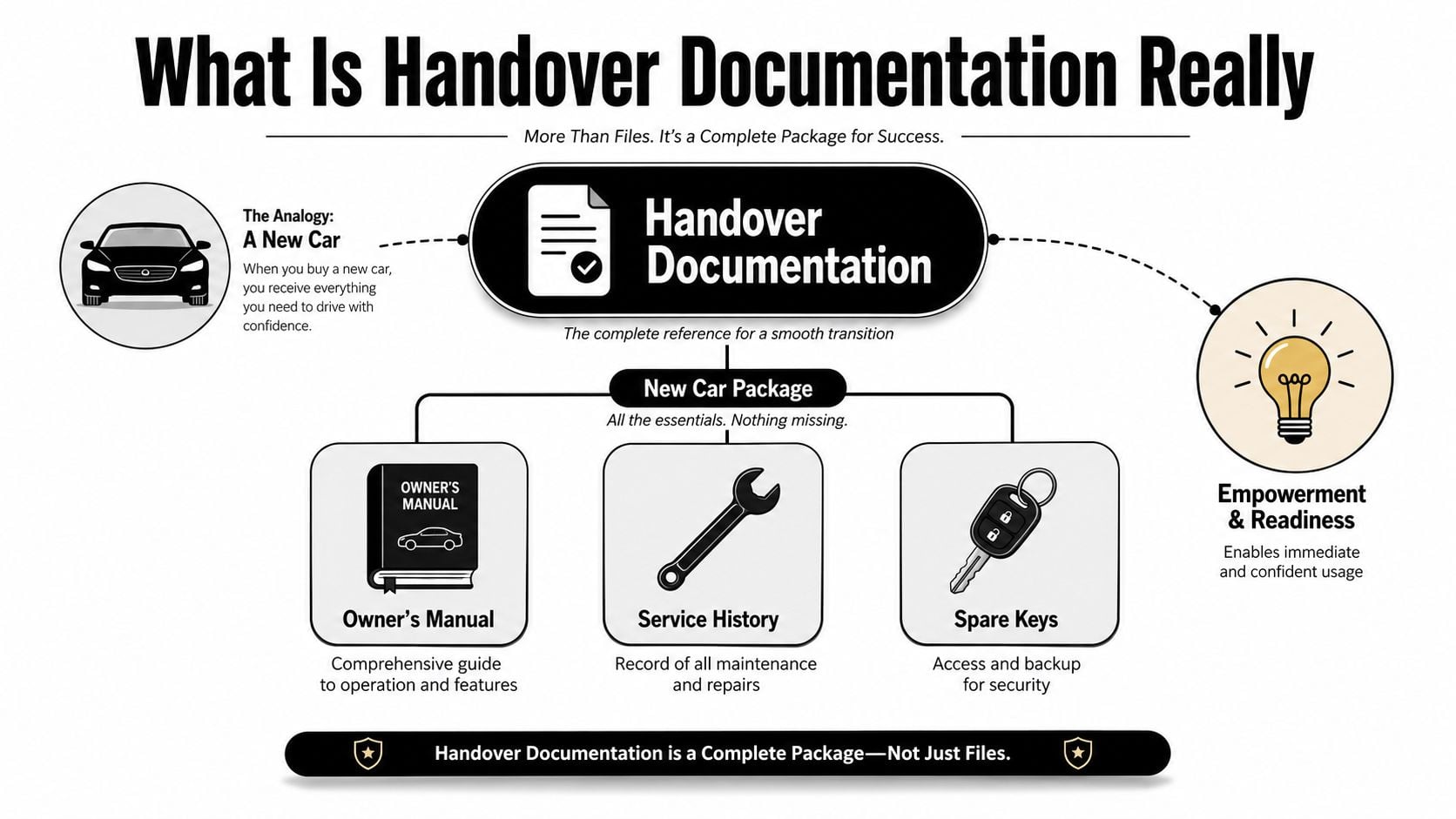
That comparison works because the job is control, not storage. For digital projects, the handover pack should preserve the architecture overview, codebase organisation, database structure, version-control procedures, release steps, troubleshooting notes, and any known risks or deprecated parts. Without that record, the client receives a finished system but loses the context needed to run it well.
A useful handover pack also covers the operating details around the build. It should list every tool, environment, licence, credential, open task, and stakeholder contact before the transition is closed. That inventory turns the handover into a controlled transfer, not a loose collection of attachments.
The handover matters even more if another agency may maintain the work later. The next team will not have tribal knowledge to rely on, so the documentation has to make the system understandable on its own. For teams reviewing software support options or selecting IT asset management solutions, this kind of structured handover is often what separates a manageable system from a fragile one.
A good handover pack should let someone competent step in, understand the asset, and keep it running without a rescue call on day one.
DesignStack's own guidance on content systems makes a similar point about clarity and structure in what a content management system is. The same logic applies here. A business should receive not just the finished output, but enough operational context to keep making sensible decisions after the agency steps back.
The Four Pillars of a Great Handover Pack
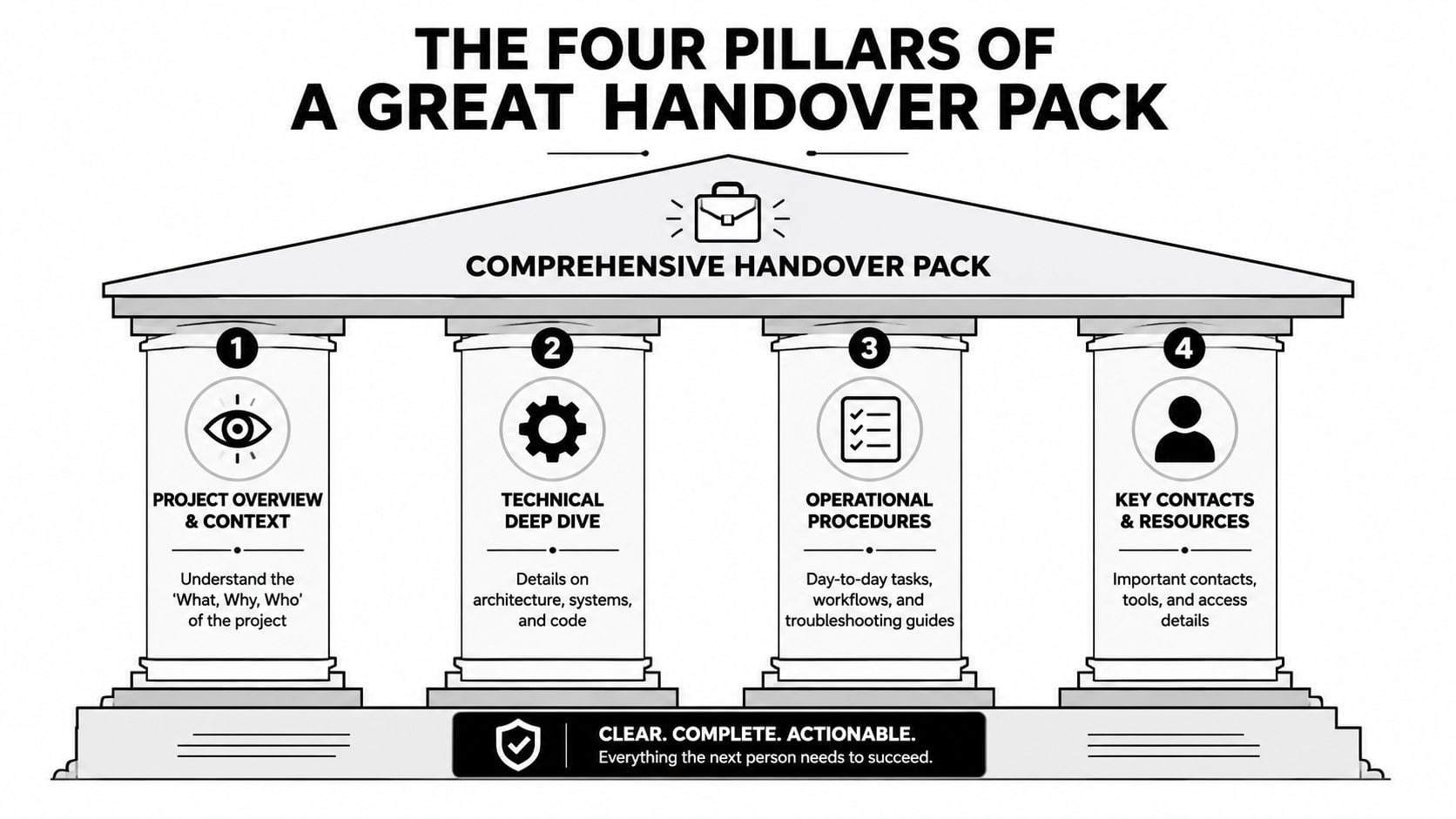
A handover pack works best when it is built around clear pillars, not buried inside one long file that nobody wants to search through later. That structure helps the client find what matters quickly, and it reduces the chance that important details get lost in a paragraph no one revisits. In practice, the strongest packs bring together project context, technical depth, operating instructions, and contact details.
Project overview and technical depth
The first pillar gives the client context. It should explain what was delivered, who it is for, and how the main parts fit together. For a digital project, that means a system overview, content structure, and a plain-English note on the main dependencies that support the site or brand.
The second pillar goes into the build itself. For software and web projects, that includes architecture, database schemas, code organisation, version-control procedures, and the practical notes a future team will need to understand the setup. If the incoming team cannot trace how the system is arranged, they will spend time rediscovering work that should already have been documented.
A style guide also belongs here when the project includes branding, content rules, or reusable UI patterns. A clear guide keeps visual and editorial decisions consistent after handover, and how to create a style guide is a useful reference point when that material needs to be set out properly.
Operational procedures and support access
The third pillar covers daily use. It needs release steps, known bug workarounds, manual processes, and troubleshooting guidance that a non-developer can follow without feeling lost. That matters for agencies and small businesses alike, because the biggest risk is often not the major build issue, but the small task nobody knows how to repeat.
The fourth pillar covers who and what supports the system. It should list key contacts, tools, services, environments, licences, and any acceptance sign-off from outgoing and incoming owners. If a login is missing or a supplier contact is unclear, the new owner cannot verify the setup safely.
Practical rule: If someone outside the project team cannot use the pack to identify the system, maintain it, and escalate an issue, the pack still needs work.
For a business owner, this structure is useful because it shows what to expect and what to ask for. It also makes future maintenance easier, whether that maintenance is handled internally or by a new supplier. The document stops being a storage file and becomes a working asset.
Handover Examples for Web and Branding Projects
A website handover and a brand handover have different moving parts, but clients judge both by the same standard. Can they use what they paid for without friction, panic, or repeated calls for help? If the answer is no, the handover has not protected the project or the investment behind it.
For a WordPress site, the handover usually starts with admin access, content editing notes, theme builder guidance, plugin licence information, and a backup routine. If the site includes forms, ecommerce, or integrations, the handover should also show who owns those services and how to test them after changes. Content transfer often sits alongside that work, and content migration services can help move material into the new site without leaving gaps or formatting problems.
Branding work needs a different kind of final pack, but the same practical standard applies. Final logo files should arrive in multiple formats, along with brand guidelines, colour references, font details, usage examples, and templates for common applications. The aim is not to hand over one polished file. It is to give the client a system they can use across print, web, presentations, and social content without guessing.
| Category | Item | Status |
|---|---|---|
| Website | Admin logins and role access | Complete |
| Website | Theme editor notes for key pages | Complete |
| Website | Plugin licence keys and renewal owners | Complete |
| Website | Backup and restore guidance | Complete |
| Website | Known issues and support contacts | Complete |
| Branding | Final logo suite in usable formats | Complete |
| Branding | Brand guidelines PDF | Complete |
| Branding | Colour and font specifications | Complete |
| Branding | Templates for common materials | Complete |
| Branding | Usage notes for digital and print | Complete |
The inventory principle matters here. Every tool, environment, licence, credential, and stakeholder contact should be recorded before transfer, because missing items break continuity and create avoidable defects. That is why a checklist is more than admin. It is a control mechanism that keeps ownership, access, and support clearly visible.
For business owners, the value is easy to see. A branding handover that includes proper usage guidance protects consistency. A website handover that includes maintenance notes protects uptime and future change work. In both cases, the deliverables stay useful long after launch day.
Beyond the Document The Handover Process
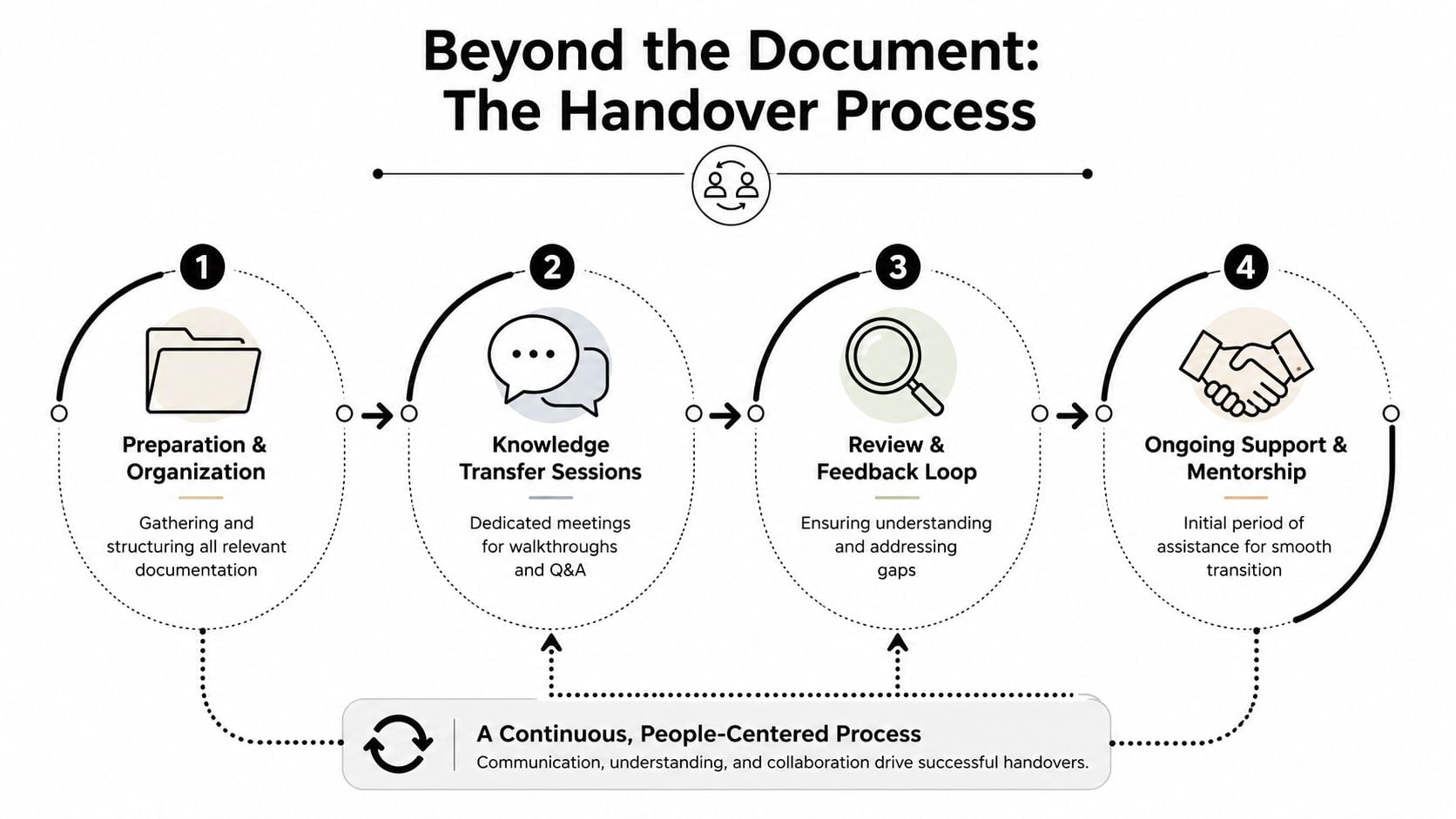
A document alone doesn't create understanding. People do. That's why the handover meeting matters almost as much as the pack itself, especially when a client is taking on a live site, a content system, or a brand library for the first time. The best transitions combine written clarity with live explanation.
Why the live walkthrough matters
A walkthrough gives the client a chance to ask questions while the system is still fresh. It also exposes gaps that a document can hide, such as assumptions about who approves content, who owns updates, or who handles support requests. That's the part most templates miss, because they list artefacts but don't test understanding.
A short training session can do more than pages of notes if it's focused on the tasks the client will repeat. The goal is not to show off every feature. It's to make sure the incoming team can run the system confidently, recognise when something is off, and know how to escalate it.
Keeping the handover alive
The other problem is staleness. Handover notes go out of date quickly when permissions change, suppliers change, or ownership moves internally. UK-relevant guidance on project handovers flags human error as a major cause of data breaches, which makes stale notes and incorrect permissions a real business risk, not a paperwork issue project handover best practices.
That's why the process needs ownership. Someone should be responsible for updating the pack, and there should be triggers for a re-handover when systems, contacts, or access rights change. Without that discipline, even a good pack becomes unreliable.
The document is only useful if the process keeps it current.
A formal sign-off helps close that loop. It confirms that the client has received what they need, understands the basics, and knows where support begins and ends. That's the same kind of accountability reflected in a website launch checklist, where launch readiness and ownership both matter. When the process is clear, the client walks away with confidence rather than a folder of files they're afraid to open.
Ensuring Your Project Has a Lasting Legacy
A professional handover does more than tidy up the close of a project. It protects commercial value, reduces future friction, and gives the client a working asset they can keep building on. That's why the handover should be treated as part of delivery, not an afterthought once the final invoice is due.
Projects involve more than just technical responsibilities. In sectors like UK construction, handover also includes warranties, permits, and contract records, which shows that the transfer is about legal proof, compliance artefacts, and post-completion obligations as well as physical or digital assets construction project handover. The same mindset applies in digital work, where missing context can be just as damaging as a missing file.
For business owners, the payoff is straightforward. Good handover documentation supports independence, preserves continuity, and makes future development easier for whoever picks the work up next. It also reflects a level of professionalism that tells the client their success still matters after launch day.
When the documentation is clear, current, and properly handed over, the project doesn't fade into a forgotten folder. It becomes a usable part of the business, ready for maintenance, growth, and future improvement.
A CTA for DesignStack. If you're planning a website, brand refresh, or a project that needs to live well after launch, ask DesignStack to build the handover into the delivery from the start, so your team gets the files, context, and confidence needed to keep moving forward.



Leave a Reply