


Database Optimization: UK Business Guide 2026
Your website probably isn't slow everywhere, all the time. More often, it's slow in the places that matter most: product category pages, checkout steps, the WordPress admin, search results, or the moment a traffic spike hits. That's why database optimization matters. It isn't a niche developer task. It affects how quickly customers can browse, how easily staff can manage content, how much you spend on hosting, and how confidently the site holds up when the business gets busy.
For many UK businesses, the warning signs are familiar. A WooCommerce shop feels fine with a handful of visitors, then drags when promotions go live. A WordPress site loads quickly for cached pages, but logged-in users and dynamic features feel sluggish. The admin area takes too long to save changes. Search, filtering, reporting, and order management start to feel heavy. In most cases, the database is somewhere in that story.
Good database optimization is really about removing waste. It means asking the database to do less unnecessary work, storing data in a cleaner way, and running the website on infrastructure that isn't fighting against your growth. If you run a small or medium-sized business, that's the practical lens to use. You don't need to chase technical perfection. You need a site that stays responsive, predictable, and cost-effective.
Table of Contents
- Why Your Website Feels Slow and Where to Start Looking
- Mastering the Core Fixes Query and Index Tuning
- Working Smarter with Caching and Better Data Structures
- Upgrading Your Engine Hosting and Server Configuration
- Practical Tips for WordPress and eCommerce Sites
- Ensuring Long-Term Health Monitoring and Scaling
- Database Optimization Quick-Fire Questions
- How often should a website database be optimized
- Can a business owner do any of this without a developer
- What's the biggest risk when optimizing a database
- Is caching enough on its own
- Should WordPress sites always use object caching
- When is it time to upgrade hosting instead of tuning queries
- Does database optimization help SEO
- What should be measured after changes go live
Why Your Website Feels Slow and Where to Start Looking
A slow website tempts people into guessing. They blame images, plugins, hosting, code, or traffic. Sometimes they're right. Often they're half-right. Guessing is expensive because it leads to random fixes, and random fixes create more moving parts without solving the bottleneck.
Start with evidence, not guesses
When a site feels slow, the first question isn't “how do we speed it up?” It's “where is the delay happening?” If you skip that step, database optimization turns into trial and error.
A useful first check is page speed testing. Tools such as GTmetrix can help you spot whether the delay is happening before the page even starts rendering. If the server takes too long to respond, that's a clue the issue may sit in the application or database layer, not just in front-end files. If you want the wider performance picture first, this guide on improving website loading speed is a sensible companion to the database work.
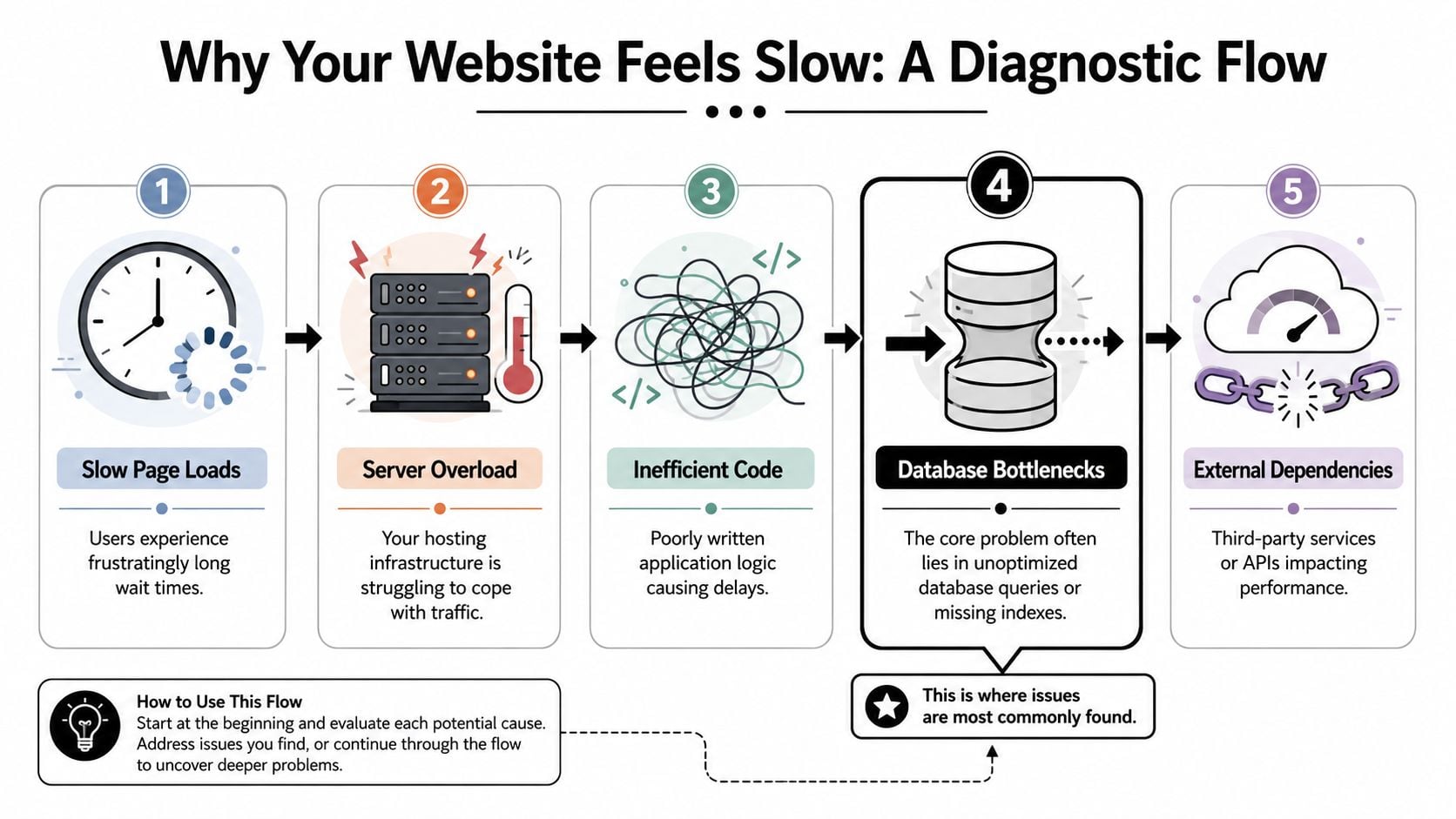
The reason this matters at scale is easy to understand. The NHS handles over 1.4 million patient contacts every 24 hours across its digital infrastructure, which shows how tiny inefficiencies repeated often can become a serious reliability issue at national volume, as noted in this discussion of database optimization and scale.
Practical rule: Don't optimise the database because the site “feels a bit off”. Optimise it because you've found a repeatable delay in a repeatable task.
A simple three-step diagnostic pass
Use a short diagnostic loop before changing anything:
Test a real page type
Check a product category, product search, basket, checkout, or logged-in dashboard page. Homepages are often too cached to reveal the problem.Compare fast pages with slow ones
If brochure pages are quick but product filters crawl, the issue is likely dynamic. Dynamic pages usually depend more heavily on the database.Check query logging and plugin-level diagnostics
On WordPress, tools such as Query Monitor can show slow database calls, duplicate queries, and plugins that trigger heavy requests. On the server side, a slow query log is even better because it reveals what the database itself struggles with.
A basic symptoms table helps frame the issue before anyone starts “fixing” it:
| Symptom | Likely area to inspect first |
|---|---|
| Slow product filters | Query design, indexes, product meta structure |
| Slow admin screens | Plugin queries, bloated options, object cache |
| Site slows under traffic | Hosting resources, connection handling, caching |
| Checkout delays | Database writes, session handling, plugin overhead |
The point is simple. Database optimization starts with measurement. If you can identify the slow page, the slow action, and the slow query, you're already ahead of many site owners who keep paying for bigger servers without removing the underlying cause.
Mastering the Core Fixes Query and Index Tuning
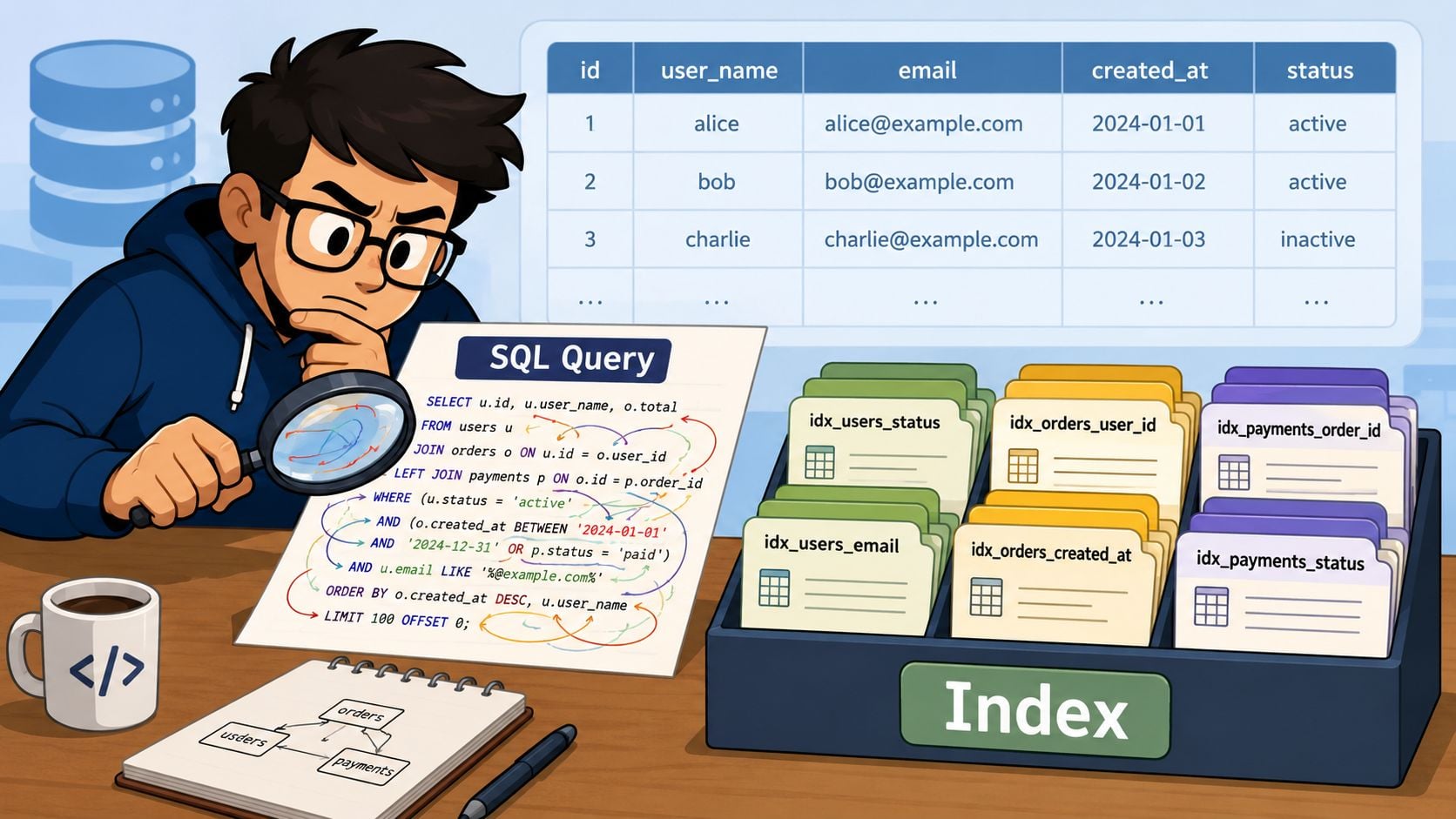
When database optimization delivers big wins, it usually starts here. Queries ask the database for data. Indexes help it find that data efficiently. If either part is wrong, the site can feel clumsy even on decent hosting.
Why queries slow down
Think of a query like asking a stockroom worker to find all black trainers in size 9, sort them by price, and only show in-stock items. If the shelves are labelled well, that's manageable. If everything is piled together with no system, each request becomes a full search.
That's what happens when a website runs queries without suitable indexes, asks for too much data, or joins tables in a messy way. WordPress and WooCommerce can trigger this with layered filters, search plugins, reporting tools, multilingual plugins, and page builders. If you rely on a content management system for your website, this matters because convenience at the editing layer can create hidden cost at the database layer.
A practical example from WooCommerce
A common example is a product archive page with filters for price, stock, category, and attributes. The visible problem is simple: customers click a filter and wait. The hidden problem is often a query that touches too many rows before it can decide what to return.
A developer will usually inspect the SQL and run EXPLAIN. In plain English, EXPLAIN tells you how the database plans to answer the question. If the plan shows broad scans instead of targeted lookups, the query probably needs help.
Here's the kind of change that often helps:
- Reduce unnecessary joins when the query is pulling related data it doesn't need for that page.
- Select only required columns instead of fetching every field.
- Add an index to the columns that are repeatedly used for filtering, sorting, or joining.
- Review meta-based lookups on WordPress sites, because product and post meta can become a slow path when used too heavily.
A good index works like the index in a reference book. Without it, the database reads far more than it should.
Later in the process, it helps to see a walkthrough in action:
Use a repeatable tuning loop
The strongest technical habit is to tune in a loop, not in bursts. IBM describes a proven workflow for database optimization as a repeatable lifecycle: assess workload, analyse slowdowns, design a targeted change, implement carefully, then validate against a baseline. The key warning is just as important. Don't tune blindly. Measure before and after every change.
That matters because some “fixes” backfire. The classic one is over-indexing. An index can speed up reads, but too many indexes can slow writes, increase maintenance overhead, and add storage cost. On an eCommerce site with frequent stock updates, order writes, and imports, that trade-off matters.
A practical decision table looks like this:
| Change | Often works when | Can go wrong when |
|---|---|---|
| Add an index | A column is frequently filtered, sorted, or joined | The table already has too many indexes |
| Rewrite a query | The SQL pulls excess data or joins too much | The app still calls it too often |
| Remove joins | Related data isn't needed on that request | The page later needs the missing data anyway |
| Cache the result | The same result is requested repeatedly | The data changes constantly |
The biggest gains usually come from boring fixes done well: cleaner SQL, fewer joins, useful indexes, and proof that each change improved the right page.
Working Smarter with Caching and Better Data Structures
Once you've fixed obvious query problems, the next improvement is to stop asking the database the same question over and over. That's where caching and data structure start working together.
Caching is your short-term memory
Caching stores a ready-made answer so the site doesn't rebuild it every time. A café doesn't make every part of every order from scratch if it can prepare popular items in advance. Websites work the same way.
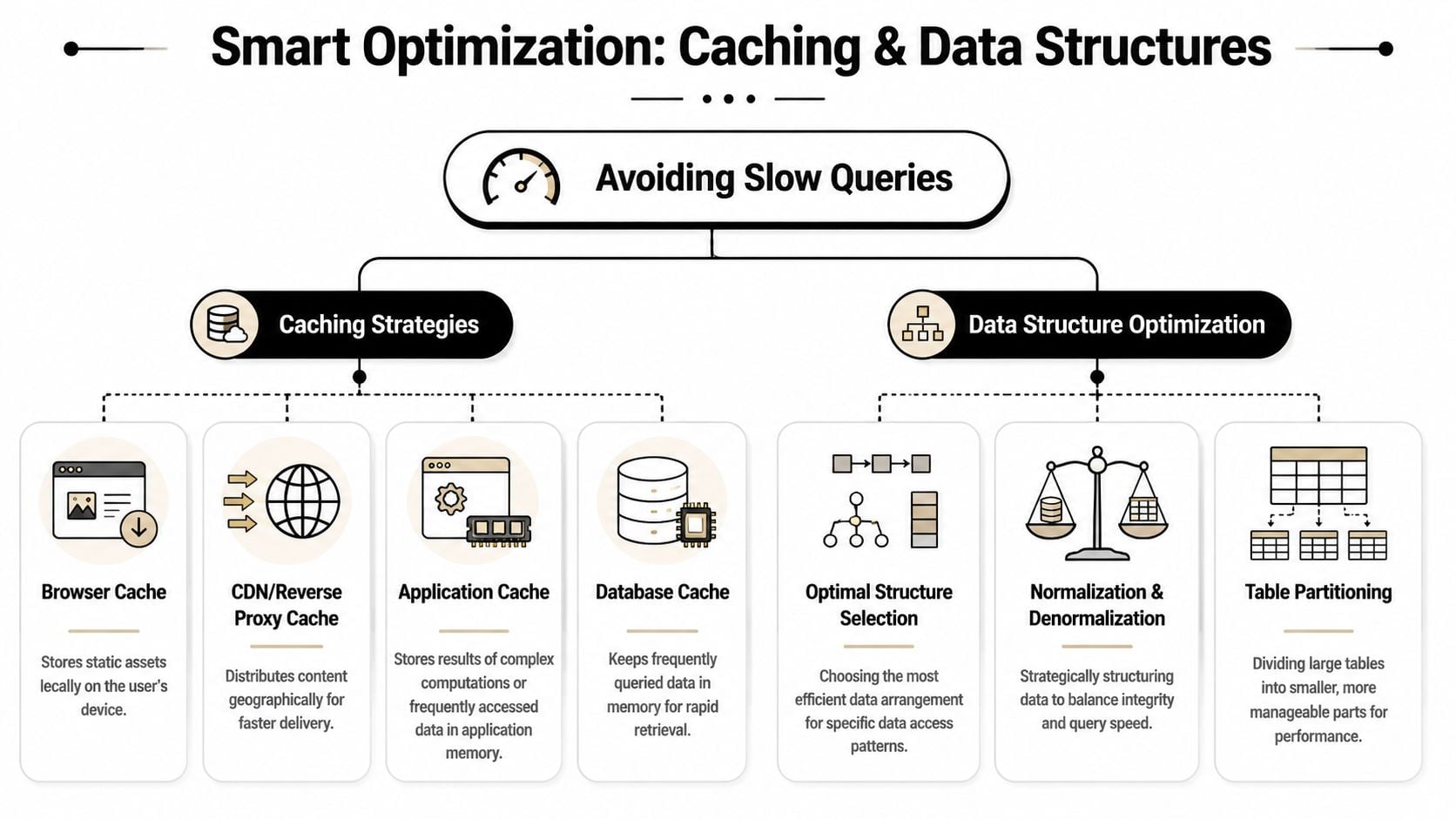
For a business website, the useful cache layers often look like this:
- Browser cache keeps files like logos, fonts, and stylesheets on the visitor's device.
- CDN or reverse proxy cache serves repeat content quickly without sending every request to the origin server.
- Page cache stores full rendered pages for visitors who don't need live personalised content.
- Object cache stores repeated database results in memory. On WordPress, Redis is a common choice for this.
- Application cache stores expensive calculations or repeated lookups inside the app itself.
This is why image work and database work often support each other. If the site still sends oversized media, the gains from database optimization won't feel as strong. This guide on optimising images for websites fits neatly alongside caching and back-end cleanup.
If a page asks the database the same question all day, caching is usually cheaper than making the database answer it all day.
Data structure decides how hard the database works
Caching helps repeated requests. Data structure helps every request.
A clean schema is like a tidy warehouse. Similar items are stored logically, labels are consistent, and common routes are obvious. A poor schema creates work at every step. Prices stored as text instead of numeric values, inconsistent relationships between tables, or over-reliance on flexible key-value storage can all make filtering and sorting heavier than they should be.
For WordPress sites, this often shows up when everything is pushed into post meta because it's convenient. That can be acceptable for small sites, but it becomes awkward when the business depends on fast product filtering, custom search, or reporting. Sometimes the right answer isn't another plugin. It's a better data layout.
A few patterns tend to help:
| Better structure choice | Why it helps |
|---|---|
| Use suitable data types | Sorting and comparison work properly |
| Keep relationships clear | Queries don't need guesswork |
| Normalise where it simplifies updates | Data stays cleaner |
| Denormalise selectively for read-heavy views | Repeated lookups become lighter |
| Partition cautiously | Large datasets can become easier to manage |
Partitioning, extra replicas, and advanced tuning can help in the right setup. They can also create complexity and cost if used too early. For most SMEs, the sensible route is simpler: cache repeated work, store data properly, and only add architectural complexity when the workload clearly justifies it.
Upgrading Your Engine Hosting and Server Configuration
Some websites are badly tuned. Others are underpowered. If your database runs on weak hosting, noisy shared resources, or poor server settings, even sensible query work can hit a ceiling.
Cheap hosting often creates expensive problems
Low-cost hosting often looks fine in a pricing table and disappointing in production. The server may struggle with bursts of traffic, background tasks, imports, cron jobs, checkout activity, or a busy WordPress admin. The business then pays in slower pages, more support time, and more firefighting.
This is why modern infrastructure matters beyond raw speed. A UK-focused study highlighted by SolarWinds found that businesses using cloud infrastructure reported an average 35% reduction in time spent on IT maintenance and administration and a 21% improvement in overall IT staff productivity, with an estimated £38 billion in cumulative economic value over five years from cloud adoption in the UK, as summarised in this overview of cloud migration and database optimization.
That's a useful way to frame hosting decisions. Better infrastructure doesn't just make pages faster. It reduces manual work around patching, scaling, maintenance, and capacity planning.
What to look for instead
You don't need the most expensive stack. You need a stack that matches the site's workload.
For WordPress and eCommerce sites, these are usually the important questions:
Is the hosting environment built for dynamic sites
Brochure sites and busy WooCommerce stores have very different needs.Is there enough memory for caching and database activity
If memory is tight, the system spends more time struggling than serving.Is the database managed well
Managed services can remove a lot of patching and maintenance burden.Is connection handling under control
During traffic spikes, too many direct connections can create overhead. Connection pooling can help reduce that pressure in the right environment.Can the platform scale cleanly
More traffic shouldn't automatically mean a full rebuild.
Better hosting isn't a luxury purchase when the current platform keeps creating lost time, unstable performance, and preventable support work.
If your current setup slows down every time the business gets attention, the database may not be the only thing asking for help. The server probably is too. A broader review of website hosting and maintenance often reveals whether you're tuning a healthy platform or trying to rescue the wrong one.
Practical Tips for WordPress and eCommerce Sites
WordPress and WooCommerce sites often become slow in predictable ways. The platform isn't the problem on its own. The trouble usually comes from plugin sprawl, poor query patterns, and a site that grew faster than its underlying structure.
A troubleshooting checklist that works
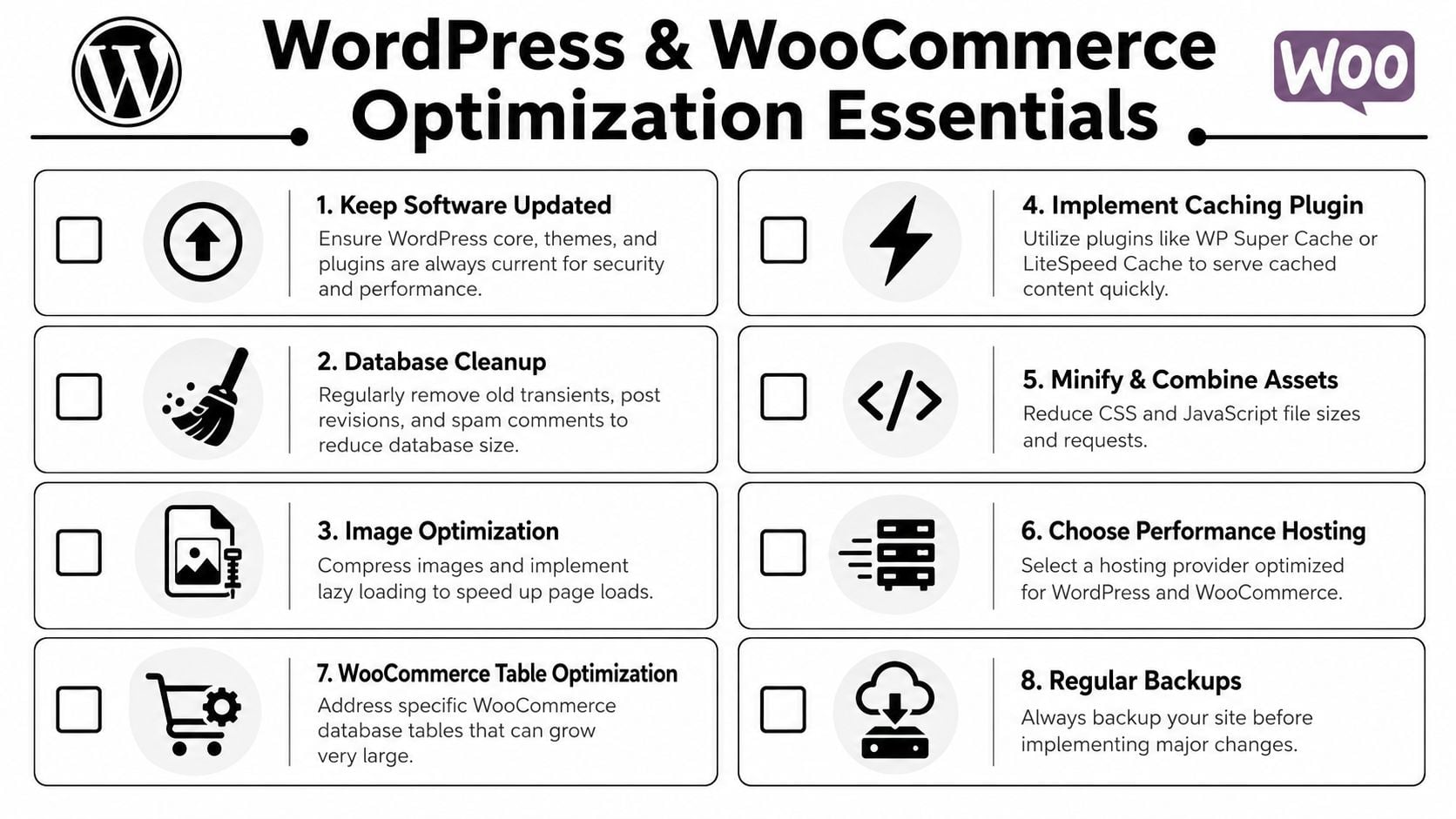
Use this as a practical review list:
Slow WordPress admin
Check Query Monitor first. If admin pages trigger lots of duplicate queries or slow options lookups, inspect bloated plugin data, autoloaded options, and background tasks.Heavy
wp_optionstable
Old plugins often leave behind transients, scheduled jobs, and settings rows that WordPress still loads. Cleaning expired transients and removing abandoned plugin data can reduce pointless work.Product filters feel sticky
WooCommerce filters often rely on product meta and taxonomy joins. Review the generated queries, reduce unnecessary filter combinations, and test whether a more suitable search or filter approach is needed.Checkout or basket delays
Look at session handling, shipping plugins, tax plugins, and external calls triggered during checkout. The database may be slow, but application logic is often part of the same bottleneck.Search is poor under load
Native database-backed search can become weak on larger catalogues. Sometimes the answer is query tuning. Sometimes it's moving search to a tool designed for that workload.No persistent object cache
Busy WooCommerce sites often benefit from Redis-backed object caching because repeated database lookups don't need to run from scratch every time.Page builder overhead
Some builders create heavy metadata and complex query patterns. If the front end looks flexible but the admin becomes painful, inspect what the builder stores and how often it queries it.Multilingual plugins creating query bloat
Translation layers can multiply joins, options, and lookup complexity. That doesn't mean avoid them. It means test them carefully on the pages that earn revenue.
What usually doesn't work
Business owners often get sold tidy-sounding fixes that don't address the actual bottleneck.
| Common reaction | Why it disappoints |
|---|---|
| Install another performance plugin | More plugins can add more queries |
| Upgrade hosting only | Useful if capacity is the issue, wasteful if queries are poor |
| Delete random plugins without testing | You may remove features, not bottlenecks |
| Cache everything aggressively | Logged-in and dynamic areas still need proper tuning |
A safer order is this:
- Back up the site first.
- Measure a slow page and a slow task.
- Use Query Monitor or server logs to identify pressure points.
- Remove obvious waste, such as abandoned plugin data.
- Test object caching on stores with repeat lookups.
- Recheck the same page and the same task.
Clean WordPress sites are usually fast for predictable reasons. Bloated WordPress sites are usually slow for predictable reasons too.
If you only want one habit from this section, make it this: treat plugins as code with a cost, not just features with a tick box.
Ensuring Long-Term Health Monitoring and Scaling
A one-off cleanup can help. Ongoing monitoring keeps the problem from re-emerging undetected.
Treat optimization as an operating habit
Database optimization works best when it becomes part of normal site management. Changes in plugins, traffic patterns, content volume, catalogue size, and marketing activity all alter how the database behaves. A site that performed well six months ago can drift into inefficiency without any dramatic breakage.
For SMEs, this is especially important because the margin for waste is smaller. Smaller firms dominate the UK business environment. The Office for National Statistics figure cited by Last9 notes that 99.2% of UK businesses are SMEs, which is why the essential question is often not just how to make a system faster, but which changes reduce cloud bills and improve resilience, as discussed in this article on cost-aware database optimization for SMEs.
That shifts the target. You're not chasing tiny technical wins for their own sake. You're trying to avoid wasted hosting spend, risky complexity, and slowdowns that interrupt sales or support.
Scale for resilience, not vanity
Useful monitoring usually includes:
- Latency checks on key page types and logged-in journeys
- Slow query monitoring so recurring heavy requests stand out early
- Error tracking to catch failures that appear during spikes
- Saturation signals such as CPU, memory pressure, or connection strain
- Backups you can restore rather than backups you merely assume exist
A short operating table keeps priorities clear:
| Area | What matters |
|---|---|
| Monitoring | Alerts before customers complain |
| Backups | Recovery from mistakes and failed changes |
| Capacity | Enough headroom for promotions and seasonal traffic |
| Cost control | Avoiding unnecessary replicas, indexes, and oversized plans |
A sensible scaling plan doesn't start with “how big can we make this?” It starts with “what breaks first when traffic rises?” Sometimes the answer is query design. Sometimes it's cache misses. Sometimes it's write-heavy activity. Sometimes it's a hosting plan that was fine for a small brochure site and isn't suitable anymore.
If you're reviewing performance regularly, tie it back to business outcomes. This framework for measuring website success helps keep the focus on leads, sales, and user experience rather than technical vanity metrics.
Database Optimization Quick-Fire Questions
How often should a website database be optimized
It depends on how often the site changes. A brochure site may only need periodic review. A WooCommerce store with frequent updates, promotions, imports, and plugin changes should be checked more regularly. Review after major plugin installs, theme changes, catalogue growth, or unexplained slowdowns.
Can a business owner do any of this without a developer
Yes, some of it. You can spot slow page types, test performance, review plugin bloat, and ask better questions. You can also use tools like Query Monitor on WordPress with care. Query rewrites, indexing strategy, schema changes, and server tuning usually need developer input.
What's the biggest risk when optimizing a database
Changing things without a baseline. If nobody measured the page, task, or query beforehand, it's easy to make one part faster and another part worse. The second big risk is skipping backups before structural changes.
Is caching enough on its own
No. Caching can hide an inefficient system, but it doesn't cure one. Logged-in areas, checkout flows, admin tasks, and cache misses still depend on the underlying database and application logic being sensible.
Should WordPress sites always use object caching
Not always, but it's often valuable on dynamic sites and busier stores. If your site has many repeated lookups, product filters, sessions, or logged-in users, persistent object caching is often worth testing. On a simple site with mostly static pages, the benefit may be smaller.
When is it time to upgrade hosting instead of tuning queries
Upgrade hosting when the site has outgrown the platform, when traffic spikes create instability, or when the current environment lacks enough memory and headroom. Tune queries when specific pages or actions are slow even on decent infrastructure. Many sites need both, but query work should still be measured rather than assumed.
Does database optimization help SEO
Indirectly, yes. Faster, more stable page delivery improves user experience and reduces friction. It also helps search engines access pages more reliably. The strongest SEO benefit usually comes when speed improvements affect real user journeys, not just synthetic homepage tests.
What should be measured after changes go live
Measure the same pages and actions you tested before. Look at response times, slow query behaviour, admin performance, checkout flow stability, and whether hosting strain has reduced. If the site is an eCommerce build, focus on category pages, product search, basket, checkout, and order management.
If your WordPress or eCommerce site feels slow, unstable, or more expensive to run than it should be, DesignStack can help you review the underlying bottlenecks and turn that into a practical improvement plan. That might mean cleaner hosting, a faster build, a better-performing WooCommerce setup, or a full website rebuild that removes the technical drag holding the business back.



Leave a Reply