

Website Maintenance Cost UK: A 2026 Guide for Businesses
For most UK small businesses, website maintenance cost usually sits between £50 and £150 per month, while e-commerce sites often land between £150 and £400, with some larger setups going beyond £500 per month. If you're paying nothing, you're not saving money. You're just delaying the invoice until something breaks.
You've probably seen this already. A business spends good money on a new website, signs off the final design, launches it, and assumes the hard part is over. Then a plugin update clashes with the theme, the contact form stops sending leads, the site slows down, or worse, a security issue appears and nobody notices until customers do.
That's where most owners get frustrated. They were told the build price. They weren't given a realistic view of the ongoing responsibility. A website isn't a brochure you print once and forget. It's closer to a business asset that needs regular upkeep, like your premises, your van, or your insurance cover.
If you want your website to keep doing its job, bringing enquiries, supporting sales, and protecting your reputation, maintenance needs a proper budget and a clear plan. If you want a good benchmark for launch quality in the first place, it also helps to understand what makes a good business website, because maintenance only works well when the site is built on solid foundations.
Table of Contents
- Introduction Why Your Website Needs More Than a Launch
- What Is Website Maintenance Really
- The 7 Key Drivers of Your Website Maintenance Cost
- How Much Should You Expect to Pay in the UK
- How to Forecast Costs and Avoid Surprise Bills
- Partner with DesignStack for Predictable Website Support
- Frequently Asked Questions About Website Maintenance
Introduction Why Your Website Needs More Than a Launch
A new website launch feels like a finish line. For most businesses, it isn't. It's the start of a maintenance cycle that determines whether that investment keeps working or starts slipping backwards.
I've seen the same pattern for years. A company launches a clean WordPress site, everything looks sharp, the team is happy, and nobody thinks about what happens after handover. A few weeks later there's an issue with a form, an outdated plugin, a broken layout on mobile, or a missed backup. Suddenly the website that was meant to save time becomes another problem to chase.
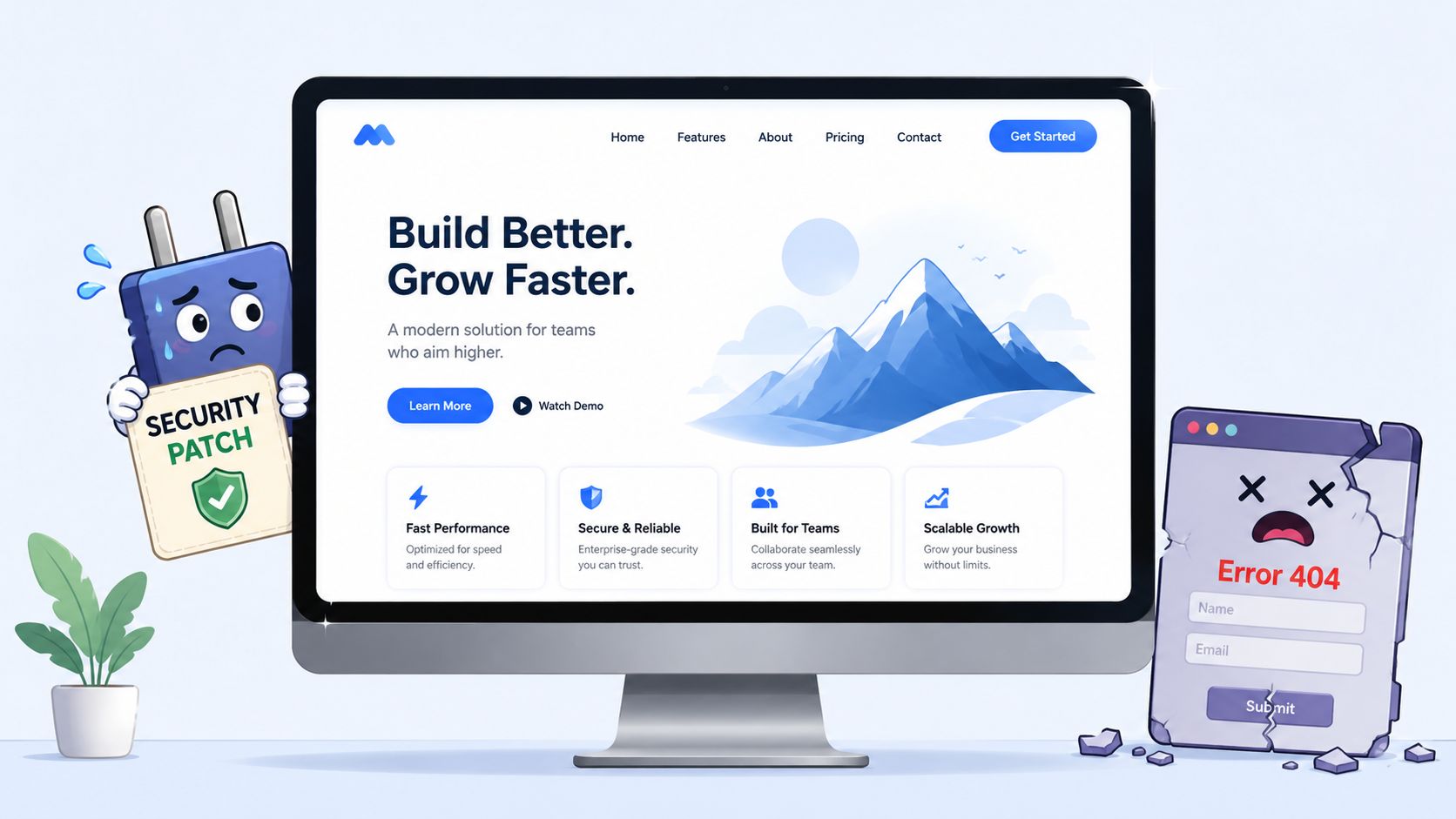
That's why I don't treat website maintenance cost as a nuisance line item. I treat it as asset protection. Your website holds your brand, your enquiries, your content, your product information, and often your sales process. Leaving it unmanaged is the digital version of leaving your shopfront unguarded and hoping for the best.
A website that makes money or generates leads needs a maintenance budget before it needs a redesign budget.
The right mindset is simple. You're not paying just to “keep the site live”. You're paying to keep it secure, current, fast enough to use, and reliable when customers need it. That's a far better way to think about the money.
What Is Website Maintenance Really
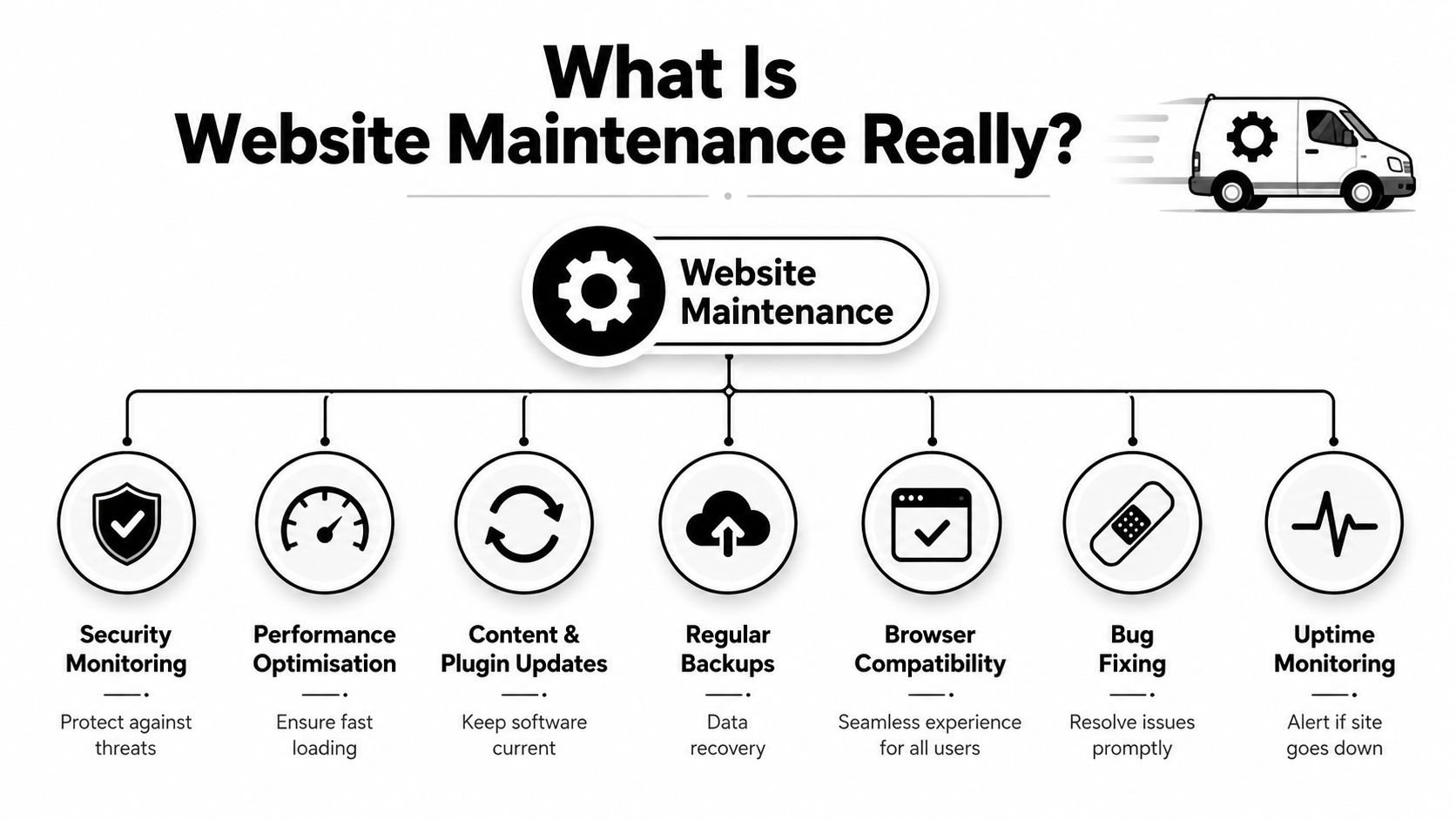
Most business owners hear “maintenance” and assume it means somebody logs in now and then, clicks update, and sends an invoice. That's not professional maintenance. That's neglect with a calendar reminder.
A better comparison is your business vehicle. You wouldn't run a van for years without servicing it, checking tyres, fixing warning lights, and making sure it's roadworthy. Your website works the same way. It needs routine attention if you want it to stay safe, dependable, and fit for purpose.
If your site runs on WordPress or another editable platform, understanding what a content management system is helps here, because the more moving parts a CMS site has, the more disciplined the upkeep needs to be.
The four things you are actually paying for
Professional maintenance usually sits on four pillars.
- Security protection means monitoring for vulnerabilities, applying patches, checking plugins and themes, reviewing suspicious activity, and making sure backups exist if something goes wrong.
- Performance upkeep means keeping the site loading properly, reducing unnecessary bloat, checking image weight, reviewing caching, and making sure users aren't waiting on pages that should be quick.
- Functionality checks mean testing forms, checkout flows, menus, integrations, booking tools, and any automation tied to your website.
- Content health means keeping business information current, removing stale pages, updating offers, checking legal pages, and making sure the site still reflects the business you run now.
A neglected website usually fails in more than one of these areas at once. The owner notices the symptom, but the problem is the lack of routine.
Why maintenance is a routine not a rescue plan
The trap many firms fall into is reactive support. They buy no ongoing maintenance, then call a developer the moment something breaks. That feels cheaper until the break happens at the wrong time, needs urgent investigation, or creates knock-on problems.
Practical rule: If your provider only appears when there's a fault, you don't have maintenance. You have repair work.
Good maintenance is boring in the best possible way. It prevents drama. It creates predictability. It also protects the original build investment because the site stays usable and professional instead of gradually degrading.
That's why the phrase website maintenance cost matters less than the outcome behind it. You're buying continuity. You're buying fewer surprises. You're buying time back for your team.
The 7 Key Drivers of Your Website Maintenance Cost
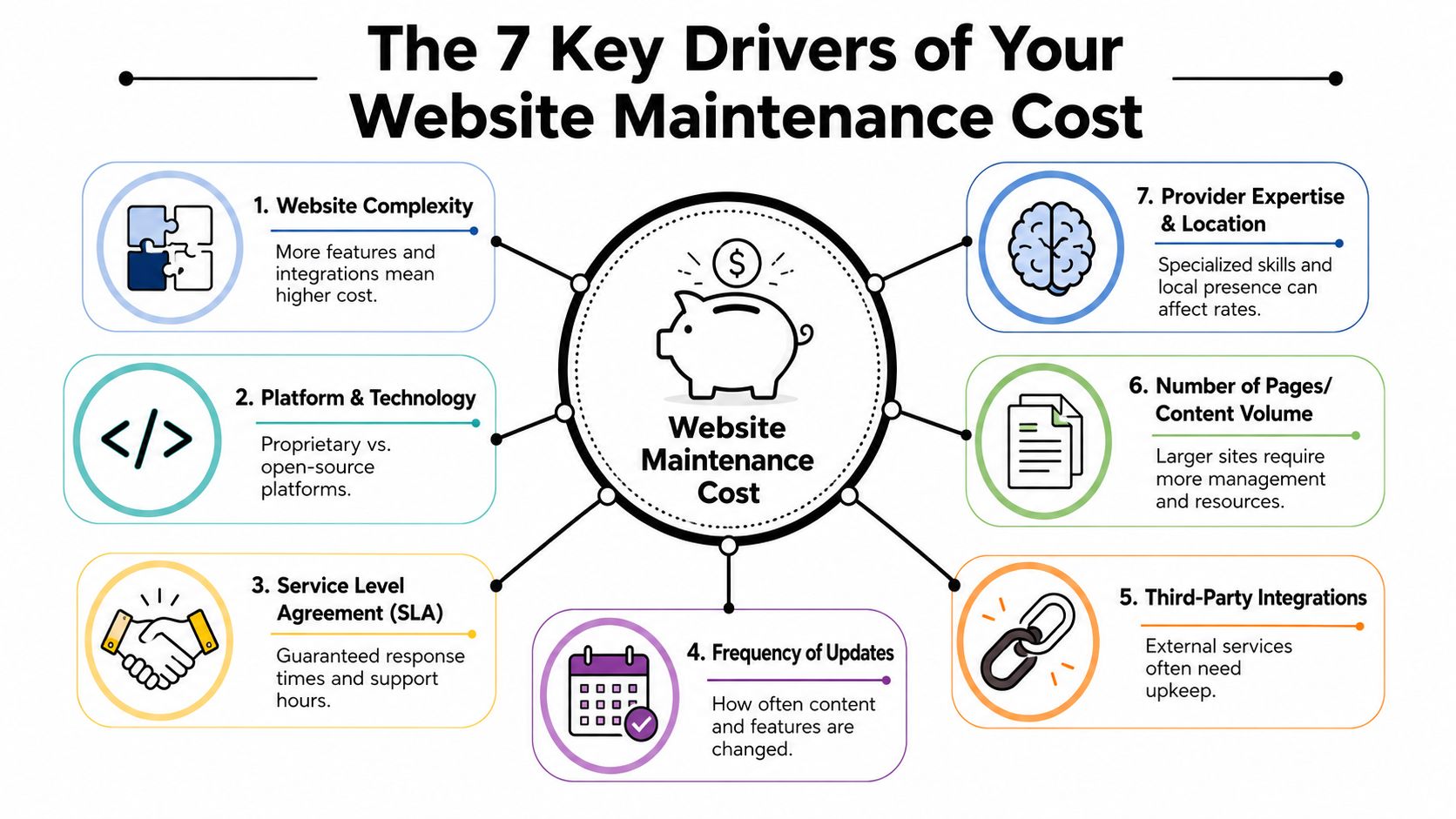
The difference between a low monthly fee and a much higher one usually comes down to complexity, risk, and expectations. A five-page brochure site is one thing. A WordPress site with custom forms, third-party tools, member areas, and online payments is another.
Why one site costs far more than another
These are the seven cost drivers I'd look at first.
Hosting quality
Cheap hosting often creates expensive support problems. Better hosting usually means better stability, better backups, better resource allocation, and fewer performance headaches.Platform and build type
A simple WordPress setup is easier to maintain than a heavily customised site or a system with bespoke functionality. More moving parts always mean more maintenance effort.Security requirements
If your site stores user data, processes payments, or connects to important business systems, security work matters more and costs more. That's normal.Content update frequency
Sites that change often need more oversight. New pages, new products, new campaigns, updated images, and seasonal changes all add workload.E-commerce functionality
Online shops carry more risk. Carts, payment gateways, stock logic, shipping tools, account areas, and order notifications all need checking.Support expectations
If you want guaranteed response times, direct access to a developer, or rapid fixes during working hours, you're paying for availability as much as technical skill.Ongoing optimisation work
Some maintenance plans include performance tuning or SEO-related upkeep. That's useful, but it pushes cost up because it goes beyond pure technical housekeeping.
If your site feels slow, improving website loading speed is often part of the maintenance conversation, not a separate luxury.
The expensive part is usually complexity
This is the part many owners miss. They compare two monthly prices without comparing the sites behind them. That's the wrong comparison.
A low-maintenance website is usually smaller, simpler, and less critical to day-to-day operations. A higher-maintenance website usually supports revenue, captures leads, runs integrations, and can't afford downtime. Of course the support level costs more.
For businesses with software products or app platforms, security needs can go beyond standard website care. If you're evaluating risk around logins, user data, and application layers, this guide to fast security for SaaS apps is a useful next read because it explains why specialised testing becomes part of the wider support picture.
Here's a quick sense check you can use when reviewing your own site:
| Driver | Lower maintenance pressure | Higher maintenance pressure |
|---|---|---|
| Site type | Basic brochure site | Store, portal, booking or member site |
| Updates | Infrequent edits | Regular content or product changes |
| Integrations | Minimal | Multiple third-party tools |
| Risk | Low business impact | High impact if the site fails |
| Support | Flexible response | Priority support expected |
This section is also worth seeing in action.
How Much Should You Expect to Pay in the UK
Your website goes down on a Monday morning. Leads stop coming in, forms stop sending, and nobody knows whether it's a plugin conflict, a hosting issue, or a failed update. That is the expensive version of website maintenance.
A sensible budget gives you protection, response time, and fewer surprise decisions under pressure. UK business owners usually do better with a fixed monthly plan and a small risk buffer than with ad hoc support every time something breaks.
Current UK Pricing Data
According to UK website maintenance pricing data from Dotwise, the average monthly cost of professional website maintenance in 2025 reached £102 for basic upkeep, £232 for mid-range support, and £550 for high-end services. Dotwise also reports that expert-level professional website support in the UK typically ranges from £50 to £100 per hour.
That hourly range is why pay-as-you-go support often turns into poor value. One urgent fix can wipe out the saving you thought you made by avoiding a monthly plan.
Your total spend also includes infrastructure. If you are reviewing the full monthly picture, website hosting costs in the UK need to be budgeted alongside maintenance, especially for heavier sites, online shops, and sites that cannot afford downtime.
Typical UK Website Maintenance Packages 2026
Most SMEs fit into one of these pricing bands. The right choice depends on how much revenue, lead flow, or operational risk sits on the site.
| Feature | Basic Plan (~£50-150/mo) | Standard Plan (~£150-300/mo) | Premium/eCommerce Plan (~£300-500+/mo) |
|---|---|---|---|
| Hosting oversight | Usually included or managed lightly | More active management | Higher-spec hosting attention and monitoring |
| Core software updates | Yes | Yes | Yes |
| Plugin and theme updates | Basic coverage | Ongoing management | Frequent review and priority handling |
| Backups | Standard backups | More structured backup routines | Stronger backup discipline and recovery readiness |
| Security checks | Basic scans and patching | More regular monitoring | Higher attention due to payment or data risk |
| Bug fixing | Minor issues | Broader support allowance | Priority fixes and deeper troubleshooting |
| Content edits | Light support | Regular small changes | Often ongoing product or content changes |
| Performance review | Basic | More active optimisation | Usually expected |
| E-commerce support | Rarely included | Sometimes limited | Core part of the plan |
| Response expectations | Slower or scheduled | Faster | Priority support more likely |
Baslon Digital's UK maintenance guide gives a useful benchmark. Small UK businesses typically pay £50 to £150 per month for recurring maintenance, while e-commerce stores often face £150 to £400 per month, and some larger corporate sites exceed £500 per month.
My advice is simple. If your website brings in enquiries, processes bookings, or takes payments, treat maintenance as asset protection. Set a monthly support budget that matches the site's business value, then add a risk buffer on top so the odd security issue or urgent fix does not wreck your cash flow.
If your website handles transactions, bookings, or steady lead flow, buy support based on business importance, not on the cheapest quote.
How to Forecast Costs and Avoid Surprise Bills
A familiar SME mistake goes like this. The site launches, everyone moves on, then an update breaks a form, the hosting slows down, or a plugin conflict knocks out a key page. The repair bill is not the actual problem. The core problem is that none of it was budgeted, so a routine maintenance issue turns into an unwelcome cash-flow hit.
Set the budget before anything breaks.
Start with a simple annual rule
A practical forecast starts with the build cost. As noted earlier, a common rule of thumb is to treat annual maintenance as a percentage of what you spent to build the site in the first place. That gives you a planning baseline and stops the usual mistake of treating launch as the finish line.
That baseline matters because your website is a business asset. You insure vehicles, service equipment, and replace worn parts. Your site needs the same discipline if it brings in leads, supports sales, or handles customer data.
If you are reviewing suppliers at the same time, choosing the right web hosting provider will shape your maintenance costs more than many business owners realise. Cheap hosting often creates avoidable support work later.
Build in a risk buffer
This is the part I recommend every UK SME adopts. Do not budget only for routine maintenance. Add a separate risk buffer alongside it.
Your monthly plan should cover the known work. Updates, backups, security checks, minor fixes, and agreed support time. The risk buffer covers the unknowns. Urgent recovery work, plugin conflicts after updates, spam clean-up, performance problems, or a priority fix before a campaign goes live.
Use a simple structure:
- Base budget for routine monthly maintenance
- Risk buffer for unexpected work that still needs a fast response
- Approval rules so extra work is priced and approved before anyone starts
This gives you control. You stop treating surprise work as a financial shock and start treating it as part of protecting a revenue-generating asset.
Good maintenance budgeting is not about guessing the next problem. It is about making sure the next problem does not wreck your month.
Make the budget predictable
I tell clients to split website spending into two pots. One is fixed and paid every month. The other sits in reserve and is used only when something falls outside the agreed plan.
That approach works because it reflects how websites behave in real life. Some months are quiet. Some are not. A fixed support fee on its own can create false confidence, while pure pay-as-you-go support creates constant uncertainty. A base plan plus a risk buffer gives you both cover and predictability.
If your site is important to operations, forecast maintenance the same way you would forecast repairs on any other business asset. Routine care keeps it healthy. Reserved contingency protects you when something goes wrong.
Partner with DesignStack for Predictable Website Support
If you want website support that feels organised rather than reactive, you need a provider that values clarity as much as technical work. That means fixed expectations, sensible communication, and no vague “we'll see what it needs” billing.

What predictable support should look like
A solid maintenance partner should offer a few basics from day one:
- Clear scope so you know what's included in routine support and what falls outside it.
- Fixed-cost thinking so the monthly fee stays understandable.
- Post-launch support so the first month after going live doesn't become a handover gap.
- Reliable hosting options that fit WordPress sites and more customised systems.
- Straight communication so issues are explained in plain English, not technical fog.
That's the standard business owners should expect. Not just a developer on standby, but a system for keeping the site healthy.
Why fixed cost thinking matters
For SMEs, predictable website support is really a budgeting problem as much as a technical one. Monthly uncertainty makes planning harder, especially when your website is central to enquiries or sales.
That's why I like providers that think in terms of operational control. The wider IT world has pushed the same idea for years, and these IT cost reduction strategies are worth reading because they focus on trimming waste through better planning, not by stripping out essential support.
DesignStack's positioning makes sense for that kind of buyer. It's Dorset-based, works with UK businesses that need practical support, and offers fixed-cost pricing, regular project updates, and one month of post-launch updates as standard. For owners who want a local team and fewer financial surprises, that's the right direction.
Frequently Asked Questions About Website Maintenance
Can you handle website maintenance yourself
Yes, you can. That doesn't mean you should.
If your site is small, rarely changes, and you're comfortable dealing with WordPress updates, backups, plugin conflicts, and hosting settings, a DIY approach can work. But the moment the site supports enquiries, bookings, or sales, your time has a cost too. Most owners underestimate that part.
It's not just about pressing the update button. It's knowing what to check before and after, spotting conflicts early, and having a recovery plan if something breaks.
What is usually not included in maintenance plans
Most standard plans cover routine upkeep, not ongoing development. That distinction matters.
Things that often sit outside a normal maintenance agreement include:
- Major redesign work such as new page templates or structural layout changes.
- New functionality like booking systems, member portals, custom calculators, or app-style features.
- Copywriting and content creation unless the plan explicitly includes it.
- Branding work such as logo refreshes, new visual assets, or print design.
- Large SEO projects involving strategy, content campaigns, or technical audits beyond routine upkeep.
Ask for that list in writing before you sign anything. If a provider is vague about exclusions, expect billing disputes later.
How often should maintenance happen
Routine checks should happen consistently, not only after someone reports a problem. The exact cadence depends on the site, but the expectation should be regular care.
A practical standard looks like this:
| Task area | Good expectation |
|---|---|
| Backups | Frequent and tested |
| Software updates | Checked routinely and applied carefully |
| Security review | Ongoing monitoring and prompt patching |
| Form and feature testing | Regular checks |
| Performance review | Repeated over time, especially after updates |
| Strategic review | Carried out periodically to catch drift |
One final point on planning. Middlehost's maintenance guide notes that the risk-buffer budgeting angle is often overlooked in UK content, even though SMEs face a 30% higher vulnerability rate post-pandemic, and it recommends setting aside 10% to 25% of monthly maintenance for unexpected security or performance work. That's exactly why flat monthly pricing on its own isn't the full answer.
If you only remember one thing from this article, remember this: the cheapest maintenance plan is often the one that leaves you exposed when something serious happens.
If you want clear, fixed-cost support from a local team that understands WordPress, eCommerce, hosting, and long-term website care, talk to DesignStack. They help businesses in Weymouth, Dorset, and across the UK keep their websites running properly without the usual confusion, patchy communication, or surprise invoices.


Leave a Reply