

How to Create a Logo for a Business: A Step-by-Step Guide
You’ve probably reached the point where the business feels real, but the brand still looks provisional. The website is half-built, the social profiles need setting up, and you need a logo that doesn’t look like it was pulled from a template in ten minutes.
That’s a common place for small business owners to start. They know they need a logo, but not whether they should make one themselves, brief a freelancer, or bring in an agency. They also don’t want to waste money on a design that looks fine on a laptop and falls apart everywhere else.
A good logo isn’t just a badge to stick on a website header. It’s a working asset. It has to read clearly, fit the business, scale properly, and hold up across print, signage, clothing, packaging, and social media. If you want to know how to create a logo for a business, the right answer starts before any sketching or software.
Start with Strategy Not with Design
Most weak logos don’t fail because of colour choice or typography. They fail because the business skipped the thinking stage and went straight to “what looks nice”.
If you start with Canva, Adobe Express, or an AI logo maker before you’re clear on the business, you’ll get polished-looking options that may still be wrong. A logo should reflect what your business does, who it serves, and how you want to be perceived. If that isn’t clear, the design work becomes guesswork.
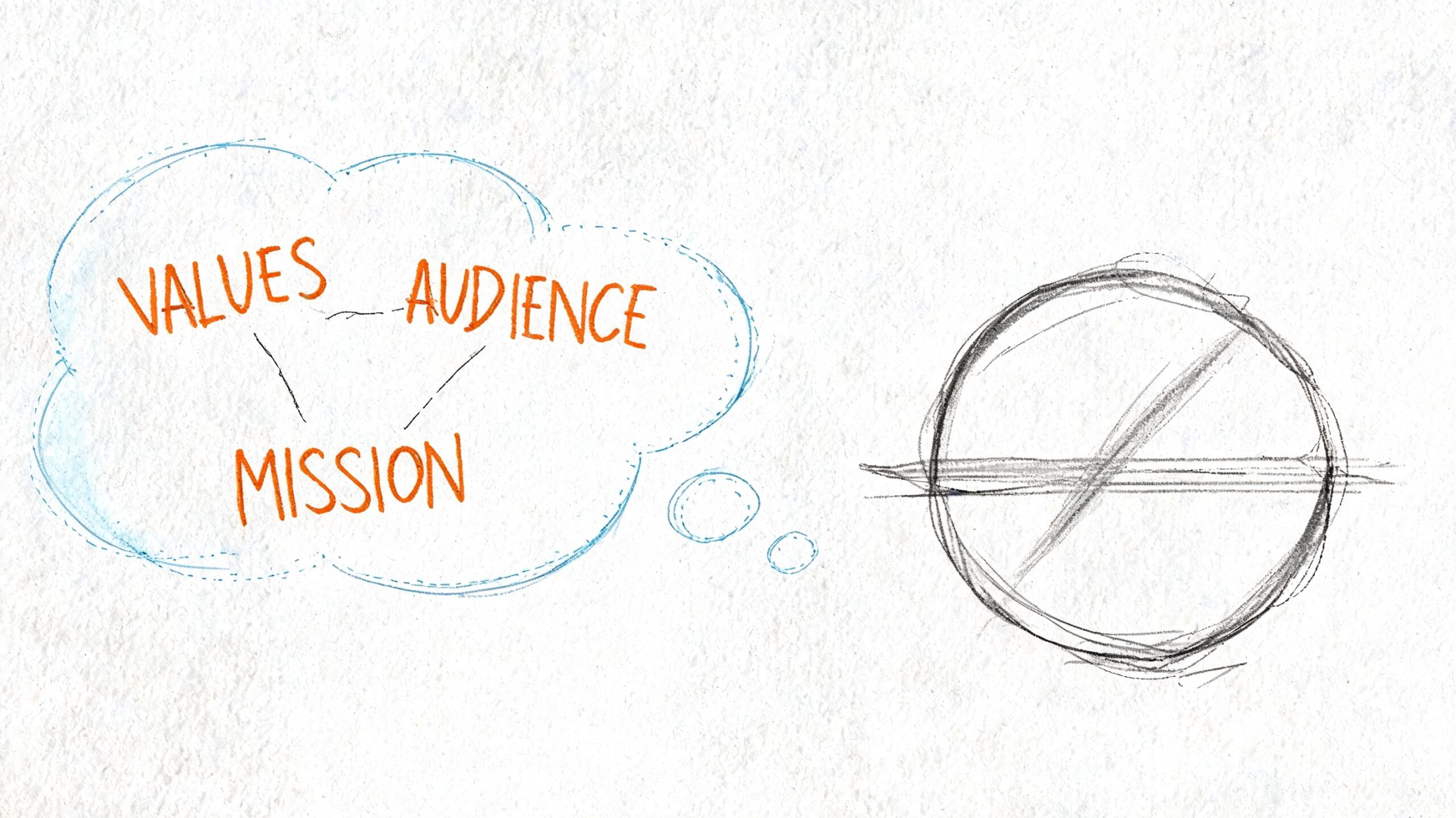
Write a brief before you touch any design tool
A logo brief doesn’t need to be long. It needs to be clear.
Start by describing the business in plain English. If you own a local accountancy practice, a playful mascot probably won’t help. If you run a children’s activity brand, a severe corporate wordmark may feel cold. The logo has to match the tone customers expect when they first encounter you.
Use these questions to build a simple brief:
- What do you sell: Products, services, expertise, convenience, trust, status, or something else?
- Who needs to recognise you quickly: Local families, trade buyers, tourists, professionals, online shoppers, or repeat clients?
- What should people feel: Reassured, energised, curious, premium, friendly, established?
- Where will the logo appear first: Website header, van livery, shop sign, invoices, uniforms, Instagram profile, packaging?
- What should you not look like: Overly corporate, too handmade, too generic, too trendy, too cheap?
- Who are your direct competitors: Not to copy them, but to avoid blending into the same visual category.
Practical rule: If you can’t describe your brand in a few clear words, you’re not ready to approve a logo.
Decide what the logo needs to do
Business owners often ask for a logo to “stand out”. That’s too vague to guide good design. A better question is what the logo must do in practice.
For one business, the job is to build trust fast. For another, it’s to make a long company name cleaner and easier to remember. For another, it’s to work on uniforms, stickers, and social profile images without losing legibility.
That’s why logo design sits inside a wider brand system. If you’re shaping tone, colours, typography, and usage rules at the same time, this essential guidance for business owners is worth reading because it helps turn a one-off logo into a consistent identity.
Keep your first ideas verbal
Before sketching symbols, write down a few paired directions:
| Direction | What it means in practice |
|---|---|
| Traditional or modern | Serif fonts and heritage cues, or cleaner digital-first shapes |
| Local or national | Strong place-based character, or broader market neutrality |
| Friendly or authoritative | Softer forms and warmer tone, or tighter structure and restraint |
| Minimal or expressive | Fewer elements and more flexibility, or more personality and detail |
Those choices help you filter bad ideas early. If the business needs to feel established and clear, an overly intricate mark is probably wrong before you even draw it.
Choosing Your Path DIY Freelancer or Agency
Small businesses often get stuck. They know a better logo matters, but they’re trying to judge cost against risk, and they don’t have a reliable framework for doing it.
That gap is real. Many UK SMEs struggle with the decision of when to invest in professional design versus DIY tools, and there’s little practical guidance on how to judge the value of freelance work. That’s especially difficult for businesses in lower-margin sectors where £500–£2,000 is a serious decision, as noted by Wildheart Media’s discussion of logo design options for ethical businesses.
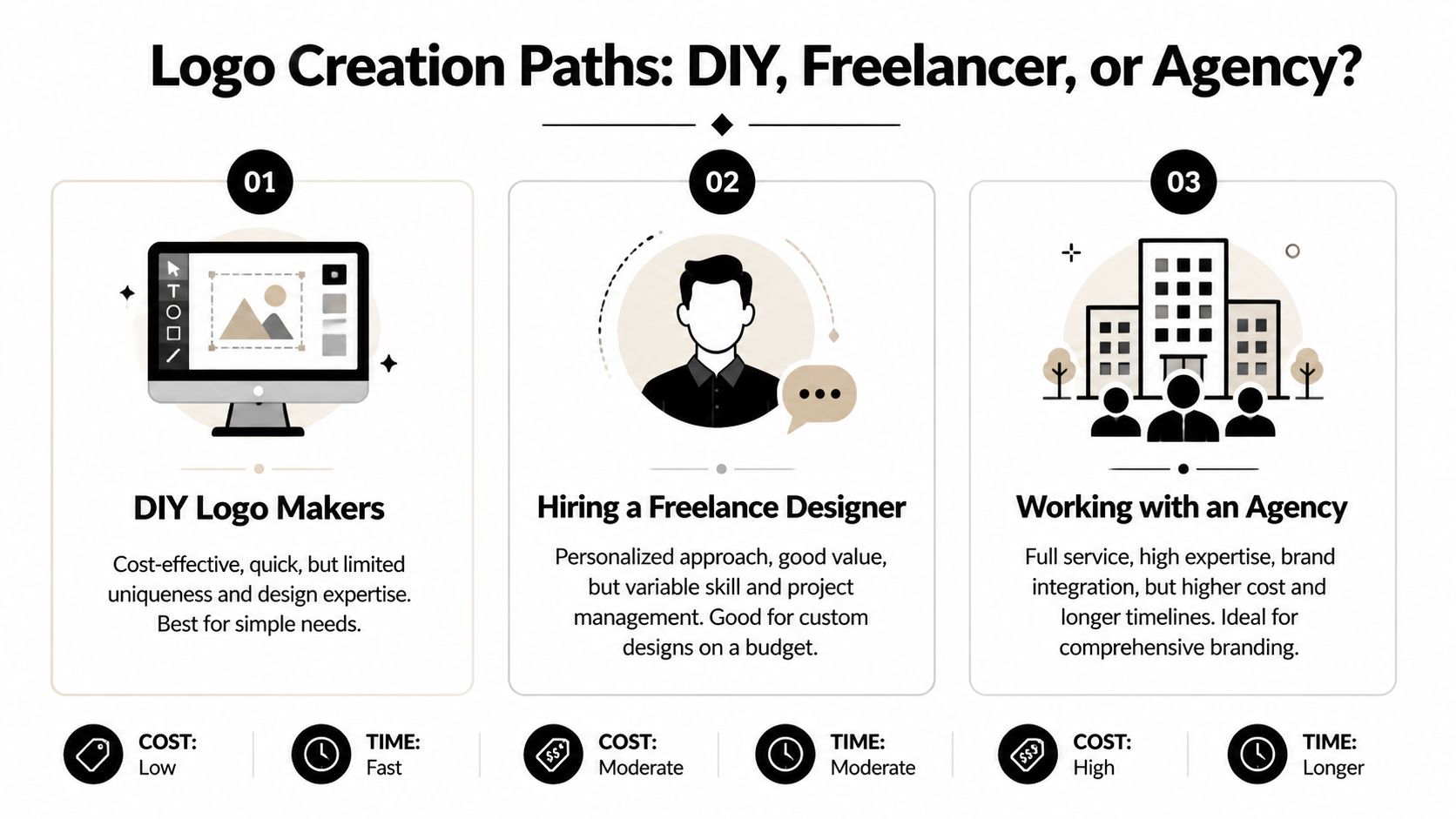
Logo Creation Paths Compared
| Factor | DIY Logo Maker | Freelance Designer | Design Agency |
|---|---|---|---|
| Cost pressure | Lowest upfront spend | Mid-range and flexible | Highest investment |
| Speed | Usually fastest to start | Depends on availability | Usually more structured |
| Originality | Often limited by templates | Can be highly custom | Usually custom and strategy-led |
| Guidance | Minimal | Varies by person | Broader brand input |
| File handover | Sometimes basic | Should include proper files | Usually includes full asset set |
| Risk | Generic results | Quality varies a lot | More process, less guesswork |
| Best fit | New ventures testing an idea | Small firms needing custom work | Businesses tying logo to a larger rebrand |
When DIY makes sense
DIY is reasonable when the brand is still being tested. If you’re launching a side project, validating a concept, or need a temporary identity while you build traction, a simple wordmark can do the job.
Use tools like Canva, Looka, or Adobe Express with restraint. Keep the logo simple, avoid crowded icons, and don’t rely on effects to make it feel designed. A clean name in a well-chosen typeface will outperform a busy template almost every time.
DIY starts to fail when:
- You need uniqueness: Template-based symbols often feel familiar because other businesses are using near-identical assets.
- You need flexibility: Some platforms don’t hand over the file types or layout variations you’ll need later.
- You need judgement: Software can generate options, but it won’t tell you whether the result looks amateur on signage or embroidery.
When a freelancer is the sensible middle ground
A good freelancer can be the right choice if you want a custom logo without a full agency process. The benefit is direct access to the person doing the work. The drawback is variation. Some freelancers are excellent designers and poor project managers. Others produce stylish work but weak file handovers.
Look beyond the visuals. Ask how they brief, how many concepts they present, what file formats are included, and whether they design for real-world use or just portfolio shots.
A strong freelancer doesn’t just send options. They explain why one direction suits your audience better than another.
When an agency is worth it
An agency makes sense when the logo is part of a bigger business shift. That could be a website redesign, a repositioning exercise, a packaging update, or a broader brand refresh. In that situation, the value isn’t only in the symbol. It’s in the thinking around it.
You’re paying for process, consistency, and wider application. If the logo needs to work across web, print, signage, and marketing collateral, that joined-up approach can prevent expensive fixes later.
Use this short test:
- Choose DIY if speed matters more than originality right now.
- Choose a freelancer if you need something custom and can manage the brief carefully.
- Choose an agency if the logo needs to anchor a broader brand system.
The Creative Process From Sketch to Concept
Once the strategy is clear, the creative work gets easier. Not easier because the answers appear instantly, but easier because you’re solving a defined problem.
That matters. Design quality often comes from editing, not from sudden inspiration.
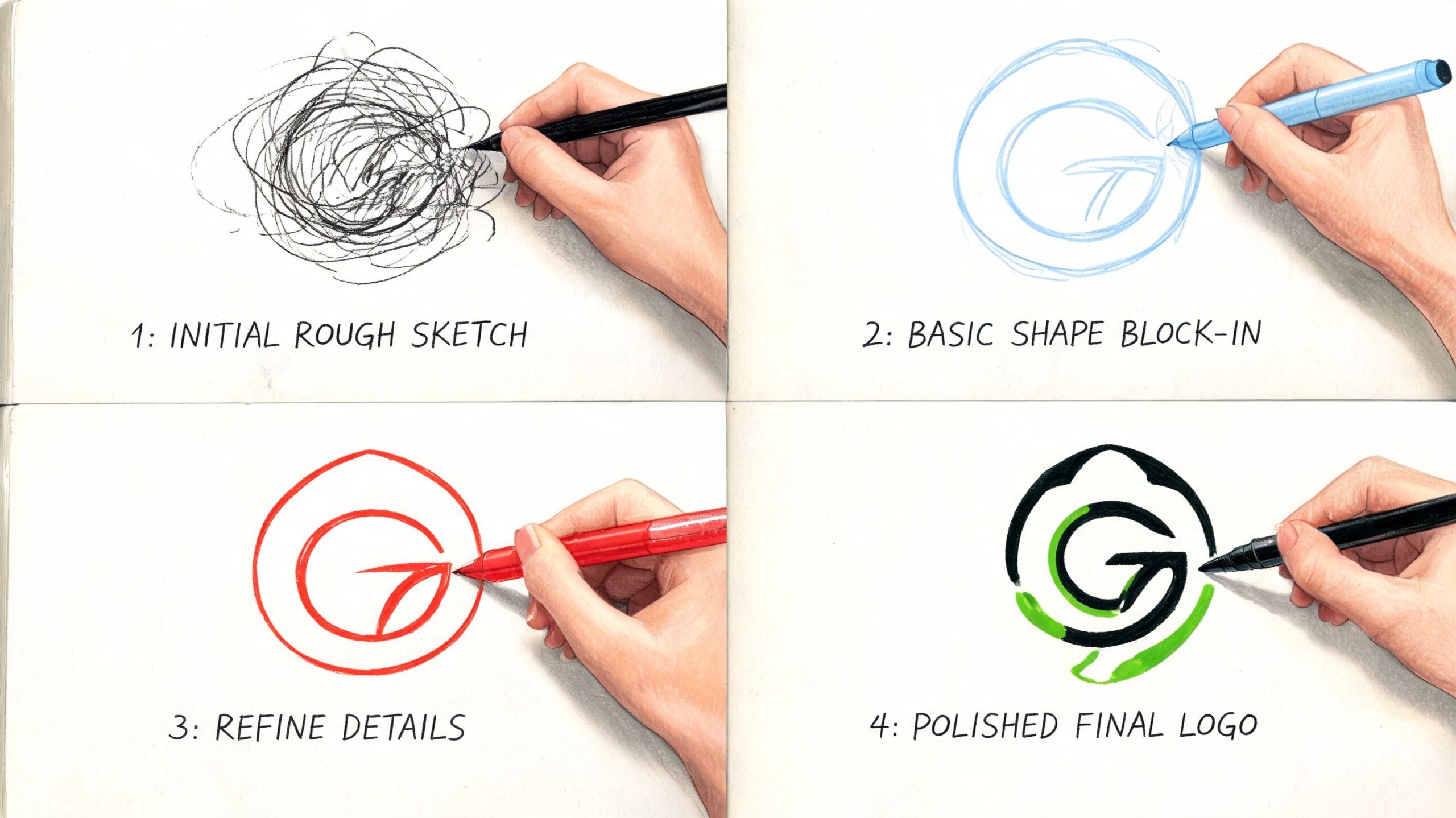
Start on paper, not on screen
Sketching is still the fastest way to explore ideas. You don’t need to draw beautifully. Rough shapes, text arrangements, initials, and symbols are enough.
Begin with quantity. A business owner often falls in love with the first acceptable idea, but the first acceptable idea is rarely the strongest one. Push past the obvious references. If you run a gardening business, don’t stop at the first leaf. If you own a café, don’t default straight to a cup.
Try a few routes:
- Name-led concepts: Focus on typography, initials, or abbreviations.
- Symbol-led concepts: Explore an icon, shape, or abstract mark.
- Combination ideas: Pair a simple symbol with a wordmark.
- Pure wordmarks: Often the cleanest option for service businesses.
Use typography to set the tone
Type does most of the heavy lifting in many logos. It tells people whether the business feels classic, modern, technical, elegant, relaxed, or bold.
A few broad rules help:
- Serif fonts often suggest tradition, trust, or refinement. They suit legal, financial, editorial, and heritage-led brands.
- Sans-serif fonts feel cleaner and more current. They work well for tech, fitness, trades, and modern service businesses.
- Script styles can feel personal or premium, but they become unreadable quickly if overused.
- Display fonts can add character, but they date fast and often perform badly at small sizes.
Don’t choose a typeface because it looks fashionable in isolation. Choose it because it still works when reduced to a tiny social avatar or printed on a receipt.
A useful visual reference can help at this stage:
Choose colour after the idea works in black
A logo should still hold together without colour. If it only works because of a bright gradient or a trendy palette, the underlying form is weak.
Once the core mark works in black, choose colour based on meaning and context:
| Colour direction | Often suits |
|---|---|
| Blue | Professional services, finance, technology, healthcare |
| Green | Wellness, environmental brands, food, outdoor businesses |
| Black | Premium retail, fashion, architecture, minimalist brands |
| Red or orange | Hospitality, entertainment, energetic consumer brands |
Don’t add colour just to make the logo feel finished. Use it to reinforce the business personality you already defined.
Good concepts survive simplification. Weak concepts need decoration.
Refine by removing
At concept stage, the best question isn’t “what can we add?” It’s “what can we remove without losing meaning?”
That usually means tightening letter spacing, reducing unnecessary lines, simplifying icons, and making sure every element has a job. If a shape doesn’t improve recognition or balance, cut it.
This is also the point to test obvious problems. Is the icon too detailed? Does the type collapse at small size? Does the name become hard to read on one line? Those issues are easier to solve now than after the logo has gone live.
Digitising and Finalising Your Logo Files
A sketch is an idea. A logo becomes usable when it’s built properly as a digital asset.
This is the stage many small businesses underestimate. They approve a design, receive a PNG, and assume the job is done. Then the printer asks for a vector file, the sign maker needs a clean version, and the embroidered uniform turns the logo into a blob.
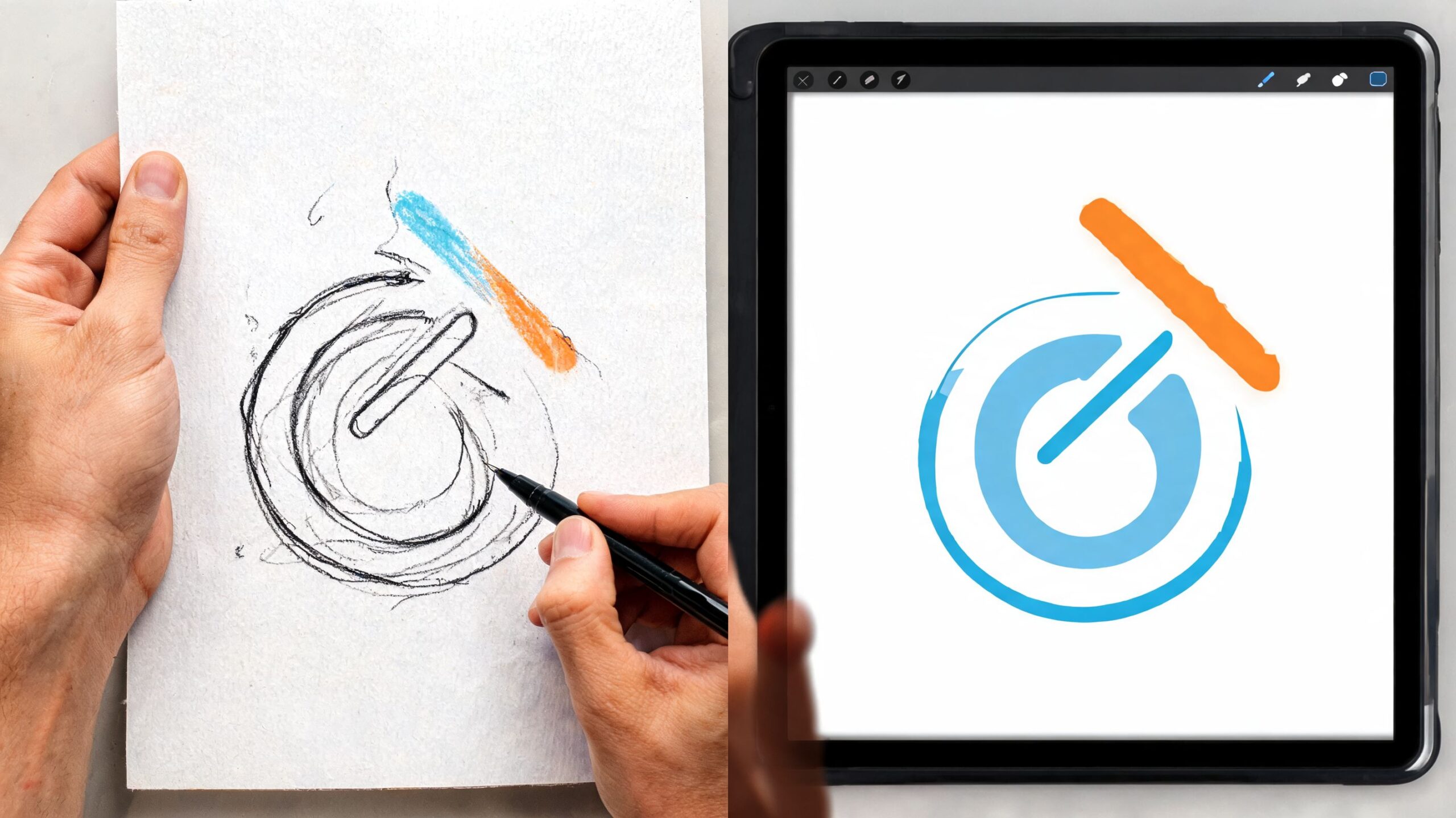
Vector is non-negotiable
Your final logo should be created in vector format, typically in Adobe Illustrator or a similar vector tool.
The simplest way to understand it is this. A vector file is like a recipe. You can make the cake at any size because the instructions scale. A raster file is a photo of the cake. Enlarge it too much and it falls apart.
That’s why SVG, EPS, and AI-style vector outputs matter. They stay crisp on a business card, a roller banner, or a vehicle graphic. A JPG or PNG has its place, but it isn’t the master file.
Build a logo system, not one single file
A business rarely uses one logo in one way. You usually need a small family of approved variations.
That includes:
- Primary logo: The main version for standard use
- Secondary layout: Often stacked or simplified for narrow spaces
- Icon or monogram: Useful for favicons, profile images, and app-style use
- Dark and light versions: So the logo works on both pale and dark backgrounds
- Single-colour version: Important for embroidery, stamps, invoices, and some print applications
If you’re also producing branded clothing or caps, there are additional technical considerations. This guide on how to prepare artwork for embroidery is useful because embroidery needs cleaner shapes and fewer fine details than screen graphics.
Ask for these file formats
If you hire someone and they can’t supply these clearly, stop and ask why.
| File type | What it’s for |
|---|---|
| SVG | Websites, digital use, scalable graphics |
| EPS | Professional print and signage workflows |
| PNG | Transparent background for everyday use |
| JPG | Simple general-use file for documents and previews |
| Sharing approved artwork with printers or partners |
You should also receive files organised by colour version and layout. “finallogoNEW2.png” isn’t a proper handover.
For businesses that need wider visual support beyond the logo itself, it helps to plan the surrounding assets early. That might include menus, packaging, flyers, social templates, or signage artwork. A broader graphic design service can cover those applications after the identity is approved.
Check your final handover before signing off
Run this checklist:
- Open the logo small: Does it still read clearly?
- Place it on dark and light backgrounds: Does contrast hold up?
- Print it on standard office paper: Does it still look balanced without premium finishes?
- View the files on another device: Colours and detail can shift
- Test the icon alone: Many logos fail when reduced to a square format
If the logo only looks right in one setting, it isn’t finished yet.
Applying and Future-Proofing Your New Identity
A logo proves itself after launch, not during presentation. It might look excellent on a white artboard and still struggle on a mobile header, social profile, shop fascia, or staff uniform.
That’s why application testing matters. You need to see the mark in the places your customers will encounter it.
Stress-test the logo in real situations
Mock it up across the essentials before rollout. At minimum, test it on your homepage header, Instagram profile image, business card, email signature, and one physical format such as signage, packaging, or apparel.
Look for practical issues rather than design theory:
- Legibility: Can people still read it quickly on mobile?
- Balance: Does it sit properly in narrow spaces and square spaces?
- Recognition: Is the icon memorable when separated from the full name?
- Contrast: Does it survive dark backgrounds, tinted overlays, or photography?
- Consistency: Are you using the same version every time?
A polished logo can still fail if the business uses five different versions without rules. That’s one reason to document basic usage, even if it’s just a short brand sheet.
Think beyond launch day
A logo shouldn’t be designed as a passing trend piece. It needs enough longevity to carry the business as it grows. At the same time, established companies often reach a point where the logo no longer matches current expectations across digital platforms.
That tension is well recognised. Established businesses often face a dilemma over whether a logo update should be bold or carefully incremental, and practical guidance on how to handle that refresh is often missing, as noted in UCDA’s discussion of logo design and logo updates.
The best logos age well because they’re built on clear structure, not trend-led decoration.
Know the signs that a refresh is due
You don’t need to redesign a logo every few years. You do need to pay attention when it starts creating friction.
A refresh may be sensible if:
- The logo was built for print first: It now feels awkward in digital-first spaces
- Small-size use is poor: Social avatars and mobile headers expose weaknesses
- Your business position has changed: You serve a different market than when the logo was made
- Your visual system is inconsistent: The logo no longer fits the website, packaging, or sales material
- The details are too fussy: Fine lines and effects don’t reproduce cleanly
In many cases, a refresh is more effective than a total redesign. Tighter typography, cleaner spacing, simplified shapes, and improved digital versions can modernise the brand without losing recognition.
If you want to judge how identities hold up in live business settings, reviewing a broad portfolio of branding and digital work is useful because you can see how logos sit within websites, print, and wider brand systems rather than in isolation.
Hiring a Professional A Checklist for Success
Hiring a designer doesn’t remove your responsibility. It changes it. Your job becomes giving clear direction, making sound decisions, and protecting the project from vague feedback.
Poor client input creates weak logo projects just as often as poor design does. If you want a good result, brief well and evaluate properly.
What to prepare before the first conversation
Bring order to the project before you ask for quotes.
Use this checklist:
- A clear business summary: What you do, who you serve, and how you position yourself
- Practical uses: Website, signage, uniforms, labels, van graphics, social media, print
- Visual references: A few examples you like, plus examples you dislike
- Current brand issues: Outdated look, poor legibility, inconsistency, weak differentiation
- Decision-makers: Know who approves the work so feedback doesn’t spiral
If you need a useful framework for evaluating creative partners more broadly, this guide to finding a website designer who understands your vision is relevant because the same principles apply to branding projects. Clarity, process, communication, and portfolio fit matter more than polished sales talk.
What to ask before you hire
Don’t stop at “How much is a logo?” Ask how the work will be done.
Good questions include:
- What does your process look like from brief to final files?
- How many concepts or routes do you usually develop?
- What file formats are included at handover?
- Will you provide black, white, and simplified versions?
- How do revisions work?
- Who owns the final artwork once the job is complete?
Red flags to watch for
Some warning signs appear early.
- No questions about your business: They’re designing decor, not identity.
- A portfolio full of style but no range: Every client ends up with the same look.
- No discussion of file delivery: You may be left with unusable assets.
- Instant concept promises: Strong thinking usually takes more than a rushed first pass.
- Feedback framed as unlimited: That often means the process lacks direction.
Hire the designer whose process reduces risk, not the one who simply sends the prettiest mock-up first.
A good logo project should leave you with more than a nice visual. It should leave you with confidence that the identity will work where your business operates.
If you want a logo that works across web, print, and day-to-day business use, DesignStack can help shape the brief, design the identity, and carry it through into the wider brand materials that support it.
Leave a Reply