

WordPress Website Development Cost: 2026 Guide
A professionally built WordPress website in the UK typically costs £3,000 to £25,000+ depending on complexity. A basic site usually sits at £3,000 to £7,000, a custom business website at £7,000 to £15,000, and an eCommerce build at £8,000 to £25,000+.
If you're reading this, you're probably doing what most business owners do at the start of a website project. You want a straight answer, but every quote seems to come with caveats, vague language, and a lot of “it depends”.
That frustration is fair. A website isn't a boxed product with one shelf price. It's closer to a shop fit-out. The square footage matters, but so do the materials, the wiring behind the walls, and whether you're fitting a till, CCTV, storage, signage, and custom shelving.
The practical way to think about wordpress website development cost is this. The upfront build price matters, but it isn't the whole financial picture. The full cost is the total cost of ownership, including maintenance, hosting, licences, and support after launch.
Cheap quotes often look good because they hide costs until later. That's why it's worth understanding the hidden costs of cheap website design and why you get what you pay for before comparing proposals.
Decoding Your Initial WordPress Website Investment
The first figure most businesses ask for is the build cost. That's sensible, but it only helps if the quote is tied to a real scope.
A WordPress website can be simple, highly customised, or somewhere in the middle. Two projects can both be called “a business website” and still have very different budgets because one is a straightforward brochure site and the other needs booking logic, CRM syncing, gated content, and custom page layouts.
Why the same platform produces very different quotes
WordPress itself doesn't fix the price. The budget comes from the work around it.
A lean project usually stays lean because it uses proven tools, a tighter page count, and fewer moving parts. Costs climb when the build needs custom design, bespoke functionality, heavy content migration, or integrations with systems your team already uses.
Practical rule: If a quote arrives before anyone has asked about goals, content, integrations, or post-launch support, it probably isn't a reliable quote.
What you're actually buying
When you pay for a professional website, you're not just paying for pages to appear online. You're paying for a stack of decisions and delivery work that should include:
- Discovery and scoping so the project solves the right problem
- Design work that reflects your brand and helps users take action
- Development to turn layouts and features into a working site
- Testing across devices, browsers, and user journeys
- Launch support so the handover doesn't become your problem
That last part gets overlooked. A lower quote can still become an expensive project if every revision, bug fix, plugin conflict, or post-launch tweak becomes an extra invoice.
For most SMEs, the smartest budget conversation isn't “what's the cheapest way to launch?” It's “what scope gives us a reliable site without storing up costs for later?”
WordPress Website Costs by Project Type
A five-page site for a local firm and a forty-page site that feeds enquiries into sales both run on WordPress. They do not cost the same to build, and they rarely cost the same to maintain.
Project type is the quickest way to set a realistic budget range. It also helps you judge whether a quote covers the work you require, or only the first version of it. For UK SMEs, that matters because the cheapest build can become the most expensive option once support, fixes, and change requests start landing after launch.
Typical project bands
| Project Type | Typical UK Price Range | Best For |
|---|---|---|
| Brochure website | £3,000 to £7,000 | Small businesses that need a professional presence, clear service pages, and contact enquiries |
| Business and lead-generation website | £7,000 to £15,000 | Service firms that need stronger messaging, conversion-focused page layouts, forms, blog structure, and tailored user journeys |
| eCommerce website | £8,000 to £25,000+ | Retailers and product-based businesses selling online with catalogue, cart, checkout, shipping, and account features |
These ranges are useful as planning bands, not shopping labels. Two sites in the same category can still land far apart on price because one includes proper onboarding, training, content entry, testing, and post-launch support, while the other leaves those items to be billed later.
Brochure websites
Brochure sites suit firms that need trust, clarity, and a simple enquiry route. That usually means a homepage, core service pages, about page, contact page, and a content structure that works properly on mobile.
The lower end of the range usually fits a tighter scope. Fewer templates, fewer rounds of revision, standard forms, and content that is already written and ready to upload.
The higher end often reflects better planning and fewer hidden jobs later. If the agency is setting up redirects, refining calls to action, handling image preparation, training your team, and including a support period after launch, the quote should be higher. That is not waste. It is part of the total ownership cost.
Business and lead-generation websites
Many SME projects fit this description, especially for firms that need the website to support sales rather than act as an online brochure.
A lead-generation site usually needs more than pages and contact forms. It may need service landing pages, case studies, gated downloads, better internal search, event tracking, CRM form handling, and clearer paths for users at different stages of the buying process. That adds strategy time, design time, development time, and more testing.
This type of project also benefits most from fixed-cost pricing when the scope is defined properly. A fixed build budget gives clients more control over spend than an open-ended hourly arrangement, which can drift once revisions, integrations, and stakeholder feedback start stacking up.
eCommerce websites
eCommerce has a wider price spread because there are more operational details to get right. Products, categories, filters, basket behaviour, payment gateways, delivery rules, tax settings, transactional emails, refunds, and account areas all affect the build.
A simple store with a modest catalogue can stay near the lower end. Costs rise when the shop needs subscriptions, product bundles, trade pricing, custom product options, stock logic across locations, or links to EPOS, ERP, or fulfilment systems. Teams planning growth should also review these tips for running a successful online store.
The long-term cost matters here more than anywhere else. An online shop is not a one-off asset. It needs updates, plugin management, payment gateway checks, and support when orders or checkout flows break. A lower launch quote can look attractive, then lose value quickly if every maintenance task becomes a separate charge.
Key Factors That Drive Your Final Website Cost
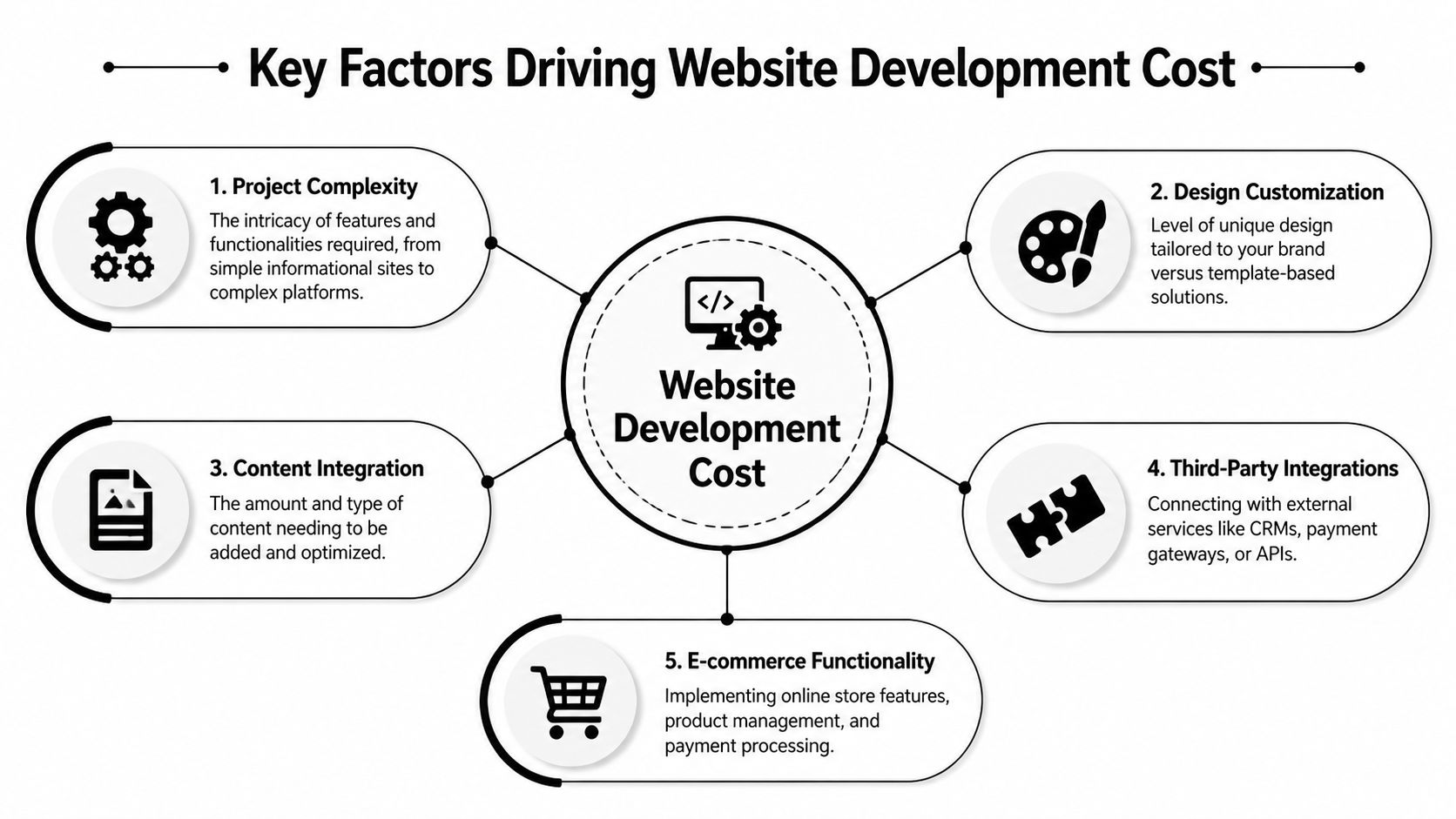
A WordPress quote usually rises for predictable reasons. The main drivers are design decisions, feature complexity, third-party systems, content workload, and how tightly the scope is managed from the start.
Design choice
Theme selection affects both launch cost and long-term ownership cost.
A pre-built theme can reduce upfront spend, especially if the site structure is straightforward and your brand does not need unusual layouts. The trade-off is that many themes carry features you will never use, extra code that slows the site down, and builder limitations that make later changes more expensive than they first appear.
A custom design gives more control over page structure, brand presentation, and specific user journeys. It also needs more discovery, design time, front-end development, and browser testing. For some SMEs, that extra spend pays back because the website fits the sales process better and takes less work to adapt later.
Custom functionality
Custom functionality is where many budgets change shape quickly.
Booking systems, gated resources, member portals, finance calculators, quote builders, and custom admin workflows all sound simple in a meeting. In practice, each one needs rules, edge-case handling, user testing, and support after launch. The cost is not just writing code. It is deciding how the feature should behave when real users do something unexpected.
Sometimes a well-supported plugin is the sensible choice. Sometimes plugin stacking creates conflicts, slows the site, and leaves you paying for fixes every time WordPress updates. That is why the cheapest route at build stage can create a higher support bill later.
Integrations and connected systems
A website often needs to pass data between platforms. CRM, email marketing tools, stock systems, finance software, booking platforms, and quoting tools all add work.
The simple version is a form pushing leads into one system. The expensive version is a two-way integration with conditional logic, status updates, duplicate handling, permissions, and failure alerts. On paper, both can be called "a CRM integration". In the quote, they are very different jobs.
This area also affects maintenance costs. If an external API changes or a plugin update breaks the connection, somebody needs to diagnose it and put it right. That is part of total cost of ownership, not just build cost.
Content and migration work
Content work is regularly underestimated by clients and agencies alike.
If copy is approved, images are organised, and the page structure is settled, the build moves faster. If the project includes rewriting service pages, migrating blog posts, formatting case studies, sourcing visuals, and cleaning years of outdated content, the budget has to reflect that labour.
A useful starting point is understanding how content management systems support day-to-day website updates. It helps teams decide what they can manage internally and what should sit with the agency after launch, which has a direct impact on monthly support spend.
Scope control
Scope control has a bigger effect on cost than many technical choices.
I have seen a five-page brochure site become a much larger project because new stakeholders joined halfway through and added forms, landing pages, team profiles, lead magnets, and extra rounds of revisions. None of those items are unreasonable. They just need to be costed clearly.
Fixed-cost pricing proves its value. If the brief is defined properly, the client knows what is included, the agency knows what it is delivering, and any change can be priced before it affects the timeline. That protects budget control far better than a vague estimate that grows each week. Good communication matters here, and agencies that are disciplined about approvals and improving client relationships with follow-ups usually keep projects tighter commercially.
A low build quote only has value if the site is maintainable, the scope is controlled, and support costs are clear before work starts.
Understanding Agency Pricing Models
How an agency charges matters almost as much as the headline figure. The same website can feel affordable or risky depending on whether the pricing model gives you control.
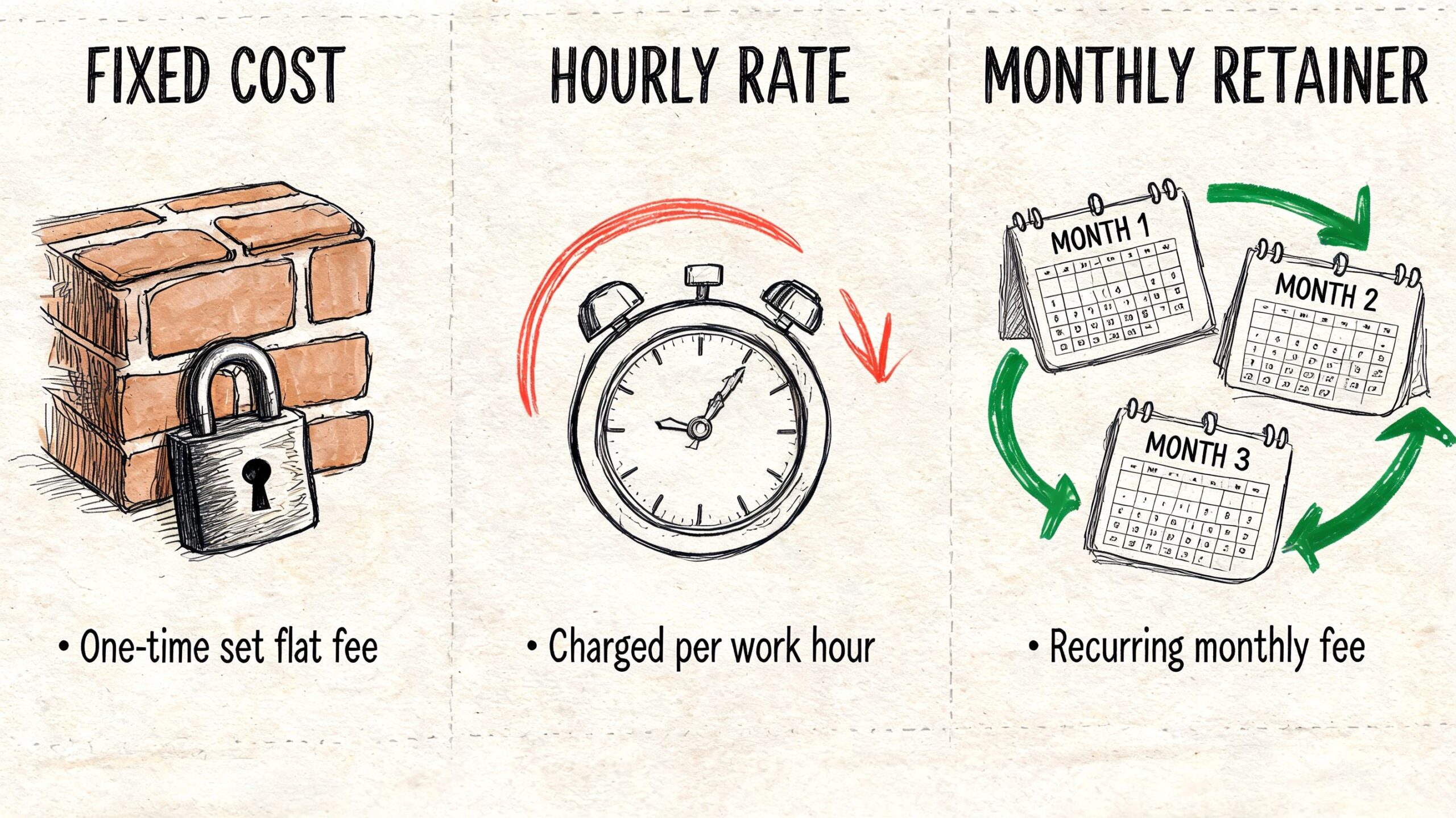
Fixed cost
Fixed-cost pricing works best when the scope is clear. You agree what’s being built, what’s included, and what counts as a change.
For clients, the main benefit is obvious. You know the commercial commitment before work starts. That makes internal approval, cashflow planning, and expectation management much easier. The downside is that vague briefs and late feature changes create friction, because the budget was set against an agreed scope.
Hourly rate
Hourly or time-and-materials pricing is more flexible. If you're still shaping the project, testing ideas, or expecting the scope to evolve, it can be a sensible model.
The trade-off is budget uncertainty. A project can stay efficient if decisions are fast and the brief is well managed. It can also drift if feedback is slow or the requirements aren't pinned down. Disciplined communication matters in these situations. Teams that want a better process around quote chasing and approvals often benefit from stronger systems for improving client relationships with follow-ups, especially when multiple stakeholders are involved.
Monthly retainer
A retainer isn't usually the right way to price a standalone build. It's better suited to ongoing work after launch, such as iterative development, landing pages, support, or conversion improvements.
For some businesses, a retainer is useful because the website is never really “finished”. For others, it creates confusion because they wanted a defined project, not an open-ended monthly commitment.
Side-by-side comparison
| Pricing model | Good fit | Main benefit | Main risk |
|---|---|---|---|
| Fixed cost | Well-defined website project | Budget certainty | Scope changes need formal review |
| Hourly rate | Evolving projects or technical discovery | Flexibility | Final cost can drift |
| Monthly retainer | Ongoing support and development | Continuity | Less clarity if the core build isn't defined first |
A useful way to vet proposals is to ask four questions:
- What's included in the quoted scope
- What counts as a revision versus a change request
- What happens after launch
- How are support requests priced once the initial project ends
Later in the project, pricing discussions become much easier when everyone can see the same frame of reference:
For UK SMEs, fixed-cost pricing is often the safer commercial model because it removes guesswork. It doesn't make a project cheap. It makes it legible.
Beyond the Build Ongoing Website Costs to Budget For
Launch day isn't the end of the cost story. It's the point where ownership starts.
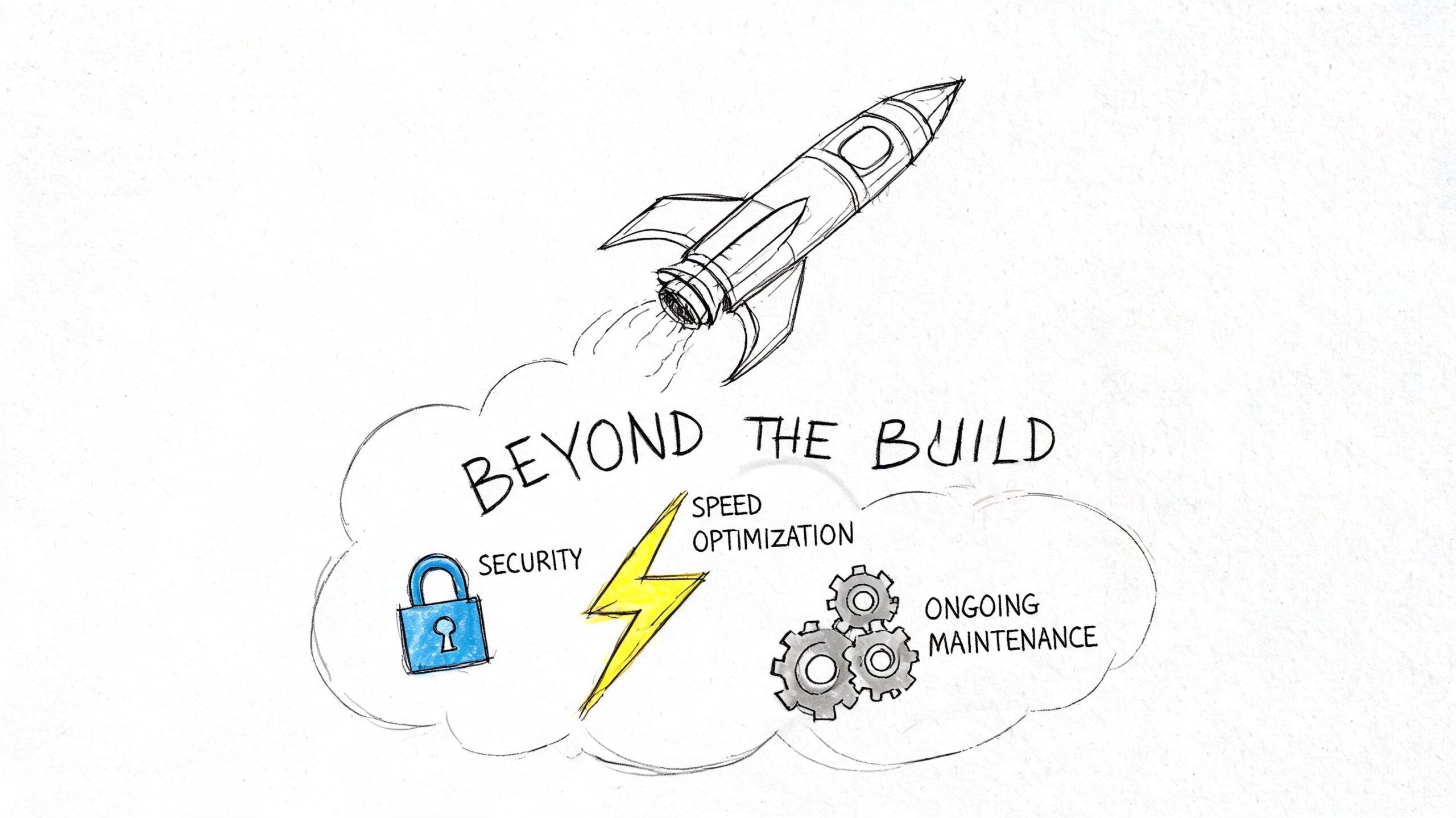
The most common budgeting mistake is treating the build quote as the whole investment. According to GetDevDone's WordPress website cost analysis, ongoing website expenses can represent 15% to 40% of the total first-year investment, and annual maintenance alone can run from £1,500 to £8,000+, before hosting, SSL certificates, and premium plugin licences are added.
The recurring costs that catch businesses out
These costs aren't hidden in the sense that they don't exist. They're hidden because many proposals don't bring them to the front early enough.
- Hosting keeps the site available and affects performance
- SSL certificates may be free or paid depending on setup
- Plugin and theme licences often renew annually
- Maintenance covers updates, compatibility checks, backups, and issue resolution
- Security monitoring reduces the risk of avoidable downtime or compromise
If the site includes eCommerce, payment processing also becomes a live operational cost rather than a one-off setup item.
Why maintenance isn't optional
WordPress is flexible because it uses themes, plugins, and regular updates. That flexibility also creates maintenance work.
When businesses skip maintenance, problems usually show up in one of three ways. A plugin update breaks something. Performance drops because the site isn't being checked. Or a security issue appears because the stack has been left untouched for too long.
A website is an asset, but only if someone keeps it operational. Otherwise it becomes a liability with your brand name on it.
Budget for ownership, not just launch
A more realistic mindset is to separate your website budget into two lines:
| Cost area | What it covers |
|---|---|
| Initial build | Strategy, design, development, testing, launch |
| Ongoing ownership | Hosting, updates, licences, security, support, improvements |
That split changes the decision-making. A lower build quote may not be better value if it leaves you to source support, patch together hosting, and pay for every post-launch task separately.
This is why many SMEs prefer a defined project price and a clear support arrangement rather than a cheap build followed by unpredictable monthly costs.
Your Actionable Client Briefing Checklist
The fastest way to get a useful quote is to arrive with a proper brief. Not a perfect brief. A usable one.
Agencies price risk as much as effort. If the brief is vague, they either leave things out, inflate the quote to protect themselves, or start the project with assumptions that later become disputes. A clear brief reduces all three.
What to prepare before asking for quotes
Use this checklist before you contact anyone.
State the business goal clearly
Decide what the website must do. Generate leads, support sales calls, sell products, reduce admin, improve credibility, or all of the above. If the goal is fuzzy, the scope will be too.Define the audience
Say who the site is for. New customers, existing clients, members, trade buyers, local users, or multiple groups. Different audiences need different journeys.List the must-have features
Separate requirements from nice-to-haves. Contact forms, blog, booking, gated downloads, online payments, CRM connection, multilingual pages, user accounts. Put the essentials first.Note what content already exists
Be honest here. Do you already have approved copy, images, service descriptions, product data, and team profiles, or does the agency need to help create and organise them?Gather website examples
Include examples you like and say why. Navigation, visual style, tone, speed, layout, checkout flow, or simplicity. “I like this site” isn't enough on its own.
Questions worth answering internally
A short internal workshop often saves weeks later. Ask:
- Who signs off the project
- Who provides content
- What software must the website connect to
- What happens after launch
- What budget range is realistic for us
If nobody knows the answer to these, the project will slow down once it starts.
What makes a brief genuinely useful
A good brief is specific enough to price, but not so rigid that it blocks better ideas.
“We need a website that helps users choose the right service and contact the right team member” is far more useful than “We want something modern.”
If you're comparing agencies, send the same brief to each one. That gives you a fairer comparison because you're testing their thinking against the same information, not collecting three completely different interpretations of the project.
For many SMEs, the best fixed-cost proposals come from this kind of prep. Clear inputs usually produce clearer pricing.
Choosing the Right Agency and Controlling Costs
The right agency isn't always the cheapest or the biggest. It's the one that can define the scope properly, explain trade-offs clearly, and price the work in a way your business can manage.
If you want to keep costs under control without cutting the legs off the project, focus on the decisions that move the budget.
Cost control that doesn't damage the outcome
- Phase the project if you need to. Launch the core site first, then add advanced features later.
- Provide approved content early if your team can do it well. Late content causes expensive delays.
- Use proven tools where they fit rather than demanding bespoke builds for routine features.
- Choose a clear pricing model so revisions, changes, and post-launch support aren't a mystery.
- Ask who will maintain the site before you sign the build proposal.
It also helps to understand the economics from the supplier side. If you've ever wondered why estimates vary so much, this tool to calculate your freelance rate is a useful reality check on how professional time gets priced in the UK.
For businesses that want predictability, one practical option is a fixed-cost agency model with defined revisions and post-launch support. DesignStack, for example, offers fixed-cost pricing, three design revisions, and one month of post-launch updates as part of its service model. That's not the only valid approach, but it does address the cost uncertainty that causes problems for many SMEs.
A good website investment isn't just about launch. It's about whether the site remains usable, maintainable, and commercially useful after the invoices are paid.
If you're planning a new WordPress site and want a clear, fixed-cost proposal with realistic advice on scope, support, and total ownership costs, talk to DesignStack.


Leave a Reply