

7 WordPress eCommerce Website Examples for 2026
Ready to sell online, but wondering why so many ecommerce roundups leave you with nice screenshots and very little you can apply?
That is the problem this list aims to fix. A homepage can look polished and still underperform if the product structure is messy, the checkout creates friction, or the site does not support how the business handles stock, shipping, repeat orders, and customer retention.
WordPress earns its place in ecommerce because it gives businesses control over both content and commerce. For a small business, that usually matters more than chasing the newest platform trend. You can shape the buying journey, choose the plugins that match your operation, and keep control of SEO, content, and merchandising without locking every decision into one vendor. That flexibility only pays off when the store is planned properly, which is why practical advice for running a successful online store matters before design decisions are made.
The examples below are not included as design inspiration alone. Each one works as a mini case study. I am looking at the mechanics behind the storefront: the UX patterns that reduce hesitation, the plugin choices likely supporting the experience, and the business logic that makes the site commercially useful. Some stores are handling subscriptions. Others are building trust, simplifying complex orders, or using content to support conversion.
That is the useful standard for judging WordPress ecommerce website examples. A good store does more than display products. It helps the right customer buy with confidence, and it gives the business a setup it can manage and grow.
1. OKdo
OKdo answers a useful question straight away. Can WordPress run a store with technical products, regional complexity, and operational dependencies without becoming hard to manage? In this case, yes, because the site is built around product logic first.
The interesting part is not visual flair. It is the way the storefront appears simple while the commercial setup behind it is clearly more complex. OKdo sells specialist electronics, which usually means layered categories, detailed specifications, changing stock positions, and buying journeys that need to stay clear even when the catalogue is not.
That makes it a strong case study for businesses that assume WooCommerce is only a fit for small, tidy product ranges. OKdo shows the opposite. WordPress can handle the content and merchandising layer well, while connected systems can deal with stock control, tax handling, fulfilment, and account structure.
What OKdo gets right
The main lesson is structural. Stores like this succeed because the information architecture is doing real work before design styling even enters the discussion.
A build in this category usually depends on a few decisions being made early:
- Product data is planned properly: Categories, attributes, filters, and search rules need to reflect how customers compare products.
- Operational requirements shape the stack: ERP links, tax setup, fulfilment rules, and regional handling affect platform decisions more than homepage design does.
- Modules are kept separate: If integrations are connected cleanly, the business can replace or upgrade parts of the stack without rebuilding the whole store.
That last point matters. I have seen small businesses overspend on front-end polish, then discover they still cannot manage stock cleanly or create useful filters. Customers feel that failure fast. They abandon category pages, miss relevant products, or contact support for answers the site should have provided in the first place.
Practical rule: If your catalogue is complex, start with product types, stock rules, shipping logic, and customer groups. Choose the theme after that.
What smaller businesses should copy
A local retailer does not need OKdo’s scale to benefit from the same thinking.
This model is worth studying if you sell products with specifications, many variants, fast-moving stock, or different buying rules by region or customer type. In those cases, the highest-return investment is usually not a more ambitious homepage. It is better product data, better filtering, better on-site search, and tighter links between the shop and the way the business fulfils orders.
That is the point small businesses can replicate. Keep the front end clear. Put the budget into the parts that reduce confusion and support operations. A store that helps people find the right item quickly will usually outperform a prettier store with weak catalogue logic.
For businesses planning that kind of build, DesignStack’s advice on running a successful online store is relevant here. The shop structure has to match how the business sells, ships, and grows.
2. BAM Bamboo Clothing
BAM is useful to study because it solves a harder ecommerce problem than simple product display. It has to sell clothing, justify premium positioning, explain materials, and reduce fit anxiety in the same journey.
That mix suits WordPress well.
BAM uses the platform as a connected system for commerce and publishing. Product pages carry the sale, but supporting content does real commercial work too. Shoppers can move from interest in bamboo fabric or sustainability claims into category pages and product detail without feeling they have left one part of the site for another.
Why this model works
Apparel brands lose sales when customers hesitate on basics. Will this fit properly? Is the fabric worth the price? How easy is returns handling if it does not work out? BAM addresses those questions with content placed close to buying decisions, not hidden away in a neglected blog.
That is the part small businesses should pay attention to. The value is not “having content.” The value is using content to remove friction before checkout.
In practice, that often means a setup like this:
- Product pages that do more than show photos: Clear fabric details, fit guidance, care instructions, and delivery or returns information reduce hesitation.
- Editorial pages that support conversion: Material explainers, sustainability pages, and brand proof help justify pricing and build trust.
- A connected UX path: Category pages, product pages, and supporting articles should link each other in ways that match how customers research before buying.
For a clothing business, that structure is often more profitable than putting all the budget into homepage visuals. A polished hero section does not answer sizing concerns. A clear fit guide does.
What the build is probably doing behind the scenes
BAM is also a good example to deconstruct from a technical and operational angle. A store like this usually depends on more than WooCommerce alone. The commercial result comes from how the stack is configured.
Common ingredients in a setup like this include:
- WooCommerce for the catalogue, basket, checkout, and order handling
- Attribute-based filtering for size, colour, fit, and collection browsing
- Custom fields or product tab enhancements to structure material and care information cleanly
- Editorial templates that let the marketing team publish buying guides and brand content without developer input
- Analytics tracking to measure how content assists sales, not just last-click conversions
That final point matters. If blog visits, fit-guide views, and returns-policy visits influence revenue, the store owner needs reporting that shows it. A proper Google Analytics 4 setup for ecommerce decision-making helps connect content behaviour to product performance.
What smaller businesses should copy
Do not copy the visual style blindly. Copy the business logic.
If you sell apparel, skincare, homeware, or any product where customers need reassurance before purchase, treat content as part of the sales funnel. Build pages that answer objections early. Make service information easy to find. Give category and product pages enough structure to support both discovery and trust.
BAM shows what good WordPress commerce looks like when the site is built around buyer questions, not just stock listings. That is a practical blueprint for smaller brands that need their website to sell and explain at the same time.
3. Two Chimps Coffee
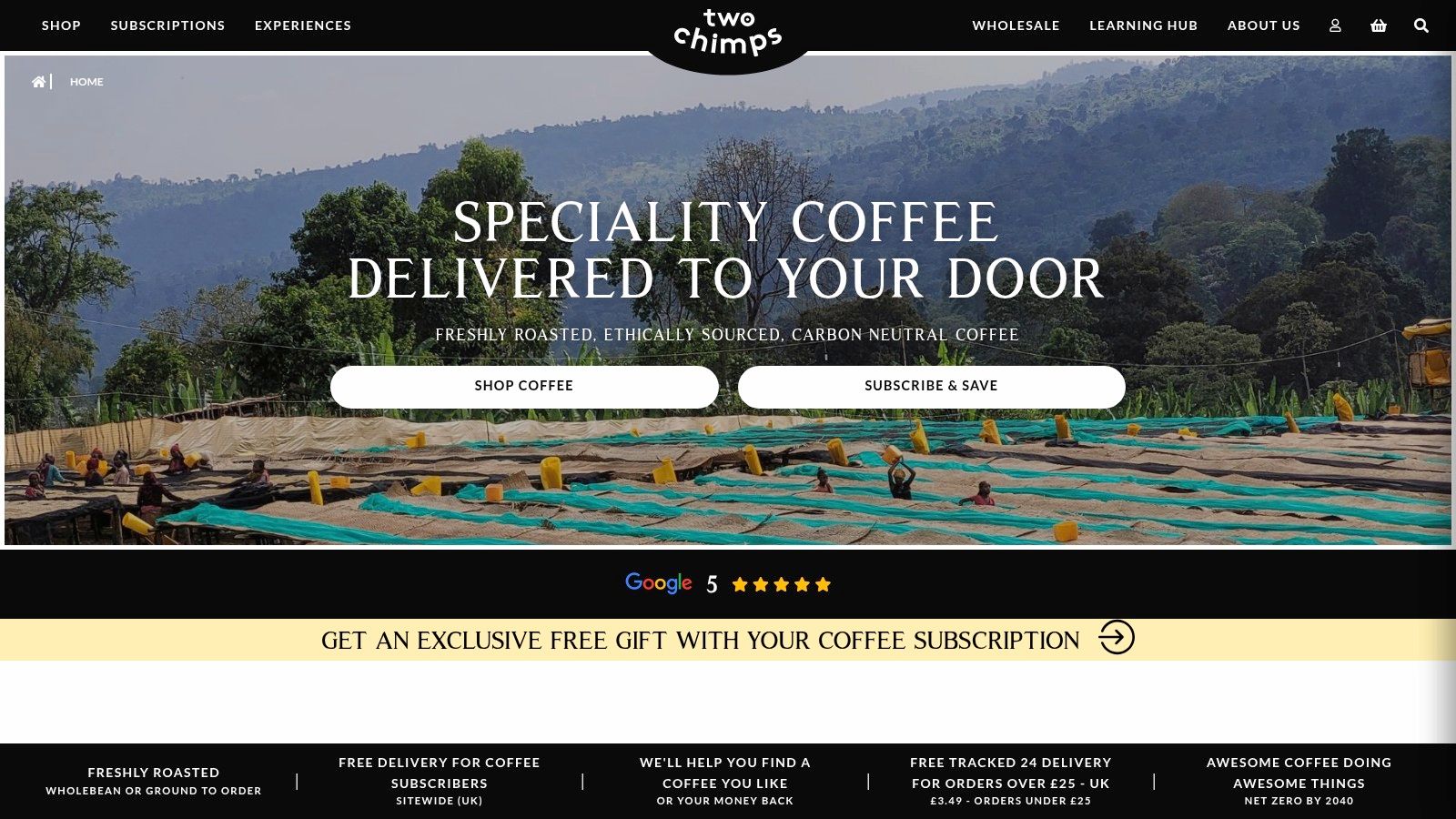
Two Chimps Coffee is a smart subscription-first example because the site doesn’t merely offer recurring orders. It guides people towards them.
That’s a big distinction. Plenty of WooCommerce stores add subscriptions as a feature. Fewer shape the whole user journey around making a subscription feel like the obvious next step. Two Chimps does that well with guided selection, educational content, and visible trust signals.
The model is built around commitment
Coffee is ideal for subscription commerce because customers already buy on a routine. The job of the website is to remove uncertainty. Which roast should I choose? How often should I order? Will I like it? A guided quiz or product finder solves that better than a standard category page.
The lesson isn’t limited to coffee. Any repeat-purchase brand can use the same structure:
- Guide first-time buyers: Quizzes, bundles, or recommendation tools help people choose.
- Reduce decision fatigue: Too many options can hurt recurring sign-ups.
- Use content after the sale too: Brewing guides and care content reinforce retention.
This is also where measurement matters. If you’re building a subscription funnel, track how many users start the quiz, reach product pages, begin checkout, and choose recurring delivery. Design choices feel subjective until the numbers show where people hesitate. DesignStack’s article on Google Analytics 4 mastery is useful here because subscription businesses need event tracking, not just pageview data.
What works and what doesn’t
What works is a focused path to a recurring order. What usually fails is forcing every visitor through a standard shop grid and hoping they self-select into a subscription.
I’d use Two Chimps as a blueprint for businesses selling:
- coffee
- supplements
- pet supplies
- toiletries
- refill products
Observation: Subscription stores convert better when they sell confidence before they sell cadence.
The site also benefits from visible reviews and authority-building content, which is critical when customers are deciding whether to commit rather than buy once. In sectors where trust drives repeat orders, that combination often beats discount-led selling.
4. Bearded Colonel
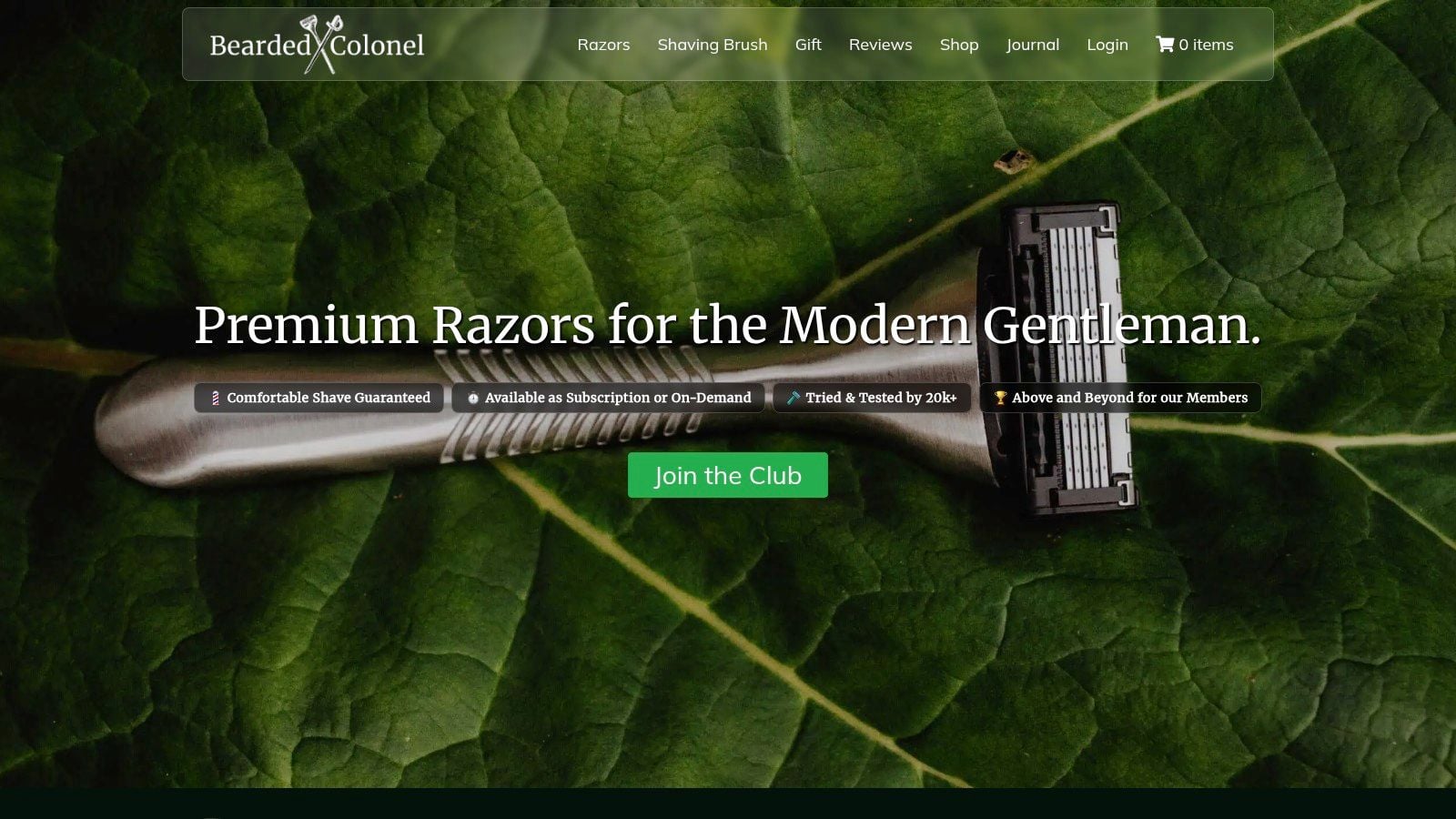
Bearded Colonel is lean in the best sense. It doesn’t try to be everything. The site has one clear commercial job: get visitors into a grooming subscription and make that decision feel easy.
That focus is worth studying because many direct-to-consumer brands overcomplicate the path. They add too many collections, too much visual noise, or too many parallel offers. Bearded Colonel strips the journey down.
Why a narrow catalogue can convert well
A smaller catalogue often improves clarity. Customers don’t have to compare dozens of near-identical items or work out which route is “best”. Instead, the value proposition stays front and centre, supported by straightforward copy and customer reviews.
That kind of setup usually works when the product is:
- replenishable
- easy to understand
- suitable for auto-renewal
- supported by a clear savings message
The payment flow matters too. If recurring billing is part of the proposition, the subscription mechanics need to feel routine and safe. Customers should understand billing frequency, cancellation expectations, and what happens after the first order.
What small brands should copy carefully
There’s a useful warning here. Minimalism only works when the offer itself is sharp. A sparse site with weak positioning just feels unfinished.
Borrow these ideas instead:
- Lead with the core offer: Put the subscription proposition above secondary content.
- Keep reviews near decision points: Don’t bury trust beneath the fold.
- Cut unnecessary routes: Fewer choices can help when the product range is tight.
A WordPress and WooCommerce build is particularly good for this kind of D2C model because it can stay lightweight while still supporting subscriptions, reviews, account management, and content. For founders, that balance matters. You want flexibility without paying for an oversized platform stack too early.
5. Bang On Books
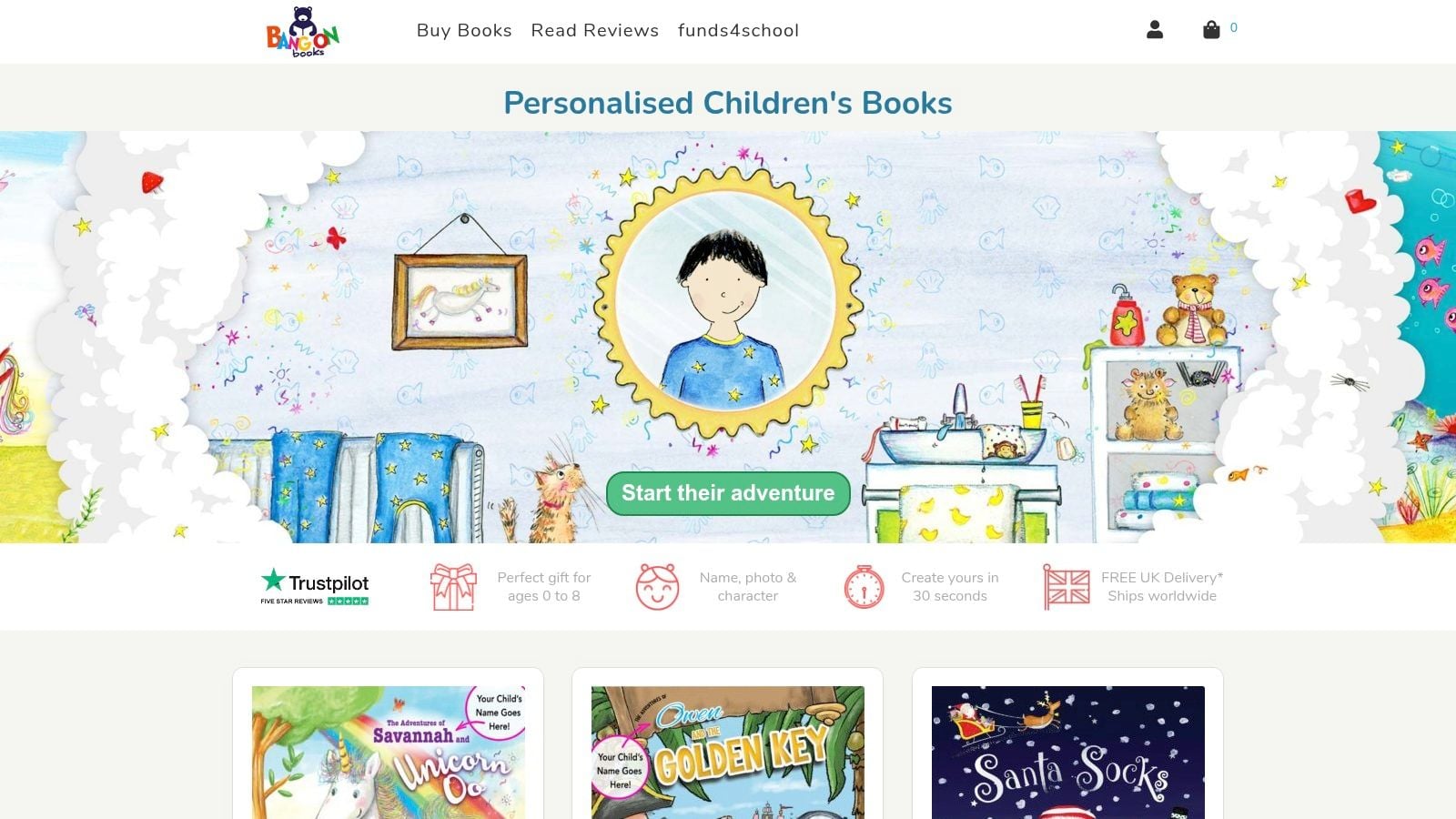
Bang On Books solves one of the trickiest WooCommerce problems well: asking customers for extra input without making the product page feel like admin.
Personalised products can convert strongly, but they also create friction. Names, dates, uploads, custom wording, and preview expectations all make the buying journey more fragile. Bang On Books handles that challenge by keeping the experience playful and understandable.
Personalisation needs structure
This type of store lives or dies on product page design. If the required inputs feel confusing, customers hesitate. If they’re too hidden, support requests rise after purchase. The site needs to guide users through personalisation in a sequence that feels easy.
That usually means:
- Clear fields and instructions: Customers need to know exactly what to enter.
- Expectation-setting around production: Delivery timing has to account for custom work.
- Trust near the form: Reviews and reassurance help when the buyer is ordering a gift.
I’ve seen many small businesses underestimate the operational side of this. The front end is only half the build. The order data also has to arrive in a format the fulfilment team can use quickly and consistently.
Build note: Complex product pages should be designed with the fulfilment workflow in mind, not just the customer-facing form.
What’s worth replicating
Bang On Books is a strong reference if you sell anything customised, printed, engraved, assembled to order, or gift-led. The main lesson is that customisation should feel like part of the product experience, not a separate technical hurdle.
That’s where plugin selection matters. WooCommerce can support this model well, but only if the extensions are chosen carefully and kept maintainable. DesignStack’s guide to top WordPress plugins is useful for sorting practical add-ons from plugin clutter.
Done well, personalisation becomes a differentiator. Done badly, it creates abandoned carts, support overhead, and production mistakes.
6. Ultra Events
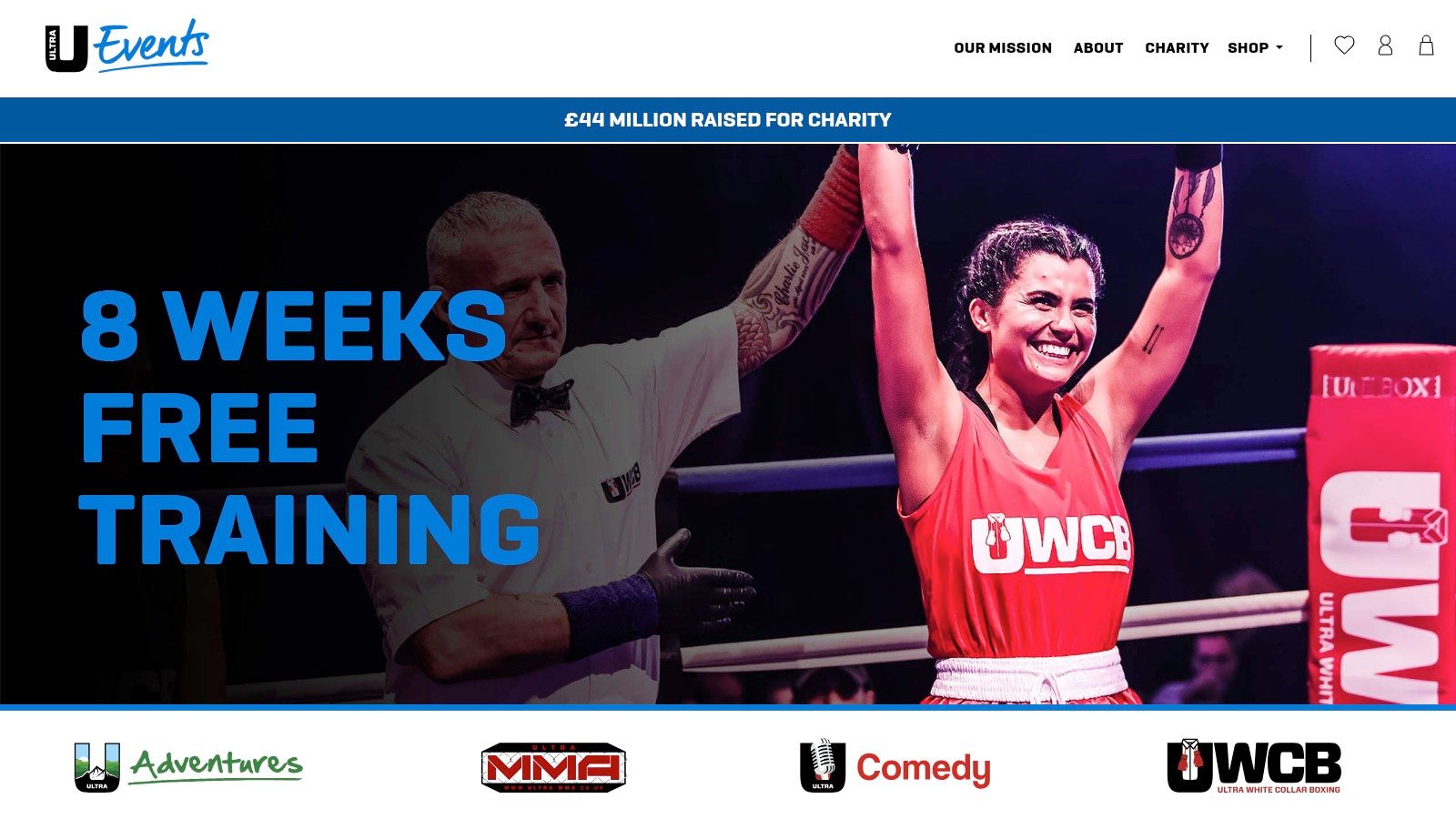
Ultra Events is a useful reminder that eCommerce doesn’t always mean physical products. Ticketing is still commerce, and often harder commerce, because demand arrives in spikes and mistakes are public.
The attraction of WordPress here is control. A dedicated WooCommerce ticketing setup gives the organiser more ownership over branding, customer data, and sales flow than relying entirely on a third-party marketplace.
Ticketing has different pressure points
A standard retail checkout deals with browsing. Event sales often deal with rushes. That changes the priorities.
For event-based stores, the website needs to handle:
- Short bursts of intense traffic
- Clear event categorisation
- Fast checkout with minimal confusion
- Customer communication after purchase
The technical side matters more than many organisers expect. Caching rules, session handling, stock logic, and checkout reliability need proper planning because ticketing can break under peak demand in ways that a quieter retail site never will.
There’s also a strategic angle. Some businesses use WooCommerce because they want lower platform dependence and tighter brand control. That’s valid, but only if the hosting and implementation are strong enough to support the decision.
What to copy if you sell bookings or events
Ultra Events is a good model for:
- paid events
- workshops
- classes
- attractions
- appointment-led sales with limited capacity
If you’re in that category, make sure your site answers the operational questions early. What happens after payment? How are confirmations sent? How are ticket quantities managed? How are refunds or changes handled?
Selling tickets on WordPress can work very well, but it isn’t a plug-and-play job. The infrastructure and purchase flow have to be treated as core parts of the product.
For many organisers, the appeal is worth it. You get a branded storefront, more control over the customer journey, and a site that can also support content, event pages, sponsor messaging, and post-event follow-up.
7. Chuckling Goat
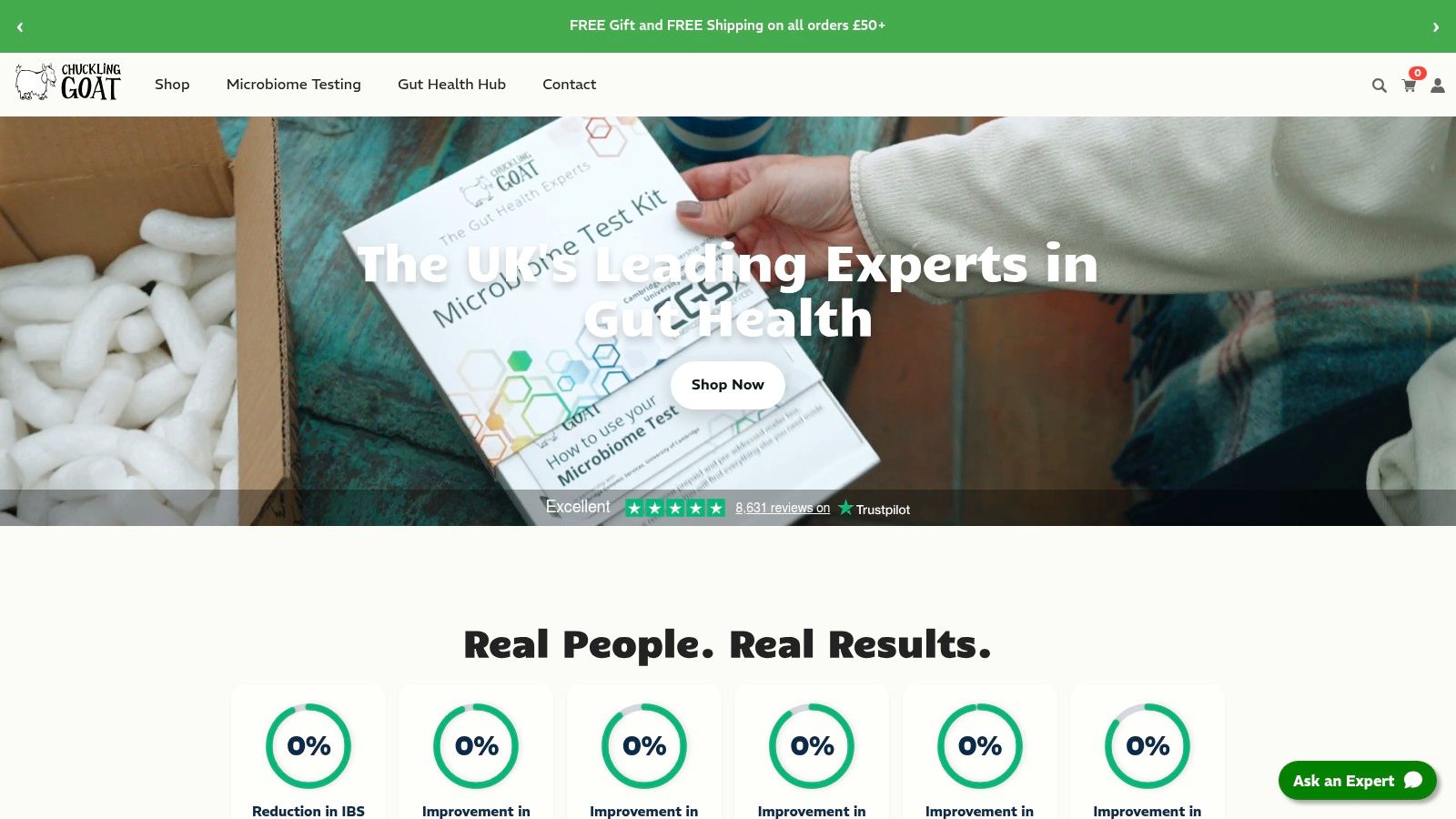
How do you sell a product that usually needs explanation before anyone feels ready to buy?
Chuckling Goat is a strong WordPress example because it treats education as part of the buying journey, not as extra marketing layered on top of a shop. The business sells in a category where visitors often need reassurance, background, and a reason to trust the brand before they add anything to cart.
That changes the build brief. A wellness store like this cannot rely on attractive product tiles and short descriptions alone. It needs content architecture that answers questions, product pages that reduce hesitation, and trust signals placed close to decision points.
Chuckling Goat handles that well. Articles, recipes, reviews, and explanatory copy support the catalogue instead of competing with it. That is a useful blueprint for any small business selling products with a learning curve.
Why this model works
In health-adjacent ecommerce, conversion often depends on credibility more than novelty. Visitors want to know what the product is, who it is for, how to use it, and what kind of support is available if they are unsure.
The site brings those pieces together through a few smart patterns:
- Educational content that answers pre-purchase questions
- Visible reviews and customer proof
- Clear service and fulfilment information
- Product grouping that reflects different customer needs
From a strategy perspective, WordPress still offers an edge for specialist brands. Content, search visibility, and commerce can live in one system, which makes it easier to build topic authority around the products you sell. For businesses in supplements, natural wellness, specialist food, or condition-specific retail, that matters.
What to copy if you sell specialist products
Smaller brands can borrow this approach without copying the whole site.
Start with the customer hesitation points. Then build pages that resolve them in the right order:
- Publish content that answers recurring objections
- Put social proof near product selections, not buried on a separate page
- Write product copy around buyer concerns, usage, and fit
- Show delivery, support, and contact details early
I often advise clients in regulated or trust-sensitive categories to spend less time chasing visual polish and more time improving explanation. A cleaner theme helps, but clarity usually does more sales work than decoration.
Chuckling Goat is a good case study for businesses that need to sell belief before they sell product. That includes independent wellness brands, specialist makers, and founder-led shops with a strong education component. If your customer needs context first, the site structure should reflect that from the first click.
7 WordPress Ecommerce Examples Compared
Which setup fits the way you sell?
These seven WordPress ecommerce website examples are useful for more than inspiration. Read them as operating models. Each one reflects a different mix of catalogue complexity, customer intent, fulfilment demands, and plugin requirements. That is the part small businesses can copy.
| Example | Implementation Complexity 🔄 | Resource Requirements ⚡ | Expected Outcomes 📊 | Ideal Use Cases 💡 | Key Advantages ⭐ |
|---|---|---|---|---|---|
| 1. OKdo: Enterprise Scale on WordPress | Very high, multi region, ERP and tax integrations | Very large, enterprise hosting, engineering, 3PL and ERP | Enterprise grade global commerce, reliable transaction handling at scale | Multinational B2B and B2C stores with complex catalogues | Modular API stack, scalable and localised commerce |
| 2. BAM (Bamboo Clothing): Content Driven Fashion | Medium, WooCommerce plus editorial content integration | Moderate, managed hosting, content team | Strong brand authority, stronger organic visibility and assisted conversions | Lifestyle brands using storytelling to justify premium pricing | Integrated editorial and commerce, mission led trust building |
| 3. Two Chimps Coffee: Subscription First Model | Low to Medium, subscriptions plus guided quiz UX | Low to Moderate, plugins, small dev and content effort | Predictable recurring revenue, higher customer lifetime value | Consumables and recurring purchase businesses | Subscription focus, guided product discovery |
| 4. Bearded Colonel: Lean Direct to Consumer (D2C) | Low, direct conversion flow, few SKUs | Low, simple catalogue, payment gateway setup | High conversion on a core offer, efficient customer acquisition | Single product or small catalogue D2C subscriptions | Conversion focused, low friction checkout |
| 5. Bang On Books: Complex Product Personalisation | Medium, custom configurator, file uploads, previews | Moderate, bespoke product UI and fulfilment workflows | Higher average order value, engaging personalised purchase journey | Personalised gifts, print on demand products | Intuitive customisation, live preview reduces uncertainty |
| 6. Ultra Events: High Volume Ticketing | High, ticketing workflows, peak traffic tuning | High, performance hosting, scalability engineering | Reliable high volume sales, owned customer data | Large events, festivals, high traffic ticket launches | Control over fees and branding, built for traffic spikes |
| 7. Chuckling Goat: Niche Health and Wellness | Medium, diverse catalogue plus educational content | Moderate, content production, review integrations | Increased authority, trust led conversions | Regulated or trust sensitive health and wellness niches | Educational content and social proof for credibility |
A useful way to compare these stores is to ask what has to work hardest. On OKdo, the technical stack carries the weight. On BAM and Chuckling Goat, content and trust do more of the selling. On Two Chimps Coffee and Bearded Colonel, the job is reducing decision fatigue. Bang On Books lives or dies on product page logic. Ultra Events depends on performance under pressure.
That trade-off matters. A small business does not need the most complex stack. It needs the one that matches its sales model, margins, and operational capacity.
Your Blueprint for a High-Converting WordPress Shop
What makes a WordPress shop convert. A polished homepage, or the quieter decisions underneath it?
The examples above point to the same answer. Strong WooCommerce sites are built around the sales model first, then the interface, content, and plugin stack are chosen to support it. OKdo succeeds because the architecture can handle a large, technical catalogue. BAM turns brand values into buying confidence. Two Chimps Coffee and Bearded Colonel reduce friction in repeat purchasing. Bang On Books makes a complicated personalised order feel manageable. Ultra Events shows what careful engineering can do for high-demand sales windows. Chuckling Goat earns trust before asking for the sale.
That is the useful lesson here. These are not just attractive WordPress ecommerce website examples. They are mini case studies in business logic.
For a small or medium-sized business, the brief should be clear. Build around how customers buy, how your team fulfils, and where margin is won or lost. A store with subscriptions needs retention features, account tools, and email journeys that keep customers coming back. A personalised product business needs product-page rules, proofing steps, and an internal workflow that prevents fulfilment mistakes. A trust-sensitive brand needs credible content, review collection, and customer service information in the right places. A high-traffic launch or ticket sale needs hosting, caching, and checkout performance planned early, not patched in later.
In practice, a few choices pay back again and again:
- Use fewer plugins, but choose them carefully: Every plugin adds code, update risk, and possible checkout conflicts. The best setup is usually the one with fewer moving parts and clearer ownership.
- Answer buyer objections on the page: Delivery times, returns, sizing, ingredients, compatibility, or lead times should sit close to the buying decision.
- Treat mobile checkout as the default: On many small business stores, the mobile experience reveals friction faster than desktop ever will.
- Plan content and commerce together: Product pages rarely do the whole job on their own, especially for considered purchases or specialist products.
- Budget for life after launch: Hosting, backups, plugin updates, performance checks, and security reviews are operating costs, not optional extras.
I have seen small firms overspend on visual polish while underfunding the product structure, checkout flow, and operational setup that drive revenue. The result is usually a good-looking store that creates admin work and loses sales in small, expensive ways.
WordPress and WooCommerce are strong choices because they can be shaped around very different business models. That flexibility is the advantage. It is also the risk. Without a clear plan, it is easy to bolt on plugins, duplicate functions, and create a shop that is harder to run than it should be.
DesignStack’s Dorset-based team brings more than 20 years of experience to WordPress and WooCommerce projects for businesses that need more than a template shop. The work covers design, branding, build, technical setup, and ongoing support, with fixed-cost proposals and a clear focus on conversion from the start.
If you’re ready to turn inspiration into a working store, DesignStack can help you plan, design, and build a WordPress eCommerce website that fits your products, your customers, and your growth goals. Whether you’re launching from scratch or replacing an underperforming shop, the team can deliver a fixed-cost WooCommerce build with clear guidance, reliable support, and a setup built to sell.

Leave a Reply