

What Is Ecommerce Development? UK SME Guide
You're probably in one of two places right now. Either you've got a business that already sells well offline and you're wondering how to move that experience online without making a costly mess of it, or you've got a basic website and you've realised it isn't built to take orders properly.
That's where the phrase what is ecommerce development starts appearing, and for a lot of Dorset business owners it sounds more technical than it needs to. It can sound like agency jargon for something expensive, complicated, and slightly out of reach. In practice, it's much simpler to understand when you compare it to opening a physical shop.
If you opened a shop on your local high street, you'd need premises, layout, signage, shelving, a till, stock control, payment handling, security, and a process for serving customers. An online shop needs the same kind of thinking. It just uses software instead of bricks.
That matters because ecommerce isn't a side project any more. The British Retail Consortium reported that online sales made up 19.3% of total UK retail sales in January 2025 (digital commerce statistics summary). For a small business in Dorset, that changes the conversation. A professional ecommerce site is no longer a nice extra. It's part of the basic commercial setup.
Many owners also get stuck between “I need a website” and “I need a proper online store”. The gap between those two is bigger than it looks. A brochure website tells people you exist. An ecommerce build helps them browse, trust, buy, pay, and hear from you again after the order.
If you want a broader perspective on how teams approach successful e-commerce website development India, that resource is useful because it shows how strategy, user experience, and build quality come together long before launch day.
Introduction What is Ecommerce Development Really?
A Dorset business owner in 2026 can have a good-looking website and still struggle to sell online. The usual problem is simple. The site exists, but the buying process, payment setup, order handling, and customer follow-up have not been built into one reliable system.
Ecommerce development means planning, designing, building, connecting, testing, and improving that system so a customer can browse, buy, pay, and receive their order without friction. It covers what people see on the screen, but it also covers the parts that keep the business running once an order comes in.
That distinction matters for small UK firms. A brochure site tells people who you are. An ecommerce build turns your website into a trading operation with product data, checkout rules, payment processing, stock updates, delivery logic, and post-purchase communication all working together.
This is often where the jargon causes trouble.
Many business owners use “website”, “online shop”, and “ecommerce development” as if they mean the same thing. They do not. Web design focuses on layout, branding, and usability. Ecommerce development includes that work, then adds the commercial machinery behind it: payment gateways, customer accounts, tax handling, shipping methods, security, and links to tools such as your stock system, bookkeeping software, or CRM.
For a UK small business, that difference has become more important, not less. Customer expectations are higher, mobile buying is routine, and trust signals matter quickly. In practical terms, that means your store needs to load fast, explain products clearly, handle payment safely, and make fulfilment manageable for your team as well as easy for the customer.
A useful way to frame it is this. Ecommerce development is the work that turns “we should sell online” into “customers can place orders and we can fulfil them without chaos”.
If you want a broader perspective on how teams approach successful e-commerce website development India, that resource is useful because it shows how strategy, user experience, and build quality come together long before launch day.
Beyond the Shopping Cart Defining Ecommerce Development
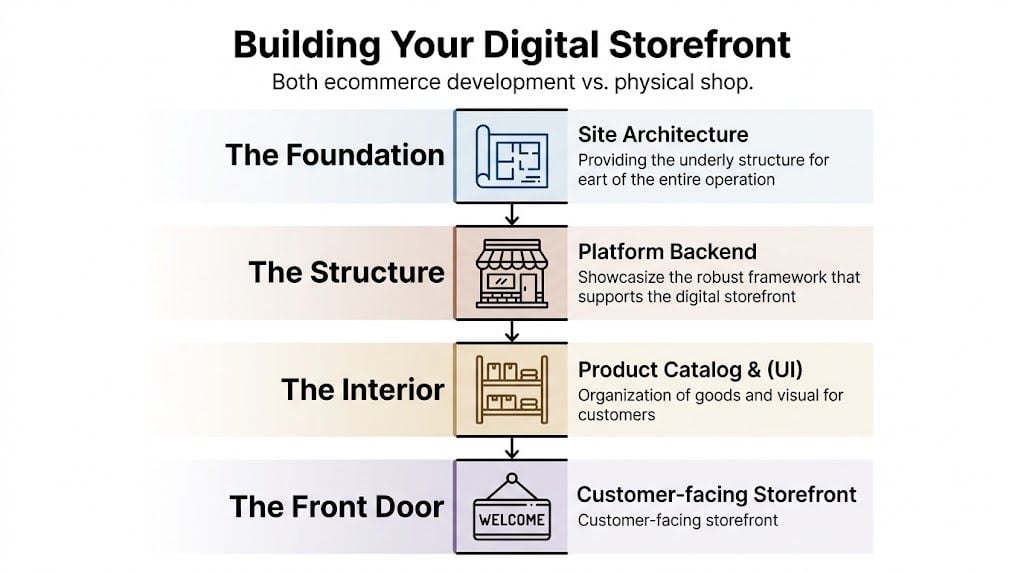
A shopping cart is only one piece of the build. If that's all you install, you haven't built an ecommerce operation. You've added a basket to a website.
The shop-building analogy
Here's the simplest way to frame it.
| Digital element | Physical shop equivalent |
|---|---|
| Platform | The building itself |
| Hosting | Utilities and premises support |
| Design | The shopfront and interior layout |
| Product catalogue | Shelving and product displays |
| Payment gateway | The till and card machine |
| Backend systems | The stock room and admin office |
| Integrations | Your links to suppliers, couriers, and bookkeeping |
| Security and compliance | Locks, alarms, and trading rules |
If any one of those is weak, the business feels weak to the customer.
A smart-looking shop with a broken card machine doesn't make money. A beautiful website with a clumsy checkout has the same problem. A site with lovely product photos but poor stock handling creates admin headaches instead of sales.
Simple definition: Ecommerce development is the full technical and commercial build of an online store, not just the pages people look at.
Why the definition has changed
Years ago, many small businesses could get away with a basic catalogue site and a few email enquiries. That's much harder now because customer expectations are shaped by the wider market. People expect clear navigation, smooth mobile browsing, secure payment, useful delivery information, and confidence that the business is organised.
That's why “what is ecommerce development” in 2026 means more than launching a website. It means building an online system that works across search, mobile, checkout, fulfilment, and post-purchase service.
What business owners should actually hear
When a developer talks about ecommerce development, don't hear “complex code project”. Hear this instead:
- Sales process: How someone goes from interest to payment
- Operations process: How your team handles orders without manual chaos
- Customer trust: How the site feels safe, clear, and professional
- Growth readiness: How easily the store can expand later
That's the reason a proper build matters. You're not buying pages. You're building a trading environment.
The Core Components of Your Online Shop
If the previous section explained the building, this is the parts list. These are the pieces your online shop needs to work day to day.
Frontend and backend in plain English
BigCommerce describes ecommerce development as building the technical structure of an online store, where the frontend handles customer interaction and the backend manages data processing, order management, and integrations with systems like inventory and CRM. For UK businesses, that means modern ecommerce builds are integration-heavy systems (ecommerce website development guide).
The frontend is what your customer touches. The backend is what your business relies on.
A customer sees product pages, filters, a basket, and checkout. You see orders, stock levels, shipping rules, customer records, and reports. Good ecommerce development makes those two worlds talk to each other cleanly.
Choosing your platform
Your platform choice affects cost, flexibility, maintenance, and how much technical support you'll need.
| Factor | SaaS (e.g., Shopify) | Self-Hosted (e.g., WordPress with WooCommerce) |
|---|---|---|
| Setup speed | Faster to get moving | Takes more setup |
| Control | More guided, less flexible in some areas | More control over design and features |
| Maintenance | Platform handles more of it | You manage updates, plugins, hosting |
| Custom features | Possible, but sometimes constrained by platform rules | Often easier to tailor with the right developer |
| Running style | Better for businesses that want simplicity | Better for businesses needing custom workflows |
| Content flexibility | Good, but platform-led | Strong if content and commerce need to work together |
Neither option is automatically right.
If you sell a focused product range and want simpler management, Shopify can make sense. If you want a content-led site with more control over structure, integrations, and long-term flexibility, WooCommerce is often the better fit.
For business owners comparing CMS options, this review of website content management systems gives useful context beyond ecommerce alone.
The parts you can't skip
Most stores also need these required features:
- Payment gateway: Stripe and PayPal are common choices because customers already recognise them.
- Secure hosting: Your site needs stable hosting that can cope with updates, orders, and traffic without becoming unreliable.
- SSL certificate: That's what gives you the secure padlock in the browser and protects customer data in transit.
- Product data structure: Categories, attributes, sizes, colours, variants, and stock rules all need planning before upload.
- Shipping setup: Rates, delivery zones, and courier logic need to be accurate from day one.
If you have a larger catalogue or complex attributes, it's worth learning from practical ecommerce PIM setup strategies, because product data quality often becomes the hidden bottleneck in store management.
Practical rule: If a store only looks good in a design mock-up but hasn't been thought through as a working system, it isn't ready.
Essential Features for a Successful UK Store
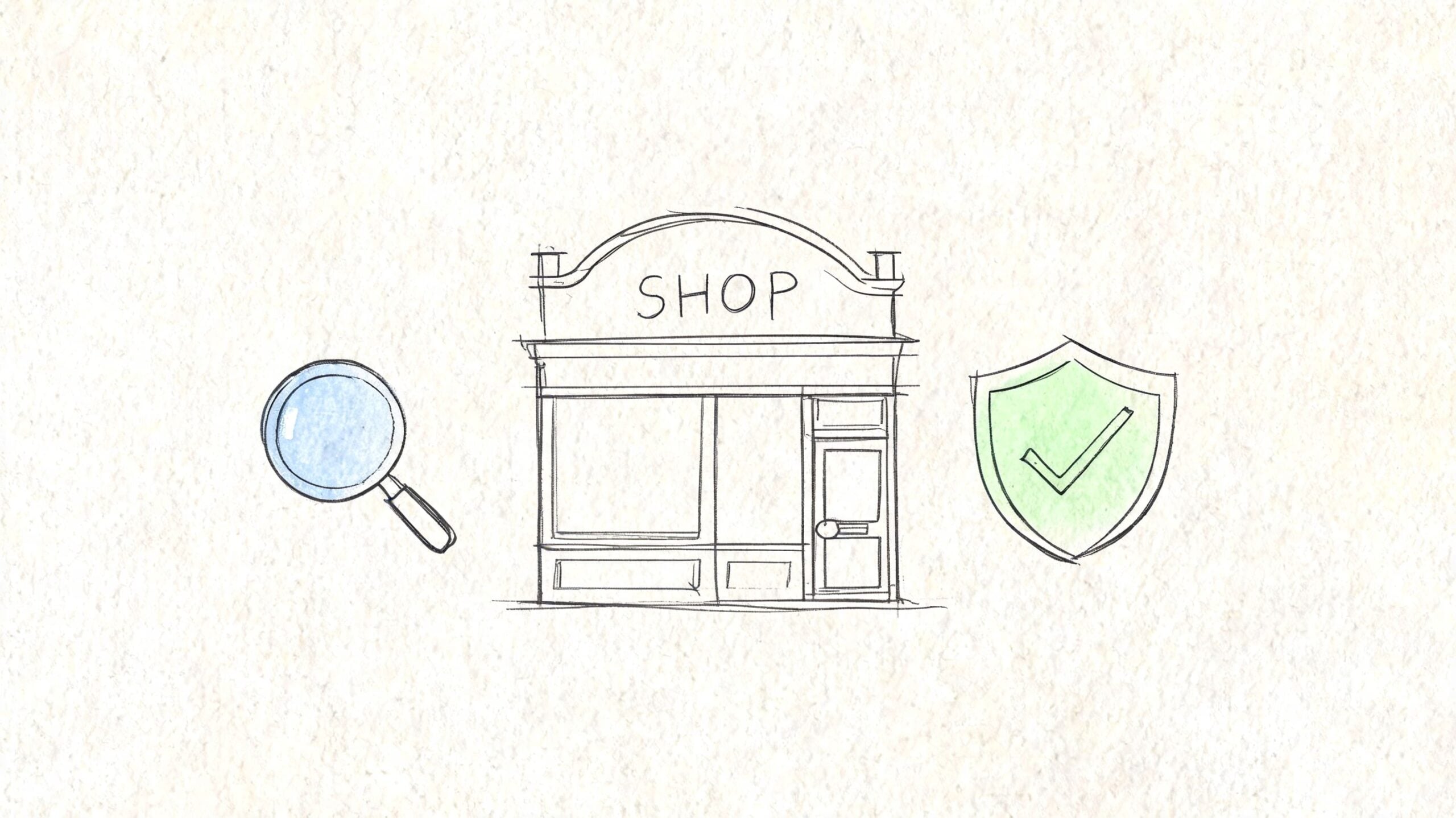
A good UK ecommerce site works like a well-run shop on a busy high street. Customers should be able to walk in, find what they need, trust the pricing, pay without hassle, and know when their order will arrive. If any of those steps feel awkward online, sales leak away.
For a Dorset business, that matters even more in 2026. You are often competing with larger national retailers, so your advantage comes from clarity, trust, and a buying experience that feels easy from the first tap to the delivery update.
What customers notice first
The first test is simple. A customer opens your site on their phone while standing in a queue, sitting on a sofa, or comparing prices with three other tabs open. If your store feels slow, cluttered, or confusing, they leave before your product has a fair chance.
The features that shape that first impression are practical rather than flashy:
- Mobile-first layouts: Buttons need enough space, menus need to make sense on a small screen, and forms need to be short enough to complete without frustration.
- Clear product pages: Titles, images, sizing, materials, delivery times, and returns information should answer the questions a buyer would ask in a physical shop.
- Useful search and filtering: If you sell clothing, homeware, bike parts, or trade supplies, customers need to narrow options quickly by size, colour, price, brand, or availability.
- Checkout that feels trustworthy: Guest checkout, clear error messages, visible card options, and no surprises at the final step help more people finish the order.
If you already sell online, this practical guide to running a successful online store adds useful day-to-day advice alongside the development side.
What a UK store needs beyond the basics
Generic ecommerce advice often stops at usability. A proper UK build needs a few features that directly affect margin, compliance, and customer confidence.
Start with pricing. Customers should understand exactly what they will pay, including VAT where appropriate, before they reach the final payment screen. If delivery charges, tax handling, or location-based rules only appear at the end, trust drops fast.
Then there is delivery logic. A Dorset retailer shipping locally and across the UK may need different rules for next-day delivery, Highlands and Islands exclusions, click and collect, or free delivery thresholds. The website should reflect how your business fulfils orders, not force your team into workarounds.
Returns also need clear treatment. A strong ecommerce build makes returns policy, delivery information, and contact details easy to find on product pages and in the checkout flow. That reduces hesitation before purchase and cuts down avoidable support emails after it.
What helps stores get found and convert better
Your shop also needs sound technical foundations, but the business reason matters more than the jargon.
Clean page addresses help people and search engines understand what each page is for. Fast-loading pages keep impatient buyers from dropping off. Structured product information helps search engines display useful details such as price and stock status. Express payment options such as Apple Pay or Google Pay can reduce typing on mobile and help customers complete the order faster.
None of that is there for technical vanity. It supports visibility, trust, and conversion.
The legal and operational details that protect the business
Some of the most important store features are the least glamorous.
A UK ecommerce site should be set up with GDPR-aware forms, clear privacy and returns policies, accessible cookie handling, and terms that are easy to find. Accessibility also matters. Text should be readable, buttons should be usable, and the site should not create barriers for customers using assistive technology.
Order emails matter too. Customers expect prompt confirmation, dispatch updates, and a clear way to check what they bought. If those messages are missing or unclear, your team ends up answering questions the website should have handled.
In essence, ecommerce development is not only about making pages look good. It is about building a shop that can sell, inform, reassure, and operate properly for a UK business every day.
The Ecommerce Project Journey From Idea to Launch
A Dorset business owner often decides to sell online after a busy Saturday, a full phone line, and one nagging thought. How many of these sales are we missing when the shop is shut?
That question starts the project. The website build comes later.
For a UK small business in 2026, ecommerce development is a staged process, much like opening a physical shop in a new high street unit. You would not start by fitting shelves before deciding what you will stock, how customers will move around the space, who serves them, and how money reaches the till. An online shop works the same way. Good projects follow an order for a reason.
Phase one is strategy and planning
The first stage is discovery. This is the point where the business decisions get made clearly enough for the technical work to make sense.
You define what you are selling, who the ideal customer is, how fulfilment works, what systems need to connect, and what success should look like in practical terms. That might mean more direct online orders, fewer phone-based transactions, better stock control, or less admin for your team.
If this stage is rushed, the build usually slows down later. Pages get redesigned, product structures change halfway through, and simple questions turn into expensive redevelopment.
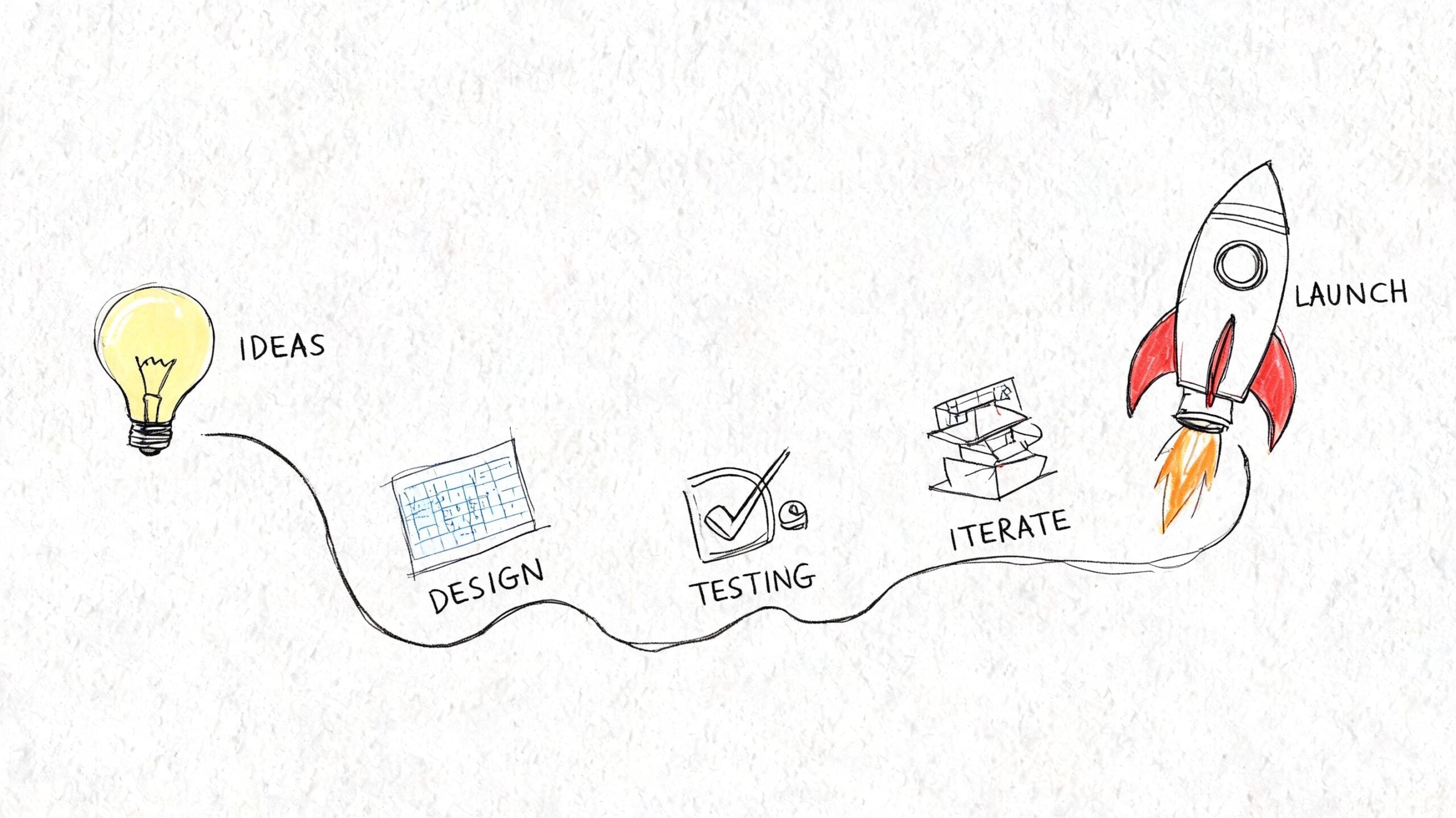
A typical ecommerce project moves through five stages:
Discovery and planning
The business model is mapped out. Platform choice, product categories, delivery rules, payment setup, content requirements, and any links to accounting, stock, or CRM tools are agreed.Design
Wireframes and page layouts are created first, determining what customers see on category pages, product pages, basket pages, and checkout screens. It is less about decoration and more about making the buying journey clear.Development
The agreed design is turned into a working store. Products are added and structured properly. Payment gateways, shipping settings, customer emails, and back-office processes are configured.Testing
The team checks the full buying journey. That includes mobile use, checkout steps, order confirmations, delivery charges, discount codes, forms, and system connections. The aim is simple. Catch problems before customers do.Launch and early support
The site goes live in a controlled way. Traffic, orders, email notifications, and customer behaviour are monitored closely, and any small issues are fixed quickly.
Launch day needs careful handling
Launch is not the end of the work. It is the point where preparation gets tested in public.
Experienced agencies treat launch more like opening a new shop branch than flicking on a light switch. You check the card machine, make sure the staff know the process, confirm the stock is on the shelves, and stay alert for small snags in the first few hours. Online, that means checking live payments, shipping rules, tax settings, email flows, and order processing under real conditions.
That matters even more for smaller UK businesses, because one avoidable checkout problem can mean lost revenue and a poor first impression. If you are comparing quotes, this is often where the difference shows up between a thoughtful build and a rushed one. Our guide to the hidden costs of cheap website design explains why low upfront pricing often creates bigger problems at launch.
A calm launch usually shows that the team planned well, tested properly, and left little to chance.
The short video below gives a useful visual overview of how the project stages fit together.
What affects the timeline
No honest agency can give one fixed timeline for every ecommerce build, because the work depends on what your business needs.
A smaller catalogue with standard shipping and off-the-shelf functionality can move quite quickly. A store with product variations, courier integrations, account areas, migrated data, subscriptions, or custom design takes longer because there are more moving parts to test and approve.
Content also affects timing more than many owners expect. Product photography, descriptions, category copy, policies, and pricing data often decide whether a project moves smoothly or stalls.
The better question is not how fast a site can go live. It is whether it can launch cleanly, with the right foundations for growth. For a local business in Dorset, that usually matters far more than shaving a couple of weeks off the build.
Understanding Costs and Measuring Your Return
The first cost question most owners ask is fair. The better question comes straight after it. What am I getting back from this build?
What actually drives cost
Ecommerce pricing varies because stores vary. A template-based setup with a simple catalogue costs less than a custom design with unusual checkout requirements, migrated data, layered product options, and multiple integrations.
Common cost drivers include:
- Design complexity: A custom interface takes more work than adapting a theme.
- Platform choice: SaaS and self-hosted setups create different support and development demands.
- Product data: Importing, cleaning, and structuring products often takes more time than owners expect.
- Third-party integrations: Payment tools, shipping systems, CRM links, and accounting connections add build effort.
- Content preparation: Product copy, photography, category text, and policy pages all affect launch readiness.
If you're comparing a very cheap quote with a more detailed one, this breakdown of the hidden costs of cheap website design is worth reading before you decide.
ROI is more than sales
The return from ecommerce development isn't limited to checkout revenue. A strong build also gives you cleaner operations.
That can include fewer manual order mistakes, clearer stock visibility, easier product updates, better customer communication, stronger search visibility, and a more credible brand presence. Those gains matter because they reduce wasted time inside the business while improving the buying experience outside it.
Why future-proofing matters in 2026
A forward-looking view of ecommerce development in 2026 includes optimising for AI-assisted discovery. That means development should focus on speed, schema, and product-feed quality, so the site can be measured, indexed, and used efficiently across channels, which is a key factor in long-term ROI (definitive guide to ecommerce development).
For a small business owner, that translates into a practical test:
- Can search engines understand your products?
- Can external channels use your product data properly?
- Can you measure where sales are coming from?
- Can the store adapt without a rebuild every year?
If the answer is no, a cheaper launch can become a more expensive long-term decision.
Choosing a Dorset Agency Your Actionable Checklist
A good agency meeting should feel like speaking to a builder who can explain the whole shop fit-out clearly. You should come away knowing what is being built, why it is being built that way, what it will cost to run, and who is responsible if something goes wrong after opening day.
Price still matters, of course. But for a Dorset business planning for 2026, the sharper question is whether the agency can turn technical choices into sensible business decisions. If they cannot explain their reasoning in plain English, you may struggle to trust the build once invoices, deadlines, integrations, and launch risks start piling up.
A practical shortlist for agency conversations
Use this checklist when you speak to a Dorset or wider UK ecommerce partner:
- Ask how they start the project: Do they begin with questions about your products, margins, fulfilment, customer service, and stock handling, or do they rush to show design ideas before they understand the business?
- Check how they choose platforms: Can they explain why Shopify, WooCommerce, or another setup suits your team, your budget, and your future plans?
- Review similar work carefully: Have they built stores with comparable product ranges, delivery rules, or purchase journeys, not just attractive homepages?
- Ask how systems connect: Can they set up payments, shipping, stock tools, CRM software, email platforms, and reporting in a way your team can manage day to day?
- Clarify how they test before launch: Do they check mobile use, basket behaviour, checkout steps, order emails, tracking, and basic edge cases such as failed payments or out-of-stock products?
- Discuss the first month after launch: What support is included if product filters need adjusting, order emails need fixing, or staff need help using the system?
- Listen to how they communicate: Can they explain trade-offs clearly enough that you can make decisions without feeling pushed or confused?
One simple test helps here. Ask the agency to explain your proposed store as if it were a physical shop on a Dorset high street. They should be able to describe the front of house, the till, the stock room, the signage, the delivery van, and the daily running of the business in clear terms. If they cannot do that, they may understand software better than commerce.
One final filter
Good agencies do not hide behind jargon. They explain consequences.
For example, our own process at DesignStack starts with discovery because small decisions made early, such as product structure, delivery rules, or content ownership, often shape how easy the site is to run six months later. That kind of joined-up approach is useful if you want web, brand, content, and ongoing support handled together rather than split between several suppliers.
A strong agency conversation should leave you with a clearer plan, clearer risks, and clearer next steps.
If you've been asking what ecommerce development is, this is the practical answer. It is the work of building an online shop that customers can use with confidence and your team can run without daily friction.
If you're planning a new online store or rebuilding one that's become hard to manage, a conversation with DesignStack can help you scope it properly. We're based in Dorset and work with businesses that want clear advice, fixed-cost pricing, and an ecommerce build that supports real day-to-day trading, not just a launch date.

Leave a Reply