Finding the Best Website Builder for Ecommerce UK in 2026
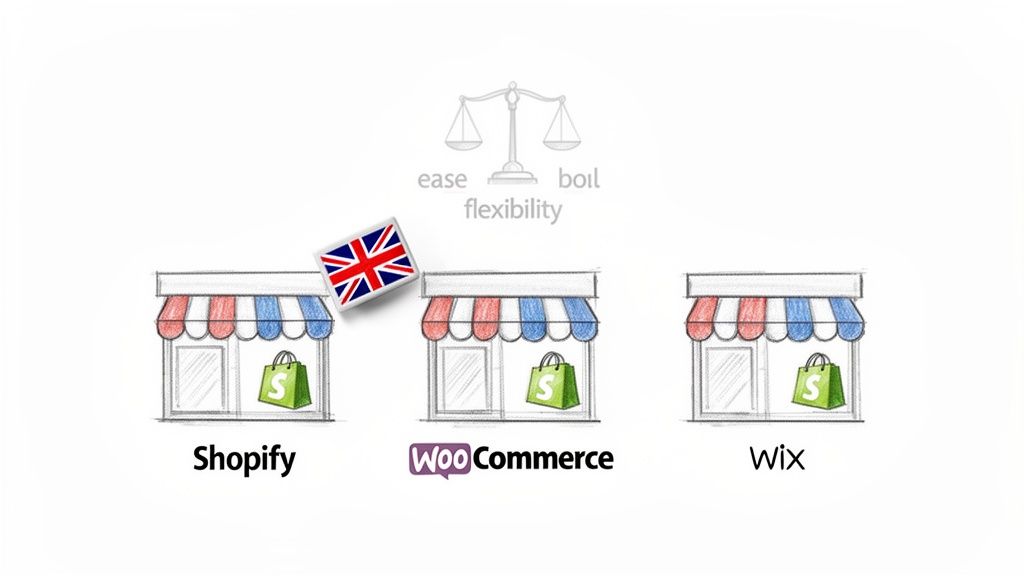
Picking the best website builder for ecommerce UK isn't about finding a single 'best' platform. It's about finding the one that's right for your business. The main players for UK businesses tend to be Shopify, with its powerful commerce features; WooCommerce, for its incredible flexibility; and Wix, for its straightforward simplicity. The right choice really comes down to your budget, your technical confidence, and where you want your business to go.
Choosing Your UK Ecommerce Platform
Trying to find the perfect foundation for your online shop can feel overwhelming. You’re bombarded with platforms all promising the world, and it’s easy to get lost in a maze of features, add-ons, and pricing tiers. My goal here is to cut through that noise and give you a clear, practical way to make your decision as a UK business owner.
The truth is, the "best" platform is completely relative. A simple drag-and-drop builder might be a dream for a small business owner selling handmade jewellery on the side. But for a growing retailer with hundreds of products and complex shipping needs, that same builder would be a nightmare of limitations.
To give you a head start, here is a quick overview of the most popular choices and who they're generally best for.
Quick Guide to Top UK Ecommerce Builders
This table gives you a rapid overview of the leading platforms and their ideal user, helping you narrow down your options from the get-go.
| Platform | Best For | Key UK Feature |
|---|---|---|
| Shopify | Businesses of all sizes that want an all-in-one, powerful ecommerce solution that’s easy to manage. | Shopify Payments offers seamless integration with major UK payment methods and simplifies currency conversion. |
| WooCommerce | Ambitious businesses that want total control, customisation, and the ability to scale without limits. | Unmatched flexibility for UK VAT rules and complex shipping zones (e.g., Highlands and Islands). |
| Wix | Startups, sole traders, and creatives who need a simple, visually-driven website with basic ecommerce functionality. | A very gentle learning curve and hundreds of professionally designed templates to get started quickly. |
While this table is a great starting point, the real work begins when you look inward at your own business.
How to Make the Right Choice for Your Business
Instead of getting swayed by a flashy feature list, the smartest thing you can do is figure out exactly what you need first. This turns the process from a guessing game into a strategic decision.
Here’s an actionable list to get clear on your priorities:
- Define Your Core Business Model: Grab a piece of paper and write down what you sell. Is it physical goods needing stock control? Digital downloads requiring secure delivery? Or services that need a booking system? This defines your non-negotiable features.
- Assess Your Technical Comfort Zone: Be honest with yourself. On a scale of 1 to 10, how comfortable are you with technology? If you're a 1-5, you'll want a platform that "just works" with 24/7 support. If you're a 6-10, you might value the power and control of a more hands-on system.
- Map Out Your 2-Year Growth Plan: Where do you see your business in two years? Write down three key growth goals. Will you need wholesale pricing? International shipping? A subscription service? Choose a platform that has a clear path to get you there.
- Calculate Your Realistic Budget: Look beyond the monthly subscription. Research the real transaction fees, add the monthly cost of 2-3 essential apps you'll need, and set aside a small contingency fund. This is your true monthly cost.
The key to building a successful online store is to match the platform to your business, not the other way around. By putting your own requirements first, you can choose a system that not only works for you today but also gives you the foundation to grow for years to come.
As you begin your research, getting a detailed look at the best ecommerce platforms for small business in the UK can provide a deeper comparison of costs, features, and SEO potential. It’s also helpful to understand how these platforms fit into the bigger picture of website management. You can learn more about that by reading our guide on the power of different website content management systems.
Understanding the UK Ecommerce Landscape
Choosing the right ecommerce platform for your UK business can feel overwhelming. To make sense of it all, it helps to start with a simple analogy. Imagine you're opening a physical shop. You have two main routes: you can rent a fully-fitted unit in a shiny, modern shopping centre, or you can buy a plot of land and build your own flagship store from the ground up.
These two paths are a perfect mirror for your main choices in the online world: all-in-one “Software as a Service” (SaaS) platforms and self-hosted, open-source platforms. Each comes with its own set of rules, benefits, and challenges that will directly shape how you operate your business online. Getting this first decision right is crucial.
The UK’s ecommerce scene is booming, with projections showing the market could hit £618.75 million in value by 2026. But this rapid growth means more competition and the very real risk of getting stuck on a platform that can't grow with you. You can discover more insights about these UK market trends and see how they might influence your choice.
All-in-One SaaS Platforms: The Fully-Equipped Rental Shop
Think of platforms like Shopify or Wix as the "shopping centre" option. They hand you the keys to a ready-made shop, bundling everything you need into one neat package. Your website builder, hosting, security, and even customer support are all included.
It's no surprise this model is a hit with start-ups and smaller businesses. You can get a polished, professional-looking store up and running in just a few days, often without needing to know a single line of code.
Here’s what you’re really getting with a SaaS platform:
- Effortless Setup: Most come with a drag-and-drop editor. This visual approach means what you see is what you get, making it incredibly simple to design your site without any technical headaches.
- Peace of Mind: The platform handles all the behind-the-scenes work. Server maintenance, security updates, and making sure your site doesn't go down are all their problem, not yours. This lets you focus on what you do best: selling your products.
- Predictable Monthly Costs: You pay a recurring subscription fee, which makes budgeting a breeze. This single payment usually covers your hosting, security, and access to a support team.
- One-Click Features: Need a loyalty programme or better analytics? Their app marketplaces are full of add-ons you can install with a simple click to expand your store's functionality.
Open-Source Platforms: The Custom-Built Flagship Store
On the flip side, you have open-source platforms. The powerhouse in this space is WordPress combined with its ecommerce plugin, WooCommerce. This is your "plot of land" option. The core software is free, but you’re in charge of everything else—from sourcing your own hosting to managing security and performing updates.
This route definitely demands more technical confidence and a bit more work upfront. But in return, it gives you the one thing money can't buy: total control.
With an open-source platform, you truly own your digital storefront. You're not just renting space on someone else's server; you are building your own asset from the ground up, giving you complete freedom over its design, features, and future.
This is the path favoured by ambitious brands and businesses with unique needs that just don’t fit into a template. If you can dream it, a developer can build it.
Here’s what that freedom looks like in practice:
- You Choose the Host: You'll need to select and pay for a web hosting provider. This is an extra step, but it gives you direct control over your site's performance and server power.
- You're in Charge of Maintenance: It's your responsibility to keep the core software, plugins, and themes updated. This is vital for security and ensuring everything runs smoothly.
- Limitless Customisation: There are no boundaries. You can build anything from a completely unique customer checkout journey to a complex integration with a custom-built stock management system.
- Complete Data Ownership: Your website and all the customer data it holds belong to you, and you alone. This makes it far easier to move to a new host or even a different platform down the line, without being trapped in one company's ecosystem.
To help you visualise the fundamental differences, here's a direct comparison of the two approaches.
SaaS vs Open-Source Ecommerce Platforms
| Factor | SaaS Platform (e.g., Shopify, Wix) | Open-Source Platform (e.g., WordPress + WooCommerce) |
|---|---|---|
| Ease of Use | High. Built for beginners with drag-and-drop editors. | Moderate to High. Steeper learning curve, but becomes very powerful once learned. |
| Upfront Cost | Low. Starts with a monthly subscription fee. | Low to Moderate. The software is free, but you must pay for hosting and a domain. |
| Ongoing Costs | Predictable monthly fees plus transaction fees and app costs. | Variable. Depends on hosting plan, premium plugins, and developer support. |
| Control & Customisation | Limited. You are restricted to the platform's themes and approved apps. | Virtually unlimited. You can modify anything, from the code to the server environment. |
| Security & Maintenance | Managed for you by the platform provider. | Your responsibility. You must handle updates, security scans, and backups. |
| Scalability | Good, but can become expensive on higher-tier plans. | Excellent. You can upgrade your hosting and infrastructure as your traffic grows. |
| Support | Included. Usually 24/7 support via chat, email, or phone. | Community-based. Support comes from forums, documentation, or a hired developer. |
| Ownership | You are renting the platform. Data can be hard to migrate. | You own 100% of your site and data. Easy to move or modify. |
Ultimately, neither option is universally "better." The right choice depends entirely on your budget, technical comfort level, and long-term business goals.
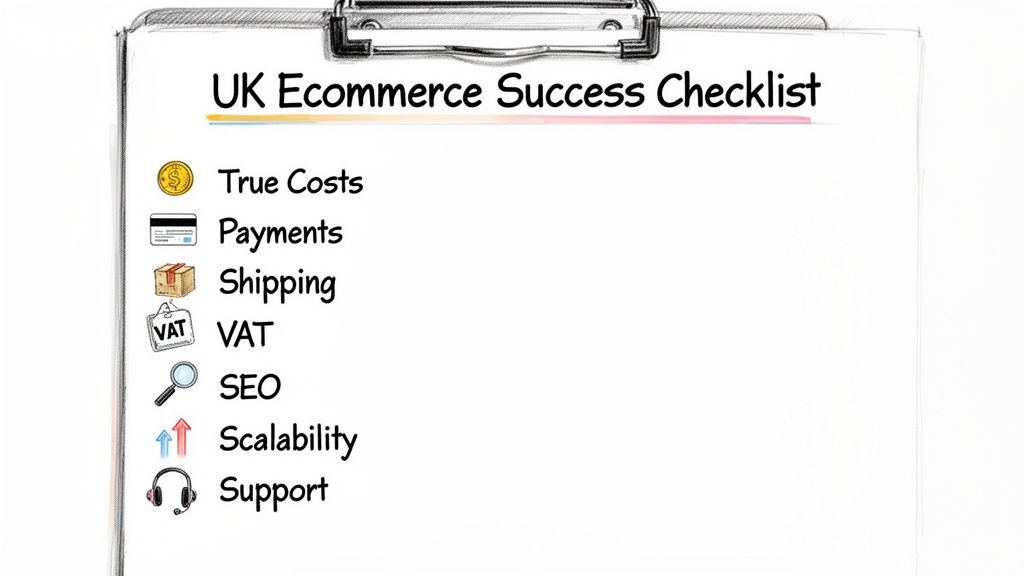
Your UK Ecommerce Success Checklist
Choosing the right ecommerce builder for a UK business isn’t just about picking a pretty design. The platform you select is the very foundation of your online shop. Get it wrong, and you could be stuck with spiralling costs, unhappy customers, and a business that just can't grow.
To make the right call, you need to think beyond the glossy marketing and dig into the details that truly matter for a UK-based store. We've put together this checklist to help you ask the right questions and evaluate any platform with a critical eye.
Calculating the True Costs
That tempting low monthly fee? It's often just the starting point. A platform that looks like a bargain can quickly become a money pit once you start adding the features you actually need to run your business. Before you commit, you have to get a realistic handle on the total cost of ownership.
To really understand what you'll be paying, you need to look past the subscription price and investigate all the fees that can eat into your profit margins with every sale.
Ask these crucial questions:
- What are the transaction fees? On top of what payment gateways like Stripe or PayPal charge, does the platform take its own cut? Do these fees get lower if you upgrade your plan?
- What are the essential app costs? What critical features are missing from the standard plan? Tally up the monthly cost of all the apps or plugins you'll need just to get up and running.
- Are there any hidden charges? Look for extra fees for using certain payment providers, exceeding a set number of sales, or even for using a specific theme.
Integrating with UK Payment Gateways
Making it easy for people to give you their money is the single most important part of your website. British shoppers have high expectations, wanting everything from credit card and digital wallet options to 'Buy Now, Pay Later' services. If your checkout can't offer these, you're practically guaranteed to lose sales.
A clunky or limited checkout is one of the biggest culprits behind abandoned carts. Offering familiar, trusted payment methods like Stripe, PayPal, and Klarna builds instant confidence and can give your conversion rate a serious boost.
When looking at a platform, make sure it offers a seamless payment process for your UK customers:
- Does it integrate smoothly with Stripe and PayPal? These are the go-to payment gateways in the UK. The integration should be native and completely reliable.
- Can you offer ‘Buy Now, Pay Later’ (BNPL)? Services from companies like Klarna and Clearpay are massively popular here. Does the platform support them easily?
- Is the checkout optimised for UK addresses? A simple postcode lookup tool is a must-have. It speeds up the process and reduces errors, making life easier for your customers.
Managing UK Shipping and Logistics
Getting your products into your customers' hands is where the digital world meets the real one. Your ecommerce builder needs to make this simple by connecting directly with the couriers that UK businesses and shoppers know and trust.
The platform should be flexible enough to handle all your shipping needs, whether it’s a standard local delivery or a complex shipment to the Scottish Highlands. For more tips on streamlining your operations, have a look at our guide on maximising your ecommerce potential.
Look for these vital logistics features:
- Can it connect directly with Royal Mail, DPD, or Evri? Proper integrations that let you print shipping labels and manage tracking without leaving your dashboard are a huge time-saver.
- How flexible are the shipping rules? You need to be able to set custom rates based on order weight, value, and customer location—for example, offering free shipping over £50.
- Does it support local pickup and delivery? If you have a physical shop, offering a 'click and collect' service or setting up local delivery zones by postcode is a fantastic feature.
Handling VAT and UK Tax Compliance
Once your business hits the turnover threshold, correctly managing Value Added Tax (VAT) is a legal requirement. An ecommerce platform that automates this for you is worth its weight in gold, saving you from headaches and potential fines from HMRC.
Your platform needs to be built with UK tax rules in mind, not as an afterthought. Here’s what you need to confirm:
- Does it automate UK VAT calculations? The system should automatically apply the correct VAT rate at checkout—whether it's the standard rate, a reduced rate, or zero-rated.
- Can it generate VAT reports? A simple way to export reports showing the total VAT you've collected will make filing your quarterly returns much less painful.
- How does it handle international sales? If you plan on selling to the EU or beyond, does the platform offer any help with navigating complex cross-border tax rules?
Choosing the best website builder for ecommerce UK is all about focusing on these practical, region-specific features. By working through this checklist, you can be confident that you're choosing a platform that will truly support your business as it grows.
Comparing the Top 3 Ecommerce Builders
Now that you know what to look for in an ecommerce platform, it’s time to see how the main players actually perform. We’re going to look at Shopify, WooCommerce, and Wix from the perspective of a UK business owner. This isn’t about crowning a single "best" platform; it's about finding the right one for your business.
The UK market is fascinatingly competitive. For a while, it seemed like a two-horse race, but recent data shows how much things have shifted. As of early 2025, Wix Stores has surged ahead, now powering around 25% of UK ecommerce sites. This tells us that ease of use is a massive priority for many British businesses. Shopify isn't far behind at 24%, with WooCommerce holding a solid 17%. You can see the latest UK e-commerce software market share stats on Statista.com.
Let's get into what it’s really like to use each one.
Shopify: The Commerce Engine
Think of Shopify as a purpose-built selling machine. It’s an all-in-one SaaS platform that does one thing exceptionally well: it helps you sell things online. If your main goal is to get products out the door, manage inventory efficiently, and scale up quickly, Shopify is a powerhouse.
What’s Great About Shopify?
- Pure Ecommerce Focus: Everything, from the clean dashboard to the brilliant mobile app for managing orders on the move, is designed purely for selling. There’s very little fluff.
- A World-Class App Store: The Shopify App Store is its secret weapon. Need to add a loyalty program, offer product subscriptions, or set up complex email marketing? There’s an app for that, usually installed with a single click.
- Built to Scale: Shopify is engineered to handle enormous amounts of traffic and orders without breaking a sweat. As you grow, it grows with you—though your monthly bill will grow, too.
What Are the Downsides?
- Transaction Fees: This is a big one. If you don't use their in-house gateway, Shopify Payments, they’ll take an extra fee on every single sale. This is on top of what your chosen payment gateway already charges and can quickly squeeze your profit margins.
- Basic Content Tools: It’s fantastic for product pages, but when it comes to creating rich, engaging content like a detailed blog or in-depth guides, it feels limited compared to other systems.
- The Hidden Cost of Apps: That simple £25/month plan can easily creep up. Add a few essential paid apps for features you need, and you could be looking at over £100/month before you know it.
Wix: The Creative Drag-and-Drop Builder
Wix has won a huge following by making website design incredibly intuitive and visual. It's the go-to choice for creative entrepreneurs, artists, and small businesses where the look and feel of the brand are just as important as the products themselves. You can build a stunning site without touching a line of code.
What’s Great About Wix?
- Unbeatable Visual Editor: The drag-and-drop interface is phenomenal. It gives you pixel-perfect control, letting you place any element anywhere on the page. The creative freedom is immense.
- Speedy, Simple Setup: You can get a genuinely professional-looking store online in a few hours. Just pick from hundreds of templates and follow the guided setup.
- All-in-One Package: Just like Shopify, Wix handles the technical stuff for you. Hosting, security, and support are all bundled into one straightforward monthly payment.
What Are the Downsides?
- Less Powerful for Serious Ecommerce: The Wix Stores functionality is fine for straightforward shops, but it lacks the depth of Shopify or WooCommerce. If you have a large inventory or need complex shipping rules, you might hit a ceiling.
- Potential Performance Issues: Sites loaded with high-resolution images, videos, and animations can sometimes feel a bit sluggish. Slow load times can hurt both your SEO and your customers' patience.
- You’re Locked into Your Template: This is a crucial point. Once you’ve picked a template and started building, you can't switch to a new one without rebuilding your entire site from scratch.
Your success checklist must include optimising your supply chain, such as carefully considering cost-effective international transport methods. If you're importing goods, researching your options is critical, and finding reliable partners for services like sea freight options from China to the UK can make a huge difference to your bottom line.
WooCommerce: The Professional and Flexible Solution
WooCommerce is a completely different beast. It isn't a standalone platform; it’s an open-source plugin that transforms WordPress—the world's number one content management system—into a fully-featured ecommerce store. This combination is the undisputed champion for ambitious brands demanding total control, deep customisation, and top-tier SEO. It’s where content and commerce truly come together.
What’s Great About WooCommerce?
- Limitless Customisation: Because it’s open-source, the sky is the limit. You have absolute control over every pixel of the design and every aspect of the functionality. If you can imagine it, you can build it.
- No Transaction Fees: WooCommerce will never charge you a percentage of your sales. The only fees you’ll ever pay are the standard ones from your payment gateway, like Stripe or PayPal.
- Unbeatable for SEO and Content: Being built on WordPress means you have the most powerful blogging and content creation tools on the planet at your fingertips. This is how you build a brand that attracts customers through organic search and high-quality content marketing.
What Are the Downsides?
- A Steeper Learning Curve: With great power comes great responsibility. You are in charge of your own hosting, security, and updates. This hands-on approach gives you ultimate control but does require a bit more technical know-how.
- It Runs on Plugins: The core WooCommerce plugin is free and powerful, but you'll almost certainly need additional free and paid plugins for things like advanced shipping calculations, subscriptions, or bespoke checkout fields.
- No Central Support Desk: There's no 24/7 live chat to call when something goes wrong. Support comes from community forums, individual plugin developers, or your trusted web agency (like us at DesignStack).
So, which is right for you? If you just want to sell products with as little fuss as possible, Shopify is a well-oiled machine. If visual creativity is your top priority, Wix is hard to beat. But for ultimate control, scalability, and the power to blend content and commerce, WooCommerce is simply in a league of its own.
Which Platform Is Right for Your Business?
After weighing up all the features and costs, it all boils down to one simple question: which platform is the right fit for your business? To cut through the noise, let's look at a few common business scenarios I see all the time here in the UK.
Just find the description that sounds the most like you, and you should have a much clearer path forward.
The Solo Artisan or Startup
You're just starting out. Maybe you're selling handmade jewellery from your kitchen table, gorgeous art prints, or a small, curated collection of goods. Your main goal is to get your shop online quickly and cheaply. You need something you can manage yourself without getting bogged down in technical details. Simplicity is everything.
In this case, a Wix store or a basic Shopify plan is almost certainly your best bet. They both use intuitive, template-based designs that let you build a professional-looking store in a matter of days. They handle the hosting, security, and all the other background stuff, so you can focus purely on your products and your first customers.
The Growing Retailer
Your business is starting to take off. You're juggling a larger inventory, shipping more orders, and maybe you're thinking about selling on social media or marketplaces like eBay. Your focus has shifted from just getting online to actively scaling your sales.
This is where Shopify really comes into its own. It was built from the ground up to be a powerful engine for growth. Its inventory management is excellent, it makes multi-channel selling a breeze, and its huge app store has a solution for almost any challenge a growing retailer faces. The numbers back this up; among the top one million e-commerce sites, Shopify has a massive 28.8% market share, showing it's the go-to for successful stores. You can dig deeper into these e-commerce platform statistics on Charle.co.uk.
This simple flowchart helps visualise that core choice: are you after simplicity (Wix), pure commerce power (Shopify), or total creative control (WooCommerce)?
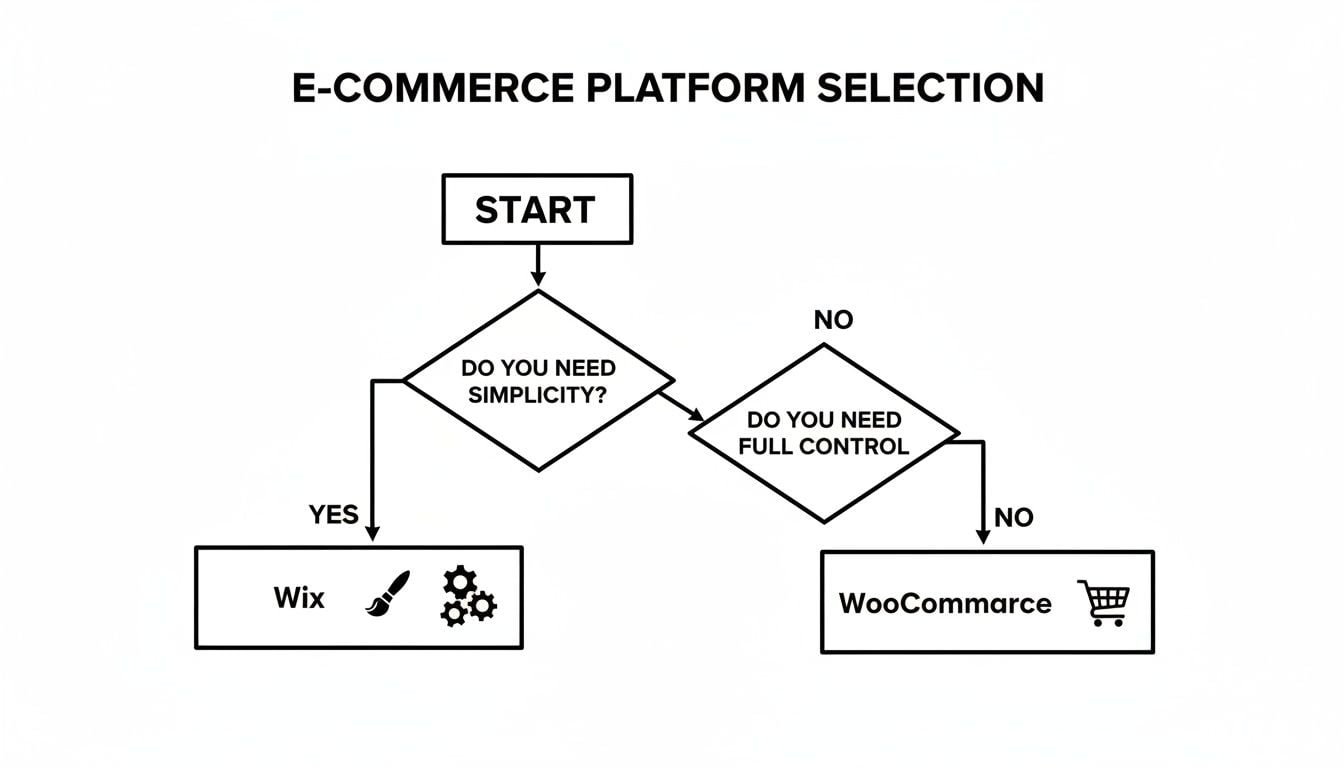
Ultimately, your main priority—whether it’s ease of use, sales features, or complete freedom—is the biggest factor in finding the right platform for you.
The Ambitious Brand Builder
You're not just shifting boxes; you're building a brand. Your strategy relies on more than just a product grid. You want to publish rich blog content, create in-depth guides, and build a unique online experience that makes you stand out. To do this, you need total control over design, top-tier SEO capabilities, and a way to weave your content and products together seamlessly.
For ambitious brands, the website isn't just a shop—it's the central hub for your entire brand story. This requires a platform that excels at both content and commerce without compromise.
This is the perfect scenario for WooCommerce. Because it’s built on WordPress, it pairs the world's most powerful content management system with a hugely flexible e-commerce engine. This combination gives you the freedom to build a completely custom, high-performing website that can rank well on Google and tell your brand’s story effectively.
The Service Business Selling Online
Perhaps you're a consultant, personal trainer, or you run workshops. Your business is a mix of services, appointments, digital downloads, and maybe even a few physical products. You need a single, versatile system that can handle it all: scheduling bookings, selling PDF guides, and processing payments in one place.
The incredible flexibility of WooCommerce makes it the clear winner here. Thanks to its enormous library of plugins, you can build a site that perfectly handles a mixed business model. It's brilliant for integrating booking systems, membership features, and digital product delivery into one cohesive and professional website.
When to Partner with a Professional Agency
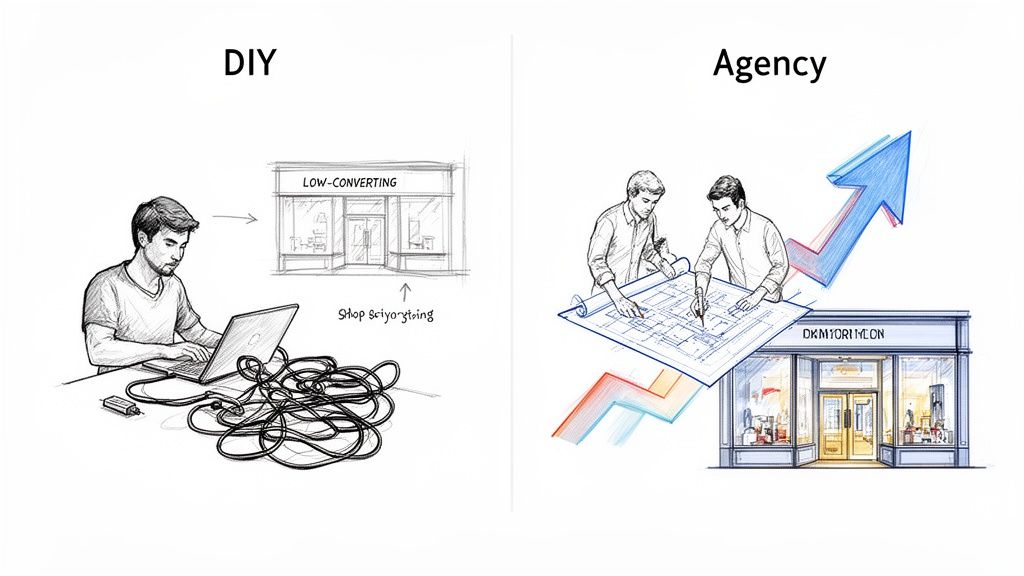
Those DIY e-commerce builders are a godsend when you're just starting. They give you a low-cost, straightforward way to get your products online and see if your business idea has legs. But as your business grows and your ambitions expand, you'll eventually start to feel the constraints. The platform that was once your launchpad begins to feel more like a cage.
This is the turning point where what once saved you money is now costing you sales. Bringing in a professional agency isn't just another bill to pay; it’s a strategic investment to push your business from a promising startup to a serious player in the market. So, how do you know when the time is right to make that leap?
The Telltale Signs You Have Outgrown Your DIY Platform
Knowing when to switch from a solo effort to a professional partnership is crucial. If you find yourself nodding along to a few of the points below, it’s a strong sign you’re ready for the next stage. Think of it not as a failure, but as a sign that your success has created new, more exciting challenges.
Here’s a practical checklist to help you decide if it’s time to call in the experts:
- You spend more time tinkering than selling: Are your days spent wrestling with plugins, fixing mysterious glitches, or forcing a template to do something it just wasn't built for? An agency takes on the technical headaches, letting you get back to actually running your business.
- Your design looks generic and isn't converting: Does your site blend in with a dozen others using the same theme? An agency can craft a bespoke design that embodies your brand and is engineered from the ground up to guide visitors towards the checkout.
- You need custom features the platform just can’t handle: Maybe you need a complex trade login, a sophisticated product configurator, or an integration with a unique stock system. These are the kinds of custom solutions that agencies build, which off-the-shelf platforms simply can't deliver.
- Your site is slow and you’re losing customers: Slow loading times are a notorious conversion killer. A professional team will fine-tune your site’s performance, making it lightning-fast for a much better user experience and a significant SEO boost.
A professional website isn't just a pretty face; it’s a high-performance business engine. Investing in expert design and development is an investment in your brand's credibility, customer trust, and long-term profitability.
Graduating from a basic builder to a professionally developed site, like a custom WordPress and WooCommerce solution, unlocks your true potential. It's the move you make when you're ready to stop just participating and start seriously competing. If you're weighing this up, it's well worth understanding the hidden costs of cheap website design and why a professional build delivers far greater value in the long run.
Your Questions Answered: Choosing a UK Ecommerce Builder
Getting started in ecommerce brings up a lot of questions. As a UK business, you have specific needs to consider, from costs and VAT to which delivery firms you can work with. Here are the answers to some of the most common queries we hear from business owners just like you.
How Much Will It Really Cost?
This is the big one, and the answer is almost never the advertised monthly price. The real cost of running an ecommerce site in the UK is a blend of a few different things, so don't get caught out by a low headline figure.
Here’s a realistic breakdown of what you should budget for:
- Platform Subscription: Your starting point. A basic plan on a platform like Shopify or Wix will often begin at around £25 per month.
- Transaction Fees: Every time you make a sale, your payment processor (Stripe, PayPal, etc.) will take a slice, typically between 1.5% and 3%. Be aware that some platforms add their own fee on top of this.
- Apps and Plugins: This is where costs can creep up. Need more advanced shipping options, product reviews, or loyalty schemes? These almost always require paid add-ons, which can run from £10 to over £100 every single month.
A very simple starter store might just scrape by under £50 a month, but a growing business with more complex needs could easily find its monthly bill climbing past £200.
Our Advice: Always think in terms of "total cost of ownership." A cheap plan can quickly become one of the most expensive options once you factor in transaction fees and the apps you genuinely need to operate.
Can I Just Switch Platforms Later On?
Technically, yes. But honestly, it's a nightmare. Migrating an online store isn't like moving house; it's more like performing open-heart surgery on your business. You have to move every single product, all your customer data, and your entire order history without losing anything.
It’s a technically difficult process, and a clumsy migration can absolutely tank your SEO rankings, losing you the search traffic you've worked so hard to build.
It is so much easier to pick a platform from day one that has the power to grow with you.
What's the Single Most Important Feature for a UK Shop?
Every business has its own priorities, but if there's one feature that is completely non-negotiable for a UK store, it’s this: seamless, built-in support for UK payment gateways and delivery companies.
Your customers need to see familiar, trusted payment options at checkout, like Stripe, PayPal, and even "buy now, pay later" services like Klarna. Then, they expect reliable shipping from couriers they know, such as Royal Mail or DPD. A clunky or confusing process at this final stage is the fastest way to lose a sale.
Ready to move beyond the limits of a DIY builder and create a high-performance ecommerce website? At DesignStack, we specialise in building custom WordPress and WooCommerce solutions that give you total control and are optimised for growth.