

Build WordPress Ecommerce Site
Most advice about building a WordPress ecommerce site starts with a theme, a logo and a list of plugins. That's backwards. A WooCommerce store is a revenue system, and the failures that cost UK businesses most often happen behind the polished homepage: weak hosting, confusing checkout journeys, payment problems and nobody available to maintain the site after launch.
The commercial context matters. The Office for National Statistics digital economy survey recorded UK website sales of £459.2 billion in 2021, an increase of £102.8 billion, or 28.8%, from 2019. Retail had the highest proportion of businesses making website sales, at 34.5%, and UK website sales to customers outside the country reached £77.8 billion. Ecommerce isn't a side project for many UK firms anymore. It deserves the same operational care as a shop, warehouse or sales team.
Table of Contents
- Why Most WordPress eCommerce Builds Fail Before Launch
- Choosing Hosting and Installing WooCommerce
- Structuring Products and Designing the Storefront
- Configuring Payments, Shipping, and Checkout Flow
- Securing the Site and Optimising for Search Engines
- Launching and Managing Ongoing Costs
- Growing Revenue After Launch
Why Most WordPress eCommerce Builds Fail Before Launch
A visually impressive WooCommerce site can still be commercially unusable. If pages load slowly, products are hard to find or checkout asks too much of the buyer, the design investment won't protect sales. A store succeeds when customers can discover the right product, trust the business, pay without hesitation and receive clear information afterwards.
The long-term shift is clear in earlier ONS data too. In 2018, ecommerce sales by UK non-financial businesses reached £688 billion, up from £582 billion in 2017, an annual increase of 18%, as recorded in the ONS ecommerce and ICT activity release. For businesses with ten or more employees, ecommerce sales represented 20.5% of turnover in 2018, while website sales rose from 4.9% of turnover in 2009 to 10.5% in 2018.
That history changes how you should make decisions. Your hosting plan, product data, payment setup and update process can affect a substantial trading channel. A theme demo can show you a pleasant layout, but it can't tell you whether a real customer will find delivery costs, whether stock will synchronise properly or whether the site will remain stable during a busy period.
The three risks to identify early
- Performance risk: Cheap or poorly configured hosting can make category pages, search and checkout feel unreliable.
- Conversion risk: Extra form fields, forced account creation and late delivery information create hesitation at the moment of purchase.
- Ownership risk: A store with no update, backup and support plan gradually becomes fragile, even if launch day goes smoothly.
Practical rule: Treat every design decision as a question about customer confidence, speed or completed orders.
A sensible build starts with a trading brief, not a mood board. Define products, stock rules, delivery areas, VAT display requirements, payment methods, returns information, customer emails and the person responsible for maintenance. Then choose a WordPress and WooCommerce setup that supports those requirements without adding unnecessary complexity.
Choosing Hosting and Installing WooCommerce
Hosting is the foundation of a WordPress ecommerce site. The cheapest plan may appear attractive, but a saving at setup can become a cost when pages slow down, support is unavailable or a migration becomes necessary. UK businesses should judge hosting by how well it handles WooCommerce workloads, not by storage figures alone.
Select infrastructure for real trading
Look for a host that can provide:
- UK or nearby server capacity: Shorter network paths can help create a responsive experience for UK shoppers, although the whole site still needs optimisation.
- Adequate PHP workers and memory: WooCommerce requests are more demanding than a simple brochure page. Product searches, cart actions and checkout need server resources available at the same time.
- Full-page and object caching: Cache public content carefully, but exclude cart, account and checkout pages from aggressive caching.
- Staging and backups: You need a safe place to test plugin updates and a dependable way to restore the store.
- WooCommerce-aware support: A host that understands payment errors, cron jobs, database performance and stock processes is more useful than a provider that only points you towards generic WordPress documentation.
A managed WordPress hosting service can suit a small business that doesn't have technical staff available to monitor the server, updates and backups. It won't remove every responsibility, but it can reduce the number of infrastructure tasks competing with day-to-day trading.
Install the essentials without creating future problems
Choose a domain that customers can spell and remember, connect it to the hosting account and enable SSL before adding products. Use a separate administrator identity with a strong password, rather than relying on an obvious username, and keep the site private or in coming-soon mode while configuration is unfinished.
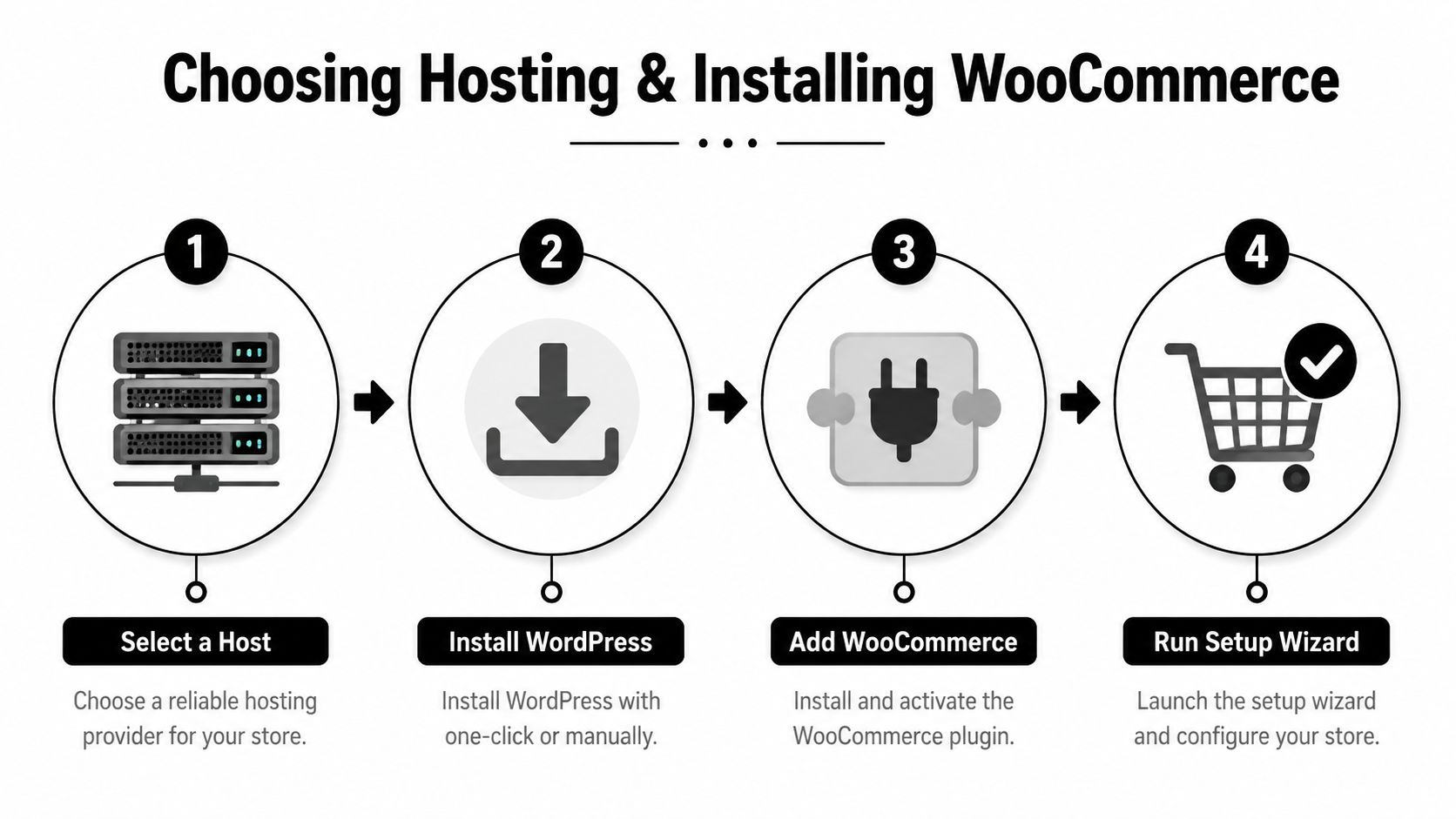
Most reputable hosts provide a guided WordPress installation. Once WordPress is active:
- Set the site title, timezone, admin email and permalink structure.
- Remove unused themes and plugins.
- Install WooCommerce from the WordPress plugin area.
- Run the setup wizard for currency, product type, tax, shipping and payments.
- Create a staging copy before making major customisations.
Don't install several plugins that solve the same problem. Every additional extension creates another update cycle, compatibility risk and possible performance cost. Start with the smallest stack that supports the store's actual requirements, then add functionality only when there's a clear commercial reason.
Structuring Products and Designing the Storefront
Customers shouldn't need to understand your internal product catalogue. They should understand the categories, filters and options that match the way they shop. A well-structured WooCommerce store makes product discovery feel obvious, while a deep maze of overlapping categories turns browsing into work.
Build the catalogue around buying decisions
Start by mapping the questions customers ask before they purchase. A clothing shop may need size, colour, fit and material attributes. A food retailer may need dietary information, pack size and storage guidance. A trade supplier may need dimensions, compatibility and collection options.
Use WooCommerce categories for broad shopping routes and attributes for filters and variations. Avoid creating a separate category for every small distinction. If a category contains almost nothing, it may be better represented as an attribute, product tag or filter.
Product pages should answer practical objections quickly:
- What is it? Use a direct product name and a concise explanation.
- Who is it for? Describe the use case, not just the specification.
- What does it cost? Show the price and variation impact clearly.
- When will it arrive? Give delivery information near the buying controls.
- Why trust this seller? Include returns, contact details, reviews and relevant guarantees.
Use consistent image dimensions, descriptive filenames and useful alternative text. Compress images before upload and avoid loading oversized originals into product galleries. A lightweight WooCommerce-compatible theme is usually a safer starting point than an elaborate theme that depends on multiple visual builders and animation effects.
For more detail on layouts, information hierarchy and product-page decisions, use these product page design best practices.
Design for confidence rather than decoration
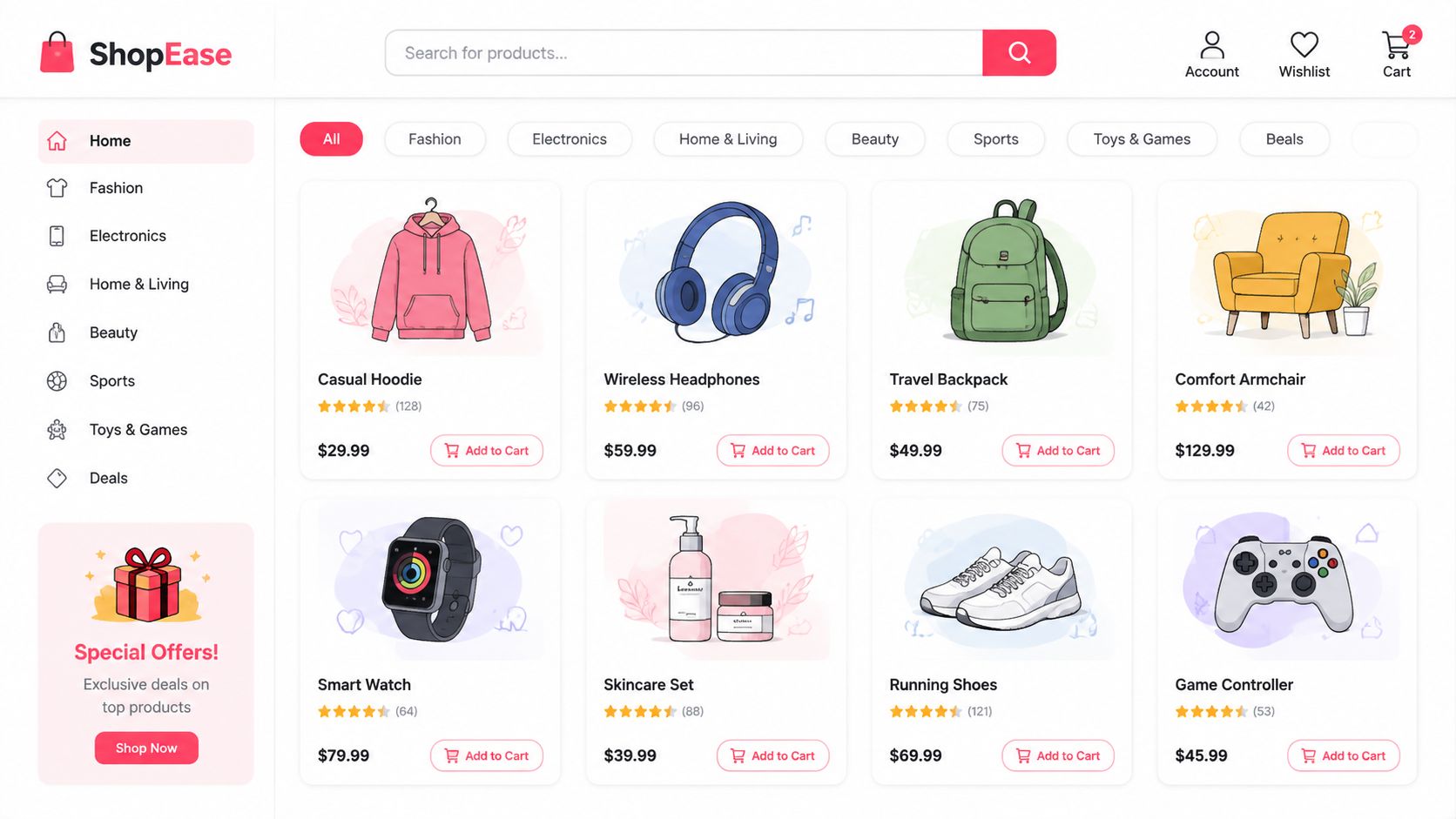
The header should help shoppers reach categories, search, account, basket and support without hunting. Keep promotional banners restrained, especially on mobile, where a large announcement can push the product content below the first screen.
Bundles and related products can increase basket value when they solve a genuine customer need. Pair a camera with a compatible memory card, or a skincare product with the appropriate cleanser, but don't fill every page with unrelated recommendations. Loyalty features can also support repeat purchasing, and a retailer considering that route may find retail loyalty solutions useful when planning beyond the initial transaction.
Test the storefront with real product questions. Ask someone unfamiliar with the catalogue to find a product, compare two options, check delivery information and begin checkout. Watch where they pause. Their hesitation often exposes a navigation or content problem that a design review misses.
The video below provides another visual reference for planning a WooCommerce storefront and its shopping journey.
Configuring Payments, Shipping, and Checkout Flow
Checkout is where a large proportion of ecommerce work either pays off or disappears. Novuna's 2024 UK study found that 74% of baskets created in the final quarter of 2024 didn't become completed orders, with abandonment rising to 76% on mobile, compared with 67% on computers. The Novuna checkout abandonment study makes the practical priority clear. Build and test checkout mobile-first.
Choose payment providers based on customer expectations, settlement arrangements, fraud controls, support quality and integration stability. Make the payment options visible before a shopper reaches the final step, especially if your audience expects card payments, digital wallets or another familiar method. A payment provider that looks inexpensive but is slow to resolve faults can create more operational pain than it saves.
Configure shipping and tax with clarity
Create WooCommerce shipping zones that reflect how you fulfil orders. Separate local delivery, mainland UK delivery, collection and any restricted areas where necessary. State delivery costs and estimated timings near the product and basket, not only after the customer has entered personal details.
Check how prices and VAT should be displayed for your business, products and customer types. Your accountant should confirm the tax treatment, while the site should present the result consistently across product pages, basket, checkout and order emails. Test discounts, variable products, delivery charges and refunds, because small inconsistencies can create support work and reduce trust.
| Friction Point | Impact on Abandonment | WooCommerce Fix |
|---|---|---|
| Forced account creation | Adds commitment before the customer has completed the order | Enable guest checkout and offer account creation after purchase |
| Delivery costs shown late | Creates an unexpected total at the most sensitive stage | Display delivery rules and costs earlier |
| Long checkout forms | Increases typing and error opportunities, especially on mobile | Remove non-essential fields and use appropriate input types |
| Missing preferred payment method | Sends uncertain customers elsewhere | Show relevant payment options clearly and monitor payment failures |
| Unclear VAT presentation | Makes the final price harder to understand | Apply a consistent tax display across the buying journey |
Don't rely on recovery emails as the primary solution. Novuna's data puts UK cart recovery at around 5% during 2023, so recovered orders represent only a small share of lost baskets. Instrument add-to-cart, checkout start, payment attempt and order completion events before changing the design. Without that funnel data, you won't know whether the main problem is product information, delivery, payment or technical failure.
The same Novuna commentary reports that around 24% of abandoned UK carts convert to a competitor. That makes checkout clarity a competitive issue, not merely a usability preference. Businesses should also review how their brand appears at the payment stage, using guidance on logos and credit cards in ecommerce to keep trust signals recognisable without clutter.
A customer who has completed the purchase should receive an immediate, accurate confirmation and clear next steps. If the order process is for a service rather than a physical product, make it equally easy to complete your booking without forcing the buyer through irrelevant ecommerce fields.
Securing the Site and Optimising for Search Engines
Security, speed and SEO belong in the core build because each one affects revenue. A compromised website can interrupt trading and damage customer confidence. A slow store can make browsing unpleasant. Weak search structure can prevent relevant buyers from finding the products you sell.
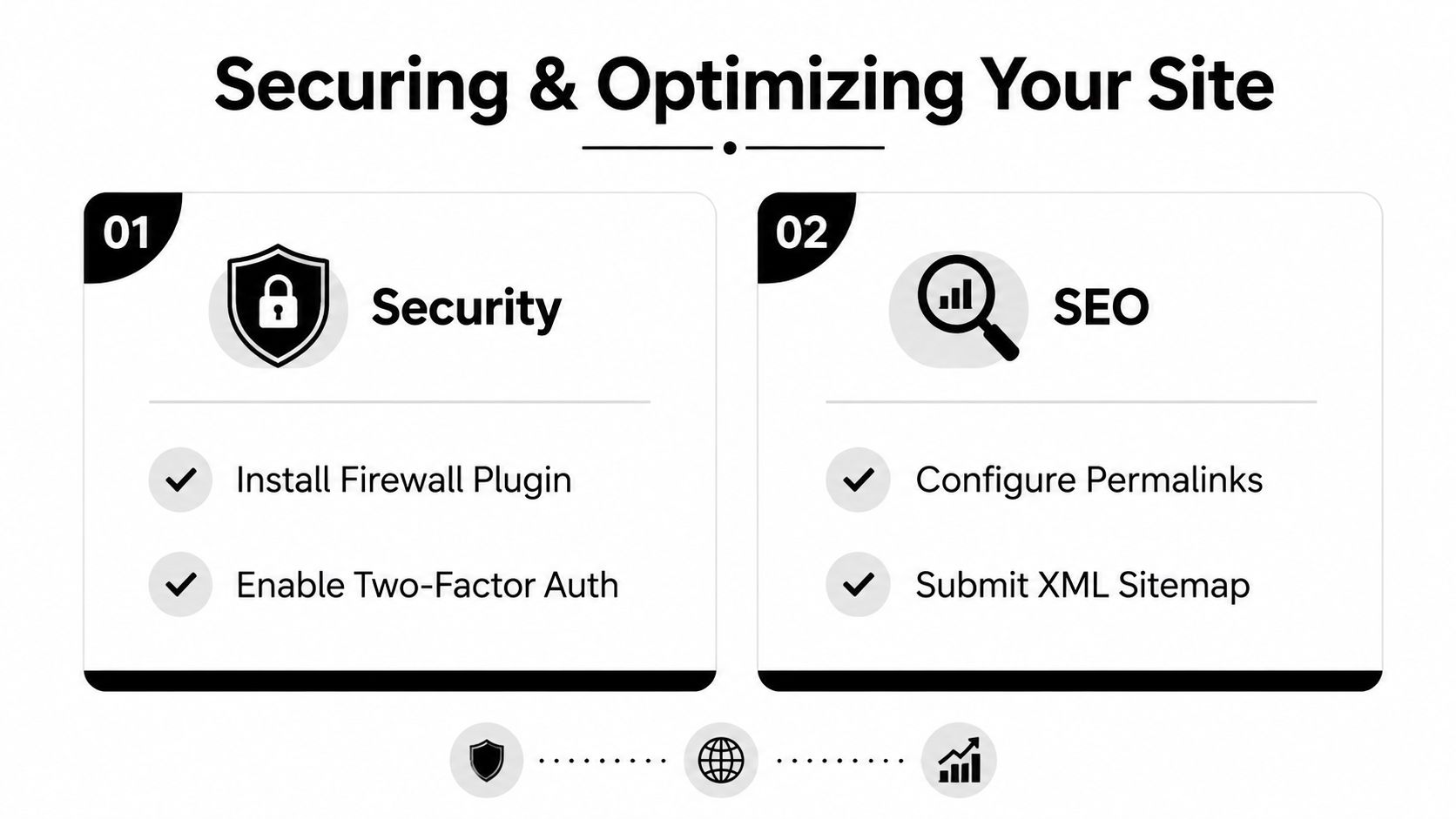
The answer isn't a huge collection of plugins. Install a firewall and malware monitoring solution that fits the hosting environment, enable two-factor authentication for administrator accounts and give each team member the least access they need. Keep WordPress, WooCommerce, themes and extensions updated, but test updates on staging before applying them to the live store.
Protect the store without slowing it down
Backups should be automatic, stored away from the live server and tested through an actual restoration process. A backup that has never been checked is an assumption, not a recovery plan. Limit administrator accounts, remove abandoned extensions and record which plugin handles each business function.
Technical problems have a measurable commercial consequence for UK small businesses. One study cited by Startups Magazine on website errors and slow loading found that 60% of UK adults abandon purchases after technical issues, while the same report estimated that UK SMEs could lose up to £2.7 billion in festive sales because of website errors and slow loading. The lesson is straightforward. Performance testing belongs before launch and during peak periods, not only after a customer complains.
Give search engines a useful store structure
Set readable permalinks, write unique titles and descriptions, and create category copy that helps shoppers choose. Product pages need original descriptions, clear specifications, useful image alternative text and structured data that identifies products, prices, availability and reviews where appropriate.
Submit an XML sitemap through the relevant search platform, check indexation and look for duplicate or thin category pages. Link related products, buying guides and categories together so users and search engines can understand the catalogue. A blog shouldn't exist to add words. Publish content that answers product questions and supports an informed purchase.
Install SSL correctly and check that every page, image and script loads securely. The SSL certificate installation service is one option for businesses that want help with this technical foundation. After launch, review page speed, broken links, indexing issues and search queries regularly. SEO gains won't compensate for a checkout that fails, so prioritise technical reliability alongside visibility.
Launching and Managing Ongoing Costs
A launch checklist should test the complete customer and staff journey, not just whether the homepage opens. Place test orders using each payment method, check confirmation emails, process a refund, test discount rules and confirm that stock changes correctly. Review checkout on an actual phone, including validation errors, keyboard behaviour and delivery selection.
Before removing coming-soon mode, confirm:
- Payment and fulfilment: Orders reach the right inbox, stock records update and staff know what happens next.
- Customer communication: Order, refund and delivery messages contain accurate business details and useful support information.
- Measurement: Analytics records product views, basket activity, checkout starts and completed orders in a privacy-conscious way.
- Recovery: Backups, administrator access and a rollback plan have been tested.
- Content: Returns, delivery, privacy and contact information are easy to find.
The initial build is only one part of the financial commitment. Ongoing costs can include hosting, domain renewal, premium plugin licences, payment-provider charges, development support and internal time. UK small businesses are making these decisions under pressure. QuickBooks reported that 57% of UK small businesses expected rising costs in the next three months, while 47% reported cash flow challenges in its June 2025 SME insights.
Support quality matters particularly around payments. The same source reports that 52% of UK ecommerce SMEs were frustrated by slow provider response times and support, 39% said communication methods didn't suit their needs, and 35% cited a lack of issue resolution. Choose a support model before launch, whether that means an internal owner, an agency retainer or managed hosting. A store without an assigned maintainer will eventually miss updates, ignore warnings and lose the ability to improve safely.
Growing Revenue After Launch
The first post-launch priority is observation. Track traffic sources, product views, search use, add-to-basket activity, checkout starts, payment failures and completed orders. Compare mobile and desktop behaviour, then fix the largest visible obstruction before adding new features.
An abandoned-cart email, loyalty programme or product recommendation can be useful, but only after the core journey works. Otherwise, you're marketing a leaky shop. A practical ecommerce sales improvement plan should connect each change to a measurable customer action.
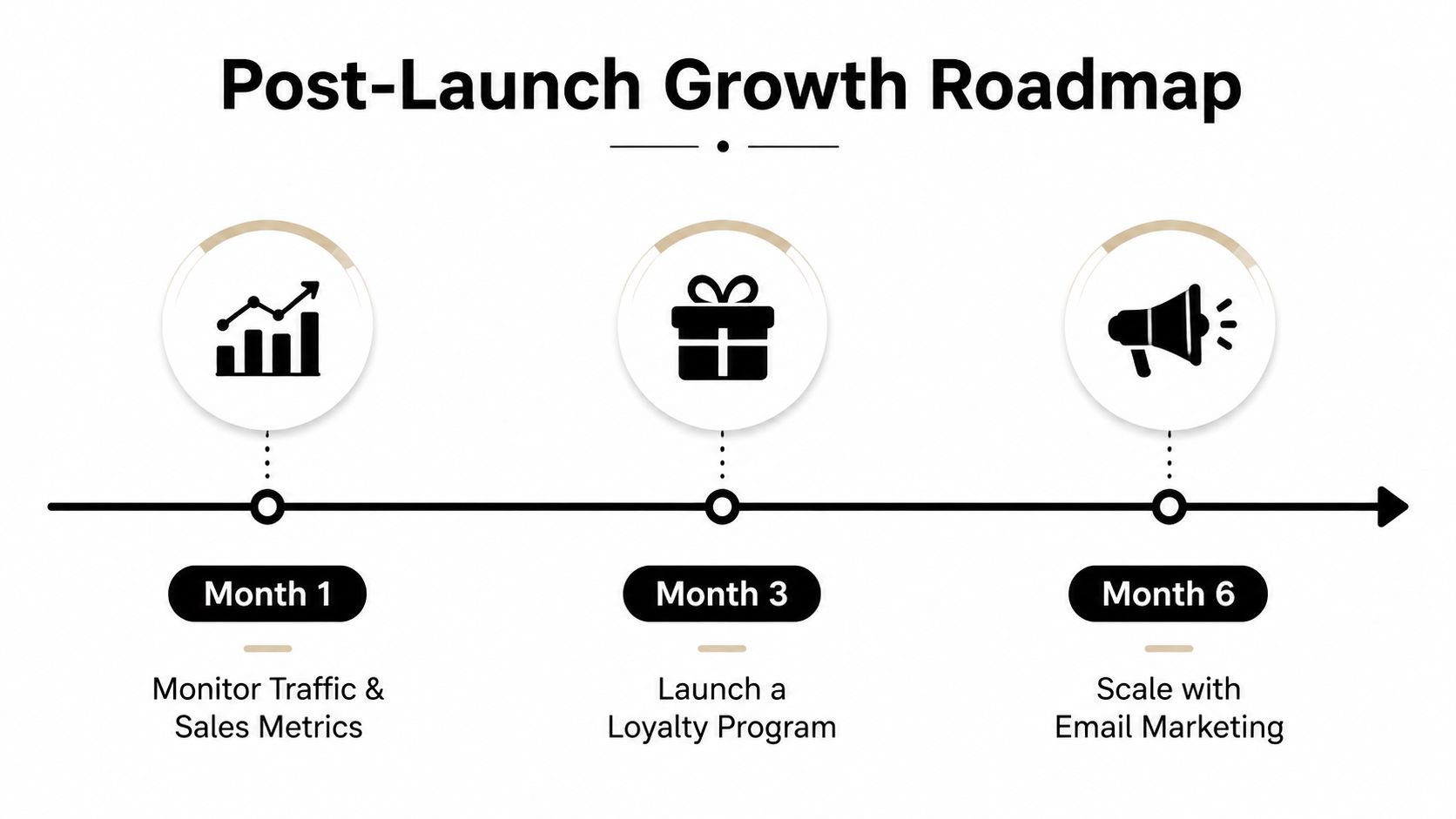
Review findings on a regular schedule. Improve product content, simplify the worst checkout step, test payment visibility and refine merchandising before commissioning a full rebuild. DesignStack delivers WordPress and WooCommerce builds with planning, technical setup, customisation, hosting options and post-launch support for businesses that need a reliable store rather than a static online brochure.
Visit DesignStack to discuss a conversion-focused WordPress ecommerce build, from hosting and WooCommerce setup through checkout testing, SEO foundations and ongoing support. Bring your product catalogue and current problems, and the team can help turn them into a practical build plan.


Leave a Reply