

How to Build a WordPress Site That Actually Works
You're staring at a blank WordPress dashboard, a theme demo on one tab, three plugin recommendations on another, and a client who wants the site live “as soon as possible”. That's the point where most builds go wrong. The temptation is to start decorating, but a WordPress site that works for a UK business starts with decisions about purpose, hosting, structure, accessibility and maintenance, not with colours and sliders.
WordPress is the right starting point for a lot of UK SMEs because it's the dominant platform to understand before building a site in the UK. It powers about 43.5% of all websites globally and roughly 62.8% of the CMS market, with 590M+ active sites and about 661 new WordPress sites launching every day according to the platform statistics reference. It also supports over 200 languages, which is useful when a business needs local SEO, content updates and room to grow without rebuilding later. WordPress statistics reference
The hard part isn't getting WordPress installed. It's making the build survive its first year without becoming slow, messy or hard to update. That comes down to the unglamorous choices most guides skip, especially for UK businesses that care about leads, enquiries and compliance.
Table of Contents
- Planning Your WordPress Build Before You Touch a Theme
- Choosing Hosting, Domains and the Right Foundation
- Installing WordPress and Building the Core Pages
- Designing a Site That Looks Good and Converts
- Layering in SEO, Performance, Accessibility and Security
- Launching Safely With a Staging-First Workflow
- Keeping Your WordPress Site Healthy After Launch
Planning Your WordPress Build Before You Touch a Theme
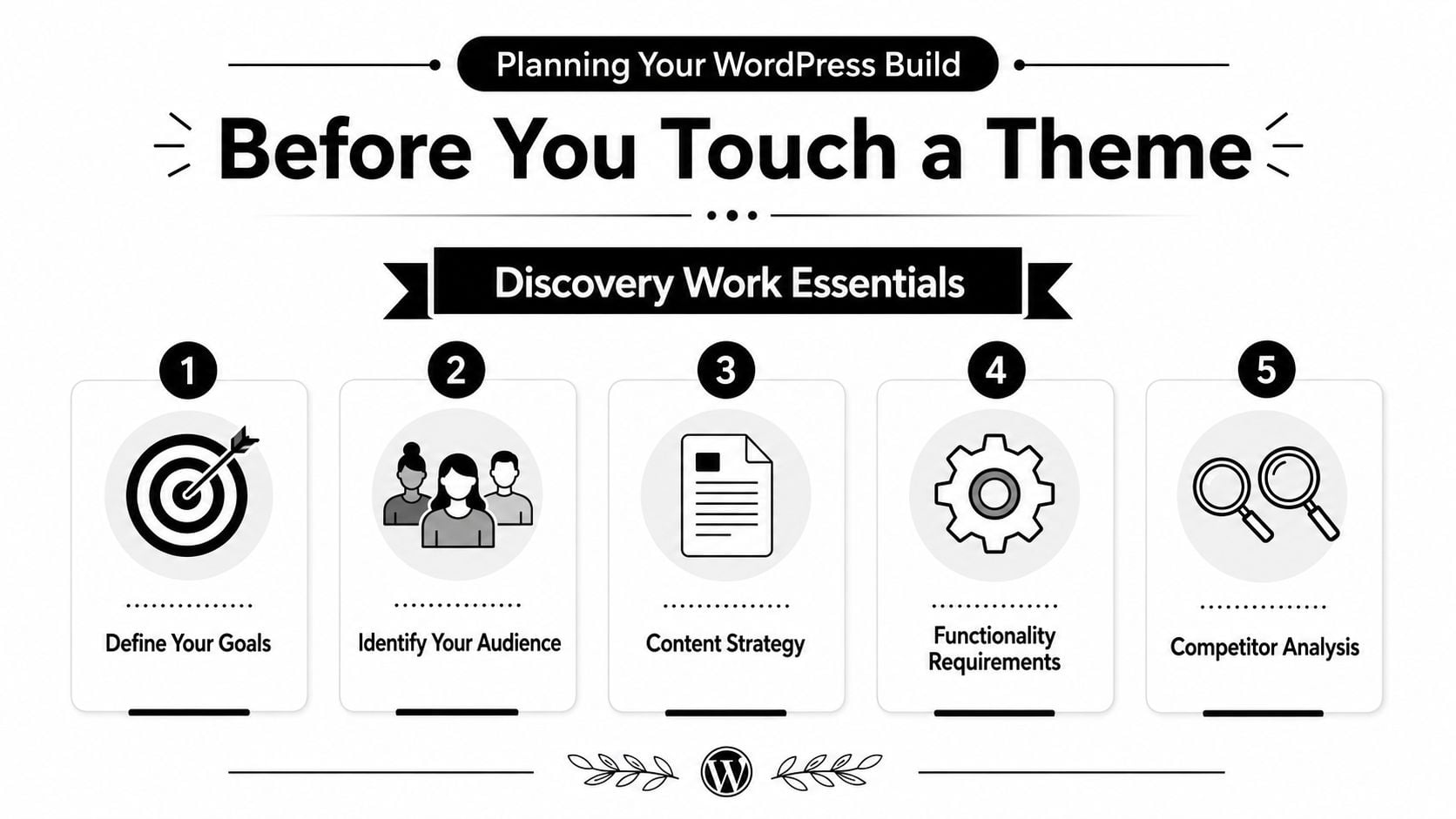
A good brief saves more money than any plugin ever will. Before design starts, the business has to decide what the site is for, who it's for, and what action matters most when someone lands on it from Google or a local social post.
Start with the site's job
A plumbing company in Weymouth does not need the same build as a membership organisation in Bristol or an online shop shipping products across the UK. One site may need calls and quote requests, another may need bookings, and another may need product pages and checkout. If the main job is unclear, the homepage usually becomes a pile-up of competing messages.
That's why the first page of the brief should say, in plain English, whether the site exists to generate leads, sell products, take bookings or build credibility. Once that's settled, the page list gets much easier to control. Most UK SMEs only need three to five core pages at launch, then a phased plan for anything else.
Practical rule: if a page doesn't support the site's main job, it probably belongs in phase two.
For structure, it helps to map the user journey from search to enquiry. A visitor might search for a service, scan a search snippet, compare the homepage against one service page, then look for contact details or a form. That journey is why page order, navigation labels and calls to action matter so much.
Keep scope tight enough to finish
The most common project risk is scope creep, not code. A client starts with “we need a brochure site”, then adds a blog, a shop, a portal, a members area and a custom calculator before the homepage has even been approved. The result is usually late delivery and a site that tries to do too much badly.
A useful one-page brief can be simple:
- Primary goal: leads, sales, bookings or authority.
- Audience: who the site is for, and what problem they're trying to solve.
- Core pages: Home, About, Services, Contact, Privacy Policy.
- Must-have functions: forms, bookings, checkout, search or multilingual support.
- Phase-two ideas: anything useful, but not needed to launch.
That brief keeps the build anchored. It also helps when a stakeholder asks for another feature that sounds useful but doesn't support the first release. If you want a deeper look at how page flow fits together, information architecture is the right place to start.
Choosing Hosting, Domains and the Right Foundation
The foundation choices shape a site long after launch day. Hosting, domain and server location affect performance, support quality and how much time you spend fixing things you shouldn't have to fix.
Compare the three hosting routes honestly
UK SMEs usually face three options: shared hosting, managed WordPress hosting and self-managed VPS. Shared hosting is cheap and simple, but the support can be thin and performance often depends on who else is sharing the server. Managed WordPress hosting costs more, but it usually gives you better support, backups, staging and a setup that's closer to how WordPress should be run. A VPS gives control, but only makes sense if someone on the team knows how to manage it properly.
| Hosting Type | Typical UK Price | Best For | Watch Out For |
|---|---|---|---|
| Shared hosting | Lower-cost plans | Very small brochure sites | Slow support, cramped resources, limited staging |
| Managed WordPress hosting | Mid-range plans | SMEs that want support and fewer headaches | Higher monthly cost than budget hosting |
| Self-managed VPS | Variable | Teams with technical ownership | Misconfiguration, patching, security and maintenance burden |
The right choice isn't the cheapest one. It's the one that matches the business's tolerance for downtime and admin work. For a local firm that relies on enquiries, the support relationship matters more than the headline price.
If you want a provider built around WordPress operations rather than generic hosting, DesignStack's managed WordPress hosting is the kind of offer worth comparing alongside other managed options.
Choose the domain and server with the audience in mind
For a UK business, a .uk domain usually makes sense when the audience is local or national and the brand wants an obvious British identity. Hosting on a UK or nearby EU server is also a sensible default for British visitors, because it keeps the infrastructure closer to the people using it. That doesn't solve every performance issue, but it avoids starting from a bad place.
Don't buy hosting first and hope the domain and site strategy will somehow fit around it.
Before signing, ask about SSL, automatic backups and whether staging is included. A host that can't explain those clearly is asking you to buy blind. The same goes for support. If a business owner has to wait days for a simple answer about WordPress, the site becomes a liability instead of an asset.
Installing WordPress and Building the Core Pages
Once the foundation is set, WordPress installation is the easy part. Harder work starts after login, when the build needs to stay tidy, editable and ready for the first year of use.
Install cleanly, then leave the plugin shop alone
Use the host's auto-installer, set the permalink structure to post name, then build the core pages before adding anything extra. That order keeps URLs readable, avoids unnecessary redirects later and gives both users and search engines a cleaner starting point.
Plugin bloat slows builds down quickly. Every extra plugin adds another update to manage, another possible conflict and another layer of code that can drag performance or break after a core update. A lean setup is easier to maintain and far less likely to cause problems when the site is handed over.
The practical approach is to install only what the site needs at launch. If the business does not need memberships, advanced forms or a complex booking engine on day one, leave them out. A decent contact form plugin, an SEO plugin and a backup solution are usually enough for a straightforward SME build.
If content is being moved from an older site, content migration services can save a lot of manual rework, especially when old URLs, page titles and media libraries need tidying.
Launch the Pages People Use
Most UK SMEs should launch with Home, About, Services, Contact and a Privacy Policy that reflects UK GDPR expectations. That does not mean the site should feel thin. It means the first version should cover the pages that help visitors decide whether to get in touch.
Navigation should be obvious, not clever. The contact form should be treated as a conversion tool, not a decorative widget sitting at the bottom of the page. If a visitor has to hunt for a phone number or form, the site is making them work too hard.
Useful test: if a stranger cannot tell what you do and how to contact you within a few seconds, the page structure needs work.
A clean build is also the right time to handle content coming over from another platform. If a site is being rebuilt from scratch, a structured content migration services process helps keep old content, URLs and media in order instead of leaving fragments behind in the new build.
Designing a Site That Looks Good and Converts
A WordPress design either feels like a real business or it feels like a theme demo with a logo dropped on top. The gap between those two outcomes is usually narrower than people think.
Choose the right build path for the brand
A premium theme can be a sensible starting point if the business wants speed and a controlled budget. A starter block theme gives more flexibility, especially when the content team wants to edit layouts without calling a developer every time. A bespoke build makes sense when the brand needs a sharper visual identity or the site has unusual content needs.
The cheapest route is rarely the best value. Cheap themes often arrive with too many features switched on, too much styling baggage and layout decisions that don't suit the business. That's why a site can look fine in the demo but feel clunky once real content goes in.
I've seen a generic service site turn around by reducing the number of competing visual elements. The before version had three buttons above the fold, a rotating banner and stock images that said nothing about the business. The after version used one clear headline, one primary call to action and real photography from the team, and the site immediately felt more trustworthy.
For a shop selling digital goods, automated access for digital sales is a useful example of how product delivery can influence the site structure, especially when access needs to be instant and the customer journey has to stay simple.
Design for phones first, not as an afterthought
The majority of UK web traffic arrives on a phone, so mobile design has to be the default lens. That affects type size, spacing, tap targets, image cropping and how much content can appear before the first scroll. A layout that looks elegant on a large monitor but collapses into clutter on mobile is a poor build.
White space helps more than people expect. So does typography that's easy to read and photography that shows the actual business rather than a generic stock office. A single clear call to action is usually enough on a service page. If there are three, the page starts competing with itself.
A site built this way doesn't need flashy effects to convert. It needs clarity. Visitors should understand the offer, trust the business and know what to do next.
If the user journey feels muddy, improving website user experience is a better investment than piling on more design flourishes.
Layering in SEO, Performance, Accessibility and Security
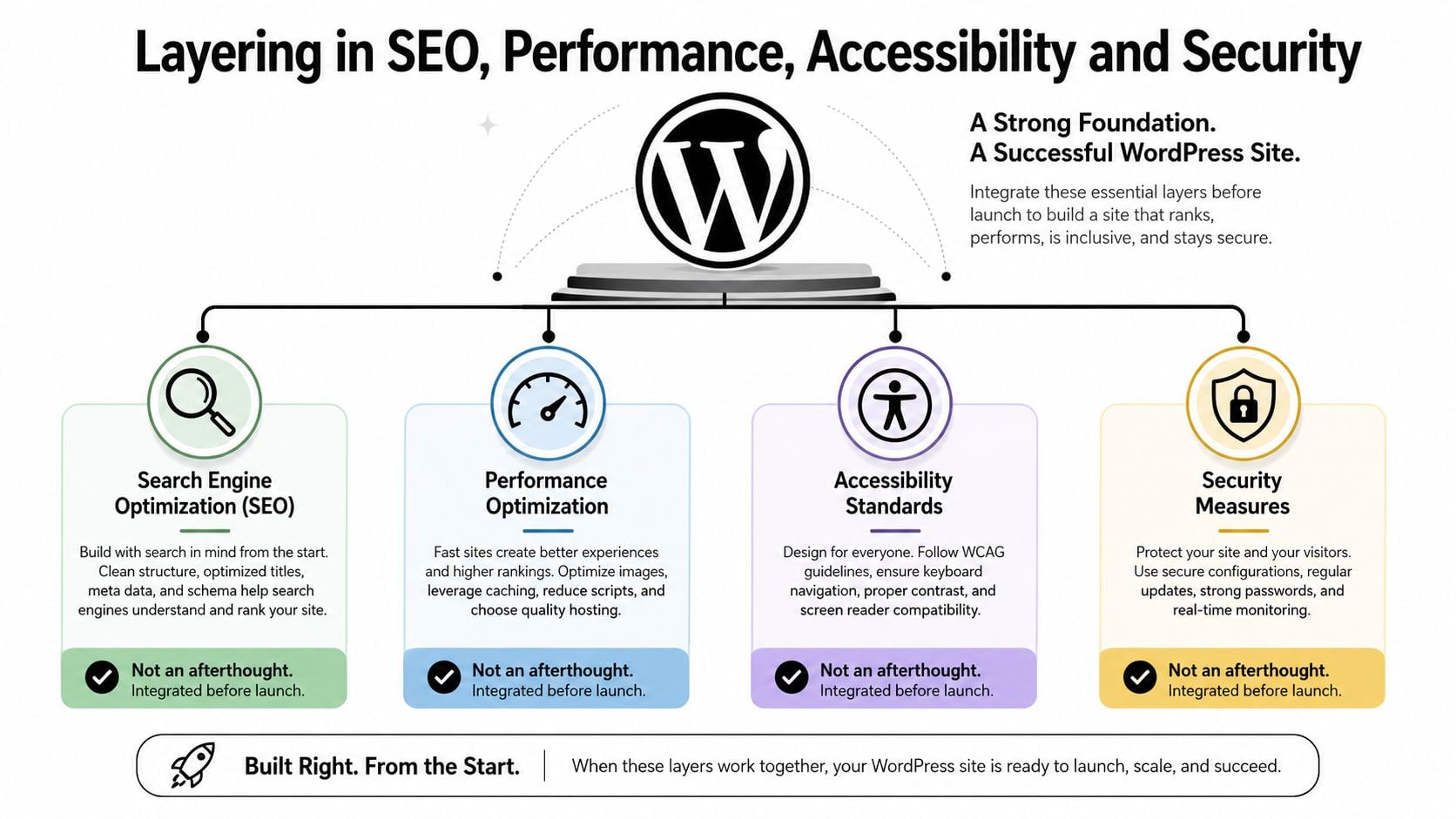
These four disciplines belong in the build, not in the “we'll sort that later” pile. A site can look finished and still fail if it can't be found, loads too slowly, excludes users or creates avoidable security risk.
Treat SEO as structure, not decoration
The SEO basics that matter most are straightforward. Set sensible page titles, keep the URL structure clean, use internal links naturally and add schema where it helps users understand the page. A tidy site architecture is easier for people to explore and easier for search engines to interpret.
That's why the earlier permalink decision matters. It isn't a cosmetic choice. It's part of the site's baseline structure. The same goes for internal linking. Service pages should point to related services, supporting articles and the contact page without stuffing links into every paragraph.
Performance and SEO also overlap. If a page is bloated with oversized images and unnecessary scripts, the content can be excellent and still underperform. A sensible technical SEO pass will expose the most obvious problems before launch. Technical SEO guidance is where many teams start when they realise rankings depend on more than keywords.
Build accessibility in from day one
Accessibility is not a nice extra for later. UK public sector websites and apps must make reasonable adjustments under equality law, and businesses that serve the public face real compliance and reputational risk if users can't access basic functions. Beginner WordPress tutorials often skip this, which is exactly why it's worth paying attention early.
Keyboard navigation, contrast, alt text and motion controls are the basics that get missed most often. Forms need labels that make sense to screen readers. Buttons need to look like buttons. Video and animated elements should not hijack the whole experience.
If a site only works well with a mouse and perfect eyesight, it's incomplete.
For a practical checklist, the WCAG AAA checklist is a useful reference point when you want to review colour, structure and interaction with a more exacting eye.
Keep security boring and consistent
Security on WordPress isn't glamorous. That's a good thing. Strong admin passwords, two-factor authentication, regular updates and reliable backups stop a lot of common problems before they start. The best security setup is the one the team can keep using.
I also like a simple rule. If a plugin, theme or optimisation tool makes the site harder to maintain, it needs a very good reason to stay. The build should stay lean enough that updates don't become a monthly gamble.
Launching Safely With a Staging-First Workflow
A launch is the first time real customers see the site, not the moment the project is done. If the build hasn't been tested properly, that's when missing forms, broken layouts and awkward mobile issues show up.
Test in staging before anything goes live
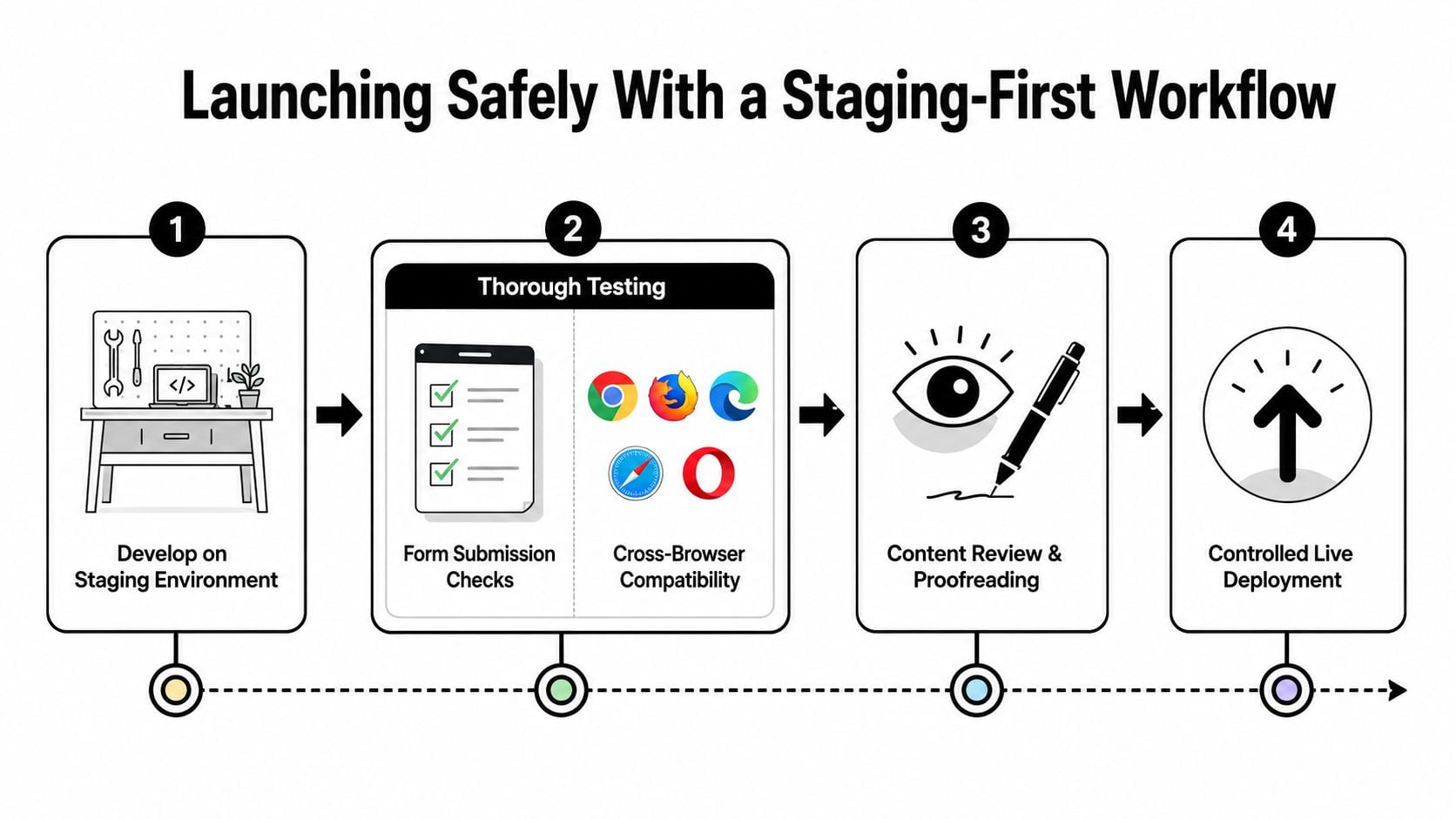
A staging environment gives you room to check forms, payment flows, layout issues and browser quirks without exposing visitors to half-finished work. That matters because a site that only gets tested after launch is already testing customers.
The final pass should cover mobile rendering, form submissions, page speed basics, SEO settings and accessibility checks. Content proofing matters too. Typos, mismatched buttons and missing images are easy to miss when you're looking at the same draft for too long.
A controlled deployment is calmer than a rushed one. It also gives the team a chance to spot problems before search engines and customers do.
If you want a practical reference for the release process, the GoSafe Dark Web monitoring mirroring guide is a useful reminder that launch discipline is part of broader site protection, not just design housekeeping.
Watch the first week closely
The work doesn't stop when the DNS switch happens. Uptime monitoring, analytics checks and a first review of search console data help catch issues while they're still small. If the site is supposed to generate leads and the form submissions have gone quiet, the problem needs checking immediately.
A clean launch feels boring because most of the risk was removed before launch day.
That's the point. The more carefully the staging phase is handled, the less dramatic live deployment becomes.
Keeping Your WordPress Site Healthy After Launch
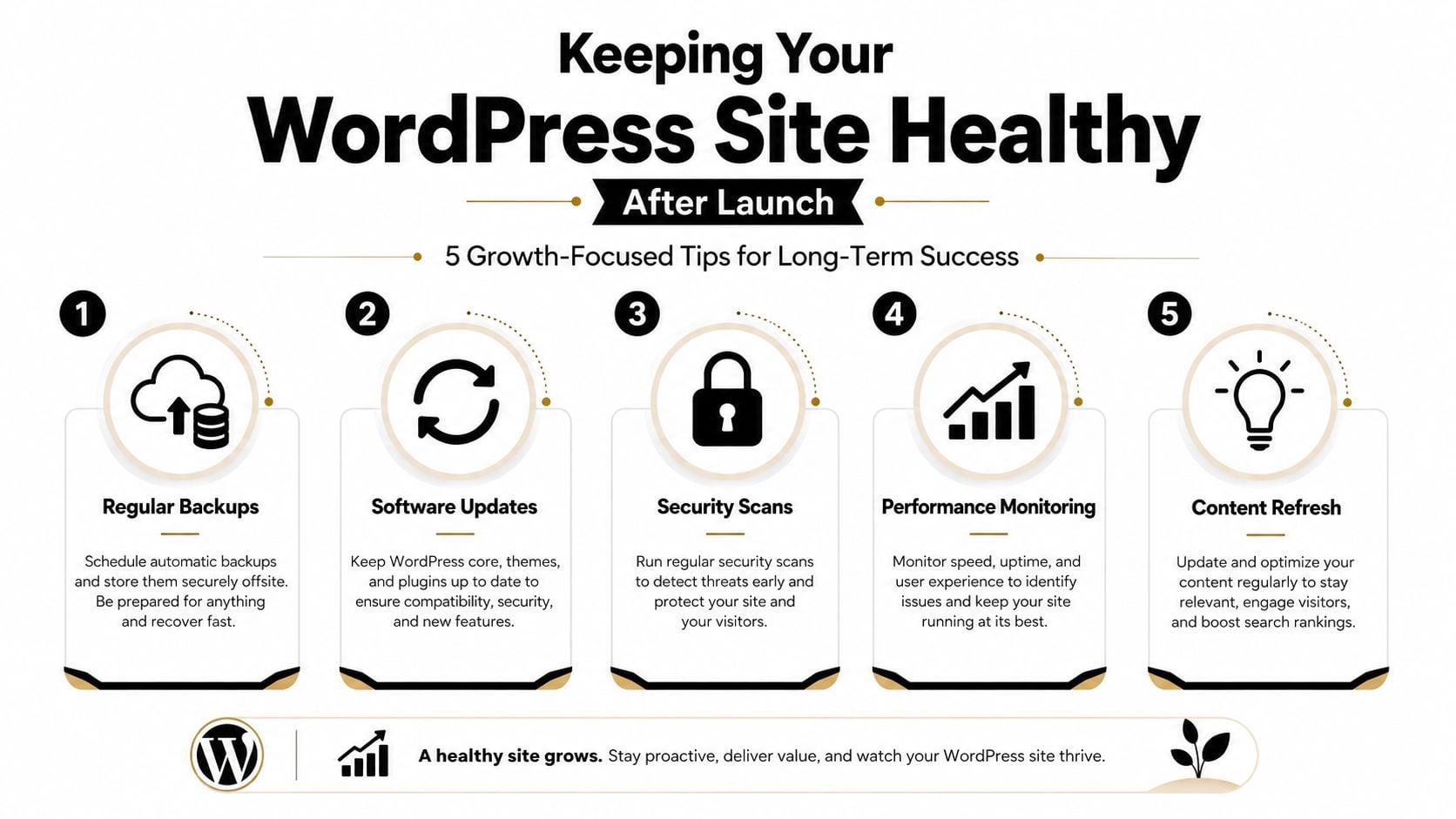
A WordPress site that's left alone drifts. Plugins age, content goes stale, and what once felt sharp starts to look tired. Routine care is not overhead, it's how a site keeps earning its place.
Keep the monthly rhythm simple
A sensible small-business routine is straightforward. Update core, themes and plugins. Check backups. Review speed and uptime. Refresh a page or two. Fix small SEO issues before they become bigger ones.
That rhythm is easier to stick to than a giant quarterly panic session. It also means recurring plugin conflicts, broken layout changes and content drift show up early. Most sites don't fail in one dramatic moment. They degrade.
The site should be treated like a working business asset. If it starts needing more and more patching, that's often a sign the build itself has outgrown the original setup.
Know when maintenance isn't enough
If the site keeps crashing, plugins conflict regularly or the design feels years behind the business, the answer isn't another quick fix. It needs a proper review, and possibly a rebuild. That's especially true when the website no longer matches how the company sells or communicates.
Bottom line: maintenance keeps a good site healthy, but it can't rescue a site that was built without a clear plan.
For UK SMEs, the aim is simple. Keep the site fast, current and easy to use, then revisit the strategy before problems pile up.
If you want a WordPress site that's planned properly, built lean and launched without the usual chaos, DesignStack can help with the full process, from structure and design through to hosting, SEO and post-launch support. Based in Weymouth, we build WordPress sites for UK SMEs that need to work in the world, not just in a theme demo.

Leave a Reply