

Customer Service Automation: A Practical Guide for UK SMBs
A Dorset business owner can lose an entire morning answering the same questions: “Has my order left yet?”, “Can I change my booking?”, “What's your returns policy?” The work feels urgent because each customer deserves a response, but most enquiries don't need a person to investigate them from scratch.
That's where customer service automation earns its place. Used properly, it acts as a filter, handling predictable requests quickly while sending unusual, sensitive, or high-value conversations to a human. Used badly, it traps customers in menus, repeats scripted answers and damages trust.
For UK small and medium-sized businesses, the right approach isn't to automate everything. It's to automate the right things first, connect those tools to your existing systems, and make human escalation obvious.
Table of Contents
- Why UK Small Businesses Need Customer Service Automation
- What Customer Service Automation Actually Means
- The Costs and Consumer Preferences Behind Automation
- Which Interactions to Automate and Which to Keep Human
- Building Your Automation Stack with WordPress and CRMs
- Measuring Success with the Right KPIs and ROI Metrics
- Risks and Mistakes That Undermine Automation Efforts
- Your Getting Started Checklist for Dorset and UK Businesses
Why UK Small Businesses Need Customer Service Automation
A Dorset e-commerce owner might begin the day with a full inbox and unfinished fulfilment work. Customers want delivery updates, stock information, return instructions and order changes. Suppliers still need attention, parcels still need packing, and every unanswered message creates another interruption.
Repetitive enquiries drain more than a few minutes at a time. They break concentration, delay responses to complicated problems and force the owner or a small team to spend valuable hours repeating information already held in the website, shop system or CRM.

Automation should remove repetition, not personality
The practical answer is a digital first line of support. A chatbot can explain delivery options, a self-service page can show return instructions, and an automated workflow can collect the details an agent needs before taking over.
That doesn't mean replacing the human relationship. A customer with a straightforward question gets a fast answer, while your team has more time for complaints, unusual requests and conversations that influence retention.
UK firms have pursued automation for years because human handling is expensive and capacity is limited. An Eptica and Enghouse analysis of UK customer contacts estimated 463.5 million monthly customer service contacts from 52.4 million UK adults, with brands facing an estimated £1.227 billion monthly cost.
The same analysis placed self-service at about £3.37 per interaction, compared with about £3.82 for chat and £4.00 for email, while telephone support cost more still. Those figures explain why businesses have long tried to move routine demand away from live channels.
Practical rule: Don't buy automation because larger companies use it. Buy it because your team answers the same question often enough to justify removing the repetition.
For Dorset tourism, hospitality and seasonal businesses, demand can rise sharply during busy periods. A small accommodation provider can't easily add a fully trained support team whenever enquiries increase. A clear booking workflow, automated confirmation process and well-written help centre can protect response quality without turning every question into a phone call.
What Customer Service Automation Actually Means
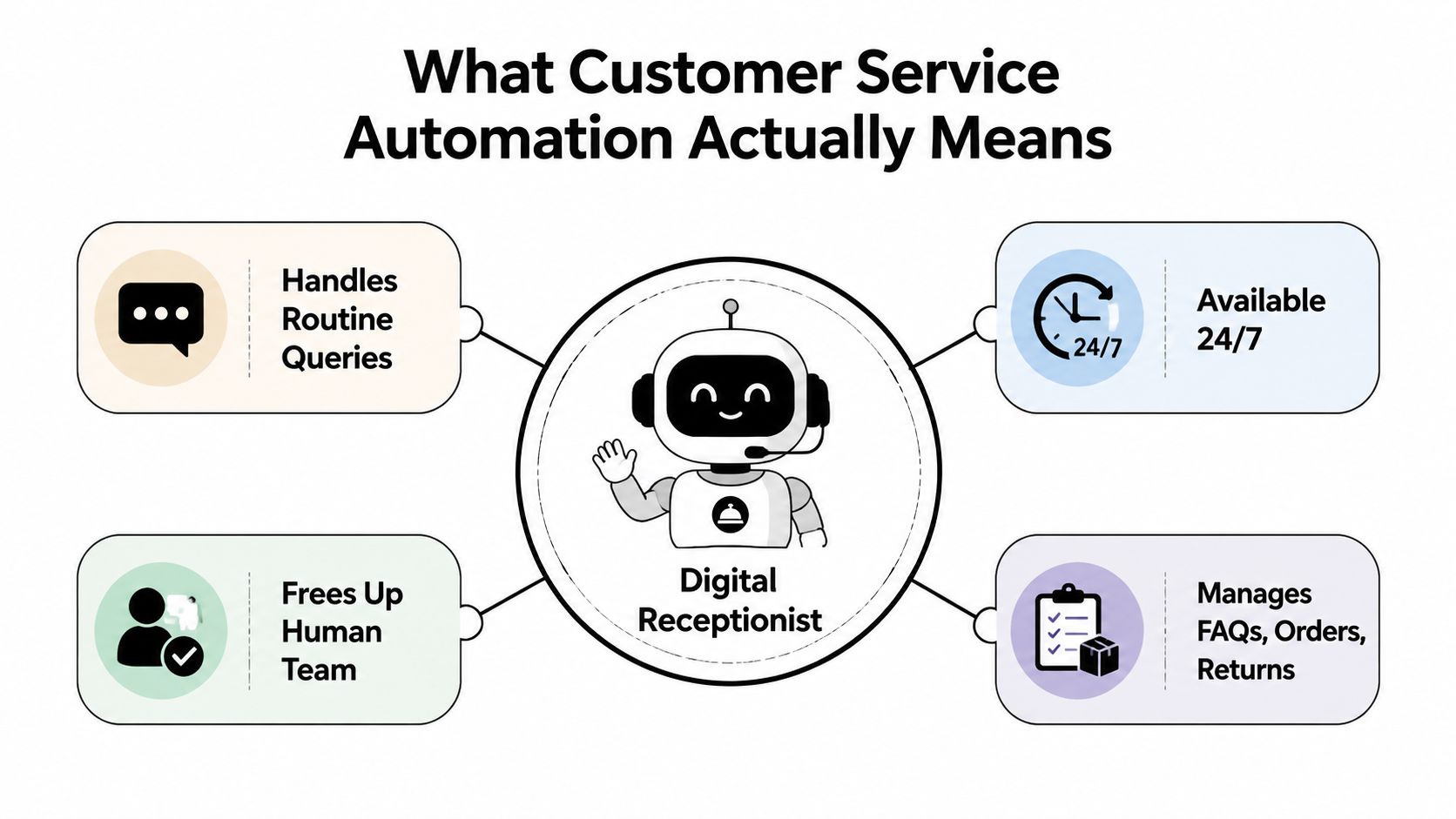
Think of customer service automation as a digital receptionist. It welcomes customers, answers routine questions, collects information, checks approved data and directs anything more complicated to the right person.
It can operate through a website chat widget, email workflow, telephone system, customer portal or CRM. The technology varies, but the purpose is consistent, reduce repetitive manual work without making customers fight for human help.
Four practical components
- AI chatbots: These interpret natural-language questions and answer approved FAQs, such as delivery times, opening hours, booking conditions or returns instructions.
- Interactive voice response: An IVR system answers calls, gathers the reason for contact and routes the caller. Good IVR gets customers to the right team quickly. Bad IVR makes them listen to irrelevant options.
- Self-service knowledge bases: These organise reliable answers in one searchable location. A chatbot can use the same information, which helps reduce contradictions between your website and support team.
- Intelligent ticket routing: Automation tags enquiries and sends them to the appropriate person. A damaged parcel shouldn't land in the same queue as a request for an order number.
Modern tools can understand intent rather than match an exact keyword. A customer who writes “the parcel still hasn't arrived” should reach a delivery workflow even if they don't use the phrase “order status”.
That said, automation isn't magic. It needs accurate information, clear business rules and access to relevant systems. A chatbot that cannot check an order should not pretend it can. It should explain what it can do and offer a direct route to someone who can investigate.
What automation isn't
It isn't a replacement programme for every support role. It isn't a cheap bot placed over a broken customer journey. It isn't a reason to hide your telephone number or remove email support.
The strongest setup combines automation with visible human escalation. The system handles predictable work, then passes the conversation, customer details and previous answers to an agent so the customer doesn't have to start again.
The following video provides a visual introduction to the digital receptionist model:
For a small WordPress business, this might begin with a chatbot and a structured FAQ page. A WooCommerce shop could add order lookup later. A growing service firm might connect chat, email and CRM records so every enquiry has an owner and a history.
The Costs and Consumer Preferences Behind Automation
A Dorset business can cut repetitive support work without forcing every customer into a bot. That balance matters because the operational case for automation and customer preference do not always point in the same direction.
The UK automation study from Eptica and Enghouse recorded chatbot usage at 5.5 million monthly contacts, well below the volume handled through human-assisted channels. Routine demand still sits heavily in email, telephone and chat queues. The opportunity is to divert suitable requests, not to automate every conversation.
Cost matters, but context matters more
The cited analysis put self-service at about £3.37 per interaction, chat at about £3.82, and email at about £4.00. Telephone handling cost more than those listed live channels. These figures show why reducing avoidable agent work has commercial value, but they do not predict your own software or staffing costs.
| Support channel | Manual cost per interaction | Automated cost per interaction | Typical volume share |
|---|---|---|---|
| Self-service | Not applicable | About £3.37 | Varies by business |
| Live chat | About £3.82 | Not provided | Varies by business |
| About £4.00 | Not provided | Varies by business | |
| Telephone | Higher than the listed live channels | Not provided | Varies by business |
Use the table as a starting point, then measure your own contact volume, handling time, staffing, software fees and escalation rate. Automation that creates failed conversations or repeat contacts can erase its expected saving.
Customers still want access to people
A CCMA-supported UK chatbot study found that six in ten consumers were happy to use chatbots when the chatbot solved their query. The same source reported that a later UK survey found 83% preferred speaking to a real person, while only 4% preferred a virtual agent or chatbot.
The 2025 UK consumer survey reported that 70% wanted a human when explaining specific situations, 42% preferred speaking to a live agent by phone, and 25% tried to reach a person immediately after encountering automation.
Automation wins when it removes waiting. It fails when it removes access to judgement.
For a Dorset B&B, automated booking amendments can handle straightforward requests. A serious complaint needs a named person who can listen, decide and take responsibility. Set automation to collect information and resolve simple demand, then provide a clear human handoff when the situation needs judgement.
The same principle applies to wider digital investment. This guide to whether SEO is worthwhile for small businesses explains how to judge whether another system will remove friction or just add cost. Choose automation for measurable workload reduction, not because a bot looks modern.
Which Interactions to Automate and Which to Keep Human
Use a simple test before automating any workflow. Predictable, data-driven requests with a clear outcome are strong candidates. Requests that need empathy, judgement, negotiation or accountability should reach a person quickly.
Start with the safe, repetitive work
Order status is usually a better first project than complaints. The system can authenticate the customer, check the shop platform and show the latest approved status. Password resets, opening hours, appointment confirmations and basic policy questions follow the same pattern.
A Dorset accommodation provider can automate booking confirmation, arrival instructions and a request to modify dates. A local retailer can automate stock questions, delivery information and the first step of a return. These tasks have clear rules and don't normally require an employee to make a discretionary decision.
| Interaction type | Automate or human | Why |
|---|---|---|
| Order status | Automate | The answer comes from structured order data. |
| Password reset | Automate | A defined security workflow can guide the customer. |
| Opening hours and location | Automate | The information is stable and easy to verify. |
| Booking modification | Automate first, then escalate | The system can collect details, but exceptions need review. |
| Returns request | Automate intake | The workflow can gather order and product information. |
| Damaged goods dispute | Human | The outcome may require evidence, discretion and empathy. |
| Complex billing dispute | Human | Customers need explanation and accountable decision-making. |
| Serious complaint | Human | A scripted answer can make frustration worse. |
| Vulnerable or distressed customer | Human | The interaction needs sensitivity and careful judgement. |
Design the handoff before the automation
A bot should recognise signals such as repeated failed answers, negative language, a request for a manager or a problem outside policy. It should then offer a human route, explain what happens next and preserve the conversation history.
A customer journey mapping process can help you identify where customers ask for help and where a poorly placed bot would interrupt a more important conversion or service moment.
The aim isn't maximum containment. It's appropriate containment. A lower automation rate can still be a success if it removes simple contacts while improving the quality and speed of complex escalations.
Building Your Automation Stack with WordPress and CRMs
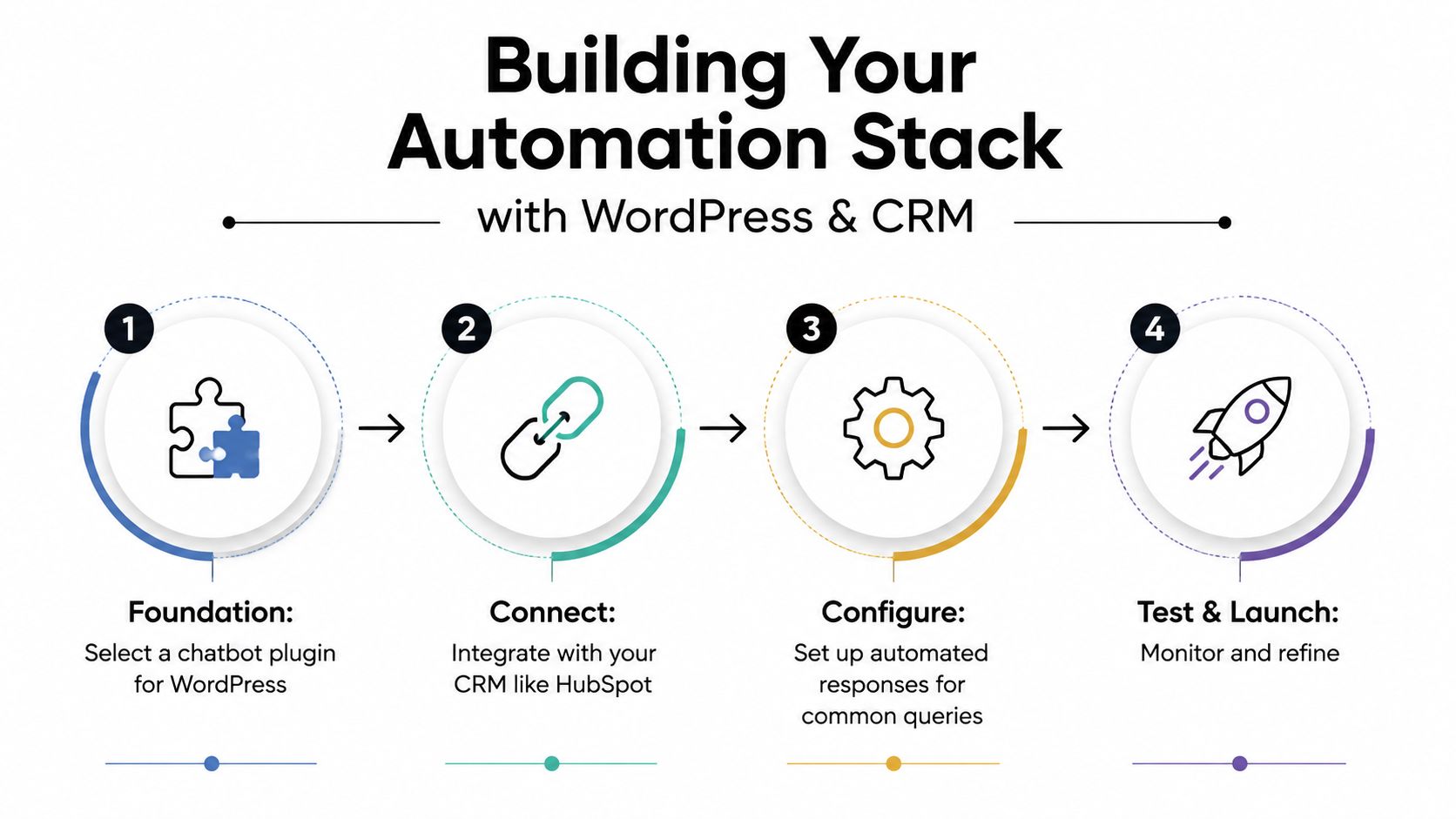
Small businesses rarely need a custom platform from scratch. Most can build a useful stack around WordPress or WooCommerce, a live chat or chatbot tool, a CRM and a few well-chosen connections.
Build the foundation first
Start with the website. Tidio, ChatBot and Tawk.to are familiar options for teams that want a WordPress chat layer without a large development project. Choose based on the conversations you need to handle, the integrations available and how easily a customer can reach a human.
Then connect the tool to your CRM. HubSpot, Zoho and Pipedrive can hold contact details, notes, lead status and service history. Every meaningful automated interaction should be attached to the correct customer record. Otherwise, your team ends up with orphaned conversations and no useful context.
Data rule: Clean the CRM before you automate it. Duplicate contacts and outdated fields produce faster confusion, not better service.
Add order and workflow data
For WooCommerce shops, connect the chatbot to order information so customers can check status without an agent copying details between systems. Keep permissions narrow. The system should reveal only the information needed for that request, and it should escalate when an order needs investigation.
Use native WordPress plugins where they meet the requirement. Use Zapier or another low-code connector when you need to pass a form submission, tag a contact, create a ticket or trigger a follow-up. Don't build a complex chain just because the software allows it.
A phone-heavy business should also review practical customer callover features when missed calls and overflow enquiries are costing opportunities. The right call-handling process can complement website automation rather than forcing every customer into chat.
Match the stack to your stage
- Bootstrapped: Use a basic WordPress chat widget, a tidy FAQ library and simple CRM logging. Keep the workflow narrow.
- Growth: Add WooCommerce order lookup, automated ticket tagging, CRM triggers and a maintained knowledge base.
- Scaling: Consider connected voice, chat, reporting and agent-assistance tools, but only after the earlier workflows work reliably.
Your website also needs a dependable technical foundation. Managed WordPress hosting can reduce the maintenance burden when your site supports forms, shop functions and customer conversations.
DesignStack can also be considered for WordPress builds and online systems where automation needs to fit the wider website rather than sit on top as an afterthought. Keep the scope focused, document every workflow and test the human handoff before launch.
Measuring Success with the Right KPIs and ROI Metrics
A chatbot dashboard can make activity look impressive without proving that service improved. Track the operational measures that show whether customers got answers faster, whether agents received better work and whether automation reduced total effort.
The 2024 UK Contact Centre Decision-Makers' Guide recorded an average speed to answer of 116 seconds and identifies abandonment rate, first-call resolution, transfer rate and cost per call as core measures.
Use a small, disciplined scorecard
| KPI | UK benchmark or target | How to measure |
|---|---|---|
| Average speed to answer | UK benchmark of 116 seconds in the cited 2024 guide | Compare queue performance before and after deployment. |
| Abandonment rate | Track movement after automation | Measure contacts ending before an agent answers. |
| First-call resolution | Track movement after routing changes | Record whether the issue ends during the first interaction. |
| Transfer rate | Track movement after triage | Count how often customers move between handlers. |
| Cost per call | Track movement after containment | Divide support costs by completed calls. |
| Containment rate | Use as an internal trend, not a vanity figure | Count conversations resolved without human escalation. |
| Escalation quality | Review samples manually | Check whether the agent receives context and the customer avoids repetition. |
The benchmark doesn't give you a universal target for every business. It gives you a structure for judging whether automation reduces queue pressure or moves work into another channel.
Calculate the commercial result
List the full monthly cost of the tools, setup, maintenance and staff time used to manage them. Then compare that with reduced manual handling, fewer avoidable calls and the additional customer capacity your team can serve.
Don't treat containment as success on its own. A customer who abandons a conversation isn't a successful deflection. Pair containment with satisfaction feedback, repeat contacts, escalation outcomes and complaint volume.
A simple monthly review can fit on one page:
- Contacts by channel.
- Top automated intents.
- Successful resolutions.
- Escalations and repeat contacts.
- Speed to answer and abandonment.
- Agent comments on poor handoffs.
- One workflow to improve next month.
For broader measurement discipline, connect service data with website analytics guidance so enquiries can be judged alongside conversions and customer behaviour.
Risks and Mistakes That Undermine Automation Efforts
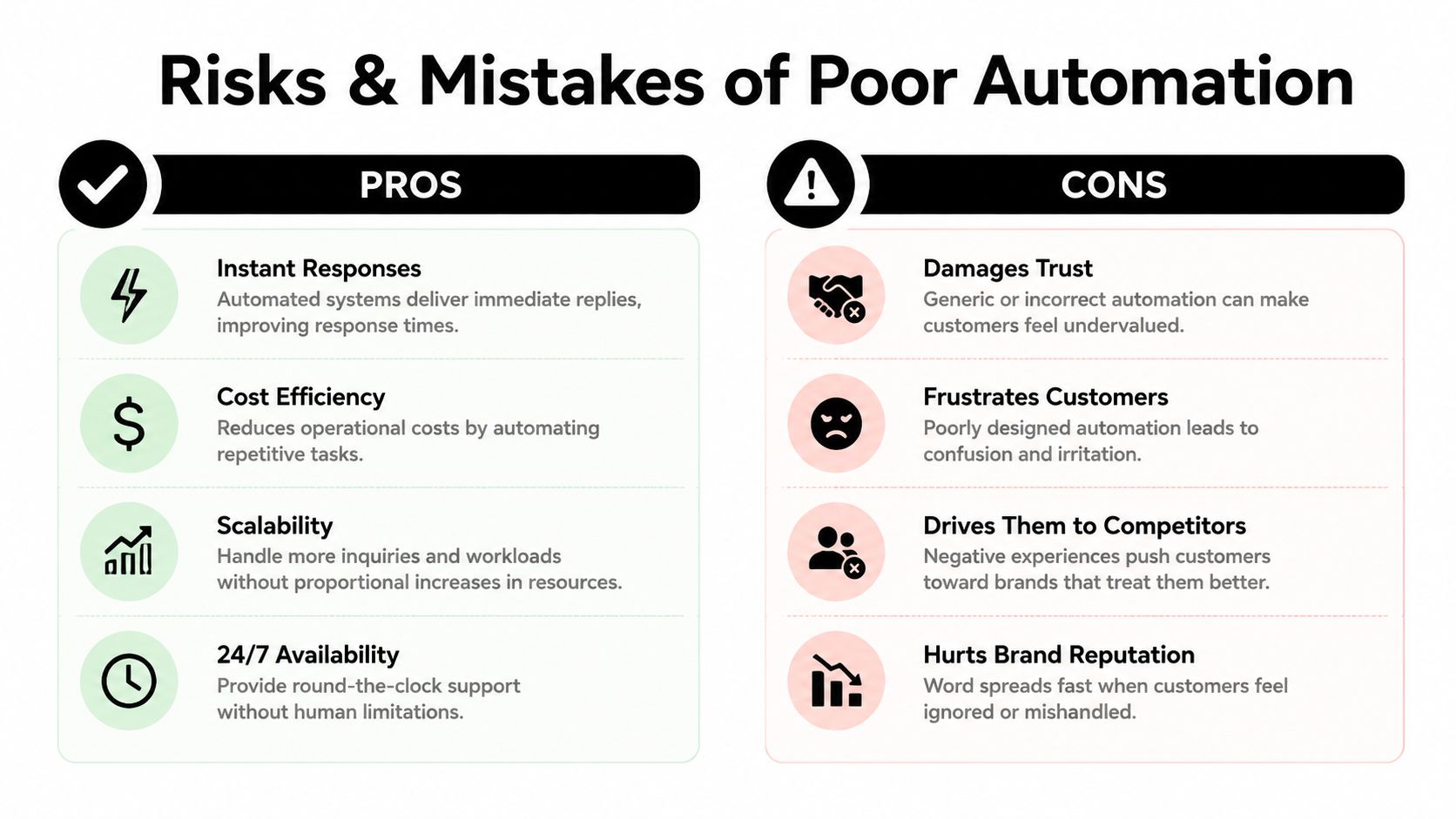
Automation doesn't damage trust by existing. It damages trust when a business uses it to avoid responsibility.
The most common failure is over-automation. A customer reports damaged goods, disputes a charge or explains a complicated situation, and the system responds with a generic policy link. The business has saved no meaningful effort because the customer still needs help, but the relationship has already deteriorated.
The trust gap is operational
A CCMA 2025 technology report reported that one in six UK contact centres had deployed generative AI capabilities. The same report noted that 66% were using or piloting AI, 20% planned implementation in 2025/26, and 52.6% reported rising agent workload.
Those figures matter because adoption alone doesn't make a process successful. A separate UK consumer finding in the same verified evidence reported 45% were comfortable with chatbots, 36% were uncomfortable, and 32% said AI had made their service experience worse.
Protect the customer and the business
- Give customers an obvious exit: Show the human option without making people argue with the bot.
- Keep information current: Assign an owner to review policies, delivery details, prices and opening hours.
- Protect personal data: Check UK GDPR requirements, permissions, retention and supplier responsibilities before connecting customer records.
- Test integrations: Make sure the bot, CRM, order system and ticket queue share the correct information.
- Review failed conversations: Read transcripts regularly and update flows based on real misunderstandings.
- Plan for service disruption: Provide an alternative route when the chatbot, website or connected system is unavailable.
A successful automation system is maintained like a member of staff. It needs oversight, training data, clear boundaries and someone accountable for its decisions.
Your Getting Started Checklist for Dorset and UK Businesses
Start with an audit, not a software subscription.
- List the enquiries: Review your inbox, phone notes, contact forms and chat history. Group requests by frequency, complexity and business risk.
- Choose one safe workflow: Begin with order status, opening hours, booking confirmations, appointment changes or another predictable request.
- Check your systems: Confirm whether WordPress, WooCommerce, Shopify, HubSpot, Zoho or Pipedrive holds the information automation needs.
- Clean the data: Remove duplicate contacts, correct outdated policies and decide which information the system may access.
- Write the escalation rules: Define when a person must take over, who receives the case and what information they need.
- Pilot before expanding: Test the workflow with real phrasing, unusual requests and failed attempts to reach a human.
- Train the team: Show staff how to review conversations, correct answers and handle escalated cases.
- Consider seasonal demand: Dorset tourism and hospitality businesses should test booking, arrival and cancellation workflows before their busiest trading period.
- Review compliance: Check UK GDPR, consent, access controls and data retention with the relevant suppliers and advisers.
- Measure the first 90 days: Monitor speed to answer, abandonment, first-contact resolution, containment and escalation quality.
Budget tiers should be treated as planning bands rather than promises. A basic stack can start with a modest chat tool and existing systems. A growing business may need CRM and e-commerce connections. A larger operation may justify connected voice, reporting and agent-assistance tools.
For local firms balancing online visibility with practical digital improvements, digital marketing for local businesses can help place automation within a wider customer journey.
DesignStack helps Dorset businesses plan and build WordPress websites, e-commerce systems and practical customer workflows that support automation without losing the human handoff. Visit DesignStack to discuss a focused project, from a cleaner website and CRM connection to a more reliable customer service process.



Leave a Reply