

Mastering Analytics for Websites in 2026
You've probably had this experience. You log into your website analytics, see a dashboard full of lines, labels, and charts, and still don't know whether your site is helping the business or getting in the way.
That's normal. Most small business owners don't need more reports. They need clearer answers. Which pages are pulling people in? Which ones are putting them off? Which marketing efforts are worth paying for? And how much of the data can you even trust now that cookie consent affects what gets tracked?
That's where analytics for websites becomes useful. Not as a technical exercise, but as a practical way to make better decisions about design, content, speed, and marketing.
Table of Contents
- What Are Website Analytics Really
- The Essential Website Metrics to Track
- How to Turn Analytics Data into Business Growth
- Website Analytics and UK Privacy Laws
- An Overview of Popular Analytics Tools
- Your Analytics Action Plan with an Agency
What Are Website Analytics Really
Website analytics is just a way of observing what people do on your site.
A simple way to think about it is this. Your website is a shop, even if you don't sell products online. A visitor walks in, looks around, pauses at certain displays, ignores others, then either asks for help, buys something, or leaves. Analytics is the shopkeeper who notices those patterns all day long.
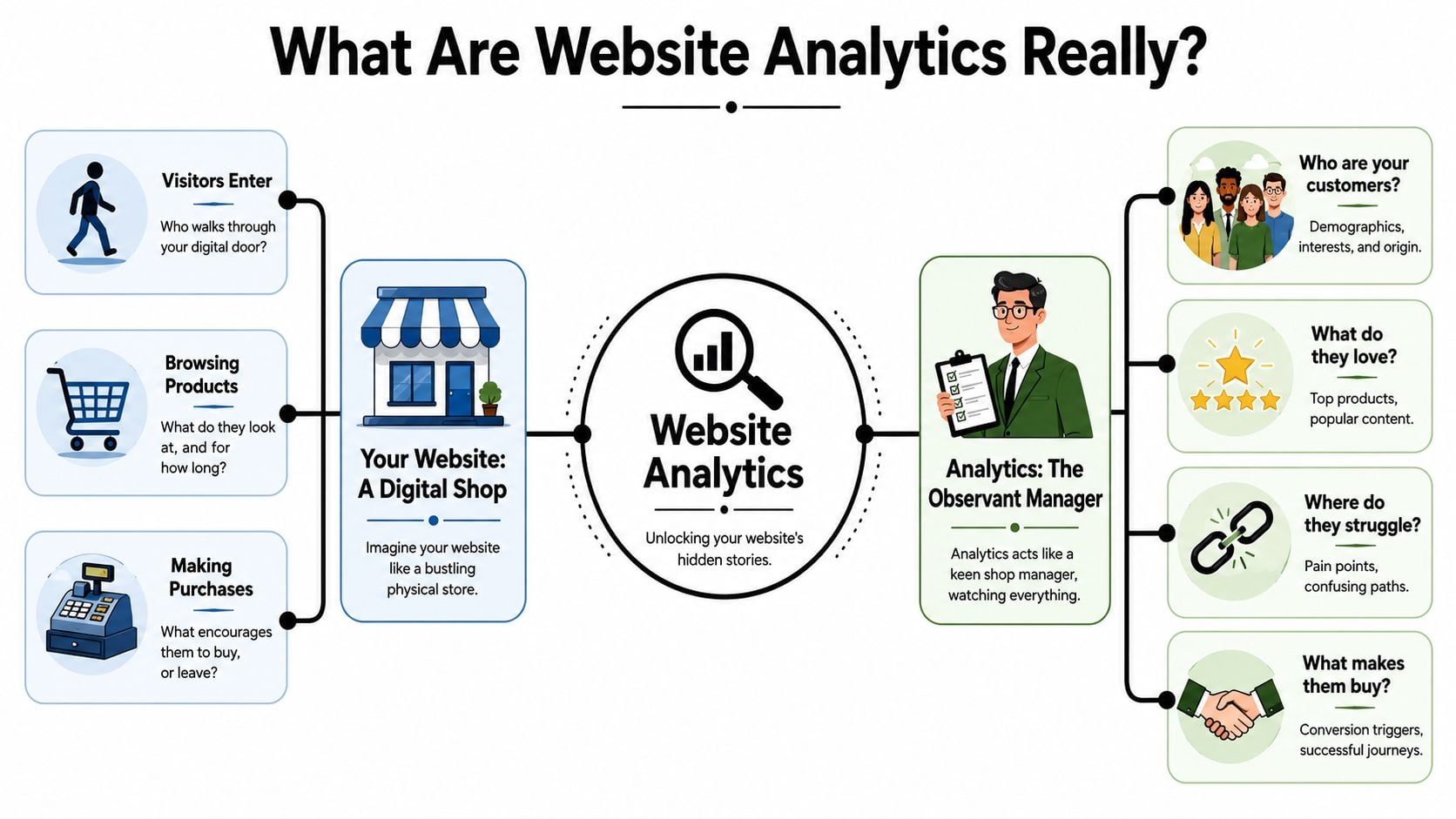
Think like a shopkeeper
In a physical shop, you'd naturally ask questions like these:
- Where did people come from? Did they walk in because they saw your sign, heard about you from a friend, or came straight from a local event?
- What did they look at first? Did they head to the front display, the till, or a side shelf?
- Where did they hesitate? Did they look confused, turn around, or leave quickly?
- What led to action? Did they ask a question, pick up the phone, or make a purchase?
Analytics for websites asks the same questions online.
That's why it matters. Without it, you're guessing. You might redesign the homepage when the underlying issue is a slow service page. You might pay for more social media traffic when your best visitors come from search or email.
What analytics actually watches
Most platforms track a few core behaviours:
- Visitors and active users tell you how many people are coming to the site.
- Sessions help you understand how often they come back and interact.
- Landing pages show which page people saw first.
- Behaviour flow reveals where they go next.
- Conversions track whether they completed a useful action such as filling in a form or buying a product.
If that sounds abstract, bring it back to the shop. A landing page is your front window. A service page is an aisle. A contact form is the till. A conversion is someone taking the next step you care about.
Practical rule: If a metric doesn't help you decide what to improve, it's probably not worth your attention yet.
For many businesses, the first useful question isn't “How many pageviews did we get?” It's “Did the right visitors arrive, find what they needed, and move closer to becoming a customer?”
If you want a plain-English way to connect measurements with outcomes, this guide on how to measure website success is a helpful next read.
The Essential Website Metrics to Track
A good dashboard should work like a quick glance around a shop floor. You want to know how many people came in, which entrance they used, where they hesitated, and whether they bought or asked for help. If you only watch traffic totals, you miss the part that affects revenue.
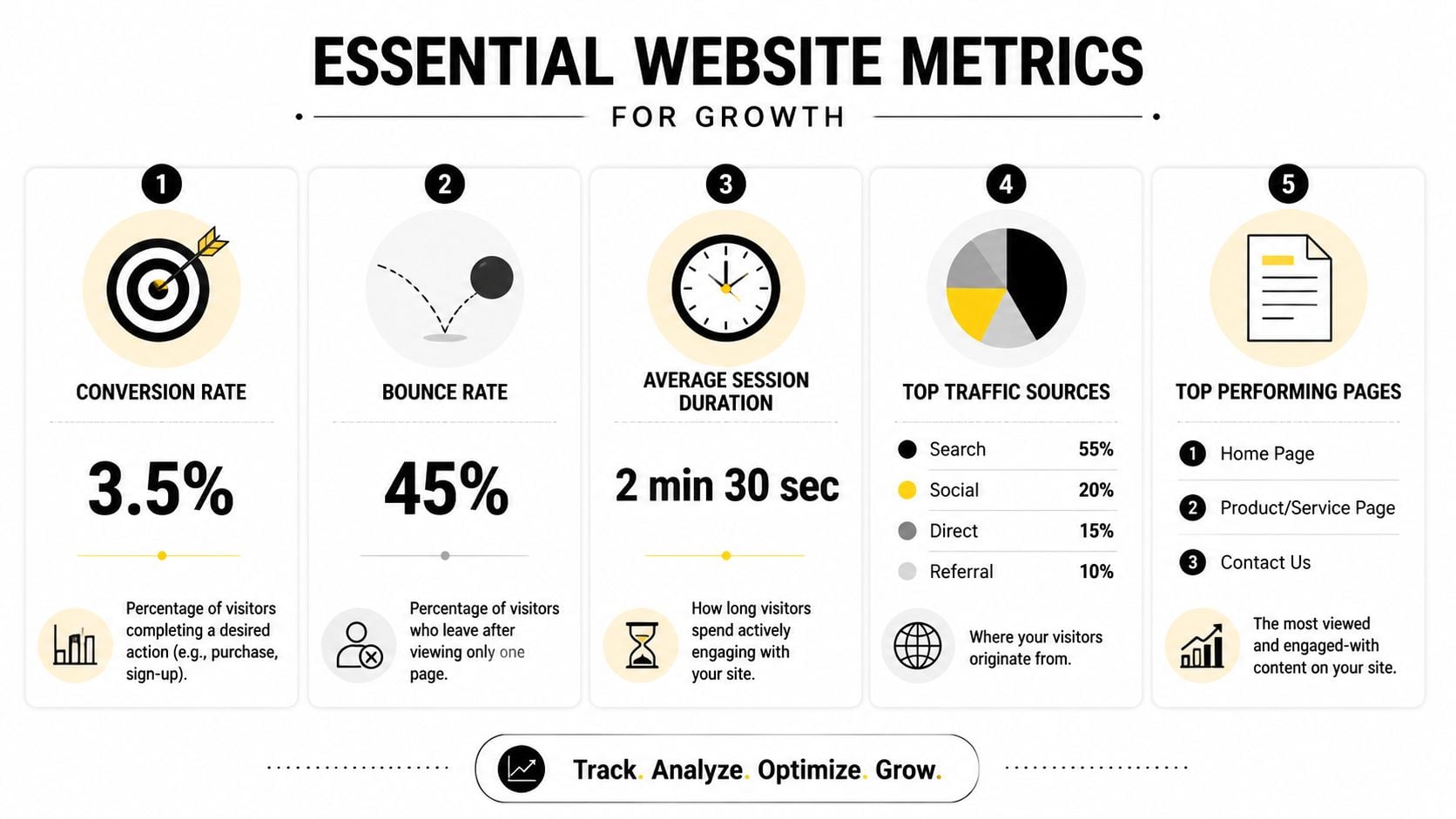
For a UK small business, a short list usually does the job better than a crowded report. These are the metrics worth checking first, along with the business question each one answers.
Users or active users
Your rough footfall number. This helps you see whether awareness is growing and whether recent marketing activity brought more people in.Sessions
Visits, not just people. If sessions rise faster than users, that can point to repeat interest, return visits, or people comparing options before they contact you.Bounce rate
A warning light, not a verdict. If a page has a high bounce rate, visitors may have found the page irrelevant, confusing, slow, or complete enough that they left without taking the next step. The number only becomes useful when you compare it with page type and intent.Session duration or engagement time
A clue about attention. Longer engagement can suggest visitors are reading, watching, or exploring. Very short visits often mean the page did not answer the question quickly enough.Top landing pages
Your real front doors. Many visitors never see your homepage first, so these pages deserve the same care you would give a shop window or reception desk.Mobile vs desktop traffic
A practical priority check. If a large share of visitors arrive on phones, button size, form length, page speed, and layout matter more than desktop polish.
The useful part is reading these metrics together rather than one by one.
| Metric | What it often suggests | What to check next |
|---|---|---|
| Users rising | More people are finding the site | Which channel, campaign, or page caused the increase |
| Bounce rate high on a key page | The page may not match visitor intent | Headline clarity, page speed, mobile layout, next step |
| Engagement time low | People may not be finding value quickly | Opening copy, structure, readability, trust signals |
| Landing page traffic high | The page is attracting attention | Whether visitors click, call, buy, or enquire |
| Mobile traffic strong | Phone experience has a direct effect on results | Menus, forms, tap targets, image size, loading time |
Here is where new clients often get stuck. They see a high bounce rate and assume the traffic is poor. Sometimes the traffic is fine. The page may just be awkward on mobile, slow to load, or too vague at the top.
There is another complication for UK businesses. Cookie consent rules can make your analytics less complete, especially in GA4 or similar tools. If some visitors decline tracking, your user counts, session totals, and conversion paths may be under-reported. That does not make analytics useless. It means you should read trends with a bit more care, compare multiple signals, and avoid treating any one metric as perfect.
A practical example helps. If your service page gets strong traffic, weak engagement, and very few enquiries, ask three simple questions. Does the page clearly say what you do in the first screen? Is the next step obvious on a phone? Are you asking for too much in the form? Those answers usually matter more than staring at the raw numbers.
For online shops, this becomes even more important when people browse across several visits or devices before buying. The same logic applies if you are experimenting with guided buying tools such as an AI shopping agent, where the goal is not more clicks for their own sake, but fewer drop-offs between interest and purchase.
Judge each metric by the decision it helps you make.
If you want a clearer way to connect these numbers to missed enquiries and sales, this guide to funnel analysis for websites shows how visitors move from one step to the next.
How to Turn Analytics Data into Business Growth
A good analytics report works like a shopkeeper watching where customers pause, what they pick up, and where they walk away. The value is not in counting footsteps. The value is in changing the shop so more people buy.
That is the shift that helps UK SMBs. You are not collecting website data to admire graphs. You are using it to spot friction, fix it, and see whether enquiries or sales improve. Because cookie consent rules can hide part of the journey, the aim is not perfect counting. It is better decisions.
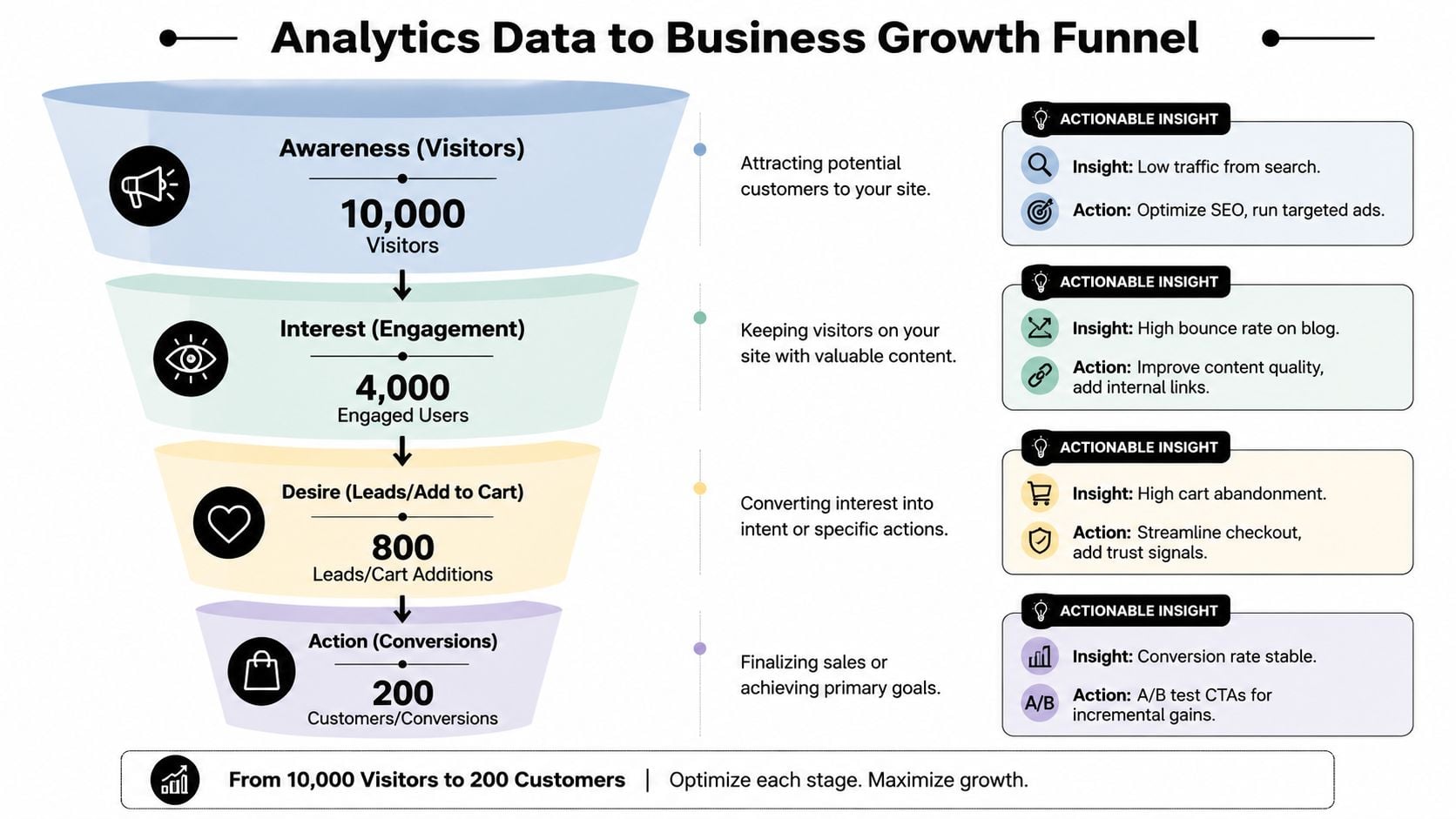
When traffic is high but enquiries are low
This is one of the clearest signs that a page is attracting attention but not giving visitors enough confidence to act.
A service page might rank well and bring in plenty of visits, yet produce very few calls or form fills. In plain English, people are arriving, scanning, and deciding, "This is not quite for me," or, "I am not sure what to do next." For a local accountant, trades business, clinic, or B2B supplier, that often comes down to message match. The page may answer the topic, but not the buying question.
Start with three checks:
- Check the promise at the top of the page. Does it quickly say who you help and what problem you solve?
- Check the next step. Is there a clear button, phone number, or short form within easy reach on mobile?
- Check intent match. If someone lands on a page about boiler servicing, are they being asked to do something specific to that service, rather than being pushed to a generic contact page?
Small changes here can have a direct business effect. A clearer headline, a stronger service-specific call to action, or fewer distractions can turn existing traffic into more enquiries without buying more clicks.
For businesses selling products, the same logic applies to guided buying journeys. If you are exploring ways to support decision-making during the path to purchase, this explainer on building an AI shopping agent gives useful context.
When page speed is the underlying issue
Sometimes the page copy is fine. The page just loads too slowly for busy visitors on phones.
That is like a shop door sticking just as someone tries to enter. Some people wait. Many do not.
Google explains in its Core Web Vitals documentation that loading speed, visual stability, and responsiveness affect how people experience a page. For a small business website, that matters because a slow landing page can waste paid traffic, reduce enquiry starts, and make mobile users leave before they even read the offer.
Use your analytics with a simple question in mind. Are people rejecting the message, or are they giving up before the message appears?
A practical check looks like this:
- If visitors arrive and leave quickly, test load time before rewriting the page.
- If mobile performance is weaker than desktop, review large images, scripts, and layout issues on smaller screens.
- If one campaign page underperforms, compare its speed and layout against a stronger page serving a similar audience.
A slow page can block sales before your offer gets a fair chance.
Then compare behaviour before and after the speed fix. You are looking for longer engagement, more scroll depth, stronger enquiry intent, and more completed actions.
Here's a useful walkthrough if you want a visual break before applying this thinking to your own site.
When marketing channels are muddled together
Many small businesses put paid search, social, email, referrals, and organic traffic into one mental bucket. That makes budgeting harder than it needs to be.
A better approach is to treat each channel like a different type of footfall. Someone clicking a Google ad is often closer to action than someone casually arriving from social media. Someone from email may already know your business. If you blend them together, you can spend more on the wrong source and cut back on the right one.
The useful question is not "Which channel got the most visits?" It is "Which channel brought the most useful visits?"
The Google Analytics help documentation on traffic acquisition reporting is a solid reference for reviewing where visits come from and how those segments behave. For a UK SMB, the practical use is straightforward:
- If paid traffic brings clicks but not enquiries, check whether the ad promise matches the landing page.
- If email traffic produces stronger leads, give that list and offer more attention.
- If social traffic reads but rarely converts, use it as awareness support and judge it differently from search or email.
Consent-related gaps matter too. If cookie choices reduce tracking, channel totals may be incomplete. You can still compare trends, landing page quality, lead quality, and sales outcomes. That gives you a more grounded view than chasing exact visitor counts.
If you want a clear next step after spotting weak pages or weak channels, this guide on how to improve website conversion rate is a useful follow-on.
Website Analytics and UK Privacy Laws
A lot of business owners still treat analytics as a full headcount. It isn't.
Why your numbers are incomplete
In the UK, only about 25.4% of users accept all cookies, and that can cause data drops of 15% to 60% in analytics platforms, according to this UK-focused explanation of analytics undercounting.
That means your dashboard may only be showing part of the picture.
If you saw “1,000 visitors” in a report, it would be tempting to treat that as fact. Under current privacy conditions, it's better treated as a tracked sample. Useful, yes. Complete, no.
What to do instead of chasing exact counts
The smarter approach is to look for movement, not perfection.
Use analytics to answer questions like these:
- Are enquiries trending up or down over time?
- Is one landing page improving after a rewrite?
- Are mobile users behaving differently after a design change?
- Did a campaign bring more of the right kind of visits than last month?
Then pair those numbers with non-cookie signals:
- Contact form quality tells you whether leads are becoming more relevant.
- Sales or support emails reveal what visitors still can't find.
- Search logs on your site show what people expected to see.
- Download logs, ticket themes, and social replies can highlight content gaps or broken journeys.
Treat analytics as one lens, not the whole picture.
That shift helps you avoid bad decisions. A page may look quiet in analytics but still generate phone calls. A campaign may appear weak in tracked sessions but produce strong offline enquiries. In a privacy-first setting, business context matters more than dashboard neatness.
An Overview of Popular Analytics Tools
You don't need to become a tool expert. You just need to know the shape of the options.
A simple comparison
Here's the plain-English version:
| Tool | Best known for | What SMBs should know |
|---|---|---|
| Google Analytics 4 | Broad adoption and deep reporting | Powerful, flexible, and often more complex than owners expect |
| Matomo | More control over privacy and data handling | Useful for organisations that want stronger ownership of their analytics setup |
| Plausible | Lightweight, privacy-focused reporting | Easier to read, often a better fit for teams that want simplicity |
| HubSpot analytics | Built-in reporting around marketing and contacts | Helpful if your site, forms, and CRM already sit in HubSpot |
Google Analytics 4 is still the tool many agencies and businesses use first. It can track journeys, conversions, and traffic sources in detail, but it also asks more from setup and interpretation.
Privacy-focused alternatives reduce complexity for some teams. The trade-off is that they may offer a narrower view, especially if you want detailed event tracking or deep campaign analysis.
One practical option is to use a specialist for setup and reporting rather than trying to configure everything yourself. DesignStack offers website analytics support alongside WordPress builds, and its Google Analytics 4 tips and tricks guide gives a useful overview if GA4 is already on your radar.
Your Analytics Action Plan with an Agency
It often starts the same way. A business owner logs into analytics after a quiet month, sees a tangle of charts, and still cannot answer the question that matters most. Why did enquiries drop, and what should we change this week?
That is where an agency can help, if the work stays tied to business decisions rather than dashboard screenshots. For a UK SMB, analytics should work like a shopkeeper watching how people move through the store, which shelf they stop at, and where they leave without buying. The point is not to admire the footfall. The point is to improve the shop.
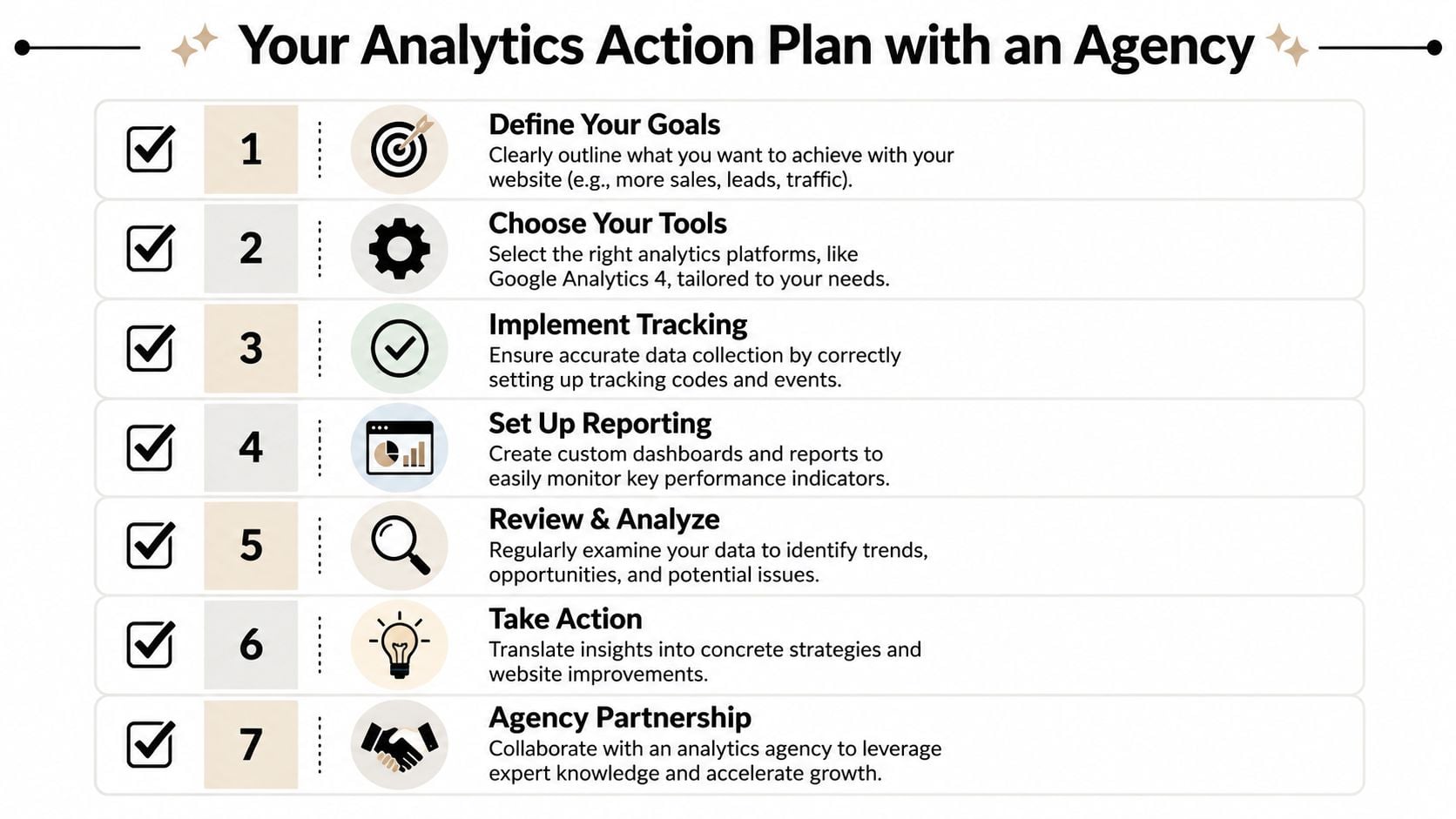
Start with one business goal
Choose the result that matters most over the next quarter.
That might be more quote requests, more booked calls, more online sales, or better leads from one service page. A single goal gives the agency a clear target and stops reporting from drifting into trivia. If every metric gets equal attention, the numbers become noise.
A good test is simple. If the goal improves, does the business feel it? If the answer is yes, you are probably measuring the right thing.
Make sure the tracking matches the goal
Many setups go wrong. A business wants more leads, but the tracking only records pageviews. Or it records form submissions but misses phone calls. Or cookie consent settings block part of the journey, so the reports look weaker than reality.
For UK businesses, that last point matters more than many owners realise. If a visitor declines analytics cookies, some tools will miss sessions, traffic sources, or conversion paths. So an agency should not treat reported numbers as a perfect headcount. It should explain where data may be incomplete and look for patterns strong enough to guide decisions anyway.
A sensible setup usually includes:
- Goal tracking for forms, calls, purchases, or other lead actions
- Traffic source reporting so SEO, paid ads, email, and referrals are separated clearly
- Landing page reporting to show which pages create the first impression
- Consent-aware interpretation so dips and spikes are reviewed in context, not taken at face value
- Simple dashboards built around business questions
If you want a broader perspective on using data for digital marketing for real business growth, that article complements this step well.
Review regularly and decide what to change
A monthly review is enough for many SMBs. The value comes from the decisions made after the review.
A useful meeting usually answers three questions. What changed? Why did it change? What are we changing next?
For example, if a service page gets steady traffic but few enquiries, the next action might be to rewrite the call to action, shorten the form, or add clearer proof points. If paid traffic converts well on mobile but poorly on desktop, the agency might check page speed, layout, or message match. If enquiries fall after a cookie banner change, the agency should check whether tracking dropped, not just whether demand dropped.
The best reporting conversation ends with a shortlist. Fix this page. Pause this campaign. Test this message.
Working with an agency also gives someone clear responsibility for setup, checks, and follow-through. If you are comparing support options, this guide to choosing a marketing agency in the UK is a practical place to start.
If you want help turning analytics into clearer decisions about your website, content, and marketing, DesignStack can support the setup, tracking, and review process so your data leads to useful action rather than more dashboard confusion.



Leave a Reply