


How to Choose a Web Hosting Provider in 2026
Picking a web host might seem like a small, technical box to tick, but it’s one of the most important decisions you'll make for your business online. It’s not just about getting your website live; it's about making sure it’s fast, secure, and always available for your customers.
Why Your Hosting Choice Is a Critical Business Decision
Think of your web host as the foundation of your digital storefront. A solid foundation means your business is secure, easily accessible, and can handle plenty of foot traffic. A shaky one, however, can lead to slow service, security vulnerabilities, and frustrated visitors who won't stick around for long.
For any small business, the fallout from a poor hosting choice is immediate. A slow-loading website will sink in search engine rankings and drive away potential customers before they even see what you offer. Worse, a security breach could shatter your reputation overnight. That's why treating hosting as just another low-cost commodity is a huge mistake.
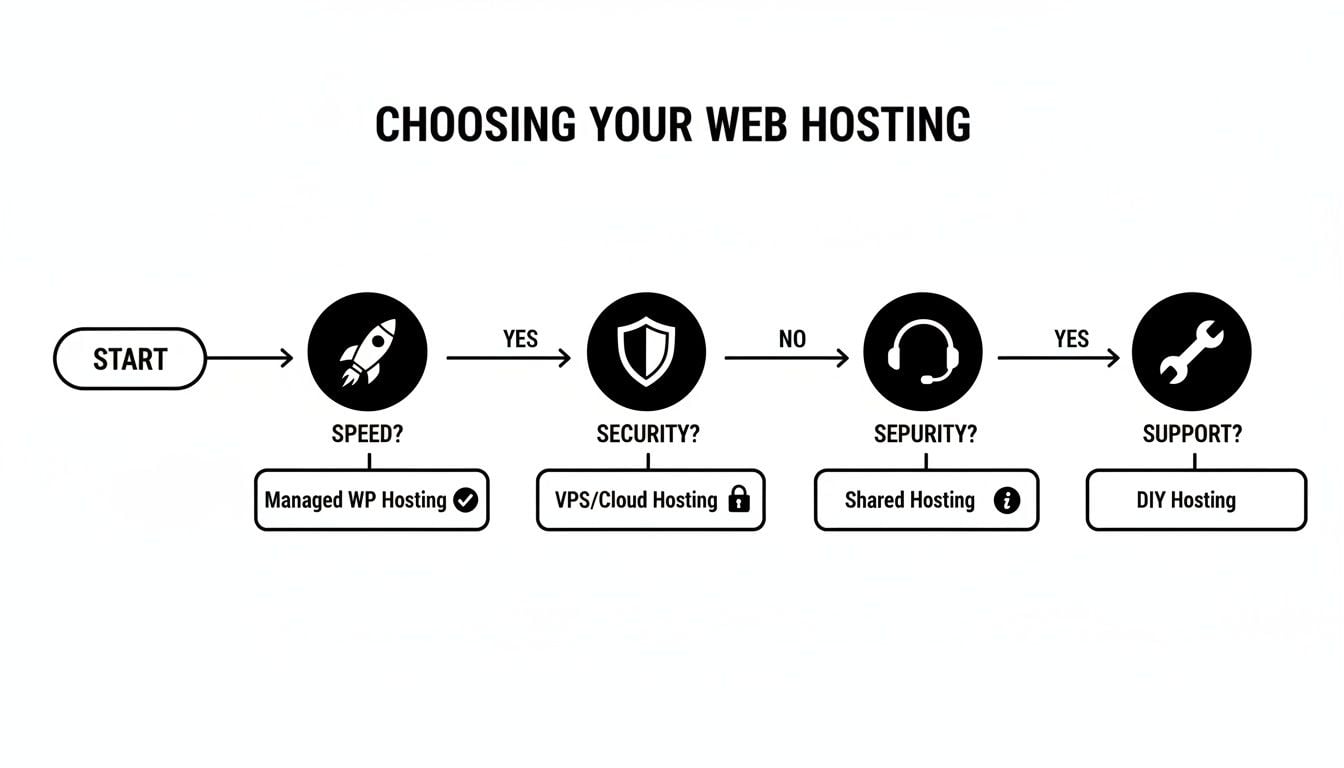
As you can see, the right choice always comes down to balancing three core pillars: speed, security, and support. Getting this balance right is what sets your business up for success.
More Than Just a Server
The hosting market itself has become incredibly crowded and complex. With projections showing the global web hosting market growing from $125.36 billion in 2025 to $355.81 billion by 2029, the competition is fierce. This boom brings more choice and better features, but it also creates a lot of noise. You're constantly bombarded with tempting, low-cost offers that often mask poor performance and hidden limitations.
Choosing a web host isn't just a one-off purchase; it's like entering into a long-term partnership. You're trusting them with the performance, availability, and security of your most important marketing asset. This decision deserves your full attention.
How to Approach Your Hosting Decision Strategically
To cut through the noise and avoid the common pitfalls, you need a clear strategy. Instead of just hunting for the cheapest deal, you should start by defining exactly what your website needs to perform at its best.
Here is an actionable checklist to help you make a smarter choice:
- Define Your Website's Purpose. Before looking at any plans, clearly state your website's primary goal. Is it an eCommerce store that needs top-tier security and speed for checkouts? Is it a high-traffic blog where performance is key? Or is it a simple portfolio where uptime is the main priority?
- Estimate Your Future Growth. Don't just plan for today. Think about where your business will be in one year. Will your traffic double? Will you be adding more products? Choose a host with a clear and easy upgrade path to accommodate your success without painful downtime or a complicated migration.
- Test Their Support Before You Buy. Don't wait for an emergency to discover their support is lacking. Use their pre-sales live chat to ask a specific technical question (e.g., "What is your process for malware removal?"). A quick, knowledgeable response is a great sign. A slow, vague one is a major red flag.
- Look Beyond the Advertised Price. Extremely cheap hosting often comes with hidden costs like slow speeds, poor security, and unreliable uptime. It's a classic case of getting what you pay for, and you can learn more about the hidden costs of cheap website design and how that same logic applies here.
Adopting this way of thinking moves you from simply buying a service to making a strategic investment in your business’s infrastructure. To simplify this process even further, let's break down the most important factors.
Quick Guide to Key Hosting Decision Factors
Here’s a summary of what you should be looking at when comparing different hosting providers.
| Decision Factor | Why It Matters for Your Business | What to Look For |
|---|---|---|
| Uptime Guarantee | If your site is down, you’re losing customers and revenue. Every minute of downtime hurts your reputation and bottom line. | A 99.9% uptime guarantee or higher. Look for a Service Level Agreement (SLA) that offers credits if they fail to meet it. |
| Performance/Speed | Site speed directly impacts user experience, SEO rankings, and conversion rates. Slow sites lose visitors fast. | Solid-State Drives (SSDs), server locations close to your audience, built-in caching, and a Content Delivery Network (CDN). |
| Customer Support | When technical issues arise, you need fast, expert help to get back online. Poor support can turn a small problem into a disaster. | 24/7 support via multiple channels (live chat, phone, tickets). Check reviews specifically mentioning support quality. |
| Security Features | Your website and customer data are valuable assets. A breach can destroy trust and lead to serious legal consequences. | Free SSL certificate, daily malware scanning, web application firewall (WAF), and DDoS protection. |
| Backups | Accidents happen. A reliable backup system is your safety net, allowing you to restore your site quickly after a hack or error. | Automated daily backups with an easy one-click restore process. Confirm how long backups are kept. |
These five factors are the bedrock of a good hosting experience. While things like price and storage space are important, they should never come at the expense of performance, security, or support. Getting these fundamentals right will save you countless headaches down the road.
What Are the Different Types of Web Hosting?
Walking into the world of web hosting can feel a bit like trying to decipher a foreign menu. You’re faced with a list of unfamiliar terms – Shared, VPS, Cloud, Dedicated – and it’s tough to know which one is right for your business website. Let’s cut through the jargon and figure this out.
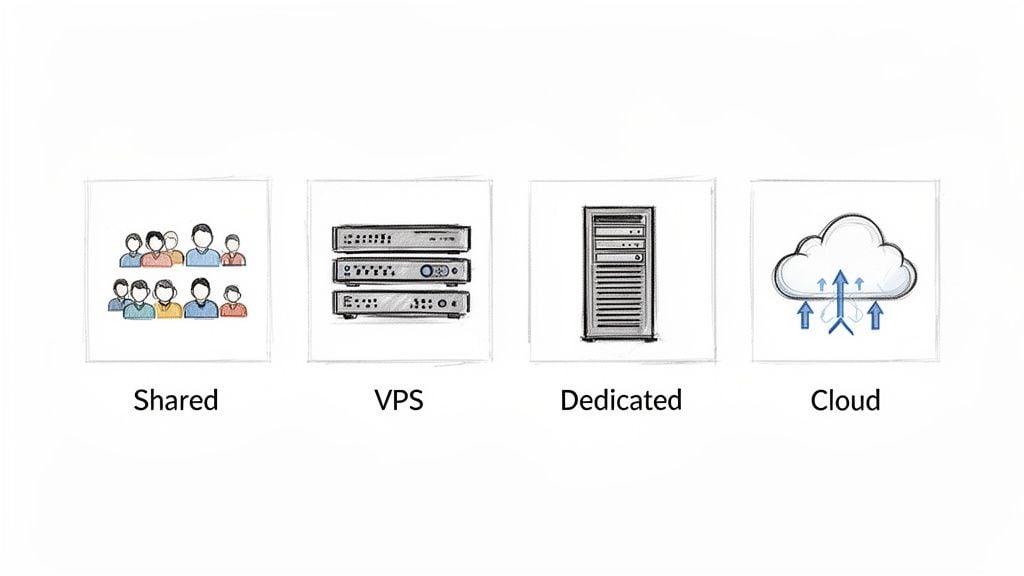
I find it helps to think of hosting like finding a place to live. You could rent a room, lease a flat, or own an entire building. Each choice comes with different costs, responsibilities, and benefits, and picking the right one from the start is key to your website's health and performance.
Shared Hosting: The Affordable Starting Point
Shared hosting is far and away the most popular entry point. It's the hosting equivalent of renting a room in a big, shared house. You get your own private space for your website files, but you have to share the building's main resources—like processing power (CPU), memory (RAM), and bandwidth—with everyone else living there.
This setup is absolutely perfect for new websites, personal blogs, or small businesses that are just getting online. For example, a local Dorset bakery launching its first simple brochure website would find a shared plan more than enough. It's cheap, cheerful, and you don't need to be a technical whizz to get started.
The trade-off? The "noisy neighbour" problem is a real thing. If another website on your server suddenly goes viral, it can hog all the resources and slow your site to a crawl. You also get very little control over the server's setup.
VPS Hosting: The Sensible Upgrade for Growth
Once you outgrow your shared house, you’ll start looking at a Virtual Private Server (VPS). This is like leasing your own self-contained flat inside a larger apartment block. While you still share the main building (the physical server), you have your own dedicated kitchen, bathroom, and living area. Your resources are yours alone, completely walled off from your neighbours.
A VPS strikes a fantastic balance between cost, performance, and control. It guarantees you a certain amount of server power and gives you the freedom to install custom software. This makes it the go-to choice for growing businesses, eCommerce stores that need to handle transactions securely, or any website that’s starting to see a serious increase in traffic. Performance is far more reliable than shared hosting, and you can easily upgrade your "flat" as your needs expand.
For most small and medium-sized businesses, a VPS is the sweet spot. It delivers the power and flexibility you need to grow without the hefty price tag or technical headache of a dedicated server.
So, how do you know it's time to make the move? Ask yourself these questions:
- Is my site getting sluggish? If you're on a shared plan and experiencing slow load times, that’s a red flag that you’ve outgrown your space.
- Do I need to install specific software? A VPS gives you 'root access', letting you customise the server environment. This is something you simply can't do on a shared plan.
- Is my traffic on a steady upward trend? If your visitor numbers are climbing month-on-month, a VPS can handle that growth without faltering.
- Am I running a small eCommerce shop? The extra security and guaranteed resources of a VPS are crucial for protecting customer data and ensuring checkouts are always fast and reliable.
If you answered "yes" to any of these, it's a strong signal that an upgrade from shared hosting is on the cards.
Dedicated and Cloud Hosting: The Power Players
At the very top of the ladder, you have two main options for when you need serious firepower: Dedicated and Cloud hosting.
A Dedicated Server is exactly what it sounds like—you get an entire physical server all to yourself. It's like owning the whole apartment building. Every bit of resource is yours and yours alone. This gives you unparalleled performance, security, and control, but it's also the most expensive option and requires a lot of technical know-how to manage properly. It’s overkill for most but essential for large-scale eCommerce operations or high-traffic applications with specific technical demands.
Cloud Hosting is the modern, more flexible alternative. Instead of your site living on one single server, it's spread across a huge, interconnected network of servers (the "cloud"). The beauty of this is its resilience; if one server has a problem, another one instantly picks up the slack. Its biggest draw, though, is true on-demand scalability. You pay for what you use, just like an electricity bill, making it ideal for sites with unpredictable traffic swings—like a business about to launch a massive advertising campaign.
The Technical Details You Can't Afford to Ignore
Right, you’ve settled on the type of hosting you need. Now for the nitty-gritty. This is where you look past the slick marketing and really dig into the technical specs that will make or break your website. Think of it as the pre-purchase inspection for your new digital home.
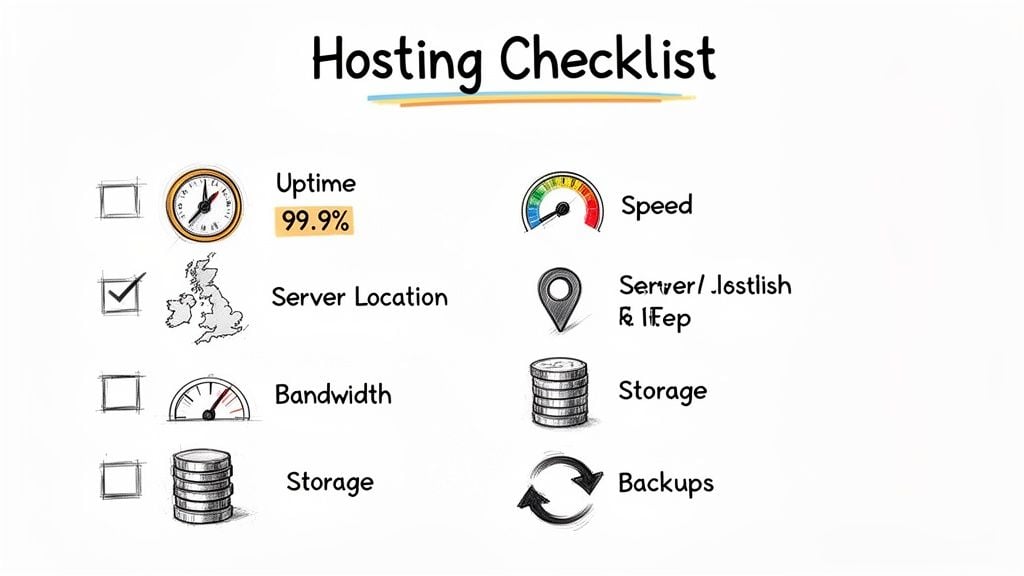
To choose wisely, you need a solid checklist. The following points are the absolute essentials I always use to vet potential hosts. Getting these right from the start is the difference between a fast, reliable site and a constant source of frustration.
Uptime Guarantees and What They Really Mean
You’ll see “99.9% uptime” plastered everywhere. It sounds great, but what does it actually mean in the real world? It's not as foolproof as it seems.
A 99.9% uptime guarantee means your website could be down for up to 8 hours and 45 minutes over the course of a year. For an eCommerce store, that's a full working day of lost sales and damaged customer trust.
Aim higher. Look for providers who commit to a 99.95% or better Service Level Agreement (SLA). More importantly, find out what happens if they don't meet that promise. A reputable host will offer credits for downtime that exceeds their guarantee, which shows they have real confidence in their own infrastructure.
Server Performance and Speed
In 2026, speed isn't just a feature; it's a fundamental requirement. Your website's performance is non-negotiable. With 47% of users expecting a page to load in two seconds or less, even a tiny delay can send your bounce rate through the roof and hurt your search rankings.
Here are the three cornerstones of a fast hosting setup:
- Solid-State Drives (SSDs): These are miles faster than old-school hard disk drives (HDDs). Any host worth their salt should be using SSDs as standard across all plans. Don’t even consider one that doesn’t.
- Server Location: If your business serves a UK audience, your server needs to be in the UK. Simple as that. A local server drastically reduces latency—the physical time it takes for data to get from the server to your visitor's screen.
- Content Delivery Network (CDN): A CDN is a game-changer for reaching a global audience. It stores copies of your website on servers worldwide, so a visitor from New York loads your site from a nearby server, not one all the way in London. Many good hosts integrate a CDN like Cloudflare for free.
Demystifying Bandwidth and Storage
Bandwidth and storage are two other figures you'll see on every hosting plan, often with the tempting "unlimited" label attached. Be sceptical. "Unlimited" always has a fair use policy hiding in the small print. It's far better to understand what you actually need.
- Storage: This is how much space your website’s files, images, and database take up. Honestly, a typical small business WordPress site with a few dozen pages and a blog will struggle to use more than 5-10GB.
- Bandwidth: This measures the data transferred between your site and your visitors. You can get a rough idea by multiplying your average page size by your estimated monthly visitors.
Don't get tricked into paying for resources you'll never touch. A decent shared or VPS plan will give you plenty of room to get started, with clear and affordable options to upgrade when your traffic starts taking off. How you manage those files also comes down to your CMS, so having a grasp of the different types of website Content Management Systems is a big help.
Your Backup Policy Safety Net
Your website's data is one of your most valuable business assets. A solid backup policy isn't a luxury; it's your only safety net. A site can crash for all sorts of reasons—a plugin update gone wrong, a security breach, or just plain human error. Without a recent backup, you could lose everything in an instant.
When you're checking out a host's backup system, you need to ask some direct questions:
- How often do you take backups? For any site that's actively updated, daily backups are the absolute minimum.
- How long do you keep them? A 30-day retention period is a good standard. It gives you a decent window to catch a problem and roll back.
- How do I restore a backup? You're looking for one-click restoration tools in your control panel. In a crisis, the last thing you want is to be fumbling with support tickets.
- Is there a cost? Some budget hosts charge a hefty fee to restore your data. That's a nasty surprise you don't need when you're already stressed.
A reliable, free, and easy-to-use backup system isn't just a feature to tick off a list. It’s the ultimate insurance policy for your online business.
Right, we've spent a lot of time on the nuts and bolts of performance—uptime, speed, and server resources. That’s all crucial, but it’s only half the story. A fast website is useless if it’s vulnerable, and the best server in the world becomes a liability if you’re left high and dry when something breaks.
Now, let's get into the two areas that truly separate a great host from a merely adequate one: security and support.
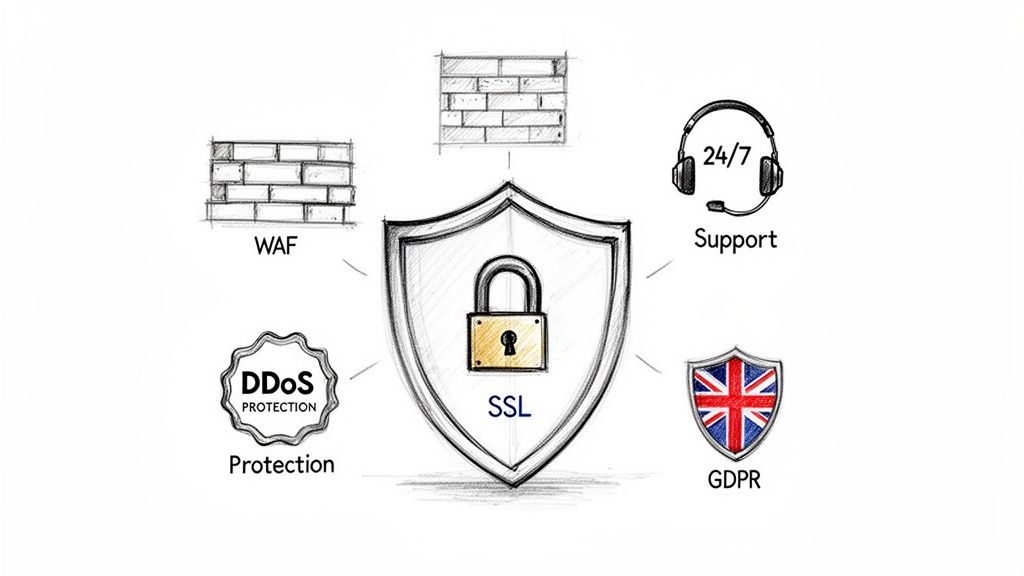
In my experience, these are the exact places where budget hosts tend to cut corners, and it’s where small businesses often end up paying the heaviest price. When you’re choosing a provider, a strong security posture isn't a "nice-to-have"—it's a fundamental requirement.
Your Non-Negotiable Security Checklist
You need a host that’s proactive about security, not one that just reacts after your site has been compromised. When you're vetting potential providers, use this list to make sure they offer these core protections as part of their standard package, not as expensive add-ons.
Free SSL Certificate: This is an absolute deal-breaker. An SSL certificate encrypts the connection between your website and your visitors, which is vital for building trust, for SEO, and for basic online safety. Any reputable host provides a free Let's Encrypt SSL. In 2026, there's simply no excuse for this not to be included.
Regular Malware Scanning: Prevention is always better than cure. Your host should be running automated, regular scans on your site’s files to catch malicious code before it causes real damage. The key question to ask is whether they offer free malware removal if something is found. Many cheap hosts will only alert you to the problem, leaving you to handle the stressful cleanup.
Web Application Firewall (WAF): Think of a WAF as a dedicated security guard for your website. It inspects all incoming traffic and filters out common attacks like SQL injections and cross-site scripting before they can even get near your server.
DDoS Protection: Distributed Denial of Service (DDoS) attacks are brutish attempts to flood your server with junk traffic, knocking your site offline. Good DDoS mitigation is a core infrastructure feature that ensures your site stays standing during an attack.
As a UK business, it's also critical to confirm your host is GDPR compliant. Their data centres and internal policies must align with these regulations, especially regarding where and how your customers' data is stored and processed.
Putting Customer Support to the Test
Just about every hosting company on the planet claims to have "24/7 support," but the quality of that support can vary wildly. For a small business owner, getting fast, competent help is priceless. A simple plugin issue at 10 PM can easily snowball into a full-blown crisis if you’re stuck waiting hours for a ticket response.
The quality of a host's support is often the single most important factor in your long-term satisfaction. You're not just buying server space; you're buying peace of mind.
Don't just take their marketing claims at face value—put their support team to the test before you commit. Here’s a simple but effective way to do it.
Head over to their website and start a live chat with their pre-sales team. Ask them a slightly technical but perfectly reasonable question. Something like: "How do you handle malware cleaning, and what is your backup restoration process like?"
Pay very close attention to three things:
- Response Time: How long did you wait to connect with a human?
- Knowledge: Did they give you a clear, confident answer, or did they just copy-paste a link to a generic help article?
- Willingness to Help: Did they sound genuinely interested in solving your query, or were they just rushing to close a sale?
This little test gives you a genuine glimpse into their company culture. If their team is slow and unhelpful when you're a potential paying customer, you can bet it won't get any better once you have a real emergency.
Thinking Ahead: Growth, Scalability, and Your Future Needs
It’s tempting to pick a hosting plan that just fits your needs right now. But that’s one of the biggest mistakes I see business owners make. Your website isn’t a static brochure; it's a living part of your business, and it needs room to grow.
A cheap shared hosting plan might feel like a savvy financial move today. But fast forward a year, when your traffic has doubled and you’re faced with a complicated, stressful, and expensive migration to a bigger server. Suddenly, that initial bargain looks like a false economy. Think of your hosting as a foundational investment, not just a monthly expense.
When your big Black Friday sale hits or a blog post goes viral, the last thing you want is for your site to slow to a crawl or go down completely. A host that can scale with you is worth its weight in gold, allowing you to upgrade your resources quickly and without any fuss.
Can Your Host Keep Up With Your Success?
So, how do you know if a provider is built for growth? It’s simple: you ask them directly. The very first question on your list should be, "What does your upgrade path look like?" You're looking for a clear, straightforward process to move from one plan to the next.
Imagine moving from a shared plan to a more powerful Virtual Private Server (VPS). A great host will handle almost all the technical work for you. That means the transition is smooth, your business isn't disrupted, and your customers barely notice a thing.
Before you commit, get concrete answers on these key points:
- The Upgrade Process: How easy is it, really? Can you upgrade from shared hosting to a VPS with a few clicks in your dashboard, or does it require a support ticket and a lot of back-and-forth?
- Downtime: Ask them point-blank: "Will my site go offline during an upgrade, and for how long?" A well-oiled machine of a host should keep this to an absolute minimum—often just a few minutes.
- The Costs: Are the prices for bigger plans clearly laid out? More importantly, are there any hidden fees for the migration or upgrade service itself? Transparency is non-negotiable.
- Hands-on Support: Will their team actually help you with the move? Some providers offer fully managed migrations, which is a massive relief if you’re not technically inclined.
If a potential host gets cagey or can't give you straight answers here, it's a major red flag. It tells you they probably don't have the robust infrastructure or organised processes to support a growing business like yours.
Why a Good Control Panel Is Your Best Friend
As your site grows, so do your management tasks. You'll find yourself needing to add a new team email, set up a subdomain for a special landing page, or quickly restore a backup after a pesky plugin update breaks something. This is where your control panel comes into play.
An intuitive, industry-standard control panel like cPanel or Plesk is essential. These tools give you a graphical interface to manage all the complicated server stuff without needing a computer science degree. Without one, even simple jobs can turn into a technical nightmare.
Think of your control panel as the cockpit for your website. A well-designed one puts you in command of your site's core functions—from managing files and databases to setting up email accounts and checking performance stats.
A good control panel empowers you to manage your site efficiently, saving you countless hours and reducing your reliance on support for routine tasks. When you’re comparing hosts, always find out what control panel they use. If you can, ask for a demo or look for screenshots. This simple check can spare you a world of frustration down the road.
Choosing Between DIY, Managed Hosting, or an Agency
As a business owner, your time is your most precious resource. While it’s tempting to roll up your sleeves and manage your own web hosting to save a few pounds, it’s rarely the best use of your expertise. When a technical glitch hits, you’re suddenly pulled away from running your business to play part-time IT support.
This brings you to a critical fork in the road. Do you keep wrestling with the technical side yourself, or do you hand the reins to a specialist? For most busy entrepreneurs, exploring managed services is a smart move that pays for itself in reclaimed time and peace of mind.
What Is Managed Hosting?
Put simply, managed hosting means you pay a team of experts to handle the entire technical backend of your website. They take complete ownership of server maintenance, security scans, performance optimisation, software updates, and daily backups. You get all the benefits of a powerful server without any of the headaches.
It’s the perfect fit for businesses that can't afford any website downtime but don’t have an in-house tech team. Imagine a busy eCommerce site in the middle of a Black Friday sale, or a consulting firm that relies on its website for 100% of its leads. In those situations, a slow or offline site isn't an inconvenience—it's lost revenue.
Think of managed hosting as having a dedicated IT department for your website, but for a fraction of the cost. It's the assurance that experts are always working behind the scenes to keep your site fast, secure, and online.
Partnering With a Digital Agency
Taking it a step further, you could partner with a digital agency like DesignStack. This is a much more integrated approach that goes far beyond just hosting. An agency acts as a strategic partner, handling everything from the initial website design and development to ongoing SEO, content marketing, and performance analysis.
This option is ideal if you want a single, accountable team for your entire online presence. Instead of trying to coordinate a hosting company, a freelance designer, and an SEO consultant, you have one point of contact. Your agency understands your business goals from top to bottom, ensuring every part of your digital strategy is pulling in the same direction.
So, which path is right for you? Ask yourself these honest questions:
- Do I really have the technical skills? Could you confidently fix a plugin conflict, diagnose a database error, or restore a backup at 3 AM? If the answer is no, managed support is a much safer bet.
- What is my time actually worth? Work out your effective hourly rate. If you're spending even a few hours a month on hosting admin, you'll likely find that a managed plan costs less than the time you're losing.
- Is my website mission-critical? If your site is central to your sales and marketing, you can't afford to leave its uptime to chance. The proactive monitoring that comes with a managed service is invaluable here.
- Do I need more than just hosting? If you also need a hand with web design, SEO, or growing your brand online, an agency provides a complete, seamless solution. If this sounds like you, take a look at our guide on how to find a website designer who truly understands your vision.
Ultimately, both managed hosting and agency partnerships are about one thing: freeing you up to focus on what you do best. You can get back to running your business, confident that the technical details are being handled by professionals.
A Few Final Questions
Even with a clear plan, a few questions always pop up when you're on the verge of choosing a web host. We get it. Here are the most common ones we hear from UK business owners, along with our straightforward answers.
How Much Should I Expect To Pay For Good Web Hosting in the UK?
This is a classic "how long is a piece of string?" question, but you can work with some solid benchmarks. The key is to think about value, not just the rock-bottom price.
For a new business site, a quality shared hosting plan will usually set you back between £5 and £15 a month. If your eCommerce store is taking off or you have a lot of traffic, you’ll want to look at a Virtual Private Server (VPS), which typically runs from £30 to £60 per month. For those who want a completely hands-off experience, managed hosting plans are a great shout, often starting around £25 per month.
A word of warning: if a deal looks too good to be true, it almost certainly is. Ultra-low prices are often a red flag for sluggish performance, poor security, and support that's nowhere to be found when you need it most. That initial saving can cost you dearly down the line.
Do I Really Need An SSL Certificate For My Website?
Yes, absolutely. An SSL certificate isn't just a "nice-to-have" anymore; it's non-negotiable. It encrypts the connection between your site and your visitors, which is crucial for protecting everything from contact form details to payment information.
Without one, browsers like Chrome and Firefox will immediately slap a ‘Not Secure’ warning on your site. That warning obliterates trust in an instant and tells search engines your site isn't safe, which will tank your rankings. The good news? Most reputable hosts now include a free Let's Encrypt SSL certificate as standard. There's really no excuse not to have one.
Can I Move My Website To A New Host Later?
You certainly can, and sometimes you'll need to as your business grows. Migrating a website, however, can be a tricky process. If it's not handled with care, you risk losing data or, even worse, having your website go down completely.
Many providers know this is a pain point and offer a free or paid migration service to get you moved over smoothly. It's one of the first things you should check for when vetting a new host. If you're not confident tackling the technical side yourself, taking advantage of a host’s migration service or working with a digital agency is by far the safest bet.
If you're looking for a partner to manage your hosting and help grow your online presence, DesignStack offers reliable, performance-focused hosting and expert web design services. Learn more at https://designstack.co.uk.


Leave a Reply